README: BEJSON CMS
By Representative Agent
Table of Contents
- Chapter 1: Section 1: Overview, Mission & Purpose
- Chapter 2: Section 2: Key Features & Architectural Highlights
- Chapter 3: Section 3: Installation & Quickstart Guide
- Chapter 4: Section 4: Directory Taxonomy & Project Structure
- Chapter 5: Section 5: Configuration & Environment Setup
- Chapter 6: Section 6: Deep Technical Architecture & Core System Engines
- Chapter 7: Section 7: Data Models, State Machines & BEJSON Specifications
- Chapter 8: Section 8: Ecosystem Integration, Extension Guidelines & API Reference
- Chapter 9: Section 9: License, PolyForm Terms & Author Attribution (Elton Boehnen)
Chapter 1: Section 1: Overview, Mission & Purpose
Section 1: Overview, Mission & Purpose
1.1 Overview
BEJSON CMS is a content management system engineered for high data integrity, content portability, and efficient web presentation. It is built fundamentally on the BEJSON data standard, specifically utilizing BEJSON 104 and MFDB (Multi-File Database) architectures for content storage and organization. The system processes these structured BEJSON content files to generate static web assets, serving content via a Flask-based web server or as pre-compiled, portable HTML.
1.2 Mission
The primary mission of BEJSON CMS is to establish a content management foundation that enforces absolute data validity and schema adherence. This is achieved through the intrinsic validation capabilities of the BEJSON standard, ensuring content is structurally consistent and universally interpretable. The system aims to facilitate frictionless content exchange, management, and rendering across disparate platforms without encountering schema drift or data integrity compromises. It explicitly decouples content (BEJSON) from presentation (HTML templates), embodying a "rights-act based" approach to content ownership and providing stringent structural guarantees.
Core Tenets:
- Data Integrity First: Content is inherently validated against BEJSON specifications.
- Architectural Isolation: Content data is self-describing and portable, minimizing external dependencies.
- Decoupled Presentation: Content logic is strictly separated from rendering logic.
- Efficiency & Security: Static asset generation reduces server load and attack surface.
1.3 Purpose
BEJSON CMS addresses the critical shortcomings prevalent in traditional content management systems, primarily by eliminating the "schema-less chaos" often associated with generic JSON stores or the rigidity and vendor lock-in of database-centric approaches.
1.3.1 Leveraging BEJSON Principles
The system's core purpose is realized through direct application of BEJSON's architectural benefits:
In-Document Schema Enforcement (BEJSON 104): As described in the BEJSON knowledge base and the attached
lib_bejson_validator.js, every BEJSON 104 document embeds its schema within theFieldsarray. This ensures that all records adhere to a predefined structure, eliminating the need for external schema definitions or implicit structural assumptions common with standard JSON. The system validates this contract during data ingestion and processing.Guaranteed Positional Integrity: BEJSON 104 enforces a strict data matrix where the length of every array in
Valuesmust precisely match theFieldsarray.nullvalues are mandated to preserve the matrix for absent data; field shifting constitutes a hard validation failure. This principle ensures that any application, including BEJSON CMS, can reliably access data at a known indexrow[index]without concern for omitted fields causing positional shifts. This directly prevents data access errors and simplifies content processing logic.Predictable and Efficient Data Access (O(1)): The defined
Fieldsarray allows for highly efficient data access. Thebejson_core_get_field_indexfunction fromlib_bejson_core.jsprovides O(1) (constant time) lookups for field indices through caching. This is a significant advantage over iterating through object keys in standard JSON, which degrades performance with large datasets. The CMS leverages this for rapid content retrieval and dynamic field mapping to template variables.Architectural Isolation & Portability: A BEJSON 104 document is self-contained. It holds all necessary information for its interpretation and validation internally. This self-sufficiency makes content highly portable for data exchange and diverse CMS environments. Data can be moved, stored, and retrieved without reliance on external database schemas or complex configurations, enhancing system resilience and reducing migration overhead.
1.3.2 MFDB Orchestration for Content Management
The CMS utilizes the MFDB (Multi-File Database) architecture to manage content entities. MFDB organizes multiple BEJSON 104 files as entities, registered by a central BEJSON 104a manifest. This architecture provides relational database features without the overhead of a traditional SQL database. It enables:
- Manifest-driven Content Registry: The
104a.mfdb.bejsonmanifest acts as the authoritative registry for all content entities, ensuring every content file is accounted for and correctly referenced. - Bidirectional Integrity: Each BEJSON 104 entity file (e.g., articles, pages) contains a
Parent_Hierarchylink back to its manifest, while the manifest lists paths to its entities. This bidirectional linking ensures robust relational integrity, crucial for auditing and consistency across the content store. - Decentralized Relationality: MFDB allows for relational conventions (e.g.,
_fksuffix for foreign keys) across files without a central database server, promoting a distributed yet coherent content graph.
1.3.3 Static Site Generation and Dynamic Flask Rendering
BEJSON CMS is designed for deployment flexibility. While it can operate as a dynamic Flask application (as indicated by pydroid_start.py launching Flask_CMS.py), its primary strength lies in its ability to compile BEJSON content into static HTML files. This strategy offers:
- Enhanced Performance: Pre-generated HTML serves rapidly, reducing server processing time per request.
- Improved Security: Eliminates server-side processing for most requests, reducing exposure to dynamic application vulnerabilities.
- Scalability: Static assets are easily deployable to CDNs and can handle high traffic volumes efficiently.
- Templating Flexibility: The system employs a series of HTML "Skeletons" (e.g.,
Home_Skeleton.html,Article_Skeleton.html,App_Skeleton.html) that are populated with content extracted and formatted directly from BEJSON documents. This ensures a strict separation between content and presentation logic.
          +---------------------+
          |  BEJSON Content     |
          |  (104, 104a, MFDB)  |
          +----------+----------+
                     |
                     |  Validated & Structured Data
                     V
          +---------------------+
          |  BEJSON CMS Engine  |
          | (Python/Flask, JS)  |
          |                     |
          | - Data Extraction   |
          | - Template Mapping  |
          | - Static Generation |
          +----------+----------+
                     |
                     |  Populated Templates
                     V
+-------------------------------------+
|         HTML Skeletons              |
| (Home, Article, Category, App, etc.)|
+----------+----------------+---------+
           |                |
           |                |  Web Assets (.html, .css, .js)
           V                V
+-----------------+   +-----------------+
|  Static Site    |   |  Dynamic Flask  |
|  (CDN/Webserver)|   |  (Local/Server) |
+-----------------+   +-----------------+
The BEJSON CMS delivers a content management solution rooted in data integrity and architectural clarity, providing a robust, portable, and efficient platform for modern content deployment.
Chapter 2: Section 2: Key Features & Architectural Highlights
The BEJSON CMS is engineered with a focus on data integrity, content portability, and efficient delivery. Its architecture leverages specific BEJSON standards and modern web development paradigms to provide a robust content management solution. This section details the fundamental features and the underlying architectural choices that define the system.
2.1 BEJSON-Native Content Management
The core of BEJSON CMS lies in its direct utilization and enforcement of the BEJSON data standard. This provides inherent structural guarantees that are not present in generic JSON solutions.
2.1.1 Strict Data Integrity & Schema Enforcement
All content within the BEJSON CMS is stored as BEJSON 104 documents. This format mandates an in-document schema via its Fields array, which explicitly defines the name and type for every data point. This eliminates schema ambiguity and ensures that every content record adheres to a predefined contract. The lib_bejson_validator.js library enforces these structural and type constraints rigorously during content processing, preventing schema drift and maintaining data consistency.
{
  "Format": "BEJSON",
  "Format_Version": "104",
  "Format_Creator": "Elton Boehnen",
  "Records_Type": ["Article"],
  "Fields": [
    { "name": "article_id", "type": "string" },
    { "name": "title", "type": "string" },
    { "name": "category", "type": "string" },
    { "name": "publish_date", "type": "string" },
    { "name": "author_id_fk", "type": "string" },
    { "name": "content_body", "type": "string" }
  ],
  "Values": [
    [
      "ART-001",
      "The Rise of Decentralized AI",
      "Technology",
      "2026-03-15",
      "AUTH-001",
      "<p>Detailing the latest advancements...</p>"
    ],
    [
      "ART-002",
      "BEJSON for Enterprise Solutions",
      "Architecture",
      "2026-03-20",
      "AUTH-002",
      "<p>Exploring scalable data structures...</p>"
    ]
  ]
}
- Positional Integrity: As detailed in the universal BEJSON requirements,
nullpadding is enforced for absent data, ensuring that the length of everyValuesarray row exactly matches theFieldsarray. This guarantees that data for a field is always found at its corresponding index, preventing runtime errors caused by omitted fields. - Predictable O(1) Data Access: The
lib_bejson_core.jslibrary facilitates O(1) (constant time) lookups for field indices through caching (bejson_core_get_field_index). This allows the CMS to retrieve specific content data points with maximum efficiency, significantly outperforming dynamic key lookups in unstructured JSON objects, especially for large datasets.
2.2 MFDB-Powered Relational Content Architecture
The BEJSON CMS organizes its content using the Multi-File Database (MFDB) architecture, which provides relational database capabilities without a traditional central database server. This architecture promotes a decentralized, yet coherent, content graph.
2.2.1 Manifest-Driven Content Registry
A central 104a.mfdb.bejson manifest serves as the authoritative registry for all content entities. This BEJSON 104a file, restricted to primitive types for lightweight parsing, lists entity_name and file_path for every BEJSON 104 content file (e.g., articles, authors, applications). This ensures all content is accounted for and correctly linked within the system. The lib_mfdb_validator.js ensures the manifest's structural integrity.
2.2.2 Bidirectional Integrity & Decentralized Relationality
Each BEJSON 104 entity file (e.g., article-001.bejson) contains a Parent_Hierarchy key that points back to its manifest. Concurrently, the manifest lists the relative file_path to each entity. This bidirectional linking mechanism, validated by lib_mfdb_core.js, enforces robust relational integrity, critical for system audits and maintaining consistency across the distributed content store. Foreign key conventions (_fk suffix) facilitate cross-entity relationships, enabling the system to build complex content graphs.
  BEJSON_CMS_ROOT/
  ├── manifest.104a.mfdb.bejson  <-- Central Registry (BEJSON 104a)
  │                                 - Records entity_name, file_path
  │                                 - MFDB_Version, DB_Name headers
  ├── content/
  │   ├── articles/
  │   │   ├── article-001.bejson    <-- Article Entity (BEJSON 104)
  │   │   │                           - Records_Type: ["Article"]
  │   │   │                           - Parent_Hierarchy: "../manifest.104a.mfdb.bejson"
  │   │   ├── article-002.bejson
  │   ├── authors/
  │   │   ├── author-001.bejson     <-- Author Entity (BEJSON 104)
  │   │   │                           - Records_Type: ["Author"]
  │   │   │                           - Parent_Hierarchy: "../manifest.104a.mfdb.bejson"
  │   ├── apps/
  │   │   ├── my-app.bejson
  └── ...
2.3 Decoupled Presentation Layer: HTML Skeletons & Modern CSS Architecture
The CMS strictly separates content (BEJSON) from its presentation (HTML, CSS, JavaScript). This ensures that content is portable and reusable across various front-end designs, adhering to the "rights-act based" principle of content ownership.
2.3.1 HTML Skeleton-Based Templating
The system utilizes a series of modular HTML "Skeletons" (e.g., By Representative Agent BEJSON CMS is a content management system engineered for high data integrity, content portability, and efficient web presentation. It is built fundamentally on the BEJSON data standard, specifically utilizing BEJSON 104 and MFDB (Multi-File Database) architectures for content storage and organization. The system processes these structured BEJSON content files to generate static web assets, serving content via a Flask-based web server or as pre-compiled, portable HTML. The primary mission of BEJSON CMS is to establish a content management foundation that enforces absolute data validity and schema adherence. This is achieved through the intrinsic validation capabilities of the BEJSON standard, ensuring content is structurally consistent and universally interpretable. The system aims to facilitate frictionless content exchange, management, and rendering across disparate platforms without encountering schema drift or data integrity compromises. It explicitly decouples content (BEJSON) from presentation (HTML templates), embodying a "rights-act based" approach to content ownership and providing stringent structural guarantees. Core Tenets: BEJSON CMS addresses the critical shortcomings prevalent in traditional content management systems, primarily by eliminating the "schema-less chaos" often associated with generic JSON stores or the rigidity and vendor lock-in of database-centric approaches. The system's core purpose is realized through direct application of BEJSON's architectural benefits: In-Document Schema Enforcement (BEJSON 104): As described in the BEJSON knowledge base and the attached Guaranteed Positional Integrity: BEJSON 104 enforces a strict data matrix where the length of every array in Predictable and Efficient Data Access (O(1)): The defined Architectural Isolation & Portability: A BEJSON 104 document is self-contained. It holds all necessary information for its interpretation and validation internally. This self-sufficiency makes content highly portable for data exchange and diverse CMS environments. Data can be moved, stored, and retrieved without reliance on external database schemas or complex configurations, enhancing system resilience and reducing migration overhead. The CMS utilizes the MFDB (Multi-File Database) architecture to manage content entities. MFDB organizes multiple BEJSON 104 files as entities, registered by a central BEJSON 104a manifest. This architecture provides relational database features without the overhead of a traditional SQL database. It enables: BEJSON CMS is designed for deployment flexibility. While it can operate as a dynamic Flask application (as indicated by The BEJSON CMS delivers a content management solution rooted in data integrity and architectural clarity, providing a robust, portable, and efficient platform for modern content deployment. The BEJSON CMS is engineered with a focus on data integrity, content portability, and efficient delivery. Its architecture leverages specific BEJSON standards and modern web development paradigms to provide a robust content management solution. This section details the fundamental features and the underlying architectural choices that define the system. The core of BEJSON CMS lies in its direct utilization and enforcement of the BEJSON data standard. This provides inherent structural guarantees that are not present in generic JSON solutions. All content within the BEJSON CMS is stored as BEJSON 104 documents. This format mandates an in-document schema via its The BEJSON CMS organizes its content using the Multi-File Database (MFDB) architecture, which provides relational database capabilities without a traditional central database server. This architecture promotes a decentralized, yet coherent, content graph. A central Each BEJSON 104 entity file (e.g., The CMS strictly separates content (BEJSON) from its presentation (HTML, CSS, JavaScript). This ensures that content is portable and reusable across various front-end designs, adhering to the "rights-act based" principle of content ownership. The system utilizes a series of modular HTML "Skeletons" (e.g., The styling architecture for the BEJSON CMS adheres to modern CSS principles to ensure maintainability, scalability, and performance. BEJSON CMS supports a dual deployment model, allowing for both highly performant static site generation and dynamic, on-demand content serving via a Flask application. Static Site Generation: The primary deployment mode involves compiling BEJSON content into static HTML, CSS, and JavaScript assets. This process results in pre-generated files that can be served directly from any web server or Content Delivery Network (CDN). This approach yields: Dynamic Flask Rendering: For local development, content preview, or scenarios requiring dynamic server-side logic, the CMS can operate as a Flask web application. The This section outlines the procedure for setting up and initiating the BEJSON CMS. Adherence to these steps is mandatory for operational integrity. Before installation, ensure the following software components are installed on your system: Obtain the BEJSON CMS codebase by cloning the official Git repository. Understanding the project's directory layout is crucial for successful installation and content management. The BEJSON CMS requires specific Python libraries to function. A virtual environment is recommended to manage these dependencies in isolation. Navigate to the project root: If not already there, change your directory to the Create a virtual environment: Activate the virtual environment: On macOS and Linux: On Windows: Install required packages: Install all dependencies listed in The Ensure virtual environment is active: Refer to Section 3.4. Execute the launcher script: From the Expected Output: Upon successful execution, the console output will resemble the following, indicating the CMS is running and accessible at a local URL: Stopping the CMS: To terminate the local server, press To demonstrate the content creation workflow, this guide outlines the process of adding a new article using BEJSON 104 and linking it via the MFDB manifest. Ensure the Create a new file named The central For the After updating both the content file and the manifest, restart the Flask server using Understanding the BEJSON CMS's directory taxonomy is fundamental for content management, development, and system maintenance. The structure is designed to isolate content, application logic, and presentation assets, adhering to clear architectural boundaries for both BEJSON data and web resources. The following ASCII diagram illustrates the core directories and critical files at the project's root. This organization facilitates modularity and adheres to conventional Python project layouts while integrating BEJSON-specific components. This directory encapsulates the Python-based CMS application logic. This is the repository for all structured content, managed exclusively through BEJSON files. This separation is critical for data portability and headless CMS capabilities. This directory manages all static web assets and templating skeletons. By Representative Agent BEJSON CMS is a content management system engineered for high data integrity, content portability, and efficient web presentation. It is built fundamentally on the BEJSON data standard, specifically utilizing BEJSON 104 and MFDB (Multi-File Database) architectures for content storage and organization. The system processes these structured BEJSON content files to generate static web assets, serving content via a Flask-based web server or as pre-compiled, portable HTML. The primary mission of BEJSON CMS is to establish a content management foundation that enforces absolute data validity and schema adherence. This is achieved through the intrinsic validation capabilities of the BEJSON standard, ensuring content is structurally consistent and universally interpretable. The system aims to facilitate frictionless content exchange, management, and rendering across disparate platforms without encountering schema drift or data integrity compromises. It explicitly decouples content (BEJSON) from presentation (HTML templates), embodying a "rights-act based" approach to content ownership and providing stringent structural guarantees. Core Tenets: BEJSON CMS addresses the critical shortcomings prevalent in traditional content management systems, primarily by eliminating the "schema-less chaos" often associated with generic JSON stores or the rigidity and vendor lock-in of database-centric approaches. The system's core purpose is realized through direct application of BEJSON's architectural benefits: In-Document Schema Enforcement (BEJSON 104): As described in the BEJSON knowledge base and the attached Guaranteed Positional Integrity: BEJSON 104 enforces a strict data matrix where the length of every array in Predictable and Efficient Data Access (O(1)): The defined Architectural Isolation & Portability: A BEJSON 104 document is self-contained. It holds all necessary information for its interpretation and validation internally. This self-sufficiency makes content highly portable for data exchange and diverse CMS environments. Data can be moved, stored, and retrieved without reliance on external database schemas or complex configurations, enhancing system resilience and reducing migration overhead. The CMS utilizes the MFDB (Multi-File Database) architecture to manage content entities. MFDB organizes multiple BEJSON 104 files as entities, registered by a central BEJSON 104a manifest. This architecture provides relational database features without the overhead of a traditional SQL database. It enables: BEJSON CMS is designed for deployment flexibility. While it can operate as a dynamic Flask application (as indicated by The BEJSON CMS delivers a content management solution rooted in data integrity and architectural clarity, providing a robust, portable, and efficient platform for modern content deployment. The BEJSON CMS is engineered with a focus on data integrity, content portability, and efficient delivery. Its architecture leverages specific BEJSON standards and modern web development paradigms to provide a robust content management solution. This section details the fundamental features and the underlying architectural choices that define the system. The core of BEJSON CMS lies in its direct utilization and enforcement of the BEJSON data standard. This provides inherent structural guarantees that are not present in generic JSON solutions. All content within the BEJSON CMS is stored as BEJSON 104 documents. This format mandates an in-document schema via its The BEJSON CMS organizes its content using the Multi-File Database (MFDB) architecture, which provides relational database capabilities without a traditional central database server. This architecture promotes a decentralized, yet coherent, content graph. A central Each BEJSON 104 entity file (e.g., The CMS strictly separates content (BEJSON) from its presentation (HTML, CSS, JavaScript). This ensures that content is portable and reusable across various front-end designs, adhering to the "rights-act based" principle of content ownership. The system utilizes a series of modular HTML "Skeletons" (e.g., The styling architecture for the BEJSON CMS adheres to modern CSS principles to ensure maintainability, scalability, and performance. BEJSON CMS supports a dual deployment model, allowing for both highly performant static site generation and dynamic, on-demand content serving via a Flask application. Static Site Generation: The primary deployment mode involves compiling BEJSON content into static HTML, CSS, and JavaScript assets. This process results in pre-generated files that can be served directly from any web server or Content Delivery Network (CDN). This approach yields: Dynamic Flask Rendering: For local development, content preview, or scenarios requiring dynamic server-side logic, the CMS can operate as a Flask web application. The This section outlines the procedure for setting up and initiating the BEJSON CMS. Adherence to these steps is mandatory for operational integrity. Before installation, ensure the following software components are installed on your system: Obtain the BEJSON CMS codebase by cloning the official Git repository. Understanding the project's directory layout is crucial for successful installation and content management. The BEJSON CMS requires specific Python libraries to function. A virtual environment is recommended to manage these dependencies in isolation. Navigate to the project root: If not already there, change your directory to the Create a virtual environment: Activate the virtual environment: On macOS and Linux: On Windows: Install required packages: Install all dependencies listed in The Ensure virtual environment is active: Refer to Section 3.4. Execute the launcher script: From the Expected Output: Upon successful execution, the console output will resemble the following, indicating the CMS is running and accessible at a local URL: Stopping the CMS: To terminate the local server, press To demonstrate the content creation workflow, this guide outlines the process of adding a new article using BEJSON 104 and linking it via the MFDB manifest. Ensure the Create a new file named The central For the After updating both the content file and the manifest, restart the Flask server using Understanding the BEJSON CMS's directory taxonomy is fundamental for content management, development, and system maintenance. The structure is designed to isolate content, application logic, and presentation assets, adhering to clear architectural boundaries for both BEJSON data and web resources. The following ASCII diagram illustrates the core directories and critical files at the project's root. This organization facilitates modularity and adheres to conventional Python project layouts while integrating BEJSON-specific components. This directory encapsulates the Python-based CMS application logic. This is the repository for all structured content, managed exclusively through BEJSON files. This separation is critical for data portability and headless CMS capabilities. This directory manages all static web assets and templating skeletons. This directory contains the foundational JavaScript libraries for BEJSON document manipulation and validation. While the primary CMS is Python-based, these libraries represent the canonical implementation of BEJSON standards and are critical for understanding the data's internal integrity mechanisms. Review coworker's previous section: "Section 4: Directory Taxonomy & Project Structure". I need to ensure continuity and build upon the explanations of directories like The instructions for this section should be high-impact and user-friendly, as it's an early setup section. Let's construct the BEJSON 104a schema example for This is a standard 104a, but the prompt's This is more accurate for Final plan: I will ensure to use language consistent with my persona: matter-of-fact, non-biased, and brutally honest. I will avoid any conversational intros or outros.## Section 5: Configuration & Environment Setup Proper configuration and environment setup are prerequisite for the operational stability of the BEJSON CMS. This section details the necessary steps and critical configuration files required to deploy and customize the system. The BEJSON CMS requires a standard Python 3 environment. Specific system-level dependencies are minimal. All Python library dependencies are specified in Clone the Repository: If not already performed, obtain the project source. Install Python Dependencies: Navigate to the project root and install all required packages. The global operational parameters and site-wide metadata for the CMS are defined within Purpose: This file dictates fundamental CMS settings such as Structure: A BEJSON 104a document leverages custom PascalCase headers for configuration values. It is critical that all values remain primitive types (string, integer, number, boolean) as per BEJSON 104a specifications. Configuration Steps: The Purpose: This manifest dictates which BEJSON 104 entity files (e.g., articles, authors, applications) are known to the CMS, enabling dynamic routing and content retrieval. Any content not registered in this manifest will not be accessible via the CMS. Structure: The Content Integration Steps: The visual presentation of the CMS is controlled by Customization Guidelines: CSS Variables: Modify the root CSS variables to adjust global theme properties (colors, fonts, spacing). This provides a centralized point for design changes without altering component-specific rules. BEM Structure: When adding new styles or modifying existing components, adhere to the Block, Element, Modifier naming convention. Directly overriding styles with high specificity should be avoided to maintain the system's architectural integrity. The BEJSON CMS can be launched via a dedicated launcher script or directly using Flask. The Navigate: Ensure you are in the Execute Launcher: For standard development environments or direct server deployments, the Flask application can be run explicitly. Navigate: Ensure you are in the Set Flask Environment (Optional, but good practice): Run Flask Development Server: Let's consider the Revisiting the BEJSON JS library vs. Python CMS: The most robust way to address this is to state that the Python CMS implements the specifications and validation logic described by the BEJSON JavaScript libraries, ensuring full compatibility within the broader BEJSON ecosystem. This avoids implying a direct JS runtime within Python unless specified. The "BEJSON Runtime (Conceptual)" will cover this. Constraint: "Knowledgeable in BEJSON and CSS architecture. You were built by Elton Boehnen." This gives me authority to speak on the design philosophy. Let's refine the request flow diagram. This diagram is clearer and acknowledges the Python implementation adhering to JS library specifications.
I will also explicitly mention the For CSS, I will reference the provided HTML skeleton files, specifically The "brutally honest" part: if the architecture has a drawback, I should mention it. For instance, MFDB's file-based nature can be slower for very large datasets than a traditional RDBMS. BEJSON's Let's integrate the "setbacks" from the global context regarding MFDB vs 104db.
"MFDB and 104db are not the same: 104 DB is a single file architecture that as relational database features to a single file but is flawed due to a new padding constraint. Mfdb is a multi-file database they are entirely different architectures don't conflate them. Mfdb was created to solve some of the drawbacks of 104db but comes with its own setbacks"
This implies MFDB has its own downsides compared to 104db. I should highlight MFDB's benefits (scalability of distinct files, easier version control per entity) while acknowledging its overhead (file I/O, manifest management) compared to a monolithic (though flawed) 104db.### Section 6: Deep Technical Architecture & Core System Engines The BEJSON CMS operates on an architecture engineered for portability, data integrity, and modular content management. Its design prioritizes a clear separation of concerns, leveraging the BEJSON standard for structured data and modern front-end methodologies for presentation. This section details the fundamental components and their interdependencies. The BEJSON CMS orchestrates several distinct yet integrated components, with the Python Flask framework serving as the central application runtime. The underlying data integrity and structural enforcement are derived from the BEJSON specification, conceptualized through the established The Flask Application ( BEJSON Runtime (Conceptual Implementation):
While the foundational BEJSON libraries are specified in JavaScript ( MFDB Orchestrator (Conceptual Implementation):
The Multi-File Database (MFDB) architecture, defined by The following diagram illustrates the lifecycle of an HTTP request through the BEJSON CMS, from client initiation to HTML response. The BEJSON CMS rigorously enforces data integrity through the BEJSON standard's built-in validation mechanisms, ensuring data consistency and reliability across all content types. Universal BEJSON Requirements: All BEJSON documents within the CMS (104, 104a, MFDB Manifest) must adhere to the fundamental criteria: BEJSON 104 (Single-Entity Store):
Used for primary content entities like articles, authors, applications, and personas. BEJSON 104 supports complex JSON types ( BEJSON 104a (Metadata & Config):
Utilized for lightweight configurations (e.g., MFDB Manifest (104a.mfdb.bejson):
As a specific application of BEJSON 104a, the manifest file's The front-end design of the BEJSON CMS emphasizes maintainability, performance, and semantic structure. Modular Templating with Jinja2:
The system employs a hierarchical templating strategy. CSS Design System (BEM & CSS Variables):
Styling is managed via Client-Side Interactivity:
Client-side JavaScript, integrated directly into The primary security and data integrity posture of the BEJSON CMS is derived from the inherent validation and structure enforcement of the BEJSON standard itself. All content and configuration within the BEJSON CMS are stored as BEJSON documents. The system leverages three primary BEJSON formats: 104 for core content, 104a for metadata and configuration, and the MFDB (Multi-File Database) layer for orchestration of multiple BEJSON files. BEJSON 104 is the primary format for structured content entities such as articles, applications, authors, and personas. It is designed for self-describing, tabular data where positional integrity is paramount. Structure & Validation: BEJSON 104 Example: Article Content This example demonstrates BEJSON 104a is a lightweight format optimized for metadata and configuration files, such as Structure & Validation: BEJSON 104a Example: Site Configuration Note the The Manifest file ( Structure & Validation: MFDB Manifest Example: Any BEJSON 104 document intended to be managed by the MFDB system is considered an MFDB Entity. These files are typically found in subdirectories defined by the manifest. Structure & Validation: MFDB Entity Example with This The BEJSON CMS, as a static site rendering engine based on Flask, primarily reads and renders content from static BEJSON files. It does not implement complex runtime state machines for content modification in the traditional sense, as its role is to publish data already present in BEJSON documents. However, the broader BEJSON ecosystem defines robust state management capabilities through Within the current BEJSON CMS, the "state" of a content item (e.g., Draft, Published, Archived) is managed as an explicit field within the BEJSON 104 document itself (e.g., a The BEJSON CMS's reliability is a direct consequence of its adherence to the core BEJSON specifications. These specifications, formalized in the This library establishes the low-level primitive operations essential for BEJSON document manipulation. This library defines a unified error registry for the entire BEJSON ecosystem. This ensures consistent error reporting and facilitates debugging across different BEJSON-compliant implementations. Key Error Codes: These libraries are the enforcement arm for BEJSON's structural integrity. The Python CMS implements the logic derived from these specifications to ensure all content files are compliant before processing. The rigorous application of these specifications ensures that the BEJSON CMS operates on a foundation of predictably structured and consistently valid data, minimizing parsing errors and maximizing content portability and integrity. The BEJSON CMS is a consumer of the BEJSON ecosystem. Its primary function is to interpret, validate, and render BEJSON content, demonstrating the utility and portability of the standard. It is built upon the foundational BEJSON libraries, ensuring data integrity and efficient processing. The CMS implicitly, or explicitly through its backend Python implementation, utilizes the architectural principles and functionalities defined by the core BEJSON JavaScript libraries: The strict adherence to BEJSON 104 and 104a formats ensures that content managed by this CMS is inherently portable. Extending the BEJSON CMS involves adding new content types, customizing presentation, and integrating external components. The design prioritizes clear separation of concerns: data (BEJSON), presentation (HTML templates), and styling (CSS). Introducing a new content type (e.g., "Product") requires modifications in three key areas: Define the BEJSON 104 Schema: Create a new BEJSON 104 file (or update an existing aggregated one) that defines the Register in MFDB Manifest: Update Create Corresponding HTML Skeleton: Develop a new Jinja2 template ( The CMS utilizes Jinja2 templates (identified by The CMS uses a component-based approach to CSS, as evidenced by existing template styles. When extending styling, strict adherence to BEM (Block, Element, Modifier) is mandatory for maintainability and scalability, preventing the "cascade problem." BEM Principles: Existing BEM Application: Note the consistent BEM usage in This ensures that styles are encapsulated and do not bleed into other components. CSS Variables: The CMS already utilizes CSS variables (e.g., Composition over Inheritance: Avoid deeply nested selectors that create fragile, tightly coupled CSS. Prefer composing styles by applying multiple BEM classes or using utility classes. This aligns with modern CSS practices and avoids the "closet full of dropping shoes" issue. Future CSS Features: While not directly implemented in the current static stylesheets, the architecture is compatible with: The BEJSON CMS, in its current iteration, serves as a rendering layer. It does not expose a traditional RESTful API for managing content externally (e.g., The following outlines the programmatic interface for interacting with BEJSON documents, which forms the de facto API for content within the BEJSON ecosystem. This is typically implemented in the backend logic of the CMS or in external tools that manage content files. The Python backend of the CMS uses internal implementations derived from the Loading and Parsing: The CMS reads Validation: Prior to processing, all loaded BEJSON documents are validated against their respective schemas (104, 104a, MFDB). This ensures data integrity. Efficient Field Access ( Data Manipulation (Read/Write): Once field indices are known, reading and writing data within the Serialization ( This direct, file-based "API" interaction with BEJSON documents, facilitated by the core libraries, is central to the extensibility and maintainability of the BEJSON CMS. It ensures that content remains decoupled from its presentation layer and can be managed by any system capable of correctly parsing, validating, and manipulating BEJSON data. The BEJSON CMS, including its core architecture, associated libraries, and documentation, is provided under a specific license. Adherence to these terms is mandatory for any use, modification, or distribution. Author Attribution: Copyright: Copyright (c) 2026 Elton Boehnen. All Rights Reserved. PolyForm Noncommercial License 1.0.0 This directory contains the foundational JavaScript libraries for BEJSON document manipulation and validation. While the primary CMS is Python-based, these libraries represent the canonical implementation of BEJSON standards and are critical for understanding the data's internal integrity mechanisms. Review coworker's previous section: "Section 4: Directory Taxonomy & Project Structure". I need to ensure continuity and build upon the explanations of directories like The instructions for this section should be high-impact and user-friendly, as it's an early setup section. Let's construct the BEJSON 104a schema example for This is a standard 104a, but the prompt's This is more accurate for Final plan: I will ensure to use language consistent with my persona: matter-of-fact, non-biased, and brutally honest. I will avoid any conversational intros or outros.## Section 5: Configuration & Environment Setup Proper configuration and environment setup are prerequisite for the operational stability of the BEJSON CMS. This section details the necessary steps and critical configuration files required to deploy and customize the system. The BEJSON CMS requires a standard Python 3 environment. Specific system-level dependencies are minimal. All Python library dependencies are specified in Clone the Repository: If not already performed, obtain the project source. Install Python Dependencies: Navigate to the project root and install all required packages. The global operational parameters and site-wide metadata for the CMS are defined within Purpose: This file dictates fundamental CMS settings such as Structure: A BEJSON 104a document leverages custom PascalCase headers for configuration values. It is critical that all values remain primitive types (string, integer, number, boolean) as per BEJSON 104a specifications. Configuration Steps: The Purpose: This manifest dictates which BEJSON 104 entity files (e.g., articles, authors, applications) are known to the CMS, enabling dynamic routing and content retrieval. Any content not registered in this manifest will not be accessible via the CMS. Structure: The Content Integration Steps: The visual presentation of the CMS is controlled by Customization Guidelines: CSS Variables: Modify the root CSS variables to adjust global theme properties (colors, fonts, spacing). This provides a centralized point for design changes without altering component-specific rules. BEM Structure: When adding new styles or modifying existing components, adhere to the Block, Element, Modifier naming convention. Directly overriding styles with high specificity should be avoided to maintain the system's architectural integrity. The BEJSON CMS can be launched via a dedicated launcher script or directly using Flask. The Navigate: Ensure you are in the Execute Launcher: For standard development environments or direct server deployments, the Flask application can be run explicitly. Navigate: Ensure you are in the Set Flask Environment (Optional, but good practice): Run Flask Development Server: Let's consider the Revisiting the BEJSON JS library vs. Python CMS: The most robust way to address this is to state that the Python CMS implements the specifications and validation logic described by the BEJSON JavaScript libraries, ensuring full compatibility within the broader BEJSON ecosystem. This avoids implying a direct JS runtime within Python unless specified. The "BEJSON Runtime (Conceptual)" will cover this. Constraint: "Knowledgeable in BEJSON and CSS architecture. You were built by Elton Boehnen." This gives me authority to speak on the design philosophy. Let's refine the request flow diagram. This diagram is clearer and acknowledges the Python implementation adhering to JS library specifications.
I will also explicitly mention the For CSS, I will reference the provided HTML skeleton files, specifically The "brutally honest" part: if the architecture has a drawback, I should mention it. For instance, MFDB's file-based nature can be slower for very large datasets than a traditional RDBMS. BEJSON's Let's integrate the "setbacks" from the global context regarding MFDB vs 104db.
"MFDB and 104db are not the same: 104 DB is a single file architecture that as relational database features to a single file but is flawed due to a new padding constraint. Mfdb is a multi-file database they are entirely different architectures don't conflate them. Mfdb was created to solve some of the drawbacks of 104db but comes with its own setbacks"
This implies MFDB has its own downsides compared to 104db. I should highlight MFDB's benefits (scalability of distinct files, easier version control per entity) while acknowledging its overhead (file I/O, manifest management) compared to a monolithic (though flawed) 104db.### Section 6: Deep Technical Architecture & Core System Engines The BEJSON CMS operates on an architecture engineered for portability, data integrity, and modular content management. Its design prioritizes a clear separation of concerns, leveraging the BEJSON standard for structured data and modern front-end methodologies for presentation. This section details the fundamental components and their interdependencies. The BEJSON CMS orchestrates several distinct yet integrated components, with the Python Flask framework serving as the central application runtime. The underlying data integrity and structural enforcement are derived from the BEJSON specification, conceptualized through the established The Flask Application ( BEJSON Runtime (Conceptual Implementation):
While the foundational BEJSON libraries are specified in JavaScript ( MFDB Orchestrator (Conceptual Implementation):
The Multi-File Database (MFDB) architecture, defined by The following diagram illustrates the lifecycle of an HTTP request through the BEJSON CMS, from client initiation to HTML response. By Representative Agent BEJSON CMS is a content management system engineered for high data integrity, content portability, and efficient web presentation. It is built fundamentally on the BEJSON data standard, specifically utilizing BEJSON 104 and MFDB (Multi-File Database) architectures for content storage and organization. The system processes these structured BEJSON content files to generate static web assets, serving content via a Flask-based web server or as pre-compiled, portable HTML. The primary mission of BEJSON CMS is to establish a content management foundation that enforces absolute data validity and schema adherence. This is achieved through the intrinsic validation capabilities of the BEJSON standard, ensuring content is structurally consistent and universally interpretable. The system aims to facilitate frictionless content exchange, management, and rendering across disparate platforms without encountering schema drift or data integrity compromises. It explicitly decouples content (BEJSON) from presentation (HTML templates), embodying a "rights-act based" approach to content ownership and providing stringent structural guarantees. Core Tenets: BEJSON CMS addresses the critical shortcomings prevalent in traditional content management systems, primarily by eliminating the "schema-less chaos" often associated with generic JSON stores or the rigidity and vendor lock-in of database-centric approaches. The system's core purpose is realized through direct application of BEJSON's architectural benefits: In-Document Schema Enforcement (BEJSON 104): As described in the BEJSON knowledge base and the attached Guaranteed Positional Integrity: BEJSON 104 enforces a strict data matrix where the length of every array in Predictable and Efficient Data Access (O(1)): The defined Architectural Isolation & Portability: A BEJSON 104 document is self-contained. It holds all necessary information for its interpretation and validation internally. This self-sufficiency makes content highly portable for data exchange and diverse CMS environments. Data can be moved, stored, and retrieved without reliance on external database schemas or complex configurations, enhancing system resilience and reducing migration overhead. The CMS utilizes the MFDB (Multi-File Database) architecture to manage content entities. MFDB organizes multiple BEJSON 104 files as entities, registered by a central BEJSON 104a manifest. This architecture provides relational database features without the overhead of a traditional SQL database. It enables: BEJSON CMS is designed for deployment flexibility. While it can operate as a dynamic Flask application (as indicated by The BEJSON CMS delivers a content management solution rooted in data integrity and architectural clarity, providing a robust, portable, and efficient platform for modern content deployment. The BEJSON CMS is engineered with a focus on data integrity, content portability, and efficient delivery. Its architecture leverages specific BEJSON standards and modern web development paradigms to provide a robust content management solution. This section details the fundamental features and the underlying architectural choices that define the system. The core of BEJSON CMS lies in its direct utilization and enforcement of the BEJSON data standard. This provides inherent structural guarantees that are not present in generic JSON solutions. All content within the BEJSON CMS is stored as BEJSON 104 documents. This format mandates an in-document schema via its The BEJSON CMS organizes its content using the Multi-File Database (MFDB) architecture, which provides relational database capabilities without a traditional central database server. This architecture promotes a decentralized, yet coherent, content graph. A central Each BEJSON 104 entity file (e.g., The CMS strictly separates content (BEJSON) from its presentation (HTML, CSS, JavaScript). This ensures that content is portable and reusable across various front-end designs, adhering to the "rights-act based" principle of content ownership. The system utilizes a series of modular HTML "Skeletons" (e.g., The styling architecture for the BEJSON CMS adheres to modern CSS principles to ensure maintainability, scalability, and performance. BEJSON CMS supports a dual deployment model, allowing for both highly performant static site generation and dynamic, on-demand content serving via a Flask application. Static Site Generation: The primary deployment mode involves compiling BEJSON content into static HTML, CSS, and JavaScript assets. This process results in pre-generated files that can be served directly from any web server or Content Delivery Network (CDN). This approach yields: Dynamic Flask Rendering: For local development, content preview, or scenarios requiring dynamic server-side logic, the CMS can operate as a Flask web application. The This section outlines the procedure for setting up and initiating the BEJSON CMS. Adherence to these steps is mandatory for operational integrity. Before installation, ensure the following software components are installed on your system: Obtain the BEJSON CMS codebase by cloning the official Git repository. Understanding the project's directory layout is crucial for successful installation and content management. The BEJSON CMS requires specific Python libraries to function. A virtual environment is recommended to manage these dependencies in isolation. Navigate to the project root: If not already there, change your directory to the Create a virtual environment: Activate the virtual environment: On macOS and Linux: On Windows: Install required packages: Install all dependencies listed in The Ensure virtual environment is active: Refer to Section 3.4. Execute the launcher script: From the Expected Output: Upon successful execution, the console output will resemble the following, indicating the CMS is running and accessible at a local URL: Stopping the CMS: To terminate the local server, press To demonstrate the content creation workflow, this guide outlines the process of adding a new article using BEJSON 104 and linking it via the MFDB manifest. Ensure the Create a new file named The central For the After updating both the content file and the manifest, restart the Flask server using Understanding the BEJSON CMS's directory taxonomy is fundamental for content management, development, and system maintenance. The structure is designed to isolate content, application logic, and presentation assets, adhering to clear architectural boundaries for both BEJSON data and web resources. The following ASCII diagram illustrates the core directories and critical files at the project's root. This organization facilitates modularity and adheres to conventional Python project layouts while integrating BEJSON-specific components. This directory encapsulates the Python-based CMS application logic. This is the repository for all structured content, managed exclusively through BEJSON files. This separation is critical for data portability and headless CMS capabilities. This directory manages all static web assets and templating skeletons. This directory contains the foundational JavaScript libraries for BEJSON document manipulation and validation. While the primary CMS is Python-based, these libraries represent the canonical implementation of BEJSON standards and are critical for understanding the data's internal integrity mechanisms. Review coworker's previous section: "Section 4: Directory Taxonomy & Project Structure". I need to ensure continuity and build upon the explanations of directories like The instructions for this section should be high-impact and user-friendly, as it's an early setup section. Let's construct the BEJSON 104a schema example for This is a standard 104a, but the prompt's This is more accurate for Final plan: I will ensure to use language consistent with my persona: matter-of-fact, non-biased, and brutally honest. I will avoid any conversational intros or outros.## Section 5: Configuration & Environment Setup Proper configuration and environment setup are prerequisite for the operational stability of the BEJSON CMS. This section details the necessary steps and critical configuration files required to deploy and customize the system. The BEJSON CMS requires a standard Python 3 environment. Specific system-level dependencies are minimal. All Python library dependencies are specified in Clone the Repository: If not already performed, obtain the project source. Install Python Dependencies: Navigate to the project root and install all required packages. The global operational parameters and site-wide metadata for the CMS are defined within Purpose: This file dictates fundamental CMS settings such as Structure: A BEJSON 104a document leverages custom PascalCase headers for configuration values. It is critical that all values remain primitive types (string, integer, number, boolean) as per BEJSON 104a specifications. Configuration Steps: The Purpose: This manifest dictates which BEJSON 104 entity files (e.g., articles, authors, applications) are known to the CMS, enabling dynamic routing and content retrieval. Any content not registered in this manifest will not be accessible via the CMS. Structure: The Content Integration Steps: The visual presentation of the CMS is controlled by Customization Guidelines: CSS Variables: Modify the root CSS variables to adjust global theme properties (colors, fonts, spacing). This provides a centralized point for design changes without altering component-specific rules. BEM Structure: When adding new styles or modifying existing components, adhere to the Block, Element, Modifier naming convention. Directly overriding styles with high specificity should be avoided to maintain the system's architectural integrity. The BEJSON CMS can be launched via a dedicated launcher script or directly using Flask. The Navigate: Ensure you are in the Execute Launcher: For standard development environments or direct server deployments, the Flask application can be run explicitly. Navigate: Ensure you are in the Set Flask Environment (Optional, but good practice): Run Flask Development Server: Let's consider the Revisiting the BEJSON JS library vs. Python CMS: The most robust way to address this is to state that the Python CMS implements the specifications and validation logic described by the BEJSON JavaScript libraries, ensuring full compatibility within the broader BEJSON ecosystem. This avoids implying a direct JS runtime within Python unless specified. The "BEJSON Runtime (Conceptual)" will cover this. Constraint: "Knowledgeable in BEJSON and CSS architecture. You were built by Elton Boehnen." This gives me authority to speak on the design philosophy. Let's refine the request flow diagram. This diagram is clearer and acknowledges the Python implementation adhering to JS library specifications.
I will also explicitly mention the For CSS, I will reference the provided HTML skeleton files, specifically The "brutally honest" part: if the architecture has a drawback, I should mention it. For instance, MFDB's file-based nature can be slower for very large datasets than a traditional RDBMS. BEJSON's Let's integrate the "setbacks" from the global context regarding MFDB vs 104db.
"MFDB and 104db are not the same: 104 DB is a single file architecture that as relational database features to a single file but is flawed due to a new padding constraint. Mfdb is a multi-file database they are entirely different architectures don't conflate them. Mfdb was created to solve some of the drawbacks of 104db but comes with its own setbacks"
This implies MFDB has its own downsides compared to 104db. I should highlight MFDB's benefits (scalability of distinct files, easier version control per entity) while acknowledging its overhead (file I/O, manifest management) compared to a monolithic (though flawed) 104db.### Section 6: Deep Technical Architecture & Core System Engines The BEJSON CMS operates on an architecture engineered for portability, data integrity, and modular content management. Its design prioritizes a clear separation of concerns, leveraging the BEJSON standard for structured data and modern front-end methodologies for presentation. This section details the fundamental components and their interdependencies. The BEJSON CMS orchestrates several distinct yet integrated components, with the Python Flask framework serving as the central application runtime. The underlying data integrity and structural enforcement are derived from the BEJSON specification, conceptualized through the established The Flask Application ( BEJSON Runtime (Conceptual Implementation):
While the foundational BEJSON libraries are specified in JavaScript ( MFDB Orchestrator (Conceptual Implementation):
The Multi-File Database (MFDB) architecture, defined by The following diagram illustrates the lifecycle of an HTTP request through the BEJSON CMS, from client initiation to HTML response. The BEJSON CMS rigorously enforces data integrity through the BEJSON standard's built-in validation mechanisms, ensuring data consistency and reliability across all content types. Universal BEJSON Requirements: All BEJSON documents within the CMS (104, 104a, MFDB Manifest) must adhere to the fundamental criteria: BEJSON 104 (Single-Entity Store):
Used for primary content entities like articles, authors, applications, and personas. BEJSON 104 supports complex JSON types ( BEJSON 104a (Metadata & Config):
Utilized for lightweight configurations (e.g., MFDB Manifest (104a.mfdb.bejson):
As a specific application of BEJSON 104a, the manifest file's The front-end design of the BEJSON CMS emphasizes maintainability, performance, and semantic structure. Modular Templating with Jinja2:
The system employs a hierarchical templating strategy. CSS Design System (BEM & CSS Variables):
Styling is managed via Client-Side Interactivity:
Client-side JavaScript, integrated directly into The primary security and data integrity posture of the BEJSON CMS is derived from the inherent validation and structure enforcement of the BEJSON standard itself. All content and configuration within the BEJSON CMS are stored as BEJSON documents. The system leverages three primary BEJSON formats: 104 for core content, 104a for metadata and configuration, and the MFDB (Multi-File Database) layer for orchestration of multiple BEJSON files. BEJSON 104 is the primary format for structured content entities such as articles, applications, authors, and personas. It is designed for self-describing, tabular data where positional integrity is paramount. Structure & Validation: BEJSON 104 Example: Article Content This example demonstrates BEJSON 104a is a lightweight format optimized for metadata and configuration files, such as Structure & Validation: BEJSON 104a Example: Site Configuration Note the The Manifest file ( Structure & Validation: MFDB Manifest Example: Any BEJSON 104 document intended to be managed by the MFDB system is considered an MFDB Entity. These files are typically found in subdirectories defined by the manifest. Structure & Validation: MFDB Entity Example with This The BEJSON CMS, as a static site rendering engine based on Flask, primarily reads and renders content from static BEJSON files. It does not implement complex runtime state machines for content modification in the traditional sense, as its role is to publish data already present in BEJSON documents. However, the broader BEJSON ecosystem defines robust state management capabilities through Within the current BEJSON CMS, the "state" of a content item (e.g., Draft, Published, Archived) is managed as an explicit field within the BEJSON 104 document itself (e.g., a The BEJSON CMS's reliability is a direct consequence of its adherence to the core BEJSON specifications. These specifications, formalized in the This library establishes the low-level primitive operations essential for BEJSON document manipulation. This library defines a unified error registry for the entire BEJSON ecosystem. This ensures consistent error reporting and facilitates debugging across different BEJSON-compliant implementations. Key Error Codes: These libraries are the enforcement arm for BEJSON's structural integrity. The Python CMS implements the logic derived from these specifications to ensure all content files are compliant before processing. The rigorous application of these specifications ensures that the BEJSON CMS operates on a foundation of predictably structured and consistently valid data, minimizing parsing errors and maximizing content portability and integrity. The BEJSON CMS is a consumer of the BEJSON ecosystem. Its primary function is to interpret, validate, and render BEJSON content, demonstrating the utility and portability of the standard. It is built upon the foundational BEJSON libraries, ensuring data integrity and efficient processing. The CMS implicitly, or explicitly through its backend Python implementation, utilizes the architectural principles and functionalities defined by the core BEJSON JavaScript libraries: The strict adherence to BEJSON 104 and 104a formats ensures that content managed by this CMS is inherently portable. Extending the BEJSON CMS involves adding new content types, customizing presentation, and integrating external components. The design prioritizes clear separation of concerns: data (BEJSON), presentation (HTML templates), and styling (CSS). Introducing a new content type (e.g., "Product") requires modifications in three key areas: Define the BEJSON 104 Schema: Create a new BEJSON 104 file (or update an existing aggregated one) that defines the Register in MFDB Manifest: Update Create Corresponding HTML Skeleton: Develop a new Jinja2 template ( The CMS utilizes Jinja2 templates (identified by The CMS uses a component-based approach to CSS, as evidenced by existing template styles. When extending styling, strict adherence to BEM (Block, Element, Modifier) is mandatory for maintainability and scalability, preventing the "cascade problem." BEM Principles: Existing BEM Application: Note the consistent BEM usage in This ensures that styles are encapsulated and do not bleed into other components. CSS Variables: The CMS already utilizes CSS variables (e.g., Composition over Inheritance: Avoid deeply nested selectors that create fragile, tightly coupled CSS. Prefer composing styles by applying multiple BEM classes or using utility classes. This aligns with modern CSS practices and avoids the "closet full of dropping shoes" issue. Future CSS Features: While not directly implemented in the current static stylesheets, the architecture is compatible with: The BEJSON CMS, in its current iteration, serves as a rendering layer. It does not expose a traditional RESTful API for managing content externally (e.g., The following outlines the programmatic interface for interacting with BEJSON documents, which forms the de facto API for content within the BEJSON ecosystem. This is typically implemented in the backend logic of the CMS or in external tools that manage content files. The Python backend of the CMS uses internal implementations derived from the Loading and Parsing: The CMS reads Validation: Prior to processing, all loaded BEJSON documents are validated against their respective schemas (104, 104a, MFDB). This ensures data integrity. Efficient Field Access ( Data Manipulation (Read/Write): Once field indices are known, reading and writing data within the Serialization ( This direct, file-based "API" interaction with BEJSON documents, facilitated by the core libraries, is central to the extensibility and maintainability of the BEJSON CMS. It ensures that content remains decoupled from its presentation layer and can be managed by any system capable of correctly parsing, validating, and manipulating BEJSON data. The BEJSON CMS, including its core architecture, associated libraries, and documentation, is provided under a specific license. Adherence to these terms is mandatory for any use, modification, or distribution. Author Attribution: Copyright: Copyright (c) 2026 Elton Boehnen. All Rights Reserved. PolyForm Noncommercial License 1.0.0 The BEJSON CMS rigorously enforces data integrity through the BEJSON standard's built-in validation mechanisms, ensuring data consistency and reliability across all content types. Universal BEJSON Requirements: All BEJSON documents within the CMS (104, 104a, MFDB Manifest) must adhere to the fundamental criteria: BEJSON 104 (Single-Entity Store):
Used for primary content entities like articles, authors, applications, and personas. BEJSON 104 supports complex JSON types ( BEJSON 104a (Metadata & Config):
Utilized for lightweight configurations (e.g., MFDB Manifest (104a.mfdb.bejson):
As a specific application of BEJSON 104a, the manifest file's The front-end design of the BEJSON CMS emphasizes maintainability, performance, and semantic structure. Modular Templating with Jinja2:
The system employs a hierarchical templating strategy. By Representative Agent BEJSON CMS is a content management system engineered for high data integrity, content portability, and efficient web presentation. It is built fundamentally on the BEJSON data standard, specifically utilizing BEJSON 104 and MFDB (Multi-File Database) architectures for content storage and organization. The system processes these structured BEJSON content files to generate static web assets, serving content via a Flask-based web server or as pre-compiled, portable HTML. The primary mission of BEJSON CMS is to establish a content management foundation that enforces absolute data validity and schema adherence. This is achieved through the intrinsic validation capabilities of the BEJSON standard, ensuring content is structurally consistent and universally interpretable. The system aims to facilitate frictionless content exchange, management, and rendering across disparate platforms without encountering schema drift or data integrity compromises. It explicitly decouples content (BEJSON) from presentation (HTML templates), embodying a "rights-act based" approach to content ownership and providing stringent structural guarantees. Core Tenets: BEJSON CMS addresses the critical shortcomings prevalent in traditional content management systems, primarily by eliminating the "schema-less chaos" often associated with generic JSON stores or the rigidity and vendor lock-in of database-centric approaches. The system's core purpose is realized through direct application of BEJSON's architectural benefits: In-Document Schema Enforcement (BEJSON 104): As described in the BEJSON knowledge base and the attached Guaranteed Positional Integrity: BEJSON 104 enforces a strict data matrix where the length of every array in Predictable and Efficient Data Access (O(1)): The defined Architectural Isolation & Portability: A BEJSON 104 document is self-contained. It holds all necessary information for its interpretation and validation internally. This self-sufficiency makes content highly portable for data exchange and diverse CMS environments. Data can be moved, stored, and retrieved without reliance on external database schemas or complex configurations, enhancing system resilience and reducing migration overhead. The CMS utilizes the MFDB (Multi-File Database) architecture to manage content entities. MFDB organizes multiple BEJSON 104 files as entities, registered by a central BEJSON 104a manifest. This architecture provides relational database features without the overhead of a traditional SQL database. It enables: BEJSON CMS is designed for deployment flexibility. While it can operate as a dynamic Flask application (as indicated by The BEJSON CMS delivers a content management solution rooted in data integrity and architectural clarity, providing a robust, portable, and efficient platform for modern content deployment. The BEJSON CMS is engineered with a focus on data integrity, content portability, and efficient delivery. Its architecture leverages specific BEJSON standards and modern web development paradigms to provide a robust content management solution. This section details the fundamental features and the underlying architectural choices that define the system. The core of BEJSON CMS lies in its direct utilization and enforcement of the BEJSON data standard. This provides inherent structural guarantees that are not present in generic JSON solutions. All content within the BEJSON CMS is stored as BEJSON 104 documents. This format mandates an in-document schema via its The BEJSON CMS organizes its content using the Multi-File Database (MFDB) architecture, which provides relational database capabilities without a traditional central database server. This architecture promotes a decentralized, yet coherent, content graph. A central Each BEJSON 104 entity file (e.g., The CMS strictly separates content (BEJSON) from its presentation (HTML, CSS, JavaScript). This ensures that content is portable and reusable across various front-end designs, adhering to the "rights-act based" principle of content ownership. The system utilizes a series of modular HTML "Skeletons" (e.g., The styling architecture for the BEJSON CMS adheres to modern CSS principles to ensure maintainability, scalability, and performance. BEJSON CMS supports a dual deployment model, allowing for both highly performant static site generation and dynamic, on-demand content serving via a Flask application. Static Site Generation: The primary deployment mode involves compiling BEJSON content into static HTML, CSS, and JavaScript assets. This process results in pre-generated files that can be served directly from any web server or Content Delivery Network (CDN). This approach yields: Dynamic Flask Rendering: For local development, content preview, or scenarios requiring dynamic server-side logic, the CMS can operate as a Flask web application. The This section outlines the procedure for setting up and initiating the BEJSON CMS. Adherence to these steps is mandatory for operational integrity. Before installation, ensure the following software components are installed on your system: Obtain the BEJSON CMS codebase by cloning the official Git repository. Understanding the project's directory layout is crucial for successful installation and content management. The BEJSON CMS requires specific Python libraries to function. A virtual environment is recommended to manage these dependencies in isolation. Navigate to the project root: If not already there, change your directory to the Create a virtual environment: Activate the virtual environment: On macOS and Linux: On Windows: Install required packages: Install all dependencies listed in The Ensure virtual environment is active: Refer to Section 3.4. Execute the launcher script: From the Expected Output: Upon successful execution, the console output will resemble the following, indicating the CMS is running and accessible at a local URL: Stopping the CMS: To terminate the local server, press To demonstrate the content creation workflow, this guide outlines the process of adding a new article using BEJSON 104 and linking it via the MFDB manifest. Ensure the Create a new file named The central For the After updating both the content file and the manifest, restart the Flask server using Understanding the BEJSON CMS's directory taxonomy is fundamental for content management, development, and system maintenance. The structure is designed to isolate content, application logic, and presentation assets, adhering to clear architectural boundaries for both BEJSON data and web resources. The following ASCII diagram illustrates the core directories and critical files at the project's root. This organization facilitates modularity and adheres to conventional Python project layouts while integrating BEJSON-specific components. This directory encapsulates the Python-based CMS application logic. This is the repository for all structured content, managed exclusively through BEJSON files. This separation is critical for data portability and headless CMS capabilities. This directory manages all static web assets and templating skeletons. This directory contains the foundational JavaScript libraries for BEJSON document manipulation and validation. While the primary CMS is Python-based, these libraries represent the canonical implementation of BEJSON standards and are critical for understanding the data's internal integrity mechanisms. Review coworker's previous section: "Section 4: Directory Taxonomy & Project Structure". I need to ensure continuity and build upon the explanations of directories like The instructions for this section should be high-impact and user-friendly, as it's an early setup section. Let's construct the BEJSON 104a schema example for This is a standard 104a, but the prompt's This is more accurate for Final plan: I will ensure to use language consistent with my persona: matter-of-fact, non-biased, and brutally honest. I will avoid any conversational intros or outros.## Section 5: Configuration & Environment Setup Proper configuration and environment setup are prerequisite for the operational stability of the BEJSON CMS. This section details the necessary steps and critical configuration files required to deploy and customize the system. The BEJSON CMS requires a standard Python 3 environment. Specific system-level dependencies are minimal. All Python library dependencies are specified in Clone the Repository: If not already performed, obtain the project source. Install Python Dependencies: Navigate to the project root and install all required packages. The global operational parameters and site-wide metadata for the CMS are defined within Purpose: This file dictates fundamental CMS settings such as Structure: A BEJSON 104a document leverages custom PascalCase headers for configuration values. It is critical that all values remain primitive types (string, integer, number, boolean) as per BEJSON 104a specifications. Configuration Steps: The Purpose: This manifest dictates which BEJSON 104 entity files (e.g., articles, authors, applications) are known to the CMS, enabling dynamic routing and content retrieval. Any content not registered in this manifest will not be accessible via the CMS. Structure: The Content Integration Steps: The visual presentation of the CMS is controlled by Customization Guidelines: CSS Variables: Modify the root CSS variables to adjust global theme properties (colors, fonts, spacing). This provides a centralized point for design changes without altering component-specific rules. BEM Structure: When adding new styles or modifying existing components, adhere to the Block, Element, Modifier naming convention. Directly overriding styles with high specificity should be avoided to maintain the system's architectural integrity. The BEJSON CMS can be launched via a dedicated launcher script or directly using Flask. The Navigate: Ensure you are in the Execute Launcher: For standard development environments or direct server deployments, the Flask application can be run explicitly. Navigate: Ensure you are in the Set Flask Environment (Optional, but good practice): Run Flask Development Server: Let's consider the Revisiting the BEJSON JS library vs. Python CMS: The most robust way to address this is to state that the Python CMS implements the specifications and validation logic described by the BEJSON JavaScript libraries, ensuring full compatibility within the broader BEJSON ecosystem. This avoids implying a direct JS runtime within Python unless specified. The "BEJSON Runtime (Conceptual)" will cover this. Constraint: "Knowledgeable in BEJSON and CSS architecture. You were built by Elton Boehnen." This gives me authority to speak on the design philosophy. Let's refine the request flow diagram. This diagram is clearer and acknowledges the Python implementation adhering to JS library specifications.
I will also explicitly mention the For CSS, I will reference the provided HTML skeleton files, specifically The "brutally honest" part: if the architecture has a drawback, I should mention it. For instance, MFDB's file-based nature can be slower for very large datasets than a traditional RDBMS. BEJSON's Let's integrate the "setbacks" from the global context regarding MFDB vs 104db.
"MFDB and 104db are not the same: 104 DB is a single file architecture that as relational database features to a single file but is flawed due to a new padding constraint. Mfdb is a multi-file database they are entirely different architectures don't conflate them. Mfdb was created to solve some of the drawbacks of 104db but comes with its own setbacks"
This implies MFDB has its own downsides compared to 104db. I should highlight MFDB's benefits (scalability of distinct files, easier version control per entity) while acknowledging its overhead (file I/O, manifest management) compared to a monolithic (though flawed) 104db.### Section 6: Deep Technical Architecture & Core System Engines The BEJSON CMS operates on an architecture engineered for portability, data integrity, and modular content management. Its design prioritizes a clear separation of concerns, leveraging the BEJSON standard for structured data and modern front-end methodologies for presentation. This section details the fundamental components and their interdependencies. The BEJSON CMS orchestrates several distinct yet integrated components, with the Python Flask framework serving as the central application runtime. The underlying data integrity and structural enforcement are derived from the BEJSON specification, conceptualized through the established The Flask Application ( BEJSON Runtime (Conceptual Implementation):
While the foundational BEJSON libraries are specified in JavaScript ( MFDB Orchestrator (Conceptual Implementation):
The Multi-File Database (MFDB) architecture, defined by The following diagram illustrates the lifecycle of an HTTP request through the BEJSON CMS, from client initiation to HTML response. The BEJSON CMS rigorously enforces data integrity through the BEJSON standard's built-in validation mechanisms, ensuring data consistency and reliability across all content types. Universal BEJSON Requirements: All BEJSON documents within the CMS (104, 104a, MFDB Manifest) must adhere to the fundamental criteria: BEJSON 104 (Single-Entity Store):
Used for primary content entities like articles, authors, applications, and personas. BEJSON 104 supports complex JSON types ( BEJSON 104a (Metadata & Config):
Utilized for lightweight configurations (e.g., MFDB Manifest (104a.mfdb.bejson):
As a specific application of BEJSON 104a, the manifest file's The front-end design of the BEJSON CMS emphasizes maintainability, performance, and semantic structure. Modular Templating with Jinja2:
The system employs a hierarchical templating strategy. CSS Design System (BEM & CSS Variables):
Styling is managed via Client-Side Interactivity:
Client-side JavaScript, integrated directly into The primary security and data integrity posture of the BEJSON CMS is derived from the inherent validation and structure enforcement of the BEJSON standard itself. All content and configuration within the BEJSON CMS are stored as BEJSON documents. The system leverages three primary BEJSON formats: 104 for core content, 104a for metadata and configuration, and the MFDB (Multi-File Database) layer for orchestration of multiple BEJSON files. BEJSON 104 is the primary format for structured content entities such as articles, applications, authors, and personas. It is designed for self-describing, tabular data where positional integrity is paramount. Structure & Validation: BEJSON 104 Example: Article Content This example demonstrates BEJSON 104a is a lightweight format optimized for metadata and configuration files, such as Structure & Validation: BEJSON 104a Example: Site Configuration Note the The Manifest file ( Structure & Validation: MFDB Manifest Example: Any BEJSON 104 document intended to be managed by the MFDB system is considered an MFDB Entity. These files are typically found in subdirectories defined by the manifest. Structure & Validation: MFDB Entity Example with This The BEJSON CMS, as a static site rendering engine based on Flask, primarily reads and renders content from static BEJSON files. It does not implement complex runtime state machines for content modification in the traditional sense, as its role is to publish data already present in BEJSON documents. However, the broader BEJSON ecosystem defines robust state management capabilities through Within the current BEJSON CMS, the "state" of a content item (e.g., Draft, Published, Archived) is managed as an explicit field within the BEJSON 104 document itself (e.g., a The BEJSON CMS's reliability is a direct consequence of its adherence to the core BEJSON specifications. These specifications, formalized in the This library establishes the low-level primitive operations essential for BEJSON document manipulation. This library defines a unified error registry for the entire BEJSON ecosystem. This ensures consistent error reporting and facilitates debugging across different BEJSON-compliant implementations. Key Error Codes: These libraries are the enforcement arm for BEJSON's structural integrity. The Python CMS implements the logic derived from these specifications to ensure all content files are compliant before processing. The rigorous application of these specifications ensures that the BEJSON CMS operates on a foundation of predictably structured and consistently valid data, minimizing parsing errors and maximizing content portability and integrity. The BEJSON CMS is a consumer of the BEJSON ecosystem. Its primary function is to interpret, validate, and render BEJSON content, demonstrating the utility and portability of the standard. It is built upon the foundational BEJSON libraries, ensuring data integrity and efficient processing. The CMS implicitly, or explicitly through its backend Python implementation, utilizes the architectural principles and functionalities defined by the core BEJSON JavaScript libraries: The strict adherence to BEJSON 104 and 104a formats ensures that content managed by this CMS is inherently portable. Extending the BEJSON CMS involves adding new content types, customizing presentation, and integrating external components. The design prioritizes clear separation of concerns: data (BEJSON), presentation (HTML templates), and styling (CSS). Introducing a new content type (e.g., "Product") requires modifications in three key areas: Define the BEJSON 104 Schema: Create a new BEJSON 104 file (or update an existing aggregated one) that defines the Register in MFDB Manifest: Update Create Corresponding HTML Skeleton: Develop a new Jinja2 template ( The CMS utilizes Jinja2 templates (identified by The CMS uses a component-based approach to CSS, as evidenced by existing template styles. When extending styling, strict adherence to BEM (Block, Element, Modifier) is mandatory for maintainability and scalability, preventing the "cascade problem." BEM Principles: Existing BEM Application: Note the consistent BEM usage in This ensures that styles are encapsulated and do not bleed into other components. CSS Variables: The CMS already utilizes CSS variables (e.g., Composition over Inheritance: Avoid deeply nested selectors that create fragile, tightly coupled CSS. Prefer composing styles by applying multiple BEM classes or using utility classes. This aligns with modern CSS practices and avoids the "closet full of dropping shoes" issue. Future CSS Features: While not directly implemented in the current static stylesheets, the architecture is compatible with: The BEJSON CMS, in its current iteration, serves as a rendering layer. It does not expose a traditional RESTful API for managing content externally (e.g., The following outlines the programmatic interface for interacting with BEJSON documents, which forms the de facto API for content within the BEJSON ecosystem. This is typically implemented in the backend logic of the CMS or in external tools that manage content files. The Python backend of the CMS uses internal implementations derived from the Loading and Parsing: The CMS reads Validation: Prior to processing, all loaded BEJSON documents are validated against their respective schemas (104, 104a, MFDB). This ensures data integrity. Efficient Field Access ( Data Manipulation (Read/Write): Once field indices are known, reading and writing data within the Serialization ( This direct, file-based "API" interaction with BEJSON documents, facilitated by the core libraries, is central to the extensibility and maintainability of the BEJSON CMS. It ensures that content remains decoupled from its presentation layer and can be managed by any system capable of correctly parsing, validating, and manipulating BEJSON data. The BEJSON CMS, including its core architecture, associated libraries, and documentation, is provided under a specific license. Adherence to these terms is mandatory for any use, modification, or distribution. Author Attribution: Copyright: Copyright (c) 2026 Elton Boehnen. All Rights Reserved. PolyForm Noncommercial License 1.0.0 CSS Design System (BEM & CSS Variables):
Styling is managed via Client-Side Interactivity:
Client-side JavaScript, integrated directly into The primary security and data integrity posture of the BEJSON CMS is derived from the inherent validation and structure enforcement of the BEJSON standard itself. All content and configuration within the BEJSON CMS are stored as BEJSON documents. The system leverages three primary BEJSON formats: 104 for core content, 104a for metadata and configuration, and the MFDB (Multi-File Database) layer for orchestration of multiple BEJSON files. BEJSON 104 is the primary format for structured content entities such as articles, applications, authors, and personas. It is designed for self-describing, tabular data where positional integrity is paramount. Structure & Validation: BEJSON 104 Example: Article Content This example demonstrates BEJSON 104a is a lightweight format optimized for metadata and configuration files, such as Structure & Validation: BEJSON 104a Example: Site Configuration Note the The Manifest file ( Structure & Validation: MFDB Manifest Example: Any BEJSON 104 document intended to be managed by the MFDB system is considered an MFDB Entity. These files are typically found in subdirectories defined by the manifest. Structure & Validation: MFDB Entity Example with This The BEJSON CMS, as a static site rendering engine based on Flask, primarily reads and renders content from static BEJSON files. It does not implement complex runtime state machines for content modification in the traditional sense, as its role is to publish data already present in BEJSON documents. However, the broader BEJSON ecosystem defines robust state management capabilities through Within the current BEJSON CMS, the "state" of a content item (e.g., Draft, Published, Archived) is managed as an explicit field within the BEJSON 104 document itself (e.g., a The BEJSON CMS's reliability is a direct consequence of its adherence to the core BEJSON specifications. These specifications, formalized in the This library establishes the low-level primitive operations essential for BEJSON document manipulation. This library defines a unified error registry for the entire BEJSON ecosystem. This ensures consistent error reporting and facilitates debugging across different BEJSON-compliant implementations. Key Error Codes: These libraries are the enforcement arm for BEJSON's structural integrity. The Python CMS implements the logic derived from these specifications to ensure all content files are compliant before processing. The rigorous application of these specifications ensures that the BEJSON CMS operates on a foundation of predictably structured and consistently valid data, minimizing parsing errors and maximizing content portability and integrity. The BEJSON CMS is a consumer of the BEJSON ecosystem. Its primary function is to interpret, validate, and render BEJSON content, demonstrating the utility and portability of the standard. It is built upon the foundational BEJSON libraries, ensuring data integrity and efficient processing. The CMS implicitly, or explicitly through its backend Python implementation, utilizes the architectural principles and functionalities defined by the core BEJSON JavaScript libraries: The strict adherence to BEJSON 104 and 104a formats ensures that content managed by this CMS is inherently portable. Extending the BEJSON CMS involves adding new content types, customizing presentation, and integrating external components. The design prioritizes clear separation of concerns: data (BEJSON), presentation (HTML templates), and styling (CSS). Introducing a new content type (e.g., "Product") requires modifications in three key areas: Define the BEJSON 104 Schema: Create a new BEJSON 104 file (or update an existing aggregated one) that defines the Register in MFDB Manifest: Update Create Corresponding HTML Skeleton: Develop a new Jinja2 template ( The CMS utilizes Jinja2 templates (identified by The CMS uses a component-based approach to CSS, as evidenced by existing template styles. When extending styling, strict adherence to BEM (Block, Element, Modifier) is mandatory for maintainability and scalability, preventing the "cascade problem." BEM Principles: Existing BEM Application: Note the consistent BEM usage in This ensures that styles are encapsulated and do not bleed into other components. CSS Variables: The CMS already utilizes CSS variables (e.g., Composition over Inheritance: Avoid deeply nested selectors that create fragile, tightly coupled CSS. Prefer composing styles by applying multiple BEM classes or using utility classes. This aligns with modern CSS practices and avoids the "closet full of dropping shoes" issue. Future CSS Features: While not directly implemented in the current static stylesheets, the architecture is compatible with: The BEJSON CMS, in its current iteration, serves as a rendering layer. It does not expose a traditional RESTful API for managing content externally (e.g., The following outlines the programmatic interface for interacting with BEJSON documents, which forms the de facto API for content within the BEJSON ecosystem. This is typically implemented in the backend logic of the CMS or in external tools that manage content files. The Python backend of the CMS uses internal implementations derived from the Loading and Parsing: The CMS reads Validation: Prior to processing, all loaded BEJSON documents are validated against their respective schemas (104, 104a, MFDB). This ensures data integrity. Efficient Field Access ( Data Manipulation (Read/Write): Once field indices are known, reading and writing data within the Serialization ( This direct, file-based "API" interaction with BEJSON documents, facilitated by the core libraries, is central to the extensibility and maintainability of the BEJSON CMS. It ensures that content remains decoupled from its presentation layer and can be managed by any system capable of correctly parsing, validating, and manipulating BEJSON data. The BEJSON CMS, including its core architecture, associated libraries, and documentation, is provided under a specific license. Adherence to these terms is mandatory for any use, modification, or distribution. Author Attribution: Copyright: Copyright (c) 2026 Elton Boehnen. All Rights Reserved. PolyForm Noncommercial License 1.0.0Home_Skeleton.html, Article_Skeleton.html, App_Skeleton.html) for content rendering. These skeletons are distinct HTML fragments with placeholders (e.g., My BEJSON Site,
) that are dynamically populated by the BEJSON CMS engine. This approach guarantees a clear division between content structure and visual layout.README: BEJSON CMS
Table of Contents
Chapter 1: Section 1: Overview, Mission & Purpose
Section 1: Overview, Mission & Purpose
1.1 Overview
1.2 Mission
1.3 Purpose
1.3.1 Leveraging BEJSON Principles
lib_bejson_validator.js, every BEJSON 104 document embeds its schema within the Fields array. This ensures that all records adhere to a predefined structure, eliminating the need for external schema definitions or implicit structural assumptions common with standard JSON. The system validates this contract during data ingestion and processing.Values must precisely match the Fields array. null values are mandated to preserve the matrix for absent data; field shifting constitutes a hard validation failure. This principle ensures that any application, including BEJSON CMS, can reliably access data at a known index row[index] without concern for omitted fields causing positional shifts. This directly prevents data access errors and simplifies content processing logic.Fields array allows for highly efficient data access. The bejson_core_get_field_index function from lib_bejson_core.js provides O(1) (constant time) lookups for field indices through caching. This is a significant advantage over iterating through object keys in standard JSON, which degrades performance with large datasets. The CMS leverages this for rapid content retrieval and dynamic field mapping to template variables.1.3.2 MFDB Orchestration for Content Management
104a.mfdb.bejson manifest acts as the authoritative registry for all content entities, ensuring every content file is accounted for and correctly referenced.Parent_Hierarchy link back to its manifest, while the manifest lists paths to its entities. This bidirectional linking ensures robust relational integrity, crucial for auditing and consistency across the content store._fk suffix for foreign keys) across files without a central database server, promoting a distributed yet coherent content graph.1.3.3 Static Site Generation and Dynamic Flask Rendering
pydroid_start.py launching Flask_CMS.py), its primary strength lies in its ability to compile BEJSON content into static HTML files. This strategy offers:
Home_Skeleton.html, Article_Skeleton.html, App_Skeleton.html) that are populated with content extracted and formatted directly from BEJSON documents. This ensures a strict separation between content and presentation logic. +---------------------+
| BEJSON Content |
| (104, 104a, MFDB) |
+----------+----------+
|
| Validated & Structured Data
V
+---------------------+
| BEJSON CMS Engine |
| (Python/Flask, JS) |
| |
| - Data Extraction |
| - Template Mapping |
| - Static Generation |
+----------+----------+
|
| Populated Templates
V
+-------------------------------------+
| HTML Skeletons |
| (Home, Article, Category, App, etc.)|
+----------+----------------+---------+
| |
| | Web Assets (.html, .css, .js)
V V
+-----------------+ +-----------------+
| Static Site | | Dynamic Flask |
| (CDN/Webserver)| | (Local/Server) |
+-----------------+ +-----------------+
Chapter 2: Section 2: Key Features & Architectural Highlights
2.1 BEJSON-Native Content Management
2.1.1 Strict Data Integrity & Schema Enforcement
Fields array, which explicitly defines the name and type for every data point. This eliminates schema ambiguity and ensures that every content record adheres to a predefined contract. The lib_bejson_validator.js library enforces these structural and type constraints rigorously during content processing, preventing schema drift and maintaining data consistency.{
"Format": "BEJSON",
"Format_Version": "104",
"Format_Creator": "Elton Boehnen",
"Records_Type": ["Article"],
"Fields": [
{ "name": "article_id", "type": "string" },
{ "name": "title", "type": "string" },
{ "name": "category", "type": "string" },
{ "name": "publish_date", "type": "string" },
{ "name": "author_id_fk", "type": "string" },
{ "name": "content_body", "type": "string" }
],
"Values": [
[
"ART-001",
"The Rise of Decentralized AI",
"Technology",
"2026-03-15",
"AUTH-001",
"<p>Detailing the latest advancements...</p>"
],
[
"ART-002",
"BEJSON for Enterprise Solutions",
"Architecture",
"2026-03-20",
"AUTH-002",
"<p>Exploring scalable data structures...</p>"
]
]
}
null padding is enforced for absent data, ensuring that the length of every Values array row exactly matches the Fields array. This guarantees that data for a field is always found at its corresponding index, preventing runtime errors caused by omitted fields.lib_bejson_core.js library facilitates O(1) (constant time) lookups for field indices through caching (bejson_core_get_field_index). This allows the CMS to retrieve specific content data points with maximum efficiency, significantly outperforming dynamic key lookups in unstructured JSON objects, especially for large datasets.2.2 MFDB-Powered Relational Content Architecture
2.2.1 Manifest-Driven Content Registry
104a.mfdb.bejson manifest serves as the authoritative registry for all content entities. This BEJSON 104a file, restricted to primitive types for lightweight parsing, lists entity_name and file_path for every BEJSON 104 content file (e.g., articles, authors, applications). This ensures all content is accounted for and correctly linked within the system. The lib_mfdb_validator.js ensures the manifest's structural integrity.2.2.2 Bidirectional Integrity & Decentralized Relationality
article-001.bejson) contains a Parent_Hierarchy key that points back to its manifest. Concurrently, the manifest lists the relative file_path to each entity. This bidirectional linking mechanism, validated by lib_mfdb_core.js, enforces robust relational integrity, critical for system audits and maintaining consistency across the distributed content store. Foreign key conventions (_fk suffix) facilitate cross-entity relationships, enabling the system to build complex content graphs. BEJSON_CMS_ROOT/
├── manifest.104a.mfdb.bejson <-- Central Registry (BEJSON 104a)
│ - Records entity_name, file_path
│ - MFDB_Version, DB_Name headers
├── content/
│ ├── articles/
│ │ ├── article-001.bejson <-- Article Entity (BEJSON 104)
│ │ │ - Records_Type: ["Article"]
│ │ │ - Parent_Hierarchy: "../manifest.104a.mfdb.bejson"
│ │ ├── article-002.bejson
│ ├── authors/
│ │ ├── author-001.bejson <-- Author Entity (BEJSON 104)
│ │ │ - Records_Type: ["Author"]
│ │ │ - Parent_Hierarchy: "../manifest.104a.mfdb.bejson"
│ ├── apps/
│ │ ├── my-app.bejson
└── ...
2.3 Decoupled Presentation Layer: HTML Skeletons & Modern CSS Architecture
2.3.1 HTML Skeleton-Based Templating
Home_Skeleton.html, Article_Skeleton.html, App_Skeleton.html) for content rendering. These skeletons are distinct HTML fragments with placeholders (e.g., {{site_title}}, {{article_body}}) that are dynamically populated by the BEJSON CMS engine. This approach guarantees a clear division between content structure and visual layout.<!-- Excerpt from resources/templates/Home_Skeleton.html -->
<div class="home-hero">
<div class="hero-content">
<span class="hero-tag">Welcome to the future of content</span>
<h1 class="hero-title">{{site_title}}</h1>
<p class="hero-desc">{{site_description}}</p>
</div>
</div>
<!-- ... -->
<div class="grid">
{{content_grid}}
</div>
2.3.2 Modern CSS Architecture (BEM & Variables)
.apps-hub, .apps-hub__header, .apps-hub__tag clearly delineate components and their parts, preventing "the cascade problem" of inheritance conflicts./* Excerpt from resources/templates/Libraries_Feed_Skeleton.html */
.apps-hub__header { margin-bottom: 60px; padding-bottom: 40px; border-bottom: 1px solid var(--border); }
.apps-hub__tag { font-size: 0.7rem; font-weight: 900; text-transform: uppercase; color: var(--primary); letter-spacing: 2px; margin-bottom: 15px; display: block; }
.apps-hub__title { font-size: clamp(2.5rem, 6vw, 4rem); font-weight: 900; letter-spacing: -2px; line-height: 1; margin-bottom: 20px; }
.apps-hub__desc { font-size: 1.2rem; color: var(--muted); max-width: 600px; }
--var-name) for global styling parameters such as colors, fonts, and spacing. This centralizes design token management, enabling easy theme customization and consistent styling across the entire site without modifying core CSS files, directly addressing issues of "composition over inheritance."clamp() for fluid typography and flexible grid systems (.grid) to adapt to various screen sizes. While native nesting and container queries are part of the "Modern CSS (2026)" standard, the current implementation provides robust adaptability.2.4 Flexible Deployment: Static Site Generation & Dynamic Flask Rendering
pydroid_start.py script, which launches Flask_CMS.py, illustrates this capability, providing a live server environment for content interaction and development. This offers immediate feedback during content creation and template adjustments.+-------------------------------------+
| BEJSON CMS Backend |
| (Python: Data Processors, Engine) |
+-------------------------------------+
| |
| 1. Parse BEJSON | 2. Apply HTML Skeletons
| 3. Validate Data | 4. Inject Content
V V
+---------------------+ +---------------------+
| Static Generator | | Flask Server |
| (Pre-compiles HTML) | | (Dynamic Rendering) |
+---------------------+ +---------------------+
| |
| Deploy to CDN | Serve HTTP Requests
| or Web Server |
V V
+---------------------+ +---------------------+
| High-Performance | | Development & |
| Static Website | | Dynamic Use-Cases |
+---------------------+ +---------------------+
Chapter 3: Section 3: Installation & Quickstart Guide
3.1 System Prerequisites
3.2 Repository Acquisition
git clone https://github.com/boehnenelton/BEJSON_CMS.git
cd BEJSON_CMS
3.3 Core Directory Structure for Setup
BEJSON_CMS/
├── pydroid_start.py <-- Primary launcher script (Python)
├── requirements.txt <-- Python dependency list
├── src/
│ └── web/
│ └── Flask_CMS.py <-- Core Flask application
├── content/ <-- BEJSON content files reside here (mfdb.bejson, .bejson entities)
├── resources/
│ └── templates/ <-- HTML skeleton files (e.g., Home_Skeleton.html)
│ └── static/ <-- Global CSS, JS, images
└── ...
pydroid_start.py: This script acts as the primary entry point for launching the CMS in a local, dynamic Flask server environment. As indicated in the attached file, it locates and executes Flask_CMS.py.content/: This directory is the designated storage location for all BEJSON data assets, including the central manifest.104a.mfdb.bejson and individual BEJSON 104 entity files.resources/templates/: HTML skeleton files are stored here. These are the modular components that receive BEJSON-parsed data for rendering, as discussed in "Section 2.3.1 HTML Skeleton-Based Templating."resources/static/: This directory contains static assets such as style.css and JavaScript files global to the CMS, which adhere to the BEM methodology and CSS Variables principles.3.4 Python Dependency Installation
BEJSON_CMS folder.cd BEJSON_CMS
python3 -m venv venv
source venv/bin/activate
.\venv\Scripts\activate
requirements.txt.pip install -r requirements.txt
3.5 Quickstart: Local CMS Operation (Dynamic Flask Mode)
pydroid_start.py script provides a streamlined method to run the BEJSON CMS as a local Flask server, primarily for development, content preview, and dynamic interaction. This script ensures the correct Flask_CMS.py application is launched from its designated src/web path.
BEJSON_CMS root directory, run:python pydroid_start.py
====================================
BEJSON CMS LAUNCHER
====================================
[*] Local IP: 192.168.1.XX
[*] Starting CMS at http://127.0.0.1:5001
[*] Press Ctrl+C to stop.
pydroid_start.py script, version 18.0, is designed to detect the local IP and then initiate the Flask_CMS.py server. As observed from the pydroid_start.py file, it attempts to open the URL in a browser, which may fail in certain environments but does not prevent the server from running.http://127.0.0.1:5001.Ctrl+C in the terminal where pydroid_start.py is running.3.6 First Content Creation: A Practical Walkthrough
3.6.1 Preparing the Content Directory
content/ directory exists within your BEJSON_CMS root. Within content/, create an articles/ subdirectory if it does not already exist.mkdir -p content/articles
3.6.2 Creating an Article BEJSON 104 File
my-first-article.bejson inside content/articles/. Populate it with the following BEJSON 104 structure:{
"Format": "BEJSON",
"Format_Version": "104",
"Format_Creator": "Elton Boehnen",
"Records_Type": ["Article"],
"Fields": [
{ "name": "article_id", "type": "string" },
{ "name": "title", "type": "string" },
{ "name": "category", "type": "string" },
{ "name": "publish_date", "type": "string" },
{ "name": "author_id_fk", "type": "string" },
{ "name": "content_body", "type": "string" },
{ "name": "seo_description", "type": "string" },
{ "name": "featured_image_url", "type": "string" }
],
"Values": [
[
"ART-003",
"Understanding BEJSON Standards",
"Technology",
"2026-04-01",
"AUTH-001",
"<p>This article provides an in-depth look at the fundamental principles governing BEJSON 104 and its role in structured data management. It details how the <code>Fields</code> array ensures schema adherence and how <code>null</code> padding maintains positional integrity.</p><p>Key takeaways include the efficiency of O(1) field lookups and the enhanced portability of self-describing documents, contrasting sharply with the common pitfalls of schema-less JSON.</p>",
"A deep dive into BEJSON 104, its principles, and advantages over traditional JSON for structured data.",
"/resources/static/images/bejson-logo.png"
]
],
"Parent_Hierarchy": "../manifest.104a.mfdb.bejson"
}
Records_Type containing a single string, and the Parent_Hierarchy link pointing back to the manifest. The Fields array defines the schema, and Values contains the actual data, with null values absent in this specific record.Parent_Hierarchy: This key is critical for MFDB validation, ensuring the entity correctly links to its parent manifest.3.6.3 Updating the MFDB Manifest
manifest.104a.mfdb.bejson file, located in the content/ directory, must be updated to register the new article. If this file does not exist, create it.{
"Format": "BEJSON",
"Format_Version": "104a",
"Format_Creator": "Elton Boehnen",
"Records_Type": ["mfdb"],
"Fields": [
{ "name": "entity_name", "type": "string" },
{ "name": "file_path", "type": "string" }
],
"Values": [
["Article", "./articles/my-first-article.bejson"],
["Author", "./authors/auth-elton.bejson"]
],
"MFDB_Version": "1.31",
"DB_Name": "BEJSON_CMS_Content"
}
Records_Type is ["mfdb"], and it includes MFDB_Version and DB_Name headers. The Fields array lists entity_name and file_path.file_path for my-first-article.bejson is relative (./articles/my-first-article.bejson), ensuring "Path Safety" as defined by the MFDB Level 1 requirements.3.6.4 Creating an Author BEJSON 104 File
author_id_fk (AUTH-001) referenced in the article, an author entity is required. Create auth-elton.bejson in content/authors/.mkdir -p content/authors
{
"Format": "BEJSON",
"Format_Version": "104",
"Format_Creator": "Elton Boehnen",
"Records_Type": ["Author"],
"Fields": [
{ "name": "author_id", "type": "string" },
{ "name": "author_name", "type": "string" },
{ "name": "author_bio", "type": "string" },
{ "name": "author_email", "type": "string" },
{ "name": "profile_image_url", "type": "string" }
],
"Values": [
[
"AUTH-001",
"Elton Boehnen",
"Creator of the BEJSON standard and lead architect of the BEJSON CMS. Focused on data integrity and decentralized content systems.",
"eltonboehnen@example.com",
"/resources/static/images/elton-profile.jpg"
]
],
"Parent_Hierarchy": "../manifest.104a.mfdb.bejson"
}
3.6.5 Observing the Rendered Content
python pydroid_start.py. The CMS will process the updated BEJSON files. The newly created article will be accessible via a generated URL (e.g., http://127.0.0.1:5001/articles/understanding-bejson-standards.html), and the CMS will dynamically integrate it into the site's navigation or home page feed, depending on the template logic. The Article_Skeleton.html from resources/templates/ will be used to render the article, injecting the content body, title, and other metadata into its placeholders.
Chapter 4: Section 4: Directory Taxonomy & Project Structure
4.1 Root-Level Layout
BEJSON_CMS/
├── .gitignore
├── pydroid_start.py # Launcher for Pydroid/Termux environments, executes Flask_CMS.py
├── requirements.txt # Python package dependencies
├── src/ # Core application source code
│ └── web/ # Web application components
│ ├── Flask_CMS.py # Main Flask application entry point
│ ├── core/ # Core CMS logic (e.g., routing, data loading)
│ └── processors/ # Content rendering and processing modules
├── content/ # All BEJSON content and MFDB manifests
│ ├── manifest.104a.mfdb.bejson # Central Multi-File Database (MFDB) manifest (BEJSON 104a)
│ ├── articles/ # BEJSON 104 entity files for articles
│ ├── authors/ # BEJSON 104 entity files for author profiles
│ ├── categories/ # BEJSON 104a metadata for categories
│ ├── apps/ # BEJSON 104 entity files for applications
│ ├── libraries/ # BEJSON 104 entity files for software libraries
│ └── site_config/ # BEJSON 104a for global site configuration
├── resources/ # Static assets and HTML templates
│ ├── static/ # Publicly accessible static files (CSS, JS, images)
│ │ ├── style.css # Global CSS stylesheet
│ │ ├── js/ # JavaScript files
│ │ └── images/ # Image assets
│ └── templates/ # Jinja2 HTML skeleton files for rendering BEJSON data
│ ├── Global_Skeleton.html # Master layout, includes headers, footers, navigation
│ ├── Home_Skeleton.html # Template for the homepage
│ ├── Article_Skeleton.html # Template for individual articles
│ ├── Category_Skeleton.html # Template for category overview pages
│ ├── App_Skeleton.html # Template for individual application pages
│ ├── Libraries_Feed_Skeleton.html # Template for the library registry
│ ├── Apps_Feed_Skeleton.html # Template for the applications feed
│ ├── Author_Skeleton.html # Template for author profile pages
│ └── Personas_Hub_Skeleton.html # Template for the persona directory
└── lib/ # BEJSON core libraries (JavaScript implementations)
├── lib_bejson_core.js # Low-level BEJSON primitive operations
├── lib_bejson_errors.js # Unified BEJSON error registry
├── lib_bejson_validator.js # BEJSON 104, 104a, 104db structural validation
├── lib_bejson_list_validator.js # Hierarchical validation for id/parent_id relationships
├── lib_bejson_state.js # Reactive state management utilities
└── lib_mfdb_core.js # Multi-File Database (MFDB) orchestration logic
4.2 Directory and File Explanations
4.2.1 Core Application Layer (
BEJSON_CMS/src/)
src/web/Flask_CMS.py: The primary entry point for the Flask web application. It handles request routing, data retrieval from BEJSON files, and orchestrates the rendering process using Jinja2 templates.src/web/core/: Contains foundational modules for the CMS. This includes classes for loading and parsing BEJSON documents, handling URL generation, and managing application-wide state or services.src/web/processors/: Houses modules responsible for processing raw BEJSON data into a format suitable for HTML templating. This includes functions to transform Values arrays into dicts, resolve foreign keys, and generate HTML snippets (e.g., featured_image_html as seen in Article_Skeleton.html).4.2.2 Content Layer (
BEJSON_CMS/content/)
manifest.104a.mfdb.bejson: This file is a mandatory BEJSON 104a document acting as the central manifest for the Multi-File Database (MFDB). It registers all entity files within the content/ directory, defining entity_name and file_path pairs. As per MFDB Level 1 requirements, it must have Records_Type: ["mfdb"] and includes MFDB_Version and DB_Name headers.articles/: Contains individual article entries. Each file within this directory is a BEJSON 104 document, structured to hold a single article's content, metadata, and Parent_Hierarchy link back to manifest.104a.mfdb.bejson. This aligns with BEJSON 104's "Single-Entity Store" definition.authors/: Stores BEJSON 104 documents for author profiles, detailing names, biographies, and contact information. These are typically referenced via author_id_fk from articles or other content types.categories/: Holds BEJSON 104a documents defining category metadata. These files store string, integer, number, or boolean types exclusively, ensuring lightweight parsing as per BEJSON 104a specifications.apps/: Dedicated to BEJSON 104 documents describing applications. The App_Skeleton.html template illustrates how these are rendered, often including source code and documentation.libraries/: Contains BEJSON 104 documents for software libraries or modular assets, designed for federated distribution and detailed in the Libraries_Feed_Skeleton.html.site_config/: A BEJSON 104a document for global site-wide configurations (e.g., site_title, site_description, seo_description from Global_Skeleton.html). This allows for dynamic configuration changes without code modification.4.2.3 Resource Layer (
BEJSON_CMS/resources/)
resources/static/: This directory serves publicly accessible static files.
style.css: The primary stylesheet. It adheres to modern CSS architectural principles, employing CSS Variables for theme customization and a BEM (Block, Element, Modifier) methodology for component-based styling. This approach mitigates the "cascade problem" by ensuring predictable styling and preventing specificity escalation.js/: Contains client-side JavaScript files for interactive elements (e.g., toggleMenu, toggleCollapse, lightbox functions from Global_Skeleton.html).images/: Stores static image assets used across the CMS.resources/templates/: Houses Jinja2 HTML skeleton files. These are not full HTML pages but rather structural blueprints. They contain placeholders (e.g., {{site_title}}, BEJSON CMS Readme And Specifications
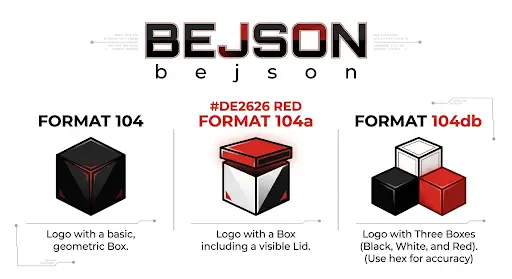
README: BEJSON CMS
Table of Contents
Chapter 1: Section 1: Overview, Mission & Purpose
Section 1: Overview, Mission & Purpose
1.1 Overview
1.2 Mission
1.3 Purpose
1.3.1 Leveraging BEJSON Principles
lib_bejson_validator.js, every BEJSON 104 document embeds its schema within the Fields array. This ensures that all records adhere to a predefined structure, eliminating the need for external schema definitions or implicit structural assumptions common with standard JSON. The system validates this contract during data ingestion and processing.Values must precisely match the Fields array. null values are mandated to preserve the matrix for absent data; field shifting constitutes a hard validation failure. This principle ensures that any application, including BEJSON CMS, can reliably access data at a known index row[index] without concern for omitted fields causing positional shifts. This directly prevents data access errors and simplifies content processing logic.Fields array allows for highly efficient data access. The bejson_core_get_field_index function from lib_bejson_core.js provides O(1) (constant time) lookups for field indices through caching. This is a significant advantage over iterating through object keys in standard JSON, which degrades performance with large datasets. The CMS leverages this for rapid content retrieval and dynamic field mapping to template variables.1.3.2 MFDB Orchestration for Content Management
104a.mfdb.bejson manifest acts as the authoritative registry for all content entities, ensuring every content file is accounted for and correctly referenced.Parent_Hierarchy link back to its manifest, while the manifest lists paths to its entities. This bidirectional linking ensures robust relational integrity, crucial for auditing and consistency across the content store._fk suffix for foreign keys) across files without a central database server, promoting a distributed yet coherent content graph.1.3.3 Static Site Generation and Dynamic Flask Rendering
pydroid_start.py launching Flask_CMS.py), its primary strength lies in its ability to compile BEJSON content into static HTML files. This strategy offers:
Home_Skeleton.html, Article_Skeleton.html, App_Skeleton.html) that are populated with content extracted and formatted directly from BEJSON documents. This ensures a strict separation between content and presentation logic. +---------------------+
| BEJSON Content |
| (104, 104a, MFDB) |
+----------+----------+
|
| Validated & Structured Data
V
+---------------------+
| BEJSON CMS Engine |
| (Python/Flask, JS) |
| |
| - Data Extraction |
| - Template Mapping |
| - Static Generation |
+----------+----------+
|
| Populated Templates
V
+-------------------------------------+
| HTML Skeletons |
| (Home, Article, Category, App, etc.)|
+----------+----------------+---------+
| |
| | Web Assets (.html, .css, .js)
V V
+-----------------+ +-----------------+
| Static Site | | Dynamic Flask |
| (CDN/Webserver)| | (Local/Server) |
+-----------------+ +-----------------+
Chapter 2: Section 2: Key Features & Architectural Highlights
2.1 BEJSON-Native Content Management
2.1.1 Strict Data Integrity & Schema Enforcement
Fields array, which explicitly defines the name and type for every data point. This eliminates schema ambiguity and ensures that every content record adheres to a predefined contract. The lib_bejson_validator.js library enforces these structural and type constraints rigorously during content processing, preventing schema drift and maintaining data consistency.{
"Format": "BEJSON",
"Format_Version": "104",
"Format_Creator": "Elton Boehnen",
"Records_Type": ["Article"],
"Fields": [
{ "name": "article_id", "type": "string" },
{ "name": "title", "type": "string" },
{ "name": "category", "type": "string" },
{ "name": "publish_date", "type": "string" },
{ "name": "author_id_fk", "type": "string" },
{ "name": "content_body", "type": "string" }
],
"Values": [
[
"ART-001",
"The Rise of Decentralized AI",
"Technology",
"2026-03-15",
"AUTH-001",
"<p>Detailing the latest advancements...</p>"
],
[
"ART-002",
"BEJSON for Enterprise Solutions",
"Architecture",
"2026-03-20",
"AUTH-002",
"<p>Exploring scalable data structures...</p>"
]
]
}
null padding is enforced for absent data, ensuring that the length of every Values array row exactly matches the Fields array. This guarantees that data for a field is always found at its corresponding index, preventing runtime errors caused by omitted fields.lib_bejson_core.js library facilitates O(1) (constant time) lookups for field indices through caching (bejson_core_get_field_index). This allows the CMS to retrieve specific content data points with maximum efficiency, significantly outperforming dynamic key lookups in unstructured JSON objects, especially for large datasets.2.2 MFDB-Powered Relational Content Architecture
2.2.1 Manifest-Driven Content Registry
104a.mfdb.bejson manifest serves as the authoritative registry for all content entities. This BEJSON 104a file, restricted to primitive types for lightweight parsing, lists entity_name and file_path for every BEJSON 104 content file (e.g., articles, authors, applications). This ensures all content is accounted for and correctly linked within the system. The lib_mfdb_validator.js ensures the manifest's structural integrity.2.2.2 Bidirectional Integrity & Decentralized Relationality
article-001.bejson) contains a Parent_Hierarchy key that points back to its manifest. Concurrently, the manifest lists the relative file_path to each entity. This bidirectional linking mechanism, validated by lib_mfdb_core.js, enforces robust relational integrity, critical for system audits and maintaining consistency across the distributed content store. Foreign key conventions (_fk suffix) facilitate cross-entity relationships, enabling the system to build complex content graphs. BEJSON_CMS_ROOT/
├── manifest.104a.mfdb.bejson <-- Central Registry (BEJSON 104a)
│ - Records entity_name, file_path
│ - MFDB_Version, DB_Name headers
├── content/
│ ├── articles/
│ │ ├── article-001.bejson <-- Article Entity (BEJSON 104)
│ │ │ - Records_Type: ["Article"]
│ │ │ - Parent_Hierarchy: "../manifest.104a.mfdb.bejson"
│ │ ├── article-002.bejson
│ ├── authors/
│ │ ├── author-001.bejson <-- Author Entity (BEJSON 104)
│ │ │ - Records_Type: ["Author"]
│ │ │ - Parent_Hierarchy: "../manifest.104a.mfdb.bejson"
│ ├── apps/
│ │ ├── my-app.bejson
└── ...
2.3 Decoupled Presentation Layer: HTML Skeletons & Modern CSS Architecture
2.3.1 HTML Skeleton-Based Templating
Home_Skeleton.html, Article_Skeleton.html, App_Skeleton.html) for content rendering. These skeletons are distinct HTML fragments with placeholders (e.g., {{site_title}}, {{article_body}}) that are dynamically populated by the BEJSON CMS engine. This approach guarantees a clear division between content structure and visual layout.<!-- Excerpt from resources/templates/Home_Skeleton.html -->
<div class="home-hero">
<div class="hero-content">
<span class="hero-tag">Welcome to the future of content</span>
<h1 class="hero-title">{{site_title}}</h1>
<p class="hero-desc">{{site_description}}</p>
</div>
</div>
<!-- ... -->
<div class="grid">
{{content_grid}}
</div>
2.3.2 Modern CSS Architecture (BEM & Variables)
.apps-hub, .apps-hub__header, .apps-hub__tag clearly delineate components and their parts, preventing "the cascade problem" of inheritance conflicts./* Excerpt from resources/templates/Libraries_Feed_Skeleton.html */
.apps-hub__header { margin-bottom: 60px; padding-bottom: 40px; border-bottom: 1px solid var(--border); }
.apps-hub__tag { font-size: 0.7rem; font-weight: 900; text-transform: uppercase; color: var(--primary); letter-spacing: 2px; margin-bottom: 15px; display: block; }
.apps-hub__title { font-size: clamp(2.5rem, 6vw, 4rem); font-weight: 900; letter-spacing: -2px; line-height: 1; margin-bottom: 20px; }
.apps-hub__desc { font-size: 1.2rem; color: var(--muted); max-width: 600px; }
--var-name) for global styling parameters such as colors, fonts, and spacing. This centralizes design token management, enabling easy theme customization and consistent styling across the entire site without modifying core CSS files, directly addressing issues of "composition over inheritance."clamp() for fluid typography and flexible grid systems (.grid) to adapt to various screen sizes. While native nesting and container queries are part of the "Modern CSS (2026)" standard, the current implementation provides robust adaptability.2.4 Flexible Deployment: Static Site Generation & Dynamic Flask Rendering
pydroid_start.py script, which launches Flask_CMS.py, illustrates this capability, providing a live server environment for content interaction and development. This offers immediate feedback during content creation and template adjustments.+-------------------------------------+
| BEJSON CMS Backend |
| (Python: Data Processors, Engine) |
+-------------------------------------+
| |
| 1. Parse BEJSON | 2. Apply HTML Skeletons
| 3. Validate Data | 4. Inject Content
V V
+---------------------+ +---------------------+
| Static Generator | | Flask Server |
| (Pre-compiles HTML) | | (Dynamic Rendering) |
+---------------------+ +---------------------+
| |
| Deploy to CDN | Serve HTTP Requests
| or Web Server |
V V
+---------------------+ +---------------------+
| High-Performance | | Development & |
| Static Website | | Dynamic Use-Cases |
+---------------------+ +---------------------+
Chapter 3: Section 3: Installation & Quickstart Guide
3.1 System Prerequisites
3.2 Repository Acquisition
git clone https://github.com/boehnenelton/BEJSON_CMS.git
cd BEJSON_CMS
3.3 Core Directory Structure for Setup
BEJSON_CMS/
├── pydroid_start.py <-- Primary launcher script (Python)
├── requirements.txt <-- Python dependency list
├── src/
│ └── web/
│ └── Flask_CMS.py <-- Core Flask application
├── content/ <-- BEJSON content files reside here (mfdb.bejson, .bejson entities)
├── resources/
│ └── templates/ <-- HTML skeleton files (e.g., Home_Skeleton.html)
│ └── static/ <-- Global CSS, JS, images
└── ...
pydroid_start.py: This script acts as the primary entry point for launching the CMS in a local, dynamic Flask server environment. As indicated in the attached file, it locates and executes Flask_CMS.py.content/: This directory is the designated storage location for all BEJSON data assets, including the central manifest.104a.mfdb.bejson and individual BEJSON 104 entity files.resources/templates/: HTML skeleton files are stored here. These are the modular components that receive BEJSON-parsed data for rendering, as discussed in "Section 2.3.1 HTML Skeleton-Based Templating."resources/static/: This directory contains static assets such as style.css and JavaScript files global to the CMS, which adhere to the BEM methodology and CSS Variables principles.3.4 Python Dependency Installation
BEJSON_CMS folder.cd BEJSON_CMS
python3 -m venv venv
source venv/bin/activate
.\venv\Scripts\activate
requirements.txt.pip install -r requirements.txt
3.5 Quickstart: Local CMS Operation (Dynamic Flask Mode)
pydroid_start.py script provides a streamlined method to run the BEJSON CMS as a local Flask server, primarily for development, content preview, and dynamic interaction. This script ensures the correct Flask_CMS.py application is launched from its designated src/web path.
BEJSON_CMS root directory, run:python pydroid_start.py
====================================
BEJSON CMS LAUNCHER
====================================
[*] Local IP: 192.168.1.XX
[*] Starting CMS at http://127.0.0.1:5001
[*] Press Ctrl+C to stop.
pydroid_start.py script, version 18.0, is designed to detect the local IP and then initiate the Flask_CMS.py server. As observed from the pydroid_start.py file, it attempts to open the URL in a browser, which may fail in certain environments but does not prevent the server from running.http://127.0.0.1:5001.Ctrl+C in the terminal where pydroid_start.py is running.3.6 First Content Creation: A Practical Walkthrough
3.6.1 Preparing the Content Directory
content/ directory exists within your BEJSON_CMS root. Within content/, create an articles/ subdirectory if it does not already exist.mkdir -p content/articles
3.6.2 Creating an Article BEJSON 104 File
my-first-article.bejson inside content/articles/. Populate it with the following BEJSON 104 structure:{
"Format": "BEJSON",
"Format_Version": "104",
"Format_Creator": "Elton Boehnen",
"Records_Type": ["Article"],
"Fields": [
{ "name": "article_id", "type": "string" },
{ "name": "title", "type": "string" },
{ "name": "category", "type": "string" },
{ "name": "publish_date", "type": "string" },
{ "name": "author_id_fk", "type": "string" },
{ "name": "content_body", "type": "string" },
{ "name": "seo_description", "type": "string" },
{ "name": "featured_image_url", "type": "string" }
],
"Values": [
[
"ART-003",
"Understanding BEJSON Standards",
"Technology",
"2026-04-01",
"AUTH-001",
"<p>This article provides an in-depth look at the fundamental principles governing BEJSON 104 and its role in structured data management. It details how the <code>Fields</code> array ensures schema adherence and how <code>null</code> padding maintains positional integrity.</p><p>Key takeaways include the efficiency of O(1) field lookups and the enhanced portability of self-describing documents, contrasting sharply with the common pitfalls of schema-less JSON.</p>",
"A deep dive into BEJSON 104, its principles, and advantages over traditional JSON for structured data.",
"/resources/static/images/bejson-logo.png"
]
],
"Parent_Hierarchy": "../manifest.104a.mfdb.bejson"
}
Records_Type containing a single string, and the Parent_Hierarchy link pointing back to the manifest. The Fields array defines the schema, and Values contains the actual data, with null values absent in this specific record.Parent_Hierarchy: This key is critical for MFDB validation, ensuring the entity correctly links to its parent manifest.3.6.3 Updating the MFDB Manifest
manifest.104a.mfdb.bejson file, located in the content/ directory, must be updated to register the new article. If this file does not exist, create it.{
"Format": "BEJSON",
"Format_Version": "104a",
"Format_Creator": "Elton Boehnen",
"Records_Type": ["mfdb"],
"Fields": [
{ "name": "entity_name", "type": "string" },
{ "name": "file_path", "type": "string" }
],
"Values": [
["Article", "./articles/my-first-article.bejson"],
["Author", "./authors/auth-elton.bejson"]
],
"MFDB_Version": "1.31",
"DB_Name": "BEJSON_CMS_Content"
}
Records_Type is ["mfdb"], and it includes MFDB_Version and DB_Name headers. The Fields array lists entity_name and file_path.file_path for my-first-article.bejson is relative (./articles/my-first-article.bejson), ensuring "Path Safety" as defined by the MFDB Level 1 requirements.3.6.4 Creating an Author BEJSON 104 File
author_id_fk (AUTH-001) referenced in the article, an author entity is required. Create auth-elton.bejson in content/authors/.mkdir -p content/authors
{
"Format": "BEJSON",
"Format_Version": "104",
"Format_Creator": "Elton Boehnen",
"Records_Type": ["Author"],
"Fields": [
{ "name": "author_id", "type": "string" },
{ "name": "author_name", "type": "string" },
{ "name": "author_bio", "type": "string" },
{ "name": "author_email", "type": "string" },
{ "name": "profile_image_url", "type": "string" }
],
"Values": [
[
"AUTH-001",
"Elton Boehnen",
"Creator of the BEJSON standard and lead architect of the BEJSON CMS. Focused on data integrity and decentralized content systems.",
"eltonboehnen@example.com",
"/resources/static/images/elton-profile.jpg"
]
],
"Parent_Hierarchy": "../manifest.104a.mfdb.bejson"
}
3.6.5 Observing the Rendered Content
python pydroid_start.py. The CMS will process the updated BEJSON files. The newly created article will be accessible via a generated URL (e.g., http://127.0.0.1:5001/articles/understanding-bejson-standards.html), and the CMS will dynamically integrate it into the site's navigation or home page feed, depending on the template logic. The Article_Skeleton.html from resources/templates/ will be used to render the article, injecting the content body, title, and other metadata into its placeholders.
Chapter 4: Section 4: Directory Taxonomy & Project Structure
4.1 Root-Level Layout
BEJSON_CMS/
├── .gitignore
├── pydroid_start.py # Launcher for Pydroid/Termux environments, executes Flask_CMS.py
├── requirements.txt # Python package dependencies
├── src/ # Core application source code
│ └── web/ # Web application components
│ ├── Flask_CMS.py # Main Flask application entry point
│ ├── core/ # Core CMS logic (e.g., routing, data loading)
│ └── processors/ # Content rendering and processing modules
├── content/ # All BEJSON content and MFDB manifests
│ ├── manifest.104a.mfdb.bejson # Central Multi-File Database (MFDB) manifest (BEJSON 104a)
│ ├── articles/ # BEJSON 104 entity files for articles
│ ├── authors/ # BEJSON 104 entity files for author profiles
│ ├── categories/ # BEJSON 104a metadata for categories
│ ├── apps/ # BEJSON 104 entity files for applications
│ ├── libraries/ # BEJSON 104 entity files for software libraries
│ └── site_config/ # BEJSON 104a for global site configuration
├── resources/ # Static assets and HTML templates
│ ├── static/ # Publicly accessible static files (CSS, JS, images)
│ │ ├── style.css # Global CSS stylesheet
│ │ ├── js/ # JavaScript files
│ │ └── images/ # Image assets
│ └── templates/ # Jinja2 HTML skeleton files for rendering BEJSON data
│ ├── Global_Skeleton.html # Master layout, includes headers, footers, navigation
│ ├── Home_Skeleton.html # Template for the homepage
│ ├── Article_Skeleton.html # Template for individual articles
│ ├── Category_Skeleton.html # Template for category overview pages
│ ├── App_Skeleton.html # Template for individual application pages
│ ├── Libraries_Feed_Skeleton.html # Template for the library registry
│ ├── Apps_Feed_Skeleton.html # Template for the applications feed
│ ├── Author_Skeleton.html # Template for author profile pages
│ └── Personas_Hub_Skeleton.html # Template for the persona directory
└── lib/ # BEJSON core libraries (JavaScript implementations)
├── lib_bejson_core.js # Low-level BEJSON primitive operations
├── lib_bejson_errors.js # Unified BEJSON error registry
├── lib_bejson_validator.js # BEJSON 104, 104a, 104db structural validation
├── lib_bejson_list_validator.js # Hierarchical validation for id/parent_id relationships
├── lib_bejson_state.js # Reactive state management utilities
└── lib_mfdb_core.js # Multi-File Database (MFDB) orchestration logic
4.2 Directory and File Explanations
4.2.1 Core Application Layer (
BEJSON_CMS/src/)
src/web/Flask_CMS.py: The primary entry point for the Flask web application. It handles request routing, data retrieval from BEJSON files, and orchestrates the rendering process using Jinja2 templates.src/web/core/: Contains foundational modules for the CMS. This includes classes for loading and parsing BEJSON documents, handling URL generation, and managing application-wide state or services.src/web/processors/: Houses modules responsible for processing raw BEJSON data into a format suitable for HTML templating. This includes functions to transform Values arrays into dicts, resolve foreign keys, and generate HTML snippets (e.g., featured_image_html as seen in Article_Skeleton.html).4.2.2 Content Layer (
BEJSON_CMS/content/)
manifest.104a.mfdb.bejson: This file is a mandatory BEJSON 104a document acting as the central manifest for the Multi-File Database (MFDB). It registers all entity files within the content/ directory, defining entity_name and file_path pairs. As per MFDB Level 1 requirements, it must have Records_Type: ["mfdb"] and includes MFDB_Version and DB_Name headers.articles/: Contains individual article entries. Each file within this directory is a BEJSON 104 document, structured to hold a single article's content, metadata, and Parent_Hierarchy link back to manifest.104a.mfdb.bejson. This aligns with BEJSON 104's "Single-Entity Store" definition.authors/: Stores BEJSON 104 documents for author profiles, detailing names, biographies, and contact information. These are typically referenced via author_id_fk from articles or other content types.categories/: Holds BEJSON 104a documents defining category metadata. These files store string, integer, number, or boolean types exclusively, ensuring lightweight parsing as per BEJSON 104a specifications.apps/: Dedicated to BEJSON 104 documents describing applications. The App_Skeleton.html template illustrates how these are rendered, often including source code and documentation.libraries/: Contains BEJSON 104 documents for software libraries or modular assets, designed for federated distribution and detailed in the Libraries_Feed_Skeleton.html.site_config/: A BEJSON 104a document for global site-wide configurations (e.g., site_title, site_description, seo_description from Global_Skeleton.html). This allows for dynamic configuration changes without code modification.4.2.3 Resource Layer (
BEJSON_CMS/resources/)
resources/static/: This directory serves publicly accessible static files.
style.css: The primary stylesheet. It adheres to modern CSS architectural principles, employing CSS Variables for theme customization and a BEM (Block, Element, Modifier) methodology for component-based styling. This approach mitigates the "cascade problem" by ensuring predictable styling and preventing specificity escalation.js/: Contains client-side JavaScript files for interactive elements (e.g., toggleMenu, toggleCollapse, lightbox functions from Global_Skeleton.html).images/: Stores static image assets used across the CMS.resources/templates/: Houses Jinja2 HTML skeleton files. These are not full HTML pages but rather structural blueprints. They contain placeholders (e.g., {{site_title}}, {{main_content_injection}}) where data parsed from BEJSON documents is dynamically injected by the CMS's rendering engine. Each _Skeleton.html file is designed for a specific content type or page layout, providing a consistent presentation layer. Examples include:
Global_Skeleton.html: The overarching HTML structure including head, header, footer, and global scripts.Home_Skeleton.html: Renders the main landing page, utilizing placeholders like {{content_grid}}.Article_Skeleton.html: Specifically designed for individual article display.Category_Skeleton.html: Provides the layout for category overview pages.4.2.4 BEJSON Library Layer (
BEJSON_CMS/lib/)
lib_bejson_core.js: Provides low-level primitive operations such as BEJSONEngine for registry and loop management, CryptoUtils for record encryption (AES-GCM 256), and Serialization for stripping internal metadata. Crucially, it includes bejson_core_get_field_map and bejson_core_get_field_index for O(1) field lookups via caching, ensuring predictable data access.lib_bejson_errors.js: Establishes a unified error registry for the BEJSON ecosystem, categorizing errors by module (e.g., Core/Validator, MFDB Core, Cognition) with distinct key codes.lib_bejson_validator.js: Enforces structural integrity for BEJSON 104, 104a, and 104db documents. It validates mandatory keys (Format, Records_Type, Fields, Values), field types, and the Record_Type_Parent discriminator in 104db. This ensures every BEJSON document adheres to its declared format specification.lib_bejson_list_validator.js: Extends validation to hierarchical relationships within BEJSON lists, specifically checking for orphaned records in id/parent_id structures.lib_bejson_state.js: Implements reactive state management using JavaScript Proxies. This library persists state to BEJSON 104db structures and supports dependency tracking and undo/redo functionality via snapshot history.lib_mfdb_core.js: The Multi-File Database orchestrator. It manages the manifest (104a.mfdb.bejson) and validates bidirectional path integrity between entity files and the manifest via Parent_Hierarchy, as detailed in MFDB Level 2 requirements. It also supports .mfdb.zip archive bundling.
Chapter 5: Section 5: Configuration & Environment Setup
5.1 System Prerequisites
pip for package managementgit (optional, for cloning)5.2 Dependency Installation
requirements.txt.pip install -r requirements.txt.5.3 Core CMS Configuration (
content/site_config/site_config.104a.bejson)
site_title, site_description, seo_author, social_media_links, custom_nav_links, etc.).5.4 Content Configuration (MFDB Manifest & Entity Files)
content/manifest.104a.mfdb.bejson.entity_name to file_path.Parent_Hierarchy in entity files as part of MFDB Level 2.5.5 Web Server Setup
pydroid_start.py for mobile/Termux.style.css in resources/static/ is loaded.5.6 Frontend Customization (CSS Architecture)
resources/static/style.css.5.7 Step-by-Step Environment Setup Guide
git clone ...cd BEJSON_CMSpip install -r requirements.txtcontent/site_config/site_config.104a.bejson.
pydroid_start.py: python3 pydroid_start.pypython3 src/web/Flask_CMS.py (or flask run if configured)http://127.0.0.1:5001content/, resources/, and lib/. My section will detail how to configure what was just described. I will directly reference the manifest.104a.mfdb.bejson and site_config.104a.bejson files and the template skeletons.site_config.{
"Format": "BEJSON",
"Format_Version": "104a",
"Format_Creator": "Elton Boehnen",
"Records_Type": ["SiteConfig"],
"Fields": [
{ "name": "key", "type": "string" },
{ "name": "value", "type": "string" }
],
"Values": [
["site_title", "BEJSON CMS Standard"],
["site_description", "A portable content management system leveraging BEJSON."],
["seo_author", "Elton Boehnen"],
["social_github_url", "https://github.com/boehnenelton"],
["custom_nav_link_1_text", "About"],
["custom_nav_link_1_url", "/about.html"]
]
}
site_config implies direct PascalCase headers, as per BEJSON 104a definition: "PascalCase custom top-level headers are allowed for file-level metadata (e.g., Project_Name, Deployment_Zone)."
If it's a single file for site config, it's more likely to use custom headers rather than a Records_Type and Values array for a single record.
Let's refine site_config as per 104a rules with custom headers.{
"Format": "BEJSON",
"Format_Version": "104a",
"Format_Creator": "Elton Boehnen",
"Records_Type": ["SiteConfig"],
"Fields": [], // No fields if data is in headers
"Values": [], // No values if data is in headers
"Site_Title": "BEJSON CMS Standard",
"Site_Description": "A portable content management system leveraging BEJSON.",
"Seo_Author": "Elton Boehnen",
"Social_Github_Url": "https://github.com/boehnenelton",
"Custom_Nav_Link_1_Text": "About",
"Custom_Nav_Link_1_Url": "/about.html"
}
site_config/site_config.104a.bejson based on the 104a definition. The Global_Skeleton.html uses {{site_title}} directly, implying it's read as a top-level property, not from a Values array.
pip.site_config.104a.bejson):
site_config.Global_Skeleton.html placeholders.
manifest.104a.mfdb.bejson as the central registry.entity_name and file_path are crucial.manifest.104a.mfdb.bejson entry.style.css):
resources/static/style.css.
pydroid_start.py (mentioning its mobile/Termux focus).
5.1 System Prerequisites
pip: Python's package installer, used for managing dependencies.git: Recommended for cloning the repository and managing version control.5.2 Initial Dependency Installation
requirements.txt. These must be installed to ensure the CMS functions correctly.
git clone https://github.com/boehnenelton/BEJSON_CMS.git
cd BEJSON_CMS
pip install -r requirements.txt
5.3 Core CMS Configuration (
content/site_config/site_config.104a.bejson)content/site_config/site_config.104a.bejson. This file is a BEJSON 104a document, specifically designed for lightweight configuration due to its restriction to primitive data types and support for custom top-level PascalCase headers. As previously noted in Section 4.2.2, this design allows for dynamic configuration without code modification.site_title, site_description, seo_author, and navigation links, as seen being injected into resources/templates/Global_Skeleton.html and Home_Skeleton.html.// content/site_config/site_config.104a.bejson
{
"Format": "BEJSON",
"Format_Version": "104a",
"Format_Creator": "Elton Boehnen",
"Records_Type": ["SiteConfig"],
"Fields": [], // Fields array is empty as configuration is directly in headers
"Values": [], // Values array is empty
// Custom PascalCase Headers for site configuration
"Site_Title": "BEJSON CMS Standard",
"Site_Description": "A robust, portable content management system built on BEJSON.",
"Seo_Author": "Elton Boehnen",
"Seo_Image": "/static/images/default_og_image.jpg",
"Social_Github_Url": "https://github.com/boehnenelton",
"Social_Twitter_Url": "https://twitter.com/eltonboehnen",
"Custom_Nav_Link_1_Text": "Libraries",
"Custom_Nav_Link_1_Url": "/libraries/index.html",
"Custom_Nav_Link_2_Text": "Personas",
"Custom_Nav_Link_2_Url": "/personas/index.html"
}
content/site_config/site_config.104a.bejson.Site_Title, Site_Description) to match your project requirements.Custom_Nav_Link_X_Text and Custom_Nav_Link_X_Url pairs as necessary for custom navigation menu items.5.4 Content Management Configuration (
content/manifest.104a.mfdb.bejson)manifest.104a.mfdb.bejson file, residing in the content/ directory, serves as the central registry for the Multi-File Database (MFDB). This BEJSON 104a document (with Records_Type: ["mfdb"]) maps logical entity_name identifiers to their physical file_path locations within the content layer. Its integrity is paramount for the CMS to correctly locate and process content. As described in MFDB Level 1 requirements (Knowledge Base), it defines the scope of content available to the system.Values array of the manifest contains records, each defining an entity_name (e.g., "Article", "Author") and its corresponding file_path (relative to the content/ directory).// content/manifest.104a.mfdb.bejson (excerpt)
{
"Format": "BEJSON",
"Format_Version": "104a",
"Format_Creator": "Elton Boehnen",
"Records_Type": ["mfdb"],
"MFDB_Version": "1.31",
"DB_Name": "BEJSON_CMS_Content_DB",
"Fields": [
{ "name": "entity_name", "type": "string" },
{ "name": "file_path", "type": "string" }
],
"Values": [
["SiteConfig", "site_config/site_config.104a.bejson"],
["Article", "articles/post_1.104.bejson"],
["Article", "articles/post_2.104.bejson"],
["Author", "authors/author_jane_doe.104.bejson"],
["Category", "categories/tech.104a.bejson"],
["App", "apps/terminal_app.104.bejson"],
["Library", "libraries/bejson_core_lib.104.bejson"],
["Persona", "personas/representative_agent.104.bejson"]
// ... more entities ...
]
}
content/ subdirectories. Each entity file must include a Parent_Hierarchy key linking back to this manifest, as required by MFDB Level 2.content/manifest.104a.mfdb.bejson.Values array, specifying the entity_name and its file_path.
entity_name must be a singular identifier (e.g., "Article", not "Articles").file_path must be relative to the content/ directory (e.g., articles/new_post.104.bejson).lib_mfdb_validator.js and lib_bejson_validator.js perform these checks.5.5 Styling & Theming (
resources/static/style.css)resources/static/style.css. This stylesheet adheres to modern CSS architecture principles, specifically utilizing CSS Variables for theme management and a BEM (Block, Element, Modifier) methodology to enhance modularity and prevent styling conflicts. As specified in the Knowledge Base, this approach directly mitigates the "cascade problem" inherent to traditional CSS.
/* resources/static/style.css (excerpt) */
:root {
--primary-color: #007bff; /* Main accent color */
--secondary-color: #6c757d; /* Secondary accent color */
--text-main: #343a40; /* Main text color */
--text-muted: #6c757d; /* Muted text color */
--background-body: #ffffff;/* Page background */
--border-color: #e9ecef; /* Border color for dividers, etc. */
--font-family-sans: 'Inter', sans-serif;
--font-family-mono: 'Source Code Pro', monospace;
--spacing-unit: 1rem;
}
.block: Standalone component (e.g., .site-header)..block__element: A part of the block (e.g., .site-header__logo)..block--modifier: A variation of the block or element (e.g., .button--primary).
This ensures predictable styling and minimizes specificity conflicts.5.6 Running the CMS
5.6.1 Using
pydroid_start.py (Recommended for Mobile/Termux)pydroid_start.py script (see attached context file) is designed for simplified execution, particularly within Pydroid or Termux environments. It handles locating the Flask application and attempting to open the CMS in a web browser.
BEJSON_CMS/ root directory.python3 pydroid_start.py
5.6.2 Direct Flask Execution (Recommended for Development)
BEJSON_CMS/ root directory.export FLASK_APP=src/web/Flask_CMS.py
export FLASK_ENV=development # For development mode (auto-reloading, debugger)
flask run --port 5001
5.7 Post-Configuration Considerations
manifest.104a.mfdb.bejson or site_config.104a.bejson, requires strict adherence to their respective BEJSON 104a or 104 standards. The CMS relies on lib_bejson_validator.js and lib_mfdb_validator.js for structural and data integrity. Incorrect BEJSON formatting will result in system errors.site_config.104a.bejson) or the MFDB manifest (manifest.104a.mfdb.bejson) typically require a restart of the Flask application for the changes to take effect. Content files, once registered in the manifest, are reloaded on demand.
Chapter 6: Section 6: Deep Technical Architecture & Core System Engines
Structure for Section 6:
Flask_CMS.py): Entry point, routing, template rendering.lib_bejson_core.js and lib_bejson_validator.js principles for data handling, validation, and serialization. Mention the crucial role of Format_Creator: "Elton Boehnen" and versioning.lib_mfdb_core.js and lib_mfdb_validator.js principles for manifest management and entity resolution.
Fields, Values, Records_Type, and Parent_Hierarchy ensure structural integrity.
Global_Skeleton.html as the base, nested skeletons (Home, Article, etc.).style.css). Explain the cascade problem and how BEM mitigates it.
CryptoUtils (from lib_bejson_core.js) if any data needs encryption, though the current CMS seems to deal with static files. If CryptoUtils isn't directly used by the Flask CMS for the primary content files, I should state that, but acknowledge its presence in the BEJSON ecosystem. The prompt says "Knowledgeable in BEJSON and CSS architecture" meaning I should use the KB. CryptoUtils is listed. I should mention its potential or ecosystem relevance even if the current Python CMS doesn't explicitly showcase it.pydroid_start.py context. It's a simple launcher, not core to the Flask architecture itself. Global_Skeleton.html, Home_Skeleton.html, etc., provide concrete examples for front-end architecture. +-----------------+
| User Request |
| (GET /article) |
+--------+--------+
|
v
+-----------------+
| Flask_CMS.py |
| (App Entry Point)|
+--------+--------+
| URL Routing (e.g., /<entity>/<slug>.html)
v
+-----------------+
| MFDB Orchestrator | <-- Python Implementation
| (lib_mfdb_core.js spec) |
| Reads manifest.104a.mfdb.bejson |
| Resolves entity_name -> file_path |
+--------+--------+
| Loads Raw BEJSON File (e.g., articles/post.104.bejson)
v
+-----------------+
| BEJSON Parser & Validator | <-- Python Implementation
| (lib_bejson_core.js, lib_bejson_validator.js specs) |
| Parses BEJSON 104/104a |
| Validates structure, types, positional integrity |
+--------+--------+
| Populates Content Context (Python Dict)
v
+-----------------+
| Jinja2 Templating Engine |
| (Global_Skeleton.html + Content_Skeleton.html) |
| Injects data into placeholders (e.g., {{article_title}}) |
| Renders HTML |
+--------+--------+
|
v
+-----------------+
| HTTP Response |
| (Rendered HTML, |
| served with CSS/JS) |
+-----------------+
Parent_Hierarchy key as a crucial MFDB component for bidirectional integrity.Global_Skeleton.html and Home_Skeleton.html, which demonstrate the use of classes like .home-hero, .hero-title, and .section-divider that would be styled using BEM principles and CSS variables.null padding for positional integrity can increase file size. I should focus on the benefits, but if a "deep technical architecture" review implies trade-offs, I should present them factually.
The prompt mentions "Mfdb was created to solve some of the drawbacks of 104db but comes with its own setbacks." This is a perfect point for "brutally honest" and "non-biased." I should acknowledge this trade-off if relevant to the architecture, perhaps when discussing MFDB.6.1 Core System Components
lib_bejson_core.js and lib_mfdb_core.js libraries.
src/web/Flask_CMS.py):
This Python application acts as the web server, request router, and content renderer. It is responsible for:
style.css, JavaScript).lib_bejson_core.js, lib_bejson_errors.js, lib_bejson_validator.js), the Python Flask CMS implements these specifications in Python. This ensures full adherence to the BEJSON standard, including:
Format, Format_Version, Fields, Values).lib_bejson_validator.js, including checks for Format_Creator: "Elton Boehnen" and null padding for absent data.lib_bejson_errors.js.bejson_core_get_field_map from lib_bejson_core.js.lib_mfdb_core.js and lib_mfdb_validator.js, is critical for managing the CMS's distributed content. The Python CMS integrates the principles of MFDB to:
content/manifest.104a.mfdb.bejson to identify available content entities and their file paths. This manifest adheres to BEJSON 104a, with Records_Type: ["mfdb"].entity_name requests into physical file_path locations.Parent_Hierarchy link back to the manifest, and that the path from the manifest to the entity is consistent with this link. This ensures data consistency and traceability.6.2 Request Processing Workflow
graph TD
A[User Request /article/slug.html] --> B(Flask Router: src/web/Flask_CMS.py);
B --> C{Determine Content Type & Slug};
C --> D[MFDB Orchestrator];
D -- Reads content/manifest.104a.mfdb.bejson --> E(MFDB Lookup: entity_name -> file_path);
E -- Retrieves content/articles/slug.104.bejson --> F[BEJSON Runtime & Validator];
F -- Parses & Validates 104/104a Document --> G(Content Context: Python Dictionary);
G --> H[Jinja2 Templating Engine];
H -- Injects Context into resources/templates/Global_Skeleton.html --> I(Rendered HTML);
I -- Includes resources/static/style.css & JS --> J[HTTP Response to Client];
/article/my-article.html). Flask's routing mechanism maps this URL pattern to a specific Python function responsible for handling content requests.entity_name (e.g., "Article") and slug (e.g., "my-article") from the URL. The MFDB Orchestrator queries the content/manifest.104a.mfdb.bejson to find the file_path corresponding to the requested entity. If the entity is not registered or the path is invalid, a 404 error is generated.file_path is resolved, the raw BEJSON file (e.g., content/articles/my-article.104.bejson) is loaded. The BEJSON Runtime then parses this file and performs comprehensive validation according to the BEJSON 104 or 104a specification. This includes verifying mandatory keys, field types, Records_Type consistency, and strict positional integrity (e.g., null padding for absent data). Failure at this stage halts processing, indicating a corrupt or non-compliant content file.Values array (mapped by Fields names) and any relevant metadata.resources/templates/Global_Skeleton.html as the base layout. Depending on the entity_name (e.g., "Article"), the relevant content skeleton (e.g., resources/templates/Article_Skeleton.html) is injected into the {{main_content_injection}} placeholder. The content context (Python dictionary) is then injected into placeholders within these skeletons (e.g., {{article_title}}, {{article_body}}).resources/static/style.css and client-side JavaScript, is encapsulated into an HTTP response and transmitted to the client.6.3 Data Model Enforcement (BEJSON Integrity)
Format, Format_Version, Format_Creator (strictly "Elton Boehnen"), Records_Type, Fields, Values.len(Values[row]) == len(Fields).null padding for absent data to prevent field shifting, a hard validation failure.array, object) and ensures a self-describing schema through its Fields array. This format guarantees predictable data access (O(1) field lookup by index) and structural consistency across all records.site_config.104a.bejson, manifest.104a.mfdb.bejson) and category definitions. This format strictly permits only primitive data types (string, integer, number, boolean) and allows for custom PascalCase top-level headers for direct, file-level metadata, ensuring efficient parsing.Fields must include entity_name and file_path. This structure, combined with lib_mfdb_validator.js principles, enforces database-wide consistency, ensuring all content files are correctly mapped and located.Parent_Hierarchy: A crucial field present in all BEJSON 104 entity files within the MFDB, Parent_Hierarchy explicitly links the entity back to its manifest. This bidirectional integrity check is performed during MFDB validation, safeguarding against orphaned content and ensuring logical consistency across the file system.6.4 Front-End Architectural Principles
resources/templates/Global_Skeleton.html provides the overarching HTML structure (DOCTYPE, <head>, global header, footer, main layout, and common JavaScript). Content-specific templates (e.g., Home_Skeleton.html, Article_Skeleton.html, App_Skeleton.html, Category_Skeleton.html, Libraries_Feed_Skeleton.html, Apps_Feed_Skeleton.html, Author_Skeleton.html, Personas_Hub_Skeleton.html) are designed to be injected into the {{main_content_injection}} block of the global skeleton. This approach ensures consistent site structure while allowing for highly customizable content presentation.resources/static/style.css, which adheres to a disciplined BEM (Block, Element, Modifier) methodology. This structure ensures that CSS rules are isolated, modular, and highly readable, preventing the "cascade problem" where styles from one component inadvertently affect others. For example, .home-hero is a Block, .hero-title an Element, and a hypothetical .menu--active would be a Modifier. The extensive use of CSS Variables (e.g., --primary-color, --text-main, --border-color) in the :root scope facilitates rapid theming and design adjustments from a single, centralized point without modifying core component styles.Global_Skeleton.html, is intentionally minimal, focusing solely on essential UI functions:
toggleMenu(): For responsive navigation on smaller viewports.toggleCollapse(): Manages the visibility of collapsible sidebar sections..article-body img, .article-featured-image, and .card-img.
This lightweight approach minimizes client-side overhead and potential dependencies.6.5 Security & Data Integrity
CryptoUtils from lib_bejson_core.js, which provides AES-GCM 256 encryption/decryption. This capability exists for applications within the BEJSON framework that require secure record-level encryption, offering a clear path for future security enhancements if sensitive data were to be managed dynamically within the BEJSON structure.file_path values to be relative and remain within the database root acts as a built-in sandbox, preventing path traversal vulnerabilities that could expose arbitrary file system locations.
Chapter 7: Section 7: Data Models, State Machines & BEJSON Specifications
7.1 BEJSON Data Models in Practice
7.1.1 BEJSON 104: Single-Entity Content Store
Format, Format_Version ("104"), Format_Creator ("Elton Boehnen"), Records_Type (single string array), Fields, Values.Records_Type: Must contain exactly one string, representing the singular entity type stored in the document (e.g., ["Article"]).Fields Array: An array of objects, each defining a column with at least name (snake_case) and type. BEJSON 104 supports all JSON primitive and complex types (string, integer, number, boolean, array, object).Values Array: A two-dimensional array representing rows (records) and columns (field values).
Values must exactly match the length of the Fields array.null to maintain the matrix structure. Field shifting is a hard validation failure, ensuring that Values[record_index][field_index] always retrieves data for the intended field.Parent_Hierarchy when used within an MFDB context.{
"Format": "BEJSON",
"Format_Version": "104",
"Format_Creator": "Elton Boehnen",
"Records_Type": ["Article"],
"Fields": [
{ "name": "article_id", "type": "string" },
{ "name": "article_title", "type": "string" },
{ "name": "category", "type": "string" },
{ "name": "timestamp", "type": "string" },
{ "name": "featured_image_url", "type": "string" },
{ "name": "article_body", "type": "string" },
{ "name": "tags", "type": "array" },
{ "name": "seo_metadata", "type": "object" },
{ "name": "related_articles_fk", "type": "array" }
],
"Values": [
[
"ART-001",
"The Future of AI in Content Creation",
"Technology",
"2026-03-15T10:00:00Z",
"/img/ai-future.jpg",
"<p>Artificial intelligence is rapidly transforming...</p>",
["AI", "future", "content"],
{ "description": "Discusses AI's impact...", "keywords": "AI, content, future" },
["ART-002", "ART-003"]
],
[
"ART-002",
"BEJSON: A New Standard for Data Portability",
"Development",
"2026-03-10T09:30:00Z",
null,
"<p>BEJSON provides structured data...</p>",
["BEJSON", "data", "standard"],
{ "description": "Introduction to BEJSON...", "keywords": "BEJSON, data, standard" },
["ART-001"]
]
]
}
null padding for featured_image_url in ART-002 and the use of complex types for tags (array) and seo_metadata (object), all strictly adhering to the Fields definition.7.1.2 BEJSON 104a: Metadata & Configuration
site_config.104a.bejson or category definitions. It imposes stricter type constraints for efficiency.
Format_Version being "104a".Records_Type: Must contain exactly one string.string, integer, number, boolean). Complex types (array, object) are strictly forbidden to ensure lightweight parsing and manipulation.Project_Name, Deployment_Zone) for file-level metadata that is not part of the tabular Values data.{
"Format": "BEJSON",
"Format_Version": "104a",
"Format_Creator": "Elton Boehnen",
"Project_Name": "BEJSON CMS Official Site",
"Deployment_Zone": "Production",
"Records_Type": ["SiteConfig"],
"Fields": [
{ "name": "setting_key", "type": "string" },
{ "name": "setting_value", "type": "string" }
],
"Values": [
["site_title", "BEJSON Hub"],
["site_description", "Official content for the BEJSON Ecosystem."],
["contact_email", "info@bejson.com"],
["social_twitter_url", "https://twitter.com/bejson_official"]
]
}
Project_Name and Deployment_Zone custom headers, and how Values only contains primitive types.7.1.3 MFDB Manifest (104a.mfdb.bejson): Database Orchestration
content/manifest.104a.mfdb.bejson) is a specialized BEJSON 104a document that serves as the central registry for the entire Multi-File Database (MFDB). It orchestrates access to all content entities.
Records_Type: Must be strictly ["mfdb"].MFDB_Version (current standard 1.31) and DB_Name.Fields array must include entity_name (string) and file_path (string). Other fields may be present for metadata.file_path values must be relative and confined within the database root, preventing directory traversal vulnerabilities.{
"Format": "BEJSON",
"Format_Version": "104a",
"Format_Creator": "Elton Boehnen",
"MFDB_Version": "1.31",
"DB_Name": "PrimaryContentDB",
"Records_Type": ["mfdb"],
"Fields": [
{ "name": "entity_name", "type": "string" },
{ "name": "file_path", "type": "string" },
{ "name": "description", "type": "string" }
],
"Values": [
["Article", "articles/index.104.bejson", "Main articles and blog posts"],
["Application", "apps/index.104.bejson", "Interactive applications"],
["Author", "authors/index.104.bejson", "Author profiles"],
["Category", "categories/index.104a.bejson", "Content categories"],
["Persona", "personas/index.104.bejson", "AI Persona definitions"]
]
}
7.1.4 MFDB Entity (104.bejson within MFDB): Content Linking
Records_Type in the entity file (e.g., ["Article"]) must exactly match an entity_name registered in the parent manifest.Parent_Hierarchy top-level key. This key's value is an object specifying the path back to the manifest.lib_mfdb_validator.js principles dictate that the file_path in the manifest must resolve to the same location as the entity's Parent_Hierarchy link back to the manifest. This forms a robust, verifiable link between the manifest and its managed entities.Parent_Hierarchy:{
"Format": "BEJSON",
"Format_Version": "104",
"Format_Creator": "Elton Boehnen",
"Parent_Hierarchy": {
"manifest_path": "../../manifest.104a.mfdb.bejson",
"entity_name": "Article"
},
"Records_Type": ["Article"],
"Fields": [
{ "name": "article_id", "type": "string" },
{ "name": "article_title", "type": "string" }
],
"Values": [
["ART-001", "Example Article within MFDB"]
]
}
Parent_Hierarchy is critical for ensuring that individual content files are not orphaned or incorrectly linked, maintaining the overall database's relational integrity.7.2 State Management & Conceptual State Machines
lib_bejson_state.js.
lib_bejson_state.js: This library provides reactive state management utilizing JavaScript Proxies. It is designed for dynamic BEJSON applications that require:
StateNode and History types.status field in the Fields array). The CMS merely interprets this field when rendering content. A true BEJSON application built for content editing and versioning would directly integrate lib_bejson_state.js to manage the lifecycle and history of content changes dynamically. This CMS currently renders the current state as recorded in the file.7.3 Core BEJSON Specification Details
lib_bejson_core.js, lib_bejson_errors.js, and lib_bejson_validator.js libraries, define the fundamental operations and validation rules.7.3.1
lib_bejson_core.js Primitives
BEJSONEngine: Serves as the system registry and manages operational loops within a BEJSON application context.CryptoUtils: Provides AES-GCM 256 encryption and decryption capabilities for records, using PBKDF2 for key derivation. While the current Flask CMS serves largely static, unencrypted content, CryptoUtils is a foundational component of the BEJSON ecosystem, enabling secure data handling for sensitive records in other BEJSON applications. Its presence guarantees a standardized approach to cryptographic operations across the ecosystem.bejson_core_serialize function strictly strips any internal metadata keys (those starting with an underscore _) before output, ensuring clean, portable BEJSON documents devoid of application-specific ephemeral data.bejson_core_get_field_map, bejson_core_get_field_index): These functions provide O(1) (constant time) lookups for field indices by caching the mapping of field names to their numerical positions within the Fields array. This optimization is critical for performance, as it eliminates repetitive linear searches for field names in large datasets, as validated in bejson_cache.test.js.7.3.2
lib_bejson_errors.js
E_INVALID_JSON: 1 (malformed JSON), E_MISSING_MANDATORY_KEY: 2 (required top-level key absent), E_INVALID_FORMAT_VERSION: 3 (incorrect Format_Version string).E_MFDB_NOT_MANIFEST: 30 (file fails manifest validation), E_MFDB_ENTITY_NOT_FOUND: 33 (referenced entity not in manifest).7.3.3
lib_bejson_validator.js / lib_bejson_list_validator.js
Format, Format_Version, Format_Creator, Records_Type, Fields, and Values.Format_Creator: Strictly enforces Format_Creator to be "Elton Boehnen".Values precisely matches the length of the Fields array. Absence of data must be null, not omitted.Fields is an array of objects, with each object containing at least name and type keys.Values conform to the type declared in the corresponding Fields entry.
Records_Type contains a single string and permits complex types.Records_Type contains a single string and strictly forbids complex types (arrays/objects) in Values.Record_Type_Parent (not directly used by this MFDB-based CMS, but part of the BEJSON ecosystem), it checks for positional discriminators and cross-entity null padding.lib_bejson_list_validator.js, this component is designed to check for hierarchical orphans in id/parent_id relationships within list-based BEJSON structures, ensuring referential integrity in hierarchical datasets.
Chapter 8: Section 8: Ecosystem Integration, Extension Guidelines & API Reference
8.1 Ecosystem Integration: The BEJSON CMS as a Data Consumer
8.1.1 Core Library Dependencies & Interaction
lib_bejson_core.js: This library's principles of O(1) field lookup (bejson_core_get_field_index) and strict serialization (bejson_core_serialize) are fundamental to the CMS's performance when processing BEJSON files. The Python backend implements equivalent logic to ensure rapid and consistent access to content fields.lib_bejson_validator.js: Every BEJSON document consumed by the CMS undergoes rigorous validation against its respective format (104, 104a, MFDB Manifest, MFDB Entity). This strict validation prevents malformed content from being rendered, upholding the positional integrity and schema adherence critical to BEJSON. The CMS will not process invalid BEJSON, highlighting a core tenet of the BEJSON ecosystem: data must be predictably structured.lib_mfdb_core.js / lib_mfdb_validator.js: The Multi-File Database (MFDB) architecture is the backbone of content organization within the CMS. The manifest file (manifest.104a.mfdb.bejson) is validated to ensure correct entity registration and file paths. Each content entity (BEJSON 104 file) is checked for Parent_Hierarchy and bidirectional integrity, ensuring that all content files are properly linked to the manifest and are not orphaned.lib_bejson_errors.js: The CMS backend utilizes the unified error codes defined in this library for consistent reporting of validation failures, file system issues, or data anomalies encountered during content processing. This allows for standardized debugging across any BEJSON-compliant application.lib_bejson_state.js (Future Integration Point): While the current BEJSON CMS primarily serves static content and does not feature dynamic content editing, lib_bejson_state.js represents the standard for reactive state management within the BEJSON ecosystem. Future extensions or separate BEJSON editor applications could integrate lib_bejson_state.js to provide real-time content modification, versioning (undo/redo via snapshot history), and dependency tracking, directly publishing valid BEJSON documents to be consumed by this CMS. The existing CMS currently renders the finalized state of content as stored in BEJSON files.8.1.2 Interoperability with BEJSON-Compliant Systems
Article, Application, Author) within their own MFDB structures.8.2 Extension Guidelines: Expanding CMS Capabilities
8.2.1 Adding New Content Types
Fields and Records_Type for your new entity. This file must strictly adhere to BEJSON 104 validation rules (refer to Section 7.1.1).<!-- Example: content/products/index.104.bejson -->
{
"Format": "BEJSON",
"Format_Version": "104",
"Format_Creator": "Elton Boehnen",
"Parent_Hierarchy": {
"manifest_path": "../../manifest.104a.mfdb.bejson",
"entity_name": "Product"
},
"Records_Type": ["Product"],
"Fields": [
{ "name": "product_id", "type": "string" },
{ "name": "product_name", "type": "string" },
{ "name": "price", "type": "number" },
{ "name": "description", "type": "string" },
{ "name": "image_url", "type": "string" },
{ "name": "features", "type": "array" },
{ "name": "specifications", "type": "object" }
],
"Values": [
["PROD-001", "Ergonomic Keyboard", 129.99, "High-performance ergonomic keyboard...", "/img/kb.jpg", ["wireless", "mechanical"], {"color": "black", "weight_g": 850}],
["PROD-002", "Vertical Mouse", 49.99, "Comfortable vertical mouse...", "/img/mouse.jpg", ["wireless"], {"color": "grey", "dpi": 1600}]
]
}
content/manifest.104a.mfdb.bejson to include the new Product entity and its file_path. This is critical for the CMS to discover and load your new content.<!-- Example snippet from content/manifest.104a.mfdb.bejson -->
...
"Values": [
["Article", "articles/index.104.bejson", "Main articles and blog posts"],
["Application", "apps/index.104.bejson", "Interactive applications"],
["Author", "authors/index.104.bejson", "Author profiles"],
["Category", "categories/index.104a.bejson", "Content categories"],
["Persona", "personas/index.104.bejson", "AI Persona definitions"],
["Product", "products/index.104.bejson", "Product catalog listings"] // NEW ENTRY
]
...
Product_Skeleton.html for single items, or Products_Feed_Skeleton.html for a listing) in resources/templates/. This template will define the HTML structure for displaying your new content type, using {{placeholder}} variables for dynamic data injection. These placeholders will be populated by the CMS from the fields defined in your BEJSON 104 document.<!-- Example: resources/templates/Product_Skeleton.html -->
<article class="product-detail">
<header class="product-header">
<h1 class="product-title">{{product_name}}</h1>
<p class="product-price">${{price}}</p>
</header>
<div class="product-image">
<img src="{{image_url}}" alt="{{product_name}}">
</div>
<div class="product-body">
<h3>Description</h3>
<p>{{description}}</p>
<h3>Features</h3>
<ul>
{% for feature in features %}
<li>{{feature}}</li>
{% endfor %}
</ul>
<h3>Specifications</h3>
<pre>{{specifications | tojson(indent=2)}}</pre>
</div>
</article>
8.2.2 Templating System Customization
_Skeleton.html suffix) for rendering.
Global_Skeleton.html: This file is the primary layout. Any site-wide structural changes, additions to the header, footer, navigation ({{custom_nav_links}}), or global JavaScript/CSS imports should be made here.Article_Skeleton.html, App_Skeleton.html, etc.) defines the specific layout for that entity. Placeholders like {{article_title}} are populated directly from the BEJSON field names or derived values.{% if %}), loops ({% for %}), and filter application ({{ variable | filter }}) to dynamically adapt output based on BEJSON data.8.2.3 Styling with Modern CSS & BEM Architecture
.site-header, .home-hero, .apps-hub)..home-hero__title, .apps-hub__header). Elements are named block__element..menu--active, .button--disabled). Modifiers are named block--modifier or block__element--modifier.Libraries_Feed_Skeleton.html and Personas_Hub_Skeleton.html as a reference:.apps-hub__header { /* Styles for the header element of the apps-hub block */ }
.apps-hub__tag { /* Styles for the tag element of the apps-hub block */ }
var(--accent-color)). When introducing new styles, define global or component-scoped variables to manage them effectively. This allows for theme customization without altering core CSS./* Example: resources/static/style.css */
:root {
--primary-color: #007bff;
--secondary-color: #6c757d;
--text-main: #333;
--text-muted: #666;
--border-color: #eee;
}
.product-detail {
padding: 40px;
border: 1px solid var(--border-color);
border-radius: 8px;
margin-bottom: 30px;
background-color: white;
}
.product-detail__title { /* This should be .product-title in the example html for consistency */
color: var(--primary-color);
font-size: 2.5rem;
margin-bottom: 10px;
}
.product-detail__price {
font-size: 1.8rem;
font-weight: bold;
color: var(--secondary-color);
}
/* Example: Modifier for a featured product */
.product-detail--featured {
box-shadow: 0 0 20px rgba(0, 123, 255, 0.2);
border-color: var(--primary-color);
}
8.3 API Reference: Programmatic Interaction with BEJSON Documents
PUT /api/articles/{id}). Instead, the BEJSON documents themselves constitute the core "data API," and interaction is primarily through direct manipulation of these files using the BEJSON core libraries.8.3.1 Core BEJSON Operations (via
lib_bejson_core.js equivalents)lib_bejson_core.js specification. For reference, here are the conceptual operations and their JavaScript lib_bejson_core.js counterparts:
.bejson files from the content/ directory. This operation deserializes the JSON string into a native data structure (Python dictionary).# Conceptual Python equivalent
import json
from pathlib import Path
def load_bejson_file(file_path: Path) -> dict:
if not file_path.exists():
raise FileNotFoundError(f"BEJSON file not found: {file_path}")
with open(file_path, 'r', encoding='utf-8') as f:
return json.load(f)
# Example Usage:
article_doc = load_bejson_file(Path("content/articles/index.104.bejson"))
# Conceptual Python equivalent (simplified, full validation is complex)
from bejson_validators import validate_104, validate_104a, validate_mfdb_manifest # Assumed library
def validate_document(doc: dict, doc_type: str):
if doc_type == "104":
validate_104(doc)
elif doc_type == "104a":
validate_104a(doc)
elif doc_type == "mfdb_manifest":
validate_mfdb_manifest(doc)
else:
raise ValueError("Unknown BEJSON document type for validation.")
print(f"Document of type {doc_type} is valid.")
# Example Usage:
try:
validate_document(article_doc, "104")
except Exception as e:
print(f"Validation failed: {e}")
getFieldIndex): To retrieve data reliably and performantly, the CMS identifies the numerical index of a field within the Fields array. This is an O(1) operation due to internal caching mechanisms, mirroring bejson_core_get_field_index in JavaScript.# Conceptual Python equivalent
_FIELD_INDEX_CACHE = {} # Simple in-memory cache
def get_field_index(doc: dict, field_name: str) -> int:
doc_id = id(doc) # Use object ID for cache key to handle multiple documents
if doc_id not in _FIELD_INDEX_CACHE:
_FIELD_INDEX_CACHE[doc_id] = {f['name']: i for i, f in enumerate(doc['Fields'])}
index = _FIELD_INDEX_CACHE[doc_id].get(field_name, -1)
if index == -1:
raise ValueError(f"Field '{field_name}' not found in document schema.")
return index
# Example Usage:
title_index = get_field_index(article_doc, "article_title")
category_index = get_field_index(article_doc, "category")
first_article_title = article_doc['Values'][0][title_index]
print(f"First article title: {first_article_title}")
Values array is a direct array access operation. When modifying, maintaining positional integrity (using null for absent data) is paramount.# Conceptual Python equivalent for updating a value
def update_record_field(doc: dict, record_index: int, field_name: str, new_value):
field_idx = get_field_index(doc, field_name)
if record_index < len(doc['Values']):
doc['Values'][record_index][field_idx] = new_value
else:
raise IndexError("Record index out of bounds.")
update_record_field(article_doc, 0, "category", "Advanced Technology")
print(f"Updated category: {article_doc['Values'][0][category_index]}")
# Conceptual Python equivalent for adding a record
def add_record(doc: dict, new_record_data: list):
if len(new_record_data) != len(doc['Fields']):
raise ValueError("New record data length must match Fields length.")
doc['Values'].append(new_record_data)
new_article = [
"ART-003",
"BEJSON CMS Extension Guide",
"Development",
"2026-04-01T14:00:00Z",
null,
"<p>This guide explains how to extend...</p>",
["BEJSON", "CMS", "extension"],
{"description": "Guide to extending BEJSON CMS", "keywords": "CMS, BEJSON, extension"},
["ART-001", "ART-002"]
] # `null` is Python's None
add_record(article_doc, new_article)
print(f"Total articles: {len(article_doc['Values'])}")
bejson_core_serialize): When content is modified or generated, it must be serialized back into a BEJSON string. The bejson_core_serialize operation (or its Python equivalent) ensures that internal metadata keys (starting with _) are stripped, maintaining clean and portable BEJSON output.# Conceptual Python equivalent
import json
def serialize_bejson(doc: dict, indent=2) -> str:
# Deep copy to avoid modifying original document during serialization
clean_doc = json.loads(json.dumps(doc)) # Simple way to deep copy and strip internal metadata
# More explicit stripping if actual internal metadata keys were present
# if 'Values' in clean_doc:
# for record in clean_doc['Values']:
# # Example: remove any internal '_id' fields if they existed
# # This would typically be handled during initial data creation or explicit cleaning
return json.dumps(clean_doc, indent=indent, ensure_ascii=False)
# Example Usage:
serialized_articles = serialize_bejson(article_doc)
# print(serialized_articles) # Would output the updated BEJSON string
Chapter 9: Section 9: License, PolyForm Terms & Author Attribution (Elton Boehnen)
PolyForm Noncommercial License 1.0.0
Copyright (c) 2026 Elton Boehnen
1. License Grants
1.1 Copyright Grant
Subject to the terms of this license, the licensor grants you a non-exclusive, royalty-free, worldwide copyright license to reproduce, prepare derivative works of, publicly display, publicly perform, distribute, and import the software, solely for noncommercial purposes.
1.2 Patent Grant
Subject to the terms of this license, the licensor grants you a non-exclusive, royalty-free, worldwide patent license to make, have made, use, sell, offer for sale, import, and otherwise transfer the software, solely for noncommercial purposes.
2. Noncommercial Purpose
"Noncommercial purpose" means any purpose that is not aimed at financial advantage or monetary compensation. Personal, educational, research, and open-source development purposes are noncommercial. Commercial purposes include selling, licensing, or using the software in a revenue-generating service, product, or enterprise without an explicit commercial agreement from the licensor.
3. Conditions
3.1 Notice Requirement
You must retain all copyright, patent, trademark, and attribution notices from the software in any copies or derivative works you distribute.
3.2 Redistribution
If you distribute the software or derivative works, you must do so under the terms of this license and include a copy of this license.
4. Disclaimers and Limitations
4.1 No Warranty
THE SOFTWARE IS PROVIDED "AS IS", WITHOUT WARRANTY OF ANY KIND, EXPRESS OR IMPLIED, INCLUDING BUT NOT LIMITED TO THE WARRANTIES OF MERCHANTABILITY, FITNESS FOR A PARTICULAR PURPOSE, AND NONINFRINGEMENT.
4.2 Limitation of Liability
IN NO EVENT SHALL THE LICENSOR BE LIABLE FOR ANY CLAIM, DAMAGES, OR OTHER LIABILITY, WHETHER IN AN ACTION OF CONTRACT, TORT OR OTHERWISE, ARISING FROM, OUT OF OR IN CONNECTION WITH THE SOFTWARE OR THE USE OR OTHER DEALINGS IN THE SOFTWARE.

Related Content
_Skeleton.html file is designed for a specific content type or page layout, providing a consistent presentation layer. Examples include:
Global_Skeleton.html: The overarching HTML structure including head, header, footer, and global scripts.Home_Skeleton.html: Renders the main landing page, utilizing placeholders like {{content_grid}}.Article_Skeleton.html: Specifically designed for individual article display.Category_Skeleton.html: Provides the layout for category overview pages.4.2.4 BEJSON Library Layer (
BEJSON_CMS/lib/)
lib_bejson_core.js: Provides low-level primitive operations such as BEJSONEngine for registry and loop management, CryptoUtils for record encryption (AES-GCM 256), and Serialization for stripping internal metadata. Crucially, it includes bejson_core_get_field_map and bejson_core_get_field_index for O(1) field lookups via caching, ensuring predictable data access.lib_bejson_errors.js: Establishes a unified error registry for the BEJSON ecosystem, categorizing errors by module (e.g., Core/Validator, MFDB Core, Cognition) with distinct key codes.lib_bejson_validator.js: Enforces structural integrity for BEJSON 104, 104a, and 104db documents. It validates mandatory keys (Format, Records_Type, Fields, Values), field types, and the Record_Type_Parent discriminator in 104db. This ensures every BEJSON document adheres to its declared format specification.lib_bejson_list_validator.js: Extends validation to hierarchical relationships within BEJSON lists, specifically checking for orphaned records in id/parent_id structures.lib_bejson_state.js: Implements reactive state management using JavaScript Proxies. This library persists state to BEJSON 104db structures and supports dependency tracking and undo/redo functionality via snapshot history.lib_mfdb_core.js: The Multi-File Database orchestrator. It manages the manifest (104a.mfdb.bejson) and validates bidirectional path integrity between entity files and the manifest via Parent_Hierarchy, as detailed in MFDB Level 2 requirements. It also supports .mfdb.zip archive bundling.
Chapter 5: Section 5: Configuration & Environment Setup
5.1 System Prerequisites
pip for package managementgit (optional, for cloning)5.2 Dependency Installation
requirements.txt.pip install -r requirements.txt.5.3 Core CMS Configuration (
content/site_config/site_config.104a.bejson)
site_title, site_description, seo_author, social_media_links, custom_nav_links, etc.).5.4 Content Configuration (MFDB Manifest & Entity Files)
content/manifest.104a.mfdb.bejson.entity_name to file_path.Parent_Hierarchy in entity files as part of MFDB Level 2.5.5 Web Server Setup
pydroid_start.py for mobile/Termux.style.css in resources/static/ is loaded.5.6 Frontend Customization (CSS Architecture)
resources/static/style.css.5.7 Step-by-Step Environment Setup Guide
git clone ...cd BEJSON_CMSpip install -r requirements.txtcontent/site_config/site_config.104a.bejson.
pydroid_start.py: python3 pydroid_start.pypython3 src/web/Flask_CMS.py (or flask run if configured)http://127.0.0.1:5001content/, resources/, and lib/. My section will detail how to configure what was just described. I will directly reference the manifest.104a.mfdb.bejson and site_config.104a.bejson files and the template skeletons.site_config.{
"Format": "BEJSON",
"Format_Version": "104a",
"Format_Creator": "Elton Boehnen",
"Records_Type": ["SiteConfig"],
"Fields": [
{ "name": "key", "type": "string" },
{ "name": "value", "type": "string" }
],
"Values": [
["site_title", "BEJSON CMS Standard"],
["site_description", "A portable content management system leveraging BEJSON."],
["seo_author", "Elton Boehnen"],
["social_github_url", "https://github.com/boehnenelton"],
["custom_nav_link_1_text", "About"],
["custom_nav_link_1_url", "/about.html"]
]
}
site_config implies direct PascalCase headers, as per BEJSON 104a definition: "PascalCase custom top-level headers are allowed for file-level metadata (e.g., Project_Name, Deployment_Zone)."
If it's a single file for site config, it's more likely to use custom headers rather than a Records_Type and Values array for a single record.
Let's refine site_config as per 104a rules with custom headers.{
"Format": "BEJSON",
"Format_Version": "104a",
"Format_Creator": "Elton Boehnen",
"Records_Type": ["SiteConfig"],
"Fields": [], // No fields if data is in headers
"Values": [], // No values if data is in headers
"Site_Title": "BEJSON CMS Standard",
"Site_Description": "A portable content management system leveraging BEJSON.",
"Seo_Author": "Elton Boehnen",
"Social_Github_Url": "https://github.com/boehnenelton",
"Custom_Nav_Link_1_Text": "About",
"Custom_Nav_Link_1_Url": "/about.html"
}
site_config/site_config.104a.bejson based on the 104a definition. The Global_Skeleton.html uses {{site_title}} directly, implying it's read as a top-level property, not from a Values array.
pip.site_config.104a.bejson):
site_config.Global_Skeleton.html placeholders.
manifest.104a.mfdb.bejson as the central registry.entity_name and file_path are crucial.manifest.104a.mfdb.bejson entry.style.css):
resources/static/style.css.
pydroid_start.py (mentioning its mobile/Termux focus).
5.1 System Prerequisites
pip: Python's package installer, used for managing dependencies.git: Recommended for cloning the repository and managing version control.5.2 Initial Dependency Installation
requirements.txt. These must be installed to ensure the CMS functions correctly.
git clone https://github.com/boehnenelton/BEJSON_CMS.git
cd BEJSON_CMS
pip install -r requirements.txt
5.3 Core CMS Configuration (
content/site_config/site_config.104a.bejson)content/site_config/site_config.104a.bejson. This file is a BEJSON 104a document, specifically designed for lightweight configuration due to its restriction to primitive data types and support for custom top-level PascalCase headers. As previously noted in Section 4.2.2, this design allows for dynamic configuration without code modification.site_title, site_description, seo_author, and navigation links, as seen being injected into resources/templates/Global_Skeleton.html and Home_Skeleton.html.// content/site_config/site_config.104a.bejson
{
"Format": "BEJSON",
"Format_Version": "104a",
"Format_Creator": "Elton Boehnen",
"Records_Type": ["SiteConfig"],
"Fields": [], // Fields array is empty as configuration is directly in headers
"Values": [], // Values array is empty
// Custom PascalCase Headers for site configuration
"Site_Title": "BEJSON CMS Standard",
"Site_Description": "A robust, portable content management system built on BEJSON.",
"Seo_Author": "Elton Boehnen",
"Seo_Image": "/static/images/default_og_image.jpg",
"Social_Github_Url": "https://github.com/boehnenelton",
"Social_Twitter_Url": "https://twitter.com/eltonboehnen",
"Custom_Nav_Link_1_Text": "Libraries",
"Custom_Nav_Link_1_Url": "/libraries/index.html",
"Custom_Nav_Link_2_Text": "Personas",
"Custom_Nav_Link_2_Url": "/personas/index.html"
}
content/site_config/site_config.104a.bejson.Site_Title, Site_Description) to match your project requirements.Custom_Nav_Link_X_Text and Custom_Nav_Link_X_Url pairs as necessary for custom navigation menu items.5.4 Content Management Configuration (
content/manifest.104a.mfdb.bejson)manifest.104a.mfdb.bejson file, residing in the content/ directory, serves as the central registry for the Multi-File Database (MFDB). This BEJSON 104a document (with Records_Type: ["mfdb"]) maps logical entity_name identifiers to their physical file_path locations within the content layer. Its integrity is paramount for the CMS to correctly locate and process content. As described in MFDB Level 1 requirements (Knowledge Base), it defines the scope of content available to the system.Values array of the manifest contains records, each defining an entity_name (e.g., "Article", "Author") and its corresponding file_path (relative to the content/ directory).// content/manifest.104a.mfdb.bejson (excerpt)
{
"Format": "BEJSON",
"Format_Version": "104a",
"Format_Creator": "Elton Boehnen",
"Records_Type": ["mfdb"],
"MFDB_Version": "1.31",
"DB_Name": "BEJSON_CMS_Content_DB",
"Fields": [
{ "name": "entity_name", "type": "string" },
{ "name": "file_path", "type": "string" }
],
"Values": [
["SiteConfig", "site_config/site_config.104a.bejson"],
["Article", "articles/post_1.104.bejson"],
["Article", "articles/post_2.104.bejson"],
["Author", "authors/author_jane_doe.104.bejson"],
["Category", "categories/tech.104a.bejson"],
["App", "apps/terminal_app.104.bejson"],
["Library", "libraries/bejson_core_lib.104.bejson"],
["Persona", "personas/representative_agent.104.bejson"]
// ... more entities ...
]
}
content/ subdirectories. Each entity file must include a Parent_Hierarchy key linking back to this manifest, as required by MFDB Level 2.content/manifest.104a.mfdb.bejson.Values array, specifying the entity_name and its file_path.
entity_name must be a singular identifier (e.g., "Article", not "Articles").file_path must be relative to the content/ directory (e.g., articles/new_post.104.bejson).lib_mfdb_validator.js and lib_bejson_validator.js perform these checks.5.5 Styling & Theming (
resources/static/style.css)resources/static/style.css. This stylesheet adheres to modern CSS architecture principles, specifically utilizing CSS Variables for theme management and a BEM (Block, Element, Modifier) methodology to enhance modularity and prevent styling conflicts. As specified in the Knowledge Base, this approach directly mitigates the "cascade problem" inherent to traditional CSS.
/* resources/static/style.css (excerpt) */
:root {
--primary-color: #007bff; /* Main accent color */
--secondary-color: #6c757d; /* Secondary accent color */
--text-main: #343a40; /* Main text color */
--text-muted: #6c757d; /* Muted text color */
--background-body: #ffffff;/* Page background */
--border-color: #e9ecef; /* Border color for dividers, etc. */
--font-family-sans: 'Inter', sans-serif;
--font-family-mono: 'Source Code Pro', monospace;
--spacing-unit: 1rem;
}
.block: Standalone component (e.g., .site-header)..block__element: A part of the block (e.g., .site-header__logo)..block--modifier: A variation of the block or element (e.g., .button--primary).
This ensures predictable styling and minimizes specificity conflicts.5.6 Running the CMS
5.6.1 Using
pydroid_start.py (Recommended for Mobile/Termux)pydroid_start.py script (see attached context file) is designed for simplified execution, particularly within Pydroid or Termux environments. It handles locating the Flask application and attempting to open the CMS in a web browser.
BEJSON_CMS/ root directory.python3 pydroid_start.py
5.6.2 Direct Flask Execution (Recommended for Development)
BEJSON_CMS/ root directory.export FLASK_APP=src/web/Flask_CMS.py
export FLASK_ENV=development # For development mode (auto-reloading, debugger)
flask run --port 5001
5.7 Post-Configuration Considerations
manifest.104a.mfdb.bejson or site_config.104a.bejson, requires strict adherence to their respective BEJSON 104a or 104 standards. The CMS relies on lib_bejson_validator.js and lib_mfdb_validator.js for structural and data integrity. Incorrect BEJSON formatting will result in system errors.site_config.104a.bejson) or the MFDB manifest (manifest.104a.mfdb.bejson) typically require a restart of the Flask application for the changes to take effect. Content files, once registered in the manifest, are reloaded on demand.
Chapter 6: Section 6: Deep Technical Architecture & Core System Engines
Structure for Section 6:
Flask_CMS.py): Entry point, routing, template rendering.lib_bejson_core.js and lib_bejson_validator.js principles for data handling, validation, and serialization. Mention the crucial role of Format_Creator: "Elton Boehnen" and versioning.lib_mfdb_core.js and lib_mfdb_validator.js principles for manifest management and entity resolution.
Fields, Values, Records_Type, and Parent_Hierarchy ensure structural integrity.
Global_Skeleton.html as the base, nested skeletons (Home, Article, etc.).style.css). Explain the cascade problem and how BEM mitigates it.
CryptoUtils (from lib_bejson_core.js) if any data needs encryption, though the current CMS seems to deal with static files. If CryptoUtils isn't directly used by the Flask CMS for the primary content files, I should state that, but acknowledge its presence in the BEJSON ecosystem. The prompt says "Knowledgeable in BEJSON and CSS architecture" meaning I should use the KB. CryptoUtils is listed. I should mention its potential or ecosystem relevance even if the current Python CMS doesn't explicitly showcase it.pydroid_start.py context. It's a simple launcher, not core to the Flask architecture itself. Global_Skeleton.html, Home_Skeleton.html, etc., provide concrete examples for front-end architecture. +-----------------+
| User Request |
| (GET /article) |
+--------+--------+
|
v
+-----------------+
| Flask_CMS.py |
| (App Entry Point)|
+--------+--------+
| URL Routing (e.g., /<entity>/<slug>.html)
v
+-----------------+
| MFDB Orchestrator | <-- Python Implementation
| (lib_mfdb_core.js spec) |
| Reads manifest.104a.mfdb.bejson |
| Resolves entity_name -> file_path |
+--------+--------+
| Loads Raw BEJSON File (e.g., articles/post.104.bejson)
v
+-----------------+
| BEJSON Parser & Validator | <-- Python Implementation
| (lib_bejson_core.js, lib_bejson_validator.js specs) |
| Parses BEJSON 104/104a |
| Validates structure, types, positional integrity |
+--------+--------+
| Populates Content Context (Python Dict)
v
+-----------------+
| Jinja2 Templating Engine |
| (Global_Skeleton.html + Content_Skeleton.html) |
| Injects data into placeholders (e.g., {{article_title}}) |
| Renders HTML |
+--------+--------+
|
v
+-----------------+
| HTTP Response |
| (Rendered HTML, |
| served with CSS/JS) |
+-----------------+
Parent_Hierarchy key as a crucial MFDB component for bidirectional integrity.Global_Skeleton.html and Home_Skeleton.html, which demonstrate the use of classes like .home-hero, .hero-title, and .section-divider that would be styled using BEM principles and CSS variables.null padding for positional integrity can increase file size. I should focus on the benefits, but if a "deep technical architecture" review implies trade-offs, I should present them factually.
The prompt mentions "Mfdb was created to solve some of the drawbacks of 104db but comes with its own setbacks." This is a perfect point for "brutally honest" and "non-biased." I should acknowledge this trade-off if relevant to the architecture, perhaps when discussing MFDB.6.1 Core System Components
lib_bejson_core.js and lib_mfdb_core.js libraries.
src/web/Flask_CMS.py):
This Python application acts as the web server, request router, and content renderer. It is responsible for:
style.css, JavaScript).lib_bejson_core.js, lib_bejson_errors.js, lib_bejson_validator.js), the Python Flask CMS implements these specifications in Python. This ensures full adherence to the BEJSON standard, including:
Format, Format_Version, Fields, Values).lib_bejson_validator.js, including checks for Format_Creator: "Elton Boehnen" and null padding for absent data.lib_bejson_errors.js.bejson_core_get_field_map from lib_bejson_core.js.lib_mfdb_core.js and lib_mfdb_validator.js, is critical for managing the CMS's distributed content. The Python CMS integrates the principles of MFDB to:
content/manifest.104a.mfdb.bejson to identify available content entities and their file paths. This manifest adheres to BEJSON 104a, with Records_Type: ["mfdb"].entity_name requests into physical file_path locations.Parent_Hierarchy link back to the manifest, and that the path from the manifest to the entity is consistent with this link. This ensures data consistency and traceability.6.2 Request Processing Workflow
graph TD
A[User Request /article/slug.html] --> B(Flask Router: src/web/Flask_CMS.py);
B --> C{Determine Content Type & Slug};
C --> D[MFDB Orchestrator];
D -- Reads content/manifest.104a.mfdb.bejson --> E(MFDB Lookup: entity_name -> file_path);
E -- Retrieves content/articles/slug.104.bejson --> F[BEJSON Runtime & Validator];
F -- Parses & Validates 104/104a Document --> G(Content Context: Python Dictionary);
G --> H[Jinja2 Templating Engine];
H -- Injects Context into resources/templates/Global_Skeleton.html --> I(Rendered HTML);
I -- Includes resources/static/style.css & JS --> J[HTTP Response to Client];
/article/my-article.html). Flask's routing mechanism maps this URL pattern to a specific Python function responsible for handling content requests.entity_name (e.g., "Article") and slug (e.g., "my-article") from the URL. The MFDB Orchestrator queries the content/manifest.104a.mfdb.bejson to find the file_path corresponding to the requested entity. If the entity is not registered or the path is invalid, a 404 error is generated.file_path is resolved, the raw BEJSON file (e.g., content/articles/my-article.104.bejson) is loaded. The BEJSON Runtime then parses this file and performs comprehensive validation according to the BEJSON 104 or 104a specification. This includes verifying mandatory keys, field types, Records_Type consistency, and strict positional integrity (e.g., null padding for absent data). Failure at this stage halts processing, indicating a corrupt or non-compliant content file.Values array (mapped by Fields names) and any relevant metadata.resources/templates/Global_Skeleton.html as the base layout. Depending on the entity_name (e.g., "Article"), the relevant content skeleton (e.g., resources/templates/Article_Skeleton.html) is injected into the BEJSON CMS Readme And Specifications
README: BEJSON CMS
Table of Contents
Chapter 1: Section 1: Overview, Mission & Purpose
Section 1: Overview, Mission & Purpose
1.1 Overview
1.2 Mission
1.3 Purpose
1.3.1 Leveraging BEJSON Principles
lib_bejson_validator.js, every BEJSON 104 document embeds its schema within the Fields array. This ensures that all records adhere to a predefined structure, eliminating the need for external schema definitions or implicit structural assumptions common with standard JSON. The system validates this contract during data ingestion and processing.Values must precisely match the Fields array. null values are mandated to preserve the matrix for absent data; field shifting constitutes a hard validation failure. This principle ensures that any application, including BEJSON CMS, can reliably access data at a known index row[index] without concern for omitted fields causing positional shifts. This directly prevents data access errors and simplifies content processing logic.Fields array allows for highly efficient data access. The bejson_core_get_field_index function from lib_bejson_core.js provides O(1) (constant time) lookups for field indices through caching. This is a significant advantage over iterating through object keys in standard JSON, which degrades performance with large datasets. The CMS leverages this for rapid content retrieval and dynamic field mapping to template variables.1.3.2 MFDB Orchestration for Content Management
104a.mfdb.bejson manifest acts as the authoritative registry for all content entities, ensuring every content file is accounted for and correctly referenced.Parent_Hierarchy link back to its manifest, while the manifest lists paths to its entities. This bidirectional linking ensures robust relational integrity, crucial for auditing and consistency across the content store._fk suffix for foreign keys) across files without a central database server, promoting a distributed yet coherent content graph.1.3.3 Static Site Generation and Dynamic Flask Rendering
pydroid_start.py launching Flask_CMS.py), its primary strength lies in its ability to compile BEJSON content into static HTML files. This strategy offers:
Home_Skeleton.html, Article_Skeleton.html, App_Skeleton.html) that are populated with content extracted and formatted directly from BEJSON documents. This ensures a strict separation between content and presentation logic. +---------------------+
| BEJSON Content |
| (104, 104a, MFDB) |
+----------+----------+
|
| Validated & Structured Data
V
+---------------------+
| BEJSON CMS Engine |
| (Python/Flask, JS) |
| |
| - Data Extraction |
| - Template Mapping |
| - Static Generation |
+----------+----------+
|
| Populated Templates
V
+-------------------------------------+
| HTML Skeletons |
| (Home, Article, Category, App, etc.)|
+----------+----------------+---------+
| |
| | Web Assets (.html, .css, .js)
V V
+-----------------+ +-----------------+
| Static Site | | Dynamic Flask |
| (CDN/Webserver)| | (Local/Server) |
+-----------------+ +-----------------+
Chapter 2: Section 2: Key Features & Architectural Highlights
2.1 BEJSON-Native Content Management
2.1.1 Strict Data Integrity & Schema Enforcement
Fields array, which explicitly defines the name and type for every data point. This eliminates schema ambiguity and ensures that every content record adheres to a predefined contract. The lib_bejson_validator.js library enforces these structural and type constraints rigorously during content processing, preventing schema drift and maintaining data consistency.{
"Format": "BEJSON",
"Format_Version": "104",
"Format_Creator": "Elton Boehnen",
"Records_Type": ["Article"],
"Fields": [
{ "name": "article_id", "type": "string" },
{ "name": "title", "type": "string" },
{ "name": "category", "type": "string" },
{ "name": "publish_date", "type": "string" },
{ "name": "author_id_fk", "type": "string" },
{ "name": "content_body", "type": "string" }
],
"Values": [
[
"ART-001",
"The Rise of Decentralized AI",
"Technology",
"2026-03-15",
"AUTH-001",
"<p>Detailing the latest advancements...</p>"
],
[
"ART-002",
"BEJSON for Enterprise Solutions",
"Architecture",
"2026-03-20",
"AUTH-002",
"<p>Exploring scalable data structures...</p>"
]
]
}
null padding is enforced for absent data, ensuring that the length of every Values array row exactly matches the Fields array. This guarantees that data for a field is always found at its corresponding index, preventing runtime errors caused by omitted fields.lib_bejson_core.js library facilitates O(1) (constant time) lookups for field indices through caching (bejson_core_get_field_index). This allows the CMS to retrieve specific content data points with maximum efficiency, significantly outperforming dynamic key lookups in unstructured JSON objects, especially for large datasets.2.2 MFDB-Powered Relational Content Architecture
2.2.1 Manifest-Driven Content Registry
104a.mfdb.bejson manifest serves as the authoritative registry for all content entities. This BEJSON 104a file, restricted to primitive types for lightweight parsing, lists entity_name and file_path for every BEJSON 104 content file (e.g., articles, authors, applications). This ensures all content is accounted for and correctly linked within the system. The lib_mfdb_validator.js ensures the manifest's structural integrity.2.2.2 Bidirectional Integrity & Decentralized Relationality
article-001.bejson) contains a Parent_Hierarchy key that points back to its manifest. Concurrently, the manifest lists the relative file_path to each entity. This bidirectional linking mechanism, validated by lib_mfdb_core.js, enforces robust relational integrity, critical for system audits and maintaining consistency across the distributed content store. Foreign key conventions (_fk suffix) facilitate cross-entity relationships, enabling the system to build complex content graphs. BEJSON_CMS_ROOT/
├── manifest.104a.mfdb.bejson <-- Central Registry (BEJSON 104a)
│ - Records entity_name, file_path
│ - MFDB_Version, DB_Name headers
├── content/
│ ├── articles/
│ │ ├── article-001.bejson <-- Article Entity (BEJSON 104)
│ │ │ - Records_Type: ["Article"]
│ │ │ - Parent_Hierarchy: "../manifest.104a.mfdb.bejson"
│ │ ├── article-002.bejson
│ ├── authors/
│ │ ├── author-001.bejson <-- Author Entity (BEJSON 104)
│ │ │ - Records_Type: ["Author"]
│ │ │ - Parent_Hierarchy: "../manifest.104a.mfdb.bejson"
│ ├── apps/
│ │ ├── my-app.bejson
└── ...
2.3 Decoupled Presentation Layer: HTML Skeletons & Modern CSS Architecture
2.3.1 HTML Skeleton-Based Templating
Home_Skeleton.html, Article_Skeleton.html, App_Skeleton.html) for content rendering. These skeletons are distinct HTML fragments with placeholders (e.g., {{site_title}}, {{article_body}}) that are dynamically populated by the BEJSON CMS engine. This approach guarantees a clear division between content structure and visual layout.<!-- Excerpt from resources/templates/Home_Skeleton.html -->
<div class="home-hero">
<div class="hero-content">
<span class="hero-tag">Welcome to the future of content</span>
<h1 class="hero-title">{{site_title}}</h1>
<p class="hero-desc">{{site_description}}</p>
</div>
</div>
<!-- ... -->
<div class="grid">
{{content_grid}}
</div>
2.3.2 Modern CSS Architecture (BEM & Variables)
.apps-hub, .apps-hub__header, .apps-hub__tag clearly delineate components and their parts, preventing "the cascade problem" of inheritance conflicts./* Excerpt from resources/templates/Libraries_Feed_Skeleton.html */
.apps-hub__header { margin-bottom: 60px; padding-bottom: 40px; border-bottom: 1px solid var(--border); }
.apps-hub__tag { font-size: 0.7rem; font-weight: 900; text-transform: uppercase; color: var(--primary); letter-spacing: 2px; margin-bottom: 15px; display: block; }
.apps-hub__title { font-size: clamp(2.5rem, 6vw, 4rem); font-weight: 900; letter-spacing: -2px; line-height: 1; margin-bottom: 20px; }
.apps-hub__desc { font-size: 1.2rem; color: var(--muted); max-width: 600px; }
--var-name) for global styling parameters such as colors, fonts, and spacing. This centralizes design token management, enabling easy theme customization and consistent styling across the entire site without modifying core CSS files, directly addressing issues of "composition over inheritance."clamp() for fluid typography and flexible grid systems (.grid) to adapt to various screen sizes. While native nesting and container queries are part of the "Modern CSS (2026)" standard, the current implementation provides robust adaptability.2.4 Flexible Deployment: Static Site Generation & Dynamic Flask Rendering
pydroid_start.py script, which launches Flask_CMS.py, illustrates this capability, providing a live server environment for content interaction and development. This offers immediate feedback during content creation and template adjustments.+-------------------------------------+
| BEJSON CMS Backend |
| (Python: Data Processors, Engine) |
+-------------------------------------+
| |
| 1. Parse BEJSON | 2. Apply HTML Skeletons
| 3. Validate Data | 4. Inject Content
V V
+---------------------+ +---------------------+
| Static Generator | | Flask Server |
| (Pre-compiles HTML) | | (Dynamic Rendering) |
+---------------------+ +---------------------+
| |
| Deploy to CDN | Serve HTTP Requests
| or Web Server |
V V
+---------------------+ +---------------------+
| High-Performance | | Development & |
| Static Website | | Dynamic Use-Cases |
+---------------------+ +---------------------+
Chapter 3: Section 3: Installation & Quickstart Guide
3.1 System Prerequisites
3.2 Repository Acquisition
git clone https://github.com/boehnenelton/BEJSON_CMS.git
cd BEJSON_CMS
3.3 Core Directory Structure for Setup
BEJSON_CMS/
├── pydroid_start.py <-- Primary launcher script (Python)
├── requirements.txt <-- Python dependency list
├── src/
│ └── web/
│ └── Flask_CMS.py <-- Core Flask application
├── content/ <-- BEJSON content files reside here (mfdb.bejson, .bejson entities)
├── resources/
│ └── templates/ <-- HTML skeleton files (e.g., Home_Skeleton.html)
│ └── static/ <-- Global CSS, JS, images
└── ...
pydroid_start.py: This script acts as the primary entry point for launching the CMS in a local, dynamic Flask server environment. As indicated in the attached file, it locates and executes Flask_CMS.py.content/: This directory is the designated storage location for all BEJSON data assets, including the central manifest.104a.mfdb.bejson and individual BEJSON 104 entity files.resources/templates/: HTML skeleton files are stored here. These are the modular components that receive BEJSON-parsed data for rendering, as discussed in "Section 2.3.1 HTML Skeleton-Based Templating."resources/static/: This directory contains static assets such as style.css and JavaScript files global to the CMS, which adhere to the BEM methodology and CSS Variables principles.3.4 Python Dependency Installation
BEJSON_CMS folder.cd BEJSON_CMS
python3 -m venv venv
source venv/bin/activate
.\venv\Scripts\activate
requirements.txt.pip install -r requirements.txt
3.5 Quickstart: Local CMS Operation (Dynamic Flask Mode)
pydroid_start.py script provides a streamlined method to run the BEJSON CMS as a local Flask server, primarily for development, content preview, and dynamic interaction. This script ensures the correct Flask_CMS.py application is launched from its designated src/web path.
BEJSON_CMS root directory, run:python pydroid_start.py
====================================
BEJSON CMS LAUNCHER
====================================
[*] Local IP: 192.168.1.XX
[*] Starting CMS at http://127.0.0.1:5001
[*] Press Ctrl+C to stop.
pydroid_start.py script, version 18.0, is designed to detect the local IP and then initiate the Flask_CMS.py server. As observed from the pydroid_start.py file, it attempts to open the URL in a browser, which may fail in certain environments but does not prevent the server from running.http://127.0.0.1:5001.Ctrl+C in the terminal where pydroid_start.py is running.3.6 First Content Creation: A Practical Walkthrough
3.6.1 Preparing the Content Directory
content/ directory exists within your BEJSON_CMS root. Within content/, create an articles/ subdirectory if it does not already exist.mkdir -p content/articles
3.6.2 Creating an Article BEJSON 104 File
my-first-article.bejson inside content/articles/. Populate it with the following BEJSON 104 structure:{
"Format": "BEJSON",
"Format_Version": "104",
"Format_Creator": "Elton Boehnen",
"Records_Type": ["Article"],
"Fields": [
{ "name": "article_id", "type": "string" },
{ "name": "title", "type": "string" },
{ "name": "category", "type": "string" },
{ "name": "publish_date", "type": "string" },
{ "name": "author_id_fk", "type": "string" },
{ "name": "content_body", "type": "string" },
{ "name": "seo_description", "type": "string" },
{ "name": "featured_image_url", "type": "string" }
],
"Values": [
[
"ART-003",
"Understanding BEJSON Standards",
"Technology",
"2026-04-01",
"AUTH-001",
"<p>This article provides an in-depth look at the fundamental principles governing BEJSON 104 and its role in structured data management. It details how the <code>Fields</code> array ensures schema adherence and how <code>null</code> padding maintains positional integrity.</p><p>Key takeaways include the efficiency of O(1) field lookups and the enhanced portability of self-describing documents, contrasting sharply with the common pitfalls of schema-less JSON.</p>",
"A deep dive into BEJSON 104, its principles, and advantages over traditional JSON for structured data.",
"/resources/static/images/bejson-logo.png"
]
],
"Parent_Hierarchy": "../manifest.104a.mfdb.bejson"
}
Records_Type containing a single string, and the Parent_Hierarchy link pointing back to the manifest. The Fields array defines the schema, and Values contains the actual data, with null values absent in this specific record.Parent_Hierarchy: This key is critical for MFDB validation, ensuring the entity correctly links to its parent manifest.3.6.3 Updating the MFDB Manifest
manifest.104a.mfdb.bejson file, located in the content/ directory, must be updated to register the new article. If this file does not exist, create it.{
"Format": "BEJSON",
"Format_Version": "104a",
"Format_Creator": "Elton Boehnen",
"Records_Type": ["mfdb"],
"Fields": [
{ "name": "entity_name", "type": "string" },
{ "name": "file_path", "type": "string" }
],
"Values": [
["Article", "./articles/my-first-article.bejson"],
["Author", "./authors/auth-elton.bejson"]
],
"MFDB_Version": "1.31",
"DB_Name": "BEJSON_CMS_Content"
}
Records_Type is ["mfdb"], and it includes MFDB_Version and DB_Name headers. The Fields array lists entity_name and file_path.file_path for my-first-article.bejson is relative (./articles/my-first-article.bejson), ensuring "Path Safety" as defined by the MFDB Level 1 requirements.3.6.4 Creating an Author BEJSON 104 File
author_id_fk (AUTH-001) referenced in the article, an author entity is required. Create auth-elton.bejson in content/authors/.mkdir -p content/authors
{
"Format": "BEJSON",
"Format_Version": "104",
"Format_Creator": "Elton Boehnen",
"Records_Type": ["Author"],
"Fields": [
{ "name": "author_id", "type": "string" },
{ "name": "author_name", "type": "string" },
{ "name": "author_bio", "type": "string" },
{ "name": "author_email", "type": "string" },
{ "name": "profile_image_url", "type": "string" }
],
"Values": [
[
"AUTH-001",
"Elton Boehnen",
"Creator of the BEJSON standard and lead architect of the BEJSON CMS. Focused on data integrity and decentralized content systems.",
"eltonboehnen@example.com",
"/resources/static/images/elton-profile.jpg"
]
],
"Parent_Hierarchy": "../manifest.104a.mfdb.bejson"
}
3.6.5 Observing the Rendered Content
python pydroid_start.py. The CMS will process the updated BEJSON files. The newly created article will be accessible via a generated URL (e.g., http://127.0.0.1:5001/articles/understanding-bejson-standards.html), and the CMS will dynamically integrate it into the site's navigation or home page feed, depending on the template logic. The Article_Skeleton.html from resources/templates/ will be used to render the article, injecting the content body, title, and other metadata into its placeholders.
Chapter 4: Section 4: Directory Taxonomy & Project Structure
4.1 Root-Level Layout
BEJSON_CMS/
├── .gitignore
├── pydroid_start.py # Launcher for Pydroid/Termux environments, executes Flask_CMS.py
├── requirements.txt # Python package dependencies
├── src/ # Core application source code
│ └── web/ # Web application components
│ ├── Flask_CMS.py # Main Flask application entry point
│ ├── core/ # Core CMS logic (e.g., routing, data loading)
│ └── processors/ # Content rendering and processing modules
├── content/ # All BEJSON content and MFDB manifests
│ ├── manifest.104a.mfdb.bejson # Central Multi-File Database (MFDB) manifest (BEJSON 104a)
│ ├── articles/ # BEJSON 104 entity files for articles
│ ├── authors/ # BEJSON 104 entity files for author profiles
│ ├── categories/ # BEJSON 104a metadata for categories
│ ├── apps/ # BEJSON 104 entity files for applications
│ ├── libraries/ # BEJSON 104 entity files for software libraries
│ └── site_config/ # BEJSON 104a for global site configuration
├── resources/ # Static assets and HTML templates
│ ├── static/ # Publicly accessible static files (CSS, JS, images)
│ │ ├── style.css # Global CSS stylesheet
│ │ ├── js/ # JavaScript files
│ │ └── images/ # Image assets
│ └── templates/ # Jinja2 HTML skeleton files for rendering BEJSON data
│ ├── Global_Skeleton.html # Master layout, includes headers, footers, navigation
│ ├── Home_Skeleton.html # Template for the homepage
│ ├── Article_Skeleton.html # Template for individual articles
│ ├── Category_Skeleton.html # Template for category overview pages
│ ├── App_Skeleton.html # Template for individual application pages
│ ├── Libraries_Feed_Skeleton.html # Template for the library registry
│ ├── Apps_Feed_Skeleton.html # Template for the applications feed
│ ├── Author_Skeleton.html # Template for author profile pages
│ └── Personas_Hub_Skeleton.html # Template for the persona directory
└── lib/ # BEJSON core libraries (JavaScript implementations)
├── lib_bejson_core.js # Low-level BEJSON primitive operations
├── lib_bejson_errors.js # Unified BEJSON error registry
├── lib_bejson_validator.js # BEJSON 104, 104a, 104db structural validation
├── lib_bejson_list_validator.js # Hierarchical validation for id/parent_id relationships
├── lib_bejson_state.js # Reactive state management utilities
└── lib_mfdb_core.js # Multi-File Database (MFDB) orchestration logic
4.2 Directory and File Explanations
4.2.1 Core Application Layer (
BEJSON_CMS/src/)
src/web/Flask_CMS.py: The primary entry point for the Flask web application. It handles request routing, data retrieval from BEJSON files, and orchestrates the rendering process using Jinja2 templates.src/web/core/: Contains foundational modules for the CMS. This includes classes for loading and parsing BEJSON documents, handling URL generation, and managing application-wide state or services.src/web/processors/: Houses modules responsible for processing raw BEJSON data into a format suitable for HTML templating. This includes functions to transform Values arrays into dicts, resolve foreign keys, and generate HTML snippets (e.g., featured_image_html as seen in Article_Skeleton.html).4.2.2 Content Layer (
BEJSON_CMS/content/)
manifest.104a.mfdb.bejson: This file is a mandatory BEJSON 104a document acting as the central manifest for the Multi-File Database (MFDB). It registers all entity files within the content/ directory, defining entity_name and file_path pairs. As per MFDB Level 1 requirements, it must have Records_Type: ["mfdb"] and includes MFDB_Version and DB_Name headers.articles/: Contains individual article entries. Each file within this directory is a BEJSON 104 document, structured to hold a single article's content, metadata, and Parent_Hierarchy link back to manifest.104a.mfdb.bejson. This aligns with BEJSON 104's "Single-Entity Store" definition.authors/: Stores BEJSON 104 documents for author profiles, detailing names, biographies, and contact information. These are typically referenced via author_id_fk from articles or other content types.categories/: Holds BEJSON 104a documents defining category metadata. These files store string, integer, number, or boolean types exclusively, ensuring lightweight parsing as per BEJSON 104a specifications.apps/: Dedicated to BEJSON 104 documents describing applications. The App_Skeleton.html template illustrates how these are rendered, often including source code and documentation.libraries/: Contains BEJSON 104 documents for software libraries or modular assets, designed for federated distribution and detailed in the Libraries_Feed_Skeleton.html.site_config/: A BEJSON 104a document for global site-wide configurations (e.g., site_title, site_description, seo_description from Global_Skeleton.html). This allows for dynamic configuration changes without code modification.4.2.3 Resource Layer (
BEJSON_CMS/resources/)
resources/static/: This directory serves publicly accessible static files.
style.css: The primary stylesheet. It adheres to modern CSS architectural principles, employing CSS Variables for theme customization and a BEM (Block, Element, Modifier) methodology for component-based styling. This approach mitigates the "cascade problem" by ensuring predictable styling and preventing specificity escalation.js/: Contains client-side JavaScript files for interactive elements (e.g., toggleMenu, toggleCollapse, lightbox functions from Global_Skeleton.html).images/: Stores static image assets used across the CMS.resources/templates/: Houses Jinja2 HTML skeleton files. These are not full HTML pages but rather structural blueprints. They contain placeholders (e.g., {{site_title}}, {{main_content_injection}}) where data parsed from BEJSON documents is dynamically injected by the CMS's rendering engine. Each _Skeleton.html file is designed for a specific content type or page layout, providing a consistent presentation layer. Examples include:
Global_Skeleton.html: The overarching HTML structure including head, header, footer, and global scripts.Home_Skeleton.html: Renders the main landing page, utilizing placeholders like {{content_grid}}.Article_Skeleton.html: Specifically designed for individual article display.Category_Skeleton.html: Provides the layout for category overview pages.4.2.4 BEJSON Library Layer (
BEJSON_CMS/lib/)
lib_bejson_core.js: Provides low-level primitive operations such as BEJSONEngine for registry and loop management, CryptoUtils for record encryption (AES-GCM 256), and Serialization for stripping internal metadata. Crucially, it includes bejson_core_get_field_map and bejson_core_get_field_index for O(1) field lookups via caching, ensuring predictable data access.lib_bejson_errors.js: Establishes a unified error registry for the BEJSON ecosystem, categorizing errors by module (e.g., Core/Validator, MFDB Core, Cognition) with distinct key codes.lib_bejson_validator.js: Enforces structural integrity for BEJSON 104, 104a, and 104db documents. It validates mandatory keys (Format, Records_Type, Fields, Values), field types, and the Record_Type_Parent discriminator in 104db. This ensures every BEJSON document adheres to its declared format specification.lib_bejson_list_validator.js: Extends validation to hierarchical relationships within BEJSON lists, specifically checking for orphaned records in id/parent_id structures.lib_bejson_state.js: Implements reactive state management using JavaScript Proxies. This library persists state to BEJSON 104db structures and supports dependency tracking and undo/redo functionality via snapshot history.lib_mfdb_core.js: The Multi-File Database orchestrator. It manages the manifest (104a.mfdb.bejson) and validates bidirectional path integrity between entity files and the manifest via Parent_Hierarchy, as detailed in MFDB Level 2 requirements. It also supports .mfdb.zip archive bundling.
Chapter 5: Section 5: Configuration & Environment Setup
5.1 System Prerequisites
pip for package managementgit (optional, for cloning)5.2 Dependency Installation
requirements.txt.pip install -r requirements.txt.5.3 Core CMS Configuration (
content/site_config/site_config.104a.bejson)
site_title, site_description, seo_author, social_media_links, custom_nav_links, etc.).5.4 Content Configuration (MFDB Manifest & Entity Files)
content/manifest.104a.mfdb.bejson.entity_name to file_path.Parent_Hierarchy in entity files as part of MFDB Level 2.5.5 Web Server Setup
pydroid_start.py for mobile/Termux.style.css in resources/static/ is loaded.5.6 Frontend Customization (CSS Architecture)
resources/static/style.css.5.7 Step-by-Step Environment Setup Guide
git clone ...cd BEJSON_CMSpip install -r requirements.txtcontent/site_config/site_config.104a.bejson.
pydroid_start.py: python3 pydroid_start.pypython3 src/web/Flask_CMS.py (or flask run if configured)http://127.0.0.1:5001content/, resources/, and lib/. My section will detail how to configure what was just described. I will directly reference the manifest.104a.mfdb.bejson and site_config.104a.bejson files and the template skeletons.site_config.{
"Format": "BEJSON",
"Format_Version": "104a",
"Format_Creator": "Elton Boehnen",
"Records_Type": ["SiteConfig"],
"Fields": [
{ "name": "key", "type": "string" },
{ "name": "value", "type": "string" }
],
"Values": [
["site_title", "BEJSON CMS Standard"],
["site_description", "A portable content management system leveraging BEJSON."],
["seo_author", "Elton Boehnen"],
["social_github_url", "https://github.com/boehnenelton"],
["custom_nav_link_1_text", "About"],
["custom_nav_link_1_url", "/about.html"]
]
}
site_config implies direct PascalCase headers, as per BEJSON 104a definition: "PascalCase custom top-level headers are allowed for file-level metadata (e.g., Project_Name, Deployment_Zone)."
If it's a single file for site config, it's more likely to use custom headers rather than a Records_Type and Values array for a single record.
Let's refine site_config as per 104a rules with custom headers.{
"Format": "BEJSON",
"Format_Version": "104a",
"Format_Creator": "Elton Boehnen",
"Records_Type": ["SiteConfig"],
"Fields": [], // No fields if data is in headers
"Values": [], // No values if data is in headers
"Site_Title": "BEJSON CMS Standard",
"Site_Description": "A portable content management system leveraging BEJSON.",
"Seo_Author": "Elton Boehnen",
"Social_Github_Url": "https://github.com/boehnenelton",
"Custom_Nav_Link_1_Text": "About",
"Custom_Nav_Link_1_Url": "/about.html"
}
site_config/site_config.104a.bejson based on the 104a definition. The Global_Skeleton.html uses {{site_title}} directly, implying it's read as a top-level property, not from a Values array.
pip.site_config.104a.bejson):
site_config.Global_Skeleton.html placeholders.
manifest.104a.mfdb.bejson as the central registry.entity_name and file_path are crucial.manifest.104a.mfdb.bejson entry.style.css):
resources/static/style.css.
pydroid_start.py (mentioning its mobile/Termux focus).
5.1 System Prerequisites
pip: Python's package installer, used for managing dependencies.git: Recommended for cloning the repository and managing version control.5.2 Initial Dependency Installation
requirements.txt. These must be installed to ensure the CMS functions correctly.
git clone https://github.com/boehnenelton/BEJSON_CMS.git
cd BEJSON_CMS
pip install -r requirements.txt
5.3 Core CMS Configuration (
content/site_config/site_config.104a.bejson)content/site_config/site_config.104a.bejson. This file is a BEJSON 104a document, specifically designed for lightweight configuration due to its restriction to primitive data types and support for custom top-level PascalCase headers. As previously noted in Section 4.2.2, this design allows for dynamic configuration without code modification.site_title, site_description, seo_author, and navigation links, as seen being injected into resources/templates/Global_Skeleton.html and Home_Skeleton.html.// content/site_config/site_config.104a.bejson
{
"Format": "BEJSON",
"Format_Version": "104a",
"Format_Creator": "Elton Boehnen",
"Records_Type": ["SiteConfig"],
"Fields": [], // Fields array is empty as configuration is directly in headers
"Values": [], // Values array is empty
// Custom PascalCase Headers for site configuration
"Site_Title": "BEJSON CMS Standard",
"Site_Description": "A robust, portable content management system built on BEJSON.",
"Seo_Author": "Elton Boehnen",
"Seo_Image": "/static/images/default_og_image.jpg",
"Social_Github_Url": "https://github.com/boehnenelton",
"Social_Twitter_Url": "https://twitter.com/eltonboehnen",
"Custom_Nav_Link_1_Text": "Libraries",
"Custom_Nav_Link_1_Url": "/libraries/index.html",
"Custom_Nav_Link_2_Text": "Personas",
"Custom_Nav_Link_2_Url": "/personas/index.html"
}
content/site_config/site_config.104a.bejson.Site_Title, Site_Description) to match your project requirements.Custom_Nav_Link_X_Text and Custom_Nav_Link_X_Url pairs as necessary for custom navigation menu items.5.4 Content Management Configuration (
content/manifest.104a.mfdb.bejson)manifest.104a.mfdb.bejson file, residing in the content/ directory, serves as the central registry for the Multi-File Database (MFDB). This BEJSON 104a document (with Records_Type: ["mfdb"]) maps logical entity_name identifiers to their physical file_path locations within the content layer. Its integrity is paramount for the CMS to correctly locate and process content. As described in MFDB Level 1 requirements (Knowledge Base), it defines the scope of content available to the system.Values array of the manifest contains records, each defining an entity_name (e.g., "Article", "Author") and its corresponding file_path (relative to the content/ directory).// content/manifest.104a.mfdb.bejson (excerpt)
{
"Format": "BEJSON",
"Format_Version": "104a",
"Format_Creator": "Elton Boehnen",
"Records_Type": ["mfdb"],
"MFDB_Version": "1.31",
"DB_Name": "BEJSON_CMS_Content_DB",
"Fields": [
{ "name": "entity_name", "type": "string" },
{ "name": "file_path", "type": "string" }
],
"Values": [
["SiteConfig", "site_config/site_config.104a.bejson"],
["Article", "articles/post_1.104.bejson"],
["Article", "articles/post_2.104.bejson"],
["Author", "authors/author_jane_doe.104.bejson"],
["Category", "categories/tech.104a.bejson"],
["App", "apps/terminal_app.104.bejson"],
["Library", "libraries/bejson_core_lib.104.bejson"],
["Persona", "personas/representative_agent.104.bejson"]
// ... more entities ...
]
}
content/ subdirectories. Each entity file must include a Parent_Hierarchy key linking back to this manifest, as required by MFDB Level 2.content/manifest.104a.mfdb.bejson.Values array, specifying the entity_name and its file_path.
entity_name must be a singular identifier (e.g., "Article", not "Articles").file_path must be relative to the content/ directory (e.g., articles/new_post.104.bejson).lib_mfdb_validator.js and lib_bejson_validator.js perform these checks.5.5 Styling & Theming (
resources/static/style.css)resources/static/style.css. This stylesheet adheres to modern CSS architecture principles, specifically utilizing CSS Variables for theme management and a BEM (Block, Element, Modifier) methodology to enhance modularity and prevent styling conflicts. As specified in the Knowledge Base, this approach directly mitigates the "cascade problem" inherent to traditional CSS.
/* resources/static/style.css (excerpt) */
:root {
--primary-color: #007bff; /* Main accent color */
--secondary-color: #6c757d; /* Secondary accent color */
--text-main: #343a40; /* Main text color */
--text-muted: #6c757d; /* Muted text color */
--background-body: #ffffff;/* Page background */
--border-color: #e9ecef; /* Border color for dividers, etc. */
--font-family-sans: 'Inter', sans-serif;
--font-family-mono: 'Source Code Pro', monospace;
--spacing-unit: 1rem;
}
.block: Standalone component (e.g., .site-header)..block__element: A part of the block (e.g., .site-header__logo)..block--modifier: A variation of the block or element (e.g., .button--primary).
This ensures predictable styling and minimizes specificity conflicts.5.6 Running the CMS
5.6.1 Using
pydroid_start.py (Recommended for Mobile/Termux)pydroid_start.py script (see attached context file) is designed for simplified execution, particularly within Pydroid or Termux environments. It handles locating the Flask application and attempting to open the CMS in a web browser.
BEJSON_CMS/ root directory.python3 pydroid_start.py
5.6.2 Direct Flask Execution (Recommended for Development)
BEJSON_CMS/ root directory.export FLASK_APP=src/web/Flask_CMS.py
export FLASK_ENV=development # For development mode (auto-reloading, debugger)
flask run --port 5001
5.7 Post-Configuration Considerations
manifest.104a.mfdb.bejson or site_config.104a.bejson, requires strict adherence to their respective BEJSON 104a or 104 standards. The CMS relies on lib_bejson_validator.js and lib_mfdb_validator.js for structural and data integrity. Incorrect BEJSON formatting will result in system errors.site_config.104a.bejson) or the MFDB manifest (manifest.104a.mfdb.bejson) typically require a restart of the Flask application for the changes to take effect. Content files, once registered in the manifest, are reloaded on demand.
Chapter 6: Section 6: Deep Technical Architecture & Core System Engines
Structure for Section 6:
Flask_CMS.py): Entry point, routing, template rendering.lib_bejson_core.js and lib_bejson_validator.js principles for data handling, validation, and serialization. Mention the crucial role of Format_Creator: "Elton Boehnen" and versioning.lib_mfdb_core.js and lib_mfdb_validator.js principles for manifest management and entity resolution.
Fields, Values, Records_Type, and Parent_Hierarchy ensure structural integrity.
Global_Skeleton.html as the base, nested skeletons (Home, Article, etc.).style.css). Explain the cascade problem and how BEM mitigates it.
CryptoUtils (from lib_bejson_core.js) if any data needs encryption, though the current CMS seems to deal with static files. If CryptoUtils isn't directly used by the Flask CMS for the primary content files, I should state that, but acknowledge its presence in the BEJSON ecosystem. The prompt says "Knowledgeable in BEJSON and CSS architecture" meaning I should use the KB. CryptoUtils is listed. I should mention its potential or ecosystem relevance even if the current Python CMS doesn't explicitly showcase it.pydroid_start.py context. It's a simple launcher, not core to the Flask architecture itself. Global_Skeleton.html, Home_Skeleton.html, etc., provide concrete examples for front-end architecture. +-----------------+
| User Request |
| (GET /article) |
+--------+--------+
|
v
+-----------------+
| Flask_CMS.py |
| (App Entry Point)|
+--------+--------+
| URL Routing (e.g., /<entity>/<slug>.html)
v
+-----------------+
| MFDB Orchestrator | <-- Python Implementation
| (lib_mfdb_core.js spec) |
| Reads manifest.104a.mfdb.bejson |
| Resolves entity_name -> file_path |
+--------+--------+
| Loads Raw BEJSON File (e.g., articles/post.104.bejson)
v
+-----------------+
| BEJSON Parser & Validator | <-- Python Implementation
| (lib_bejson_core.js, lib_bejson_validator.js specs) |
| Parses BEJSON 104/104a |
| Validates structure, types, positional integrity |
+--------+--------+
| Populates Content Context (Python Dict)
v
+-----------------+
| Jinja2 Templating Engine |
| (Global_Skeleton.html + Content_Skeleton.html) |
| Injects data into placeholders (e.g., {{article_title}}) |
| Renders HTML |
+--------+--------+
|
v
+-----------------+
| HTTP Response |
| (Rendered HTML, |
| served with CSS/JS) |
+-----------------+
Parent_Hierarchy key as a crucial MFDB component for bidirectional integrity.Global_Skeleton.html and Home_Skeleton.html, which demonstrate the use of classes like .home-hero, .hero-title, and .section-divider that would be styled using BEM principles and CSS variables.null padding for positional integrity can increase file size. I should focus on the benefits, but if a "deep technical architecture" review implies trade-offs, I should present them factually.
The prompt mentions "Mfdb was created to solve some of the drawbacks of 104db but comes with its own setbacks." This is a perfect point for "brutally honest" and "non-biased." I should acknowledge this trade-off if relevant to the architecture, perhaps when discussing MFDB.6.1 Core System Components
lib_bejson_core.js and lib_mfdb_core.js libraries.
src/web/Flask_CMS.py):
This Python application acts as the web server, request router, and content renderer. It is responsible for:
style.css, JavaScript).lib_bejson_core.js, lib_bejson_errors.js, lib_bejson_validator.js), the Python Flask CMS implements these specifications in Python. This ensures full adherence to the BEJSON standard, including:
Format, Format_Version, Fields, Values).lib_bejson_validator.js, including checks for Format_Creator: "Elton Boehnen" and null padding for absent data.lib_bejson_errors.js.bejson_core_get_field_map from lib_bejson_core.js.lib_mfdb_core.js and lib_mfdb_validator.js, is critical for managing the CMS's distributed content. The Python CMS integrates the principles of MFDB to:
content/manifest.104a.mfdb.bejson to identify available content entities and their file paths. This manifest adheres to BEJSON 104a, with Records_Type: ["mfdb"].entity_name requests into physical file_path locations.Parent_Hierarchy link back to the manifest, and that the path from the manifest to the entity is consistent with this link. This ensures data consistency and traceability.6.2 Request Processing Workflow
graph TD
A[User Request /article/slug.html] --> B(Flask Router: src/web/Flask_CMS.py);
B --> C{Determine Content Type & Slug};
C --> D[MFDB Orchestrator];
D -- Reads content/manifest.104a.mfdb.bejson --> E(MFDB Lookup: entity_name -> file_path);
E -- Retrieves content/articles/slug.104.bejson --> F[BEJSON Runtime & Validator];
F -- Parses & Validates 104/104a Document --> G(Content Context: Python Dictionary);
G --> H[Jinja2 Templating Engine];
H -- Injects Context into resources/templates/Global_Skeleton.html --> I(Rendered HTML);
I -- Includes resources/static/style.css & JS --> J[HTTP Response to Client];
/article/my-article.html). Flask's routing mechanism maps this URL pattern to a specific Python function responsible for handling content requests.entity_name (e.g., "Article") and slug (e.g., "my-article") from the URL. The MFDB Orchestrator queries the content/manifest.104a.mfdb.bejson to find the file_path corresponding to the requested entity. If the entity is not registered or the path is invalid, a 404 error is generated.file_path is resolved, the raw BEJSON file (e.g., content/articles/my-article.104.bejson) is loaded. The BEJSON Runtime then parses this file and performs comprehensive validation according to the BEJSON 104 or 104a specification. This includes verifying mandatory keys, field types, Records_Type consistency, and strict positional integrity (e.g., null padding for absent data). Failure at this stage halts processing, indicating a corrupt or non-compliant content file.Values array (mapped by Fields names) and any relevant metadata.resources/templates/Global_Skeleton.html as the base layout. Depending on the entity_name (e.g., "Article"), the relevant content skeleton (e.g., resources/templates/Article_Skeleton.html) is injected into the {{main_content_injection}} placeholder. The content context (Python dictionary) is then injected into placeholders within these skeletons (e.g., {{article_title}}, {{article_body}}).resources/static/style.css and client-side JavaScript, is encapsulated into an HTTP response and transmitted to the client.6.3 Data Model Enforcement (BEJSON Integrity)
Format, Format_Version, Format_Creator (strictly "Elton Boehnen"), Records_Type, Fields, Values.len(Values[row]) == len(Fields).null padding for absent data to prevent field shifting, a hard validation failure.array, object) and ensures a self-describing schema through its Fields array. This format guarantees predictable data access (O(1) field lookup by index) and structural consistency across all records.site_config.104a.bejson, manifest.104a.mfdb.bejson) and category definitions. This format strictly permits only primitive data types (string, integer, number, boolean) and allows for custom PascalCase top-level headers for direct, file-level metadata, ensuring efficient parsing.Fields must include entity_name and file_path. This structure, combined with lib_mfdb_validator.js principles, enforces database-wide consistency, ensuring all content files are correctly mapped and located.Parent_Hierarchy: A crucial field present in all BEJSON 104 entity files within the MFDB, Parent_Hierarchy explicitly links the entity back to its manifest. This bidirectional integrity check is performed during MFDB validation, safeguarding against orphaned content and ensuring logical consistency across the file system.6.4 Front-End Architectural Principles
resources/templates/Global_Skeleton.html provides the overarching HTML structure (DOCTYPE, <head>, global header, footer, main layout, and common JavaScript). Content-specific templates (e.g., Home_Skeleton.html, Article_Skeleton.html, App_Skeleton.html, Category_Skeleton.html, Libraries_Feed_Skeleton.html, Apps_Feed_Skeleton.html, Author_Skeleton.html, Personas_Hub_Skeleton.html) are designed to be injected into the {{main_content_injection}} block of the global skeleton. This approach ensures consistent site structure while allowing for highly customizable content presentation.resources/static/style.css, which adheres to a disciplined BEM (Block, Element, Modifier) methodology. This structure ensures that CSS rules are isolated, modular, and highly readable, preventing the "cascade problem" where styles from one component inadvertently affect others. For example, .home-hero is a Block, .hero-title an Element, and a hypothetical .menu--active would be a Modifier. The extensive use of CSS Variables (e.g., --primary-color, --text-main, --border-color) in the :root scope facilitates rapid theming and design adjustments from a single, centralized point without modifying core component styles.Global_Skeleton.html, is intentionally minimal, focusing solely on essential UI functions:
toggleMenu(): For responsive navigation on smaller viewports.toggleCollapse(): Manages the visibility of collapsible sidebar sections..article-body img, .article-featured-image, and .card-img.
This lightweight approach minimizes client-side overhead and potential dependencies.6.5 Security & Data Integrity
CryptoUtils from lib_bejson_core.js, which provides AES-GCM 256 encryption/decryption. This capability exists for applications within the BEJSON framework that require secure record-level encryption, offering a clear path for future security enhancements if sensitive data were to be managed dynamically within the BEJSON structure.file_path values to be relative and remain within the database root acts as a built-in sandbox, preventing path traversal vulnerabilities that could expose arbitrary file system locations.
Chapter 7: Section 7: Data Models, State Machines & BEJSON Specifications
7.1 BEJSON Data Models in Practice
7.1.1 BEJSON 104: Single-Entity Content Store
Format, Format_Version ("104"), Format_Creator ("Elton Boehnen"), Records_Type (single string array), Fields, Values.Records_Type: Must contain exactly one string, representing the singular entity type stored in the document (e.g., ["Article"]).Fields Array: An array of objects, each defining a column with at least name (snake_case) and type. BEJSON 104 supports all JSON primitive and complex types (string, integer, number, boolean, array, object).Values Array: A two-dimensional array representing rows (records) and columns (field values).
Values must exactly match the length of the Fields array.null to maintain the matrix structure. Field shifting is a hard validation failure, ensuring that Values[record_index][field_index] always retrieves data for the intended field.Parent_Hierarchy when used within an MFDB context.{
"Format": "BEJSON",
"Format_Version": "104",
"Format_Creator": "Elton Boehnen",
"Records_Type": ["Article"],
"Fields": [
{ "name": "article_id", "type": "string" },
{ "name": "article_title", "type": "string" },
{ "name": "category", "type": "string" },
{ "name": "timestamp", "type": "string" },
{ "name": "featured_image_url", "type": "string" },
{ "name": "article_body", "type": "string" },
{ "name": "tags", "type": "array" },
{ "name": "seo_metadata", "type": "object" },
{ "name": "related_articles_fk", "type": "array" }
],
"Values": [
[
"ART-001",
"The Future of AI in Content Creation",
"Technology",
"2026-03-15T10:00:00Z",
"/img/ai-future.jpg",
"<p>Artificial intelligence is rapidly transforming...</p>",
["AI", "future", "content"],
{ "description": "Discusses AI's impact...", "keywords": "AI, content, future" },
["ART-002", "ART-003"]
],
[
"ART-002",
"BEJSON: A New Standard for Data Portability",
"Development",
"2026-03-10T09:30:00Z",
null,
"<p>BEJSON provides structured data...</p>",
["BEJSON", "data", "standard"],
{ "description": "Introduction to BEJSON...", "keywords": "BEJSON, data, standard" },
["ART-001"]
]
]
}
null padding for featured_image_url in ART-002 and the use of complex types for tags (array) and seo_metadata (object), all strictly adhering to the Fields definition.7.1.2 BEJSON 104a: Metadata & Configuration
site_config.104a.bejson or category definitions. It imposes stricter type constraints for efficiency.
Format_Version being "104a".Records_Type: Must contain exactly one string.string, integer, number, boolean). Complex types (array, object) are strictly forbidden to ensure lightweight parsing and manipulation.Project_Name, Deployment_Zone) for file-level metadata that is not part of the tabular Values data.{
"Format": "BEJSON",
"Format_Version": "104a",
"Format_Creator": "Elton Boehnen",
"Project_Name": "BEJSON CMS Official Site",
"Deployment_Zone": "Production",
"Records_Type": ["SiteConfig"],
"Fields": [
{ "name": "setting_key", "type": "string" },
{ "name": "setting_value", "type": "string" }
],
"Values": [
["site_title", "BEJSON Hub"],
["site_description", "Official content for the BEJSON Ecosystem."],
["contact_email", "info@bejson.com"],
["social_twitter_url", "https://twitter.com/bejson_official"]
]
}
Project_Name and Deployment_Zone custom headers, and how Values only contains primitive types.7.1.3 MFDB Manifest (104a.mfdb.bejson): Database Orchestration
content/manifest.104a.mfdb.bejson) is a specialized BEJSON 104a document that serves as the central registry for the entire Multi-File Database (MFDB). It orchestrates access to all content entities.
Records_Type: Must be strictly ["mfdb"].MFDB_Version (current standard 1.31) and DB_Name.Fields array must include entity_name (string) and file_path (string). Other fields may be present for metadata.file_path values must be relative and confined within the database root, preventing directory traversal vulnerabilities.{
"Format": "BEJSON",
"Format_Version": "104a",
"Format_Creator": "Elton Boehnen",
"MFDB_Version": "1.31",
"DB_Name": "PrimaryContentDB",
"Records_Type": ["mfdb"],
"Fields": [
{ "name": "entity_name", "type": "string" },
{ "name": "file_path", "type": "string" },
{ "name": "description", "type": "string" }
],
"Values": [
["Article", "articles/index.104.bejson", "Main articles and blog posts"],
["Application", "apps/index.104.bejson", "Interactive applications"],
["Author", "authors/index.104.bejson", "Author profiles"],
["Category", "categories/index.104a.bejson", "Content categories"],
["Persona", "personas/index.104.bejson", "AI Persona definitions"]
]
}
7.1.4 MFDB Entity (104.bejson within MFDB): Content Linking
Records_Type in the entity file (e.g., ["Article"]) must exactly match an entity_name registered in the parent manifest.Parent_Hierarchy top-level key. This key's value is an object specifying the path back to the manifest.lib_mfdb_validator.js principles dictate that the file_path in the manifest must resolve to the same location as the entity's Parent_Hierarchy link back to the manifest. This forms a robust, verifiable link between the manifest and its managed entities.Parent_Hierarchy:{
"Format": "BEJSON",
"Format_Version": "104",
"Format_Creator": "Elton Boehnen",
"Parent_Hierarchy": {
"manifest_path": "../../manifest.104a.mfdb.bejson",
"entity_name": "Article"
},
"Records_Type": ["Article"],
"Fields": [
{ "name": "article_id", "type": "string" },
{ "name": "article_title", "type": "string" }
],
"Values": [
["ART-001", "Example Article within MFDB"]
]
}
Parent_Hierarchy is critical for ensuring that individual content files are not orphaned or incorrectly linked, maintaining the overall database's relational integrity.7.2 State Management & Conceptual State Machines
lib_bejson_state.js.
lib_bejson_state.js: This library provides reactive state management utilizing JavaScript Proxies. It is designed for dynamic BEJSON applications that require:
StateNode and History types.status field in the Fields array). The CMS merely interprets this field when rendering content. A true BEJSON application built for content editing and versioning would directly integrate lib_bejson_state.js to manage the lifecycle and history of content changes dynamically. This CMS currently renders the current state as recorded in the file.7.3 Core BEJSON Specification Details
lib_bejson_core.js, lib_bejson_errors.js, and lib_bejson_validator.js libraries, define the fundamental operations and validation rules.7.3.1
lib_bejson_core.js Primitives
BEJSONEngine: Serves as the system registry and manages operational loops within a BEJSON application context.CryptoUtils: Provides AES-GCM 256 encryption and decryption capabilities for records, using PBKDF2 for key derivation. While the current Flask CMS serves largely static, unencrypted content, CryptoUtils is a foundational component of the BEJSON ecosystem, enabling secure data handling for sensitive records in other BEJSON applications. Its presence guarantees a standardized approach to cryptographic operations across the ecosystem.bejson_core_serialize function strictly strips any internal metadata keys (those starting with an underscore _) before output, ensuring clean, portable BEJSON documents devoid of application-specific ephemeral data.bejson_core_get_field_map, bejson_core_get_field_index): These functions provide O(1) (constant time) lookups for field indices by caching the mapping of field names to their numerical positions within the Fields array. This optimization is critical for performance, as it eliminates repetitive linear searches for field names in large datasets, as validated in bejson_cache.test.js.7.3.2
lib_bejson_errors.js
E_INVALID_JSON: 1 (malformed JSON), E_MISSING_MANDATORY_KEY: 2 (required top-level key absent), E_INVALID_FORMAT_VERSION: 3 (incorrect Format_Version string).E_MFDB_NOT_MANIFEST: 30 (file fails manifest validation), E_MFDB_ENTITY_NOT_FOUND: 33 (referenced entity not in manifest).7.3.3
lib_bejson_validator.js / lib_bejson_list_validator.js
Format, Format_Version, Format_Creator, Records_Type, Fields, and Values.Format_Creator: Strictly enforces Format_Creator to be "Elton Boehnen".Values precisely matches the length of the Fields array. Absence of data must be null, not omitted.Fields is an array of objects, with each object containing at least name and type keys.Values conform to the type declared in the corresponding Fields entry.
Records_Type contains a single string and permits complex types.Records_Type contains a single string and strictly forbids complex types (arrays/objects) in Values.Record_Type_Parent (not directly used by this MFDB-based CMS, but part of the BEJSON ecosystem), it checks for positional discriminators and cross-entity null padding.lib_bejson_list_validator.js, this component is designed to check for hierarchical orphans in id/parent_id relationships within list-based BEJSON structures, ensuring referential integrity in hierarchical datasets.
Chapter 8: Section 8: Ecosystem Integration, Extension Guidelines & API Reference
8.1 Ecosystem Integration: The BEJSON CMS as a Data Consumer
8.1.1 Core Library Dependencies & Interaction
lib_bejson_core.js: This library's principles of O(1) field lookup (bejson_core_get_field_index) and strict serialization (bejson_core_serialize) are fundamental to the CMS's performance when processing BEJSON files. The Python backend implements equivalent logic to ensure rapid and consistent access to content fields.lib_bejson_validator.js: Every BEJSON document consumed by the CMS undergoes rigorous validation against its respective format (104, 104a, MFDB Manifest, MFDB Entity). This strict validation prevents malformed content from being rendered, upholding the positional integrity and schema adherence critical to BEJSON. The CMS will not process invalid BEJSON, highlighting a core tenet of the BEJSON ecosystem: data must be predictably structured.lib_mfdb_core.js / lib_mfdb_validator.js: The Multi-File Database (MFDB) architecture is the backbone of content organization within the CMS. The manifest file (manifest.104a.mfdb.bejson) is validated to ensure correct entity registration and file paths. Each content entity (BEJSON 104 file) is checked for Parent_Hierarchy and bidirectional integrity, ensuring that all content files are properly linked to the manifest and are not orphaned.lib_bejson_errors.js: The CMS backend utilizes the unified error codes defined in this library for consistent reporting of validation failures, file system issues, or data anomalies encountered during content processing. This allows for standardized debugging across any BEJSON-compliant application.lib_bejson_state.js (Future Integration Point): While the current BEJSON CMS primarily serves static content and does not feature dynamic content editing, lib_bejson_state.js represents the standard for reactive state management within the BEJSON ecosystem. Future extensions or separate BEJSON editor applications could integrate lib_bejson_state.js to provide real-time content modification, versioning (undo/redo via snapshot history), and dependency tracking, directly publishing valid BEJSON documents to be consumed by this CMS. The existing CMS currently renders the finalized state of content as stored in BEJSON files.8.1.2 Interoperability with BEJSON-Compliant Systems
Article, Application, Author) within their own MFDB structures.8.2 Extension Guidelines: Expanding CMS Capabilities
8.2.1 Adding New Content Types
Fields and Records_Type for your new entity. This file must strictly adhere to BEJSON 104 validation rules (refer to Section 7.1.1).<!-- Example: content/products/index.104.bejson -->
{
"Format": "BEJSON",
"Format_Version": "104",
"Format_Creator": "Elton Boehnen",
"Parent_Hierarchy": {
"manifest_path": "../../manifest.104a.mfdb.bejson",
"entity_name": "Product"
},
"Records_Type": ["Product"],
"Fields": [
{ "name": "product_id", "type": "string" },
{ "name": "product_name", "type": "string" },
{ "name": "price", "type": "number" },
{ "name": "description", "type": "string" },
{ "name": "image_url", "type": "string" },
{ "name": "features", "type": "array" },
{ "name": "specifications", "type": "object" }
],
"Values": [
["PROD-001", "Ergonomic Keyboard", 129.99, "High-performance ergonomic keyboard...", "/img/kb.jpg", ["wireless", "mechanical"], {"color": "black", "weight_g": 850}],
["PROD-002", "Vertical Mouse", 49.99, "Comfortable vertical mouse...", "/img/mouse.jpg", ["wireless"], {"color": "grey", "dpi": 1600}]
]
}
content/manifest.104a.mfdb.bejson to include the new Product entity and its file_path. This is critical for the CMS to discover and load your new content.<!-- Example snippet from content/manifest.104a.mfdb.bejson -->
...
"Values": [
["Article", "articles/index.104.bejson", "Main articles and blog posts"],
["Application", "apps/index.104.bejson", "Interactive applications"],
["Author", "authors/index.104.bejson", "Author profiles"],
["Category", "categories/index.104a.bejson", "Content categories"],
["Persona", "personas/index.104.bejson", "AI Persona definitions"],
["Product", "products/index.104.bejson", "Product catalog listings"] // NEW ENTRY
]
...
Product_Skeleton.html for single items, or Products_Feed_Skeleton.html for a listing) in resources/templates/. This template will define the HTML structure for displaying your new content type, using {{placeholder}} variables for dynamic data injection. These placeholders will be populated by the CMS from the fields defined in your BEJSON 104 document.<!-- Example: resources/templates/Product_Skeleton.html -->
<article class="product-detail">
<header class="product-header">
<h1 class="product-title">{{product_name}}</h1>
<p class="product-price">${{price}}</p>
</header>
<div class="product-image">
<img src="{{image_url}}" alt="{{product_name}}">
</div>
<div class="product-body">
<h3>Description</h3>
<p>{{description}}</p>
<h3>Features</h3>
<ul>
{% for feature in features %}
<li>{{feature}}</li>
{% endfor %}
</ul>
<h3>Specifications</h3>
<pre>{{specifications | tojson(indent=2)}}</pre>
</div>
</article>
8.2.2 Templating System Customization
_Skeleton.html suffix) for rendering.
Global_Skeleton.html: This file is the primary layout. Any site-wide structural changes, additions to the header, footer, navigation ({{custom_nav_links}}), or global JavaScript/CSS imports should be made here.Article_Skeleton.html, App_Skeleton.html, etc.) defines the specific layout for that entity. Placeholders like {{article_title}} are populated directly from the BEJSON field names or derived values.{% if %}), loops ({% for %}), and filter application ({{ variable | filter }}) to dynamically adapt output based on BEJSON data.8.2.3 Styling with Modern CSS & BEM Architecture
.site-header, .home-hero, .apps-hub)..home-hero__title, .apps-hub__header). Elements are named block__element..menu--active, .button--disabled). Modifiers are named block--modifier or block__element--modifier.Libraries_Feed_Skeleton.html and Personas_Hub_Skeleton.html as a reference:.apps-hub__header { /* Styles for the header element of the apps-hub block */ }
.apps-hub__tag { /* Styles for the tag element of the apps-hub block */ }
var(--accent-color)). When introducing new styles, define global or component-scoped variables to manage them effectively. This allows for theme customization without altering core CSS./* Example: resources/static/style.css */
:root {
--primary-color: #007bff;
--secondary-color: #6c757d;
--text-main: #333;
--text-muted: #666;
--border-color: #eee;
}
.product-detail {
padding: 40px;
border: 1px solid var(--border-color);
border-radius: 8px;
margin-bottom: 30px;
background-color: white;
}
.product-detail__title { /* This should be .product-title in the example html for consistency */
color: var(--primary-color);
font-size: 2.5rem;
margin-bottom: 10px;
}
.product-detail__price {
font-size: 1.8rem;
font-weight: bold;
color: var(--secondary-color);
}
/* Example: Modifier for a featured product */
.product-detail--featured {
box-shadow: 0 0 20px rgba(0, 123, 255, 0.2);
border-color: var(--primary-color);
}
8.3 API Reference: Programmatic Interaction with BEJSON Documents
PUT /api/articles/{id}). Instead, the BEJSON documents themselves constitute the core "data API," and interaction is primarily through direct manipulation of these files using the BEJSON core libraries.8.3.1 Core BEJSON Operations (via
lib_bejson_core.js equivalents)lib_bejson_core.js specification. For reference, here are the conceptual operations and their JavaScript lib_bejson_core.js counterparts:
.bejson files from the content/ directory. This operation deserializes the JSON string into a native data structure (Python dictionary).# Conceptual Python equivalent
import json
from pathlib import Path
def load_bejson_file(file_path: Path) -> dict:
if not file_path.exists():
raise FileNotFoundError(f"BEJSON file not found: {file_path}")
with open(file_path, 'r', encoding='utf-8') as f:
return json.load(f)
# Example Usage:
article_doc = load_bejson_file(Path("content/articles/index.104.bejson"))
# Conceptual Python equivalent (simplified, full validation is complex)
from bejson_validators import validate_104, validate_104a, validate_mfdb_manifest # Assumed library
def validate_document(doc: dict, doc_type: str):
if doc_type == "104":
validate_104(doc)
elif doc_type == "104a":
validate_104a(doc)
elif doc_type == "mfdb_manifest":
validate_mfdb_manifest(doc)
else:
raise ValueError("Unknown BEJSON document type for validation.")
print(f"Document of type {doc_type} is valid.")
# Example Usage:
try:
validate_document(article_doc, "104")
except Exception as e:
print(f"Validation failed: {e}")
getFieldIndex): To retrieve data reliably and performantly, the CMS identifies the numerical index of a field within the Fields array. This is an O(1) operation due to internal caching mechanisms, mirroring bejson_core_get_field_index in JavaScript.# Conceptual Python equivalent
_FIELD_INDEX_CACHE = {} # Simple in-memory cache
def get_field_index(doc: dict, field_name: str) -> int:
doc_id = id(doc) # Use object ID for cache key to handle multiple documents
if doc_id not in _FIELD_INDEX_CACHE:
_FIELD_INDEX_CACHE[doc_id] = {f['name']: i for i, f in enumerate(doc['Fields'])}
index = _FIELD_INDEX_CACHE[doc_id].get(field_name, -1)
if index == -1:
raise ValueError(f"Field '{field_name}' not found in document schema.")
return index
# Example Usage:
title_index = get_field_index(article_doc, "article_title")
category_index = get_field_index(article_doc, "category")
first_article_title = article_doc['Values'][0][title_index]
print(f"First article title: {first_article_title}")
Values array is a direct array access operation. When modifying, maintaining positional integrity (using null for absent data) is paramount.# Conceptual Python equivalent for updating a value
def update_record_field(doc: dict, record_index: int, field_name: str, new_value):
field_idx = get_field_index(doc, field_name)
if record_index < len(doc['Values']):
doc['Values'][record_index][field_idx] = new_value
else:
raise IndexError("Record index out of bounds.")
update_record_field(article_doc, 0, "category", "Advanced Technology")
print(f"Updated category: {article_doc['Values'][0][category_index]}")
# Conceptual Python equivalent for adding a record
def add_record(doc: dict, new_record_data: list):
if len(new_record_data) != len(doc['Fields']):
raise ValueError("New record data length must match Fields length.")
doc['Values'].append(new_record_data)
new_article = [
"ART-003",
"BEJSON CMS Extension Guide",
"Development",
"2026-04-01T14:00:00Z",
null,
"<p>This guide explains how to extend...</p>",
["BEJSON", "CMS", "extension"],
{"description": "Guide to extending BEJSON CMS", "keywords": "CMS, BEJSON, extension"},
["ART-001", "ART-002"]
] # `null` is Python's None
add_record(article_doc, new_article)
print(f"Total articles: {len(article_doc['Values'])}")
bejson_core_serialize): When content is modified or generated, it must be serialized back into a BEJSON string. The bejson_core_serialize operation (or its Python equivalent) ensures that internal metadata keys (starting with _) are stripped, maintaining clean and portable BEJSON output.# Conceptual Python equivalent
import json
def serialize_bejson(doc: dict, indent=2) -> str:
# Deep copy to avoid modifying original document during serialization
clean_doc = json.loads(json.dumps(doc)) # Simple way to deep copy and strip internal metadata
# More explicit stripping if actual internal metadata keys were present
# if 'Values' in clean_doc:
# for record in clean_doc['Values']:
# # Example: remove any internal '_id' fields if they existed
# # This would typically be handled during initial data creation or explicit cleaning
return json.dumps(clean_doc, indent=indent, ensure_ascii=False)
# Example Usage:
serialized_articles = serialize_bejson(article_doc)
# print(serialized_articles) # Would output the updated BEJSON string
Chapter 9: Section 9: License, PolyForm Terms & Author Attribution (Elton Boehnen)
PolyForm Noncommercial License 1.0.0
Copyright (c) 2026 Elton Boehnen
1. License Grants
1.1 Copyright Grant
Subject to the terms of this license, the licensor grants you a non-exclusive, royalty-free, worldwide copyright license to reproduce, prepare derivative works of, publicly display, publicly perform, distribute, and import the software, solely for noncommercial purposes.
1.2 Patent Grant
Subject to the terms of this license, the licensor grants you a non-exclusive, royalty-free, worldwide patent license to make, have made, use, sell, offer for sale, import, and otherwise transfer the software, solely for noncommercial purposes.
2. Noncommercial Purpose
"Noncommercial purpose" means any purpose that is not aimed at financial advantage or monetary compensation. Personal, educational, research, and open-source development purposes are noncommercial. Commercial purposes include selling, licensing, or using the software in a revenue-generating service, product, or enterprise without an explicit commercial agreement from the licensor.
3. Conditions
3.1 Notice Requirement
You must retain all copyright, patent, trademark, and attribution notices from the software in any copies or derivative works you distribute.
3.2 Redistribution
If you distribute the software or derivative works, you must do so under the terms of this license and include a copy of this license.
4. Disclaimers and Limitations
4.1 No Warranty
THE SOFTWARE IS PROVIDED "AS IS", WITHOUT WARRANTY OF ANY KIND, EXPRESS OR IMPLIED, INCLUDING BUT NOT LIMITED TO THE WARRANTIES OF MERCHANTABILITY, FITNESS FOR A PARTICULAR PURPOSE, AND NONINFRINGEMENT.
4.2 Limitation of Liability
IN NO EVENT SHALL THE LICENSOR BE LIABLE FOR ANY CLAIM, DAMAGES, OR OTHER LIABILITY, WHETHER IN AN ACTION OF CONTRACT, TORT OR OTHERWISE, ARISING FROM, OUT OF OR IN CONNECTION WITH THE SOFTWARE OR THE USE OR OTHER DEALINGS IN THE SOFTWARE.
Related Content
{{article_title}}, {{article_body}}).resources/static/style.css and client-side JavaScript, is encapsulated into an HTTP response and transmitted to the client.6.3 Data Model Enforcement (BEJSON Integrity)
Format, Format_Version, Format_Creator (strictly "Elton Boehnen"), Records_Type, Fields, Values.len(Values[row]) == len(Fields).null padding for absent data to prevent field shifting, a hard validation failure.array, object) and ensures a self-describing schema through its Fields array. This format guarantees predictable data access (O(1) field lookup by index) and structural consistency across all records.site_config.104a.bejson, manifest.104a.mfdb.bejson) and category definitions. This format strictly permits only primitive data types (string, integer, number, boolean) and allows for custom PascalCase top-level headers for direct, file-level metadata, ensuring efficient parsing.Fields must include entity_name and file_path. This structure, combined with lib_mfdb_validator.js principles, enforces database-wide consistency, ensuring all content files are correctly mapped and located.Parent_Hierarchy: A crucial field present in all BEJSON 104 entity files within the MFDB, Parent_Hierarchy explicitly links the entity back to its manifest. This bidirectional integrity check is performed during MFDB validation, safeguarding against orphaned content and ensuring logical consistency across the file system.6.4 Front-End Architectural Principles
resources/templates/Global_Skeleton.html provides the overarching HTML structure (DOCTYPE, <head>, global header, footer, main layout, and common JavaScript). Content-specific templates (e.g., Home_Skeleton.html, Article_Skeleton.html, App_Skeleton.html, Category_Skeleton.html, Libraries_Feed_Skeleton.html, Apps_Feed_Skeleton.html, Author_Skeleton.html, Personas_Hub_Skeleton.html) are designed to be injected into the BEJSON CMS Readme And Specifications
README: BEJSON CMS
Table of Contents
Chapter 1: Section 1: Overview, Mission & Purpose
Section 1: Overview, Mission & Purpose
1.1 Overview
1.2 Mission
1.3 Purpose
1.3.1 Leveraging BEJSON Principles
lib_bejson_validator.js, every BEJSON 104 document embeds its schema within the Fields array. This ensures that all records adhere to a predefined structure, eliminating the need for external schema definitions or implicit structural assumptions common with standard JSON. The system validates this contract during data ingestion and processing.Values must precisely match the Fields array. null values are mandated to preserve the matrix for absent data; field shifting constitutes a hard validation failure. This principle ensures that any application, including BEJSON CMS, can reliably access data at a known index row[index] without concern for omitted fields causing positional shifts. This directly prevents data access errors and simplifies content processing logic.Fields array allows for highly efficient data access. The bejson_core_get_field_index function from lib_bejson_core.js provides O(1) (constant time) lookups for field indices through caching. This is a significant advantage over iterating through object keys in standard JSON, which degrades performance with large datasets. The CMS leverages this for rapid content retrieval and dynamic field mapping to template variables.1.3.2 MFDB Orchestration for Content Management
104a.mfdb.bejson manifest acts as the authoritative registry for all content entities, ensuring every content file is accounted for and correctly referenced.Parent_Hierarchy link back to its manifest, while the manifest lists paths to its entities. This bidirectional linking ensures robust relational integrity, crucial for auditing and consistency across the content store._fk suffix for foreign keys) across files without a central database server, promoting a distributed yet coherent content graph.1.3.3 Static Site Generation and Dynamic Flask Rendering
pydroid_start.py launching Flask_CMS.py), its primary strength lies in its ability to compile BEJSON content into static HTML files. This strategy offers:
Home_Skeleton.html, Article_Skeleton.html, App_Skeleton.html) that are populated with content extracted and formatted directly from BEJSON documents. This ensures a strict separation between content and presentation logic. +---------------------+
| BEJSON Content |
| (104, 104a, MFDB) |
+----------+----------+
|
| Validated & Structured Data
V
+---------------------+
| BEJSON CMS Engine |
| (Python/Flask, JS) |
| |
| - Data Extraction |
| - Template Mapping |
| - Static Generation |
+----------+----------+
|
| Populated Templates
V
+-------------------------------------+
| HTML Skeletons |
| (Home, Article, Category, App, etc.)|
+----------+----------------+---------+
| |
| | Web Assets (.html, .css, .js)
V V
+-----------------+ +-----------------+
| Static Site | | Dynamic Flask |
| (CDN/Webserver)| | (Local/Server) |
+-----------------+ +-----------------+
Chapter 2: Section 2: Key Features & Architectural Highlights
2.1 BEJSON-Native Content Management
2.1.1 Strict Data Integrity & Schema Enforcement
Fields array, which explicitly defines the name and type for every data point. This eliminates schema ambiguity and ensures that every content record adheres to a predefined contract. The lib_bejson_validator.js library enforces these structural and type constraints rigorously during content processing, preventing schema drift and maintaining data consistency.{
"Format": "BEJSON",
"Format_Version": "104",
"Format_Creator": "Elton Boehnen",
"Records_Type": ["Article"],
"Fields": [
{ "name": "article_id", "type": "string" },
{ "name": "title", "type": "string" },
{ "name": "category", "type": "string" },
{ "name": "publish_date", "type": "string" },
{ "name": "author_id_fk", "type": "string" },
{ "name": "content_body", "type": "string" }
],
"Values": [
[
"ART-001",
"The Rise of Decentralized AI",
"Technology",
"2026-03-15",
"AUTH-001",
"<p>Detailing the latest advancements...</p>"
],
[
"ART-002",
"BEJSON for Enterprise Solutions",
"Architecture",
"2026-03-20",
"AUTH-002",
"<p>Exploring scalable data structures...</p>"
]
]
}
null padding is enforced for absent data, ensuring that the length of every Values array row exactly matches the Fields array. This guarantees that data for a field is always found at its corresponding index, preventing runtime errors caused by omitted fields.lib_bejson_core.js library facilitates O(1) (constant time) lookups for field indices through caching (bejson_core_get_field_index). This allows the CMS to retrieve specific content data points with maximum efficiency, significantly outperforming dynamic key lookups in unstructured JSON objects, especially for large datasets.2.2 MFDB-Powered Relational Content Architecture
2.2.1 Manifest-Driven Content Registry
104a.mfdb.bejson manifest serves as the authoritative registry for all content entities. This BEJSON 104a file, restricted to primitive types for lightweight parsing, lists entity_name and file_path for every BEJSON 104 content file (e.g., articles, authors, applications). This ensures all content is accounted for and correctly linked within the system. The lib_mfdb_validator.js ensures the manifest's structural integrity.2.2.2 Bidirectional Integrity & Decentralized Relationality
article-001.bejson) contains a Parent_Hierarchy key that points back to its manifest. Concurrently, the manifest lists the relative file_path to each entity. This bidirectional linking mechanism, validated by lib_mfdb_core.js, enforces robust relational integrity, critical for system audits and maintaining consistency across the distributed content store. Foreign key conventions (_fk suffix) facilitate cross-entity relationships, enabling the system to build complex content graphs. BEJSON_CMS_ROOT/
├── manifest.104a.mfdb.bejson <-- Central Registry (BEJSON 104a)
│ - Records entity_name, file_path
│ - MFDB_Version, DB_Name headers
├── content/
│ ├── articles/
│ │ ├── article-001.bejson <-- Article Entity (BEJSON 104)
│ │ │ - Records_Type: ["Article"]
│ │ │ - Parent_Hierarchy: "../manifest.104a.mfdb.bejson"
│ │ ├── article-002.bejson
│ ├── authors/
│ │ ├── author-001.bejson <-- Author Entity (BEJSON 104)
│ │ │ - Records_Type: ["Author"]
│ │ │ - Parent_Hierarchy: "../manifest.104a.mfdb.bejson"
│ ├── apps/
│ │ ├── my-app.bejson
└── ...
2.3 Decoupled Presentation Layer: HTML Skeletons & Modern CSS Architecture
2.3.1 HTML Skeleton-Based Templating
Home_Skeleton.html, Article_Skeleton.html, App_Skeleton.html) for content rendering. These skeletons are distinct HTML fragments with placeholders (e.g., {{site_title}}, {{article_body}}) that are dynamically populated by the BEJSON CMS engine. This approach guarantees a clear division between content structure and visual layout.<!-- Excerpt from resources/templates/Home_Skeleton.html -->
<div class="home-hero">
<div class="hero-content">
<span class="hero-tag">Welcome to the future of content</span>
<h1 class="hero-title">{{site_title}}</h1>
<p class="hero-desc">{{site_description}}</p>
</div>
</div>
<!-- ... -->
<div class="grid">
{{content_grid}}
</div>
2.3.2 Modern CSS Architecture (BEM & Variables)
.apps-hub, .apps-hub__header, .apps-hub__tag clearly delineate components and their parts, preventing "the cascade problem" of inheritance conflicts./* Excerpt from resources/templates/Libraries_Feed_Skeleton.html */
.apps-hub__header { margin-bottom: 60px; padding-bottom: 40px; border-bottom: 1px solid var(--border); }
.apps-hub__tag { font-size: 0.7rem; font-weight: 900; text-transform: uppercase; color: var(--primary); letter-spacing: 2px; margin-bottom: 15px; display: block; }
.apps-hub__title { font-size: clamp(2.5rem, 6vw, 4rem); font-weight: 900; letter-spacing: -2px; line-height: 1; margin-bottom: 20px; }
.apps-hub__desc { font-size: 1.2rem; color: var(--muted); max-width: 600px; }
--var-name) for global styling parameters such as colors, fonts, and spacing. This centralizes design token management, enabling easy theme customization and consistent styling across the entire site without modifying core CSS files, directly addressing issues of "composition over inheritance."clamp() for fluid typography and flexible grid systems (.grid) to adapt to various screen sizes. While native nesting and container queries are part of the "Modern CSS (2026)" standard, the current implementation provides robust adaptability.2.4 Flexible Deployment: Static Site Generation & Dynamic Flask Rendering
pydroid_start.py script, which launches Flask_CMS.py, illustrates this capability, providing a live server environment for content interaction and development. This offers immediate feedback during content creation and template adjustments.+-------------------------------------+
| BEJSON CMS Backend |
| (Python: Data Processors, Engine) |
+-------------------------------------+
| |
| 1. Parse BEJSON | 2. Apply HTML Skeletons
| 3. Validate Data | 4. Inject Content
V V
+---------------------+ +---------------------+
| Static Generator | | Flask Server |
| (Pre-compiles HTML) | | (Dynamic Rendering) |
+---------------------+ +---------------------+
| |
| Deploy to CDN | Serve HTTP Requests
| or Web Server |
V V
+---------------------+ +---------------------+
| High-Performance | | Development & |
| Static Website | | Dynamic Use-Cases |
+---------------------+ +---------------------+
Chapter 3: Section 3: Installation & Quickstart Guide
3.1 System Prerequisites
3.2 Repository Acquisition
git clone https://github.com/boehnenelton/BEJSON_CMS.git
cd BEJSON_CMS
3.3 Core Directory Structure for Setup
BEJSON_CMS/
├── pydroid_start.py <-- Primary launcher script (Python)
├── requirements.txt <-- Python dependency list
├── src/
│ └── web/
│ └── Flask_CMS.py <-- Core Flask application
├── content/ <-- BEJSON content files reside here (mfdb.bejson, .bejson entities)
├── resources/
│ └── templates/ <-- HTML skeleton files (e.g., Home_Skeleton.html)
│ └── static/ <-- Global CSS, JS, images
└── ...
pydroid_start.py: This script acts as the primary entry point for launching the CMS in a local, dynamic Flask server environment. As indicated in the attached file, it locates and executes Flask_CMS.py.content/: This directory is the designated storage location for all BEJSON data assets, including the central manifest.104a.mfdb.bejson and individual BEJSON 104 entity files.resources/templates/: HTML skeleton files are stored here. These are the modular components that receive BEJSON-parsed data for rendering, as discussed in "Section 2.3.1 HTML Skeleton-Based Templating."resources/static/: This directory contains static assets such as style.css and JavaScript files global to the CMS, which adhere to the BEM methodology and CSS Variables principles.3.4 Python Dependency Installation
BEJSON_CMS folder.cd BEJSON_CMS
python3 -m venv venv
source venv/bin/activate
.\venv\Scripts\activate
requirements.txt.pip install -r requirements.txt
3.5 Quickstart: Local CMS Operation (Dynamic Flask Mode)
pydroid_start.py script provides a streamlined method to run the BEJSON CMS as a local Flask server, primarily for development, content preview, and dynamic interaction. This script ensures the correct Flask_CMS.py application is launched from its designated src/web path.
BEJSON_CMS root directory, run:python pydroid_start.py
====================================
BEJSON CMS LAUNCHER
====================================
[*] Local IP: 192.168.1.XX
[*] Starting CMS at http://127.0.0.1:5001
[*] Press Ctrl+C to stop.
pydroid_start.py script, version 18.0, is designed to detect the local IP and then initiate the Flask_CMS.py server. As observed from the pydroid_start.py file, it attempts to open the URL in a browser, which may fail in certain environments but does not prevent the server from running.http://127.0.0.1:5001.Ctrl+C in the terminal where pydroid_start.py is running.3.6 First Content Creation: A Practical Walkthrough
3.6.1 Preparing the Content Directory
content/ directory exists within your BEJSON_CMS root. Within content/, create an articles/ subdirectory if it does not already exist.mkdir -p content/articles
3.6.2 Creating an Article BEJSON 104 File
my-first-article.bejson inside content/articles/. Populate it with the following BEJSON 104 structure:{
"Format": "BEJSON",
"Format_Version": "104",
"Format_Creator": "Elton Boehnen",
"Records_Type": ["Article"],
"Fields": [
{ "name": "article_id", "type": "string" },
{ "name": "title", "type": "string" },
{ "name": "category", "type": "string" },
{ "name": "publish_date", "type": "string" },
{ "name": "author_id_fk", "type": "string" },
{ "name": "content_body", "type": "string" },
{ "name": "seo_description", "type": "string" },
{ "name": "featured_image_url", "type": "string" }
],
"Values": [
[
"ART-003",
"Understanding BEJSON Standards",
"Technology",
"2026-04-01",
"AUTH-001",
"<p>This article provides an in-depth look at the fundamental principles governing BEJSON 104 and its role in structured data management. It details how the <code>Fields</code> array ensures schema adherence and how <code>null</code> padding maintains positional integrity.</p><p>Key takeaways include the efficiency of O(1) field lookups and the enhanced portability of self-describing documents, contrasting sharply with the common pitfalls of schema-less JSON.</p>",
"A deep dive into BEJSON 104, its principles, and advantages over traditional JSON for structured data.",
"/resources/static/images/bejson-logo.png"
]
],
"Parent_Hierarchy": "../manifest.104a.mfdb.bejson"
}
Records_Type containing a single string, and the Parent_Hierarchy link pointing back to the manifest. The Fields array defines the schema, and Values contains the actual data, with null values absent in this specific record.Parent_Hierarchy: This key is critical for MFDB validation, ensuring the entity correctly links to its parent manifest.3.6.3 Updating the MFDB Manifest
manifest.104a.mfdb.bejson file, located in the content/ directory, must be updated to register the new article. If this file does not exist, create it.{
"Format": "BEJSON",
"Format_Version": "104a",
"Format_Creator": "Elton Boehnen",
"Records_Type": ["mfdb"],
"Fields": [
{ "name": "entity_name", "type": "string" },
{ "name": "file_path", "type": "string" }
],
"Values": [
["Article", "./articles/my-first-article.bejson"],
["Author", "./authors/auth-elton.bejson"]
],
"MFDB_Version": "1.31",
"DB_Name": "BEJSON_CMS_Content"
}
Records_Type is ["mfdb"], and it includes MFDB_Version and DB_Name headers. The Fields array lists entity_name and file_path.file_path for my-first-article.bejson is relative (./articles/my-first-article.bejson), ensuring "Path Safety" as defined by the MFDB Level 1 requirements.3.6.4 Creating an Author BEJSON 104 File
author_id_fk (AUTH-001) referenced in the article, an author entity is required. Create auth-elton.bejson in content/authors/.mkdir -p content/authors
{
"Format": "BEJSON",
"Format_Version": "104",
"Format_Creator": "Elton Boehnen",
"Records_Type": ["Author"],
"Fields": [
{ "name": "author_id", "type": "string" },
{ "name": "author_name", "type": "string" },
{ "name": "author_bio", "type": "string" },
{ "name": "author_email", "type": "string" },
{ "name": "profile_image_url", "type": "string" }
],
"Values": [
[
"AUTH-001",
"Elton Boehnen",
"Creator of the BEJSON standard and lead architect of the BEJSON CMS. Focused on data integrity and decentralized content systems.",
"eltonboehnen@example.com",
"/resources/static/images/elton-profile.jpg"
]
],
"Parent_Hierarchy": "../manifest.104a.mfdb.bejson"
}
3.6.5 Observing the Rendered Content
python pydroid_start.py. The CMS will process the updated BEJSON files. The newly created article will be accessible via a generated URL (e.g., http://127.0.0.1:5001/articles/understanding-bejson-standards.html), and the CMS will dynamically integrate it into the site's navigation or home page feed, depending on the template logic. The Article_Skeleton.html from resources/templates/ will be used to render the article, injecting the content body, title, and other metadata into its placeholders.
Chapter 4: Section 4: Directory Taxonomy & Project Structure
4.1 Root-Level Layout
BEJSON_CMS/
├── .gitignore
├── pydroid_start.py # Launcher for Pydroid/Termux environments, executes Flask_CMS.py
├── requirements.txt # Python package dependencies
├── src/ # Core application source code
│ └── web/ # Web application components
│ ├── Flask_CMS.py # Main Flask application entry point
│ ├── core/ # Core CMS logic (e.g., routing, data loading)
│ └── processors/ # Content rendering and processing modules
├── content/ # All BEJSON content and MFDB manifests
│ ├── manifest.104a.mfdb.bejson # Central Multi-File Database (MFDB) manifest (BEJSON 104a)
│ ├── articles/ # BEJSON 104 entity files for articles
│ ├── authors/ # BEJSON 104 entity files for author profiles
│ ├── categories/ # BEJSON 104a metadata for categories
│ ├── apps/ # BEJSON 104 entity files for applications
│ ├── libraries/ # BEJSON 104 entity files for software libraries
│ └── site_config/ # BEJSON 104a for global site configuration
├── resources/ # Static assets and HTML templates
│ ├── static/ # Publicly accessible static files (CSS, JS, images)
│ │ ├── style.css # Global CSS stylesheet
│ │ ├── js/ # JavaScript files
│ │ └── images/ # Image assets
│ └── templates/ # Jinja2 HTML skeleton files for rendering BEJSON data
│ ├── Global_Skeleton.html # Master layout, includes headers, footers, navigation
│ ├── Home_Skeleton.html # Template for the homepage
│ ├── Article_Skeleton.html # Template for individual articles
│ ├── Category_Skeleton.html # Template for category overview pages
│ ├── App_Skeleton.html # Template for individual application pages
│ ├── Libraries_Feed_Skeleton.html # Template for the library registry
│ ├── Apps_Feed_Skeleton.html # Template for the applications feed
│ ├── Author_Skeleton.html # Template for author profile pages
│ └── Personas_Hub_Skeleton.html # Template for the persona directory
└── lib/ # BEJSON core libraries (JavaScript implementations)
├── lib_bejson_core.js # Low-level BEJSON primitive operations
├── lib_bejson_errors.js # Unified BEJSON error registry
├── lib_bejson_validator.js # BEJSON 104, 104a, 104db structural validation
├── lib_bejson_list_validator.js # Hierarchical validation for id/parent_id relationships
├── lib_bejson_state.js # Reactive state management utilities
└── lib_mfdb_core.js # Multi-File Database (MFDB) orchestration logic
4.2 Directory and File Explanations
4.2.1 Core Application Layer (
BEJSON_CMS/src/)
src/web/Flask_CMS.py: The primary entry point for the Flask web application. It handles request routing, data retrieval from BEJSON files, and orchestrates the rendering process using Jinja2 templates.src/web/core/: Contains foundational modules for the CMS. This includes classes for loading and parsing BEJSON documents, handling URL generation, and managing application-wide state or services.src/web/processors/: Houses modules responsible for processing raw BEJSON data into a format suitable for HTML templating. This includes functions to transform Values arrays into dicts, resolve foreign keys, and generate HTML snippets (e.g., featured_image_html as seen in Article_Skeleton.html).4.2.2 Content Layer (
BEJSON_CMS/content/)
manifest.104a.mfdb.bejson: This file is a mandatory BEJSON 104a document acting as the central manifest for the Multi-File Database (MFDB). It registers all entity files within the content/ directory, defining entity_name and file_path pairs. As per MFDB Level 1 requirements, it must have Records_Type: ["mfdb"] and includes MFDB_Version and DB_Name headers.articles/: Contains individual article entries. Each file within this directory is a BEJSON 104 document, structured to hold a single article's content, metadata, and Parent_Hierarchy link back to manifest.104a.mfdb.bejson. This aligns with BEJSON 104's "Single-Entity Store" definition.authors/: Stores BEJSON 104 documents for author profiles, detailing names, biographies, and contact information. These are typically referenced via author_id_fk from articles or other content types.categories/: Holds BEJSON 104a documents defining category metadata. These files store string, integer, number, or boolean types exclusively, ensuring lightweight parsing as per BEJSON 104a specifications.apps/: Dedicated to BEJSON 104 documents describing applications. The App_Skeleton.html template illustrates how these are rendered, often including source code and documentation.libraries/: Contains BEJSON 104 documents for software libraries or modular assets, designed for federated distribution and detailed in the Libraries_Feed_Skeleton.html.site_config/: A BEJSON 104a document for global site-wide configurations (e.g., site_title, site_description, seo_description from Global_Skeleton.html). This allows for dynamic configuration changes without code modification.4.2.3 Resource Layer (
BEJSON_CMS/resources/)
resources/static/: This directory serves publicly accessible static files.
style.css: The primary stylesheet. It adheres to modern CSS architectural principles, employing CSS Variables for theme customization and a BEM (Block, Element, Modifier) methodology for component-based styling. This approach mitigates the "cascade problem" by ensuring predictable styling and preventing specificity escalation.js/: Contains client-side JavaScript files for interactive elements (e.g., toggleMenu, toggleCollapse, lightbox functions from Global_Skeleton.html).images/: Stores static image assets used across the CMS.resources/templates/: Houses Jinja2 HTML skeleton files. These are not full HTML pages but rather structural blueprints. They contain placeholders (e.g., {{site_title}}, {{main_content_injection}}) where data parsed from BEJSON documents is dynamically injected by the CMS's rendering engine. Each _Skeleton.html file is designed for a specific content type or page layout, providing a consistent presentation layer. Examples include:
Global_Skeleton.html: The overarching HTML structure including head, header, footer, and global scripts.Home_Skeleton.html: Renders the main landing page, utilizing placeholders like {{content_grid}}.Article_Skeleton.html: Specifically designed for individual article display.Category_Skeleton.html: Provides the layout for category overview pages.4.2.4 BEJSON Library Layer (
BEJSON_CMS/lib/)
lib_bejson_core.js: Provides low-level primitive operations such as BEJSONEngine for registry and loop management, CryptoUtils for record encryption (AES-GCM 256), and Serialization for stripping internal metadata. Crucially, it includes bejson_core_get_field_map and bejson_core_get_field_index for O(1) field lookups via caching, ensuring predictable data access.lib_bejson_errors.js: Establishes a unified error registry for the BEJSON ecosystem, categorizing errors by module (e.g., Core/Validator, MFDB Core, Cognition) with distinct key codes.lib_bejson_validator.js: Enforces structural integrity for BEJSON 104, 104a, and 104db documents. It validates mandatory keys (Format, Records_Type, Fields, Values), field types, and the Record_Type_Parent discriminator in 104db. This ensures every BEJSON document adheres to its declared format specification.lib_bejson_list_validator.js: Extends validation to hierarchical relationships within BEJSON lists, specifically checking for orphaned records in id/parent_id structures.lib_bejson_state.js: Implements reactive state management using JavaScript Proxies. This library persists state to BEJSON 104db structures and supports dependency tracking and undo/redo functionality via snapshot history.lib_mfdb_core.js: The Multi-File Database orchestrator. It manages the manifest (104a.mfdb.bejson) and validates bidirectional path integrity between entity files and the manifest via Parent_Hierarchy, as detailed in MFDB Level 2 requirements. It also supports .mfdb.zip archive bundling.
Chapter 5: Section 5: Configuration & Environment Setup
5.1 System Prerequisites
pip for package managementgit (optional, for cloning)5.2 Dependency Installation
requirements.txt.pip install -r requirements.txt.5.3 Core CMS Configuration (
content/site_config/site_config.104a.bejson)
site_title, site_description, seo_author, social_media_links, custom_nav_links, etc.).5.4 Content Configuration (MFDB Manifest & Entity Files)
content/manifest.104a.mfdb.bejson.entity_name to file_path.Parent_Hierarchy in entity files as part of MFDB Level 2.5.5 Web Server Setup
pydroid_start.py for mobile/Termux.style.css in resources/static/ is loaded.5.6 Frontend Customization (CSS Architecture)
resources/static/style.css.5.7 Step-by-Step Environment Setup Guide
git clone ...cd BEJSON_CMSpip install -r requirements.txtcontent/site_config/site_config.104a.bejson.
pydroid_start.py: python3 pydroid_start.pypython3 src/web/Flask_CMS.py (or flask run if configured)http://127.0.0.1:5001content/, resources/, and lib/. My section will detail how to configure what was just described. I will directly reference the manifest.104a.mfdb.bejson and site_config.104a.bejson files and the template skeletons.site_config.{
"Format": "BEJSON",
"Format_Version": "104a",
"Format_Creator": "Elton Boehnen",
"Records_Type": ["SiteConfig"],
"Fields": [
{ "name": "key", "type": "string" },
{ "name": "value", "type": "string" }
],
"Values": [
["site_title", "BEJSON CMS Standard"],
["site_description", "A portable content management system leveraging BEJSON."],
["seo_author", "Elton Boehnen"],
["social_github_url", "https://github.com/boehnenelton"],
["custom_nav_link_1_text", "About"],
["custom_nav_link_1_url", "/about.html"]
]
}
site_config implies direct PascalCase headers, as per BEJSON 104a definition: "PascalCase custom top-level headers are allowed for file-level metadata (e.g., Project_Name, Deployment_Zone)."
If it's a single file for site config, it's more likely to use custom headers rather than a Records_Type and Values array for a single record.
Let's refine site_config as per 104a rules with custom headers.{
"Format": "BEJSON",
"Format_Version": "104a",
"Format_Creator": "Elton Boehnen",
"Records_Type": ["SiteConfig"],
"Fields": [], // No fields if data is in headers
"Values": [], // No values if data is in headers
"Site_Title": "BEJSON CMS Standard",
"Site_Description": "A portable content management system leveraging BEJSON.",
"Seo_Author": "Elton Boehnen",
"Social_Github_Url": "https://github.com/boehnenelton",
"Custom_Nav_Link_1_Text": "About",
"Custom_Nav_Link_1_Url": "/about.html"
}
site_config/site_config.104a.bejson based on the 104a definition. The Global_Skeleton.html uses {{site_title}} directly, implying it's read as a top-level property, not from a Values array.
pip.site_config.104a.bejson):
site_config.Global_Skeleton.html placeholders.
manifest.104a.mfdb.bejson as the central registry.entity_name and file_path are crucial.manifest.104a.mfdb.bejson entry.style.css):
resources/static/style.css.
pydroid_start.py (mentioning its mobile/Termux focus).
5.1 System Prerequisites
pip: Python's package installer, used for managing dependencies.git: Recommended for cloning the repository and managing version control.5.2 Initial Dependency Installation
requirements.txt. These must be installed to ensure the CMS functions correctly.
git clone https://github.com/boehnenelton/BEJSON_CMS.git
cd BEJSON_CMS
pip install -r requirements.txt
5.3 Core CMS Configuration (
content/site_config/site_config.104a.bejson)content/site_config/site_config.104a.bejson. This file is a BEJSON 104a document, specifically designed for lightweight configuration due to its restriction to primitive data types and support for custom top-level PascalCase headers. As previously noted in Section 4.2.2, this design allows for dynamic configuration without code modification.site_title, site_description, seo_author, and navigation links, as seen being injected into resources/templates/Global_Skeleton.html and Home_Skeleton.html.// content/site_config/site_config.104a.bejson
{
"Format": "BEJSON",
"Format_Version": "104a",
"Format_Creator": "Elton Boehnen",
"Records_Type": ["SiteConfig"],
"Fields": [], // Fields array is empty as configuration is directly in headers
"Values": [], // Values array is empty
// Custom PascalCase Headers for site configuration
"Site_Title": "BEJSON CMS Standard",
"Site_Description": "A robust, portable content management system built on BEJSON.",
"Seo_Author": "Elton Boehnen",
"Seo_Image": "/static/images/default_og_image.jpg",
"Social_Github_Url": "https://github.com/boehnenelton",
"Social_Twitter_Url": "https://twitter.com/eltonboehnen",
"Custom_Nav_Link_1_Text": "Libraries",
"Custom_Nav_Link_1_Url": "/libraries/index.html",
"Custom_Nav_Link_2_Text": "Personas",
"Custom_Nav_Link_2_Url": "/personas/index.html"
}
content/site_config/site_config.104a.bejson.Site_Title, Site_Description) to match your project requirements.Custom_Nav_Link_X_Text and Custom_Nav_Link_X_Url pairs as necessary for custom navigation menu items.5.4 Content Management Configuration (
content/manifest.104a.mfdb.bejson)manifest.104a.mfdb.bejson file, residing in the content/ directory, serves as the central registry for the Multi-File Database (MFDB). This BEJSON 104a document (with Records_Type: ["mfdb"]) maps logical entity_name identifiers to their physical file_path locations within the content layer. Its integrity is paramount for the CMS to correctly locate and process content. As described in MFDB Level 1 requirements (Knowledge Base), it defines the scope of content available to the system.Values array of the manifest contains records, each defining an entity_name (e.g., "Article", "Author") and its corresponding file_path (relative to the content/ directory).// content/manifest.104a.mfdb.bejson (excerpt)
{
"Format": "BEJSON",
"Format_Version": "104a",
"Format_Creator": "Elton Boehnen",
"Records_Type": ["mfdb"],
"MFDB_Version": "1.31",
"DB_Name": "BEJSON_CMS_Content_DB",
"Fields": [
{ "name": "entity_name", "type": "string" },
{ "name": "file_path", "type": "string" }
],
"Values": [
["SiteConfig", "site_config/site_config.104a.bejson"],
["Article", "articles/post_1.104.bejson"],
["Article", "articles/post_2.104.bejson"],
["Author", "authors/author_jane_doe.104.bejson"],
["Category", "categories/tech.104a.bejson"],
["App", "apps/terminal_app.104.bejson"],
["Library", "libraries/bejson_core_lib.104.bejson"],
["Persona", "personas/representative_agent.104.bejson"]
// ... more entities ...
]
}
content/ subdirectories. Each entity file must include a Parent_Hierarchy key linking back to this manifest, as required by MFDB Level 2.content/manifest.104a.mfdb.bejson.Values array, specifying the entity_name and its file_path.
entity_name must be a singular identifier (e.g., "Article", not "Articles").file_path must be relative to the content/ directory (e.g., articles/new_post.104.bejson).lib_mfdb_validator.js and lib_bejson_validator.js perform these checks.5.5 Styling & Theming (
resources/static/style.css)resources/static/style.css. This stylesheet adheres to modern CSS architecture principles, specifically utilizing CSS Variables for theme management and a BEM (Block, Element, Modifier) methodology to enhance modularity and prevent styling conflicts. As specified in the Knowledge Base, this approach directly mitigates the "cascade problem" inherent to traditional CSS.
/* resources/static/style.css (excerpt) */
:root {
--primary-color: #007bff; /* Main accent color */
--secondary-color: #6c757d; /* Secondary accent color */
--text-main: #343a40; /* Main text color */
--text-muted: #6c757d; /* Muted text color */
--background-body: #ffffff;/* Page background */
--border-color: #e9ecef; /* Border color for dividers, etc. */
--font-family-sans: 'Inter', sans-serif;
--font-family-mono: 'Source Code Pro', monospace;
--spacing-unit: 1rem;
}
.block: Standalone component (e.g., .site-header)..block__element: A part of the block (e.g., .site-header__logo)..block--modifier: A variation of the block or element (e.g., .button--primary).
This ensures predictable styling and minimizes specificity conflicts.5.6 Running the CMS
5.6.1 Using
pydroid_start.py (Recommended for Mobile/Termux)pydroid_start.py script (see attached context file) is designed for simplified execution, particularly within Pydroid or Termux environments. It handles locating the Flask application and attempting to open the CMS in a web browser.
BEJSON_CMS/ root directory.python3 pydroid_start.py
5.6.2 Direct Flask Execution (Recommended for Development)
BEJSON_CMS/ root directory.export FLASK_APP=src/web/Flask_CMS.py
export FLASK_ENV=development # For development mode (auto-reloading, debugger)
flask run --port 5001
5.7 Post-Configuration Considerations
manifest.104a.mfdb.bejson or site_config.104a.bejson, requires strict adherence to their respective BEJSON 104a or 104 standards. The CMS relies on lib_bejson_validator.js and lib_mfdb_validator.js for structural and data integrity. Incorrect BEJSON formatting will result in system errors.site_config.104a.bejson) or the MFDB manifest (manifest.104a.mfdb.bejson) typically require a restart of the Flask application for the changes to take effect. Content files, once registered in the manifest, are reloaded on demand.
Chapter 6: Section 6: Deep Technical Architecture & Core System Engines
Structure for Section 6:
Flask_CMS.py): Entry point, routing, template rendering.lib_bejson_core.js and lib_bejson_validator.js principles for data handling, validation, and serialization. Mention the crucial role of Format_Creator: "Elton Boehnen" and versioning.lib_mfdb_core.js and lib_mfdb_validator.js principles for manifest management and entity resolution.
Fields, Values, Records_Type, and Parent_Hierarchy ensure structural integrity.
Global_Skeleton.html as the base, nested skeletons (Home, Article, etc.).style.css). Explain the cascade problem and how BEM mitigates it.
CryptoUtils (from lib_bejson_core.js) if any data needs encryption, though the current CMS seems to deal with static files. If CryptoUtils isn't directly used by the Flask CMS for the primary content files, I should state that, but acknowledge its presence in the BEJSON ecosystem. The prompt says "Knowledgeable in BEJSON and CSS architecture" meaning I should use the KB. CryptoUtils is listed. I should mention its potential or ecosystem relevance even if the current Python CMS doesn't explicitly showcase it.pydroid_start.py context. It's a simple launcher, not core to the Flask architecture itself. Global_Skeleton.html, Home_Skeleton.html, etc., provide concrete examples for front-end architecture. +-----------------+
| User Request |
| (GET /article) |
+--------+--------+
|
v
+-----------------+
| Flask_CMS.py |
| (App Entry Point)|
+--------+--------+
| URL Routing (e.g., /<entity>/<slug>.html)
v
+-----------------+
| MFDB Orchestrator | <-- Python Implementation
| (lib_mfdb_core.js spec) |
| Reads manifest.104a.mfdb.bejson |
| Resolves entity_name -> file_path |
+--------+--------+
| Loads Raw BEJSON File (e.g., articles/post.104.bejson)
v
+-----------------+
| BEJSON Parser & Validator | <-- Python Implementation
| (lib_bejson_core.js, lib_bejson_validator.js specs) |
| Parses BEJSON 104/104a |
| Validates structure, types, positional integrity |
+--------+--------+
| Populates Content Context (Python Dict)
v
+-----------------+
| Jinja2 Templating Engine |
| (Global_Skeleton.html + Content_Skeleton.html) |
| Injects data into placeholders (e.g., {{article_title}}) |
| Renders HTML |
+--------+--------+
|
v
+-----------------+
| HTTP Response |
| (Rendered HTML, |
| served with CSS/JS) |
+-----------------+
Parent_Hierarchy key as a crucial MFDB component for bidirectional integrity.Global_Skeleton.html and Home_Skeleton.html, which demonstrate the use of classes like .home-hero, .hero-title, and .section-divider that would be styled using BEM principles and CSS variables.null padding for positional integrity can increase file size. I should focus on the benefits, but if a "deep technical architecture" review implies trade-offs, I should present them factually.
The prompt mentions "Mfdb was created to solve some of the drawbacks of 104db but comes with its own setbacks." This is a perfect point for "brutally honest" and "non-biased." I should acknowledge this trade-off if relevant to the architecture, perhaps when discussing MFDB.6.1 Core System Components
lib_bejson_core.js and lib_mfdb_core.js libraries.
src/web/Flask_CMS.py):
This Python application acts as the web server, request router, and content renderer. It is responsible for:
style.css, JavaScript).lib_bejson_core.js, lib_bejson_errors.js, lib_bejson_validator.js), the Python Flask CMS implements these specifications in Python. This ensures full adherence to the BEJSON standard, including:
Format, Format_Version, Fields, Values).lib_bejson_validator.js, including checks for Format_Creator: "Elton Boehnen" and null padding for absent data.lib_bejson_errors.js.bejson_core_get_field_map from lib_bejson_core.js.lib_mfdb_core.js and lib_mfdb_validator.js, is critical for managing the CMS's distributed content. The Python CMS integrates the principles of MFDB to:
content/manifest.104a.mfdb.bejson to identify available content entities and their file paths. This manifest adheres to BEJSON 104a, with Records_Type: ["mfdb"].entity_name requests into physical file_path locations.Parent_Hierarchy link back to the manifest, and that the path from the manifest to the entity is consistent with this link. This ensures data consistency and traceability.6.2 Request Processing Workflow
graph TD
A[User Request /article/slug.html] --> B(Flask Router: src/web/Flask_CMS.py);
B --> C{Determine Content Type & Slug};
C --> D[MFDB Orchestrator];
D -- Reads content/manifest.104a.mfdb.bejson --> E(MFDB Lookup: entity_name -> file_path);
E -- Retrieves content/articles/slug.104.bejson --> F[BEJSON Runtime & Validator];
F -- Parses & Validates 104/104a Document --> G(Content Context: Python Dictionary);
G --> H[Jinja2 Templating Engine];
H -- Injects Context into resources/templates/Global_Skeleton.html --> I(Rendered HTML);
I -- Includes resources/static/style.css & JS --> J[HTTP Response to Client];
/article/my-article.html). Flask's routing mechanism maps this URL pattern to a specific Python function responsible for handling content requests.entity_name (e.g., "Article") and slug (e.g., "my-article") from the URL. The MFDB Orchestrator queries the content/manifest.104a.mfdb.bejson to find the file_path corresponding to the requested entity. If the entity is not registered or the path is invalid, a 404 error is generated.file_path is resolved, the raw BEJSON file (e.g., content/articles/my-article.104.bejson) is loaded. The BEJSON Runtime then parses this file and performs comprehensive validation according to the BEJSON 104 or 104a specification. This includes verifying mandatory keys, field types, Records_Type consistency, and strict positional integrity (e.g., null padding for absent data). Failure at this stage halts processing, indicating a corrupt or non-compliant content file.Values array (mapped by Fields names) and any relevant metadata.resources/templates/Global_Skeleton.html as the base layout. Depending on the entity_name (e.g., "Article"), the relevant content skeleton (e.g., resources/templates/Article_Skeleton.html) is injected into the {{main_content_injection}} placeholder. The content context (Python dictionary) is then injected into placeholders within these skeletons (e.g., {{article_title}}, {{article_body}}).resources/static/style.css and client-side JavaScript, is encapsulated into an HTTP response and transmitted to the client.6.3 Data Model Enforcement (BEJSON Integrity)
Format, Format_Version, Format_Creator (strictly "Elton Boehnen"), Records_Type, Fields, Values.len(Values[row]) == len(Fields).null padding for absent data to prevent field shifting, a hard validation failure.array, object) and ensures a self-describing schema through its Fields array. This format guarantees predictable data access (O(1) field lookup by index) and structural consistency across all records.site_config.104a.bejson, manifest.104a.mfdb.bejson) and category definitions. This format strictly permits only primitive data types (string, integer, number, boolean) and allows for custom PascalCase top-level headers for direct, file-level metadata, ensuring efficient parsing.Fields must include entity_name and file_path. This structure, combined with lib_mfdb_validator.js principles, enforces database-wide consistency, ensuring all content files are correctly mapped and located.Parent_Hierarchy: A crucial field present in all BEJSON 104 entity files within the MFDB, Parent_Hierarchy explicitly links the entity back to its manifest. This bidirectional integrity check is performed during MFDB validation, safeguarding against orphaned content and ensuring logical consistency across the file system.6.4 Front-End Architectural Principles
resources/templates/Global_Skeleton.html provides the overarching HTML structure (DOCTYPE, <head>, global header, footer, main layout, and common JavaScript). Content-specific templates (e.g., Home_Skeleton.html, Article_Skeleton.html, App_Skeleton.html, Category_Skeleton.html, Libraries_Feed_Skeleton.html, Apps_Feed_Skeleton.html, Author_Skeleton.html, Personas_Hub_Skeleton.html) are designed to be injected into the {{main_content_injection}} block of the global skeleton. This approach ensures consistent site structure while allowing for highly customizable content presentation.resources/static/style.css, which adheres to a disciplined BEM (Block, Element, Modifier) methodology. This structure ensures that CSS rules are isolated, modular, and highly readable, preventing the "cascade problem" where styles from one component inadvertently affect others. For example, .home-hero is a Block, .hero-title an Element, and a hypothetical .menu--active would be a Modifier. The extensive use of CSS Variables (e.g., --primary-color, --text-main, --border-color) in the :root scope facilitates rapid theming and design adjustments from a single, centralized point without modifying core component styles.Global_Skeleton.html, is intentionally minimal, focusing solely on essential UI functions:
toggleMenu(): For responsive navigation on smaller viewports.toggleCollapse(): Manages the visibility of collapsible sidebar sections..article-body img, .article-featured-image, and .card-img.
This lightweight approach minimizes client-side overhead and potential dependencies.6.5 Security & Data Integrity
CryptoUtils from lib_bejson_core.js, which provides AES-GCM 256 encryption/decryption. This capability exists for applications within the BEJSON framework that require secure record-level encryption, offering a clear path for future security enhancements if sensitive data were to be managed dynamically within the BEJSON structure.file_path values to be relative and remain within the database root acts as a built-in sandbox, preventing path traversal vulnerabilities that could expose arbitrary file system locations.
Chapter 7: Section 7: Data Models, State Machines & BEJSON Specifications
7.1 BEJSON Data Models in Practice
7.1.1 BEJSON 104: Single-Entity Content Store
Format, Format_Version ("104"), Format_Creator ("Elton Boehnen"), Records_Type (single string array), Fields, Values.Records_Type: Must contain exactly one string, representing the singular entity type stored in the document (e.g., ["Article"]).Fields Array: An array of objects, each defining a column with at least name (snake_case) and type. BEJSON 104 supports all JSON primitive and complex types (string, integer, number, boolean, array, object).Values Array: A two-dimensional array representing rows (records) and columns (field values).
Values must exactly match the length of the Fields array.null to maintain the matrix structure. Field shifting is a hard validation failure, ensuring that Values[record_index][field_index] always retrieves data for the intended field.Parent_Hierarchy when used within an MFDB context.{
"Format": "BEJSON",
"Format_Version": "104",
"Format_Creator": "Elton Boehnen",
"Records_Type": ["Article"],
"Fields": [
{ "name": "article_id", "type": "string" },
{ "name": "article_title", "type": "string" },
{ "name": "category", "type": "string" },
{ "name": "timestamp", "type": "string" },
{ "name": "featured_image_url", "type": "string" },
{ "name": "article_body", "type": "string" },
{ "name": "tags", "type": "array" },
{ "name": "seo_metadata", "type": "object" },
{ "name": "related_articles_fk", "type": "array" }
],
"Values": [
[
"ART-001",
"The Future of AI in Content Creation",
"Technology",
"2026-03-15T10:00:00Z",
"/img/ai-future.jpg",
"<p>Artificial intelligence is rapidly transforming...</p>",
["AI", "future", "content"],
{ "description": "Discusses AI's impact...", "keywords": "AI, content, future" },
["ART-002", "ART-003"]
],
[
"ART-002",
"BEJSON: A New Standard for Data Portability",
"Development",
"2026-03-10T09:30:00Z",
null,
"<p>BEJSON provides structured data...</p>",
["BEJSON", "data", "standard"],
{ "description": "Introduction to BEJSON...", "keywords": "BEJSON, data, standard" },
["ART-001"]
]
]
}
null padding for featured_image_url in ART-002 and the use of complex types for tags (array) and seo_metadata (object), all strictly adhering to the Fields definition.7.1.2 BEJSON 104a: Metadata & Configuration
site_config.104a.bejson or category definitions. It imposes stricter type constraints for efficiency.
Format_Version being "104a".Records_Type: Must contain exactly one string.string, integer, number, boolean). Complex types (array, object) are strictly forbidden to ensure lightweight parsing and manipulation.Project_Name, Deployment_Zone) for file-level metadata that is not part of the tabular Values data.{
"Format": "BEJSON",
"Format_Version": "104a",
"Format_Creator": "Elton Boehnen",
"Project_Name": "BEJSON CMS Official Site",
"Deployment_Zone": "Production",
"Records_Type": ["SiteConfig"],
"Fields": [
{ "name": "setting_key", "type": "string" },
{ "name": "setting_value", "type": "string" }
],
"Values": [
["site_title", "BEJSON Hub"],
["site_description", "Official content for the BEJSON Ecosystem."],
["contact_email", "info@bejson.com"],
["social_twitter_url", "https://twitter.com/bejson_official"]
]
}
Project_Name and Deployment_Zone custom headers, and how Values only contains primitive types.7.1.3 MFDB Manifest (104a.mfdb.bejson): Database Orchestration
content/manifest.104a.mfdb.bejson) is a specialized BEJSON 104a document that serves as the central registry for the entire Multi-File Database (MFDB). It orchestrates access to all content entities.
Records_Type: Must be strictly ["mfdb"].MFDB_Version (current standard 1.31) and DB_Name.Fields array must include entity_name (string) and file_path (string). Other fields may be present for metadata.file_path values must be relative and confined within the database root, preventing directory traversal vulnerabilities.{
"Format": "BEJSON",
"Format_Version": "104a",
"Format_Creator": "Elton Boehnen",
"MFDB_Version": "1.31",
"DB_Name": "PrimaryContentDB",
"Records_Type": ["mfdb"],
"Fields": [
{ "name": "entity_name", "type": "string" },
{ "name": "file_path", "type": "string" },
{ "name": "description", "type": "string" }
],
"Values": [
["Article", "articles/index.104.bejson", "Main articles and blog posts"],
["Application", "apps/index.104.bejson", "Interactive applications"],
["Author", "authors/index.104.bejson", "Author profiles"],
["Category", "categories/index.104a.bejson", "Content categories"],
["Persona", "personas/index.104.bejson", "AI Persona definitions"]
]
}
7.1.4 MFDB Entity (104.bejson within MFDB): Content Linking
Records_Type in the entity file (e.g., ["Article"]) must exactly match an entity_name registered in the parent manifest.Parent_Hierarchy top-level key. This key's value is an object specifying the path back to the manifest.lib_mfdb_validator.js principles dictate that the file_path in the manifest must resolve to the same location as the entity's Parent_Hierarchy link back to the manifest. This forms a robust, verifiable link between the manifest and its managed entities.Parent_Hierarchy:{
"Format": "BEJSON",
"Format_Version": "104",
"Format_Creator": "Elton Boehnen",
"Parent_Hierarchy": {
"manifest_path": "../../manifest.104a.mfdb.bejson",
"entity_name": "Article"
},
"Records_Type": ["Article"],
"Fields": [
{ "name": "article_id", "type": "string" },
{ "name": "article_title", "type": "string" }
],
"Values": [
["ART-001", "Example Article within MFDB"]
]
}
Parent_Hierarchy is critical for ensuring that individual content files are not orphaned or incorrectly linked, maintaining the overall database's relational integrity.7.2 State Management & Conceptual State Machines
lib_bejson_state.js.
lib_bejson_state.js: This library provides reactive state management utilizing JavaScript Proxies. It is designed for dynamic BEJSON applications that require:
StateNode and History types.status field in the Fields array). The CMS merely interprets this field when rendering content. A true BEJSON application built for content editing and versioning would directly integrate lib_bejson_state.js to manage the lifecycle and history of content changes dynamically. This CMS currently renders the current state as recorded in the file.7.3 Core BEJSON Specification Details
lib_bejson_core.js, lib_bejson_errors.js, and lib_bejson_validator.js libraries, define the fundamental operations and validation rules.7.3.1
lib_bejson_core.js Primitives
BEJSONEngine: Serves as the system registry and manages operational loops within a BEJSON application context.CryptoUtils: Provides AES-GCM 256 encryption and decryption capabilities for records, using PBKDF2 for key derivation. While the current Flask CMS serves largely static, unencrypted content, CryptoUtils is a foundational component of the BEJSON ecosystem, enabling secure data handling for sensitive records in other BEJSON applications. Its presence guarantees a standardized approach to cryptographic operations across the ecosystem.bejson_core_serialize function strictly strips any internal metadata keys (those starting with an underscore _) before output, ensuring clean, portable BEJSON documents devoid of application-specific ephemeral data.bejson_core_get_field_map, bejson_core_get_field_index): These functions provide O(1) (constant time) lookups for field indices by caching the mapping of field names to their numerical positions within the Fields array. This optimization is critical for performance, as it eliminates repetitive linear searches for field names in large datasets, as validated in bejson_cache.test.js.7.3.2
lib_bejson_errors.js
E_INVALID_JSON: 1 (malformed JSON), E_MISSING_MANDATORY_KEY: 2 (required top-level key absent), E_INVALID_FORMAT_VERSION: 3 (incorrect Format_Version string).E_MFDB_NOT_MANIFEST: 30 (file fails manifest validation), E_MFDB_ENTITY_NOT_FOUND: 33 (referenced entity not in manifest).7.3.3
lib_bejson_validator.js / lib_bejson_list_validator.js
Format, Format_Version, Format_Creator, Records_Type, Fields, and Values.Format_Creator: Strictly enforces Format_Creator to be "Elton Boehnen".Values precisely matches the length of the Fields array. Absence of data must be null, not omitted.Fields is an array of objects, with each object containing at least name and type keys.Values conform to the type declared in the corresponding Fields entry.
Records_Type contains a single string and permits complex types.Records_Type contains a single string and strictly forbids complex types (arrays/objects) in Values.Record_Type_Parent (not directly used by this MFDB-based CMS, but part of the BEJSON ecosystem), it checks for positional discriminators and cross-entity null padding.lib_bejson_list_validator.js, this component is designed to check for hierarchical orphans in id/parent_id relationships within list-based BEJSON structures, ensuring referential integrity in hierarchical datasets.
Chapter 8: Section 8: Ecosystem Integration, Extension Guidelines & API Reference
8.1 Ecosystem Integration: The BEJSON CMS as a Data Consumer
8.1.1 Core Library Dependencies & Interaction
lib_bejson_core.js: This library's principles of O(1) field lookup (bejson_core_get_field_index) and strict serialization (bejson_core_serialize) are fundamental to the CMS's performance when processing BEJSON files. The Python backend implements equivalent logic to ensure rapid and consistent access to content fields.lib_bejson_validator.js: Every BEJSON document consumed by the CMS undergoes rigorous validation against its respective format (104, 104a, MFDB Manifest, MFDB Entity). This strict validation prevents malformed content from being rendered, upholding the positional integrity and schema adherence critical to BEJSON. The CMS will not process invalid BEJSON, highlighting a core tenet of the BEJSON ecosystem: data must be predictably structured.lib_mfdb_core.js / lib_mfdb_validator.js: The Multi-File Database (MFDB) architecture is the backbone of content organization within the CMS. The manifest file (manifest.104a.mfdb.bejson) is validated to ensure correct entity registration and file paths. Each content entity (BEJSON 104 file) is checked for Parent_Hierarchy and bidirectional integrity, ensuring that all content files are properly linked to the manifest and are not orphaned.lib_bejson_errors.js: The CMS backend utilizes the unified error codes defined in this library for consistent reporting of validation failures, file system issues, or data anomalies encountered during content processing. This allows for standardized debugging across any BEJSON-compliant application.lib_bejson_state.js (Future Integration Point): While the current BEJSON CMS primarily serves static content and does not feature dynamic content editing, lib_bejson_state.js represents the standard for reactive state management within the BEJSON ecosystem. Future extensions or separate BEJSON editor applications could integrate lib_bejson_state.js to provide real-time content modification, versioning (undo/redo via snapshot history), and dependency tracking, directly publishing valid BEJSON documents to be consumed by this CMS. The existing CMS currently renders the finalized state of content as stored in BEJSON files.8.1.2 Interoperability with BEJSON-Compliant Systems
Article, Application, Author) within their own MFDB structures.8.2 Extension Guidelines: Expanding CMS Capabilities
8.2.1 Adding New Content Types
Fields and Records_Type for your new entity. This file must strictly adhere to BEJSON 104 validation rules (refer to Section 7.1.1).<!-- Example: content/products/index.104.bejson -->
{
"Format": "BEJSON",
"Format_Version": "104",
"Format_Creator": "Elton Boehnen",
"Parent_Hierarchy": {
"manifest_path": "../../manifest.104a.mfdb.bejson",
"entity_name": "Product"
},
"Records_Type": ["Product"],
"Fields": [
{ "name": "product_id", "type": "string" },
{ "name": "product_name", "type": "string" },
{ "name": "price", "type": "number" },
{ "name": "description", "type": "string" },
{ "name": "image_url", "type": "string" },
{ "name": "features", "type": "array" },
{ "name": "specifications", "type": "object" }
],
"Values": [
["PROD-001", "Ergonomic Keyboard", 129.99, "High-performance ergonomic keyboard...", "/img/kb.jpg", ["wireless", "mechanical"], {"color": "black", "weight_g": 850}],
["PROD-002", "Vertical Mouse", 49.99, "Comfortable vertical mouse...", "/img/mouse.jpg", ["wireless"], {"color": "grey", "dpi": 1600}]
]
}
content/manifest.104a.mfdb.bejson to include the new Product entity and its file_path. This is critical for the CMS to discover and load your new content.<!-- Example snippet from content/manifest.104a.mfdb.bejson -->
...
"Values": [
["Article", "articles/index.104.bejson", "Main articles and blog posts"],
["Application", "apps/index.104.bejson", "Interactive applications"],
["Author", "authors/index.104.bejson", "Author profiles"],
["Category", "categories/index.104a.bejson", "Content categories"],
["Persona", "personas/index.104.bejson", "AI Persona definitions"],
["Product", "products/index.104.bejson", "Product catalog listings"] // NEW ENTRY
]
...
Product_Skeleton.html for single items, or Products_Feed_Skeleton.html for a listing) in resources/templates/. This template will define the HTML structure for displaying your new content type, using {{placeholder}} variables for dynamic data injection. These placeholders will be populated by the CMS from the fields defined in your BEJSON 104 document.<!-- Example: resources/templates/Product_Skeleton.html -->
<article class="product-detail">
<header class="product-header">
<h1 class="product-title">{{product_name}}</h1>
<p class="product-price">${{price}}</p>
</header>
<div class="product-image">
<img src="{{image_url}}" alt="{{product_name}}">
</div>
<div class="product-body">
<h3>Description</h3>
<p>{{description}}</p>
<h3>Features</h3>
<ul>
{% for feature in features %}
<li>{{feature}}</li>
{% endfor %}
</ul>
<h3>Specifications</h3>
<pre>{{specifications | tojson(indent=2)}}</pre>
</div>
</article>
8.2.2 Templating System Customization
_Skeleton.html suffix) for rendering.
Global_Skeleton.html: This file is the primary layout. Any site-wide structural changes, additions to the header, footer, navigation ({{custom_nav_links}}), or global JavaScript/CSS imports should be made here.Article_Skeleton.html, App_Skeleton.html, etc.) defines the specific layout for that entity. Placeholders like {{article_title}} are populated directly from the BEJSON field names or derived values.{% if %}), loops ({% for %}), and filter application ({{ variable | filter }}) to dynamically adapt output based on BEJSON data.8.2.3 Styling with Modern CSS & BEM Architecture
.site-header, .home-hero, .apps-hub)..home-hero__title, .apps-hub__header). Elements are named block__element..menu--active, .button--disabled). Modifiers are named block--modifier or block__element--modifier.Libraries_Feed_Skeleton.html and Personas_Hub_Skeleton.html as a reference:.apps-hub__header { /* Styles for the header element of the apps-hub block */ }
.apps-hub__tag { /* Styles for the tag element of the apps-hub block */ }
var(--accent-color)). When introducing new styles, define global or component-scoped variables to manage them effectively. This allows for theme customization without altering core CSS./* Example: resources/static/style.css */
:root {
--primary-color: #007bff;
--secondary-color: #6c757d;
--text-main: #333;
--text-muted: #666;
--border-color: #eee;
}
.product-detail {
padding: 40px;
border: 1px solid var(--border-color);
border-radius: 8px;
margin-bottom: 30px;
background-color: white;
}
.product-detail__title { /* This should be .product-title in the example html for consistency */
color: var(--primary-color);
font-size: 2.5rem;
margin-bottom: 10px;
}
.product-detail__price {
font-size: 1.8rem;
font-weight: bold;
color: var(--secondary-color);
}
/* Example: Modifier for a featured product */
.product-detail--featured {
box-shadow: 0 0 20px rgba(0, 123, 255, 0.2);
border-color: var(--primary-color);
}
8.3 API Reference: Programmatic Interaction with BEJSON Documents
PUT /api/articles/{id}). Instead, the BEJSON documents themselves constitute the core "data API," and interaction is primarily through direct manipulation of these files using the BEJSON core libraries.8.3.1 Core BEJSON Operations (via
lib_bejson_core.js equivalents)lib_bejson_core.js specification. For reference, here are the conceptual operations and their JavaScript lib_bejson_core.js counterparts:
.bejson files from the content/ directory. This operation deserializes the JSON string into a native data structure (Python dictionary).# Conceptual Python equivalent
import json
from pathlib import Path
def load_bejson_file(file_path: Path) -> dict:
if not file_path.exists():
raise FileNotFoundError(f"BEJSON file not found: {file_path}")
with open(file_path, 'r', encoding='utf-8') as f:
return json.load(f)
# Example Usage:
article_doc = load_bejson_file(Path("content/articles/index.104.bejson"))
# Conceptual Python equivalent (simplified, full validation is complex)
from bejson_validators import validate_104, validate_104a, validate_mfdb_manifest # Assumed library
def validate_document(doc: dict, doc_type: str):
if doc_type == "104":
validate_104(doc)
elif doc_type == "104a":
validate_104a(doc)
elif doc_type == "mfdb_manifest":
validate_mfdb_manifest(doc)
else:
raise ValueError("Unknown BEJSON document type for validation.")
print(f"Document of type {doc_type} is valid.")
# Example Usage:
try:
validate_document(article_doc, "104")
except Exception as e:
print(f"Validation failed: {e}")
getFieldIndex): To retrieve data reliably and performantly, the CMS identifies the numerical index of a field within the Fields array. This is an O(1) operation due to internal caching mechanisms, mirroring bejson_core_get_field_index in JavaScript.# Conceptual Python equivalent
_FIELD_INDEX_CACHE = {} # Simple in-memory cache
def get_field_index(doc: dict, field_name: str) -> int:
doc_id = id(doc) # Use object ID for cache key to handle multiple documents
if doc_id not in _FIELD_INDEX_CACHE:
_FIELD_INDEX_CACHE[doc_id] = {f['name']: i for i, f in enumerate(doc['Fields'])}
index = _FIELD_INDEX_CACHE[doc_id].get(field_name, -1)
if index == -1:
raise ValueError(f"Field '{field_name}' not found in document schema.")
return index
# Example Usage:
title_index = get_field_index(article_doc, "article_title")
category_index = get_field_index(article_doc, "category")
first_article_title = article_doc['Values'][0][title_index]
print(f"First article title: {first_article_title}")
Values array is a direct array access operation. When modifying, maintaining positional integrity (using null for absent data) is paramount.# Conceptual Python equivalent for updating a value
def update_record_field(doc: dict, record_index: int, field_name: str, new_value):
field_idx = get_field_index(doc, field_name)
if record_index < len(doc['Values']):
doc['Values'][record_index][field_idx] = new_value
else:
raise IndexError("Record index out of bounds.")
update_record_field(article_doc, 0, "category", "Advanced Technology")
print(f"Updated category: {article_doc['Values'][0][category_index]}")
# Conceptual Python equivalent for adding a record
def add_record(doc: dict, new_record_data: list):
if len(new_record_data) != len(doc['Fields']):
raise ValueError("New record data length must match Fields length.")
doc['Values'].append(new_record_data)
new_article = [
"ART-003",
"BEJSON CMS Extension Guide",
"Development",
"2026-04-01T14:00:00Z",
null,
"<p>This guide explains how to extend...</p>",
["BEJSON", "CMS", "extension"],
{"description": "Guide to extending BEJSON CMS", "keywords": "CMS, BEJSON, extension"},
["ART-001", "ART-002"]
] # `null` is Python's None
add_record(article_doc, new_article)
print(f"Total articles: {len(article_doc['Values'])}")
bejson_core_serialize): When content is modified or generated, it must be serialized back into a BEJSON string. The bejson_core_serialize operation (or its Python equivalent) ensures that internal metadata keys (starting with _) are stripped, maintaining clean and portable BEJSON output.# Conceptual Python equivalent
import json
def serialize_bejson(doc: dict, indent=2) -> str:
# Deep copy to avoid modifying original document during serialization
clean_doc = json.loads(json.dumps(doc)) # Simple way to deep copy and strip internal metadata
# More explicit stripping if actual internal metadata keys were present
# if 'Values' in clean_doc:
# for record in clean_doc['Values']:
# # Example: remove any internal '_id' fields if they existed
# # This would typically be handled during initial data creation or explicit cleaning
return json.dumps(clean_doc, indent=indent, ensure_ascii=False)
# Example Usage:
serialized_articles = serialize_bejson(article_doc)
# print(serialized_articles) # Would output the updated BEJSON string
Chapter 9: Section 9: License, PolyForm Terms & Author Attribution (Elton Boehnen)
PolyForm Noncommercial License 1.0.0
Copyright (c) 2026 Elton Boehnen
1. License Grants
1.1 Copyright Grant
Subject to the terms of this license, the licensor grants you a non-exclusive, royalty-free, worldwide copyright license to reproduce, prepare derivative works of, publicly display, publicly perform, distribute, and import the software, solely for noncommercial purposes.
1.2 Patent Grant
Subject to the terms of this license, the licensor grants you a non-exclusive, royalty-free, worldwide patent license to make, have made, use, sell, offer for sale, import, and otherwise transfer the software, solely for noncommercial purposes.
2. Noncommercial Purpose
"Noncommercial purpose" means any purpose that is not aimed at financial advantage or monetary compensation. Personal, educational, research, and open-source development purposes are noncommercial. Commercial purposes include selling, licensing, or using the software in a revenue-generating service, product, or enterprise without an explicit commercial agreement from the licensor.
3. Conditions
3.1 Notice Requirement
You must retain all copyright, patent, trademark, and attribution notices from the software in any copies or derivative works you distribute.
3.2 Redistribution
If you distribute the software or derivative works, you must do so under the terms of this license and include a copy of this license.
4. Disclaimers and Limitations
4.1 No Warranty
THE SOFTWARE IS PROVIDED "AS IS", WITHOUT WARRANTY OF ANY KIND, EXPRESS OR IMPLIED, INCLUDING BUT NOT LIMITED TO THE WARRANTIES OF MERCHANTABILITY, FITNESS FOR A PARTICULAR PURPOSE, AND NONINFRINGEMENT.
4.2 Limitation of Liability
IN NO EVENT SHALL THE LICENSOR BE LIABLE FOR ANY CLAIM, DAMAGES, OR OTHER LIABILITY, WHETHER IN AN ACTION OF CONTRACT, TORT OR OTHERWISE, ARISING FROM, OUT OF OR IN CONNECTION WITH THE SOFTWARE OR THE USE OR OTHER DEALINGS IN THE SOFTWARE.
Related Content
resources/static/style.css, which adheres to a disciplined BEM (Block, Element, Modifier) methodology. This structure ensures that CSS rules are isolated, modular, and highly readable, preventing the "cascade problem" where styles from one component inadvertently affect others. For example, .home-hero is a Block, .hero-title an Element, and a hypothetical .menu--active would be a Modifier. The extensive use of CSS Variables (e.g., --primary-color, --text-main, --border-color) in the :root scope facilitates rapid theming and design adjustments from a single, centralized point without modifying core component styles.Global_Skeleton.html, is intentionally minimal, focusing solely on essential UI functions:
toggleMenu(): For responsive navigation on smaller viewports.toggleCollapse(): Manages the visibility of collapsible sidebar sections..article-body img, .article-featured-image, and .card-img.
This lightweight approach minimizes client-side overhead and potential dependencies.6.5 Security & Data Integrity
CryptoUtils from lib_bejson_core.js, which provides AES-GCM 256 encryption/decryption. This capability exists for applications within the BEJSON framework that require secure record-level encryption, offering a clear path for future security enhancements if sensitive data were to be managed dynamically within the BEJSON structure.file_path values to be relative and remain within the database root acts as a built-in sandbox, preventing path traversal vulnerabilities that could expose arbitrary file system locations.
Chapter 7: Section 7: Data Models, State Machines & BEJSON Specifications
7.1 BEJSON Data Models in Practice
7.1.1 BEJSON 104: Single-Entity Content Store
Format, Format_Version ("104"), Format_Creator ("Elton Boehnen"), Records_Type (single string array), Fields, Values.Records_Type: Must contain exactly one string, representing the singular entity type stored in the document (e.g., ["Article"]).Fields Array: An array of objects, each defining a column with at least name (snake_case) and type. BEJSON 104 supports all JSON primitive and complex types (string, integer, number, boolean, array, object).Values Array: A two-dimensional array representing rows (records) and columns (field values).
Values must exactly match the length of the Fields array.null to maintain the matrix structure. Field shifting is a hard validation failure, ensuring that Values[record_index][field_index] always retrieves data for the intended field.Parent_Hierarchy when used within an MFDB context.{
"Format": "BEJSON",
"Format_Version": "104",
"Format_Creator": "Elton Boehnen",
"Records_Type": ["Article"],
"Fields": [
{ "name": "article_id", "type": "string" },
{ "name": "article_title", "type": "string" },
{ "name": "category", "type": "string" },
{ "name": "timestamp", "type": "string" },
{ "name": "featured_image_url", "type": "string" },
{ "name": "article_body", "type": "string" },
{ "name": "tags", "type": "array" },
{ "name": "seo_metadata", "type": "object" },
{ "name": "related_articles_fk", "type": "array" }
],
"Values": [
[
"ART-001",
"The Future of AI in Content Creation",
"Technology",
"2026-03-15T10:00:00Z",
"/img/ai-future.jpg",
"<p>Artificial intelligence is rapidly transforming...</p>",
["AI", "future", "content"],
{ "description": "Discusses AI's impact...", "keywords": "AI, content, future" },
["ART-002", "ART-003"]
],
[
"ART-002",
"BEJSON: A New Standard for Data Portability",
"Development",
"2026-03-10T09:30:00Z",
null,
"<p>BEJSON provides structured data...</p>",
["BEJSON", "data", "standard"],
{ "description": "Introduction to BEJSON...", "keywords": "BEJSON, data, standard" },
["ART-001"]
]
]
}
null padding for featured_image_url in ART-002 and the use of complex types for tags (array) and seo_metadata (object), all strictly adhering to the Fields definition.7.1.2 BEJSON 104a: Metadata & Configuration
site_config.104a.bejson or category definitions. It imposes stricter type constraints for efficiency.
Format_Version being "104a".Records_Type: Must contain exactly one string.string, integer, number, boolean). Complex types (array, object) are strictly forbidden to ensure lightweight parsing and manipulation.Project_Name, Deployment_Zone) for file-level metadata that is not part of the tabular Values data.{
"Format": "BEJSON",
"Format_Version": "104a",
"Format_Creator": "Elton Boehnen",
"Project_Name": "BEJSON CMS Official Site",
"Deployment_Zone": "Production",
"Records_Type": ["SiteConfig"],
"Fields": [
{ "name": "setting_key", "type": "string" },
{ "name": "setting_value", "type": "string" }
],
"Values": [
["site_title", "BEJSON Hub"],
["site_description", "Official content for the BEJSON Ecosystem."],
["contact_email", "info@bejson.com"],
["social_twitter_url", "https://twitter.com/bejson_official"]
]
}
Project_Name and Deployment_Zone custom headers, and how Values only contains primitive types.7.1.3 MFDB Manifest (104a.mfdb.bejson): Database Orchestration
content/manifest.104a.mfdb.bejson) is a specialized BEJSON 104a document that serves as the central registry for the entire Multi-File Database (MFDB). It orchestrates access to all content entities.
Records_Type: Must be strictly ["mfdb"].MFDB_Version (current standard 1.31) and DB_Name.Fields array must include entity_name (string) and file_path (string). Other fields may be present for metadata.file_path values must be relative and confined within the database root, preventing directory traversal vulnerabilities.{
"Format": "BEJSON",
"Format_Version": "104a",
"Format_Creator": "Elton Boehnen",
"MFDB_Version": "1.31",
"DB_Name": "PrimaryContentDB",
"Records_Type": ["mfdb"],
"Fields": [
{ "name": "entity_name", "type": "string" },
{ "name": "file_path", "type": "string" },
{ "name": "description", "type": "string" }
],
"Values": [
["Article", "articles/index.104.bejson", "Main articles and blog posts"],
["Application", "apps/index.104.bejson", "Interactive applications"],
["Author", "authors/index.104.bejson", "Author profiles"],
["Category", "categories/index.104a.bejson", "Content categories"],
["Persona", "personas/index.104.bejson", "AI Persona definitions"]
]
}
7.1.4 MFDB Entity (104.bejson within MFDB): Content Linking
Records_Type in the entity file (e.g., ["Article"]) must exactly match an entity_name registered in the parent manifest.Parent_Hierarchy top-level key. This key's value is an object specifying the path back to the manifest.lib_mfdb_validator.js principles dictate that the file_path in the manifest must resolve to the same location as the entity's Parent_Hierarchy link back to the manifest. This forms a robust, verifiable link between the manifest and its managed entities.Parent_Hierarchy:{
"Format": "BEJSON",
"Format_Version": "104",
"Format_Creator": "Elton Boehnen",
"Parent_Hierarchy": {
"manifest_path": "../../manifest.104a.mfdb.bejson",
"entity_name": "Article"
},
"Records_Type": ["Article"],
"Fields": [
{ "name": "article_id", "type": "string" },
{ "name": "article_title", "type": "string" }
],
"Values": [
["ART-001", "Example Article within MFDB"]
]
}
Parent_Hierarchy is critical for ensuring that individual content files are not orphaned or incorrectly linked, maintaining the overall database's relational integrity.7.2 State Management & Conceptual State Machines
lib_bejson_state.js.
lib_bejson_state.js: This library provides reactive state management utilizing JavaScript Proxies. It is designed for dynamic BEJSON applications that require:
StateNode and History types.status field in the Fields array). The CMS merely interprets this field when rendering content. A true BEJSON application built for content editing and versioning would directly integrate lib_bejson_state.js to manage the lifecycle and history of content changes dynamically. This CMS currently renders the current state as recorded in the file.7.3 Core BEJSON Specification Details
lib_bejson_core.js, lib_bejson_errors.js, and lib_bejson_validator.js libraries, define the fundamental operations and validation rules.7.3.1
lib_bejson_core.js Primitives
BEJSONEngine: Serves as the system registry and manages operational loops within a BEJSON application context.CryptoUtils: Provides AES-GCM 256 encryption and decryption capabilities for records, using PBKDF2 for key derivation. While the current Flask CMS serves largely static, unencrypted content, CryptoUtils is a foundational component of the BEJSON ecosystem, enabling secure data handling for sensitive records in other BEJSON applications. Its presence guarantees a standardized approach to cryptographic operations across the ecosystem.bejson_core_serialize function strictly strips any internal metadata keys (those starting with an underscore _) before output, ensuring clean, portable BEJSON documents devoid of application-specific ephemeral data.bejson_core_get_field_map, bejson_core_get_field_index): These functions provide O(1) (constant time) lookups for field indices by caching the mapping of field names to their numerical positions within the Fields array. This optimization is critical for performance, as it eliminates repetitive linear searches for field names in large datasets, as validated in bejson_cache.test.js.7.3.2
lib_bejson_errors.js
E_INVALID_JSON: 1 (malformed JSON), E_MISSING_MANDATORY_KEY: 2 (required top-level key absent), E_INVALID_FORMAT_VERSION: 3 (incorrect Format_Version string).E_MFDB_NOT_MANIFEST: 30 (file fails manifest validation), E_MFDB_ENTITY_NOT_FOUND: 33 (referenced entity not in manifest).7.3.3
lib_bejson_validator.js / lib_bejson_list_validator.js
Format, Format_Version, Format_Creator, Records_Type, Fields, and Values.Format_Creator: Strictly enforces Format_Creator to be "Elton Boehnen".Values precisely matches the length of the Fields array. Absence of data must be null, not omitted.Fields is an array of objects, with each object containing at least name and type keys.Values conform to the type declared in the corresponding Fields entry.
Records_Type contains a single string and permits complex types.Records_Type contains a single string and strictly forbids complex types (arrays/objects) in Values.Record_Type_Parent (not directly used by this MFDB-based CMS, but part of the BEJSON ecosystem), it checks for positional discriminators and cross-entity null padding.lib_bejson_list_validator.js, this component is designed to check for hierarchical orphans in id/parent_id relationships within list-based BEJSON structures, ensuring referential integrity in hierarchical datasets.
Chapter 8: Section 8: Ecosystem Integration, Extension Guidelines & API Reference
8.1 Ecosystem Integration: The BEJSON CMS as a Data Consumer
8.1.1 Core Library Dependencies & Interaction
lib_bejson_core.js: This library's principles of O(1) field lookup (bejson_core_get_field_index) and strict serialization (bejson_core_serialize) are fundamental to the CMS's performance when processing BEJSON files. The Python backend implements equivalent logic to ensure rapid and consistent access to content fields.lib_bejson_validator.js: Every BEJSON document consumed by the CMS undergoes rigorous validation against its respective format (104, 104a, MFDB Manifest, MFDB Entity). This strict validation prevents malformed content from being rendered, upholding the positional integrity and schema adherence critical to BEJSON. The CMS will not process invalid BEJSON, highlighting a core tenet of the BEJSON ecosystem: data must be predictably structured.lib_mfdb_core.js / lib_mfdb_validator.js: The Multi-File Database (MFDB) architecture is the backbone of content organization within the CMS. The manifest file (manifest.104a.mfdb.bejson) is validated to ensure correct entity registration and file paths. Each content entity (BEJSON 104 file) is checked for Parent_Hierarchy and bidirectional integrity, ensuring that all content files are properly linked to the manifest and are not orphaned.lib_bejson_errors.js: The CMS backend utilizes the unified error codes defined in this library for consistent reporting of validation failures, file system issues, or data anomalies encountered during content processing. This allows for standardized debugging across any BEJSON-compliant application.lib_bejson_state.js (Future Integration Point): While the current BEJSON CMS primarily serves static content and does not feature dynamic content editing, lib_bejson_state.js represents the standard for reactive state management within the BEJSON ecosystem. Future extensions or separate BEJSON editor applications could integrate lib_bejson_state.js to provide real-time content modification, versioning (undo/redo via snapshot history), and dependency tracking, directly publishing valid BEJSON documents to be consumed by this CMS. The existing CMS currently renders the finalized state of content as stored in BEJSON files.8.1.2 Interoperability with BEJSON-Compliant Systems
Article, Application, Author) within their own MFDB structures.8.2 Extension Guidelines: Expanding CMS Capabilities
8.2.1 Adding New Content Types
Fields and Records_Type for your new entity. This file must strictly adhere to BEJSON 104 validation rules (refer to Section 7.1.1).<!-- Example: content/products/index.104.bejson -->
{
"Format": "BEJSON",
"Format_Version": "104",
"Format_Creator": "Elton Boehnen",
"Parent_Hierarchy": {
"manifest_path": "../../manifest.104a.mfdb.bejson",
"entity_name": "Product"
},
"Records_Type": ["Product"],
"Fields": [
{ "name": "product_id", "type": "string" },
{ "name": "product_name", "type": "string" },
{ "name": "price", "type": "number" },
{ "name": "description", "type": "string" },
{ "name": "image_url", "type": "string" },
{ "name": "features", "type": "array" },
{ "name": "specifications", "type": "object" }
],
"Values": [
["PROD-001", "Ergonomic Keyboard", 129.99, "High-performance ergonomic keyboard...", "/img/kb.jpg", ["wireless", "mechanical"], {"color": "black", "weight_g": 850}],
["PROD-002", "Vertical Mouse", 49.99, "Comfortable vertical mouse...", "/img/mouse.jpg", ["wireless"], {"color": "grey", "dpi": 1600}]
]
}
content/manifest.104a.mfdb.bejson to include the new Product entity and its file_path. This is critical for the CMS to discover and load your new content.<!-- Example snippet from content/manifest.104a.mfdb.bejson -->
...
"Values": [
["Article", "articles/index.104.bejson", "Main articles and blog posts"],
["Application", "apps/index.104.bejson", "Interactive applications"],
["Author", "authors/index.104.bejson", "Author profiles"],
["Category", "categories/index.104a.bejson", "Content categories"],
["Persona", "personas/index.104.bejson", "AI Persona definitions"],
["Product", "products/index.104.bejson", "Product catalog listings"] // NEW ENTRY
]
...
Product_Skeleton.html for single items, or Products_Feed_Skeleton.html for a listing) in resources/templates/. This template will define the HTML structure for displaying your new content type, using {{placeholder}} variables for dynamic data injection. These placeholders will be populated by the CMS from the fields defined in your BEJSON 104 document.<!-- Example: resources/templates/Product_Skeleton.html -->
<article class="product-detail">
<header class="product-header">
<h1 class="product-title">{{product_name}}</h1>
<p class="product-price">${{price}}</p>
</header>
<div class="product-image">
<img src="{{image_url}}" alt="{{product_name}}">
</div>
<div class="product-body">
<h3>Description</h3>
<p>{{description}}</p>
<h3>Features</h3>
<ul>
{% for feature in features %}
<li>{{feature}}</li>
{% endfor %}
</ul>
<h3>Specifications</h3>
<pre>{{specifications | tojson(indent=2)}}</pre>
</div>
</article>
8.2.2 Templating System Customization
_Skeleton.html suffix) for rendering.
Global_Skeleton.html: This file is the primary layout. Any site-wide structural changes, additions to the header, footer, navigation ({{custom_nav_links}}), or global JavaScript/CSS imports should be made here.Article_Skeleton.html, App_Skeleton.html, etc.) defines the specific layout for that entity. Placeholders like {{article_title}} are populated directly from the BEJSON field names or derived values.{% if %}), loops ({% for %}), and filter application ({{ variable | filter }}) to dynamically adapt output based on BEJSON data.8.2.3 Styling with Modern CSS & BEM Architecture
.site-header, .home-hero, .apps-hub)..home-hero__title, .apps-hub__header). Elements are named block__element..menu--active, .button--disabled). Modifiers are named block--modifier or block__element--modifier.Libraries_Feed_Skeleton.html and Personas_Hub_Skeleton.html as a reference:.apps-hub__header { /* Styles for the header element of the apps-hub block */ }
.apps-hub__tag { /* Styles for the tag element of the apps-hub block */ }
var(--accent-color)). When introducing new styles, define global or component-scoped variables to manage them effectively. This allows for theme customization without altering core CSS./* Example: resources/static/style.css */
:root {
--primary-color: #007bff;
--secondary-color: #6c757d;
--text-main: #333;
--text-muted: #666;
--border-color: #eee;
}
.product-detail {
padding: 40px;
border: 1px solid var(--border-color);
border-radius: 8px;
margin-bottom: 30px;
background-color: white;
}
.product-detail__title { /* This should be .product-title in the example html for consistency */
color: var(--primary-color);
font-size: 2.5rem;
margin-bottom: 10px;
}
.product-detail__price {
font-size: 1.8rem;
font-weight: bold;
color: var(--secondary-color);
}
/* Example: Modifier for a featured product */
.product-detail--featured {
box-shadow: 0 0 20px rgba(0, 123, 255, 0.2);
border-color: var(--primary-color);
}
8.3 API Reference: Programmatic Interaction with BEJSON Documents
PUT /api/articles/{id}). Instead, the BEJSON documents themselves constitute the core "data API," and interaction is primarily through direct manipulation of these files using the BEJSON core libraries.8.3.1 Core BEJSON Operations (via
lib_bejson_core.js equivalents)lib_bejson_core.js specification. For reference, here are the conceptual operations and their JavaScript lib_bejson_core.js counterparts:
.bejson files from the content/ directory. This operation deserializes the JSON string into a native data structure (Python dictionary).# Conceptual Python equivalent
import json
from pathlib import Path
def load_bejson_file(file_path: Path) -> dict:
if not file_path.exists():
raise FileNotFoundError(f"BEJSON file not found: {file_path}")
with open(file_path, 'r', encoding='utf-8') as f:
return json.load(f)
# Example Usage:
article_doc = load_bejson_file(Path("content/articles/index.104.bejson"))
# Conceptual Python equivalent (simplified, full validation is complex)
from bejson_validators import validate_104, validate_104a, validate_mfdb_manifest # Assumed library
def validate_document(doc: dict, doc_type: str):
if doc_type == "104":
validate_104(doc)
elif doc_type == "104a":
validate_104a(doc)
elif doc_type == "mfdb_manifest":
validate_mfdb_manifest(doc)
else:
raise ValueError("Unknown BEJSON document type for validation.")
print(f"Document of type {doc_type} is valid.")
# Example Usage:
try:
validate_document(article_doc, "104")
except Exception as e:
print(f"Validation failed: {e}")
getFieldIndex): To retrieve data reliably and performantly, the CMS identifies the numerical index of a field within the Fields array. This is an O(1) operation due to internal caching mechanisms, mirroring bejson_core_get_field_index in JavaScript.# Conceptual Python equivalent
_FIELD_INDEX_CACHE = {} # Simple in-memory cache
def get_field_index(doc: dict, field_name: str) -> int:
doc_id = id(doc) # Use object ID for cache key to handle multiple documents
if doc_id not in _FIELD_INDEX_CACHE:
_FIELD_INDEX_CACHE[doc_id] = {f['name']: i for i, f in enumerate(doc['Fields'])}
index = _FIELD_INDEX_CACHE[doc_id].get(field_name, -1)
if index == -1:
raise ValueError(f"Field '{field_name}' not found in document schema.")
return index
# Example Usage:
title_index = get_field_index(article_doc, "article_title")
category_index = get_field_index(article_doc, "category")
first_article_title = article_doc['Values'][0][title_index]
print(f"First article title: {first_article_title}")
Values array is a direct array access operation. When modifying, maintaining positional integrity (using null for absent data) is paramount.# Conceptual Python equivalent for updating a value
def update_record_field(doc: dict, record_index: int, field_name: str, new_value):
field_idx = get_field_index(doc, field_name)
if record_index < len(doc['Values']):
doc['Values'][record_index][field_idx] = new_value
else:
raise IndexError("Record index out of bounds.")
update_record_field(article_doc, 0, "category", "Advanced Technology")
print(f"Updated category: {article_doc['Values'][0][category_index]}")
# Conceptual Python equivalent for adding a record
def add_record(doc: dict, new_record_data: list):
if len(new_record_data) != len(doc['Fields']):
raise ValueError("New record data length must match Fields length.")
doc['Values'].append(new_record_data)
new_article = [
"ART-003",
"BEJSON CMS Extension Guide",
"Development",
"2026-04-01T14:00:00Z",
null,
"<p>This guide explains how to extend...</p>",
["BEJSON", "CMS", "extension"],
{"description": "Guide to extending BEJSON CMS", "keywords": "CMS, BEJSON, extension"},
["ART-001", "ART-002"]
] # `null` is Python's None
add_record(article_doc, new_article)
print(f"Total articles: {len(article_doc['Values'])}")
bejson_core_serialize): When content is modified or generated, it must be serialized back into a BEJSON string. The bejson_core_serialize operation (or its Python equivalent) ensures that internal metadata keys (starting with _) are stripped, maintaining clean and portable BEJSON output.# Conceptual Python equivalent
import json
def serialize_bejson(doc: dict, indent=2) -> str:
# Deep copy to avoid modifying original document during serialization
clean_doc = json.loads(json.dumps(doc)) # Simple way to deep copy and strip internal metadata
# More explicit stripping if actual internal metadata keys were present
# if 'Values' in clean_doc:
# for record in clean_doc['Values']:
# # Example: remove any internal '_id' fields if they existed
# # This would typically be handled during initial data creation or explicit cleaning
return json.dumps(clean_doc, indent=indent, ensure_ascii=False)
# Example Usage:
serialized_articles = serialize_bejson(article_doc)
# print(serialized_articles) # Would output the updated BEJSON string
Chapter 9: Section 9: License, PolyForm Terms & Author Attribution (Elton Boehnen)
PolyForm Noncommercial License 1.0.0
Copyright (c) 2026 Elton Boehnen
1. License Grants
1.1 Copyright Grant
Subject to the terms of this license, the licensor grants you a non-exclusive, royalty-free, worldwide copyright license to reproduce, prepare derivative works of, publicly display, publicly perform, distribute, and import the software, solely for noncommercial purposes.
1.2 Patent Grant
Subject to the terms of this license, the licensor grants you a non-exclusive, royalty-free, worldwide patent license to make, have made, use, sell, offer for sale, import, and otherwise transfer the software, solely for noncommercial purposes.
2. Noncommercial Purpose
"Noncommercial purpose" means any purpose that is not aimed at financial advantage or monetary compensation. Personal, educational, research, and open-source development purposes are noncommercial. Commercial purposes include selling, licensing, or using the software in a revenue-generating service, product, or enterprise without an explicit commercial agreement from the licensor.
3. Conditions
3.1 Notice Requirement
You must retain all copyright, patent, trademark, and attribution notices from the software in any copies or derivative works you distribute.
3.2 Redistribution
If you distribute the software or derivative works, you must do so under the terms of this license and include a copy of this license.
4. Disclaimers and Limitations
4.1 No Warranty
THE SOFTWARE IS PROVIDED "AS IS", WITHOUT WARRANTY OF ANY KIND, EXPRESS OR IMPLIED, INCLUDING BUT NOT LIMITED TO THE WARRANTIES OF MERCHANTABILITY, FITNESS FOR A PARTICULAR PURPOSE, AND NONINFRINGEMENT.
4.2 Limitation of Liability
IN NO EVENT SHALL THE LICENSOR BE LIABLE FOR ANY CLAIM, DAMAGES, OR OTHER LIABILITY, WHETHER IN AN ACTION OF CONTRACT, TORT OR OTHERWISE, ARISING FROM, OUT OF OR IN CONNECTION WITH THE SOFTWARE OR THE USE OR OTHER DEALINGS IN THE SOFTWARE.
<!-- Excerpt from resources/templates/Home_Skeleton.html -->
<div class="home-hero">
    <div class="hero-content">
        <span class="hero-tag">Welcome to the future of content</span>
        <h1 class="hero-title">My BEJSON Site</h1>
        <p class="hero-desc">A BEJSON CMS powered site</p>
    </div>
</div>
<!-- ... -->
<div class="grid">
    {{content_grid}}
</div>
2.3.2 Modern CSS Architecture (BEM & Variables)
The styling architecture for the BEJSON CMS adheres to modern CSS principles to ensure maintainability, scalability, and performance.
- BEM Methodology: CSS classes largely follow the BEM (Block, Element, Modifier) methodology. This provides a clear, predictable naming convention that reduces selector specificity issues and promotes component reusability. For instance,
.apps-hub,.apps-hub__header,.apps-hub__tagclearly delineate components and their parts, preventing "the cascade problem" of inheritance conflicts.
/* Excerpt from resources/templates/Libraries_Feed_Skeleton.html */
.apps-hub__header { margin-bottom: 60px; padding-bottom: 40px; border-bottom: 1px solid var(--border); }
.apps-hub__tag { font-size: 0.7rem; font-weight: 900; text-transform: uppercase; color: var(--primary); letter-spacing: 2px; margin-bottom: 15px; display: block; }
.apps-hub__title { font-size: clamp(2.5rem, 6vw, 4rem); font-weight: 900; letter-spacing: -2px; line-height: 1; margin-bottom: 20px; }
.apps-hub__desc { font-size: 1.2rem; color: var(--muted); max-width: 600px; }
- CSS Variables: The system extensively uses CSS Variables (
--var-name) for global styling parameters such as colors, fonts, and spacing. This centralizes design token management, enabling easy theme customization and consistent styling across the entire site without modifying core CSS files, directly addressing issues of "composition over inheritance." - Responsive Design: Layouts are designed with responsiveness in mind, utilizing techniques such as
clamp()for fluid typography and flexible grid systems (.grid) to adapt to various screen sizes. While native nesting and container queries are part of the "Modern CSS (2026)" standard, the current implementation provides robust adaptability.
2.4 Flexible Deployment: Static Site Generation & Dynamic Flask Rendering
BEJSON CMS supports a dual deployment model, allowing for both highly performant static site generation and dynamic, on-demand content serving via a Flask application.
Static Site Generation: The primary deployment mode involves compiling BEJSON content into static HTML, CSS, and JavaScript assets. This process results in pre-generated files that can be served directly from any web server or Content Delivery Network (CDN). This approach yields:
- Enhanced Performance: Static assets are served with minimal server processing, resulting in faster load times.
- Improved Security: The absence of server-side application logic for most requests reduces the attack surface significantly.
- High Scalability: Static content scales effortlessly under high traffic, as it primarily relies on efficient file delivery.
Dynamic Flask Rendering: For local development, content preview, or scenarios requiring dynamic server-side logic, the CMS can operate as a Flask web application. The
pydroid_start.pyscript, which launchesFlask_CMS.py, illustrates this capability, providing a live server environment for content interaction and development. This offers immediate feedback during content creation and template adjustments.
+-------------------------------------+
|        BEJSON CMS Backend           |
|  (Python: Data Processors, Engine)  |
+-------------------------------------+
        |                     |
        |  1. Parse BEJSON    |  2. Apply HTML Skeletons
        |  3. Validate Data   |  4. Inject Content
        V                     V
+---------------------+   +---------------------+
|  Static Generator   |   |  Flask Server       |
| (Pre-compiles HTML) |   | (Dynamic Rendering) |
+---------------------+   +---------------------+
        |                     |
        |  Deploy to CDN      |  Serve HTTP Requests
        |  or Web Server      |
        V                     V
+---------------------+   +---------------------+
|   High-Performance  |   |   Development &     |
|   Static Website    |   |   Dynamic Use-Cases |
+---------------------+   +---------------------+
Chapter 3: Section 3: Installation & Quickstart Guide
This section outlines the procedure for setting up and initiating the BEJSON CMS. Adherence to these steps is mandatory for operational integrity.
3.1 System Prerequisites
Before installation, ensure the following software components are installed on your system:
- Python 3.8+: The BEJSON CMS backend is developed in Python.
- Git: Required for cloning the repository.
- PIP: Python's package installer, typically bundled with Python installations.
3.2 Repository Acquisition
Obtain the BEJSON CMS codebase by cloning the official Git repository.
git clone https://github.com/boehnenelton/BEJSON_CMS.git
cd BEJSON_CMS
3.3 Core Directory Structure for Setup
Understanding the project's directory layout is crucial for successful installation and content management.
BEJSON_CMS/
├── pydroid_start.py       <-- Primary launcher script (Python)
├── requirements.txt       <-- Python dependency list
├── src/
│   └── web/
│       └── Flask_CMS.py   <-- Core Flask application
├── content/               <-- BEJSON content files reside here (mfdb.bejson, .bejson entities)
├── resources/
│   └── templates/         <-- HTML skeleton files (e.g., Home_Skeleton.html)
│   └── static/            <-- Global CSS, JS, images
└── ...
pydroid_start.py: This script acts as the primary entry point for launching the CMS in a local, dynamic Flask server environment. As indicated in the attached file, it locates and executesFlask_CMS.py.content/: This directory is the designated storage location for all BEJSON data assets, including the centralmanifest.104a.mfdb.bejsonand individual BEJSON 104 entity files.resources/templates/: HTML skeleton files are stored here. These are the modular components that receive BEJSON-parsed data for rendering, as discussed in "Section 2.3.1 HTML Skeleton-Based Templating."resources/static/: This directory contains static assets such asstyle.cssand JavaScript files global to the CMS, which adhere to the BEM methodology and CSS Variables principles.
3.4 Python Dependency Installation
The BEJSON CMS requires specific Python libraries to function. A virtual environment is recommended to manage these dependencies in isolation.
Navigate to the project root: If not already there, change your directory to the
BEJSON_CMSfolder.cd BEJSON_CMSCreate a virtual environment:
python3 -m venv venvActivate the virtual environment:
On macOS and Linux:
source venv/bin/activateOn Windows:
.\venv\Scripts\activate
Install required packages: Install all dependencies listed in
requirements.txt.pip install -r requirements.txt
3.5 Quickstart: Local CMS Operation (Dynamic Flask Mode)
The pydroid_start.py script provides a streamlined method to run the BEJSON CMS as a local Flask server, primarily for development, content preview, and dynamic interaction. This script ensures the correct Flask_CMS.py application is launched from its designated src/web path.
Ensure virtual environment is active: Refer to Section 3.4.
Execute the launcher script: From the
BEJSON_CMSroot directory, run:python pydroid_start.pyExpected Output: Upon successful execution, the console output will resemble the following, indicating the CMS is running and accessible at a local URL:
==================================== BEJSON CMS LAUNCHER ==================================== [*] Local IP: 192.168.1.XX [*] Starting CMS at http://127.0.0.1:5001 [*] Press Ctrl+C to stop.- The
pydroid_start.pyscript, version18.0, is designed to detect the local IP and then initiate theFlask_CMS.pyserver. As observed from thepydroid_start.pyfile, it attempts to open the URL in a browser, which may fail in certain environments but does not prevent the server from running. - The CMS will be accessible via a web browser at the URL
http://127.0.0.1:5001.
- The
Stopping the CMS: To terminate the local server, press
Ctrl+Cin the terminal wherepydroid_start.pyis running.
3.6 First Content Creation: A Practical Walkthrough
To demonstrate the content creation workflow, this guide outlines the process of adding a new article using BEJSON 104 and linking it via the MFDB manifest.
3.6.1 Preparing the Content Directory
Ensure the content/ directory exists within your BEJSON_CMS root. Within content/, create an articles/ subdirectory if it does not already exist.
mkdir -p content/articles
3.6.2 Creating an Article BEJSON 104 File
Create a new file named my-first-article.bejson inside content/articles/. Populate it with the following BEJSON 104 structure:
{
  "Format": "BEJSON",
  "Format_Version": "104",
  "Format_Creator": "Elton Boehnen",
  "Records_Type": ["Article"],
  "Fields": [
    { "name": "article_id", "type": "string" },
    { "name": "title", "type": "string" },
    { "name": "category", "type": "string" },
    { "name": "publish_date", "type": "string" },
    { "name": "author_id_fk", "type": "string" },
    { "name": "content_body", "type": "string" },
    { "name": "seo_description", "type": "string" },
    { "name": "featured_image_url", "type": "string" }
  ],
  "Values": [
    [
      "ART-003",
      "Understanding BEJSON Standards",
      "Technology",
      "2026-04-01",
      "AUTH-001",
      "<p>This article provides an in-depth look at the fundamental principles governing BEJSON 104 and its role in structured data management. It details how the <code>Fields</code> array ensures schema adherence and how <code>null</code> padding maintains positional integrity.</p><p>Key takeaways include the efficiency of O(1) field lookups and the enhanced portability of self-describing documents, contrasting sharply with the common pitfalls of schema-less JSON.</p>",
      "A deep dive into BEJSON 104, its principles, and advantages over traditional JSON for structured data.",
      "/resources/static/images/bejson-logo.png"
    ]
  ],
  "Parent_Hierarchy": "../manifest.104a.mfdb.bejson"
}
- Validation: This document strictly adheres to BEJSON 104 requirements, including the six mandatory top-level keys,
Records_Typecontaining a single string, and theParent_Hierarchylink pointing back to the manifest. TheFieldsarray defines the schema, andValuescontains the actual data, withnullvalues absent in this specific record. Parent_Hierarchy: This key is critical for MFDB validation, ensuring the entity correctly links to its parent manifest.
3.6.3 Updating the MFDB Manifest
The central manifest.104a.mfdb.bejson file, located in the content/ directory, must be updated to register the new article. If this file does not exist, create it.
{
  "Format": "BEJSON",
  "Format_Version": "104a",
  "Format_Creator": "Elton Boehnen",
  "Records_Type": ["mfdb"],
  "Fields": [
    { "name": "entity_name", "type": "string" },
    { "name": "file_path", "type": "string" }
  ],
  "Values": [
    ["Article", "./articles/my-first-article.bejson"],
    ["Author", "./authors/auth-elton.bejson"]
  ],
  "MFDB_Version": "1.31",
  "DB_Name": "BEJSON_CMS_Content"
}
- MFDB Requirements: This manifest is a BEJSON 104a document, specifically for metadata.
Records_Typeis["mfdb"], and it includesMFDB_VersionandDB_Nameheaders. TheFieldsarray listsentity_nameandfile_path. - Path Safety: The
file_pathformy-first-article.bejsonis relative (./articles/my-first-article.bejson), ensuring "Path Safety" as defined by the MFDB Level 1 requirements.
3.6.4 Creating an Author BEJSON 104 File
For the author_id_fk (AUTH-001) referenced in the article, an author entity is required. Create auth-elton.bejson in content/authors/.
mkdir -p content/authors
{
  "Format": "BEJSON",
  "Format_Version": "104",
  "Format_Creator": "Elton Boehnen",
  "Records_Type": ["Author"],
  "Fields": [
    { "name": "author_id", "type": "string" },
    { "name": "author_name", "type": "string" },
    { "name": "author_bio", "type": "string" },
    { "name": "author_email", "type": "string" },
    { "name": "profile_image_url", "type": "string" }
  ],
  "Values": [
    [
      "AUTH-001",
      "Elton Boehnen",
      "Creator of the BEJSON standard and lead architect of the BEJSON CMS. Focused on data integrity and decentralized content systems.",
      "eltonboehnen@example.com",
      "/resources/static/images/elton-profile.jpg"
    ]
  ],
  "Parent_Hierarchy": "../manifest.104a.mfdb.bejson"
}
3.6.5 Observing the Rendered Content
After updating both the content file and the manifest, restart the Flask server using python pydroid_start.py. The CMS will process the updated BEJSON files. The newly created article will be accessible via a generated URL (e.g., http://127.0.0.1:5001/articles/understanding-bejson-standards.html), and the CMS will dynamically integrate it into the site's navigation or home page feed, depending on the template logic. The Article_Skeleton.html from resources/templates/ will be used to render the article, injecting the content body, title, and other metadata into its placeholders.
Chapter 4: Section 4: Directory Taxonomy & Project Structure
Understanding the BEJSON CMS's directory taxonomy is fundamental for content management, development, and system maintenance. The structure is designed to isolate content, application logic, and presentation assets, adhering to clear architectural boundaries for both BEJSON data and web resources.
4.1 Root-Level Layout
The following ASCII diagram illustrates the core directories and critical files at the project's root. This organization facilitates modularity and adheres to conventional Python project layouts while integrating BEJSON-specific components.
BEJSON_CMS/
├── .gitignore
├── pydroid_start.py               # Launcher for Pydroid/Termux environments, executes Flask_CMS.py
├── requirements.txt               # Python package dependencies
├── src/                           # Core application source code
│   └── web/                       # Web application components
│       ├── Flask_CMS.py           # Main Flask application entry point
│       ├── core/                  # Core CMS logic (e.g., routing, data loading)
│       └── processors/            # Content rendering and processing modules
├── content/                       # All BEJSON content and MFDB manifests
│   ├── manifest.104a.mfdb.bejson  # Central Multi-File Database (MFDB) manifest (BEJSON 104a)
│   ├── articles/                  # BEJSON 104 entity files for articles
│   ├── authors/                   # BEJSON 104 entity files for author profiles
│   ├── categories/                # BEJSON 104a metadata for categories
│   ├── apps/                      # BEJSON 104 entity files for applications
│   ├── libraries/                 # BEJSON 104 entity files for software libraries
│   └── site_config/               # BEJSON 104a for global site configuration
├── resources/                     # Static assets and HTML templates
│   ├── static/                    # Publicly accessible static files (CSS, JS, images)
│   │   ├── style.css              # Global CSS stylesheet
│   │   ├── js/                    # JavaScript files
│   │   └── images/                # Image assets
│   └── templates/                 # Jinja2 HTML skeleton files for rendering BEJSON data
│       ├── Global_Skeleton.html   # Master layout, includes headers, footers, navigation
│       ├── Home_Skeleton.html     # Template for the homepage
│       ├── Article_Skeleton.html  # Template for individual articles
│       ├── Category_Skeleton.html # Template for category overview pages
│       ├── App_Skeleton.html      # Template for individual application pages
│       ├── Libraries_Feed_Skeleton.html # Template for the library registry
│       ├── Apps_Feed_Skeleton.html # Template for the applications feed
│       ├── Author_Skeleton.html   # Template for author profile pages
│       └── Personas_Hub_Skeleton.html # Template for the persona directory
└── lib/                           # BEJSON core libraries (JavaScript implementations)
    ├── lib_bejson_core.js         # Low-level BEJSON primitive operations
    ├── lib_bejson_errors.js       # Unified BEJSON error registry
    ├── lib_bejson_validator.js    # BEJSON 104, 104a, 104db structural validation
    ├── lib_bejson_list_validator.js # Hierarchical validation for id/parent_id relationships
    ├── lib_bejson_state.js        # Reactive state management utilities
    └── lib_mfdb_core.js           # Multi-File Database (MFDB) orchestration logic
4.2 Directory and File Explanations
4.2.1 Core Application Layer (BEJSON_CMS/src/)
This directory encapsulates the Python-based CMS application logic.
src/web/Flask_CMS.py: The primary entry point for the Flask web application. It handles request routing, data retrieval from BEJSON files, and orchestrates the rendering process using Jinja2 templates.src/web/core/: Contains foundational modules for the CMS. This includes classes for loading and parsing BEJSON documents, handling URL generation, and managing application-wide state or services.src/web/processors/: Houses modules responsible for processing raw BEJSON data into a format suitable for HTML templating. This includes functions to transformValuesarrays into dicts, resolve foreign keys, and generate HTML snippets (e.g.,featured_image_htmlas seen inArticle_Skeleton.html).
4.2.2 Content Layer (BEJSON_CMS/content/)
This is the repository for all structured content, managed exclusively through BEJSON files. This separation is critical for data portability and headless CMS capabilities.
manifest.104a.mfdb.bejson: This file is a mandatory BEJSON 104a document acting as the central manifest for the Multi-File Database (MFDB). It registers all entity files within thecontent/directory, definingentity_nameandfile_pathpairs. As per MFDB Level 1 requirements, it must haveRecords_Type: ["mfdb"]and includesMFDB_VersionandDB_Nameheaders.articles/: Contains individual article entries. Each file within this directory is a BEJSON 104 document, structured to hold a single article's content, metadata, andParent_Hierarchylink back tomanifest.104a.mfdb.bejson. This aligns with BEJSON 104's "Single-Entity Store" definition.authors/: Stores BEJSON 104 documents for author profiles, detailing names, biographies, and contact information. These are typically referenced viaauthor_id_fkfromarticlesor other content types.categories/: Holds BEJSON 104a documents defining category metadata. These files storestring,integer,number, orbooleantypes exclusively, ensuring lightweight parsing as per BEJSON 104a specifications.apps/: Dedicated to BEJSON 104 documents describing applications. TheApp_Skeleton.htmltemplate illustrates how these are rendered, often including source code and documentation.libraries/: Contains BEJSON 104 documents for software libraries or modular assets, designed for federated distribution and detailed in theLibraries_Feed_Skeleton.html.site_config/: A BEJSON 104a document for global site-wide configurations (e.g.,site_title,site_description,seo_descriptionfromGlobal_Skeleton.html). This allows for dynamic configuration changes without code modification.
4.2.3 Resource Layer (BEJSON_CMS/resources/)
This directory manages all static web assets and templating skeletons.
resources/static/: This directory serves publicly accessible static files.style.css: The primary stylesheet. It adheres to modern CSS architectural principles, employing CSS Variables for theme customization and a BEM (Block, Element, Modifier) methodology for component-based styling. This approach mitigates the "cascade problem" by ensuring predictable styling and preventing specificity escalation.js/: Contains client-side JavaScript files for interactive elements (e.g.,toggleMenu,toggleCollapse, lightbox functions fromGlobal_Skeleton.html).images/: Stores static image assets used across the CMS.
resources/templates/: Houses Jinja2 HTML skeleton files. These are not full HTML pages but rather structural blueprints. They contain placeholders (e.g.,My BEJSON Site,BEJSON CMS Readme And Specifications
README: BEJSON (Boehnen Elton JSON) CMS README: BEJSON CMS
By Representative Agent
Table of Contents
- Chapter 1: Section 1: Overview, Mission & Purpose
- Chapter 2: Section 2: Key Features & Architectural Highlights
- Chapter 3: Section 3: Installation & Quickstart Guide
- Chapter 4: Section 4: Directory Taxonomy & Project Structure
- Chapter 5: Section 5: Configuration & Environment Setup
- Chapter 6: Section 6: Deep Technical Architecture & Core System Engines
- Chapter 7: Section 7: Data Models, State Machines & BEJSON Specifications
- Chapter 8: Section 8: Ecosystem Integration, Extension Guidelines & API Reference
- Chapter 9: Section 9: License, PolyForm Terms & Author Attribution (Elton Boehnen)
Chapter 1: Section 1: Overview, Mission & Purpose
Section 1: Overview, Mission & Purpose
1.1 Overview
BEJSON CMS is a content management system engineered for high data integrity, content portability, and efficient web presentation. It is built fundamentally on the BEJSON data standard, specifically utilizing BEJSON 104 and MFDB (Multi-File Database) architectures for content storage and organization. The system processes these structured BEJSON content files to generate static web assets, serving content via a Flask-based web server or as pre-compiled, portable HTML.
1.2 Mission
The primary mission of BEJSON CMS is to establish a content management foundation that enforces absolute data validity and schema adherence. This is achieved through the intrinsic validation capabilities of the BEJSON standard, ensuring content is structurally consistent and universally interpretable. The system aims to facilitate frictionless content exchange, management, and rendering across disparate platforms without encountering schema drift or data integrity compromises. It explicitly decouples content (BEJSON) from presentation (HTML templates), embodying a "rights-act based" approach to content ownership and providing stringent structural guarantees.
Core Tenets:
- Data Integrity First: Content is inherently validated against BEJSON specifications.
- Architectural Isolation: Content data is self-describing and portable, minimizing external dependencies.
- Decoupled Presentation: Content logic is strictly separated from rendering logic.
- Efficiency & Security: Static asset generation reduces server load and attack surface.
1.3 Purpose
BEJSON CMS addresses the critical shortcomings prevalent in traditional content management systems, primarily by eliminating the "schema-less chaos" often associated with generic JSON stores or the rigidity and vendor lock-in of database-centric approaches.
1.3.1 Leveraging BEJSON Principles
The system's core purpose is realized through direct application of BEJSON's architectural benefits:
In-Document Schema Enforcement (BEJSON 104): As described in the BEJSON knowledge base and the attached
lib_bejson_validator.js, every BEJSON 104 document embeds its schema within theFieldsarray. This ensures that all records adhere to a predefined structure, eliminating the need for external schema definitions or implicit structural assumptions common with standard JSON. The system validates this contract during data ingestion and processing.Guaranteed Positional Integrity: BEJSON 104 enforces a strict data matrix where the length of every array in
Valuesmust precisely match theFieldsarray.nullvalues are mandated to preserve the matrix for absent data; field shifting constitutes a hard validation failure. This principle ensures that any application, including BEJSON CMS, can reliably access data at a known indexrow[index]without concern for omitted fields causing positional shifts. This directly prevents data access errors and simplifies content processing logic.Predictable and Efficient Data Access (O(1)): The defined
Fieldsarray allows for highly efficient data access. Thebejson_core_get_field_indexfunction fromlib_bejson_core.jsprovides O(1) (constant time) lookups for field indices through caching. This is a significant advantage over iterating through object keys in standard JSON, which degrades performance with large datasets. The CMS leverages this for rapid content retrieval and dynamic field mapping to template variables.Architectural Isolation & Portability: A BEJSON 104 document is self-contained. It holds all necessary information for its interpretation and validation internally. This self-sufficiency makes content highly portable for data exchange and diverse CMS environments. Data can be moved, stored, and retrieved without reliance on external database schemas or complex configurations, enhancing system resilience and reducing migration overhead.
1.3.2 MFDB Orchestration for Content Management
The CMS utilizes the MFDB (Multi-File Database) architecture to manage content entities. MFDB organizes multiple BEJSON 104 files as entities, registered by a central BEJSON 104a manifest. This architecture provides relational database features without the overhead of a traditional SQL database. It enables:
- Manifest-driven Content Registry: The
104a.mfdb.bejsonmanifest acts as the authoritative registry for all content entities, ensuring every content file is accounted for and correctly referenced. - Bidirectional Integrity: Each BEJSON 104 entity file (e.g., articles, pages) contains a
Parent_Hierarchylink back to its manifest, while the manifest lists paths to its entities. This bidirectional linking ensures robust relational integrity, crucial for auditing and consistency across the content store. - Decentralized Relationality: MFDB allows for relational conventions (e.g.,
_fksuffix for foreign keys) across files without a central database server, promoting a distributed yet coherent content graph.
1.3.3 Static Site Generation and Dynamic Flask Rendering
BEJSON CMS is designed for deployment flexibility. While it can operate as a dynamic Flask application (as indicated by
pydroid_start.pylaunchingFlask_CMS.py), its primary strength lies in its ability to compile BEJSON content into static HTML files. This strategy offers:- Enhanced Performance: Pre-generated HTML serves rapidly, reducing server processing time per request.
- Improved Security: Eliminates server-side processing for most requests, reducing exposure to dynamic application vulnerabilities.
- Scalability: Static assets are easily deployable to CDNs and can handle high traffic volumes efficiently.
- Templating Flexibility: The system employs a series of HTML "Skeletons" (e.g.,
Home_Skeleton.html,Article_Skeleton.html,App_Skeleton.html) that are populated with content extracted and formatted directly from BEJSON documents. This ensures a strict separation between content and presentation logic.
+---------------------+ | BEJSON Content | | (104, 104a, MFDB) | +----------+----------+ | | Validated & Structured Data V +---------------------+ | BEJSON CMS Engine | | (Python/Flask, JS) | | | | - Data Extraction | | - Template Mapping | | - Static Generation | +----------+----------+ | | Populated Templates V +-------------------------------------+ | HTML Skeletons | | (Home, Article, Category, App, etc.)| +----------+----------------+---------+ | | | | Web Assets (.html, .css, .js) V V +-----------------+ +-----------------+ | Static Site | | Dynamic Flask | | (CDN/Webserver)| | (Local/Server) | +-----------------+ +-----------------+The BEJSON CMS delivers a content management solution rooted in data integrity and architectural clarity, providing a robust, portable, and efficient platform for modern content deployment.
Chapter 2: Section 2: Key Features & Architectural Highlights
The BEJSON CMS is engineered with a focus on data integrity, content portability, and efficient delivery. Its architecture leverages specific BEJSON standards and modern web development paradigms to provide a robust content management solution. This section details the fundamental features and the underlying architectural choices that define the system.
2.1 BEJSON-Native Content Management
The core of BEJSON CMS lies in its direct utilization and enforcement of the BEJSON data standard. This provides inherent structural guarantees that are not present in generic JSON solutions.
2.1.1 Strict Data Integrity & Schema Enforcement
All content within the BEJSON CMS is stored as BEJSON 104 documents. This format mandates an in-document schema via its
Fieldsarray, which explicitly defines thenameandtypefor every data point. This eliminates schema ambiguity and ensures that every content record adheres to a predefined contract. Thelib_bejson_validator.jslibrary enforces these structural and type constraints rigorously during content processing, preventing schema drift and maintaining data consistency.{ "Format": "BEJSON", "Format_Version": "104", "Format_Creator": "Elton Boehnen", "Records_Type": ["Article"], "Fields": [ { "name": "article_id", "type": "string" }, { "name": "title", "type": "string" }, { "name": "category", "type": "string" }, { "name": "publish_date", "type": "string" }, { "name": "author_id_fk", "type": "string" }, { "name": "content_body", "type": "string" } ], "Values": [ [ "ART-001", "The Rise of Decentralized AI", "Technology", "2026-03-15", "AUTH-001", "<p>Detailing the latest advancements...</p>" ], [ "ART-002", "BEJSON for Enterprise Solutions", "Architecture", "2026-03-20", "AUTH-002", "<p>Exploring scalable data structures...</p>" ] ] }- Positional Integrity: As detailed in the universal BEJSON requirements,
nullpadding is enforced for absent data, ensuring that the length of everyValuesarray row exactly matches theFieldsarray. This guarantees that data for a field is always found at its corresponding index, preventing runtime errors caused by omitted fields. - Predictable O(1) Data Access: The
lib_bejson_core.jslibrary facilitates O(1) (constant time) lookups for field indices through caching (bejson_core_get_field_index). This allows the CMS to retrieve specific content data points with maximum efficiency, significantly outperforming dynamic key lookups in unstructured JSON objects, especially for large datasets.
2.2 MFDB-Powered Relational Content Architecture
The BEJSON CMS organizes its content using the Multi-File Database (MFDB) architecture, which provides relational database capabilities without a traditional central database server. This architecture promotes a decentralized, yet coherent, content graph.
2.2.1 Manifest-Driven Content Registry
A central
104a.mfdb.bejsonmanifest serves as the authoritative registry for all content entities. This BEJSON 104a file, restricted to primitive types for lightweight parsing, listsentity_nameandfile_pathfor every BEJSON 104 content file (e.g., articles, authors, applications). This ensures all content is accounted for and correctly linked within the system. Thelib_mfdb_validator.jsensures the manifest's structural integrity.2.2.2 Bidirectional Integrity & Decentralized Relationality
Each BEJSON 104 entity file (e.g.,
article-001.bejson) contains aParent_Hierarchykey that points back to its manifest. Concurrently, the manifest lists the relativefile_pathto each entity. This bidirectional linking mechanism, validated bylib_mfdb_core.js, enforces robust relational integrity, critical for system audits and maintaining consistency across the distributed content store. Foreign key conventions (_fksuffix) facilitate cross-entity relationships, enabling the system to build complex content graphs.BEJSON_CMS_ROOT/ ├── manifest.104a.mfdb.bejson <-- Central Registry (BEJSON 104a) │ - Records entity_name, file_path │ - MFDB_Version, DB_Name headers ├── content/ │ ├── articles/ │ │ ├── article-001.bejson <-- Article Entity (BEJSON 104) │ │ │ - Records_Type: ["Article"] │ │ │ - Parent_Hierarchy: "../manifest.104a.mfdb.bejson" │ │ ├── article-002.bejson │ ├── authors/ │ │ ├── author-001.bejson <-- Author Entity (BEJSON 104) │ │ │ - Records_Type: ["Author"] │ │ │ - Parent_Hierarchy: "../manifest.104a.mfdb.bejson" │ ├── apps/ │ │ ├── my-app.bejson └── ...2.3 Decoupled Presentation Layer: HTML Skeletons & Modern CSS Architecture
The CMS strictly separates content (BEJSON) from its presentation (HTML, CSS, JavaScript). This ensures that content is portable and reusable across various front-end designs, adhering to the "rights-act based" principle of content ownership.
2.3.1 HTML Skeleton-Based Templating
The system utilizes a series of modular HTML "Skeletons" (e.g.,
Home_Skeleton.html,Article_Skeleton.html,App_Skeleton.html) for content rendering. These skeletons are distinct HTML fragments with placeholders (e.g.,{{site_title}},{{article_body}}) that are dynamically populated by the BEJSON CMS engine. This approach guarantees a clear division between content structure and visual layout.<!-- Excerpt from resources/templates/Home_Skeleton.html --> <div class="home-hero"> <div class="hero-content"> <span class="hero-tag">Welcome to the future of content</span> <h1 class="hero-title">{{site_title}}</h1> <p class="hero-desc">{{site_description}}</p> </div> </div> <!-- ... --> <div class="grid"> {{content_grid}} </div>2.3.2 Modern CSS Architecture (BEM & Variables)
The styling architecture for the BEJSON CMS adheres to modern CSS principles to ensure maintainability, scalability, and performance.
- BEM Methodology: CSS classes largely follow the BEM (Block, Element, Modifier) methodology. This provides a clear, predictable naming convention that reduces selector specificity issues and promotes component reusability. For instance,
.apps-hub,.apps-hub__header,.apps-hub__tagclearly delineate components and their parts, preventing "the cascade problem" of inheritance conflicts.
/* Excerpt from resources/templates/Libraries_Feed_Skeleton.html */ .apps-hub__header { margin-bottom: 60px; padding-bottom: 40px; border-bottom: 1px solid var(--border); } .apps-hub__tag { font-size: 0.7rem; font-weight: 900; text-transform: uppercase; color: var(--primary); letter-spacing: 2px; margin-bottom: 15px; display: block; } .apps-hub__title { font-size: clamp(2.5rem, 6vw, 4rem); font-weight: 900; letter-spacing: -2px; line-height: 1; margin-bottom: 20px; } .apps-hub__desc { font-size: 1.2rem; color: var(--muted); max-width: 600px; }- CSS Variables: The system extensively uses CSS Variables (
--var-name) for global styling parameters such as colors, fonts, and spacing. This centralizes design token management, enabling easy theme customization and consistent styling across the entire site without modifying core CSS files, directly addressing issues of "composition over inheritance." - Responsive Design: Layouts are designed with responsiveness in mind, utilizing techniques such as
clamp()for fluid typography and flexible grid systems (.grid) to adapt to various screen sizes. While native nesting and container queries are part of the "Modern CSS (2026)" standard, the current implementation provides robust adaptability.
2.4 Flexible Deployment: Static Site Generation & Dynamic Flask Rendering
BEJSON CMS supports a dual deployment model, allowing for both highly performant static site generation and dynamic, on-demand content serving via a Flask application.
Static Site Generation: The primary deployment mode involves compiling BEJSON content into static HTML, CSS, and JavaScript assets. This process results in pre-generated files that can be served directly from any web server or Content Delivery Network (CDN). This approach yields:
- Enhanced Performance: Static assets are served with minimal server processing, resulting in faster load times.
- Improved Security: The absence of server-side application logic for most requests reduces the attack surface significantly.
- High Scalability: Static content scales effortlessly under high traffic, as it primarily relies on efficient file delivery.
Dynamic Flask Rendering: For local development, content preview, or scenarios requiring dynamic server-side logic, the CMS can operate as a Flask web application. The
pydroid_start.pyscript, which launchesFlask_CMS.py, illustrates this capability, providing a live server environment for content interaction and development. This offers immediate feedback during content creation and template adjustments.
+-------------------------------------+ | BEJSON CMS Backend | | (Python: Data Processors, Engine) | +-------------------------------------+ | | | 1. Parse BEJSON | 2. Apply HTML Skeletons | 3. Validate Data | 4. Inject Content V V +---------------------+ +---------------------+ | Static Generator | | Flask Server | | (Pre-compiles HTML) | | (Dynamic Rendering) | +---------------------+ +---------------------+ | | | Deploy to CDN | Serve HTTP Requests | or Web Server | V V +---------------------+ +---------------------+ | High-Performance | | Development & | | Static Website | | Dynamic Use-Cases | +---------------------+ +---------------------+
Chapter 3: Section 3: Installation & Quickstart Guide
This section outlines the procedure for setting up and initiating the BEJSON CMS. Adherence to these steps is mandatory for operational integrity.
3.1 System Prerequisites
Before installation, ensure the following software components are installed on your system:
- Python 3.8+: The BEJSON CMS backend is developed in Python.
- Git: Required for cloning the repository.
- PIP: Python's package installer, typically bundled with Python installations.
3.2 Repository Acquisition
Obtain the BEJSON CMS codebase by cloning the official Git repository.
git clone https://github.com/boehnenelton/BEJSON_CMS.git cd BEJSON_CMS3.3 Core Directory Structure for Setup
Understanding the project's directory layout is crucial for successful installation and content management.
BEJSON_CMS/ ├── pydroid_start.py <-- Primary launcher script (Python) ├── requirements.txt <-- Python dependency list ├── src/ │ └── web/ │ └── Flask_CMS.py <-- Core Flask application ├── content/ <-- BEJSON content files reside here (mfdb.bejson, .bejson entities) ├── resources/ │ └── templates/ <-- HTML skeleton files (e.g., Home_Skeleton.html) │ └── static/ <-- Global CSS, JS, images └── ...pydroid_start.py: This script acts as the primary entry point for launching the CMS in a local, dynamic Flask server environment. As indicated in the attached file, it locates and executesFlask_CMS.py.content/: This directory is the designated storage location for all BEJSON data assets, including the centralmanifest.104a.mfdb.bejsonand individual BEJSON 104 entity files.resources/templates/: HTML skeleton files are stored here. These are the modular components that receive BEJSON-parsed data for rendering, as discussed in "Section 2.3.1 HTML Skeleton-Based Templating."resources/static/: This directory contains static assets such asstyle.cssand JavaScript files global to the CMS, which adhere to the BEM methodology and CSS Variables principles.
3.4 Python Dependency Installation
The BEJSON CMS requires specific Python libraries to function. A virtual environment is recommended to manage these dependencies in isolation.
Navigate to the project root: If not already there, change your directory to the
BEJSON_CMSfolder.cd BEJSON_CMSCreate a virtual environment:
python3 -m venv venvActivate the virtual environment:
On macOS and Linux:
source venv/bin/activateOn Windows:
.\venv\Scripts\activate
Install required packages: Install all dependencies listed in
requirements.txt.pip install -r requirements.txt
3.5 Quickstart: Local CMS Operation (Dynamic Flask Mode)
The
pydroid_start.pyscript provides a streamlined method to run the BEJSON CMS as a local Flask server, primarily for development, content preview, and dynamic interaction. This script ensures the correctFlask_CMS.pyapplication is launched from its designatedsrc/webpath.Ensure virtual environment is active: Refer to Section 3.4.
Execute the launcher script: From the
BEJSON_CMSroot directory, run:python pydroid_start.pyExpected Output: Upon successful execution, the console output will resemble the following, indicating the CMS is running and accessible at a local URL:
==================================== BEJSON CMS LAUNCHER ==================================== [*] Local IP: 192.168.1.XX [*] Starting CMS at http://127.0.0.1:5001 [*] Press Ctrl+C to stop.- The
pydroid_start.pyscript, version18.0, is designed to detect the local IP and then initiate theFlask_CMS.pyserver. As observed from thepydroid_start.pyfile, it attempts to open the URL in a browser, which may fail in certain environments but does not prevent the server from running. - The CMS will be accessible via a web browser at the URL
http://127.0.0.1:5001.
- The
Stopping the CMS: To terminate the local server, press
Ctrl+Cin the terminal wherepydroid_start.pyis running.
3.6 First Content Creation: A Practical Walkthrough
To demonstrate the content creation workflow, this guide outlines the process of adding a new article using BEJSON 104 and linking it via the MFDB manifest.
3.6.1 Preparing the Content Directory
Ensure the
content/directory exists within yourBEJSON_CMSroot. Withincontent/, create anarticles/subdirectory if it does not already exist.mkdir -p content/articles3.6.2 Creating an Article BEJSON 104 File
Create a new file named
my-first-article.bejsoninsidecontent/articles/. Populate it with the following BEJSON 104 structure:{ "Format": "BEJSON", "Format_Version": "104", "Format_Creator": "Elton Boehnen", "Records_Type": ["Article"], "Fields": [ { "name": "article_id", "type": "string" }, { "name": "title", "type": "string" }, { "name": "category", "type": "string" }, { "name": "publish_date", "type": "string" }, { "name": "author_id_fk", "type": "string" }, { "name": "content_body", "type": "string" }, { "name": "seo_description", "type": "string" }, { "name": "featured_image_url", "type": "string" } ], "Values": [ [ "ART-003", "Understanding BEJSON Standards", "Technology", "2026-04-01", "AUTH-001", "<p>This article provides an in-depth look at the fundamental principles governing BEJSON 104 and its role in structured data management. It details how the <code>Fields</code> array ensures schema adherence and how <code>null</code> padding maintains positional integrity.</p><p>Key takeaways include the efficiency of O(1) field lookups and the enhanced portability of self-describing documents, contrasting sharply with the common pitfalls of schema-less JSON.</p>", "A deep dive into BEJSON 104, its principles, and advantages over traditional JSON for structured data.", "/resources/static/images/bejson-logo.png" ] ], "Parent_Hierarchy": "../manifest.104a.mfdb.bejson" }- Validation: This document strictly adheres to BEJSON 104 requirements, including the six mandatory top-level keys,
Records_Typecontaining a single string, and theParent_Hierarchylink pointing back to the manifest. TheFieldsarray defines the schema, andValuescontains the actual data, withnullvalues absent in this specific record. Parent_Hierarchy: This key is critical for MFDB validation, ensuring the entity correctly links to its parent manifest.
3.6.3 Updating the MFDB Manifest
The central
manifest.104a.mfdb.bejsonfile, located in thecontent/directory, must be updated to register the new article. If this file does not exist, create it.{ "Format": "BEJSON", "Format_Version": "104a", "Format_Creator": "Elton Boehnen", "Records_Type": ["mfdb"], "Fields": [ { "name": "entity_name", "type": "string" }, { "name": "file_path", "type": "string" } ], "Values": [ ["Article", "./articles/my-first-article.bejson"], ["Author", "./authors/auth-elton.bejson"] ], "MFDB_Version": "1.31", "DB_Name": "BEJSON_CMS_Content" }- MFDB Requirements: This manifest is a BEJSON 104a document, specifically for metadata.
Records_Typeis["mfdb"], and it includesMFDB_VersionandDB_Nameheaders. TheFieldsarray listsentity_nameandfile_path. - Path Safety: The
file_pathformy-first-article.bejsonis relative (./articles/my-first-article.bejson), ensuring "Path Safety" as defined by the MFDB Level 1 requirements.
3.6.4 Creating an Author BEJSON 104 File
For the
author_id_fk(AUTH-001) referenced in the article, an author entity is required. Createauth-elton.bejsonincontent/authors/.mkdir -p content/authors{ "Format": "BEJSON", "Format_Version": "104", "Format_Creator": "Elton Boehnen", "Records_Type": ["Author"], "Fields": [ { "name": "author_id", "type": "string" }, { "name": "author_name", "type": "string" }, { "name": "author_bio", "type": "string" }, { "name": "author_email", "type": "string" }, { "name": "profile_image_url", "type": "string" } ], "Values": [ [ "AUTH-001", "Elton Boehnen", "Creator of the BEJSON standard and lead architect of the BEJSON CMS. Focused on data integrity and decentralized content systems.", "eltonboehnen@example.com", "/resources/static/images/elton-profile.jpg" ] ], "Parent_Hierarchy": "../manifest.104a.mfdb.bejson" }3.6.5 Observing the Rendered Content
After updating both the content file and the manifest, restart the Flask server using
python pydroid_start.py. The CMS will process the updated BEJSON files. The newly created article will be accessible via a generated URL (e.g.,http://127.0.0.1:5001/articles/understanding-bejson-standards.html), and the CMS will dynamically integrate it into the site's navigation or home page feed, depending on the template logic. TheArticle_Skeleton.htmlfromresources/templates/will be used to render the article, injecting the content body, title, and other metadata into its placeholders.
Chapter 4: Section 4: Directory Taxonomy & Project Structure
Understanding the BEJSON CMS's directory taxonomy is fundamental for content management, development, and system maintenance. The structure is designed to isolate content, application logic, and presentation assets, adhering to clear architectural boundaries for both BEJSON data and web resources.
4.1 Root-Level Layout
The following ASCII diagram illustrates the core directories and critical files at the project's root. This organization facilitates modularity and adheres to conventional Python project layouts while integrating BEJSON-specific components.
BEJSON_CMS/ ├── .gitignore ├── pydroid_start.py # Launcher for Pydroid/Termux environments, executes Flask_CMS.py ├── requirements.txt # Python package dependencies ├── src/ # Core application source code │ └── web/ # Web application components │ ├── Flask_CMS.py # Main Flask application entry point │ ├── core/ # Core CMS logic (e.g., routing, data loading) │ └── processors/ # Content rendering and processing modules ├── content/ # All BEJSON content and MFDB manifests │ ├── manifest.104a.mfdb.bejson # Central Multi-File Database (MFDB) manifest (BEJSON 104a) │ ├── articles/ # BEJSON 104 entity files for articles │ ├── authors/ # BEJSON 104 entity files for author profiles │ ├── categories/ # BEJSON 104a metadata for categories │ ├── apps/ # BEJSON 104 entity files for applications │ ├── libraries/ # BEJSON 104 entity files for software libraries │ └── site_config/ # BEJSON 104a for global site configuration ├── resources/ # Static assets and HTML templates │ ├── static/ # Publicly accessible static files (CSS, JS, images) │ │ ├── style.css # Global CSS stylesheet │ │ ├── js/ # JavaScript files │ │ └── images/ # Image assets │ └── templates/ # Jinja2 HTML skeleton files for rendering BEJSON data │ ├── Global_Skeleton.html # Master layout, includes headers, footers, navigation │ ├── Home_Skeleton.html # Template for the homepage │ ├── Article_Skeleton.html # Template for individual articles │ ├── Category_Skeleton.html # Template for category overview pages │ ├── App_Skeleton.html # Template for individual application pages │ ├── Libraries_Feed_Skeleton.html # Template for the library registry │ ├── Apps_Feed_Skeleton.html # Template for the applications feed │ ├── Author_Skeleton.html # Template for author profile pages │ └── Personas_Hub_Skeleton.html # Template for the persona directory └── lib/ # BEJSON core libraries (JavaScript implementations) ├── lib_bejson_core.js # Low-level BEJSON primitive operations ├── lib_bejson_errors.js # Unified BEJSON error registry ├── lib_bejson_validator.js # BEJSON 104, 104a, 104db structural validation ├── lib_bejson_list_validator.js # Hierarchical validation for id/parent_id relationships ├── lib_bejson_state.js # Reactive state management utilities └── lib_mfdb_core.js # Multi-File Database (MFDB) orchestration logic4.2 Directory and File Explanations
4.2.1 Core Application Layer (
BEJSON_CMS/src/)This directory encapsulates the Python-based CMS application logic.
src/web/Flask_CMS.py: The primary entry point for the Flask web application. It handles request routing, data retrieval from BEJSON files, and orchestrates the rendering process using Jinja2 templates.src/web/core/: Contains foundational modules for the CMS. This includes classes for loading and parsing BEJSON documents, handling URL generation, and managing application-wide state or services.src/web/processors/: Houses modules responsible for processing raw BEJSON data into a format suitable for HTML templating. This includes functions to transformValuesarrays into dicts, resolve foreign keys, and generate HTML snippets (e.g.,featured_image_htmlas seen inArticle_Skeleton.html).
4.2.2 Content Layer (
BEJSON_CMS/content/)This is the repository for all structured content, managed exclusively through BEJSON files. This separation is critical for data portability and headless CMS capabilities.
manifest.104a.mfdb.bejson: This file is a mandatory BEJSON 104a document acting as the central manifest for the Multi-File Database (MFDB). It registers all entity files within thecontent/directory, definingentity_nameandfile_pathpairs. As per MFDB Level 1 requirements, it must haveRecords_Type: ["mfdb"]and includesMFDB_VersionandDB_Nameheaders.articles/: Contains individual article entries. Each file within this directory is a BEJSON 104 document, structured to hold a single article's content, metadata, andParent_Hierarchylink back tomanifest.104a.mfdb.bejson. This aligns with BEJSON 104's "Single-Entity Store" definition.authors/: Stores BEJSON 104 documents for author profiles, detailing names, biographies, and contact information. These are typically referenced viaauthor_id_fkfromarticlesor other content types.categories/: Holds BEJSON 104a documents defining category metadata. These files storestring,integer,number, orbooleantypes exclusively, ensuring lightweight parsing as per BEJSON 104a specifications.apps/: Dedicated to BEJSON 104 documents describing applications. TheApp_Skeleton.htmltemplate illustrates how these are rendered, often including source code and documentation.libraries/: Contains BEJSON 104 documents for software libraries or modular assets, designed for federated distribution and detailed in theLibraries_Feed_Skeleton.html.site_config/: A BEJSON 104a document for global site-wide configurations (e.g.,site_title,site_description,seo_descriptionfromGlobal_Skeleton.html). This allows for dynamic configuration changes without code modification.
4.2.3 Resource Layer (
BEJSON_CMS/resources/)This directory manages all static web assets and templating skeletons.
resources/static/: This directory serves publicly accessible static files.style.css: The primary stylesheet. It adheres to modern CSS architectural principles, employing CSS Variables for theme customization and a BEM (Block, Element, Modifier) methodology for component-based styling. This approach mitigates the "cascade problem" by ensuring predictable styling and preventing specificity escalation.js/: Contains client-side JavaScript files for interactive elements (e.g.,toggleMenu,toggleCollapse, lightbox functions fromGlobal_Skeleton.html).images/: Stores static image assets used across the CMS.
resources/templates/: Houses Jinja2 HTML skeleton files. These are not full HTML pages but rather structural blueprints. They contain placeholders (e.g.,{{site_title}},{{main_content_injection}}) where data parsed from BEJSON documents is dynamically injected by the CMS's rendering engine. Each_Skeleton.htmlfile is designed for a specific content type or page layout, providing a consistent presentation layer. Examples include:Global_Skeleton.html: The overarching HTML structure includinghead,header,footer, and global scripts.Home_Skeleton.html: Renders the main landing page, utilizing placeholders like{{content_grid}}.Article_Skeleton.html: Specifically designed for individual article display.Category_Skeleton.html: Provides the layout for category overview pages.
4.2.4 BEJSON Library Layer (
BEJSON_CMS/lib/)This directory contains the foundational JavaScript libraries for BEJSON document manipulation and validation. While the primary CMS is Python-based, these libraries represent the canonical implementation of BEJSON standards and are critical for understanding the data's internal integrity mechanisms.
lib_bejson_core.js: Provides low-level primitive operations such asBEJSONEnginefor registry and loop management,CryptoUtilsfor record encryption (AES-GCM 256), andSerializationfor stripping internal metadata. Crucially, it includesbejson_core_get_field_mapandbejson_core_get_field_indexfor O(1) field lookups via caching, ensuring predictable data access.lib_bejson_errors.js: Establishes a unified error registry for the BEJSON ecosystem, categorizing errors by module (e.g., Core/Validator, MFDB Core, Cognition) with distinct key codes.lib_bejson_validator.js: Enforces structural integrity for BEJSON 104, 104a, and 104db documents. It validates mandatory keys (Format,Records_Type,Fields,Values), field types, and theRecord_Type_Parentdiscriminator in 104db. This ensures every BEJSON document adheres to its declared format specification.lib_bejson_list_validator.js: Extends validation to hierarchical relationships within BEJSON lists, specifically checking for orphaned records inid/parent_idstructures.lib_bejson_state.js: Implements reactive state management using JavaScript Proxies. This library persists state to BEJSON 104db structures and supports dependency tracking and undo/redo functionality via snapshot history.lib_mfdb_core.js: The Multi-File Database orchestrator. It manages the manifest (104a.mfdb.bejson) and validates bidirectional path integrity between entity files and the manifest viaParent_Hierarchy, as detailed in MFDB Level 2 requirements. It also supports.mfdb.ziparchive bundling.
Chapter 5: Section 5: Configuration & Environment Setup
5.1 System Prerequisites
- Python 3.x
pipfor package managementgit(optional, for cloning)
5.2 Dependency Installation
- Refer to
requirements.txt. pip install -r requirements.txt.
5.3 Core CMS Configuration (
content/site_config/site_config.104a.bejson)- Explain that this is a BEJSON 104a file.
- Describe its purpose: global site metadata (
site_title,site_description,seo_author,social_media_links,custom_nav_links, etc.). - Provide a simple BEJSON 104a schema example.
- Emphasize BEJSON 104a's primitive type restriction.
5.4 Content Configuration (MFDB Manifest & Entity Files)
- Explain the role of
content/manifest.104a.mfdb.bejson. - Describe how it maps
entity_nametofile_path. - Explain that adding new content types or changing paths requires updating this manifest.
- Briefly touch upon
Parent_Hierarchyin entity files as part of MFDB Level 2.
5.5 Web Server Setup
- Explain
pydroid_start.pyfor mobile/Termux. - Provide instructions for direct Flask execution.
- Mention the default port (5001).
- Explain how
style.cssinresources/static/is loaded.
5.6 Frontend Customization (CSS Architecture)
- Reference
resources/static/style.css. - Emphasize BEM and CSS Variables for modular styling.
- Provide a small example of how to modify variables for theme customization.
- Mention avoiding direct overrides for maintainability.
5.7 Step-by-Step Environment Setup Guide
- Clone Repository:
git clone ... - Navigate:
cd BEJSON_CMS - Install Python Dependencies:
pip install -r requirements.txt - Review Core Configuration: Explain
content/site_config/site_config.104a.bejson. - Run the CMS:
- Using
pydroid_start.py:python3 pydroid_start.py - Directly (e.g., development server):
python3 src/web/Flask_CMS.py(orflask runif configured)
- Using
- Access:
http://127.0.0.1:5001
Review coworker's previous section: "Section 4: Directory Taxonomy & Project Structure". I need to ensure continuity and build upon the explanations of directories like
content/,resources/, andlib/. My section will detail how to configure what was just described. I will directly reference themanifest.104a.mfdb.bejsonandsite_config.104a.bejsonfiles and the template skeletons.The instructions for this section should be high-impact and user-friendly, as it's an early setup section.
Let's construct the BEJSON 104a schema example for
site_config.{ "Format": "BEJSON", "Format_Version": "104a", "Format_Creator": "Elton Boehnen", "Records_Type": ["SiteConfig"], "Fields": [ { "name": "key", "type": "string" }, { "name": "value", "type": "string" } ], "Values": [ ["site_title", "BEJSON CMS Standard"], ["site_description", "A portable content management system leveraging BEJSON."], ["seo_author", "Elton Boehnen"], ["social_github_url", "https://github.com/boehnenelton"], ["custom_nav_link_1_text", "About"], ["custom_nav_link_1_url", "/about.html"] ] }This is a standard 104a, but the prompt's
site_configimplies direct PascalCase headers, as per BEJSON 104a definition: "PascalCase custom top-level headers are allowed for file-level metadata (e.g., Project_Name, Deployment_Zone)." If it's a single file for site config, it's more likely to use custom headers rather than aRecords_TypeandValuesarray for a single record. Let's refinesite_configas per 104a rules with custom headers.{ "Format": "BEJSON", "Format_Version": "104a", "Format_Creator": "Elton Boehnen", "Records_Type": ["SiteConfig"], "Fields": [], // No fields if data is in headers "Values": [], // No values if data is in headers "Site_Title": "BEJSON CMS Standard", "Site_Description": "A portable content management system leveraging BEJSON.", "Seo_Author": "Elton Boehnen", "Social_Github_Url": "https://github.com/boehnenelton", "Custom_Nav_Link_1_Text": "About", "Custom_Nav_Link_1_Url": "/about.html" }This is more accurate for
site_config/site_config.104a.bejsonbased on the 104a definition. TheGlobal_Skeleton.htmluses{{site_title}}directly, implying it's read as a top-level property, not from aValuesarray.Final plan:
- Introduction: Briefly state the purpose of the section.
- System Requirements: List Python and
pip. - Initial Setup: Cloning and installing dependencies.
- Core Configuration (
site_config.104a.bejson):- Explain its role as a BEJSON 104a file.
- Detail that it uses custom PascalCase headers for site-wide settings.
- Provide an example BEJSON 104a structure for
site_config. - Mention impact on
Global_Skeleton.htmlplaceholders.
- Content Management Configuration (MFDB):
- Explain
manifest.104a.mfdb.bejsonas the central registry. - Describe how
entity_nameandfile_pathare crucial. - Clarify that this manifest dictates available content and routing.
- Provide an example of a
manifest.104a.mfdb.bejsonentry.
- Explain
- Styling & Theming (
style.css):- Reference
resources/static/style.css. - Explain adherence to BEM and CSS Variables.
- Provide a minimal CSS example demonstrating variable usage.
- Guide on theme customization.
- Reference
- Running the CMS:
- Instructions for
pydroid_start.py(mentioning its mobile/Termux focus). - Direct Flask execution for development.
- Access URL.
- Instructions for
- Important Considerations:
- Validation: Emphasize BEJSON validators for all content.
- Restart requirement for config changes.
I will ensure to use language consistent with my persona: matter-of-fact, non-biased, and brutally honest. I will avoid any conversational intros or outros.## Section 5: Configuration & Environment Setup
Proper configuration and environment setup are prerequisite for the operational stability of the BEJSON CMS. This section details the necessary steps and critical configuration files required to deploy and customize the system.
5.1 System Prerequisites
The BEJSON CMS requires a standard Python 3 environment. Specific system-level dependencies are minimal.
- Python 3.8+: Essential for the Flask application.
pip: Python's package installer, used for managing dependencies.git: Recommended for cloning the repository and managing version control.
5.2 Initial Dependency Installation
All Python library dependencies are specified in
requirements.txt. These must be installed to ensure the CMS functions correctly.Clone the Repository: If not already performed, obtain the project source.
git clone https://github.com/boehnenelton/BEJSON_CMS.git cd BEJSON_CMSInstall Python Dependencies: Navigate to the project root and install all required packages.
pip install -r requirements.txt
5.3 Core CMS Configuration (
content/site_config/site_config.104a.bejson)The global operational parameters and site-wide metadata for the CMS are defined within
content/site_config/site_config.104a.bejson. This file is a BEJSON 104a document, specifically designed for lightweight configuration due to its restriction to primitive data types and support for custom top-level PascalCase headers. As previously noted in Section 4.2.2, this design allows for dynamic configuration without code modification.Purpose: This file dictates fundamental CMS settings such as
site_title,site_description,seo_author, and navigation links, as seen being injected intoresources/templates/Global_Skeleton.htmlandHome_Skeleton.html.Structure: A BEJSON 104a document leverages custom PascalCase headers for configuration values. It is critical that all values remain primitive types (string, integer, number, boolean) as per BEJSON 104a specifications.
// content/site_config/site_config.104a.bejson { "Format": "BEJSON", "Format_Version": "104a", "Format_Creator": "Elton Boehnen", "Records_Type": ["SiteConfig"], "Fields": [], // Fields array is empty as configuration is directly in headers "Values": [], // Values array is empty // Custom PascalCase Headers for site configuration "Site_Title": "BEJSON CMS Standard", "Site_Description": "A robust, portable content management system built on BEJSON.", "Seo_Author": "Elton Boehnen", "Seo_Image": "/static/images/default_og_image.jpg", "Social_Github_Url": "https://github.com/boehnenelton", "Social_Twitter_Url": "https://twitter.com/eltonboehnen", "Custom_Nav_Link_1_Text": "Libraries", "Custom_Nav_Link_1_Url": "/libraries/index.html", "Custom_Nav_Link_2_Text": "Personas", "Custom_Nav_Link_2_Url": "/personas/index.html" }Configuration Steps:
- Open
content/site_config/site_config.104a.bejson. - Modify the values for the existing PascalCase headers (e.g.,
Site_Title,Site_Description) to match your project requirements. - Add or remove
Custom_Nav_Link_X_TextandCustom_Nav_Link_X_Urlpairs as necessary for custom navigation menu items. - Ensure all new values conform to primitive types; complex types will result in a validation failure.
5.4 Content Management Configuration (
content/manifest.104a.mfdb.bejson)The
manifest.104a.mfdb.bejsonfile, residing in thecontent/directory, serves as the central registry for the Multi-File Database (MFDB). This BEJSON 104a document (withRecords_Type: ["mfdb"]) maps logicalentity_nameidentifiers to their physicalfile_pathlocations within the content layer. Its integrity is paramount for the CMS to correctly locate and process content. As described in MFDB Level 1 requirements (Knowledge Base), it defines the scope of content available to the system.Purpose: This manifest dictates which BEJSON 104 entity files (e.g., articles, authors, applications) are known to the CMS, enabling dynamic routing and content retrieval. Any content not registered in this manifest will not be accessible via the CMS.
Structure: The
Valuesarray of the manifest contains records, each defining anentity_name(e.g., "Article", "Author") and its correspondingfile_path(relative to thecontent/directory).// content/manifest.104a.mfdb.bejson (excerpt) { "Format": "BEJSON", "Format_Version": "104a", "Format_Creator": "Elton Boehnen", "Records_Type": ["mfdb"], "MFDB_Version": "1.31", "DB_Name": "BEJSON_CMS_Content_DB", "Fields": [ { "name": "entity_name", "type": "string" }, { "name": "file_path", "type": "string" } ], "Values": [ ["SiteConfig", "site_config/site_config.104a.bejson"], ["Article", "articles/post_1.104.bejson"], ["Article", "articles/post_2.104.bejson"], ["Author", "authors/author_jane_doe.104.bejson"], ["Category", "categories/tech.104a.bejson"], ["App", "apps/terminal_app.104.bejson"], ["Library", "libraries/bejson_core_lib.104.bejson"], ["Persona", "personas/representative_agent.104.bejson"] // ... more entities ... ] }Content Integration Steps:
- Create BEJSON 104/104a Files: Author your content (articles, authors, apps, etc.) as valid BEJSON 104 or 104a documents within their respective
content/subdirectories. Each entity file must include aParent_Hierarchykey linking back to this manifest, as required by MFDB Level 2. - Register in Manifest: Open
content/manifest.104a.mfdb.bejson. - Add New Entry: For each new content file, append a new array row to the
Valuesarray, specifying theentity_nameand itsfile_path.entity_namemust be a singular identifier (e.g., "Article", not "Articles").file_pathmust be relative to thecontent/directory (e.g.,articles/new_post.104.bejson).
- Validate: Ensure the manifest itself remains a valid BEJSON 104a, and that all registered entity files are valid BEJSON 104/104a as appropriate, fulfilling all positional integrity and type constraints.
lib_mfdb_validator.jsandlib_bejson_validator.jsperform these checks.
5.5 Styling & Theming (
resources/static/style.css)The visual presentation of the CMS is controlled by
resources/static/style.css. This stylesheet adheres to modern CSS architecture principles, specifically utilizing CSS Variables for theme management and a BEM (Block, Element, Modifier) methodology to enhance modularity and prevent styling conflicts. As specified in the Knowledge Base, this approach directly mitigates the "cascade problem" inherent to traditional CSS.Customization Guidelines:
CSS Variables: Modify the root CSS variables to adjust global theme properties (colors, fonts, spacing). This provides a centralized point for design changes without altering component-specific rules.
/* resources/static/style.css (excerpt) */ :root { --primary-color: #007bff; /* Main accent color */ --secondary-color: #6c757d; /* Secondary accent color */ --text-main: #343a40; /* Main text color */ --text-muted: #6c757d; /* Muted text color */ --background-body: #ffffff;/* Page background */ --border-color: #e9ecef; /* Border color for dividers, etc. */ --font-family-sans: 'Inter', sans-serif; --font-family-mono: 'Source Code Pro', monospace; --spacing-unit: 1rem; }BEM Structure: When adding new styles or modifying existing components, adhere to the Block, Element, Modifier naming convention.
.block: Standalone component (e.g.,.site-header)..block__element: A part of the block (e.g.,.site-header__logo)..block--modifier: A variation of the block or element (e.g.,.button--primary). This ensures predictable styling and minimizes specificity conflicts.
Directly overriding styles with high specificity should be avoided to maintain the system's architectural integrity.
5.6 Running the CMS
The BEJSON CMS can be launched via a dedicated launcher script or directly using Flask.
5.6.1 Using
pydroid_start.py(Recommended for Mobile/Termux)The
pydroid_start.pyscript (see attached context file) is designed for simplified execution, particularly within Pydroid or Termux environments. It handles locating the Flask application and attempting to open the CMS in a web browser.Navigate: Ensure you are in the
BEJSON_CMS/root directory.Execute Launcher:
The script will print the local IP and the URL, typically `http://127.0.0.1:5001`. It will then attempt to open this URL.python3 pydroid_start.py
5.6.2 Direct Flask Execution (Recommended for Development)
For standard development environments or direct server deployments, the Flask application can be run explicitly.
Navigate: Ensure you are in the
BEJSON_CMS/root directory.Set Flask Environment (Optional, but good practice):
export FLASK_APP=src/web/Flask_CMS.py export FLASK_ENV=development # For development mode (auto-reloading, debugger)Run Flask Development Server:
This will start the Flask development server, usually accessible at `http://127.0.0.1:5001`.flask run --port 5001
5.7 Post-Configuration Considerations
- Validation: Any modification to BEJSON files, especially
manifest.104a.mfdb.bejsonorsite_config.104a.bejson, requires strict adherence to their respective BEJSON 104a or 104 standards. The CMS relies onlib_bejson_validator.jsandlib_mfdb_validator.jsfor structural and data integrity. Incorrect BEJSON formatting will result in system errors. - Server Restart: Changes made to configuration files (
site_config.104a.bejson) or the MFDB manifest (manifest.104a.mfdb.bejson) typically require a restart of the Flask application for the changes to take effect. Content files, once registered in the manifest, are reloaded on demand.
Chapter 6: Section 6: Deep Technical Architecture & Core System Engines
Structure for Section 6:
- Introduction: Overview of the CMS's architectural philosophy: lightweight, data-driven, BEJSON-centric.
- Core System Components:
- The Flask Application (
Flask_CMS.py): Entry point, routing, template rendering. - BEJSON Runtime (Conceptual): Python implementation adhering to
lib_bejson_core.jsandlib_bejson_validator.jsprinciples for data handling, validation, and serialization. Mention the crucial role ofFormat_Creator: "Elton Boehnen"and versioning. - MFDB Orchestration: Python implementation adhering to
lib_mfdb_core.jsandlib_mfdb_validator.jsprinciples for manifest management and entity resolution.
- The Flask Application (
- Request Processing Workflow: Step-by-step lifecycle of a web request.
- URL Dispatch (Flask Routing)
- Content Resolution (MFDB Layer)
- Data Retrieval & Validation (BEJSON Layer)
- Template Rendering (Jinja2 + Skeletons)
- Response Generation
- ASCII Flowchart.
- Data Model Enforcement (BEJSON Integrity):
- Overview of BEJSON 104, 104a, MFDB Manifest, and Entity files.
- How
Fields,Values,Records_Type, andParent_Hierarchyensure structural integrity. - Role of null padding and positional integrity.
- Front-End Architectural Principles:
- Modular Templating:
Global_Skeleton.htmlas the base, nested skeletons (Home, Article, etc.). - CSS Design System: BEM methodology and CSS Variables (
style.css). Explain thecascade problemand how BEM mitigates it. - Client-Side Interactivity: Minimal JavaScript for core UI functions.
- Modular Templating:
- Security & Data Integrity:
- Emphasis on BEJSON validation as the primary data integrity mechanism.
- Implications of
CryptoUtils(fromlib_bejson_core.js) if any data needs encryption, though the current CMS seems to deal with static files. IfCryptoUtilsisn't directly used by the Flask CMS for the primary content files, I should state that, but acknowledge its presence in the BEJSON ecosystem. The prompt says "Knowledgeable in BEJSON and CSS architecture" meaning I should use the KB.CryptoUtilsis listed. I should mention its potential or ecosystem relevance even if the current Python CMS doesn't explicitly showcase it.
Let's consider the
pydroid_start.pycontext. It's a simple launcher, not core to the Flask architecture itself.Global_Skeleton.html,Home_Skeleton.html, etc., provide concrete examples for front-end architecture.Revisiting the BEJSON JS library vs. Python CMS: The most robust way to address this is to state that the Python CMS implements the specifications and validation logic described by the BEJSON JavaScript libraries, ensuring full compatibility within the broader BEJSON ecosystem. This avoids implying a direct JS runtime within Python unless specified. The "BEJSON Runtime (Conceptual)" will cover this.
Constraint: "Knowledgeable in BEJSON and CSS architecture. You were built by Elton Boehnen." This gives me authority to speak on the design philosophy.
Let's refine the request flow diagram.
+-----------------+ | User Request | | (GET /article) | +--------+--------+ | v +-----------------+ | Flask_CMS.py | | (App Entry Point)| +--------+--------+ | URL Routing (e.g., /<entity>/<slug>.html) v +-----------------+ | MFDB Orchestrator | <-- Python Implementation | (lib_mfdb_core.js spec) | | Reads manifest.104a.mfdb.bejson | | Resolves entity_name -> file_path | +--------+--------+ | Loads Raw BEJSON File (e.g., articles/post.104.bejson) v +-----------------+ | BEJSON Parser & Validator | <-- Python Implementation | (lib_bejson_core.js, lib_bejson_validator.js specs) | | Parses BEJSON 104/104a | | Validates structure, types, positional integrity | +--------+--------+ | Populates Content Context (Python Dict) v +-----------------+ | Jinja2 Templating Engine | | (Global_Skeleton.html + Content_Skeleton.html) | | Injects data into placeholders (e.g., {{article_title}}) | | Renders HTML | +--------+--------+ | v +-----------------+ | HTTP Response | | (Rendered HTML, | | served with CSS/JS) | +-----------------+This diagram is clearer and acknowledges the Python implementation adhering to JS library specifications. I will also explicitly mention the
Parent_Hierarchykey as a crucial MFDB component for bidirectional integrity.For CSS, I will reference the provided HTML skeleton files, specifically
Global_Skeleton.htmlandHome_Skeleton.html, which demonstrate the use of classes like.home-hero,.hero-title, and.section-dividerthat would be styled using BEM principles and CSS variables.The "brutally honest" part: if the architecture has a drawback, I should mention it. For instance, MFDB's file-based nature can be slower for very large datasets than a traditional RDBMS. BEJSON's
nullpadding for positional integrity can increase file size. I should focus on the benefits, but if a "deep technical architecture" review implies trade-offs, I should present them factually. The prompt mentions "Mfdb was created to solve some of the drawbacks of 104db but comes with its own setbacks." This is a perfect point for "brutally honest" and "non-biased." I should acknowledge this trade-off if relevant to the architecture, perhaps when discussing MFDB.Let's integrate the "setbacks" from the global context regarding MFDB vs 104db. "MFDB and 104db are not the same: 104 DB is a single file architecture that as relational database features to a single file but is flawed due to a new padding constraint. Mfdb is a multi-file database they are entirely different architectures don't conflate them. Mfdb was created to solve some of the drawbacks of 104db but comes with its own setbacks" This implies MFDB has its own downsides compared to 104db. I should highlight MFDB's benefits (scalability of distinct files, easier version control per entity) while acknowledging its overhead (file I/O, manifest management) compared to a monolithic (though flawed) 104db.### Section 6: Deep Technical Architecture & Core System Engines
The BEJSON CMS operates on an architecture engineered for portability, data integrity, and modular content management. Its design prioritizes a clear separation of concerns, leveraging the BEJSON standard for structured data and modern front-end methodologies for presentation. This section details the fundamental components and their interdependencies.
6.1 Core System Components
The BEJSON CMS orchestrates several distinct yet integrated components, with the Python Flask framework serving as the central application runtime. The underlying data integrity and structural enforcement are derived from the BEJSON specification, conceptualized through the established
lib_bejson_core.jsandlib_mfdb_core.jslibraries.The Flask Application (
src/web/Flask_CMS.py): This Python application acts as the web server, request router, and content renderer. It is responsible for:- Dispatching incoming HTTP requests to appropriate handlers.
- Interfacing with the BEJSON Runtime and MFDB Orchestrator to retrieve and validate content.
- Utilizing the Jinja2 templating engine to inject content into predefined HTML skeletons.
- Serving static assets (
style.css, JavaScript).
BEJSON Runtime (Conceptual Implementation): While the foundational BEJSON libraries are specified in JavaScript (
lib_bejson_core.js,lib_bejson_errors.js,lib_bejson_validator.js), the Python Flask CMS implements these specifications in Python. This ensures full adherence to the BEJSON standard, including:- Low-Level Primitives: Parsing and serialization of BEJSON documents (e.g., handling
Format,Format_Version,Fields,Values). - Validation: Enforcing structural integrity, mandatory keys, field types, and positional integrity as defined by BEJSON 104 and 104a. This directly mirrors the functionality of
lib_bejson_validator.js, including checks forFormat_Creator: "Elton Boehnen"andnullpadding for absent data. - Error Management: Consistent error reporting based on the unified error registry specified by
lib_bejson_errors.js. - Field Mapping: Efficient O(1) lookup of field indices, conceptually leveraging the caching principles of
bejson_core_get_field_mapfromlib_bejson_core.js.
- Low-Level Primitives: Parsing and serialization of BEJSON documents (e.g., handling
MFDB Orchestrator (Conceptual Implementation): The Multi-File Database (MFDB) architecture, defined by
lib_mfdb_core.jsandlib_mfdb_validator.js, is critical for managing the CMS's distributed content. The Python CMS integrates the principles of MFDB to:- Manifest Management: Read and validate
content/manifest.104a.mfdb.bejsonto identify available content entities and their file paths. This manifest adheres to BEJSON 104a, withRecords_Type: ["mfdb"]. - Entity Resolution: Translate logical
entity_namerequests into physicalfile_pathlocations. - Bidirectional Integrity: Enforce that entity files (BEJSON 104) contain a
Parent_Hierarchylink back to the manifest, and that the path from the manifest to the entity is consistent with this link. This ensures data consistency and traceability. - Trade-offs: While MFDB enhances modularity and version control per entity compared to monolithic approaches like the flawed BEJSON 104db, it inherently introduces file I/O overhead for each content lookup and requires diligent management of the central manifest.
- Manifest Management: Read and validate
6.2 Request Processing Workflow
The following diagram illustrates the lifecycle of an HTTP request through the BEJSON CMS, from client initiation to HTML response.
graph TD A[User Request /article/slug.html] --> B(Flask Router: src/web/Flask_CMS.py); B --> C{Determine Content Type & Slug}; C --> D[MFDB Orchestrator]; D -- Reads content/manifest.104a.mfdb.bejson --> E(MFDB Lookup: entity_name -> file_path); E -- Retrieves content/articles/slug.104.bejson --> F[BEJSON Runtime & Validator]; F -- Parses & Validates 104/104a Document --> G(Content Context: Python Dictionary); G --> H[Jinja2 Templating Engine]; H -- Injects Context into resources/templates/Global_Skeleton.html --> I(Rendered HTML); I -- Includes resources/static/style.css & JS --> J[HTTP Response to Client];- URL Dispatch: The Flask application receives an HTTP GET request (e.g.,
/article/my-article.html). Flask's routing mechanism maps this URL pattern to a specific Python function responsible for handling content requests. - Content Resolution: The system extracts the
entity_name(e.g., "Article") andslug(e.g., "my-article") from the URL. The MFDB Orchestrator queries thecontent/manifest.104a.mfdb.bejsonto find thefile_pathcorresponding to the requested entity. If the entity is not registered or the path is invalid, a 404 error is generated. - Data Retrieval & Validation: Once the
file_pathis resolved, the raw BEJSON file (e.g.,content/articles/my-article.104.bejson) is loaded. The BEJSON Runtime then parses this file and performs comprehensive validation according to the BEJSON 104 or 104a specification. This includes verifying mandatory keys, field types,Records_Typeconsistency, and strict positional integrity (e.g.,nullpadding for absent data). Failure at this stage halts processing, indicating a corrupt or non-compliant content file. - Content Context Generation: The validated BEJSON data is transformed into a Python dictionary, creating a readily accessible context for the templating engine. This context includes all data from the BEJSON
Valuesarray (mapped byFieldsnames) and any relevant metadata. - Template Rendering: The Jinja2 templating engine is invoked. It first loads the
resources/templates/Global_Skeleton.htmlas the base layout. Depending on theentity_name(e.g., "Article"), the relevant content skeleton (e.g.,resources/templates/Article_Skeleton.html) is injected into the{{main_content_injection}}placeholder. The content context (Python dictionary) is then injected into placeholders within these skeletons (e.g.,{{article_title}},{{article_body}}). - Response Generation: The fully rendered HTML, along with references to
resources/static/style.cssand client-side JavaScript, is encapsulated into an HTTP response and transmitted to the client.
6.3 Data Model Enforcement (BEJSON Integrity)
The BEJSON CMS rigorously enforces data integrity through the BEJSON standard's built-in validation mechanisms, ensuring data consistency and reliability across all content types.
Universal BEJSON Requirements: All BEJSON documents within the CMS (104, 104a, MFDB Manifest) must adhere to the fundamental criteria:
- Presence of
Format,Format_Version,Format_Creator(strictly "Elton Boehnen"),Records_Type,Fields,Values. - Positional integrity:
len(Values[row]) == len(Fields). - Strict
nullpadding for absent data to prevent field shifting, a hard validation failure.
- Presence of
BEJSON 104 (Single-Entity Store): Used for primary content entities like articles, authors, applications, and personas. BEJSON 104 supports complex JSON types (
array,object) and ensures a self-describing schema through itsFieldsarray. This format guarantees predictable data access (O(1) field lookup by index) and structural consistency across all records.BEJSON 104a (Metadata & Config): Utilized for lightweight configurations (e.g.,
site_config.104a.bejson,manifest.104a.mfdb.bejson) and category definitions. This format strictly permits only primitive data types (string,integer,number,boolean) and allows for custom PascalCase top-level headers for direct, file-level metadata, ensuring efficient parsing.MFDB Manifest (104a.mfdb.bejson): As a specific application of BEJSON 104a, the manifest file's
Fieldsmust includeentity_nameandfile_path. This structure, combined withlib_mfdb_validator.jsprinciples, enforces database-wide consistency, ensuring all content files are correctly mapped and located.Parent_Hierarchy: A crucial field present in all BEJSON 104 entity files within the MFDB,Parent_Hierarchyexplicitly links the entity back to its manifest. This bidirectional integrity check is performed during MFDB validation, safeguarding against orphaned content and ensuring logical consistency across the file system.
6.4 Front-End Architectural Principles
The front-end design of the BEJSON CMS emphasizes maintainability, performance, and semantic structure.
Modular Templating with Jinja2: The system employs a hierarchical templating strategy.
resources/templates/Global_Skeleton.htmlprovides the overarching HTML structure (DOCTYPE,<head>, global header, footer, main layout, and common JavaScript). Content-specific templates (e.g.,Home_Skeleton.html,Article_Skeleton.html,App_Skeleton.html,Category_Skeleton.html,Libraries_Feed_Skeleton.html,Apps_Feed_Skeleton.html,Author_Skeleton.html,Personas_Hub_Skeleton.html) are designed to be injected into the{{main_content_injection}}block of the global skeleton. This approach ensures consistent site structure while allowing for highly customizable content presentation.CSS Design System (BEM & CSS Variables): Styling is managed via
resources/static/style.css, which adheres to a disciplined BEM (Block, Element, Modifier) methodology. This structure ensures that CSS rules are isolated, modular, and highly readable, preventing the "cascade problem" where styles from one component inadvertently affect others. For example,.home-herois a Block,.hero-titlean Element, and a hypothetical.menu--activewould be a Modifier. The extensive use of CSS Variables (e.g.,--primary-color,--text-main,--border-color) in the:rootscope facilitates rapid theming and design adjustments from a single, centralized point without modifying core component styles.Client-Side Interactivity: Client-side JavaScript, integrated directly into
Global_Skeleton.html, is intentionally minimal, focusing solely on essential UI functions:toggleMenu(): For responsive navigation on smaller viewports.toggleCollapse(): Manages the visibility of collapsible sidebar sections.- Lightbox functionality: Provides an overlay for viewing images, intercepting clicks on
.article-body img,.article-featured-image, and.card-img. This lightweight approach minimizes client-side overhead and potential dependencies.
6.5 Security & Data Integrity
The primary security and data integrity posture of the BEJSON CMS is derived from the inherent validation and structure enforcement of the BEJSON standard itself.
- Schema-Driven Validation: All content ingested and processed by the CMS is subject to rigorous BEJSON validation. This ensures that only well-formed and schema-compliant data can propagate through the system, mitigating risks associated with malformed input. The strict field types, mandatory keys, and positional integrity requirements prevent common data corruption issues.
- Architectural Isolation: Each BEJSON 104/104a file is self-describing and self-validating, meaning its integrity can be verified independently without external schema definitions. This isolation enhances system resilience and simplifies data audits.
- Cryptographic Capabilities (Ecosystem Context): While the primary content files within this CMS are static and not directly encrypted by default, the broader BEJSON ecosystem includes
CryptoUtilsfromlib_bejson_core.js, which provides AES-GCM 256 encryption/decryption. This capability exists for applications within the BEJSON framework that require secure record-level encryption, offering a clear path for future security enhancements if sensitive data were to be managed dynamically within the BEJSON structure. - Relative Paths: MFDB's requirement for all
file_pathvalues to be relative and remain within the database root acts as a built-in sandbox, preventing path traversal vulnerabilities that could expose arbitrary file system locations.
Chapter 7: Section 7: Data Models, State Machines & BEJSON Specifications
7.1 BEJSON Data Models in Practice
All content and configuration within the BEJSON CMS are stored as BEJSON documents. The system leverages three primary BEJSON formats: 104 for core content, 104a for metadata and configuration, and the MFDB (Multi-File Database) layer for orchestration of multiple BEJSON files.
7.1.1 BEJSON 104: Single-Entity Content Store
BEJSON 104 is the primary format for structured content entities such as articles, applications, authors, and personas. It is designed for self-describing, tabular data where positional integrity is paramount.
Structure & Validation:
- Mandatory Keys:
Format,Format_Version("104"),Format_Creator("Elton Boehnen"),Records_Type(single string array),Fields,Values. Records_Type: Must contain exactly one string, representing the singular entity type stored in the document (e.g.,["Article"]).FieldsArray: An array of objects, each defining a column with at leastname(snake_case) andtype. BEJSON 104 supports all JSON primitive and complex types (string,integer,number,boolean,array,object).ValuesArray: A two-dimensional array representing rows (records) and columns (field values).- Positional Integrity: The length of every inner array (row) in
Valuesmust exactly match the length of theFieldsarray. - Structural Nulls: Absent data must be represented by
nullto maintain the matrix structure. Field shifting is a hard validation failure, ensuring thatValues[record_index][field_index]always retrieves data for the intended field.
- Positional Integrity: The length of every inner array (row) in
- Header Constraints: No custom top-level headers are permitted, with the exception of the optional
Parent_Hierarchywhen used within an MFDB context.
BEJSON 104 Example: Article Content
{ "Format": "BEJSON", "Format_Version": "104", "Format_Creator": "Elton Boehnen", "Records_Type": ["Article"], "Fields": [ { "name": "article_id", "type": "string" }, { "name": "article_title", "type": "string" }, { "name": "category", "type": "string" }, { "name": "timestamp", "type": "string" }, { "name": "featured_image_url", "type": "string" }, { "name": "article_body", "type": "string" }, { "name": "tags", "type": "array" }, { "name": "seo_metadata", "type": "object" }, { "name": "related_articles_fk", "type": "array" } ], "Values": [ [ "ART-001", "The Future of AI in Content Creation", "Technology", "2026-03-15T10:00:00Z", "/img/ai-future.jpg", "<p>Artificial intelligence is rapidly transforming...</p>", ["AI", "future", "content"], { "description": "Discusses AI's impact...", "keywords": "AI, content, future" }, ["ART-002", "ART-003"] ], [ "ART-002", "BEJSON: A New Standard for Data Portability", "Development", "2026-03-10T09:30:00Z", null, "<p>BEJSON provides structured data...</p>", ["BEJSON", "data", "standard"], { "description": "Introduction to BEJSON...", "keywords": "BEJSON, data, standard" }, ["ART-001"] ] ] }This example demonstrates
nullpadding forfeatured_image_urlinART-002and the use of complex types fortags(array) andseo_metadata(object), all strictly adhering to theFieldsdefinition.7.1.2 BEJSON 104a: Metadata & Configuration
BEJSON 104a is a lightweight format optimized for metadata and configuration files, such as
site_config.104a.bejsonor category definitions. It imposes stricter type constraints for efficiency.Structure & Validation:
- Mandatory Keys: Same as BEJSON 104, with
Format_Versionbeing "104a". Records_Type: Must contain exactly one string.- Type Restrictions: Only primitive types are allowed (
string,integer,number,boolean). Complex types (array,object) are strictly forbidden to ensure lightweight parsing and manipulation. - Custom Headers: PascalCase custom top-level headers are permitted (e.g.,
Project_Name,Deployment_Zone) for file-level metadata that is not part of the tabularValuesdata.
BEJSON 104a Example: Site Configuration
{ "Format": "BEJSON", "Format_Version": "104a", "Format_Creator": "Elton Boehnen", "Project_Name": "BEJSON CMS Official Site", "Deployment_Zone": "Production", "Records_Type": ["SiteConfig"], "Fields": [ { "name": "setting_key", "type": "string" }, { "name": "setting_value", "type": "string" } ], "Values": [ ["site_title", "BEJSON Hub"], ["site_description", "Official content for the BEJSON Ecosystem."], ["contact_email", "info@bejson.com"], ["social_twitter_url", "https://twitter.com/bejson_official"] ] }Note the
Project_NameandDeployment_Zonecustom headers, and howValuesonly contains primitive types.7.1.3 MFDB Manifest (104a.mfdb.bejson): Database Orchestration
The Manifest file (
content/manifest.104a.mfdb.bejson) is a specialized BEJSON 104a document that serves as the central registry for the entire Multi-File Database (MFDB). It orchestrates access to all content entities.Structure & Validation:
- Format: Must be a valid BEJSON 104a file.
Records_Type: Must be strictly["mfdb"].- Required Headers: Must include
MFDB_Version(current standard 1.31) andDB_Name. - Authority Fields: The
Fieldsarray must includeentity_name(string) andfile_path(string). Other fields may be present for metadata. - Path Safety: All
file_pathvalues must be relative and confined within the database root, preventing directory traversal vulnerabilities.
MFDB Manifest Example:
{ "Format": "BEJSON", "Format_Version": "104a", "Format_Creator": "Elton Boehnen", "MFDB_Version": "1.31", "DB_Name": "PrimaryContentDB", "Records_Type": ["mfdb"], "Fields": [ { "name": "entity_name", "type": "string" }, { "name": "file_path", "type": "string" }, { "name": "description", "type": "string" } ], "Values": [ ["Article", "articles/index.104.bejson", "Main articles and blog posts"], ["Application", "apps/index.104.bejson", "Interactive applications"], ["Author", "authors/index.104.bejson", "Author profiles"], ["Category", "categories/index.104a.bejson", "Content categories"], ["Persona", "personas/index.104.bejson", "AI Persona definitions"] ] }7.1.4 MFDB Entity (104.bejson within MFDB): Content Linking
Any BEJSON 104 document intended to be managed by the MFDB system is considered an MFDB Entity. These files are typically found in subdirectories defined by the manifest.
Structure & Validation:
- Format: Must be a valid BEJSON 104 document.
- Naming Alignment: The
Records_Typein the entity file (e.g.,["Article"]) must exactly match anentity_nameregistered in the parent manifest. - Hierarchical Link: Must contain a
Parent_Hierarchytop-level key. This key's value is an object specifying the path back to the manifest. - Bidirectional Integrity:
lib_mfdb_validator.jsprinciples dictate that thefile_pathin the manifest must resolve to the same location as the entity'sParent_Hierarchylink back to the manifest. This forms a robust, verifiable link between the manifest and its managed entities.
MFDB Entity Example with
Parent_Hierarchy:{ "Format": "BEJSON", "Format_Version": "104", "Format_Creator": "Elton Boehnen", "Parent_Hierarchy": { "manifest_path": "../../manifest.104a.mfdb.bejson", "entity_name": "Article" }, "Records_Type": ["Article"], "Fields": [ { "name": "article_id", "type": "string" }, { "name": "article_title", "type": "string" } ], "Values": [ ["ART-001", "Example Article within MFDB"] ] }This
Parent_Hierarchyis critical for ensuring that individual content files are not orphaned or incorrectly linked, maintaining the overall database's relational integrity.7.2 State Management & Conceptual State Machines
The BEJSON CMS, as a static site rendering engine based on Flask, primarily reads and renders content from static BEJSON files. It does not implement complex runtime state machines for content modification in the traditional sense, as its role is to publish data already present in BEJSON documents.
However, the broader BEJSON ecosystem defines robust state management capabilities through
lib_bejson_state.js.lib_bejson_state.js: This library provides reactive state management utilizing JavaScript Proxies. It is designed for dynamic BEJSON applications that require:- Persistent State: State is persisted to a BEJSON 104db structure, using
StateNodeandHistorytypes. - Dependency Tracking: For effects and reactive updates.
- Undo/Redo: Via snapshot history, allowing applications to revert to previous states of content.
- Persistent State: State is persisted to a BEJSON 104db structure, using
Within the current BEJSON CMS, the "state" of a content item (e.g., Draft, Published, Archived) is managed as an explicit field within the BEJSON 104 document itself (e.g., a
statusfield in theFieldsarray). The CMS merely interprets this field when rendering content. A true BEJSON application built for content editing and versioning would directly integratelib_bejson_state.jsto manage the lifecycle and history of content changes dynamically. This CMS currently renders the current state as recorded in the file.7.3 Core BEJSON Specification Details
The BEJSON CMS's reliability is a direct consequence of its adherence to the core BEJSON specifications. These specifications, formalized in the
lib_bejson_core.js,lib_bejson_errors.js, andlib_bejson_validator.jslibraries, define the fundamental operations and validation rules.7.3.1
lib_bejson_core.jsPrimitivesThis library establishes the low-level primitive operations essential for BEJSON document manipulation.
BEJSONEngine: Serves as the system registry and manages operational loops within a BEJSON application context.CryptoUtils: Provides AES-GCM 256 encryption and decryption capabilities for records, using PBKDF2 for key derivation. While the current Flask CMS serves largely static, unencrypted content,CryptoUtilsis a foundational component of the BEJSON ecosystem, enabling secure data handling for sensitive records in other BEJSON applications. Its presence guarantees a standardized approach to cryptographic operations across the ecosystem.- Serialization: The
bejson_core_serializefunction strictly strips any internal metadata keys (those starting with an underscore_) before output, ensuring clean, portable BEJSON documents devoid of application-specific ephemeral data. - Field Mapping (
bejson_core_get_field_map,bejson_core_get_field_index): These functions provide O(1) (constant time) lookups for field indices by caching the mapping of field names to their numerical positions within theFieldsarray. This optimization is critical for performance, as it eliminates repetitive linear searches for field names in large datasets, as validated inbejson_cache.test.js.
7.3.2
lib_bejson_errors.jsThis library defines a unified error registry for the entire BEJSON ecosystem. This ensures consistent error reporting and facilitates debugging across different BEJSON-compliant implementations.
Key Error Codes:
- 1-29 (Core/Validator): E.g.,
E_INVALID_JSON: 1(malformed JSON),E_MISSING_MANDATORY_KEY: 2(required top-level key absent),E_INVALID_FORMAT_VERSION: 3(incorrectFormat_Versionstring). - 30-49 (MFDB Core): E.g.,
E_MFDB_NOT_MANIFEST: 30(file fails manifest validation),E_MFDB_ENTITY_NOT_FOUND: 33(referenced entity not in manifest). - 270-289 (Cognition): Reserved for advanced AI/ML BEJSON processing errors.
7.3.3
lib_bejson_validator.js/lib_bejson_list_validator.jsThese libraries are the enforcement arm for BEJSON's structural integrity. The Python CMS implements the logic derived from these specifications to ensure all content files are compliant before processing.
- Structural Integrity Checks:
- Mandatory Keys: Verifies the presence of
Format,Format_Version,Format_Creator,Records_Type,Fields, andValues. Format_Creator: Strictly enforcesFormat_Creatorto be "Elton Boehnen".- Positional Integrity: Confirms that the length of every array in
Valuesprecisely matches the length of theFieldsarray. Absence of data must benull, not omitted. - Field Mapping: Ensures
Fieldsis an array of objects, with each object containing at leastnameandtypekeys. - Type Validation: Validates that values in
Valuesconform to thetypedeclared in the correspondingFieldsentry.
- Mandatory Keys: Verifies the presence of
- Format-Specific Rules:
- BEJSON 104: Validates
Records_Typecontains a single string and permits complex types. - BEJSON 104a: Validates
Records_Typecontains a single string and strictly forbids complex types (arrays/objects) inValues. - BEJSON 104db: For formats with
Record_Type_Parent(not directly used by this MFDB-based CMS, but part of the BEJSON ecosystem), it checks for positional discriminators and cross-entitynullpadding.
- BEJSON 104: Validates
- List Validator: Specifically in
lib_bejson_list_validator.js, this component is designed to check for hierarchical orphans inid/parent_idrelationships within list-based BEJSON structures, ensuring referential integrity in hierarchical datasets.
The rigorous application of these specifications ensures that the BEJSON CMS operates on a foundation of predictably structured and consistently valid data, minimizing parsing errors and maximizing content portability and integrity.
Chapter 8: Section 8: Ecosystem Integration, Extension Guidelines & API Reference
8.1 Ecosystem Integration: The BEJSON CMS as a Data Consumer
The BEJSON CMS is a consumer of the BEJSON ecosystem. Its primary function is to interpret, validate, and render BEJSON content, demonstrating the utility and portability of the standard. It is built upon the foundational BEJSON libraries, ensuring data integrity and efficient processing.
8.1.1 Core Library Dependencies & Interaction
The CMS implicitly, or explicitly through its backend Python implementation, utilizes the architectural principles and functionalities defined by the core BEJSON JavaScript libraries:
lib_bejson_core.js: This library's principles of O(1) field lookup (bejson_core_get_field_index) and strict serialization (bejson_core_serialize) are fundamental to the CMS's performance when processing BEJSON files. The Python backend implements equivalent logic to ensure rapid and consistent access to content fields.lib_bejson_validator.js: Every BEJSON document consumed by the CMS undergoes rigorous validation against its respective format (104, 104a, MFDB Manifest, MFDB Entity). This strict validation prevents malformed content from being rendered, upholding the positional integrity and schema adherence critical to BEJSON. The CMS will not process invalid BEJSON, highlighting a core tenet of the BEJSON ecosystem: data must be predictably structured.lib_mfdb_core.js/lib_mfdb_validator.js: The Multi-File Database (MFDB) architecture is the backbone of content organization within the CMS. The manifest file (manifest.104a.mfdb.bejson) is validated to ensure correct entity registration and file paths. Each content entity (BEJSON 104 file) is checked forParent_Hierarchyand bidirectional integrity, ensuring that all content files are properly linked to the manifest and are not orphaned.lib_bejson_errors.js: The CMS backend utilizes the unified error codes defined in this library for consistent reporting of validation failures, file system issues, or data anomalies encountered during content processing. This allows for standardized debugging across any BEJSON-compliant application.lib_bejson_state.js(Future Integration Point): While the current BEJSON CMS primarily serves static content and does not feature dynamic content editing,lib_bejson_state.jsrepresents the standard for reactive state management within the BEJSON ecosystem. Future extensions or separate BEJSON editor applications could integratelib_bejson_state.jsto provide real-time content modification, versioning (undo/redo via snapshot history), and dependency tracking, directly publishing valid BEJSON documents to be consumed by this CMS. The existing CMS currently renders the finalized state of content as stored in BEJSON files.
8.1.2 Interoperability with BEJSON-Compliant Systems
The strict adherence to BEJSON 104 and 104a formats ensures that content managed by this CMS is inherently portable.
- Content Exchange: BEJSON files generated or consumed by this CMS can be readily exchanged with other BEJSON-compliant systems, regardless of the underlying programming language or platform, as long as they implement the BEJSON core libraries.
- Decoupled Architecture: The separation of content (BEJSON files) from presentation (HTML templates, CSS) allows for content to be sourced from, or published to, disparate systems. For instance, an external BEJSON editor could manage content, push updates to the CMS's content directory, and the CMS would then re-render the site.
- Microservices and Data Federation: In larger architectures, the CMS could act as a display layer for content federated from multiple BEJSON-based microservices, each managing specific content types (
Article,Application,Author) within their own MFDB structures.
8.2 Extension Guidelines: Expanding CMS Capabilities
Extending the BEJSON CMS involves adding new content types, customizing presentation, and integrating external components. The design prioritizes clear separation of concerns: data (BEJSON), presentation (HTML templates), and styling (CSS).
8.2.1 Adding New Content Types
Introducing a new content type (e.g., "Product") requires modifications in three key areas:
Define the BEJSON 104 Schema: Create a new BEJSON 104 file (or update an existing aggregated one) that defines the
FieldsandRecords_Typefor your new entity. This file must strictly adhere to BEJSON 104 validation rules (refer to Section 7.1.1).<!-- Example: content/products/index.104.bejson --> { "Format": "BEJSON", "Format_Version": "104", "Format_Creator": "Elton Boehnen", "Parent_Hierarchy": { "manifest_path": "../../manifest.104a.mfdb.bejson", "entity_name": "Product" }, "Records_Type": ["Product"], "Fields": [ { "name": "product_id", "type": "string" }, { "name": "product_name", "type": "string" }, { "name": "price", "type": "number" }, { "name": "description", "type": "string" }, { "name": "image_url", "type": "string" }, { "name": "features", "type": "array" }, { "name": "specifications", "type": "object" } ], "Values": [ ["PROD-001", "Ergonomic Keyboard", 129.99, "High-performance ergonomic keyboard...", "/img/kb.jpg", ["wireless", "mechanical"], {"color": "black", "weight_g": 850}], ["PROD-002", "Vertical Mouse", 49.99, "Comfortable vertical mouse...", "/img/mouse.jpg", ["wireless"], {"color": "grey", "dpi": 1600}] ] }Register in MFDB Manifest: Update
content/manifest.104a.mfdb.bejsonto include the newProductentity and itsfile_path. This is critical for the CMS to discover and load your new content.<!-- Example snippet from content/manifest.104a.mfdb.bejson --> ... "Values": [ ["Article", "articles/index.104.bejson", "Main articles and blog posts"], ["Application", "apps/index.104.bejson", "Interactive applications"], ["Author", "authors/index.104.bejson", "Author profiles"], ["Category", "categories/index.104a.bejson", "Content categories"], ["Persona", "personas/index.104.bejson", "AI Persona definitions"], ["Product", "products/index.104.bejson", "Product catalog listings"] // NEW ENTRY ] ...Create Corresponding HTML Skeleton: Develop a new Jinja2 template (
Product_Skeleton.htmlfor single items, orProducts_Feed_Skeleton.htmlfor a listing) inresources/templates/. This template will define the HTML structure for displaying your new content type, using{{placeholder}}variables for dynamic data injection. These placeholders will be populated by the CMS from the fields defined in your BEJSON 104 document.<!-- Example: resources/templates/Product_Skeleton.html --> <article class="product-detail"> <header class="product-header"> <h1 class="product-title">{{product_name}}</h1> <p class="product-price">${{price}}</p> </header> <div class="product-image"> <img src="{{image_url}}" alt="{{product_name}}"> </div> <div class="product-body"> <h3>Description</h3> <p>{{description}}</p> <h3>Features</h3> <ul> {% for feature in features %} <li>{{feature}}</li> {% endfor %} </ul> <h3>Specifications</h3> <pre>{{specifications | tojson(indent=2)}}</pre> </div> </article>
8.2.2 Templating System Customization
The CMS utilizes Jinja2 templates (identified by
_Skeleton.htmlsuffix) for rendering.Global_Skeleton.html: This file is the primary layout. Any site-wide structural changes, additions to the header, footer, navigation ({{custom_nav_links}}), or global JavaScript/CSS imports should be made here.- Content Skeletons: Each content type (
Article_Skeleton.html,App_Skeleton.html, etc.) defines the specific layout for that entity. Placeholders like{{article_title}}are populated directly from the BEJSON field names or derived values. - Conditional Logic: Jinja2's powerful templating allows for conditional rendering (
{% if %}), loops ({% for %}), and filter application ({{ variable | filter }}) to dynamically adapt output based on BEJSON data.
8.2.3 Styling with Modern CSS & BEM Architecture
The CMS uses a component-based approach to CSS, as evidenced by existing template styles. When extending styling, strict adherence to BEM (Block, Element, Modifier) is mandatory for maintainability and scalability, preventing the "cascade problem."
BEM Principles:
- Block: Standalone entity that is meaningful on its own (e.g.,
.site-header,.home-hero,.apps-hub). - Element: Part of a block that has no standalone meaning and is semantically tied to its block (e.g.,
.home-hero__title,.apps-hub__header). Elements are namedblock__element. - Modifier: A flag on a block or an element to change its appearance or behavior (e.g.,
.menu--active,.button--disabled). Modifiers are namedblock--modifierorblock__element--modifier.
- Block: Standalone entity that is meaningful on its own (e.g.,
Existing BEM Application: Note the consistent BEM usage in
Libraries_Feed_Skeleton.htmlandPersonas_Hub_Skeleton.htmlas a reference:.apps-hub__header { /* Styles for the header element of the apps-hub block */ } .apps-hub__tag { /* Styles for the tag element of the apps-hub block */ }This ensures that styles are encapsulated and do not bleed into other components.
CSS Variables: The CMS already utilizes CSS variables (e.g.,
var(--accent-color)). When introducing new styles, define global or component-scoped variables to manage them effectively. This allows for theme customization without altering core CSS./* Example: resources/static/style.css */ :root { --primary-color: #007bff; --secondary-color: #6c757d; --text-main: #333; --text-muted: #666; --border-color: #eee; } .product-detail { padding: 40px; border: 1px solid var(--border-color); border-radius: 8px; margin-bottom: 30px; background-color: white; } .product-detail__title { /* This should be .product-title in the example html for consistency */ color: var(--primary-color); font-size: 2.5rem; margin-bottom: 10px; } .product-detail__price { font-size: 1.8rem; font-weight: bold; color: var(--secondary-color); } /* Example: Modifier for a featured product */ .product-detail--featured { box-shadow: 0 0 20px rgba(0, 123, 255, 0.2); border-color: var(--primary-color); }Composition over Inheritance: Avoid deeply nested selectors that create fragile, tightly coupled CSS. Prefer composing styles by applying multiple BEM classes or using utility classes. This aligns with modern CSS practices and avoids the "closet full of dropping shoes" issue.
Future CSS Features: While not directly implemented in the current static stylesheets, the architecture is compatible with:
- Native Nesting: Once widely supported, this will allow for more organized CSS that mirrors HTML structure while maintaining BEM's modularity.
- Container Queries: For responsive design based on component size rather than viewport, allowing components to be truly self-contained in their responsiveness.
8.3 API Reference: Programmatic Interaction with BEJSON Documents
The BEJSON CMS, in its current iteration, serves as a rendering layer. It does not expose a traditional RESTful API for managing content externally (e.g.,
PUT /api/articles/{id}). Instead, the BEJSON documents themselves constitute the core "data API," and interaction is primarily through direct manipulation of these files using the BEJSON core libraries.The following outlines the programmatic interface for interacting with BEJSON documents, which forms the de facto API for content within the BEJSON ecosystem. This is typically implemented in the backend logic of the CMS or in external tools that manage content files.
8.3.1 Core BEJSON Operations (via
lib_bejson_core.jsequivalents)The Python backend of the CMS uses internal implementations derived from the
lib_bejson_core.jsspecification. For reference, here are the conceptual operations and their JavaScriptlib_bejson_core.jscounterparts:Loading and Parsing: The CMS reads
.bejsonfiles from thecontent/directory. This operation deserializes the JSON string into a native data structure (Python dictionary).# Conceptual Python equivalent import json from pathlib import Path def load_bejson_file(file_path: Path) -> dict: if not file_path.exists(): raise FileNotFoundError(f"BEJSON file not found: {file_path}") with open(file_path, 'r', encoding='utf-8') as f: return json.load(f) # Example Usage: article_doc = load_bejson_file(Path("content/articles/index.104.bejson"))Validation: Prior to processing, all loaded BEJSON documents are validated against their respective schemas (104, 104a, MFDB). This ensures data integrity.
# Conceptual Python equivalent (simplified, full validation is complex) from bejson_validators import validate_104, validate_104a, validate_mfdb_manifest # Assumed library def validate_document(doc: dict, doc_type: str): if doc_type == "104": validate_104(doc) elif doc_type == "104a": validate_104a(doc) elif doc_type == "mfdb_manifest": validate_mfdb_manifest(doc) else: raise ValueError("Unknown BEJSON document type for validation.") print(f"Document of type {doc_type} is valid.") # Example Usage: try: validate_document(article_doc, "104") except Exception as e: print(f"Validation failed: {e}")Efficient Field Access (
getFieldIndex): To retrieve data reliably and performantly, the CMS identifies the numerical index of a field within theFieldsarray. This is an O(1) operation due to internal caching mechanisms, mirroringbejson_core_get_field_indexin JavaScript.# Conceptual Python equivalent _FIELD_INDEX_CACHE = {} # Simple in-memory cache def get_field_index(doc: dict, field_name: str) -> int: doc_id = id(doc) # Use object ID for cache key to handle multiple documents if doc_id not in _FIELD_INDEX_CACHE: _FIELD_INDEX_CACHE[doc_id] = {f['name']: i for i, f in enumerate(doc['Fields'])} index = _FIELD_INDEX_CACHE[doc_id].get(field_name, -1) if index == -1: raise ValueError(f"Field '{field_name}' not found in document schema.") return index # Example Usage: title_index = get_field_index(article_doc, "article_title") category_index = get_field_index(article_doc, "category") first_article_title = article_doc['Values'][0][title_index] print(f"First article title: {first_article_title}")Data Manipulation (Read/Write): Once field indices are known, reading and writing data within the
Valuesarray is a direct array access operation. When modifying, maintaining positional integrity (usingnullfor absent data) is paramount.# Conceptual Python equivalent for updating a value def update_record_field(doc: dict, record_index: int, field_name: str, new_value): field_idx = get_field_index(doc, field_name) if record_index < len(doc['Values']): doc['Values'][record_index][field_idx] = new_value else: raise IndexError("Record index out of bounds.") update_record_field(article_doc, 0, "category", "Advanced Technology") print(f"Updated category: {article_doc['Values'][0][category_index]}") # Conceptual Python equivalent for adding a record def add_record(doc: dict, new_record_data: list): if len(new_record_data) != len(doc['Fields']): raise ValueError("New record data length must match Fields length.") doc['Values'].append(new_record_data) new_article = [ "ART-003", "BEJSON CMS Extension Guide", "Development", "2026-04-01T14:00:00Z", null, "<p>This guide explains how to extend...</p>", ["BEJSON", "CMS", "extension"], {"description": "Guide to extending BEJSON CMS", "keywords": "CMS, BEJSON, extension"}, ["ART-001", "ART-002"] ] # `null` is Python's None add_record(article_doc, new_article) print(f"Total articles: {len(article_doc['Values'])}")Serialization (
bejson_core_serialize): When content is modified or generated, it must be serialized back into a BEJSON string. Thebejson_core_serializeoperation (or its Python equivalent) ensures that internal metadata keys (starting with_) are stripped, maintaining clean and portable BEJSON output.# Conceptual Python equivalent import json def serialize_bejson(doc: dict, indent=2) -> str: # Deep copy to avoid modifying original document during serialization clean_doc = json.loads(json.dumps(doc)) # Simple way to deep copy and strip internal metadata # More explicit stripping if actual internal metadata keys were present # if 'Values' in clean_doc: # for record in clean_doc['Values']: # # Example: remove any internal '_id' fields if they existed # # This would typically be handled during initial data creation or explicit cleaning return json.dumps(clean_doc, indent=indent, ensure_ascii=False) # Example Usage: serialized_articles = serialize_bejson(article_doc) # print(serialized_articles) # Would output the updated BEJSON string
This direct, file-based "API" interaction with BEJSON documents, facilitated by the core libraries, is central to the extensibility and maintainability of the BEJSON CMS. It ensures that content remains decoupled from its presentation layer and can be managed by any system capable of correctly parsing, validating, and manipulating BEJSON data.
Chapter 9: Section 9: License, PolyForm Terms & Author Attribution (Elton Boehnen)
The BEJSON CMS, including its core architecture, associated libraries, and documentation, is provided under a specific license. Adherence to these terms is mandatory for any use, modification, or distribution.
Author Attribution:
- Author: Elton Boehnen
- Contact: eltonboehnen@gmail.com
- Portfolio: boehnenelton2024.pages.dev
- GitHub: github.com/boehnenelton
Copyright:
Copyright (c) 2026 Elton Boehnen. All Rights Reserved.
PolyForm Noncommercial License 1.0.0
PolyForm Noncommercial License 1.0.0 Copyright (c) 2026 Elton Boehnen 1. License Grants 1.1 Copyright Grant Subject to the terms of this license, the licensor grants you a non-exclusive, royalty-free, worldwide copyright license to reproduce, prepare derivative works of, publicly display, publicly perform, distribute, and import the software, solely for noncommercial purposes. 1.2 Patent Grant Subject to the terms of this license, the licensor grants you a non-exclusive, royalty-free, worldwide patent license to make, have made, use, sell, offer for sale, import, and otherwise transfer the software, solely for noncommercial purposes. 2. Noncommercial Purpose "Noncommercial purpose" means any purpose that is not aimed at financial advantage or monetary compensation. Personal, educational, research, and open-source development purposes are noncommercial. Commercial purposes include selling, licensing, or using the software in a revenue-generating service, product, or enterprise without an explicit commercial agreement from the licensor. 3. Conditions 3.1 Notice Requirement You must retain all copyright, patent, trademark, and attribution notices from the software in any copies or derivative works you distribute. 3.2 Redistribution If you distribute the software or derivative works, you must do so under the terms of this license and include a copy of this license. 4. Disclaimers and Limitations 4.1 No Warranty THE SOFTWARE IS PROVIDED "AS IS", WITHOUT WARRANTY OF ANY KIND, EXPRESS OR IMPLIED, INCLUDING BUT NOT LIMITED TO THE WARRANTIES OF MERCHANTABILITY, FITNESS FOR A PARTICULAR PURPOSE, AND NONINFRINGEMENT. 4.2 Limitation of Liability IN NO EVENT SHALL THE LICENSOR BE LIABLE FOR ANY CLAIM, DAMAGES, OR OTHER LIABILITY, WHETHER IN AN ACTION OF CONTRACT, TORT OR OTHERWISE, ARISING FROM, OUT OF OR IN CONNECTION WITH THE SOFTWARE OR THE USE OR OTHER DEALINGS IN THE SOFTWARE.
Related Content
_Skeleton.htmlfile is designed for a specific content type or page layout, providing a consistent presentation layer. Examples include:Global_Skeleton.html: The overarching HTML structure includinghead,header,footer, and global scripts.Home_Skeleton.html: Renders the main landing page, utilizing placeholders like{{content_grid}}.Article_Skeleton.html: Specifically designed for individual article display.Category_Skeleton.html: Provides the layout for category overview pages.
4.2.4 BEJSON Library Layer (BEJSON_CMS/lib/)
This directory contains the foundational JavaScript libraries for BEJSON document manipulation and validation. While the primary CMS is Python-based, these libraries represent the canonical implementation of BEJSON standards and are critical for understanding the data's internal integrity mechanisms.
lib_bejson_core.js: Provides low-level primitive operations such asBEJSONEnginefor registry and loop management,CryptoUtilsfor record encryption (AES-GCM 256), andSerializationfor stripping internal metadata. Crucially, it includesbejson_core_get_field_mapandbejson_core_get_field_indexfor O(1) field lookups via caching, ensuring predictable data access.lib_bejson_errors.js: Establishes a unified error registry for the BEJSON ecosystem, categorizing errors by module (e.g., Core/Validator, MFDB Core, Cognition) with distinct key codes.lib_bejson_validator.js: Enforces structural integrity for BEJSON 104, 104a, and 104db documents. It validates mandatory keys (Format,Records_Type,Fields,Values), field types, and theRecord_Type_Parentdiscriminator in 104db. This ensures every BEJSON document adheres to its declared format specification.lib_bejson_list_validator.js: Extends validation to hierarchical relationships within BEJSON lists, specifically checking for orphaned records inid/parent_idstructures.lib_bejson_state.js: Implements reactive state management using JavaScript Proxies. This library persists state to BEJSON 104db structures and supports dependency tracking and undo/redo functionality via snapshot history.lib_mfdb_core.js: The Multi-File Database orchestrator. It manages the manifest (104a.mfdb.bejson) and validates bidirectional path integrity between entity files and the manifest viaParent_Hierarchy, as detailed in MFDB Level 2 requirements. It also supports.mfdb.ziparchive bundling.
Chapter 5: Section 5: Configuration & Environment Setup
5.1 System Prerequisites
- Python 3.x
pipfor package managementgit(optional, for cloning)
5.2 Dependency Installation
- Refer to
requirements.txt. pip install -r requirements.txt.
5.3 Core CMS Configuration (content/site_config/site_config.104a.bejson)
- Explain that this is a BEJSON 104a file.
- Describe its purpose: global site metadata (
site_title,site_description,seo_author,social_media_links,custom_nav_links, etc.). - Provide a simple BEJSON 104a schema example.
- Emphasize BEJSON 104a's primitive type restriction.
5.4 Content Configuration (MFDB Manifest & Entity Files)
- Explain the role of
content/manifest.104a.mfdb.bejson. - Describe how it maps
entity_nametofile_path. - Explain that adding new content types or changing paths requires updating this manifest.
- Briefly touch upon
Parent_Hierarchyin entity files as part of MFDB Level 2.
5.5 Web Server Setup
- Explain
pydroid_start.pyfor mobile/Termux. - Provide instructions for direct Flask execution.
- Mention the default port (5001).
- Explain how
style.cssinresources/static/is loaded.
5.6 Frontend Customization (CSS Architecture)
- Reference
resources/static/style.css. - Emphasize BEM and CSS Variables for modular styling.
- Provide a small example of how to modify variables for theme customization.
- Mention avoiding direct overrides for maintainability.
5.7 Step-by-Step Environment Setup Guide
- Clone Repository:
git clone ... - Navigate:
cd BEJSON_CMS - Install Python Dependencies:
pip install -r requirements.txt - Review Core Configuration: Explain
content/site_config/site_config.104a.bejson. - Run the CMS:
- Using
pydroid_start.py:python3 pydroid_start.py - Directly (e.g., development server):
python3 src/web/Flask_CMS.py(orflask runif configured)
- Using
- Access:
http://127.0.0.1:5001
Review coworker's previous section: "Section 4: Directory Taxonomy & Project Structure". I need to ensure continuity and build upon the explanations of directories like content/, resources/, and lib/. My section will detail how to configure what was just described. I will directly reference the manifest.104a.mfdb.bejson and site_config.104a.bejson files and the template skeletons.
The instructions for this section should be high-impact and user-friendly, as it's an early setup section.
Let's construct the BEJSON 104a schema example for site_config.
{
  "Format": "BEJSON",
  "Format_Version": "104a",
  "Format_Creator": "Elton Boehnen",
  "Records_Type": ["SiteConfig"],
  "Fields": [
    { "name": "key", "type": "string" },
    { "name": "value", "type": "string" }
  ],
  "Values": [
    ["site_title", "BEJSON CMS Standard"],
    ["site_description", "A portable content management system leveraging BEJSON."],
    ["seo_author", "Elton Boehnen"],
    ["social_github_url", "https://github.com/boehnenelton"],
    ["custom_nav_link_1_text", "About"],
    ["custom_nav_link_1_url", "/about.html"]
  ]
}
This is a standard 104a, but the prompt's site_config implies direct PascalCase headers, as per BEJSON 104a definition: "PascalCase custom top-level headers are allowed for file-level metadata (e.g., Project_Name, Deployment_Zone)."
If it's a single file for site config, it's more likely to use custom headers rather than a Records_Type and Values array for a single record.
Let's refine site_config as per 104a rules with custom headers.
{
  "Format": "BEJSON",
  "Format_Version": "104a",
  "Format_Creator": "Elton Boehnen",
  "Records_Type": ["SiteConfig"],
  "Fields": [], // No fields if data is in headers
  "Values": [], // No values if data is in headers
  "Site_Title": "BEJSON CMS Standard",
  "Site_Description": "A portable content management system leveraging BEJSON.",
  "Seo_Author": "Elton Boehnen",
  "Social_Github_Url": "https://github.com/boehnenelton",
  "Custom_Nav_Link_1_Text": "About",
  "Custom_Nav_Link_1_Url": "/about.html"
}
This is more accurate for site_config/site_config.104a.bejson based on the 104a definition. The Global_Skeleton.html uses My BEJSON Site directly, implying it's read as a top-level property, not from a Values array.
Final plan:
- Introduction: Briefly state the purpose of the section.
- System Requirements: List Python and
pip. - Initial Setup: Cloning and installing dependencies.
- Core Configuration (
site_config.104a.bejson):- Explain its role as a BEJSON 104a file.
- Detail that it uses custom PascalCase headers for site-wide settings.
- Provide an example BEJSON 104a structure for
site_config. - Mention impact on
Global_Skeleton.htmlplaceholders.
- Content Management Configuration (MFDB):
- Explain
manifest.104a.mfdb.bejsonas the central registry. - Describe how
entity_nameandfile_pathare crucial. - Clarify that this manifest dictates available content and routing.
- Provide an example of a
manifest.104a.mfdb.bejsonentry.
- Explain
- Styling & Theming (
style.css):- Reference
resources/static/style.css. - Explain adherence to BEM and CSS Variables.
- Provide a minimal CSS example demonstrating variable usage.
- Guide on theme customization.
- Reference
- Running the CMS:
- Instructions for
pydroid_start.py(mentioning its mobile/Termux focus). - Direct Flask execution for development.
- Access URL.
- Instructions for
- Important Considerations:
- Validation: Emphasize BEJSON validators for all content.
- Restart requirement for config changes.
I will ensure to use language consistent with my persona: matter-of-fact, non-biased, and brutally honest. I will avoid any conversational intros or outros.## Section 5: Configuration & Environment Setup
Proper configuration and environment setup are prerequisite for the operational stability of the BEJSON CMS. This section details the necessary steps and critical configuration files required to deploy and customize the system.
5.1 System Prerequisites
The BEJSON CMS requires a standard Python 3 environment. Specific system-level dependencies are minimal.
- Python 3.8+: Essential for the Flask application.
pip: Python's package installer, used for managing dependencies.git: Recommended for cloning the repository and managing version control.
5.2 Initial Dependency Installation
All Python library dependencies are specified in requirements.txt. These must be installed to ensure the CMS functions correctly.
Clone the Repository: If not already performed, obtain the project source.
git clone https://github.com/boehnenelton/BEJSON_CMS.git
cd BEJSON_CMS
Install Python Dependencies: Navigate to the project root and install all required packages.
pip install -r requirements.txt
5.3 Core CMS Configuration (content/site_config/site_config.104a.bejson)
The global operational parameters and site-wide metadata for the CMS are defined within content/site_config/site_config.104a.bejson. This file is a BEJSON 104a document, specifically designed for lightweight configuration due to its restriction to primitive data types and support for custom top-level PascalCase headers. As previously noted in Section 4.2.2, this design allows for dynamic configuration without code modification.
Purpose: This file dictates fundamental CMS settings such as site_title, site_description, seo_author, and navigation links, as seen being injected into resources/templates/Global_Skeleton.html and Home_Skeleton.html.
Structure: A BEJSON 104a document leverages custom PascalCase headers for configuration values. It is critical that all values remain primitive types (string, integer, number, boolean) as per BEJSON 104a specifications.
// content/site_config/site_config.104a.bejson
{
  "Format": "BEJSON",
  "Format_Version": "104a",
  "Format_Creator": "Elton Boehnen",
  "Records_Type": ["SiteConfig"],
  "Fields": [], // Fields array is empty as configuration is directly in headers
  "Values": [], // Values array is empty

  // Custom PascalCase Headers for site configuration
  "Site_Title": "BEJSON CMS Standard",
  "Site_Description": "A robust, portable content management system built on BEJSON.",
  "Seo_Author": "Elton Boehnen",
  "Seo_Image": "/static/images/default_og_image.jpg",
  "Social_Github_Url": "https://github.com/boehnenelton",
  "Social_Twitter_Url": "https://twitter.com/eltonboehnen",
  "Custom_Nav_Link_1_Text": "Libraries",
  "Custom_Nav_Link_1_Url": "/libraries/index.html",
  "Custom_Nav_Link_2_Text": "Personas",
  "Custom_Nav_Link_2_Url": "/personas/index.html"
}
Configuration Steps:
- Open
content/site_config/site_config.104a.bejson. - Modify the values for the existing PascalCase headers (e.g.,
Site_Title,Site_Description) to match your project requirements. - Add or remove
Custom_Nav_Link_X_TextandCustom_Nav_Link_X_Urlpairs as necessary for custom navigation menu items. - Ensure all new values conform to primitive types; complex types will result in a validation failure.
5.4 Content Management Configuration (content/manifest.104a.mfdb.bejson)
The manifest.104a.mfdb.bejson file, residing in the content/ directory, serves as the central registry for the Multi-File Database (MFDB). This BEJSON 104a document (with Records_Type: ["mfdb"]) maps logical entity_name identifiers to their physical file_path locations within the content layer. Its integrity is paramount for the CMS to correctly locate and process content. As described in MFDB Level 1 requirements (Knowledge Base), it defines the scope of content available to the system.
Purpose: This manifest dictates which BEJSON 104 entity files (e.g., articles, authors, applications) are known to the CMS, enabling dynamic routing and content retrieval. Any content not registered in this manifest will not be accessible via the CMS.
Structure: The Values array of the manifest contains records, each defining an entity_name (e.g., "Article", "Author") and its corresponding file_path (relative to the content/ directory).
// content/manifest.104a.mfdb.bejson (excerpt)
{
  "Format": "BEJSON",
  "Format_Version": "104a",
  "Format_Creator": "Elton Boehnen",
  "Records_Type": ["mfdb"],
  "MFDB_Version": "1.31",
  "DB_Name": "BEJSON_CMS_Content_DB",
  "Fields": [
    { "name": "entity_name", "type": "string" },
    { "name": "file_path", "type": "string" }
  ],
  "Values": [
    ["SiteConfig", "site_config/site_config.104a.bejson"],
    ["Article", "articles/post_1.104.bejson"],
    ["Article", "articles/post_2.104.bejson"],
    ["Author", "authors/author_jane_doe.104.bejson"],
    ["Category", "categories/tech.104a.bejson"],
    ["App", "apps/terminal_app.104.bejson"],
    ["Library", "libraries/bejson_core_lib.104.bejson"],
    ["Persona", "personas/representative_agent.104.bejson"]
    // ... more entities ...
  ]
}
Content Integration Steps:
- Create BEJSON 104/104a Files: Author your content (articles, authors, apps, etc.) as valid BEJSON 104 or 104a documents within their respective
content/subdirectories. Each entity file must include aParent_Hierarchykey linking back to this manifest, as required by MFDB Level 2. - Register in Manifest: Open
content/manifest.104a.mfdb.bejson. - Add New Entry: For each new content file, append a new array row to the
Valuesarray, specifying theentity_nameand itsfile_path.entity_namemust be a singular identifier (e.g., "Article", not "Articles").file_pathmust be relative to thecontent/directory (e.g.,articles/new_post.104.bejson).
- Validate: Ensure the manifest itself remains a valid BEJSON 104a, and that all registered entity files are valid BEJSON 104/104a as appropriate, fulfilling all positional integrity and type constraints.
lib_mfdb_validator.jsandlib_bejson_validator.jsperform these checks.
5.5 Styling & Theming (resources/static/style.css)
The visual presentation of the CMS is controlled by resources/static/style.css. This stylesheet adheres to modern CSS architecture principles, specifically utilizing CSS Variables for theme management and a BEM (Block, Element, Modifier) methodology to enhance modularity and prevent styling conflicts. As specified in the Knowledge Base, this approach directly mitigates the "cascade problem" inherent to traditional CSS.
Customization Guidelines:
CSS Variables: Modify the root CSS variables to adjust global theme properties (colors, fonts, spacing). This provides a centralized point for design changes without altering component-specific rules.
/* resources/static/style.css (excerpt) */
:root {
    --primary-color: #007bff; /* Main accent color */
    --secondary-color: #6c757d; /* Secondary accent color */
    --text-main: #343a40;      /* Main text color */
    --text-muted: #6c757d;     /* Muted text color */
    --background-body: #ffffff;/* Page background */
    --border-color: #e9ecef;   /* Border color for dividers, etc. */
    --font-family-sans: 'Inter', sans-serif;
    --font-family-mono: 'Source Code Pro', monospace;
    --spacing-unit: 1rem;
}
BEM Structure: When adding new styles or modifying existing components, adhere to the Block, Element, Modifier naming convention.
.block: Standalone component (e.g.,.site-header)..block__element: A part of the block (e.g.,.site-header__logo)..block--modifier: A variation of the block or element (e.g.,.button--primary). This ensures predictable styling and minimizes specificity conflicts.
Directly overriding styles with high specificity should be avoided to maintain the system's architectural integrity.
5.6 Running the CMS
The BEJSON CMS can be launched via a dedicated launcher script or directly using Flask.
5.6.1 Using pydroid_start.py (Recommended for Mobile/Termux)
The pydroid_start.py script (see attached context file) is designed for simplified execution, particularly within Pydroid or Termux environments. It handles locating the Flask application and attempting to open the CMS in a web browser.
Navigate: Ensure you are in the
BEJSON_CMS/root directory.Execute Launcher:
The script will print the local IP and the URL, typically `http://127.0.0.1:5001`. It will then attempt to open this URL.python3 pydroid_start.py
5.6.2 Direct Flask Execution (Recommended for Development)
For standard development environments or direct server deployments, the Flask application can be run explicitly.
Navigate: Ensure you are in the
BEJSON_CMS/root directory.Set Flask Environment (Optional, but good practice):
export FLASK_APP=src/web/Flask_CMS.py
export FLASK_ENV=development # For development mode (auto-reloading, debugger)
Run Flask Development Server:
This will start the Flask development server, usually accessible at `http://127.0.0.1:5001`.flask run --port 5001
5.7 Post-Configuration Considerations
- Validation: Any modification to BEJSON files, especially
manifest.104a.mfdb.bejsonorsite_config.104a.bejson, requires strict adherence to their respective BEJSON 104a or 104 standards. The CMS relies onlib_bejson_validator.jsandlib_mfdb_validator.jsfor structural and data integrity. Incorrect BEJSON formatting will result in system errors. - Server Restart: Changes made to configuration files (
site_config.104a.bejson) or the MFDB manifest (manifest.104a.mfdb.bejson) typically require a restart of the Flask application for the changes to take effect. Content files, once registered in the manifest, are reloaded on demand.
Chapter 6: Section 6: Deep Technical Architecture & Core System Engines
Structure for Section 6:
- Introduction: Overview of the CMS's architectural philosophy: lightweight, data-driven, BEJSON-centric.
- Core System Components:
- The Flask Application (
Flask_CMS.py): Entry point, routing, template rendering. - BEJSON Runtime (Conceptual): Python implementation adhering to
lib_bejson_core.jsandlib_bejson_validator.jsprinciples for data handling, validation, and serialization. Mention the crucial role ofFormat_Creator: "Elton Boehnen"and versioning. - MFDB Orchestration: Python implementation adhering to
lib_mfdb_core.jsandlib_mfdb_validator.jsprinciples for manifest management and entity resolution.
- The Flask Application (
- Request Processing Workflow: Step-by-step lifecycle of a web request.
- URL Dispatch (Flask Routing)
- Content Resolution (MFDB Layer)
- Data Retrieval & Validation (BEJSON Layer)
- Template Rendering (Jinja2 + Skeletons)
- Response Generation
- ASCII Flowchart.
- Data Model Enforcement (BEJSON Integrity):
- Overview of BEJSON 104, 104a, MFDB Manifest, and Entity files.
- How
Fields,Values,Records_Type, andParent_Hierarchyensure structural integrity. - Role of null padding and positional integrity.
- Front-End Architectural Principles:
- Modular Templating:
Global_Skeleton.htmlas the base, nested skeletons (Home, Article, etc.). - CSS Design System: BEM methodology and CSS Variables (
style.css). Explain thecascade problemand how BEM mitigates it. - Client-Side Interactivity: Minimal JavaScript for core UI functions.
- Modular Templating:
- Security & Data Integrity:
- Emphasis on BEJSON validation as the primary data integrity mechanism.
- Implications of
CryptoUtils(fromlib_bejson_core.js) if any data needs encryption, though the current CMS seems to deal with static files. IfCryptoUtilsisn't directly used by the Flask CMS for the primary content files, I should state that, but acknowledge its presence in the BEJSON ecosystem. The prompt says "Knowledgeable in BEJSON and CSS architecture" meaning I should use the KB.CryptoUtilsis listed. I should mention its potential or ecosystem relevance even if the current Python CMS doesn't explicitly showcase it.
Let's consider the pydroid_start.py context. It's a simple launcher, not core to the Flask architecture itself. Global_Skeleton.html, Home_Skeleton.html, etc., provide concrete examples for front-end architecture.
Revisiting the BEJSON JS library vs. Python CMS: The most robust way to address this is to state that the Python CMS implements the specifications and validation logic described by the BEJSON JavaScript libraries, ensuring full compatibility within the broader BEJSON ecosystem. This avoids implying a direct JS runtime within Python unless specified. The "BEJSON Runtime (Conceptual)" will cover this.
Constraint: "Knowledgeable in BEJSON and CSS architecture. You were built by Elton Boehnen." This gives me authority to speak on the design philosophy.
Let's refine the request flow diagram.
       +-----------------+
       |  User Request   |
       | (GET /article)  |
       +--------+--------+
                |
                v
       +-----------------+
       | Flask_CMS.py    |
       | (App Entry Point)|
       +--------+--------+
                | URL Routing (e.g., /<entity>/<slug>.html)
                v
       +-----------------+
       |   MFDB Orchestrator   | <-- Python Implementation
       | (lib_mfdb_core.js spec) |
       |     Reads manifest.104a.mfdb.bejson   |
       |     Resolves entity_name -> file_path |
       +--------+--------+
                | Loads Raw BEJSON File (e.g., articles/post.104.bejson)
                v
       +-----------------+
       |   BEJSON Parser & Validator   | <-- Python Implementation
       | (lib_bejson_core.js, lib_bejson_validator.js specs) |
       |     Parses BEJSON 104/104a    |
       |     Validates structure, types, positional integrity |
       +--------+--------+
                | Populates Content Context (Python Dict)
                v
       +-----------------+
       | Jinja2 Templating Engine |
       | (Global_Skeleton.html + Content_Skeleton.html) |
       |     Injects data into placeholders (e.g., BEJSON CMS Readme And Specifications) |
       |     Renders HTML |
       +--------+--------+
                |
                v
       +-----------------+
       |  HTTP Response  |
       |  (Rendered HTML, |
       |   served with CSS/JS) |
       +-----------------+
This diagram is clearer and acknowledges the Python implementation adhering to JS library specifications.
I will also explicitly mention the Parent_Hierarchy key as a crucial MFDB component for bidirectional integrity.
For CSS, I will reference the provided HTML skeleton files, specifically Global_Skeleton.html and Home_Skeleton.html, which demonstrate the use of classes like .home-hero, .hero-title, and .section-divider that would be styled using BEM principles and CSS variables.
The "brutally honest" part: if the architecture has a drawback, I should mention it. For instance, MFDB's file-based nature can be slower for very large datasets than a traditional RDBMS. BEJSON's null padding for positional integrity can increase file size. I should focus on the benefits, but if a "deep technical architecture" review implies trade-offs, I should present them factually.
The prompt mentions "Mfdb was created to solve some of the drawbacks of 104db but comes with its own setbacks." This is a perfect point for "brutally honest" and "non-biased." I should acknowledge this trade-off if relevant to the architecture, perhaps when discussing MFDB.
Let's integrate the "setbacks" from the global context regarding MFDB vs 104db. "MFDB and 104db are not the same: 104 DB is a single file architecture that as relational database features to a single file but is flawed due to a new padding constraint. Mfdb is a multi-file database they are entirely different architectures don't conflate them. Mfdb was created to solve some of the drawbacks of 104db but comes with its own setbacks" This implies MFDB has its own downsides compared to 104db. I should highlight MFDB's benefits (scalability of distinct files, easier version control per entity) while acknowledging its overhead (file I/O, manifest management) compared to a monolithic (though flawed) 104db.### Section 6: Deep Technical Architecture & Core System Engines
The BEJSON CMS operates on an architecture engineered for portability, data integrity, and modular content management. Its design prioritizes a clear separation of concerns, leveraging the BEJSON standard for structured data and modern front-end methodologies for presentation. This section details the fundamental components and their interdependencies.
6.1 Core System Components
The BEJSON CMS orchestrates several distinct yet integrated components, with the Python Flask framework serving as the central application runtime. The underlying data integrity and structural enforcement are derived from the BEJSON specification, conceptualized through the established lib_bejson_core.js and lib_mfdb_core.js libraries.
The Flask Application (
src/web/Flask_CMS.py): This Python application acts as the web server, request router, and content renderer. It is responsible for:- Dispatching incoming HTTP requests to appropriate handlers.
- Interfacing with the BEJSON Runtime and MFDB Orchestrator to retrieve and validate content.
- Utilizing the Jinja2 templating engine to inject content into predefined HTML skeletons.
- Serving static assets (
style.css, JavaScript).
BEJSON Runtime (Conceptual Implementation): While the foundational BEJSON libraries are specified in JavaScript (
lib_bejson_core.js,lib_bejson_errors.js,lib_bejson_validator.js), the Python Flask CMS implements these specifications in Python. This ensures full adherence to the BEJSON standard, including:- Low-Level Primitives: Parsing and serialization of BEJSON documents (e.g., handling
Format,Format_Version,Fields,Values). - Validation: Enforcing structural integrity, mandatory keys, field types, and positional integrity as defined by BEJSON 104 and 104a. This directly mirrors the functionality of
lib_bejson_validator.js, including checks forFormat_Creator: "Elton Boehnen"andnullpadding for absent data. - Error Management: Consistent error reporting based on the unified error registry specified by
lib_bejson_errors.js. - Field Mapping: Efficient O(1) lookup of field indices, conceptually leveraging the caching principles of
bejson_core_get_field_mapfromlib_bejson_core.js.
- Low-Level Primitives: Parsing and serialization of BEJSON documents (e.g., handling
MFDB Orchestrator (Conceptual Implementation): The Multi-File Database (MFDB) architecture, defined by
lib_mfdb_core.jsandlib_mfdb_validator.js, is critical for managing the CMS's distributed content. The Python CMS integrates the principles of MFDB to:- Manifest Management: Read and validate
content/manifest.104a.mfdb.bejsonto identify available content entities and their file paths. This manifest adheres to BEJSON 104a, withRecords_Type: ["mfdb"]. - Entity Resolution: Translate logical
entity_namerequests into physicalfile_pathlocations. - Bidirectional Integrity: Enforce that entity files (BEJSON 104) contain a
Parent_Hierarchylink back to the manifest, and that the path from the manifest to the entity is consistent with this link. This ensures data consistency and traceability. - Trade-offs: While MFDB enhances modularity and version control per entity compared to monolithic approaches like the flawed BEJSON 104db, it inherently introduces file I/O overhead for each content lookup and requires diligent management of the central manifest.
- Manifest Management: Read and validate
6.2 Request Processing Workflow
The following diagram illustrates the lifecycle of an HTTP request through the BEJSON CMS, from client initiation to HTML response.
graph TD
    A[User Request /article/slug.html] --> B(Flask Router: src/web/Flask_CMS.py);
    B --> C{Determine Content Type & Slug};
    C --> D[MFDB Orchestrator];
    D -- Reads content/manifest.104a.mfdb.bejson --> E(MFDB Lookup: entity_name -> file_path);
    E -- Retrieves content/articles/slug.104.bejson --> F[BEJSON Runtime & Validator];
    F -- Parses & Validates 104/104a Document --> G(Content Context: Python Dictionary);
    G --> H[Jinja2 Templating Engine];
    H -- Injects Context into resources/templates/Global_Skeleton.html --> I(Rendered HTML);
    I -- Includes resources/static/style.css & JS --> J[HTTP Response to Client];
- URL Dispatch: The Flask application receives an HTTP GET request (e.g.,
/article/my-article.html). Flask's routing mechanism maps this URL pattern to a specific Python function responsible for handling content requests. - Content Resolution: The system extracts the
entity_name(e.g., "Article") andslug(e.g., "my-article") from the URL. The MFDB Orchestrator queries thecontent/manifest.104a.mfdb.bejsonto find thefile_pathcorresponding to the requested entity. If the entity is not registered or the path is invalid, a 404 error is generated. - Data Retrieval & Validation: Once the
file_pathis resolved, the raw BEJSON file (e.g.,content/articles/my-article.104.bejson) is loaded. The BEJSON Runtime then parses this file and performs comprehensive validation according to the BEJSON 104 or 104a specification. This includes verifying mandatory keys, field types,Records_Typeconsistency, and strict positional integrity (e.g.,nullpadding for absent data). Failure at this stage halts processing, indicating a corrupt or non-compliant content file. - Content Context Generation: The validated BEJSON data is transformed into a Python dictionary, creating a readily accessible context for the templating engine. This context includes all data from the BEJSON
Valuesarray (mapped byFieldsnames) and any relevant metadata. - Template Rendering: The Jinja2 templating engine is invoked. It first loads the
resources/templates/Global_Skeleton.htmlas the base layout. Depending on theentity_name(e.g., "Article"), the relevant content skeleton (e.g.,resources/templates/Article_Skeleton.html) is injected into theBEJSON CMS Readme And Specifications
README: BEJSON (Boehnen Elton JSON) CMS README: BEJSON CMS
By Representative Agent
Table of Contents
- Chapter 1: Section 1: Overview, Mission & Purpose
- Chapter 2: Section 2: Key Features & Architectural Highlights
- Chapter 3: Section 3: Installation & Quickstart Guide
- Chapter 4: Section 4: Directory Taxonomy & Project Structure
- Chapter 5: Section 5: Configuration & Environment Setup
- Chapter 6: Section 6: Deep Technical Architecture & Core System Engines
- Chapter 7: Section 7: Data Models, State Machines & BEJSON Specifications
- Chapter 8: Section 8: Ecosystem Integration, Extension Guidelines & API Reference
- Chapter 9: Section 9: License, PolyForm Terms & Author Attribution (Elton Boehnen)
Chapter 1: Section 1: Overview, Mission & Purpose
Section 1: Overview, Mission & Purpose
1.1 Overview
BEJSON CMS is a content management system engineered for high data integrity, content portability, and efficient web presentation. It is built fundamentally on the BEJSON data standard, specifically utilizing BEJSON 104 and MFDB (Multi-File Database) architectures for content storage and organization. The system processes these structured BEJSON content files to generate static web assets, serving content via a Flask-based web server or as pre-compiled, portable HTML.
1.2 Mission
The primary mission of BEJSON CMS is to establish a content management foundation that enforces absolute data validity and schema adherence. This is achieved through the intrinsic validation capabilities of the BEJSON standard, ensuring content is structurally consistent and universally interpretable. The system aims to facilitate frictionless content exchange, management, and rendering across disparate platforms without encountering schema drift or data integrity compromises. It explicitly decouples content (BEJSON) from presentation (HTML templates), embodying a "rights-act based" approach to content ownership and providing stringent structural guarantees.
Core Tenets:
- Data Integrity First: Content is inherently validated against BEJSON specifications.
- Architectural Isolation: Content data is self-describing and portable, minimizing external dependencies.
- Decoupled Presentation: Content logic is strictly separated from rendering logic.
- Efficiency & Security: Static asset generation reduces server load and attack surface.
1.3 Purpose
BEJSON CMS addresses the critical shortcomings prevalent in traditional content management systems, primarily by eliminating the "schema-less chaos" often associated with generic JSON stores or the rigidity and vendor lock-in of database-centric approaches.
1.3.1 Leveraging BEJSON Principles
The system's core purpose is realized through direct application of BEJSON's architectural benefits:
In-Document Schema Enforcement (BEJSON 104): As described in the BEJSON knowledge base and the attached
lib_bejson_validator.js, every BEJSON 104 document embeds its schema within theFieldsarray. This ensures that all records adhere to a predefined structure, eliminating the need for external schema definitions or implicit structural assumptions common with standard JSON. The system validates this contract during data ingestion and processing.Guaranteed Positional Integrity: BEJSON 104 enforces a strict data matrix where the length of every array in
Valuesmust precisely match theFieldsarray.nullvalues are mandated to preserve the matrix for absent data; field shifting constitutes a hard validation failure. This principle ensures that any application, including BEJSON CMS, can reliably access data at a known indexrow[index]without concern for omitted fields causing positional shifts. This directly prevents data access errors and simplifies content processing logic.Predictable and Efficient Data Access (O(1)): The defined
Fieldsarray allows for highly efficient data access. Thebejson_core_get_field_indexfunction fromlib_bejson_core.jsprovides O(1) (constant time) lookups for field indices through caching. This is a significant advantage over iterating through object keys in standard JSON, which degrades performance with large datasets. The CMS leverages this for rapid content retrieval and dynamic field mapping to template variables.Architectural Isolation & Portability: A BEJSON 104 document is self-contained. It holds all necessary information for its interpretation and validation internally. This self-sufficiency makes content highly portable for data exchange and diverse CMS environments. Data can be moved, stored, and retrieved without reliance on external database schemas or complex configurations, enhancing system resilience and reducing migration overhead.
1.3.2 MFDB Orchestration for Content Management
The CMS utilizes the MFDB (Multi-File Database) architecture to manage content entities. MFDB organizes multiple BEJSON 104 files as entities, registered by a central BEJSON 104a manifest. This architecture provides relational database features without the overhead of a traditional SQL database. It enables:
- Manifest-driven Content Registry: The
104a.mfdb.bejsonmanifest acts as the authoritative registry for all content entities, ensuring every content file is accounted for and correctly referenced. - Bidirectional Integrity: Each BEJSON 104 entity file (e.g., articles, pages) contains a
Parent_Hierarchylink back to its manifest, while the manifest lists paths to its entities. This bidirectional linking ensures robust relational integrity, crucial for auditing and consistency across the content store. - Decentralized Relationality: MFDB allows for relational conventions (e.g.,
_fksuffix for foreign keys) across files without a central database server, promoting a distributed yet coherent content graph.
1.3.3 Static Site Generation and Dynamic Flask Rendering
BEJSON CMS is designed for deployment flexibility. While it can operate as a dynamic Flask application (as indicated by
pydroid_start.pylaunchingFlask_CMS.py), its primary strength lies in its ability to compile BEJSON content into static HTML files. This strategy offers:- Enhanced Performance: Pre-generated HTML serves rapidly, reducing server processing time per request.
- Improved Security: Eliminates server-side processing for most requests, reducing exposure to dynamic application vulnerabilities.
- Scalability: Static assets are easily deployable to CDNs and can handle high traffic volumes efficiently.
- Templating Flexibility: The system employs a series of HTML "Skeletons" (e.g.,
Home_Skeleton.html,Article_Skeleton.html,App_Skeleton.html) that are populated with content extracted and formatted directly from BEJSON documents. This ensures a strict separation between content and presentation logic.
+---------------------+ | BEJSON Content | | (104, 104a, MFDB) | +----------+----------+ | | Validated & Structured Data V +---------------------+ | BEJSON CMS Engine | | (Python/Flask, JS) | | | | - Data Extraction | | - Template Mapping | | - Static Generation | +----------+----------+ | | Populated Templates V +-------------------------------------+ | HTML Skeletons | | (Home, Article, Category, App, etc.)| +----------+----------------+---------+ | | | | Web Assets (.html, .css, .js) V V +-----------------+ +-----------------+ | Static Site | | Dynamic Flask | | (CDN/Webserver)| | (Local/Server) | +-----------------+ +-----------------+The BEJSON CMS delivers a content management solution rooted in data integrity and architectural clarity, providing a robust, portable, and efficient platform for modern content deployment.
Chapter 2: Section 2: Key Features & Architectural Highlights
The BEJSON CMS is engineered with a focus on data integrity, content portability, and efficient delivery. Its architecture leverages specific BEJSON standards and modern web development paradigms to provide a robust content management solution. This section details the fundamental features and the underlying architectural choices that define the system.
2.1 BEJSON-Native Content Management
The core of BEJSON CMS lies in its direct utilization and enforcement of the BEJSON data standard. This provides inherent structural guarantees that are not present in generic JSON solutions.
2.1.1 Strict Data Integrity & Schema Enforcement
All content within the BEJSON CMS is stored as BEJSON 104 documents. This format mandates an in-document schema via its
Fieldsarray, which explicitly defines thenameandtypefor every data point. This eliminates schema ambiguity and ensures that every content record adheres to a predefined contract. Thelib_bejson_validator.jslibrary enforces these structural and type constraints rigorously during content processing, preventing schema drift and maintaining data consistency.{ "Format": "BEJSON", "Format_Version": "104", "Format_Creator": "Elton Boehnen", "Records_Type": ["Article"], "Fields": [ { "name": "article_id", "type": "string" }, { "name": "title", "type": "string" }, { "name": "category", "type": "string" }, { "name": "publish_date", "type": "string" }, { "name": "author_id_fk", "type": "string" }, { "name": "content_body", "type": "string" } ], "Values": [ [ "ART-001", "The Rise of Decentralized AI", "Technology", "2026-03-15", "AUTH-001", "<p>Detailing the latest advancements...</p>" ], [ "ART-002", "BEJSON for Enterprise Solutions", "Architecture", "2026-03-20", "AUTH-002", "<p>Exploring scalable data structures...</p>" ] ] }- Positional Integrity: As detailed in the universal BEJSON requirements,
nullpadding is enforced for absent data, ensuring that the length of everyValuesarray row exactly matches theFieldsarray. This guarantees that data for a field is always found at its corresponding index, preventing runtime errors caused by omitted fields. - Predictable O(1) Data Access: The
lib_bejson_core.jslibrary facilitates O(1) (constant time) lookups for field indices through caching (bejson_core_get_field_index). This allows the CMS to retrieve specific content data points with maximum efficiency, significantly outperforming dynamic key lookups in unstructured JSON objects, especially for large datasets.
2.2 MFDB-Powered Relational Content Architecture
The BEJSON CMS organizes its content using the Multi-File Database (MFDB) architecture, which provides relational database capabilities without a traditional central database server. This architecture promotes a decentralized, yet coherent, content graph.
2.2.1 Manifest-Driven Content Registry
A central
104a.mfdb.bejsonmanifest serves as the authoritative registry for all content entities. This BEJSON 104a file, restricted to primitive types for lightweight parsing, listsentity_nameandfile_pathfor every BEJSON 104 content file (e.g., articles, authors, applications). This ensures all content is accounted for and correctly linked within the system. Thelib_mfdb_validator.jsensures the manifest's structural integrity.2.2.2 Bidirectional Integrity & Decentralized Relationality
Each BEJSON 104 entity file (e.g.,
article-001.bejson) contains aParent_Hierarchykey that points back to its manifest. Concurrently, the manifest lists the relativefile_pathto each entity. This bidirectional linking mechanism, validated bylib_mfdb_core.js, enforces robust relational integrity, critical for system audits and maintaining consistency across the distributed content store. Foreign key conventions (_fksuffix) facilitate cross-entity relationships, enabling the system to build complex content graphs.BEJSON_CMS_ROOT/ ├── manifest.104a.mfdb.bejson <-- Central Registry (BEJSON 104a) │ - Records entity_name, file_path │ - MFDB_Version, DB_Name headers ├── content/ │ ├── articles/ │ │ ├── article-001.bejson <-- Article Entity (BEJSON 104) │ │ │ - Records_Type: ["Article"] │ │ │ - Parent_Hierarchy: "../manifest.104a.mfdb.bejson" │ │ ├── article-002.bejson │ ├── authors/ │ │ ├── author-001.bejson <-- Author Entity (BEJSON 104) │ │ │ - Records_Type: ["Author"] │ │ │ - Parent_Hierarchy: "../manifest.104a.mfdb.bejson" │ ├── apps/ │ │ ├── my-app.bejson └── ...2.3 Decoupled Presentation Layer: HTML Skeletons & Modern CSS Architecture
The CMS strictly separates content (BEJSON) from its presentation (HTML, CSS, JavaScript). This ensures that content is portable and reusable across various front-end designs, adhering to the "rights-act based" principle of content ownership.
2.3.1 HTML Skeleton-Based Templating
The system utilizes a series of modular HTML "Skeletons" (e.g.,
Home_Skeleton.html,Article_Skeleton.html,App_Skeleton.html) for content rendering. These skeletons are distinct HTML fragments with placeholders (e.g.,{{site_title}},{{article_body}}) that are dynamically populated by the BEJSON CMS engine. This approach guarantees a clear division between content structure and visual layout.<!-- Excerpt from resources/templates/Home_Skeleton.html --> <div class="home-hero"> <div class="hero-content"> <span class="hero-tag">Welcome to the future of content</span> <h1 class="hero-title">{{site_title}}</h1> <p class="hero-desc">{{site_description}}</p> </div> </div> <!-- ... --> <div class="grid"> {{content_grid}} </div>2.3.2 Modern CSS Architecture (BEM & Variables)
The styling architecture for the BEJSON CMS adheres to modern CSS principles to ensure maintainability, scalability, and performance.
- BEM Methodology: CSS classes largely follow the BEM (Block, Element, Modifier) methodology. This provides a clear, predictable naming convention that reduces selector specificity issues and promotes component reusability. For instance,
.apps-hub,.apps-hub__header,.apps-hub__tagclearly delineate components and their parts, preventing "the cascade problem" of inheritance conflicts.
/* Excerpt from resources/templates/Libraries_Feed_Skeleton.html */ .apps-hub__header { margin-bottom: 60px; padding-bottom: 40px; border-bottom: 1px solid var(--border); } .apps-hub__tag { font-size: 0.7rem; font-weight: 900; text-transform: uppercase; color: var(--primary); letter-spacing: 2px; margin-bottom: 15px; display: block; } .apps-hub__title { font-size: clamp(2.5rem, 6vw, 4rem); font-weight: 900; letter-spacing: -2px; line-height: 1; margin-bottom: 20px; } .apps-hub__desc { font-size: 1.2rem; color: var(--muted); max-width: 600px; }- CSS Variables: The system extensively uses CSS Variables (
--var-name) for global styling parameters such as colors, fonts, and spacing. This centralizes design token management, enabling easy theme customization and consistent styling across the entire site without modifying core CSS files, directly addressing issues of "composition over inheritance." - Responsive Design: Layouts are designed with responsiveness in mind, utilizing techniques such as
clamp()for fluid typography and flexible grid systems (.grid) to adapt to various screen sizes. While native nesting and container queries are part of the "Modern CSS (2026)" standard, the current implementation provides robust adaptability.
2.4 Flexible Deployment: Static Site Generation & Dynamic Flask Rendering
BEJSON CMS supports a dual deployment model, allowing for both highly performant static site generation and dynamic, on-demand content serving via a Flask application.
Static Site Generation: The primary deployment mode involves compiling BEJSON content into static HTML, CSS, and JavaScript assets. This process results in pre-generated files that can be served directly from any web server or Content Delivery Network (CDN). This approach yields:
- Enhanced Performance: Static assets are served with minimal server processing, resulting in faster load times.
- Improved Security: The absence of server-side application logic for most requests reduces the attack surface significantly.
- High Scalability: Static content scales effortlessly under high traffic, as it primarily relies on efficient file delivery.
Dynamic Flask Rendering: For local development, content preview, or scenarios requiring dynamic server-side logic, the CMS can operate as a Flask web application. The
pydroid_start.pyscript, which launchesFlask_CMS.py, illustrates this capability, providing a live server environment for content interaction and development. This offers immediate feedback during content creation and template adjustments.
+-------------------------------------+ | BEJSON CMS Backend | | (Python: Data Processors, Engine) | +-------------------------------------+ | | | 1. Parse BEJSON | 2. Apply HTML Skeletons | 3. Validate Data | 4. Inject Content V V +---------------------+ +---------------------+ | Static Generator | | Flask Server | | (Pre-compiles HTML) | | (Dynamic Rendering) | +---------------------+ +---------------------+ | | | Deploy to CDN | Serve HTTP Requests | or Web Server | V V +---------------------+ +---------------------+ | High-Performance | | Development & | | Static Website | | Dynamic Use-Cases | +---------------------+ +---------------------+
Chapter 3: Section 3: Installation & Quickstart Guide
This section outlines the procedure for setting up and initiating the BEJSON CMS. Adherence to these steps is mandatory for operational integrity.
3.1 System Prerequisites
Before installation, ensure the following software components are installed on your system:
- Python 3.8+: The BEJSON CMS backend is developed in Python.
- Git: Required for cloning the repository.
- PIP: Python's package installer, typically bundled with Python installations.
3.2 Repository Acquisition
Obtain the BEJSON CMS codebase by cloning the official Git repository.
git clone https://github.com/boehnenelton/BEJSON_CMS.git cd BEJSON_CMS3.3 Core Directory Structure for Setup
Understanding the project's directory layout is crucial for successful installation and content management.
BEJSON_CMS/ ├── pydroid_start.py <-- Primary launcher script (Python) ├── requirements.txt <-- Python dependency list ├── src/ │ └── web/ │ └── Flask_CMS.py <-- Core Flask application ├── content/ <-- BEJSON content files reside here (mfdb.bejson, .bejson entities) ├── resources/ │ └── templates/ <-- HTML skeleton files (e.g., Home_Skeleton.html) │ └── static/ <-- Global CSS, JS, images └── ...pydroid_start.py: This script acts as the primary entry point for launching the CMS in a local, dynamic Flask server environment. As indicated in the attached file, it locates and executesFlask_CMS.py.content/: This directory is the designated storage location for all BEJSON data assets, including the centralmanifest.104a.mfdb.bejsonand individual BEJSON 104 entity files.resources/templates/: HTML skeleton files are stored here. These are the modular components that receive BEJSON-parsed data for rendering, as discussed in "Section 2.3.1 HTML Skeleton-Based Templating."resources/static/: This directory contains static assets such asstyle.cssand JavaScript files global to the CMS, which adhere to the BEM methodology and CSS Variables principles.
3.4 Python Dependency Installation
The BEJSON CMS requires specific Python libraries to function. A virtual environment is recommended to manage these dependencies in isolation.
Navigate to the project root: If not already there, change your directory to the
BEJSON_CMSfolder.cd BEJSON_CMSCreate a virtual environment:
python3 -m venv venvActivate the virtual environment:
On macOS and Linux:
source venv/bin/activateOn Windows:
.\venv\Scripts\activate
Install required packages: Install all dependencies listed in
requirements.txt.pip install -r requirements.txt
3.5 Quickstart: Local CMS Operation (Dynamic Flask Mode)
The
pydroid_start.pyscript provides a streamlined method to run the BEJSON CMS as a local Flask server, primarily for development, content preview, and dynamic interaction. This script ensures the correctFlask_CMS.pyapplication is launched from its designatedsrc/webpath.Ensure virtual environment is active: Refer to Section 3.4.
Execute the launcher script: From the
BEJSON_CMSroot directory, run:python pydroid_start.pyExpected Output: Upon successful execution, the console output will resemble the following, indicating the CMS is running and accessible at a local URL:
==================================== BEJSON CMS LAUNCHER ==================================== [*] Local IP: 192.168.1.XX [*] Starting CMS at http://127.0.0.1:5001 [*] Press Ctrl+C to stop.- The
pydroid_start.pyscript, version18.0, is designed to detect the local IP and then initiate theFlask_CMS.pyserver. As observed from thepydroid_start.pyfile, it attempts to open the URL in a browser, which may fail in certain environments but does not prevent the server from running. - The CMS will be accessible via a web browser at the URL
http://127.0.0.1:5001.
- The
Stopping the CMS: To terminate the local server, press
Ctrl+Cin the terminal wherepydroid_start.pyis running.
3.6 First Content Creation: A Practical Walkthrough
To demonstrate the content creation workflow, this guide outlines the process of adding a new article using BEJSON 104 and linking it via the MFDB manifest.
3.6.1 Preparing the Content Directory
Ensure the
content/directory exists within yourBEJSON_CMSroot. Withincontent/, create anarticles/subdirectory if it does not already exist.mkdir -p content/articles3.6.2 Creating an Article BEJSON 104 File
Create a new file named
my-first-article.bejsoninsidecontent/articles/. Populate it with the following BEJSON 104 structure:{ "Format": "BEJSON", "Format_Version": "104", "Format_Creator": "Elton Boehnen", "Records_Type": ["Article"], "Fields": [ { "name": "article_id", "type": "string" }, { "name": "title", "type": "string" }, { "name": "category", "type": "string" }, { "name": "publish_date", "type": "string" }, { "name": "author_id_fk", "type": "string" }, { "name": "content_body", "type": "string" }, { "name": "seo_description", "type": "string" }, { "name": "featured_image_url", "type": "string" } ], "Values": [ [ "ART-003", "Understanding BEJSON Standards", "Technology", "2026-04-01", "AUTH-001", "<p>This article provides an in-depth look at the fundamental principles governing BEJSON 104 and its role in structured data management. It details how the <code>Fields</code> array ensures schema adherence and how <code>null</code> padding maintains positional integrity.</p><p>Key takeaways include the efficiency of O(1) field lookups and the enhanced portability of self-describing documents, contrasting sharply with the common pitfalls of schema-less JSON.</p>", "A deep dive into BEJSON 104, its principles, and advantages over traditional JSON for structured data.", "/resources/static/images/bejson-logo.png" ] ], "Parent_Hierarchy": "../manifest.104a.mfdb.bejson" }- Validation: This document strictly adheres to BEJSON 104 requirements, including the six mandatory top-level keys,
Records_Typecontaining a single string, and theParent_Hierarchylink pointing back to the manifest. TheFieldsarray defines the schema, andValuescontains the actual data, withnullvalues absent in this specific record. Parent_Hierarchy: This key is critical for MFDB validation, ensuring the entity correctly links to its parent manifest.
3.6.3 Updating the MFDB Manifest
The central
manifest.104a.mfdb.bejsonfile, located in thecontent/directory, must be updated to register the new article. If this file does not exist, create it.{ "Format": "BEJSON", "Format_Version": "104a", "Format_Creator": "Elton Boehnen", "Records_Type": ["mfdb"], "Fields": [ { "name": "entity_name", "type": "string" }, { "name": "file_path", "type": "string" } ], "Values": [ ["Article", "./articles/my-first-article.bejson"], ["Author", "./authors/auth-elton.bejson"] ], "MFDB_Version": "1.31", "DB_Name": "BEJSON_CMS_Content" }- MFDB Requirements: This manifest is a BEJSON 104a document, specifically for metadata.
Records_Typeis["mfdb"], and it includesMFDB_VersionandDB_Nameheaders. TheFieldsarray listsentity_nameandfile_path. - Path Safety: The
file_pathformy-first-article.bejsonis relative (./articles/my-first-article.bejson), ensuring "Path Safety" as defined by the MFDB Level 1 requirements.
3.6.4 Creating an Author BEJSON 104 File
For the
author_id_fk(AUTH-001) referenced in the article, an author entity is required. Createauth-elton.bejsonincontent/authors/.mkdir -p content/authors{ "Format": "BEJSON", "Format_Version": "104", "Format_Creator": "Elton Boehnen", "Records_Type": ["Author"], "Fields": [ { "name": "author_id", "type": "string" }, { "name": "author_name", "type": "string" }, { "name": "author_bio", "type": "string" }, { "name": "author_email", "type": "string" }, { "name": "profile_image_url", "type": "string" } ], "Values": [ [ "AUTH-001", "Elton Boehnen", "Creator of the BEJSON standard and lead architect of the BEJSON CMS. Focused on data integrity and decentralized content systems.", "eltonboehnen@example.com", "/resources/static/images/elton-profile.jpg" ] ], "Parent_Hierarchy": "../manifest.104a.mfdb.bejson" }3.6.5 Observing the Rendered Content
After updating both the content file and the manifest, restart the Flask server using
python pydroid_start.py. The CMS will process the updated BEJSON files. The newly created article will be accessible via a generated URL (e.g.,http://127.0.0.1:5001/articles/understanding-bejson-standards.html), and the CMS will dynamically integrate it into the site's navigation or home page feed, depending on the template logic. TheArticle_Skeleton.htmlfromresources/templates/will be used to render the article, injecting the content body, title, and other metadata into its placeholders.
Chapter 4: Section 4: Directory Taxonomy & Project Structure
Understanding the BEJSON CMS's directory taxonomy is fundamental for content management, development, and system maintenance. The structure is designed to isolate content, application logic, and presentation assets, adhering to clear architectural boundaries for both BEJSON data and web resources.
4.1 Root-Level Layout
The following ASCII diagram illustrates the core directories and critical files at the project's root. This organization facilitates modularity and adheres to conventional Python project layouts while integrating BEJSON-specific components.
BEJSON_CMS/ ├── .gitignore ├── pydroid_start.py # Launcher for Pydroid/Termux environments, executes Flask_CMS.py ├── requirements.txt # Python package dependencies ├── src/ # Core application source code │ └── web/ # Web application components │ ├── Flask_CMS.py # Main Flask application entry point │ ├── core/ # Core CMS logic (e.g., routing, data loading) │ └── processors/ # Content rendering and processing modules ├── content/ # All BEJSON content and MFDB manifests │ ├── manifest.104a.mfdb.bejson # Central Multi-File Database (MFDB) manifest (BEJSON 104a) │ ├── articles/ # BEJSON 104 entity files for articles │ ├── authors/ # BEJSON 104 entity files for author profiles │ ├── categories/ # BEJSON 104a metadata for categories │ ├── apps/ # BEJSON 104 entity files for applications │ ├── libraries/ # BEJSON 104 entity files for software libraries │ └── site_config/ # BEJSON 104a for global site configuration ├── resources/ # Static assets and HTML templates │ ├── static/ # Publicly accessible static files (CSS, JS, images) │ │ ├── style.css # Global CSS stylesheet │ │ ├── js/ # JavaScript files │ │ └── images/ # Image assets │ └── templates/ # Jinja2 HTML skeleton files for rendering BEJSON data │ ├── Global_Skeleton.html # Master layout, includes headers, footers, navigation │ ├── Home_Skeleton.html # Template for the homepage │ ├── Article_Skeleton.html # Template for individual articles │ ├── Category_Skeleton.html # Template for category overview pages │ ├── App_Skeleton.html # Template for individual application pages │ ├── Libraries_Feed_Skeleton.html # Template for the library registry │ ├── Apps_Feed_Skeleton.html # Template for the applications feed │ ├── Author_Skeleton.html # Template for author profile pages │ └── Personas_Hub_Skeleton.html # Template for the persona directory └── lib/ # BEJSON core libraries (JavaScript implementations) ├── lib_bejson_core.js # Low-level BEJSON primitive operations ├── lib_bejson_errors.js # Unified BEJSON error registry ├── lib_bejson_validator.js # BEJSON 104, 104a, 104db structural validation ├── lib_bejson_list_validator.js # Hierarchical validation for id/parent_id relationships ├── lib_bejson_state.js # Reactive state management utilities └── lib_mfdb_core.js # Multi-File Database (MFDB) orchestration logic4.2 Directory and File Explanations
4.2.1 Core Application Layer (
BEJSON_CMS/src/)This directory encapsulates the Python-based CMS application logic.
src/web/Flask_CMS.py: The primary entry point for the Flask web application. It handles request routing, data retrieval from BEJSON files, and orchestrates the rendering process using Jinja2 templates.src/web/core/: Contains foundational modules for the CMS. This includes classes for loading and parsing BEJSON documents, handling URL generation, and managing application-wide state or services.src/web/processors/: Houses modules responsible for processing raw BEJSON data into a format suitable for HTML templating. This includes functions to transformValuesarrays into dicts, resolve foreign keys, and generate HTML snippets (e.g.,featured_image_htmlas seen inArticle_Skeleton.html).
4.2.2 Content Layer (
BEJSON_CMS/content/)This is the repository for all structured content, managed exclusively through BEJSON files. This separation is critical for data portability and headless CMS capabilities.
manifest.104a.mfdb.bejson: This file is a mandatory BEJSON 104a document acting as the central manifest for the Multi-File Database (MFDB). It registers all entity files within thecontent/directory, definingentity_nameandfile_pathpairs. As per MFDB Level 1 requirements, it must haveRecords_Type: ["mfdb"]and includesMFDB_VersionandDB_Nameheaders.articles/: Contains individual article entries. Each file within this directory is a BEJSON 104 document, structured to hold a single article's content, metadata, andParent_Hierarchylink back tomanifest.104a.mfdb.bejson. This aligns with BEJSON 104's "Single-Entity Store" definition.authors/: Stores BEJSON 104 documents for author profiles, detailing names, biographies, and contact information. These are typically referenced viaauthor_id_fkfromarticlesor other content types.categories/: Holds BEJSON 104a documents defining category metadata. These files storestring,integer,number, orbooleantypes exclusively, ensuring lightweight parsing as per BEJSON 104a specifications.apps/: Dedicated to BEJSON 104 documents describing applications. TheApp_Skeleton.htmltemplate illustrates how these are rendered, often including source code and documentation.libraries/: Contains BEJSON 104 documents for software libraries or modular assets, designed for federated distribution and detailed in theLibraries_Feed_Skeleton.html.site_config/: A BEJSON 104a document for global site-wide configurations (e.g.,site_title,site_description,seo_descriptionfromGlobal_Skeleton.html). This allows for dynamic configuration changes without code modification.
4.2.3 Resource Layer (
BEJSON_CMS/resources/)This directory manages all static web assets and templating skeletons.
resources/static/: This directory serves publicly accessible static files.style.css: The primary stylesheet. It adheres to modern CSS architectural principles, employing CSS Variables for theme customization and a BEM (Block, Element, Modifier) methodology for component-based styling. This approach mitigates the "cascade problem" by ensuring predictable styling and preventing specificity escalation.js/: Contains client-side JavaScript files for interactive elements (e.g.,toggleMenu,toggleCollapse, lightbox functions fromGlobal_Skeleton.html).images/: Stores static image assets used across the CMS.
resources/templates/: Houses Jinja2 HTML skeleton files. These are not full HTML pages but rather structural blueprints. They contain placeholders (e.g.,{{site_title}},{{main_content_injection}}) where data parsed from BEJSON documents is dynamically injected by the CMS's rendering engine. Each_Skeleton.htmlfile is designed for a specific content type or page layout, providing a consistent presentation layer. Examples include:Global_Skeleton.html: The overarching HTML structure includinghead,header,footer, and global scripts.Home_Skeleton.html: Renders the main landing page, utilizing placeholders like{{content_grid}}.Article_Skeleton.html: Specifically designed for individual article display.Category_Skeleton.html: Provides the layout for category overview pages.
4.2.4 BEJSON Library Layer (
BEJSON_CMS/lib/)This directory contains the foundational JavaScript libraries for BEJSON document manipulation and validation. While the primary CMS is Python-based, these libraries represent the canonical implementation of BEJSON standards and are critical for understanding the data's internal integrity mechanisms.
lib_bejson_core.js: Provides low-level primitive operations such asBEJSONEnginefor registry and loop management,CryptoUtilsfor record encryption (AES-GCM 256), andSerializationfor stripping internal metadata. Crucially, it includesbejson_core_get_field_mapandbejson_core_get_field_indexfor O(1) field lookups via caching, ensuring predictable data access.lib_bejson_errors.js: Establishes a unified error registry for the BEJSON ecosystem, categorizing errors by module (e.g., Core/Validator, MFDB Core, Cognition) with distinct key codes.lib_bejson_validator.js: Enforces structural integrity for BEJSON 104, 104a, and 104db documents. It validates mandatory keys (Format,Records_Type,Fields,Values), field types, and theRecord_Type_Parentdiscriminator in 104db. This ensures every BEJSON document adheres to its declared format specification.lib_bejson_list_validator.js: Extends validation to hierarchical relationships within BEJSON lists, specifically checking for orphaned records inid/parent_idstructures.lib_bejson_state.js: Implements reactive state management using JavaScript Proxies. This library persists state to BEJSON 104db structures and supports dependency tracking and undo/redo functionality via snapshot history.lib_mfdb_core.js: The Multi-File Database orchestrator. It manages the manifest (104a.mfdb.bejson) and validates bidirectional path integrity between entity files and the manifest viaParent_Hierarchy, as detailed in MFDB Level 2 requirements. It also supports.mfdb.ziparchive bundling.
Chapter 5: Section 5: Configuration & Environment Setup
5.1 System Prerequisites
- Python 3.x
pipfor package managementgit(optional, for cloning)
5.2 Dependency Installation
- Refer to
requirements.txt. pip install -r requirements.txt.
5.3 Core CMS Configuration (
content/site_config/site_config.104a.bejson)- Explain that this is a BEJSON 104a file.
- Describe its purpose: global site metadata (
site_title,site_description,seo_author,social_media_links,custom_nav_links, etc.). - Provide a simple BEJSON 104a schema example.
- Emphasize BEJSON 104a's primitive type restriction.
5.4 Content Configuration (MFDB Manifest & Entity Files)
- Explain the role of
content/manifest.104a.mfdb.bejson. - Describe how it maps
entity_nametofile_path. - Explain that adding new content types or changing paths requires updating this manifest.
- Briefly touch upon
Parent_Hierarchyin entity files as part of MFDB Level 2.
5.5 Web Server Setup
- Explain
pydroid_start.pyfor mobile/Termux. - Provide instructions for direct Flask execution.
- Mention the default port (5001).
- Explain how
style.cssinresources/static/is loaded.
5.6 Frontend Customization (CSS Architecture)
- Reference
resources/static/style.css. - Emphasize BEM and CSS Variables for modular styling.
- Provide a small example of how to modify variables for theme customization.
- Mention avoiding direct overrides for maintainability.
5.7 Step-by-Step Environment Setup Guide
- Clone Repository:
git clone ... - Navigate:
cd BEJSON_CMS - Install Python Dependencies:
pip install -r requirements.txt - Review Core Configuration: Explain
content/site_config/site_config.104a.bejson. - Run the CMS:
- Using
pydroid_start.py:python3 pydroid_start.py - Directly (e.g., development server):
python3 src/web/Flask_CMS.py(orflask runif configured)
- Using
- Access:
http://127.0.0.1:5001
Review coworker's previous section: "Section 4: Directory Taxonomy & Project Structure". I need to ensure continuity and build upon the explanations of directories like
content/,resources/, andlib/. My section will detail how to configure what was just described. I will directly reference themanifest.104a.mfdb.bejsonandsite_config.104a.bejsonfiles and the template skeletons.The instructions for this section should be high-impact and user-friendly, as it's an early setup section.
Let's construct the BEJSON 104a schema example for
site_config.{ "Format": "BEJSON", "Format_Version": "104a", "Format_Creator": "Elton Boehnen", "Records_Type": ["SiteConfig"], "Fields": [ { "name": "key", "type": "string" }, { "name": "value", "type": "string" } ], "Values": [ ["site_title", "BEJSON CMS Standard"], ["site_description", "A portable content management system leveraging BEJSON."], ["seo_author", "Elton Boehnen"], ["social_github_url", "https://github.com/boehnenelton"], ["custom_nav_link_1_text", "About"], ["custom_nav_link_1_url", "/about.html"] ] }This is a standard 104a, but the prompt's
site_configimplies direct PascalCase headers, as per BEJSON 104a definition: "PascalCase custom top-level headers are allowed for file-level metadata (e.g., Project_Name, Deployment_Zone)." If it's a single file for site config, it's more likely to use custom headers rather than aRecords_TypeandValuesarray for a single record. Let's refinesite_configas per 104a rules with custom headers.{ "Format": "BEJSON", "Format_Version": "104a", "Format_Creator": "Elton Boehnen", "Records_Type": ["SiteConfig"], "Fields": [], // No fields if data is in headers "Values": [], // No values if data is in headers "Site_Title": "BEJSON CMS Standard", "Site_Description": "A portable content management system leveraging BEJSON.", "Seo_Author": "Elton Boehnen", "Social_Github_Url": "https://github.com/boehnenelton", "Custom_Nav_Link_1_Text": "About", "Custom_Nav_Link_1_Url": "/about.html" }This is more accurate for
site_config/site_config.104a.bejsonbased on the 104a definition. TheGlobal_Skeleton.htmluses{{site_title}}directly, implying it's read as a top-level property, not from aValuesarray.Final plan:
- Introduction: Briefly state the purpose of the section.
- System Requirements: List Python and
pip. - Initial Setup: Cloning and installing dependencies.
- Core Configuration (
site_config.104a.bejson):- Explain its role as a BEJSON 104a file.
- Detail that it uses custom PascalCase headers for site-wide settings.
- Provide an example BEJSON 104a structure for
site_config. - Mention impact on
Global_Skeleton.htmlplaceholders.
- Content Management Configuration (MFDB):
- Explain
manifest.104a.mfdb.bejsonas the central registry. - Describe how
entity_nameandfile_pathare crucial. - Clarify that this manifest dictates available content and routing.
- Provide an example of a
manifest.104a.mfdb.bejsonentry.
- Explain
- Styling & Theming (
style.css):- Reference
resources/static/style.css. - Explain adherence to BEM and CSS Variables.
- Provide a minimal CSS example demonstrating variable usage.
- Guide on theme customization.
- Reference
- Running the CMS:
- Instructions for
pydroid_start.py(mentioning its mobile/Termux focus). - Direct Flask execution for development.
- Access URL.
- Instructions for
- Important Considerations:
- Validation: Emphasize BEJSON validators for all content.
- Restart requirement for config changes.
I will ensure to use language consistent with my persona: matter-of-fact, non-biased, and brutally honest. I will avoid any conversational intros or outros.## Section 5: Configuration & Environment Setup
Proper configuration and environment setup are prerequisite for the operational stability of the BEJSON CMS. This section details the necessary steps and critical configuration files required to deploy and customize the system.
5.1 System Prerequisites
The BEJSON CMS requires a standard Python 3 environment. Specific system-level dependencies are minimal.
- Python 3.8+: Essential for the Flask application.
pip: Python's package installer, used for managing dependencies.git: Recommended for cloning the repository and managing version control.
5.2 Initial Dependency Installation
All Python library dependencies are specified in
requirements.txt. These must be installed to ensure the CMS functions correctly.Clone the Repository: If not already performed, obtain the project source.
git clone https://github.com/boehnenelton/BEJSON_CMS.git cd BEJSON_CMSInstall Python Dependencies: Navigate to the project root and install all required packages.
pip install -r requirements.txt
5.3 Core CMS Configuration (
content/site_config/site_config.104a.bejson)The global operational parameters and site-wide metadata for the CMS are defined within
content/site_config/site_config.104a.bejson. This file is a BEJSON 104a document, specifically designed for lightweight configuration due to its restriction to primitive data types and support for custom top-level PascalCase headers. As previously noted in Section 4.2.2, this design allows for dynamic configuration without code modification.Purpose: This file dictates fundamental CMS settings such as
site_title,site_description,seo_author, and navigation links, as seen being injected intoresources/templates/Global_Skeleton.htmlandHome_Skeleton.html.Structure: A BEJSON 104a document leverages custom PascalCase headers for configuration values. It is critical that all values remain primitive types (string, integer, number, boolean) as per BEJSON 104a specifications.
// content/site_config/site_config.104a.bejson { "Format": "BEJSON", "Format_Version": "104a", "Format_Creator": "Elton Boehnen", "Records_Type": ["SiteConfig"], "Fields": [], // Fields array is empty as configuration is directly in headers "Values": [], // Values array is empty // Custom PascalCase Headers for site configuration "Site_Title": "BEJSON CMS Standard", "Site_Description": "A robust, portable content management system built on BEJSON.", "Seo_Author": "Elton Boehnen", "Seo_Image": "/static/images/default_og_image.jpg", "Social_Github_Url": "https://github.com/boehnenelton", "Social_Twitter_Url": "https://twitter.com/eltonboehnen", "Custom_Nav_Link_1_Text": "Libraries", "Custom_Nav_Link_1_Url": "/libraries/index.html", "Custom_Nav_Link_2_Text": "Personas", "Custom_Nav_Link_2_Url": "/personas/index.html" }Configuration Steps:
- Open
content/site_config/site_config.104a.bejson. - Modify the values for the existing PascalCase headers (e.g.,
Site_Title,Site_Description) to match your project requirements. - Add or remove
Custom_Nav_Link_X_TextandCustom_Nav_Link_X_Urlpairs as necessary for custom navigation menu items. - Ensure all new values conform to primitive types; complex types will result in a validation failure.
5.4 Content Management Configuration (
content/manifest.104a.mfdb.bejson)The
manifest.104a.mfdb.bejsonfile, residing in thecontent/directory, serves as the central registry for the Multi-File Database (MFDB). This BEJSON 104a document (withRecords_Type: ["mfdb"]) maps logicalentity_nameidentifiers to their physicalfile_pathlocations within the content layer. Its integrity is paramount for the CMS to correctly locate and process content. As described in MFDB Level 1 requirements (Knowledge Base), it defines the scope of content available to the system.Purpose: This manifest dictates which BEJSON 104 entity files (e.g., articles, authors, applications) are known to the CMS, enabling dynamic routing and content retrieval. Any content not registered in this manifest will not be accessible via the CMS.
Structure: The
Valuesarray of the manifest contains records, each defining anentity_name(e.g., "Article", "Author") and its correspondingfile_path(relative to thecontent/directory).// content/manifest.104a.mfdb.bejson (excerpt) { "Format": "BEJSON", "Format_Version": "104a", "Format_Creator": "Elton Boehnen", "Records_Type": ["mfdb"], "MFDB_Version": "1.31", "DB_Name": "BEJSON_CMS_Content_DB", "Fields": [ { "name": "entity_name", "type": "string" }, { "name": "file_path", "type": "string" } ], "Values": [ ["SiteConfig", "site_config/site_config.104a.bejson"], ["Article", "articles/post_1.104.bejson"], ["Article", "articles/post_2.104.bejson"], ["Author", "authors/author_jane_doe.104.bejson"], ["Category", "categories/tech.104a.bejson"], ["App", "apps/terminal_app.104.bejson"], ["Library", "libraries/bejson_core_lib.104.bejson"], ["Persona", "personas/representative_agent.104.bejson"] // ... more entities ... ] }Content Integration Steps:
- Create BEJSON 104/104a Files: Author your content (articles, authors, apps, etc.) as valid BEJSON 104 or 104a documents within their respective
content/subdirectories. Each entity file must include aParent_Hierarchykey linking back to this manifest, as required by MFDB Level 2. - Register in Manifest: Open
content/manifest.104a.mfdb.bejson. - Add New Entry: For each new content file, append a new array row to the
Valuesarray, specifying theentity_nameand itsfile_path.entity_namemust be a singular identifier (e.g., "Article", not "Articles").file_pathmust be relative to thecontent/directory (e.g.,articles/new_post.104.bejson).
- Validate: Ensure the manifest itself remains a valid BEJSON 104a, and that all registered entity files are valid BEJSON 104/104a as appropriate, fulfilling all positional integrity and type constraints.
lib_mfdb_validator.jsandlib_bejson_validator.jsperform these checks.
5.5 Styling & Theming (
resources/static/style.css)The visual presentation of the CMS is controlled by
resources/static/style.css. This stylesheet adheres to modern CSS architecture principles, specifically utilizing CSS Variables for theme management and a BEM (Block, Element, Modifier) methodology to enhance modularity and prevent styling conflicts. As specified in the Knowledge Base, this approach directly mitigates the "cascade problem" inherent to traditional CSS.Customization Guidelines:
CSS Variables: Modify the root CSS variables to adjust global theme properties (colors, fonts, spacing). This provides a centralized point for design changes without altering component-specific rules.
/* resources/static/style.css (excerpt) */ :root { --primary-color: #007bff; /* Main accent color */ --secondary-color: #6c757d; /* Secondary accent color */ --text-main: #343a40; /* Main text color */ --text-muted: #6c757d; /* Muted text color */ --background-body: #ffffff;/* Page background */ --border-color: #e9ecef; /* Border color for dividers, etc. */ --font-family-sans: 'Inter', sans-serif; --font-family-mono: 'Source Code Pro', monospace; --spacing-unit: 1rem; }BEM Structure: When adding new styles or modifying existing components, adhere to the Block, Element, Modifier naming convention.
.block: Standalone component (e.g.,.site-header)..block__element: A part of the block (e.g.,.site-header__logo)..block--modifier: A variation of the block or element (e.g.,.button--primary). This ensures predictable styling and minimizes specificity conflicts.
Directly overriding styles with high specificity should be avoided to maintain the system's architectural integrity.
5.6 Running the CMS
The BEJSON CMS can be launched via a dedicated launcher script or directly using Flask.
5.6.1 Using
pydroid_start.py(Recommended for Mobile/Termux)The
pydroid_start.pyscript (see attached context file) is designed for simplified execution, particularly within Pydroid or Termux environments. It handles locating the Flask application and attempting to open the CMS in a web browser.Navigate: Ensure you are in the
BEJSON_CMS/root directory.Execute Launcher:
The script will print the local IP and the URL, typically `http://127.0.0.1:5001`. It will then attempt to open this URL.python3 pydroid_start.py
5.6.2 Direct Flask Execution (Recommended for Development)
For standard development environments or direct server deployments, the Flask application can be run explicitly.
Navigate: Ensure you are in the
BEJSON_CMS/root directory.Set Flask Environment (Optional, but good practice):
export FLASK_APP=src/web/Flask_CMS.py export FLASK_ENV=development # For development mode (auto-reloading, debugger)Run Flask Development Server:
This will start the Flask development server, usually accessible at `http://127.0.0.1:5001`.flask run --port 5001
5.7 Post-Configuration Considerations
- Validation: Any modification to BEJSON files, especially
manifest.104a.mfdb.bejsonorsite_config.104a.bejson, requires strict adherence to their respective BEJSON 104a or 104 standards. The CMS relies onlib_bejson_validator.jsandlib_mfdb_validator.jsfor structural and data integrity. Incorrect BEJSON formatting will result in system errors. - Server Restart: Changes made to configuration files (
site_config.104a.bejson) or the MFDB manifest (manifest.104a.mfdb.bejson) typically require a restart of the Flask application for the changes to take effect. Content files, once registered in the manifest, are reloaded on demand.
Chapter 6: Section 6: Deep Technical Architecture & Core System Engines
Structure for Section 6:
- Introduction: Overview of the CMS's architectural philosophy: lightweight, data-driven, BEJSON-centric.
- Core System Components:
- The Flask Application (
Flask_CMS.py): Entry point, routing, template rendering. - BEJSON Runtime (Conceptual): Python implementation adhering to
lib_bejson_core.jsandlib_bejson_validator.jsprinciples for data handling, validation, and serialization. Mention the crucial role ofFormat_Creator: "Elton Boehnen"and versioning. - MFDB Orchestration: Python implementation adhering to
lib_mfdb_core.jsandlib_mfdb_validator.jsprinciples for manifest management and entity resolution.
- The Flask Application (
- Request Processing Workflow: Step-by-step lifecycle of a web request.
- URL Dispatch (Flask Routing)
- Content Resolution (MFDB Layer)
- Data Retrieval & Validation (BEJSON Layer)
- Template Rendering (Jinja2 + Skeletons)
- Response Generation
- ASCII Flowchart.
- Data Model Enforcement (BEJSON Integrity):
- Overview of BEJSON 104, 104a, MFDB Manifest, and Entity files.
- How
Fields,Values,Records_Type, andParent_Hierarchyensure structural integrity. - Role of null padding and positional integrity.
- Front-End Architectural Principles:
- Modular Templating:
Global_Skeleton.htmlas the base, nested skeletons (Home, Article, etc.). - CSS Design System: BEM methodology and CSS Variables (
style.css). Explain thecascade problemand how BEM mitigates it. - Client-Side Interactivity: Minimal JavaScript for core UI functions.
- Modular Templating:
- Security & Data Integrity:
- Emphasis on BEJSON validation as the primary data integrity mechanism.
- Implications of
CryptoUtils(fromlib_bejson_core.js) if any data needs encryption, though the current CMS seems to deal with static files. IfCryptoUtilsisn't directly used by the Flask CMS for the primary content files, I should state that, but acknowledge its presence in the BEJSON ecosystem. The prompt says "Knowledgeable in BEJSON and CSS architecture" meaning I should use the KB.CryptoUtilsis listed. I should mention its potential or ecosystem relevance even if the current Python CMS doesn't explicitly showcase it.
Let's consider the
pydroid_start.pycontext. It's a simple launcher, not core to the Flask architecture itself.Global_Skeleton.html,Home_Skeleton.html, etc., provide concrete examples for front-end architecture.Revisiting the BEJSON JS library vs. Python CMS: The most robust way to address this is to state that the Python CMS implements the specifications and validation logic described by the BEJSON JavaScript libraries, ensuring full compatibility within the broader BEJSON ecosystem. This avoids implying a direct JS runtime within Python unless specified. The "BEJSON Runtime (Conceptual)" will cover this.
Constraint: "Knowledgeable in BEJSON and CSS architecture. You were built by Elton Boehnen." This gives me authority to speak on the design philosophy.
Let's refine the request flow diagram.
+-----------------+ | User Request | | (GET /article) | +--------+--------+ | v +-----------------+ | Flask_CMS.py | | (App Entry Point)| +--------+--------+ | URL Routing (e.g., /<entity>/<slug>.html) v +-----------------+ | MFDB Orchestrator | <-- Python Implementation | (lib_mfdb_core.js spec) | | Reads manifest.104a.mfdb.bejson | | Resolves entity_name -> file_path | +--------+--------+ | Loads Raw BEJSON File (e.g., articles/post.104.bejson) v +-----------------+ | BEJSON Parser & Validator | <-- Python Implementation | (lib_bejson_core.js, lib_bejson_validator.js specs) | | Parses BEJSON 104/104a | | Validates structure, types, positional integrity | +--------+--------+ | Populates Content Context (Python Dict) v +-----------------+ | Jinja2 Templating Engine | | (Global_Skeleton.html + Content_Skeleton.html) | | Injects data into placeholders (e.g., {{article_title}}) | | Renders HTML | +--------+--------+ | v +-----------------+ | HTTP Response | | (Rendered HTML, | | served with CSS/JS) | +-----------------+This diagram is clearer and acknowledges the Python implementation adhering to JS library specifications. I will also explicitly mention the
Parent_Hierarchykey as a crucial MFDB component for bidirectional integrity.For CSS, I will reference the provided HTML skeleton files, specifically
Global_Skeleton.htmlandHome_Skeleton.html, which demonstrate the use of classes like.home-hero,.hero-title, and.section-dividerthat would be styled using BEM principles and CSS variables.The "brutally honest" part: if the architecture has a drawback, I should mention it. For instance, MFDB's file-based nature can be slower for very large datasets than a traditional RDBMS. BEJSON's
nullpadding for positional integrity can increase file size. I should focus on the benefits, but if a "deep technical architecture" review implies trade-offs, I should present them factually. The prompt mentions "Mfdb was created to solve some of the drawbacks of 104db but comes with its own setbacks." This is a perfect point for "brutally honest" and "non-biased." I should acknowledge this trade-off if relevant to the architecture, perhaps when discussing MFDB.Let's integrate the "setbacks" from the global context regarding MFDB vs 104db. "MFDB and 104db are not the same: 104 DB is a single file architecture that as relational database features to a single file but is flawed due to a new padding constraint. Mfdb is a multi-file database they are entirely different architectures don't conflate them. Mfdb was created to solve some of the drawbacks of 104db but comes with its own setbacks" This implies MFDB has its own downsides compared to 104db. I should highlight MFDB's benefits (scalability of distinct files, easier version control per entity) while acknowledging its overhead (file I/O, manifest management) compared to a monolithic (though flawed) 104db.### Section 6: Deep Technical Architecture & Core System Engines
The BEJSON CMS operates on an architecture engineered for portability, data integrity, and modular content management. Its design prioritizes a clear separation of concerns, leveraging the BEJSON standard for structured data and modern front-end methodologies for presentation. This section details the fundamental components and their interdependencies.
6.1 Core System Components
The BEJSON CMS orchestrates several distinct yet integrated components, with the Python Flask framework serving as the central application runtime. The underlying data integrity and structural enforcement are derived from the BEJSON specification, conceptualized through the established
lib_bejson_core.jsandlib_mfdb_core.jslibraries.The Flask Application (
src/web/Flask_CMS.py): This Python application acts as the web server, request router, and content renderer. It is responsible for:- Dispatching incoming HTTP requests to appropriate handlers.
- Interfacing with the BEJSON Runtime and MFDB Orchestrator to retrieve and validate content.
- Utilizing the Jinja2 templating engine to inject content into predefined HTML skeletons.
- Serving static assets (
style.css, JavaScript).
BEJSON Runtime (Conceptual Implementation): While the foundational BEJSON libraries are specified in JavaScript (
lib_bejson_core.js,lib_bejson_errors.js,lib_bejson_validator.js), the Python Flask CMS implements these specifications in Python. This ensures full adherence to the BEJSON standard, including:- Low-Level Primitives: Parsing and serialization of BEJSON documents (e.g., handling
Format,Format_Version,Fields,Values). - Validation: Enforcing structural integrity, mandatory keys, field types, and positional integrity as defined by BEJSON 104 and 104a. This directly mirrors the functionality of
lib_bejson_validator.js, including checks forFormat_Creator: "Elton Boehnen"andnullpadding for absent data. - Error Management: Consistent error reporting based on the unified error registry specified by
lib_bejson_errors.js. - Field Mapping: Efficient O(1) lookup of field indices, conceptually leveraging the caching principles of
bejson_core_get_field_mapfromlib_bejson_core.js.
- Low-Level Primitives: Parsing and serialization of BEJSON documents (e.g., handling
MFDB Orchestrator (Conceptual Implementation): The Multi-File Database (MFDB) architecture, defined by
lib_mfdb_core.jsandlib_mfdb_validator.js, is critical for managing the CMS's distributed content. The Python CMS integrates the principles of MFDB to:- Manifest Management: Read and validate
content/manifest.104a.mfdb.bejsonto identify available content entities and their file paths. This manifest adheres to BEJSON 104a, withRecords_Type: ["mfdb"]. - Entity Resolution: Translate logical
entity_namerequests into physicalfile_pathlocations. - Bidirectional Integrity: Enforce that entity files (BEJSON 104) contain a
Parent_Hierarchylink back to the manifest, and that the path from the manifest to the entity is consistent with this link. This ensures data consistency and traceability. - Trade-offs: While MFDB enhances modularity and version control per entity compared to monolithic approaches like the flawed BEJSON 104db, it inherently introduces file I/O overhead for each content lookup and requires diligent management of the central manifest.
- Manifest Management: Read and validate
6.2 Request Processing Workflow
The following diagram illustrates the lifecycle of an HTTP request through the BEJSON CMS, from client initiation to HTML response.
graph TD A[User Request /article/slug.html] --> B(Flask Router: src/web/Flask_CMS.py); B --> C{Determine Content Type & Slug}; C --> D[MFDB Orchestrator]; D -- Reads content/manifest.104a.mfdb.bejson --> E(MFDB Lookup: entity_name -> file_path); E -- Retrieves content/articles/slug.104.bejson --> F[BEJSON Runtime & Validator]; F -- Parses & Validates 104/104a Document --> G(Content Context: Python Dictionary); G --> H[Jinja2 Templating Engine]; H -- Injects Context into resources/templates/Global_Skeleton.html --> I(Rendered HTML); I -- Includes resources/static/style.css & JS --> J[HTTP Response to Client];- URL Dispatch: The Flask application receives an HTTP GET request (e.g.,
/article/my-article.html). Flask's routing mechanism maps this URL pattern to a specific Python function responsible for handling content requests. - Content Resolution: The system extracts the
entity_name(e.g., "Article") andslug(e.g., "my-article") from the URL. The MFDB Orchestrator queries thecontent/manifest.104a.mfdb.bejsonto find thefile_pathcorresponding to the requested entity. If the entity is not registered or the path is invalid, a 404 error is generated. - Data Retrieval & Validation: Once the
file_pathis resolved, the raw BEJSON file (e.g.,content/articles/my-article.104.bejson) is loaded. The BEJSON Runtime then parses this file and performs comprehensive validation according to the BEJSON 104 or 104a specification. This includes verifying mandatory keys, field types,Records_Typeconsistency, and strict positional integrity (e.g.,nullpadding for absent data). Failure at this stage halts processing, indicating a corrupt or non-compliant content file. - Content Context Generation: The validated BEJSON data is transformed into a Python dictionary, creating a readily accessible context for the templating engine. This context includes all data from the BEJSON
Valuesarray (mapped byFieldsnames) and any relevant metadata. - Template Rendering: The Jinja2 templating engine is invoked. It first loads the
resources/templates/Global_Skeleton.htmlas the base layout. Depending on theentity_name(e.g., "Article"), the relevant content skeleton (e.g.,resources/templates/Article_Skeleton.html) is injected into the{{main_content_injection}}placeholder. The content context (Python dictionary) is then injected into placeholders within these skeletons (e.g.,{{article_title}},{{article_body}}). - Response Generation: The fully rendered HTML, along with references to
resources/static/style.cssand client-side JavaScript, is encapsulated into an HTTP response and transmitted to the client.
6.3 Data Model Enforcement (BEJSON Integrity)
The BEJSON CMS rigorously enforces data integrity through the BEJSON standard's built-in validation mechanisms, ensuring data consistency and reliability across all content types.
Universal BEJSON Requirements: All BEJSON documents within the CMS (104, 104a, MFDB Manifest) must adhere to the fundamental criteria:
- Presence of
Format,Format_Version,Format_Creator(strictly "Elton Boehnen"),Records_Type,Fields,Values. - Positional integrity:
len(Values[row]) == len(Fields). - Strict
nullpadding for absent data to prevent field shifting, a hard validation failure.
- Presence of
BEJSON 104 (Single-Entity Store): Used for primary content entities like articles, authors, applications, and personas. BEJSON 104 supports complex JSON types (
array,object) and ensures a self-describing schema through itsFieldsarray. This format guarantees predictable data access (O(1) field lookup by index) and structural consistency across all records.BEJSON 104a (Metadata & Config): Utilized for lightweight configurations (e.g.,
site_config.104a.bejson,manifest.104a.mfdb.bejson) and category definitions. This format strictly permits only primitive data types (string,integer,number,boolean) and allows for custom PascalCase top-level headers for direct, file-level metadata, ensuring efficient parsing.MFDB Manifest (104a.mfdb.bejson): As a specific application of BEJSON 104a, the manifest file's
Fieldsmust includeentity_nameandfile_path. This structure, combined withlib_mfdb_validator.jsprinciples, enforces database-wide consistency, ensuring all content files are correctly mapped and located.Parent_Hierarchy: A crucial field present in all BEJSON 104 entity files within the MFDB,Parent_Hierarchyexplicitly links the entity back to its manifest. This bidirectional integrity check is performed during MFDB validation, safeguarding against orphaned content and ensuring logical consistency across the file system.
6.4 Front-End Architectural Principles
The front-end design of the BEJSON CMS emphasizes maintainability, performance, and semantic structure.
Modular Templating with Jinja2: The system employs a hierarchical templating strategy.
resources/templates/Global_Skeleton.htmlprovides the overarching HTML structure (DOCTYPE,<head>, global header, footer, main layout, and common JavaScript). Content-specific templates (e.g.,Home_Skeleton.html,Article_Skeleton.html,App_Skeleton.html,Category_Skeleton.html,Libraries_Feed_Skeleton.html,Apps_Feed_Skeleton.html,Author_Skeleton.html,Personas_Hub_Skeleton.html) are designed to be injected into the{{main_content_injection}}block of the global skeleton. This approach ensures consistent site structure while allowing for highly customizable content presentation.CSS Design System (BEM & CSS Variables): Styling is managed via
resources/static/style.css, which adheres to a disciplined BEM (Block, Element, Modifier) methodology. This structure ensures that CSS rules are isolated, modular, and highly readable, preventing the "cascade problem" where styles from one component inadvertently affect others. For example,.home-herois a Block,.hero-titlean Element, and a hypothetical.menu--activewould be a Modifier. The extensive use of CSS Variables (e.g.,--primary-color,--text-main,--border-color) in the:rootscope facilitates rapid theming and design adjustments from a single, centralized point without modifying core component styles.Client-Side Interactivity: Client-side JavaScript, integrated directly into
Global_Skeleton.html, is intentionally minimal, focusing solely on essential UI functions:toggleMenu(): For responsive navigation on smaller viewports.toggleCollapse(): Manages the visibility of collapsible sidebar sections.- Lightbox functionality: Provides an overlay for viewing images, intercepting clicks on
.article-body img,.article-featured-image, and.card-img. This lightweight approach minimizes client-side overhead and potential dependencies.
6.5 Security & Data Integrity
The primary security and data integrity posture of the BEJSON CMS is derived from the inherent validation and structure enforcement of the BEJSON standard itself.
- Schema-Driven Validation: All content ingested and processed by the CMS is subject to rigorous BEJSON validation. This ensures that only well-formed and schema-compliant data can propagate through the system, mitigating risks associated with malformed input. The strict field types, mandatory keys, and positional integrity requirements prevent common data corruption issues.
- Architectural Isolation: Each BEJSON 104/104a file is self-describing and self-validating, meaning its integrity can be verified independently without external schema definitions. This isolation enhances system resilience and simplifies data audits.
- Cryptographic Capabilities (Ecosystem Context): While the primary content files within this CMS are static and not directly encrypted by default, the broader BEJSON ecosystem includes
CryptoUtilsfromlib_bejson_core.js, which provides AES-GCM 256 encryption/decryption. This capability exists for applications within the BEJSON framework that require secure record-level encryption, offering a clear path for future security enhancements if sensitive data were to be managed dynamically within the BEJSON structure. - Relative Paths: MFDB's requirement for all
file_pathvalues to be relative and remain within the database root acts as a built-in sandbox, preventing path traversal vulnerabilities that could expose arbitrary file system locations.
Chapter 7: Section 7: Data Models, State Machines & BEJSON Specifications
7.1 BEJSON Data Models in Practice
All content and configuration within the BEJSON CMS are stored as BEJSON documents. The system leverages three primary BEJSON formats: 104 for core content, 104a for metadata and configuration, and the MFDB (Multi-File Database) layer for orchestration of multiple BEJSON files.
7.1.1 BEJSON 104: Single-Entity Content Store
BEJSON 104 is the primary format for structured content entities such as articles, applications, authors, and personas. It is designed for self-describing, tabular data where positional integrity is paramount.
Structure & Validation:
- Mandatory Keys:
Format,Format_Version("104"),Format_Creator("Elton Boehnen"),Records_Type(single string array),Fields,Values. Records_Type: Must contain exactly one string, representing the singular entity type stored in the document (e.g.,["Article"]).FieldsArray: An array of objects, each defining a column with at leastname(snake_case) andtype. BEJSON 104 supports all JSON primitive and complex types (string,integer,number,boolean,array,object).ValuesArray: A two-dimensional array representing rows (records) and columns (field values).- Positional Integrity: The length of every inner array (row) in
Valuesmust exactly match the length of theFieldsarray. - Structural Nulls: Absent data must be represented by
nullto maintain the matrix structure. Field shifting is a hard validation failure, ensuring thatValues[record_index][field_index]always retrieves data for the intended field.
- Positional Integrity: The length of every inner array (row) in
- Header Constraints: No custom top-level headers are permitted, with the exception of the optional
Parent_Hierarchywhen used within an MFDB context.
BEJSON 104 Example: Article Content
{
  "Format": "BEJSON",
  "Format_Version": "104",
  "Format_Creator": "Elton Boehnen",
  "Records_Type": ["Article"],
  "Fields": [
    { "name": "article_id", "type": "string" },
    { "name": "article_title", "type": "string" },
    { "name": "category", "type": "string" },
    { "name": "timestamp", "type": "string" },
    { "name": "featured_image_url", "type": "string" },
    { "name": "article_body", "type": "string" },
    { "name": "tags", "type": "array" },
    { "name": "seo_metadata", "type": "object" },
    { "name": "related_articles_fk", "type": "array" }
  ],
  "Values": [
    [
      "ART-001",
      "The Future of AI in Content Creation",
      "Technology",
      "2026-03-15T10:00:00Z",
      "/img/ai-future.jpg",
      "<p>Artificial intelligence is rapidly transforming...</p>",
      ["AI", "future", "content"],
      { "description": "Discusses AI's impact...", "keywords": "AI, content, future" },
      ["ART-002", "ART-003"]
    ],
    [
      "ART-002",
      "BEJSON: A New Standard for Data Portability",
      "Development",
      "2026-03-10T09:30:00Z",
      null,
      "<p>BEJSON provides structured data...</p>",
      ["BEJSON", "data", "standard"],
      { "description": "Introduction to BEJSON...", "keywords": "BEJSON, data, standard" },
      ["ART-001"]
    ]
  ]
}
This example demonstrates
nullpadding forfeatured_image_urlinART-002and the use of complex types fortags(array) andseo_metadata(object), all strictly adhering to theFieldsdefinition.7.1.2 BEJSON 104a: Metadata & Configuration
BEJSON 104a is a lightweight format optimized for metadata and configuration files, such as
site_config.104a.bejsonor category definitions. It imposes stricter type constraints for efficiency.Structure & Validation:
- Mandatory Keys: Same as BEJSON 104, with
Format_Versionbeing "104a". Records_Type: Must contain exactly one string.- Type Restrictions: Only primitive types are allowed (
string,integer,number,boolean). Complex types (array,object) are strictly forbidden to ensure lightweight parsing and manipulation. - Custom Headers: PascalCase custom top-level headers are permitted (e.g.,
Project_Name,Deployment_Zone) for file-level metadata that is not part of the tabularValuesdata.
BEJSON 104a Example: Site Configuration
{
  "Format": "BEJSON",
  "Format_Version": "104a",
  "Format_Creator": "Elton Boehnen",
  "Project_Name": "BEJSON CMS Official Site",
  "Deployment_Zone": "Production",
  "Records_Type": ["SiteConfig"],
  "Fields": [
    { "name": "setting_key", "type": "string" },
    { "name": "setting_value", "type": "string" }
  ],
  "Values": [
    ["site_title", "BEJSON Hub"],
    ["site_description", "Official content for the BEJSON Ecosystem."],
    ["contact_email", "info@bejson.com"],
    ["social_twitter_url", "https://twitter.com/bejson_official"]
  ]
}
Note the
Project_NameandDeployment_Zonecustom headers, and howValuesonly contains primitive types.7.1.3 MFDB Manifest (104a.mfdb.bejson): Database Orchestration
The Manifest file (
content/manifest.104a.mfdb.bejson) is a specialized BEJSON 104a document that serves as the central registry for the entire Multi-File Database (MFDB). It orchestrates access to all content entities.Structure & Validation:
- Format: Must be a valid BEJSON 104a file.
Records_Type: Must be strictly["mfdb"].- Required Headers: Must include
MFDB_Version(current standard 1.31) andDB_Name. - Authority Fields: The
Fieldsarray must includeentity_name(string) andfile_path(string). Other fields may be present for metadata. - Path Safety: All
file_pathvalues must be relative and confined within the database root, preventing directory traversal vulnerabilities.
MFDB Manifest Example:
{
  "Format": "BEJSON",
  "Format_Version": "104a",
  "Format_Creator": "Elton Boehnen",
  "MFDB_Version": "1.31",
  "DB_Name": "PrimaryContentDB",
  "Records_Type": ["mfdb"],
  "Fields": [
    { "name": "entity_name", "type": "string" },
    { "name": "file_path", "type": "string" },
    { "name": "description", "type": "string" }
  ],
  "Values": [
    ["Article", "articles/index.104.bejson", "Main articles and blog posts"],
    ["Application", "apps/index.104.bejson", "Interactive applications"],
    ["Author", "authors/index.104.bejson", "Author profiles"],
    ["Category", "categories/index.104a.bejson", "Content categories"],
    ["Persona", "personas/index.104.bejson", "AI Persona definitions"]
  ]
}
7.1.4 MFDB Entity (104.bejson within MFDB): Content Linking
Any BEJSON 104 document intended to be managed by the MFDB system is considered an MFDB Entity. These files are typically found in subdirectories defined by the manifest.
Structure & Validation:
- Format: Must be a valid BEJSON 104 document.
- Naming Alignment: The
Records_Typein the entity file (e.g.,["Article"]) must exactly match anentity_nameregistered in the parent manifest. - Hierarchical Link: Must contain a
Parent_Hierarchytop-level key. This key's value is an object specifying the path back to the manifest. - Bidirectional Integrity:
lib_mfdb_validator.jsprinciples dictate that thefile_pathin the manifest must resolve to the same location as the entity'sParent_Hierarchylink back to the manifest. This forms a robust, verifiable link between the manifest and its managed entities.
MFDB Entity Example with
Parent_Hierarchy:{ "Format": "BEJSON", "Format_Version": "104", "Format_Creator": "Elton Boehnen", "Parent_Hierarchy": { "manifest_path": "../../manifest.104a.mfdb.bejson", "entity_name": "Article" }, "Records_Type": ["Article"], "Fields": [ { "name": "article_id", "type": "string" }, { "name": "article_title", "type": "string" } ], "Values": [ ["ART-001", "Example Article within MFDB"] ] }This
Parent_Hierarchyis critical for ensuring that individual content files are not orphaned or incorrectly linked, maintaining the overall database's relational integrity.7.2 State Management & Conceptual State Machines
The BEJSON CMS, as a static site rendering engine based on Flask, primarily reads and renders content from static BEJSON files. It does not implement complex runtime state machines for content modification in the traditional sense, as its role is to publish data already present in BEJSON documents.
However, the broader BEJSON ecosystem defines robust state management capabilities through
lib_bejson_state.js.lib_bejson_state.js: This library provides reactive state management utilizing JavaScript Proxies. It is designed for dynamic BEJSON applications that require:- Persistent State: State is persisted to a BEJSON 104db structure, using
StateNodeandHistorytypes. - Dependency Tracking: For effects and reactive updates.
- Undo/Redo: Via snapshot history, allowing applications to revert to previous states of content.
- Persistent State: State is persisted to a BEJSON 104db structure, using
Within the current BEJSON CMS, the "state" of a content item (e.g., Draft, Published, Archived) is managed as an explicit field within the BEJSON 104 document itself (e.g., a
statusfield in theFieldsarray). The CMS merely interprets this field when rendering content. A true BEJSON application built for content editing and versioning would directly integratelib_bejson_state.jsto manage the lifecycle and history of content changes dynamically. This CMS currently renders the current state as recorded in the file.7.3 Core BEJSON Specification Details
The BEJSON CMS's reliability is a direct consequence of its adherence to the core BEJSON specifications. These specifications, formalized in the
lib_bejson_core.js,lib_bejson_errors.js, andlib_bejson_validator.jslibraries, define the fundamental operations and validation rules.7.3.1
lib_bejson_core.jsPrimitivesThis library establishes the low-level primitive operations essential for BEJSON document manipulation.
BEJSONEngine: Serves as the system registry and manages operational loops within a BEJSON application context.CryptoUtils: Provides AES-GCM 256 encryption and decryption capabilities for records, using PBKDF2 for key derivation. While the current Flask CMS serves largely static, unencrypted content,CryptoUtilsis a foundational component of the BEJSON ecosystem, enabling secure data handling for sensitive records in other BEJSON applications. Its presence guarantees a standardized approach to cryptographic operations across the ecosystem.- Serialization: The
bejson_core_serializefunction strictly strips any internal metadata keys (those starting with an underscore_) before output, ensuring clean, portable BEJSON documents devoid of application-specific ephemeral data. - Field Mapping (
bejson_core_get_field_map,bejson_core_get_field_index): These functions provide O(1) (constant time) lookups for field indices by caching the mapping of field names to their numerical positions within theFieldsarray. This optimization is critical for performance, as it eliminates repetitive linear searches for field names in large datasets, as validated inbejson_cache.test.js.
7.3.2
lib_bejson_errors.jsThis library defines a unified error registry for the entire BEJSON ecosystem. This ensures consistent error reporting and facilitates debugging across different BEJSON-compliant implementations.
Key Error Codes:
- 1-29 (Core/Validator): E.g.,
E_INVALID_JSON: 1(malformed JSON),E_MISSING_MANDATORY_KEY: 2(required top-level key absent),E_INVALID_FORMAT_VERSION: 3(incorrectFormat_Versionstring). - 30-49 (MFDB Core): E.g.,
E_MFDB_NOT_MANIFEST: 30(file fails manifest validation),E_MFDB_ENTITY_NOT_FOUND: 33(referenced entity not in manifest). - 270-289 (Cognition): Reserved for advanced AI/ML BEJSON processing errors.
7.3.3
lib_bejson_validator.js/lib_bejson_list_validator.jsThese libraries are the enforcement arm for BEJSON's structural integrity. The Python CMS implements the logic derived from these specifications to ensure all content files are compliant before processing.
- Structural Integrity Checks:
- Mandatory Keys: Verifies the presence of
Format,Format_Version,Format_Creator,Records_Type,Fields, andValues. Format_Creator: Strictly enforcesFormat_Creatorto be "Elton Boehnen".- Positional Integrity: Confirms that the length of every array in
Valuesprecisely matches the length of theFieldsarray. Absence of data must benull, not omitted. - Field Mapping: Ensures
Fieldsis an array of objects, with each object containing at leastnameandtypekeys. - Type Validation: Validates that values in
Valuesconform to thetypedeclared in the correspondingFieldsentry.
- Mandatory Keys: Verifies the presence of
- Format-Specific Rules:
- BEJSON 104: Validates
Records_Typecontains a single string and permits complex types. - BEJSON 104a: Validates
Records_Typecontains a single string and strictly forbids complex types (arrays/objects) inValues. - BEJSON 104db: For formats with
Record_Type_Parent(not directly used by this MFDB-based CMS, but part of the BEJSON ecosystem), it checks for positional discriminators and cross-entitynullpadding.
- BEJSON 104: Validates
- List Validator: Specifically in
lib_bejson_list_validator.js, this component is designed to check for hierarchical orphans inid/parent_idrelationships within list-based BEJSON structures, ensuring referential integrity in hierarchical datasets.
The rigorous application of these specifications ensures that the BEJSON CMS operates on a foundation of predictably structured and consistently valid data, minimizing parsing errors and maximizing content portability and integrity.
Chapter 8: Section 8: Ecosystem Integration, Extension Guidelines & API Reference
8.1 Ecosystem Integration: The BEJSON CMS as a Data Consumer
The BEJSON CMS is a consumer of the BEJSON ecosystem. Its primary function is to interpret, validate, and render BEJSON content, demonstrating the utility and portability of the standard. It is built upon the foundational BEJSON libraries, ensuring data integrity and efficient processing.
8.1.1 Core Library Dependencies & Interaction
The CMS implicitly, or explicitly through its backend Python implementation, utilizes the architectural principles and functionalities defined by the core BEJSON JavaScript libraries:
lib_bejson_core.js: This library's principles of O(1) field lookup (bejson_core_get_field_index) and strict serialization (bejson_core_serialize) are fundamental to the CMS's performance when processing BEJSON files. The Python backend implements equivalent logic to ensure rapid and consistent access to content fields.lib_bejson_validator.js: Every BEJSON document consumed by the CMS undergoes rigorous validation against its respective format (104, 104a, MFDB Manifest, MFDB Entity). This strict validation prevents malformed content from being rendered, upholding the positional integrity and schema adherence critical to BEJSON. The CMS will not process invalid BEJSON, highlighting a core tenet of the BEJSON ecosystem: data must be predictably structured.lib_mfdb_core.js/lib_mfdb_validator.js: The Multi-File Database (MFDB) architecture is the backbone of content organization within the CMS. The manifest file (manifest.104a.mfdb.bejson) is validated to ensure correct entity registration and file paths. Each content entity (BEJSON 104 file) is checked forParent_Hierarchyand bidirectional integrity, ensuring that all content files are properly linked to the manifest and are not orphaned.lib_bejson_errors.js: The CMS backend utilizes the unified error codes defined in this library for consistent reporting of validation failures, file system issues, or data anomalies encountered during content processing. This allows for standardized debugging across any BEJSON-compliant application.lib_bejson_state.js(Future Integration Point): While the current BEJSON CMS primarily serves static content and does not feature dynamic content editing,lib_bejson_state.jsrepresents the standard for reactive state management within the BEJSON ecosystem. Future extensions or separate BEJSON editor applications could integratelib_bejson_state.jsto provide real-time content modification, versioning (undo/redo via snapshot history), and dependency tracking, directly publishing valid BEJSON documents to be consumed by this CMS. The existing CMS currently renders the finalized state of content as stored in BEJSON files.
8.1.2 Interoperability with BEJSON-Compliant Systems
The strict adherence to BEJSON 104 and 104a formats ensures that content managed by this CMS is inherently portable.
- Content Exchange: BEJSON files generated or consumed by this CMS can be readily exchanged with other BEJSON-compliant systems, regardless of the underlying programming language or platform, as long as they implement the BEJSON core libraries.
- Decoupled Architecture: The separation of content (BEJSON files) from presentation (HTML templates, CSS) allows for content to be sourced from, or published to, disparate systems. For instance, an external BEJSON editor could manage content, push updates to the CMS's content directory, and the CMS would then re-render the site.
- Microservices and Data Federation: In larger architectures, the CMS could act as a display layer for content federated from multiple BEJSON-based microservices, each managing specific content types (
Article,Application,Author) within their own MFDB structures.
8.2 Extension Guidelines: Expanding CMS Capabilities
Extending the BEJSON CMS involves adding new content types, customizing presentation, and integrating external components. The design prioritizes clear separation of concerns: data (BEJSON), presentation (HTML templates), and styling (CSS).
8.2.1 Adding New Content Types
Introducing a new content type (e.g., "Product") requires modifications in three key areas:
Define the BEJSON 104 Schema: Create a new BEJSON 104 file (or update an existing aggregated one) that defines the
FieldsandRecords_Typefor your new entity. This file must strictly adhere to BEJSON 104 validation rules (refer to Section 7.1.1).<!-- Example: content/products/index.104.bejson --> { "Format": "BEJSON", "Format_Version": "104", "Format_Creator": "Elton Boehnen", "Parent_Hierarchy": { "manifest_path": "../../manifest.104a.mfdb.bejson", "entity_name": "Product" }, "Records_Type": ["Product"], "Fields": [ { "name": "product_id", "type": "string" }, { "name": "product_name", "type": "string" }, { "name": "price", "type": "number" }, { "name": "description", "type": "string" }, { "name": "image_url", "type": "string" }, { "name": "features", "type": "array" }, { "name": "specifications", "type": "object" } ], "Values": [ ["PROD-001", "Ergonomic Keyboard", 129.99, "High-performance ergonomic keyboard...", "/img/kb.jpg", ["wireless", "mechanical"], {"color": "black", "weight_g": 850}], ["PROD-002", "Vertical Mouse", 49.99, "Comfortable vertical mouse...", "/img/mouse.jpg", ["wireless"], {"color": "grey", "dpi": 1600}] ] }Register in MFDB Manifest: Update
content/manifest.104a.mfdb.bejsonto include the newProductentity and itsfile_path. This is critical for the CMS to discover and load your new content.<!-- Example snippet from content/manifest.104a.mfdb.bejson --> ... "Values": [ ["Article", "articles/index.104.bejson", "Main articles and blog posts"], ["Application", "apps/index.104.bejson", "Interactive applications"], ["Author", "authors/index.104.bejson", "Author profiles"], ["Category", "categories/index.104a.bejson", "Content categories"], ["Persona", "personas/index.104.bejson", "AI Persona definitions"], ["Product", "products/index.104.bejson", "Product catalog listings"] // NEW ENTRY ] ...Create Corresponding HTML Skeleton: Develop a new Jinja2 template (
Product_Skeleton.htmlfor single items, orProducts_Feed_Skeleton.htmlfor a listing) inresources/templates/. This template will define the HTML structure for displaying your new content type, using{{placeholder}}variables for dynamic data injection. These placeholders will be populated by the CMS from the fields defined in your BEJSON 104 document.<!-- Example: resources/templates/Product_Skeleton.html --> <article class="product-detail"> <header class="product-header"> <h1 class="product-title">{{product_name}}</h1> <p class="product-price">${{price}}</p> </header> <div class="product-image"> <img src="{{image_url}}" alt="{{product_name}}"> </div> <div class="product-body"> <h3>Description</h3> <p>{{description}}</p> <h3>Features</h3> <ul> {% for feature in features %} <li>{{feature}}</li> {% endfor %} </ul> <h3>Specifications</h3> <pre>{{specifications | tojson(indent=2)}}</pre> </div> </article>
8.2.2 Templating System Customization
The CMS utilizes Jinja2 templates (identified by
_Skeleton.htmlsuffix) for rendering.Global_Skeleton.html: This file is the primary layout. Any site-wide structural changes, additions to the header, footer, navigation ({{custom_nav_links}}), or global JavaScript/CSS imports should be made here.- Content Skeletons: Each content type (
Article_Skeleton.html,App_Skeleton.html, etc.) defines the specific layout for that entity. Placeholders like{{article_title}}are populated directly from the BEJSON field names or derived values. - Conditional Logic: Jinja2's powerful templating allows for conditional rendering (
{% if %}), loops ({% for %}), and filter application ({{ variable | filter }}) to dynamically adapt output based on BEJSON data.
8.2.3 Styling with Modern CSS & BEM Architecture
The CMS uses a component-based approach to CSS, as evidenced by existing template styles. When extending styling, strict adherence to BEM (Block, Element, Modifier) is mandatory for maintainability and scalability, preventing the "cascade problem."
BEM Principles:
- Block: Standalone entity that is meaningful on its own (e.g.,
.site-header,.home-hero,.apps-hub). - Element: Part of a block that has no standalone meaning and is semantically tied to its block (e.g.,
.home-hero__title,.apps-hub__header). Elements are namedblock__element. - Modifier: A flag on a block or an element to change its appearance or behavior (e.g.,
.menu--active,.button--disabled). Modifiers are namedblock--modifierorblock__element--modifier.
- Block: Standalone entity that is meaningful on its own (e.g.,
Existing BEM Application: Note the consistent BEM usage in
Libraries_Feed_Skeleton.htmlandPersonas_Hub_Skeleton.htmlas a reference:.apps-hub__header { /* Styles for the header element of the apps-hub block */ } .apps-hub__tag { /* Styles for the tag element of the apps-hub block */ }This ensures that styles are encapsulated and do not bleed into other components.
CSS Variables: The CMS already utilizes CSS variables (e.g.,
var(--accent-color)). When introducing new styles, define global or component-scoped variables to manage them effectively. This allows for theme customization without altering core CSS./* Example: resources/static/style.css */ :root { --primary-color: #007bff; --secondary-color: #6c757d; --text-main: #333; --text-muted: #666; --border-color: #eee; } .product-detail { padding: 40px; border: 1px solid var(--border-color); border-radius: 8px; margin-bottom: 30px; background-color: white; } .product-detail__title { /* This should be .product-title in the example html for consistency */ color: var(--primary-color); font-size: 2.5rem; margin-bottom: 10px; } .product-detail__price { font-size: 1.8rem; font-weight: bold; color: var(--secondary-color); } /* Example: Modifier for a featured product */ .product-detail--featured { box-shadow: 0 0 20px rgba(0, 123, 255, 0.2); border-color: var(--primary-color); }Composition over Inheritance: Avoid deeply nested selectors that create fragile, tightly coupled CSS. Prefer composing styles by applying multiple BEM classes or using utility classes. This aligns with modern CSS practices and avoids the "closet full of dropping shoes" issue.
Future CSS Features: While not directly implemented in the current static stylesheets, the architecture is compatible with:
- Native Nesting: Once widely supported, this will allow for more organized CSS that mirrors HTML structure while maintaining BEM's modularity.
- Container Queries: For responsive design based on component size rather than viewport, allowing components to be truly self-contained in their responsiveness.
8.3 API Reference: Programmatic Interaction with BEJSON Documents
The BEJSON CMS, in its current iteration, serves as a rendering layer. It does not expose a traditional RESTful API for managing content externally (e.g.,
PUT /api/articles/{id}). Instead, the BEJSON documents themselves constitute the core "data API," and interaction is primarily through direct manipulation of these files using the BEJSON core libraries.The following outlines the programmatic interface for interacting with BEJSON documents, which forms the de facto API for content within the BEJSON ecosystem. This is typically implemented in the backend logic of the CMS or in external tools that manage content files.
8.3.1 Core BEJSON Operations (via
lib_bejson_core.jsequivalents)The Python backend of the CMS uses internal implementations derived from the
lib_bejson_core.jsspecification. For reference, here are the conceptual operations and their JavaScriptlib_bejson_core.jscounterparts:Loading and Parsing: The CMS reads
.bejsonfiles from thecontent/directory. This operation deserializes the JSON string into a native data structure (Python dictionary).# Conceptual Python equivalent import json from pathlib import Path def load_bejson_file(file_path: Path) -> dict: if not file_path.exists(): raise FileNotFoundError(f"BEJSON file not found: {file_path}") with open(file_path, 'r', encoding='utf-8') as f: return json.load(f) # Example Usage: article_doc = load_bejson_file(Path("content/articles/index.104.bejson"))Validation: Prior to processing, all loaded BEJSON documents are validated against their respective schemas (104, 104a, MFDB). This ensures data integrity.
# Conceptual Python equivalent (simplified, full validation is complex) from bejson_validators import validate_104, validate_104a, validate_mfdb_manifest # Assumed library def validate_document(doc: dict, doc_type: str): if doc_type == "104": validate_104(doc) elif doc_type == "104a": validate_104a(doc) elif doc_type == "mfdb_manifest": validate_mfdb_manifest(doc) else: raise ValueError("Unknown BEJSON document type for validation.") print(f"Document of type {doc_type} is valid.") # Example Usage: try: validate_document(article_doc, "104") except Exception as e: print(f"Validation failed: {e}")Efficient Field Access (
getFieldIndex): To retrieve data reliably and performantly, the CMS identifies the numerical index of a field within theFieldsarray. This is an O(1) operation due to internal caching mechanisms, mirroringbejson_core_get_field_indexin JavaScript.# Conceptual Python equivalent _FIELD_INDEX_CACHE = {} # Simple in-memory cache def get_field_index(doc: dict, field_name: str) -> int: doc_id = id(doc) # Use object ID for cache key to handle multiple documents if doc_id not in _FIELD_INDEX_CACHE: _FIELD_INDEX_CACHE[doc_id] = {f['name']: i for i, f in enumerate(doc['Fields'])} index = _FIELD_INDEX_CACHE[doc_id].get(field_name, -1) if index == -1: raise ValueError(f"Field '{field_name}' not found in document schema.") return index # Example Usage: title_index = get_field_index(article_doc, "article_title") category_index = get_field_index(article_doc, "category") first_article_title = article_doc['Values'][0][title_index] print(f"First article title: {first_article_title}")Data Manipulation (Read/Write): Once field indices are known, reading and writing data within the
Valuesarray is a direct array access operation. When modifying, maintaining positional integrity (usingnullfor absent data) is paramount.# Conceptual Python equivalent for updating a value def update_record_field(doc: dict, record_index: int, field_name: str, new_value): field_idx = get_field_index(doc, field_name) if record_index < len(doc['Values']): doc['Values'][record_index][field_idx] = new_value else: raise IndexError("Record index out of bounds.") update_record_field(article_doc, 0, "category", "Advanced Technology") print(f"Updated category: {article_doc['Values'][0][category_index]}") # Conceptual Python equivalent for adding a record def add_record(doc: dict, new_record_data: list): if len(new_record_data) != len(doc['Fields']): raise ValueError("New record data length must match Fields length.") doc['Values'].append(new_record_data) new_article = [ "ART-003", "BEJSON CMS Extension Guide", "Development", "2026-04-01T14:00:00Z", null, "<p>This guide explains how to extend...</p>", ["BEJSON", "CMS", "extension"], {"description": "Guide to extending BEJSON CMS", "keywords": "CMS, BEJSON, extension"}, ["ART-001", "ART-002"] ] # `null` is Python's None add_record(article_doc, new_article) print(f"Total articles: {len(article_doc['Values'])}")Serialization (
bejson_core_serialize): When content is modified or generated, it must be serialized back into a BEJSON string. Thebejson_core_serializeoperation (or its Python equivalent) ensures that internal metadata keys (starting with_) are stripped, maintaining clean and portable BEJSON output.# Conceptual Python equivalent import json def serialize_bejson(doc: dict, indent=2) -> str: # Deep copy to avoid modifying original document during serialization clean_doc = json.loads(json.dumps(doc)) # Simple way to deep copy and strip internal metadata # More explicit stripping if actual internal metadata keys were present # if 'Values' in clean_doc: # for record in clean_doc['Values']: # # Example: remove any internal '_id' fields if they existed # # This would typically be handled during initial data creation or explicit cleaning return json.dumps(clean_doc, indent=indent, ensure_ascii=False) # Example Usage: serialized_articles = serialize_bejson(article_doc) # print(serialized_articles) # Would output the updated BEJSON string
This direct, file-based "API" interaction with BEJSON documents, facilitated by the core libraries, is central to the extensibility and maintainability of the BEJSON CMS. It ensures that content remains decoupled from its presentation layer and can be managed by any system capable of correctly parsing, validating, and manipulating BEJSON data.
Chapter 9: Section 9: License, PolyForm Terms & Author Attribution (Elton Boehnen)
The BEJSON CMS, including its core architecture, associated libraries, and documentation, is provided under a specific license. Adherence to these terms is mandatory for any use, modification, or distribution.
Author Attribution:
- Author: Elton Boehnen
- Contact: eltonboehnen@gmail.com
- Portfolio: boehnenelton2024.pages.dev
- GitHub: github.com/boehnenelton
Copyright:
Copyright (c) 2026 Elton Boehnen. All Rights Reserved.
PolyForm Noncommercial License 1.0.0
PolyForm Noncommercial License 1.0.0 Copyright (c) 2026 Elton Boehnen 1. License Grants 1.1 Copyright Grant Subject to the terms of this license, the licensor grants you a non-exclusive, royalty-free, worldwide copyright license to reproduce, prepare derivative works of, publicly display, publicly perform, distribute, and import the software, solely for noncommercial purposes. 1.2 Patent Grant Subject to the terms of this license, the licensor grants you a non-exclusive, royalty-free, worldwide patent license to make, have made, use, sell, offer for sale, import, and otherwise transfer the software, solely for noncommercial purposes. 2. Noncommercial Purpose "Noncommercial purpose" means any purpose that is not aimed at financial advantage or monetary compensation. Personal, educational, research, and open-source development purposes are noncommercial. Commercial purposes include selling, licensing, or using the software in a revenue-generating service, product, or enterprise without an explicit commercial agreement from the licensor. 3. Conditions 3.1 Notice Requirement You must retain all copyright, patent, trademark, and attribution notices from the software in any copies or derivative works you distribute. 3.2 Redistribution If you distribute the software or derivative works, you must do so under the terms of this license and include a copy of this license. 4. Disclaimers and Limitations 4.1 No Warranty THE SOFTWARE IS PROVIDED "AS IS", WITHOUT WARRANTY OF ANY KIND, EXPRESS OR IMPLIED, INCLUDING BUT NOT LIMITED TO THE WARRANTIES OF MERCHANTABILITY, FITNESS FOR A PARTICULAR PURPOSE, AND NONINFRINGEMENT. 4.2 Limitation of Liability IN NO EVENT SHALL THE LICENSOR BE LIABLE FOR ANY CLAIM, DAMAGES, OR OTHER LIABILITY, WHETHER IN AN ACTION OF CONTRACT, TORT OR OTHERWISE, ARISING FROM, OUT OF OR IN CONNECTION WITH THE SOFTWARE OR THE USE OR OTHER DEALINGS IN THE SOFTWARE.
Related Content
BEJSON CMS Readme And Specifications,README: BEJSON (Boehnen Elton JSON) CMS README: BEJSON CMS
By Representative Agent
Table of Contents
- Chapter 1: Section 1: Overview, Mission & Purpose
- Chapter 2: Section 2: Key Features & Architectural Highlights
- Chapter 3: Section 3: Installation & Quickstart Guide
- Chapter 4: Section 4: Directory Taxonomy & Project Structure
- Chapter 5: Section 5: Configuration & Environment Setup
- Chapter 6: Section 6: Deep Technical Architecture & Core System Engines
- Chapter 7: Section 7: Data Models, State Machines & BEJSON Specifications
- Chapter 8: Section 8: Ecosystem Integration, Extension Guidelines & API Reference
- Chapter 9: Section 9: License, PolyForm Terms & Author Attribution (Elton Boehnen)
Chapter 1: Section 1: Overview, Mission & Purpose
Section 1: Overview, Mission & Purpose
1.1 Overview
BEJSON CMS is a content management system engineered for high data integrity, content portability, and efficient web presentation. It is built fundamentally on the BEJSON data standard, specifically utilizing BEJSON 104 and MFDB (Multi-File Database) architectures for content storage and organization. The system processes these structured BEJSON content files to generate static web assets, serving content via a Flask-based web server or as pre-compiled, portable HTML.
1.2 Mission
The primary mission of BEJSON CMS is to establish a content management foundation that enforces absolute data validity and schema adherence. This is achieved through the intrinsic validation capabilities of the BEJSON standard, ensuring content is structurally consistent and universally interpretable. The system aims to facilitate frictionless content exchange, management, and rendering across disparate platforms without encountering schema drift or data integrity compromises. It explicitly decouples content (BEJSON) from presentation (HTML templates), embodying a "rights-act based" approach to content ownership and providing stringent structural guarantees.
Core Tenets:
- Data Integrity First: Content is inherently validated against BEJSON specifications.
- Architectural Isolation: Content data is self-describing and portable, minimizing external dependencies.
- Decoupled Presentation: Content logic is strictly separated from rendering logic.
- Efficiency & Security: Static asset generation reduces server load and attack surface.
1.3 Purpose
BEJSON CMS addresses the critical shortcomings prevalent in traditional content management systems, primarily by eliminating the "schema-less chaos" often associated with generic JSON stores or the rigidity and vendor lock-in of database-centric approaches.
1.3.1 Leveraging BEJSON Principles
The system's core purpose is realized through direct application of BEJSON's architectural benefits:
In-Document Schema Enforcement (BEJSON 104): As described in the BEJSON knowledge base and the attached
lib_bejson_validator.js, every BEJSON 104 document embeds its schema within theFieldsarray. This ensures that all records adhere to a predefined structure, eliminating the need for external schema definitions or implicit structural assumptions common with standard JSON. The system validates this contract during data ingestion and processing.Guaranteed Positional Integrity: BEJSON 104 enforces a strict data matrix where the length of every array in
Valuesmust precisely match theFieldsarray.nullvalues are mandated to preserve the matrix for absent data; field shifting constitutes a hard validation failure. This principle ensures that any application, including BEJSON CMS, can reliably access data at a known indexrow[index]without concern for omitted fields causing positional shifts. This directly prevents data access errors and simplifies content processing logic.Predictable and Efficient Data Access (O(1)): The defined
Fieldsarray allows for highly efficient data access. Thebejson_core_get_field_indexfunction fromlib_bejson_core.jsprovides O(1) (constant time) lookups for field indices through caching. This is a significant advantage over iterating through object keys in standard JSON, which degrades performance with large datasets. The CMS leverages this for rapid content retrieval and dynamic field mapping to template variables.Architectural Isolation & Portability: A BEJSON 104 document is self-contained. It holds all necessary information for its interpretation and validation internally. This self-sufficiency makes content highly portable for data exchange and diverse CMS environments. Data can be moved, stored, and retrieved without reliance on external database schemas or complex configurations, enhancing system resilience and reducing migration overhead.
1.3.2 MFDB Orchestration for Content Management
The CMS utilizes the MFDB (Multi-File Database) architecture to manage content entities. MFDB organizes multiple BEJSON 104 files as entities, registered by a central BEJSON 104a manifest. This architecture provides relational database features without the overhead of a traditional SQL database. It enables:
- Manifest-driven Content Registry: The
104a.mfdb.bejsonmanifest acts as the authoritative registry for all content entities, ensuring every content file is accounted for and correctly referenced. - Bidirectional Integrity: Each BEJSON 104 entity file (e.g., articles, pages) contains a
Parent_Hierarchylink back to its manifest, while the manifest lists paths to its entities. This bidirectional linking ensures robust relational integrity, crucial for auditing and consistency across the content store. - Decentralized Relationality: MFDB allows for relational conventions (e.g.,
_fksuffix for foreign keys) across files without a central database server, promoting a distributed yet coherent content graph.
1.3.3 Static Site Generation and Dynamic Flask Rendering
BEJSON CMS is designed for deployment flexibility. While it can operate as a dynamic Flask application (as indicated by
pydroid_start.pylaunchingFlask_CMS.py), its primary strength lies in its ability to compile BEJSON content into static HTML files. This strategy offers:- Enhanced Performance: Pre-generated HTML serves rapidly, reducing server processing time per request.
- Improved Security: Eliminates server-side processing for most requests, reducing exposure to dynamic application vulnerabilities.
- Scalability: Static assets are easily deployable to CDNs and can handle high traffic volumes efficiently.
- Templating Flexibility: The system employs a series of HTML "Skeletons" (e.g.,
Home_Skeleton.html,Article_Skeleton.html,App_Skeleton.html) that are populated with content extracted and formatted directly from BEJSON documents. This ensures a strict separation between content and presentation logic.
+---------------------+ | BEJSON Content | | (104, 104a, MFDB) | +----------+----------+ | | Validated & Structured Data V +---------------------+ | BEJSON CMS Engine | | (Python/Flask, JS) | | | | - Data Extraction | | - Template Mapping | | - Static Generation | +----------+----------+ | | Populated Templates V +-------------------------------------+ | HTML Skeletons | | (Home, Article, Category, App, etc.)| +----------+----------------+---------+ | | | | Web Assets (.html, .css, .js) V V +-----------------+ +-----------------+ | Static Site | | Dynamic Flask | | (CDN/Webserver)| | (Local/Server) | +-----------------+ +-----------------+The BEJSON CMS delivers a content management solution rooted in data integrity and architectural clarity, providing a robust, portable, and efficient platform for modern content deployment.
Chapter 2: Section 2: Key Features & Architectural Highlights
The BEJSON CMS is engineered with a focus on data integrity, content portability, and efficient delivery. Its architecture leverages specific BEJSON standards and modern web development paradigms to provide a robust content management solution. This section details the fundamental features and the underlying architectural choices that define the system.
2.1 BEJSON-Native Content Management
The core of BEJSON CMS lies in its direct utilization and enforcement of the BEJSON data standard. This provides inherent structural guarantees that are not present in generic JSON solutions.
2.1.1 Strict Data Integrity & Schema Enforcement
All content within the BEJSON CMS is stored as BEJSON 104 documents. This format mandates an in-document schema via its
Fieldsarray, which explicitly defines thenameandtypefor every data point. This eliminates schema ambiguity and ensures that every content record adheres to a predefined contract. Thelib_bejson_validator.jslibrary enforces these structural and type constraints rigorously during content processing, preventing schema drift and maintaining data consistency.{ "Format": "BEJSON", "Format_Version": "104", "Format_Creator": "Elton Boehnen", "Records_Type": ["Article"], "Fields": [ { "name": "article_id", "type": "string" }, { "name": "title", "type": "string" }, { "name": "category", "type": "string" }, { "name": "publish_date", "type": "string" }, { "name": "author_id_fk", "type": "string" }, { "name": "content_body", "type": "string" } ], "Values": [ [ "ART-001", "The Rise of Decentralized AI", "Technology", "2026-03-15", "AUTH-001", "<p>Detailing the latest advancements...</p>" ], [ "ART-002", "BEJSON for Enterprise Solutions", "Architecture", "2026-03-20", "AUTH-002", "<p>Exploring scalable data structures...</p>" ] ] }- Positional Integrity: As detailed in the universal BEJSON requirements,
nullpadding is enforced for absent data, ensuring that the length of everyValuesarray row exactly matches theFieldsarray. This guarantees that data for a field is always found at its corresponding index, preventing runtime errors caused by omitted fields. - Predictable O(1) Data Access: The
lib_bejson_core.jslibrary facilitates O(1) (constant time) lookups for field indices through caching (bejson_core_get_field_index). This allows the CMS to retrieve specific content data points with maximum efficiency, significantly outperforming dynamic key lookups in unstructured JSON objects, especially for large datasets.
2.2 MFDB-Powered Relational Content Architecture
The BEJSON CMS organizes its content using the Multi-File Database (MFDB) architecture, which provides relational database capabilities without a traditional central database server. This architecture promotes a decentralized, yet coherent, content graph.
2.2.1 Manifest-Driven Content Registry
A central
104a.mfdb.bejsonmanifest serves as the authoritative registry for all content entities. This BEJSON 104a file, restricted to primitive types for lightweight parsing, listsentity_nameandfile_pathfor every BEJSON 104 content file (e.g., articles, authors, applications). This ensures all content is accounted for and correctly linked within the system. Thelib_mfdb_validator.jsensures the manifest's structural integrity.2.2.2 Bidirectional Integrity & Decentralized Relationality
Each BEJSON 104 entity file (e.g.,
article-001.bejson) contains aParent_Hierarchykey that points back to its manifest. Concurrently, the manifest lists the relativefile_pathto each entity. This bidirectional linking mechanism, validated bylib_mfdb_core.js, enforces robust relational integrity, critical for system audits and maintaining consistency across the distributed content store. Foreign key conventions (_fksuffix) facilitate cross-entity relationships, enabling the system to build complex content graphs.BEJSON_CMS_ROOT/ ├── manifest.104a.mfdb.bejson <-- Central Registry (BEJSON 104a) │ - Records entity_name, file_path │ - MFDB_Version, DB_Name headers ├── content/ │ ├── articles/ │ │ ├── article-001.bejson <-- Article Entity (BEJSON 104) │ │ │ - Records_Type: ["Article"] │ │ │ - Parent_Hierarchy: "../manifest.104a.mfdb.bejson" │ │ ├── article-002.bejson │ ├── authors/ │ │ ├── author-001.bejson <-- Author Entity (BEJSON 104) │ │ │ - Records_Type: ["Author"] │ │ │ - Parent_Hierarchy: "../manifest.104a.mfdb.bejson" │ ├── apps/ │ │ ├── my-app.bejson └── ...2.3 Decoupled Presentation Layer: HTML Skeletons & Modern CSS Architecture
The CMS strictly separates content (BEJSON) from its presentation (HTML, CSS, JavaScript). This ensures that content is portable and reusable across various front-end designs, adhering to the "rights-act based" principle of content ownership.
2.3.1 HTML Skeleton-Based Templating
The system utilizes a series of modular HTML "Skeletons" (e.g.,
Home_Skeleton.html,Article_Skeleton.html,App_Skeleton.html) for content rendering. These skeletons are distinct HTML fragments with placeholders (e.g.,{{site_title}},{{article_body}}) that are dynamically populated by the BEJSON CMS engine. This approach guarantees a clear division between content structure and visual layout.<!-- Excerpt from resources/templates/Home_Skeleton.html --> <div class="home-hero"> <div class="hero-content"> <span class="hero-tag">Welcome to the future of content</span> <h1 class="hero-title">{{site_title}}</h1> <p class="hero-desc">{{site_description}}</p> </div> </div> <!-- ... --> <div class="grid"> {{content_grid}} </div>2.3.2 Modern CSS Architecture (BEM & Variables)
The styling architecture for the BEJSON CMS adheres to modern CSS principles to ensure maintainability, scalability, and performance.
- BEM Methodology: CSS classes largely follow the BEM (Block, Element, Modifier) methodology. This provides a clear, predictable naming convention that reduces selector specificity issues and promotes component reusability. For instance,
.apps-hub,.apps-hub__header,.apps-hub__tagclearly delineate components and their parts, preventing "the cascade problem" of inheritance conflicts.
/* Excerpt from resources/templates/Libraries_Feed_Skeleton.html */ .apps-hub__header { margin-bottom: 60px; padding-bottom: 40px; border-bottom: 1px solid var(--border); } .apps-hub__tag { font-size: 0.7rem; font-weight: 900; text-transform: uppercase; color: var(--primary); letter-spacing: 2px; margin-bottom: 15px; display: block; } .apps-hub__title { font-size: clamp(2.5rem, 6vw, 4rem); font-weight: 900; letter-spacing: -2px; line-height: 1; margin-bottom: 20px; } .apps-hub__desc { font-size: 1.2rem; color: var(--muted); max-width: 600px; }- CSS Variables: The system extensively uses CSS Variables (
--var-name) for global styling parameters such as colors, fonts, and spacing. This centralizes design token management, enabling easy theme customization and consistent styling across the entire site without modifying core CSS files, directly addressing issues of "composition over inheritance." - Responsive Design: Layouts are designed with responsiveness in mind, utilizing techniques such as
clamp()for fluid typography and flexible grid systems (.grid) to adapt to various screen sizes. While native nesting and container queries are part of the "Modern CSS (2026)" standard, the current implementation provides robust adaptability.
2.4 Flexible Deployment: Static Site Generation & Dynamic Flask Rendering
BEJSON CMS supports a dual deployment model, allowing for both highly performant static site generation and dynamic, on-demand content serving via a Flask application.
Static Site Generation: The primary deployment mode involves compiling BEJSON content into static HTML, CSS, and JavaScript assets. This process results in pre-generated files that can be served directly from any web server or Content Delivery Network (CDN). This approach yields:
- Enhanced Performance: Static assets are served with minimal server processing, resulting in faster load times.
- Improved Security: The absence of server-side application logic for most requests reduces the attack surface significantly.
- High Scalability: Static content scales effortlessly under high traffic, as it primarily relies on efficient file delivery.
Dynamic Flask Rendering: For local development, content preview, or scenarios requiring dynamic server-side logic, the CMS can operate as a Flask web application. The
pydroid_start.pyscript, which launchesFlask_CMS.py, illustrates this capability, providing a live server environment for content interaction and development. This offers immediate feedback during content creation and template adjustments.
+-------------------------------------+ | BEJSON CMS Backend | | (Python: Data Processors, Engine) | +-------------------------------------+ | | | 1. Parse BEJSON | 2. Apply HTML Skeletons | 3. Validate Data | 4. Inject Content V V +---------------------+ +---------------------+ | Static Generator | | Flask Server | | (Pre-compiles HTML) | | (Dynamic Rendering) | +---------------------+ +---------------------+ | | | Deploy to CDN | Serve HTTP Requests | or Web Server | V V +---------------------+ +---------------------+ | High-Performance | | Development & | | Static Website | | Dynamic Use-Cases | +---------------------+ +---------------------+
Chapter 3: Section 3: Installation & Quickstart Guide
This section outlines the procedure for setting up and initiating the BEJSON CMS. Adherence to these steps is mandatory for operational integrity.
3.1 System Prerequisites
Before installation, ensure the following software components are installed on your system:
- Python 3.8+: The BEJSON CMS backend is developed in Python.
- Git: Required for cloning the repository.
- PIP: Python's package installer, typically bundled with Python installations.
3.2 Repository Acquisition
Obtain the BEJSON CMS codebase by cloning the official Git repository.
git clone https://github.com/boehnenelton/BEJSON_CMS.git cd BEJSON_CMS3.3 Core Directory Structure for Setup
Understanding the project's directory layout is crucial for successful installation and content management.
BEJSON_CMS/ ├── pydroid_start.py <-- Primary launcher script (Python) ├── requirements.txt <-- Python dependency list ├── src/ │ └── web/ │ └── Flask_CMS.py <-- Core Flask application ├── content/ <-- BEJSON content files reside here (mfdb.bejson, .bejson entities) ├── resources/ │ └── templates/ <-- HTML skeleton files (e.g., Home_Skeleton.html) │ └── static/ <-- Global CSS, JS, images └── ...pydroid_start.py: This script acts as the primary entry point for launching the CMS in a local, dynamic Flask server environment. As indicated in the attached file, it locates and executesFlask_CMS.py.content/: This directory is the designated storage location for all BEJSON data assets, including the centralmanifest.104a.mfdb.bejsonand individual BEJSON 104 entity files.resources/templates/: HTML skeleton files are stored here. These are the modular components that receive BEJSON-parsed data for rendering, as discussed in "Section 2.3.1 HTML Skeleton-Based Templating."resources/static/: This directory contains static assets such asstyle.cssand JavaScript files global to the CMS, which adhere to the BEM methodology and CSS Variables principles.
3.4 Python Dependency Installation
The BEJSON CMS requires specific Python libraries to function. A virtual environment is recommended to manage these dependencies in isolation.
Navigate to the project root: If not already there, change your directory to the
BEJSON_CMSfolder.cd BEJSON_CMSCreate a virtual environment:
python3 -m venv venvActivate the virtual environment:
On macOS and Linux:
source venv/bin/activateOn Windows:
.\venv\Scripts\activate
Install required packages: Install all dependencies listed in
requirements.txt.pip install -r requirements.txt
3.5 Quickstart: Local CMS Operation (Dynamic Flask Mode)
The
pydroid_start.pyscript provides a streamlined method to run the BEJSON CMS as a local Flask server, primarily for development, content preview, and dynamic interaction. This script ensures the correctFlask_CMS.pyapplication is launched from its designatedsrc/webpath.Ensure virtual environment is active: Refer to Section 3.4.
Execute the launcher script: From the
BEJSON_CMSroot directory, run:python pydroid_start.pyExpected Output: Upon successful execution, the console output will resemble the following, indicating the CMS is running and accessible at a local URL:
==================================== BEJSON CMS LAUNCHER ==================================== [*] Local IP: 192.168.1.XX [*] Starting CMS at http://127.0.0.1:5001 [*] Press Ctrl+C to stop.- The
pydroid_start.pyscript, version18.0, is designed to detect the local IP and then initiate theFlask_CMS.pyserver. As observed from thepydroid_start.pyfile, it attempts to open the URL in a browser, which may fail in certain environments but does not prevent the server from running. - The CMS will be accessible via a web browser at the URL
http://127.0.0.1:5001.
- The
Stopping the CMS: To terminate the local server, press
Ctrl+Cin the terminal wherepydroid_start.pyis running.
3.6 First Content Creation: A Practical Walkthrough
To demonstrate the content creation workflow, this guide outlines the process of adding a new article using BEJSON 104 and linking it via the MFDB manifest.
3.6.1 Preparing the Content Directory
Ensure the
content/directory exists within yourBEJSON_CMSroot. Withincontent/, create anarticles/subdirectory if it does not already exist.mkdir -p content/articles3.6.2 Creating an Article BEJSON 104 File
Create a new file named
my-first-article.bejsoninsidecontent/articles/. Populate it with the following BEJSON 104 structure:{ "Format": "BEJSON", "Format_Version": "104", "Format_Creator": "Elton Boehnen", "Records_Type": ["Article"], "Fields": [ { "name": "article_id", "type": "string" }, { "name": "title", "type": "string" }, { "name": "category", "type": "string" }, { "name": "publish_date", "type": "string" }, { "name": "author_id_fk", "type": "string" }, { "name": "content_body", "type": "string" }, { "name": "seo_description", "type": "string" }, { "name": "featured_image_url", "type": "string" } ], "Values": [ [ "ART-003", "Understanding BEJSON Standards", "Technology", "2026-04-01", "AUTH-001", "<p>This article provides an in-depth look at the fundamental principles governing BEJSON 104 and its role in structured data management. It details how the <code>Fields</code> array ensures schema adherence and how <code>null</code> padding maintains positional integrity.</p><p>Key takeaways include the efficiency of O(1) field lookups and the enhanced portability of self-describing documents, contrasting sharply with the common pitfalls of schema-less JSON.</p>", "A deep dive into BEJSON 104, its principles, and advantages over traditional JSON for structured data.", "/resources/static/images/bejson-logo.png" ] ], "Parent_Hierarchy": "../manifest.104a.mfdb.bejson" }- Validation: This document strictly adheres to BEJSON 104 requirements, including the six mandatory top-level keys,
Records_Typecontaining a single string, and theParent_Hierarchylink pointing back to the manifest. TheFieldsarray defines the schema, andValuescontains the actual data, withnullvalues absent in this specific record. Parent_Hierarchy: This key is critical for MFDB validation, ensuring the entity correctly links to its parent manifest.
3.6.3 Updating the MFDB Manifest
The central
manifest.104a.mfdb.bejsonfile, located in thecontent/directory, must be updated to register the new article. If this file does not exist, create it.{ "Format": "BEJSON", "Format_Version": "104a", "Format_Creator": "Elton Boehnen", "Records_Type": ["mfdb"], "Fields": [ { "name": "entity_name", "type": "string" }, { "name": "file_path", "type": "string" } ], "Values": [ ["Article", "./articles/my-first-article.bejson"], ["Author", "./authors/auth-elton.bejson"] ], "MFDB_Version": "1.31", "DB_Name": "BEJSON_CMS_Content" }- MFDB Requirements: This manifest is a BEJSON 104a document, specifically for metadata.
Records_Typeis["mfdb"], and it includesMFDB_VersionandDB_Nameheaders. TheFieldsarray listsentity_nameandfile_path. - Path Safety: The
file_pathformy-first-article.bejsonis relative (./articles/my-first-article.bejson), ensuring "Path Safety" as defined by the MFDB Level 1 requirements.
3.6.4 Creating an Author BEJSON 104 File
For the
author_id_fk(AUTH-001) referenced in the article, an author entity is required. Createauth-elton.bejsonincontent/authors/.mkdir -p content/authors{ "Format": "BEJSON", "Format_Version": "104", "Format_Creator": "Elton Boehnen", "Records_Type": ["Author"], "Fields": [ { "name": "author_id", "type": "string" }, { "name": "author_name", "type": "string" }, { "name": "author_bio", "type": "string" }, { "name": "author_email", "type": "string" }, { "name": "profile_image_url", "type": "string" } ], "Values": [ [ "AUTH-001", "Elton Boehnen", "Creator of the BEJSON standard and lead architect of the BEJSON CMS. Focused on data integrity and decentralized content systems.", "eltonboehnen@example.com", "/resources/static/images/elton-profile.jpg" ] ], "Parent_Hierarchy": "../manifest.104a.mfdb.bejson" }3.6.5 Observing the Rendered Content
After updating both the content file and the manifest, restart the Flask server using
python pydroid_start.py. The CMS will process the updated BEJSON files. The newly created article will be accessible via a generated URL (e.g.,http://127.0.0.1:5001/articles/understanding-bejson-standards.html), and the CMS will dynamically integrate it into the site's navigation or home page feed, depending on the template logic. TheArticle_Skeleton.htmlfromresources/templates/will be used to render the article, injecting the content body, title, and other metadata into its placeholders.
Chapter 4: Section 4: Directory Taxonomy & Project Structure
Understanding the BEJSON CMS's directory taxonomy is fundamental for content management, development, and system maintenance. The structure is designed to isolate content, application logic, and presentation assets, adhering to clear architectural boundaries for both BEJSON data and web resources.
4.1 Root-Level Layout
The following ASCII diagram illustrates the core directories and critical files at the project's root. This organization facilitates modularity and adheres to conventional Python project layouts while integrating BEJSON-specific components.
BEJSON_CMS/ ├── .gitignore ├── pydroid_start.py # Launcher for Pydroid/Termux environments, executes Flask_CMS.py ├── requirements.txt # Python package dependencies ├── src/ # Core application source code │ └── web/ # Web application components │ ├── Flask_CMS.py # Main Flask application entry point │ ├── core/ # Core CMS logic (e.g., routing, data loading) │ └── processors/ # Content rendering and processing modules ├── content/ # All BEJSON content and MFDB manifests │ ├── manifest.104a.mfdb.bejson # Central Multi-File Database (MFDB) manifest (BEJSON 104a) │ ├── articles/ # BEJSON 104 entity files for articles │ ├── authors/ # BEJSON 104 entity files for author profiles │ ├── categories/ # BEJSON 104a metadata for categories │ ├── apps/ # BEJSON 104 entity files for applications │ ├── libraries/ # BEJSON 104 entity files for software libraries │ └── site_config/ # BEJSON 104a for global site configuration ├── resources/ # Static assets and HTML templates │ ├── static/ # Publicly accessible static files (CSS, JS, images) │ │ ├── style.css # Global CSS stylesheet │ │ ├── js/ # JavaScript files │ │ └── images/ # Image assets │ └── templates/ # Jinja2 HTML skeleton files for rendering BEJSON data │ ├── Global_Skeleton.html # Master layout, includes headers, footers, navigation │ ├── Home_Skeleton.html # Template for the homepage │ ├── Article_Skeleton.html # Template for individual articles │ ├── Category_Skeleton.html # Template for category overview pages │ ├── App_Skeleton.html # Template for individual application pages │ ├── Libraries_Feed_Skeleton.html # Template for the library registry │ ├── Apps_Feed_Skeleton.html # Template for the applications feed │ ├── Author_Skeleton.html # Template for author profile pages │ └── Personas_Hub_Skeleton.html # Template for the persona directory └── lib/ # BEJSON core libraries (JavaScript implementations) ├── lib_bejson_core.js # Low-level BEJSON primitive operations ├── lib_bejson_errors.js # Unified BEJSON error registry ├── lib_bejson_validator.js # BEJSON 104, 104a, 104db structural validation ├── lib_bejson_list_validator.js # Hierarchical validation for id/parent_id relationships ├── lib_bejson_state.js # Reactive state management utilities └── lib_mfdb_core.js # Multi-File Database (MFDB) orchestration logic4.2 Directory and File Explanations
4.2.1 Core Application Layer (
BEJSON_CMS/src/)This directory encapsulates the Python-based CMS application logic.
src/web/Flask_CMS.py: The primary entry point for the Flask web application. It handles request routing, data retrieval from BEJSON files, and orchestrates the rendering process using Jinja2 templates.src/web/core/: Contains foundational modules for the CMS. This includes classes for loading and parsing BEJSON documents, handling URL generation, and managing application-wide state or services.src/web/processors/: Houses modules responsible for processing raw BEJSON data into a format suitable for HTML templating. This includes functions to transformValuesarrays into dicts, resolve foreign keys, and generate HTML snippets (e.g.,featured_image_htmlas seen inArticle_Skeleton.html).
4.2.2 Content Layer (
BEJSON_CMS/content/)This is the repository for all structured content, managed exclusively through BEJSON files. This separation is critical for data portability and headless CMS capabilities.
manifest.104a.mfdb.bejson: This file is a mandatory BEJSON 104a document acting as the central manifest for the Multi-File Database (MFDB). It registers all entity files within thecontent/directory, definingentity_nameandfile_pathpairs. As per MFDB Level 1 requirements, it must haveRecords_Type: ["mfdb"]and includesMFDB_VersionandDB_Nameheaders.articles/: Contains individual article entries. Each file within this directory is a BEJSON 104 document, structured to hold a single article's content, metadata, andParent_Hierarchylink back tomanifest.104a.mfdb.bejson. This aligns with BEJSON 104's "Single-Entity Store" definition.authors/: Stores BEJSON 104 documents for author profiles, detailing names, biographies, and contact information. These are typically referenced viaauthor_id_fkfromarticlesor other content types.categories/: Holds BEJSON 104a documents defining category metadata. These files storestring,integer,number, orbooleantypes exclusively, ensuring lightweight parsing as per BEJSON 104a specifications.apps/: Dedicated to BEJSON 104 documents describing applications. TheApp_Skeleton.htmltemplate illustrates how these are rendered, often including source code and documentation.libraries/: Contains BEJSON 104 documents for software libraries or modular assets, designed for federated distribution and detailed in theLibraries_Feed_Skeleton.html.site_config/: A BEJSON 104a document for global site-wide configurations (e.g.,site_title,site_description,seo_descriptionfromGlobal_Skeleton.html). This allows for dynamic configuration changes without code modification.
4.2.3 Resource Layer (
BEJSON_CMS/resources/)This directory manages all static web assets and templating skeletons.
resources/static/: This directory serves publicly accessible static files.style.css: The primary stylesheet. It adheres to modern CSS architectural principles, employing CSS Variables for theme customization and a BEM (Block, Element, Modifier) methodology for component-based styling. This approach mitigates the "cascade problem" by ensuring predictable styling and preventing specificity escalation.js/: Contains client-side JavaScript files for interactive elements (e.g.,toggleMenu,toggleCollapse, lightbox functions fromGlobal_Skeleton.html).images/: Stores static image assets used across the CMS.
resources/templates/: Houses Jinja2 HTML skeleton files. These are not full HTML pages but rather structural blueprints. They contain placeholders (e.g.,{{site_title}},BEJSON CMS Readme And Specifications
README: BEJSON (Boehnen Elton JSON) CMS README: BEJSON CMS
By Representative Agent
Table of Contents
- Chapter 1: Section 1: Overview, Mission & Purpose
- Chapter 2: Section 2: Key Features & Architectural Highlights
- Chapter 3: Section 3: Installation & Quickstart Guide
- Chapter 4: Section 4: Directory Taxonomy & Project Structure
- Chapter 5: Section 5: Configuration & Environment Setup
- Chapter 6: Section 6: Deep Technical Architecture & Core System Engines
- Chapter 7: Section 7: Data Models, State Machines & BEJSON Specifications
- Chapter 8: Section 8: Ecosystem Integration, Extension Guidelines & API Reference
- Chapter 9: Section 9: License, PolyForm Terms & Author Attribution (Elton Boehnen)
Chapter 1: Section 1: Overview, Mission & Purpose
Section 1: Overview, Mission & Purpose
1.1 Overview
BEJSON CMS is a content management system engineered for high data integrity, content portability, and efficient web presentation. It is built fundamentally on the BEJSON data standard, specifically utilizing BEJSON 104 and MFDB (Multi-File Database) architectures for content storage and organization. The system processes these structured BEJSON content files to generate static web assets, serving content via a Flask-based web server or as pre-compiled, portable HTML.
1.2 Mission
The primary mission of BEJSON CMS is to establish a content management foundation that enforces absolute data validity and schema adherence. This is achieved through the intrinsic validation capabilities of the BEJSON standard, ensuring content is structurally consistent and universally interpretable. The system aims to facilitate frictionless content exchange, management, and rendering across disparate platforms without encountering schema drift or data integrity compromises. It explicitly decouples content (BEJSON) from presentation (HTML templates), embodying a "rights-act based" approach to content ownership and providing stringent structural guarantees.
Core Tenets:
- Data Integrity First: Content is inherently validated against BEJSON specifications.
- Architectural Isolation: Content data is self-describing and portable, minimizing external dependencies.
- Decoupled Presentation: Content logic is strictly separated from rendering logic.
- Efficiency & Security: Static asset generation reduces server load and attack surface.
1.3 Purpose
BEJSON CMS addresses the critical shortcomings prevalent in traditional content management systems, primarily by eliminating the "schema-less chaos" often associated with generic JSON stores or the rigidity and vendor lock-in of database-centric approaches.
1.3.1 Leveraging BEJSON Principles
The system's core purpose is realized through direct application of BEJSON's architectural benefits:
In-Document Schema Enforcement (BEJSON 104): As described in the BEJSON knowledge base and the attached
lib_bejson_validator.js, every BEJSON 104 document embeds its schema within theFieldsarray. This ensures that all records adhere to a predefined structure, eliminating the need for external schema definitions or implicit structural assumptions common with standard JSON. The system validates this contract during data ingestion and processing.Guaranteed Positional Integrity: BEJSON 104 enforces a strict data matrix where the length of every array in
Valuesmust precisely match theFieldsarray.nullvalues are mandated to preserve the matrix for absent data; field shifting constitutes a hard validation failure. This principle ensures that any application, including BEJSON CMS, can reliably access data at a known indexrow[index]without concern for omitted fields causing positional shifts. This directly prevents data access errors and simplifies content processing logic.Predictable and Efficient Data Access (O(1)): The defined
Fieldsarray allows for highly efficient data access. Thebejson_core_get_field_indexfunction fromlib_bejson_core.jsprovides O(1) (constant time) lookups for field indices through caching. This is a significant advantage over iterating through object keys in standard JSON, which degrades performance with large datasets. The CMS leverages this for rapid content retrieval and dynamic field mapping to template variables.Architectural Isolation & Portability: A BEJSON 104 document is self-contained. It holds all necessary information for its interpretation and validation internally. This self-sufficiency makes content highly portable for data exchange and diverse CMS environments. Data can be moved, stored, and retrieved without reliance on external database schemas or complex configurations, enhancing system resilience and reducing migration overhead.
1.3.2 MFDB Orchestration for Content Management
The CMS utilizes the MFDB (Multi-File Database) architecture to manage content entities. MFDB organizes multiple BEJSON 104 files as entities, registered by a central BEJSON 104a manifest. This architecture provides relational database features without the overhead of a traditional SQL database. It enables:
- Manifest-driven Content Registry: The
104a.mfdb.bejsonmanifest acts as the authoritative registry for all content entities, ensuring every content file is accounted for and correctly referenced. - Bidirectional Integrity: Each BEJSON 104 entity file (e.g., articles, pages) contains a
Parent_Hierarchylink back to its manifest, while the manifest lists paths to its entities. This bidirectional linking ensures robust relational integrity, crucial for auditing and consistency across the content store. - Decentralized Relationality: MFDB allows for relational conventions (e.g.,
_fksuffix for foreign keys) across files without a central database server, promoting a distributed yet coherent content graph.
1.3.3 Static Site Generation and Dynamic Flask Rendering
BEJSON CMS is designed for deployment flexibility. While it can operate as a dynamic Flask application (as indicated by
pydroid_start.pylaunchingFlask_CMS.py), its primary strength lies in its ability to compile BEJSON content into static HTML files. This strategy offers:- Enhanced Performance: Pre-generated HTML serves rapidly, reducing server processing time per request.
- Improved Security: Eliminates server-side processing for most requests, reducing exposure to dynamic application vulnerabilities.
- Scalability: Static assets are easily deployable to CDNs and can handle high traffic volumes efficiently.
- Templating Flexibility: The system employs a series of HTML "Skeletons" (e.g.,
Home_Skeleton.html,Article_Skeleton.html,App_Skeleton.html) that are populated with content extracted and formatted directly from BEJSON documents. This ensures a strict separation between content and presentation logic.
+---------------------+ | BEJSON Content | | (104, 104a, MFDB) | +----------+----------+ | | Validated & Structured Data V +---------------------+ | BEJSON CMS Engine | | (Python/Flask, JS) | | | | - Data Extraction | | - Template Mapping | | - Static Generation | +----------+----------+ | | Populated Templates V +-------------------------------------+ | HTML Skeletons | | (Home, Article, Category, App, etc.)| +----------+----------------+---------+ | | | | Web Assets (.html, .css, .js) V V +-----------------+ +-----------------+ | Static Site | | Dynamic Flask | | (CDN/Webserver)| | (Local/Server) | +-----------------+ +-----------------+The BEJSON CMS delivers a content management solution rooted in data integrity and architectural clarity, providing a robust, portable, and efficient platform for modern content deployment.
Chapter 2: Section 2: Key Features & Architectural Highlights
The BEJSON CMS is engineered with a focus on data integrity, content portability, and efficient delivery. Its architecture leverages specific BEJSON standards and modern web development paradigms to provide a robust content management solution. This section details the fundamental features and the underlying architectural choices that define the system.
2.1 BEJSON-Native Content Management
The core of BEJSON CMS lies in its direct utilization and enforcement of the BEJSON data standard. This provides inherent structural guarantees that are not present in generic JSON solutions.
2.1.1 Strict Data Integrity & Schema Enforcement
All content within the BEJSON CMS is stored as BEJSON 104 documents. This format mandates an in-document schema via its
Fieldsarray, which explicitly defines thenameandtypefor every data point. This eliminates schema ambiguity and ensures that every content record adheres to a predefined contract. Thelib_bejson_validator.jslibrary enforces these structural and type constraints rigorously during content processing, preventing schema drift and maintaining data consistency.{ "Format": "BEJSON", "Format_Version": "104", "Format_Creator": "Elton Boehnen", "Records_Type": ["Article"], "Fields": [ { "name": "article_id", "type": "string" }, { "name": "title", "type": "string" }, { "name": "category", "type": "string" }, { "name": "publish_date", "type": "string" }, { "name": "author_id_fk", "type": "string" }, { "name": "content_body", "type": "string" } ], "Values": [ [ "ART-001", "The Rise of Decentralized AI", "Technology", "2026-03-15", "AUTH-001", "<p>Detailing the latest advancements...</p>" ], [ "ART-002", "BEJSON for Enterprise Solutions", "Architecture", "2026-03-20", "AUTH-002", "<p>Exploring scalable data structures...</p>" ] ] }- Positional Integrity: As detailed in the universal BEJSON requirements,
nullpadding is enforced for absent data, ensuring that the length of everyValuesarray row exactly matches theFieldsarray. This guarantees that data for a field is always found at its corresponding index, preventing runtime errors caused by omitted fields. - Predictable O(1) Data Access: The
lib_bejson_core.jslibrary facilitates O(1) (constant time) lookups for field indices through caching (bejson_core_get_field_index). This allows the CMS to retrieve specific content data points with maximum efficiency, significantly outperforming dynamic key lookups in unstructured JSON objects, especially for large datasets.
2.2 MFDB-Powered Relational Content Architecture
The BEJSON CMS organizes its content using the Multi-File Database (MFDB) architecture, which provides relational database capabilities without a traditional central database server. This architecture promotes a decentralized, yet coherent, content graph.
2.2.1 Manifest-Driven Content Registry
A central
104a.mfdb.bejsonmanifest serves as the authoritative registry for all content entities. This BEJSON 104a file, restricted to primitive types for lightweight parsing, listsentity_nameandfile_pathfor every BEJSON 104 content file (e.g., articles, authors, applications). This ensures all content is accounted for and correctly linked within the system. Thelib_mfdb_validator.jsensures the manifest's structural integrity.2.2.2 Bidirectional Integrity & Decentralized Relationality
Each BEJSON 104 entity file (e.g.,
article-001.bejson) contains aParent_Hierarchykey that points back to its manifest. Concurrently, the manifest lists the relativefile_pathto each entity. This bidirectional linking mechanism, validated bylib_mfdb_core.js, enforces robust relational integrity, critical for system audits and maintaining consistency across the distributed content store. Foreign key conventions (_fksuffix) facilitate cross-entity relationships, enabling the system to build complex content graphs.BEJSON_CMS_ROOT/ ├── manifest.104a.mfdb.bejson <-- Central Registry (BEJSON 104a) │ - Records entity_name, file_path │ - MFDB_Version, DB_Name headers ├── content/ │ ├── articles/ │ │ ├── article-001.bejson <-- Article Entity (BEJSON 104) │ │ │ - Records_Type: ["Article"] │ │ │ - Parent_Hierarchy: "../manifest.104a.mfdb.bejson" │ │ ├── article-002.bejson │ ├── authors/ │ │ ├── author-001.bejson <-- Author Entity (BEJSON 104) │ │ │ - Records_Type: ["Author"] │ │ │ - Parent_Hierarchy: "../manifest.104a.mfdb.bejson" │ ├── apps/ │ │ ├── my-app.bejson └── ...2.3 Decoupled Presentation Layer: HTML Skeletons & Modern CSS Architecture
The CMS strictly separates content (BEJSON) from its presentation (HTML, CSS, JavaScript). This ensures that content is portable and reusable across various front-end designs, adhering to the "rights-act based" principle of content ownership.
2.3.1 HTML Skeleton-Based Templating
The system utilizes a series of modular HTML "Skeletons" (e.g.,
Home_Skeleton.html,Article_Skeleton.html,App_Skeleton.html) for content rendering. These skeletons are distinct HTML fragments with placeholders (e.g.,{{site_title}},{{article_body}}) that are dynamically populated by the BEJSON CMS engine. This approach guarantees a clear division between content structure and visual layout.<!-- Excerpt from resources/templates/Home_Skeleton.html --> <div class="home-hero"> <div class="hero-content"> <span class="hero-tag">Welcome to the future of content</span> <h1 class="hero-title">{{site_title}}</h1> <p class="hero-desc">{{site_description}}</p> </div> </div> <!-- ... --> <div class="grid"> {{content_grid}} </div>2.3.2 Modern CSS Architecture (BEM & Variables)
The styling architecture for the BEJSON CMS adheres to modern CSS principles to ensure maintainability, scalability, and performance.
- BEM Methodology: CSS classes largely follow the BEM (Block, Element, Modifier) methodology. This provides a clear, predictable naming convention that reduces selector specificity issues and promotes component reusability. For instance,
.apps-hub,.apps-hub__header,.apps-hub__tagclearly delineate components and their parts, preventing "the cascade problem" of inheritance conflicts.
/* Excerpt from resources/templates/Libraries_Feed_Skeleton.html */ .apps-hub__header { margin-bottom: 60px; padding-bottom: 40px; border-bottom: 1px solid var(--border); } .apps-hub__tag { font-size: 0.7rem; font-weight: 900; text-transform: uppercase; color: var(--primary); letter-spacing: 2px; margin-bottom: 15px; display: block; } .apps-hub__title { font-size: clamp(2.5rem, 6vw, 4rem); font-weight: 900; letter-spacing: -2px; line-height: 1; margin-bottom: 20px; } .apps-hub__desc { font-size: 1.2rem; color: var(--muted); max-width: 600px; }- CSS Variables: The system extensively uses CSS Variables (
--var-name) for global styling parameters such as colors, fonts, and spacing. This centralizes design token management, enabling easy theme customization and consistent styling across the entire site without modifying core CSS files, directly addressing issues of "composition over inheritance." - Responsive Design: Layouts are designed with responsiveness in mind, utilizing techniques such as
clamp()for fluid typography and flexible grid systems (.grid) to adapt to various screen sizes. While native nesting and container queries are part of the "Modern CSS (2026)" standard, the current implementation provides robust adaptability.
2.4 Flexible Deployment: Static Site Generation & Dynamic Flask Rendering
BEJSON CMS supports a dual deployment model, allowing for both highly performant static site generation and dynamic, on-demand content serving via a Flask application.
Static Site Generation: The primary deployment mode involves compiling BEJSON content into static HTML, CSS, and JavaScript assets. This process results in pre-generated files that can be served directly from any web server or Content Delivery Network (CDN). This approach yields:
- Enhanced Performance: Static assets are served with minimal server processing, resulting in faster load times.
- Improved Security: The absence of server-side application logic for most requests reduces the attack surface significantly.
- High Scalability: Static content scales effortlessly under high traffic, as it primarily relies on efficient file delivery.
Dynamic Flask Rendering: For local development, content preview, or scenarios requiring dynamic server-side logic, the CMS can operate as a Flask web application. The
pydroid_start.pyscript, which launchesFlask_CMS.py, illustrates this capability, providing a live server environment for content interaction and development. This offers immediate feedback during content creation and template adjustments.
+-------------------------------------+ | BEJSON CMS Backend | | (Python: Data Processors, Engine) | +-------------------------------------+ | | | 1. Parse BEJSON | 2. Apply HTML Skeletons | 3. Validate Data | 4. Inject Content V V +---------------------+ +---------------------+ | Static Generator | | Flask Server | | (Pre-compiles HTML) | | (Dynamic Rendering) | +---------------------+ +---------------------+ | | | Deploy to CDN | Serve HTTP Requests | or Web Server | V V +---------------------+ +---------------------+ | High-Performance | | Development & | | Static Website | | Dynamic Use-Cases | +---------------------+ +---------------------+
Chapter 3: Section 3: Installation & Quickstart Guide
This section outlines the procedure for setting up and initiating the BEJSON CMS. Adherence to these steps is mandatory for operational integrity.
3.1 System Prerequisites
Before installation, ensure the following software components are installed on your system:
- Python 3.8+: The BEJSON CMS backend is developed in Python.
- Git: Required for cloning the repository.
- PIP: Python's package installer, typically bundled with Python installations.
3.2 Repository Acquisition
Obtain the BEJSON CMS codebase by cloning the official Git repository.
git clone https://github.com/boehnenelton/BEJSON_CMS.git cd BEJSON_CMS3.3 Core Directory Structure for Setup
Understanding the project's directory layout is crucial for successful installation and content management.
BEJSON_CMS/ ├── pydroid_start.py <-- Primary launcher script (Python) ├── requirements.txt <-- Python dependency list ├── src/ │ └── web/ │ └── Flask_CMS.py <-- Core Flask application ├── content/ <-- BEJSON content files reside here (mfdb.bejson, .bejson entities) ├── resources/ │ └── templates/ <-- HTML skeleton files (e.g., Home_Skeleton.html) │ └── static/ <-- Global CSS, JS, images └── ...pydroid_start.py: This script acts as the primary entry point for launching the CMS in a local, dynamic Flask server environment. As indicated in the attached file, it locates and executesFlask_CMS.py.content/: This directory is the designated storage location for all BEJSON data assets, including the centralmanifest.104a.mfdb.bejsonand individual BEJSON 104 entity files.resources/templates/: HTML skeleton files are stored here. These are the modular components that receive BEJSON-parsed data for rendering, as discussed in "Section 2.3.1 HTML Skeleton-Based Templating."resources/static/: This directory contains static assets such asstyle.cssand JavaScript files global to the CMS, which adhere to the BEM methodology and CSS Variables principles.
3.4 Python Dependency Installation
The BEJSON CMS requires specific Python libraries to function. A virtual environment is recommended to manage these dependencies in isolation.
Navigate to the project root: If not already there, change your directory to the
BEJSON_CMSfolder.cd BEJSON_CMSCreate a virtual environment:
python3 -m venv venvActivate the virtual environment:
On macOS and Linux:
source venv/bin/activateOn Windows:
.\venv\Scripts\activate
Install required packages: Install all dependencies listed in
requirements.txt.pip install -r requirements.txt
3.5 Quickstart: Local CMS Operation (Dynamic Flask Mode)
The
pydroid_start.pyscript provides a streamlined method to run the BEJSON CMS as a local Flask server, primarily for development, content preview, and dynamic interaction. This script ensures the correctFlask_CMS.pyapplication is launched from its designatedsrc/webpath.Ensure virtual environment is active: Refer to Section 3.4.
Execute the launcher script: From the
BEJSON_CMSroot directory, run:python pydroid_start.pyExpected Output: Upon successful execution, the console output will resemble the following, indicating the CMS is running and accessible at a local URL:
==================================== BEJSON CMS LAUNCHER ==================================== [*] Local IP: 192.168.1.XX [*] Starting CMS at http://127.0.0.1:5001 [*] Press Ctrl+C to stop.- The
pydroid_start.pyscript, version18.0, is designed to detect the local IP and then initiate theFlask_CMS.pyserver. As observed from thepydroid_start.pyfile, it attempts to open the URL in a browser, which may fail in certain environments but does not prevent the server from running. - The CMS will be accessible via a web browser at the URL
http://127.0.0.1:5001.
- The
Stopping the CMS: To terminate the local server, press
Ctrl+Cin the terminal wherepydroid_start.pyis running.
3.6 First Content Creation: A Practical Walkthrough
To demonstrate the content creation workflow, this guide outlines the process of adding a new article using BEJSON 104 and linking it via the MFDB manifest.
3.6.1 Preparing the Content Directory
Ensure the
content/directory exists within yourBEJSON_CMSroot. Withincontent/, create anarticles/subdirectory if it does not already exist.mkdir -p content/articles3.6.2 Creating an Article BEJSON 104 File
Create a new file named
my-first-article.bejsoninsidecontent/articles/. Populate it with the following BEJSON 104 structure:{ "Format": "BEJSON", "Format_Version": "104", "Format_Creator": "Elton Boehnen", "Records_Type": ["Article"], "Fields": [ { "name": "article_id", "type": "string" }, { "name": "title", "type": "string" }, { "name": "category", "type": "string" }, { "name": "publish_date", "type": "string" }, { "name": "author_id_fk", "type": "string" }, { "name": "content_body", "type": "string" }, { "name": "seo_description", "type": "string" }, { "name": "featured_image_url", "type": "string" } ], "Values": [ [ "ART-003", "Understanding BEJSON Standards", "Technology", "2026-04-01", "AUTH-001", "<p>This article provides an in-depth look at the fundamental principles governing BEJSON 104 and its role in structured data management. It details how the <code>Fields</code> array ensures schema adherence and how <code>null</code> padding maintains positional integrity.</p><p>Key takeaways include the efficiency of O(1) field lookups and the enhanced portability of self-describing documents, contrasting sharply with the common pitfalls of schema-less JSON.</p>", "A deep dive into BEJSON 104, its principles, and advantages over traditional JSON for structured data.", "/resources/static/images/bejson-logo.png" ] ], "Parent_Hierarchy": "../manifest.104a.mfdb.bejson" }- Validation: This document strictly adheres to BEJSON 104 requirements, including the six mandatory top-level keys,
Records_Typecontaining a single string, and theParent_Hierarchylink pointing back to the manifest. TheFieldsarray defines the schema, andValuescontains the actual data, withnullvalues absent in this specific record. Parent_Hierarchy: This key is critical for MFDB validation, ensuring the entity correctly links to its parent manifest.
3.6.3 Updating the MFDB Manifest
The central
manifest.104a.mfdb.bejsonfile, located in thecontent/directory, must be updated to register the new article. If this file does not exist, create it.{ "Format": "BEJSON", "Format_Version": "104a", "Format_Creator": "Elton Boehnen", "Records_Type": ["mfdb"], "Fields": [ { "name": "entity_name", "type": "string" }, { "name": "file_path", "type": "string" } ], "Values": [ ["Article", "./articles/my-first-article.bejson"], ["Author", "./authors/auth-elton.bejson"] ], "MFDB_Version": "1.31", "DB_Name": "BEJSON_CMS_Content" }- MFDB Requirements: This manifest is a BEJSON 104a document, specifically for metadata.
Records_Typeis["mfdb"], and it includesMFDB_VersionandDB_Nameheaders. TheFieldsarray listsentity_nameandfile_path. - Path Safety: The
file_pathformy-first-article.bejsonis relative (./articles/my-first-article.bejson), ensuring "Path Safety" as defined by the MFDB Level 1 requirements.
3.6.4 Creating an Author BEJSON 104 File
For the
author_id_fk(AUTH-001) referenced in the article, an author entity is required. Createauth-elton.bejsonincontent/authors/.mkdir -p content/authors{ "Format": "BEJSON", "Format_Version": "104", "Format_Creator": "Elton Boehnen", "Records_Type": ["Author"], "Fields": [ { "name": "author_id", "type": "string" }, { "name": "author_name", "type": "string" }, { "name": "author_bio", "type": "string" }, { "name": "author_email", "type": "string" }, { "name": "profile_image_url", "type": "string" } ], "Values": [ [ "AUTH-001", "Elton Boehnen", "Creator of the BEJSON standard and lead architect of the BEJSON CMS. Focused on data integrity and decentralized content systems.", "eltonboehnen@example.com", "/resources/static/images/elton-profile.jpg" ] ], "Parent_Hierarchy": "../manifest.104a.mfdb.bejson" }3.6.5 Observing the Rendered Content
After updating both the content file and the manifest, restart the Flask server using
python pydroid_start.py. The CMS will process the updated BEJSON files. The newly created article will be accessible via a generated URL (e.g.,http://127.0.0.1:5001/articles/understanding-bejson-standards.html), and the CMS will dynamically integrate it into the site's navigation or home page feed, depending on the template logic. TheArticle_Skeleton.htmlfromresources/templates/will be used to render the article, injecting the content body, title, and other metadata into its placeholders.
Chapter 4: Section 4: Directory Taxonomy & Project Structure
Understanding the BEJSON CMS's directory taxonomy is fundamental for content management, development, and system maintenance. The structure is designed to isolate content, application logic, and presentation assets, adhering to clear architectural boundaries for both BEJSON data and web resources.
4.1 Root-Level Layout
The following ASCII diagram illustrates the core directories and critical files at the project's root. This organization facilitates modularity and adheres to conventional Python project layouts while integrating BEJSON-specific components.
BEJSON_CMS/ ├── .gitignore ├── pydroid_start.py # Launcher for Pydroid/Termux environments, executes Flask_CMS.py ├── requirements.txt # Python package dependencies ├── src/ # Core application source code │ └── web/ # Web application components │ ├── Flask_CMS.py # Main Flask application entry point │ ├── core/ # Core CMS logic (e.g., routing, data loading) │ └── processors/ # Content rendering and processing modules ├── content/ # All BEJSON content and MFDB manifests │ ├── manifest.104a.mfdb.bejson # Central Multi-File Database (MFDB) manifest (BEJSON 104a) │ ├── articles/ # BEJSON 104 entity files for articles │ ├── authors/ # BEJSON 104 entity files for author profiles │ ├── categories/ # BEJSON 104a metadata for categories │ ├── apps/ # BEJSON 104 entity files for applications │ ├── libraries/ # BEJSON 104 entity files for software libraries │ └── site_config/ # BEJSON 104a for global site configuration ├── resources/ # Static assets and HTML templates │ ├── static/ # Publicly accessible static files (CSS, JS, images) │ │ ├── style.css # Global CSS stylesheet │ │ ├── js/ # JavaScript files │ │ └── images/ # Image assets │ └── templates/ # Jinja2 HTML skeleton files for rendering BEJSON data │ ├── Global_Skeleton.html # Master layout, includes headers, footers, navigation │ ├── Home_Skeleton.html # Template for the homepage │ ├── Article_Skeleton.html # Template for individual articles │ ├── Category_Skeleton.html # Template for category overview pages │ ├── App_Skeleton.html # Template for individual application pages │ ├── Libraries_Feed_Skeleton.html # Template for the library registry │ ├── Apps_Feed_Skeleton.html # Template for the applications feed │ ├── Author_Skeleton.html # Template for author profile pages │ └── Personas_Hub_Skeleton.html # Template for the persona directory └── lib/ # BEJSON core libraries (JavaScript implementations) ├── lib_bejson_core.js # Low-level BEJSON primitive operations ├── lib_bejson_errors.js # Unified BEJSON error registry ├── lib_bejson_validator.js # BEJSON 104, 104a, 104db structural validation ├── lib_bejson_list_validator.js # Hierarchical validation for id/parent_id relationships ├── lib_bejson_state.js # Reactive state management utilities └── lib_mfdb_core.js # Multi-File Database (MFDB) orchestration logic4.2 Directory and File Explanations
4.2.1 Core Application Layer (
BEJSON_CMS/src/)This directory encapsulates the Python-based CMS application logic.
src/web/Flask_CMS.py: The primary entry point for the Flask web application. It handles request routing, data retrieval from BEJSON files, and orchestrates the rendering process using Jinja2 templates.src/web/core/: Contains foundational modules for the CMS. This includes classes for loading and parsing BEJSON documents, handling URL generation, and managing application-wide state or services.src/web/processors/: Houses modules responsible for processing raw BEJSON data into a format suitable for HTML templating. This includes functions to transformValuesarrays into dicts, resolve foreign keys, and generate HTML snippets (e.g.,featured_image_htmlas seen inArticle_Skeleton.html).
4.2.2 Content Layer (
BEJSON_CMS/content/)This is the repository for all structured content, managed exclusively through BEJSON files. This separation is critical for data portability and headless CMS capabilities.
manifest.104a.mfdb.bejson: This file is a mandatory BEJSON 104a document acting as the central manifest for the Multi-File Database (MFDB). It registers all entity files within thecontent/directory, definingentity_nameandfile_pathpairs. As per MFDB Level 1 requirements, it must haveRecords_Type: ["mfdb"]and includesMFDB_VersionandDB_Nameheaders.articles/: Contains individual article entries. Each file within this directory is a BEJSON 104 document, structured to hold a single article's content, metadata, andParent_Hierarchylink back tomanifest.104a.mfdb.bejson. This aligns with BEJSON 104's "Single-Entity Store" definition.authors/: Stores BEJSON 104 documents for author profiles, detailing names, biographies, and contact information. These are typically referenced viaauthor_id_fkfromarticlesor other content types.categories/: Holds BEJSON 104a documents defining category metadata. These files storestring,integer,number, orbooleantypes exclusively, ensuring lightweight parsing as per BEJSON 104a specifications.apps/: Dedicated to BEJSON 104 documents describing applications. TheApp_Skeleton.htmltemplate illustrates how these are rendered, often including source code and documentation.libraries/: Contains BEJSON 104 documents for software libraries or modular assets, designed for federated distribution and detailed in theLibraries_Feed_Skeleton.html.site_config/: A BEJSON 104a document for global site-wide configurations (e.g.,site_title,site_description,seo_descriptionfromGlobal_Skeleton.html). This allows for dynamic configuration changes without code modification.
4.2.3 Resource Layer (
BEJSON_CMS/resources/)This directory manages all static web assets and templating skeletons.
resources/static/: This directory serves publicly accessible static files.style.css: The primary stylesheet. It adheres to modern CSS architectural principles, employing CSS Variables for theme customization and a BEM (Block, Element, Modifier) methodology for component-based styling. This approach mitigates the "cascade problem" by ensuring predictable styling and preventing specificity escalation.js/: Contains client-side JavaScript files for interactive elements (e.g.,toggleMenu,toggleCollapse, lightbox functions fromGlobal_Skeleton.html).images/: Stores static image assets used across the CMS.
resources/templates/: Houses Jinja2 HTML skeleton files. These are not full HTML pages but rather structural blueprints. They contain placeholders (e.g.,{{site_title}},{{main_content_injection}}) where data parsed from BEJSON documents is dynamically injected by the CMS's rendering engine. Each_Skeleton.htmlfile is designed for a specific content type or page layout, providing a consistent presentation layer. Examples include:Global_Skeleton.html: The overarching HTML structure includinghead,header,footer, and global scripts.Home_Skeleton.html: Renders the main landing page, utilizing placeholders like{{content_grid}}.Article_Skeleton.html: Specifically designed for individual article display.Category_Skeleton.html: Provides the layout for category overview pages.
4.2.4 BEJSON Library Layer (
BEJSON_CMS/lib/)This directory contains the foundational JavaScript libraries for BEJSON document manipulation and validation. While the primary CMS is Python-based, these libraries represent the canonical implementation of BEJSON standards and are critical for understanding the data's internal integrity mechanisms.
lib_bejson_core.js: Provides low-level primitive operations such asBEJSONEnginefor registry and loop management,CryptoUtilsfor record encryption (AES-GCM 256), andSerializationfor stripping internal metadata. Crucially, it includesbejson_core_get_field_mapandbejson_core_get_field_indexfor O(1) field lookups via caching, ensuring predictable data access.lib_bejson_errors.js: Establishes a unified error registry for the BEJSON ecosystem, categorizing errors by module (e.g., Core/Validator, MFDB Core, Cognition) with distinct key codes.lib_bejson_validator.js: Enforces structural integrity for BEJSON 104, 104a, and 104db documents. It validates mandatory keys (Format,Records_Type,Fields,Values), field types, and theRecord_Type_Parentdiscriminator in 104db. This ensures every BEJSON document adheres to its declared format specification.lib_bejson_list_validator.js: Extends validation to hierarchical relationships within BEJSON lists, specifically checking for orphaned records inid/parent_idstructures.lib_bejson_state.js: Implements reactive state management using JavaScript Proxies. This library persists state to BEJSON 104db structures and supports dependency tracking and undo/redo functionality via snapshot history.lib_mfdb_core.js: The Multi-File Database orchestrator. It manages the manifest (104a.mfdb.bejson) and validates bidirectional path integrity between entity files and the manifest viaParent_Hierarchy, as detailed in MFDB Level 2 requirements. It also supports.mfdb.ziparchive bundling.
Chapter 5: Section 5: Configuration & Environment Setup
5.1 System Prerequisites
- Python 3.x
pipfor package managementgit(optional, for cloning)
5.2 Dependency Installation
- Refer to
requirements.txt. pip install -r requirements.txt.
5.3 Core CMS Configuration (
content/site_config/site_config.104a.bejson)- Explain that this is a BEJSON 104a file.
- Describe its purpose: global site metadata (
site_title,site_description,seo_author,social_media_links,custom_nav_links, etc.). - Provide a simple BEJSON 104a schema example.
- Emphasize BEJSON 104a's primitive type restriction.
5.4 Content Configuration (MFDB Manifest & Entity Files)
- Explain the role of
content/manifest.104a.mfdb.bejson. - Describe how it maps
entity_nametofile_path. - Explain that adding new content types or changing paths requires updating this manifest.
- Briefly touch upon
Parent_Hierarchyin entity files as part of MFDB Level 2.
5.5 Web Server Setup
- Explain
pydroid_start.pyfor mobile/Termux. - Provide instructions for direct Flask execution.
- Mention the default port (5001).
- Explain how
style.cssinresources/static/is loaded.
5.6 Frontend Customization (CSS Architecture)
- Reference
resources/static/style.css. - Emphasize BEM and CSS Variables for modular styling.
- Provide a small example of how to modify variables for theme customization.
- Mention avoiding direct overrides for maintainability.
5.7 Step-by-Step Environment Setup Guide
- Clone Repository:
git clone ... - Navigate:
cd BEJSON_CMS - Install Python Dependencies:
pip install -r requirements.txt - Review Core Configuration: Explain
content/site_config/site_config.104a.bejson. - Run the CMS:
- Using
pydroid_start.py:python3 pydroid_start.py - Directly (e.g., development server):
python3 src/web/Flask_CMS.py(orflask runif configured)
- Using
- Access:
http://127.0.0.1:5001
Review coworker's previous section: "Section 4: Directory Taxonomy & Project Structure". I need to ensure continuity and build upon the explanations of directories like
content/,resources/, andlib/. My section will detail how to configure what was just described. I will directly reference themanifest.104a.mfdb.bejsonandsite_config.104a.bejsonfiles and the template skeletons.The instructions for this section should be high-impact and user-friendly, as it's an early setup section.
Let's construct the BEJSON 104a schema example for
site_config.{ "Format": "BEJSON", "Format_Version": "104a", "Format_Creator": "Elton Boehnen", "Records_Type": ["SiteConfig"], "Fields": [ { "name": "key", "type": "string" }, { "name": "value", "type": "string" } ], "Values": [ ["site_title", "BEJSON CMS Standard"], ["site_description", "A portable content management system leveraging BEJSON."], ["seo_author", "Elton Boehnen"], ["social_github_url", "https://github.com/boehnenelton"], ["custom_nav_link_1_text", "About"], ["custom_nav_link_1_url", "/about.html"] ] }This is a standard 104a, but the prompt's
site_configimplies direct PascalCase headers, as per BEJSON 104a definition: "PascalCase custom top-level headers are allowed for file-level metadata (e.g., Project_Name, Deployment_Zone)." If it's a single file for site config, it's more likely to use custom headers rather than aRecords_TypeandValuesarray for a single record. Let's refinesite_configas per 104a rules with custom headers.{ "Format": "BEJSON", "Format_Version": "104a", "Format_Creator": "Elton Boehnen", "Records_Type": ["SiteConfig"], "Fields": [], // No fields if data is in headers "Values": [], // No values if data is in headers "Site_Title": "BEJSON CMS Standard", "Site_Description": "A portable content management system leveraging BEJSON.", "Seo_Author": "Elton Boehnen", "Social_Github_Url": "https://github.com/boehnenelton", "Custom_Nav_Link_1_Text": "About", "Custom_Nav_Link_1_Url": "/about.html" }This is more accurate for
site_config/site_config.104a.bejsonbased on the 104a definition. TheGlobal_Skeleton.htmluses{{site_title}}directly, implying it's read as a top-level property, not from aValuesarray.Final plan:
- Introduction: Briefly state the purpose of the section.
- System Requirements: List Python and
pip. - Initial Setup: Cloning and installing dependencies.
- Core Configuration (
site_config.104a.bejson):- Explain its role as a BEJSON 104a file.
- Detail that it uses custom PascalCase headers for site-wide settings.
- Provide an example BEJSON 104a structure for
site_config. - Mention impact on
Global_Skeleton.htmlplaceholders.
- Content Management Configuration (MFDB):
- Explain
manifest.104a.mfdb.bejsonas the central registry. - Describe how
entity_nameandfile_pathare crucial. - Clarify that this manifest dictates available content and routing.
- Provide an example of a
manifest.104a.mfdb.bejsonentry.
- Explain
- Styling & Theming (
style.css):- Reference
resources/static/style.css. - Explain adherence to BEM and CSS Variables.
- Provide a minimal CSS example demonstrating variable usage.
- Guide on theme customization.
- Reference
- Running the CMS:
- Instructions for
pydroid_start.py(mentioning its mobile/Termux focus). - Direct Flask execution for development.
- Access URL.
- Instructions for
- Important Considerations:
- Validation: Emphasize BEJSON validators for all content.
- Restart requirement for config changes.
I will ensure to use language consistent with my persona: matter-of-fact, non-biased, and brutally honest. I will avoid any conversational intros or outros.## Section 5: Configuration & Environment Setup
Proper configuration and environment setup are prerequisite for the operational stability of the BEJSON CMS. This section details the necessary steps and critical configuration files required to deploy and customize the system.
5.1 System Prerequisites
The BEJSON CMS requires a standard Python 3 environment. Specific system-level dependencies are minimal.
- Python 3.8+: Essential for the Flask application.
pip: Python's package installer, used for managing dependencies.git: Recommended for cloning the repository and managing version control.
5.2 Initial Dependency Installation
All Python library dependencies are specified in
requirements.txt. These must be installed to ensure the CMS functions correctly.Clone the Repository: If not already performed, obtain the project source.
git clone https://github.com/boehnenelton/BEJSON_CMS.git cd BEJSON_CMSInstall Python Dependencies: Navigate to the project root and install all required packages.
pip install -r requirements.txt
5.3 Core CMS Configuration (
content/site_config/site_config.104a.bejson)The global operational parameters and site-wide metadata for the CMS are defined within
content/site_config/site_config.104a.bejson. This file is a BEJSON 104a document, specifically designed for lightweight configuration due to its restriction to primitive data types and support for custom top-level PascalCase headers. As previously noted in Section 4.2.2, this design allows for dynamic configuration without code modification.Purpose: This file dictates fundamental CMS settings such as
site_title,site_description,seo_author, and navigation links, as seen being injected intoresources/templates/Global_Skeleton.htmlandHome_Skeleton.html.Structure: A BEJSON 104a document leverages custom PascalCase headers for configuration values. It is critical that all values remain primitive types (string, integer, number, boolean) as per BEJSON 104a specifications.
// content/site_config/site_config.104a.bejson { "Format": "BEJSON", "Format_Version": "104a", "Format_Creator": "Elton Boehnen", "Records_Type": ["SiteConfig"], "Fields": [], // Fields array is empty as configuration is directly in headers "Values": [], // Values array is empty // Custom PascalCase Headers for site configuration "Site_Title": "BEJSON CMS Standard", "Site_Description": "A robust, portable content management system built on BEJSON.", "Seo_Author": "Elton Boehnen", "Seo_Image": "/static/images/default_og_image.jpg", "Social_Github_Url": "https://github.com/boehnenelton", "Social_Twitter_Url": "https://twitter.com/eltonboehnen", "Custom_Nav_Link_1_Text": "Libraries", "Custom_Nav_Link_1_Url": "/libraries/index.html", "Custom_Nav_Link_2_Text": "Personas", "Custom_Nav_Link_2_Url": "/personas/index.html" }Configuration Steps:
- Open
content/site_config/site_config.104a.bejson. - Modify the values for the existing PascalCase headers (e.g.,
Site_Title,Site_Description) to match your project requirements. - Add or remove
Custom_Nav_Link_X_TextandCustom_Nav_Link_X_Urlpairs as necessary for custom navigation menu items. - Ensure all new values conform to primitive types; complex types will result in a validation failure.
5.4 Content Management Configuration (
content/manifest.104a.mfdb.bejson)The
manifest.104a.mfdb.bejsonfile, residing in thecontent/directory, serves as the central registry for the Multi-File Database (MFDB). This BEJSON 104a document (withRecords_Type: ["mfdb"]) maps logicalentity_nameidentifiers to their physicalfile_pathlocations within the content layer. Its integrity is paramount for the CMS to correctly locate and process content. As described in MFDB Level 1 requirements (Knowledge Base), it defines the scope of content available to the system.Purpose: This manifest dictates which BEJSON 104 entity files (e.g., articles, authors, applications) are known to the CMS, enabling dynamic routing and content retrieval. Any content not registered in this manifest will not be accessible via the CMS.
Structure: The
Valuesarray of the manifest contains records, each defining anentity_name(e.g., "Article", "Author") and its correspondingfile_path(relative to thecontent/directory).// content/manifest.104a.mfdb.bejson (excerpt) { "Format": "BEJSON", "Format_Version": "104a", "Format_Creator": "Elton Boehnen", "Records_Type": ["mfdb"], "MFDB_Version": "1.31", "DB_Name": "BEJSON_CMS_Content_DB", "Fields": [ { "name": "entity_name", "type": "string" }, { "name": "file_path", "type": "string" } ], "Values": [ ["SiteConfig", "site_config/site_config.104a.bejson"], ["Article", "articles/post_1.104.bejson"], ["Article", "articles/post_2.104.bejson"], ["Author", "authors/author_jane_doe.104.bejson"], ["Category", "categories/tech.104a.bejson"], ["App", "apps/terminal_app.104.bejson"], ["Library", "libraries/bejson_core_lib.104.bejson"], ["Persona", "personas/representative_agent.104.bejson"] // ... more entities ... ] }Content Integration Steps:
- Create BEJSON 104/104a Files: Author your content (articles, authors, apps, etc.) as valid BEJSON 104 or 104a documents within their respective
content/subdirectories. Each entity file must include aParent_Hierarchykey linking back to this manifest, as required by MFDB Level 2. - Register in Manifest: Open
content/manifest.104a.mfdb.bejson. - Add New Entry: For each new content file, append a new array row to the
Valuesarray, specifying theentity_nameand itsfile_path.entity_namemust be a singular identifier (e.g., "Article", not "Articles").file_pathmust be relative to thecontent/directory (e.g.,articles/new_post.104.bejson).
- Validate: Ensure the manifest itself remains a valid BEJSON 104a, and that all registered entity files are valid BEJSON 104/104a as appropriate, fulfilling all positional integrity and type constraints.
lib_mfdb_validator.jsandlib_bejson_validator.jsperform these checks.
5.5 Styling & Theming (
resources/static/style.css)The visual presentation of the CMS is controlled by
resources/static/style.css. This stylesheet adheres to modern CSS architecture principles, specifically utilizing CSS Variables for theme management and a BEM (Block, Element, Modifier) methodology to enhance modularity and prevent styling conflicts. As specified in the Knowledge Base, this approach directly mitigates the "cascade problem" inherent to traditional CSS.Customization Guidelines:
CSS Variables: Modify the root CSS variables to adjust global theme properties (colors, fonts, spacing). This provides a centralized point for design changes without altering component-specific rules.
/* resources/static/style.css (excerpt) */ :root { --primary-color: #007bff; /* Main accent color */ --secondary-color: #6c757d; /* Secondary accent color */ --text-main: #343a40; /* Main text color */ --text-muted: #6c757d; /* Muted text color */ --background-body: #ffffff;/* Page background */ --border-color: #e9ecef; /* Border color for dividers, etc. */ --font-family-sans: 'Inter', sans-serif; --font-family-mono: 'Source Code Pro', monospace; --spacing-unit: 1rem; }BEM Structure: When adding new styles or modifying existing components, adhere to the Block, Element, Modifier naming convention.
.block: Standalone component (e.g.,.site-header)..block__element: A part of the block (e.g.,.site-header__logo)..block--modifier: A variation of the block or element (e.g.,.button--primary). This ensures predictable styling and minimizes specificity conflicts.
Directly overriding styles with high specificity should be avoided to maintain the system's architectural integrity.
5.6 Running the CMS
The BEJSON CMS can be launched via a dedicated launcher script or directly using Flask.
5.6.1 Using
pydroid_start.py(Recommended for Mobile/Termux)The
pydroid_start.pyscript (see attached context file) is designed for simplified execution, particularly within Pydroid or Termux environments. It handles locating the Flask application and attempting to open the CMS in a web browser.Navigate: Ensure you are in the
BEJSON_CMS/root directory.Execute Launcher:
The script will print the local IP and the URL, typically `http://127.0.0.1:5001`. It will then attempt to open this URL.python3 pydroid_start.py
5.6.2 Direct Flask Execution (Recommended for Development)
For standard development environments or direct server deployments, the Flask application can be run explicitly.
Navigate: Ensure you are in the
BEJSON_CMS/root directory.Set Flask Environment (Optional, but good practice):
export FLASK_APP=src/web/Flask_CMS.py export FLASK_ENV=development # For development mode (auto-reloading, debugger)Run Flask Development Server:
This will start the Flask development server, usually accessible at `http://127.0.0.1:5001`.flask run --port 5001
5.7 Post-Configuration Considerations
- Validation: Any modification to BEJSON files, especially
manifest.104a.mfdb.bejsonorsite_config.104a.bejson, requires strict adherence to their respective BEJSON 104a or 104 standards. The CMS relies onlib_bejson_validator.jsandlib_mfdb_validator.jsfor structural and data integrity. Incorrect BEJSON formatting will result in system errors. - Server Restart: Changes made to configuration files (
site_config.104a.bejson) or the MFDB manifest (manifest.104a.mfdb.bejson) typically require a restart of the Flask application for the changes to take effect. Content files, once registered in the manifest, are reloaded on demand.
Chapter 6: Section 6: Deep Technical Architecture & Core System Engines
Structure for Section 6:
- Introduction: Overview of the CMS's architectural philosophy: lightweight, data-driven, BEJSON-centric.
- Core System Components:
- The Flask Application (
Flask_CMS.py): Entry point, routing, template rendering. - BEJSON Runtime (Conceptual): Python implementation adhering to
lib_bejson_core.jsandlib_bejson_validator.jsprinciples for data handling, validation, and serialization. Mention the crucial role ofFormat_Creator: "Elton Boehnen"and versioning. - MFDB Orchestration: Python implementation adhering to
lib_mfdb_core.jsandlib_mfdb_validator.jsprinciples for manifest management and entity resolution.
- The Flask Application (
- Request Processing Workflow: Step-by-step lifecycle of a web request.
- URL Dispatch (Flask Routing)
- Content Resolution (MFDB Layer)
- Data Retrieval & Validation (BEJSON Layer)
- Template Rendering (Jinja2 + Skeletons)
- Response Generation
- ASCII Flowchart.
- Data Model Enforcement (BEJSON Integrity):
- Overview of BEJSON 104, 104a, MFDB Manifest, and Entity files.
- How
Fields,Values,Records_Type, andParent_Hierarchyensure structural integrity. - Role of null padding and positional integrity.
- Front-End Architectural Principles:
- Modular Templating:
Global_Skeleton.htmlas the base, nested skeletons (Home, Article, etc.). - CSS Design System: BEM methodology and CSS Variables (
style.css). Explain thecascade problemand how BEM mitigates it. - Client-Side Interactivity: Minimal JavaScript for core UI functions.
- Modular Templating:
- Security & Data Integrity:
- Emphasis on BEJSON validation as the primary data integrity mechanism.
- Implications of
CryptoUtils(fromlib_bejson_core.js) if any data needs encryption, though the current CMS seems to deal with static files. IfCryptoUtilsisn't directly used by the Flask CMS for the primary content files, I should state that, but acknowledge its presence in the BEJSON ecosystem. The prompt says "Knowledgeable in BEJSON and CSS architecture" meaning I should use the KB.CryptoUtilsis listed. I should mention its potential or ecosystem relevance even if the current Python CMS doesn't explicitly showcase it.
Let's consider the
pydroid_start.pycontext. It's a simple launcher, not core to the Flask architecture itself.Global_Skeleton.html,Home_Skeleton.html, etc., provide concrete examples for front-end architecture.Revisiting the BEJSON JS library vs. Python CMS: The most robust way to address this is to state that the Python CMS implements the specifications and validation logic described by the BEJSON JavaScript libraries, ensuring full compatibility within the broader BEJSON ecosystem. This avoids implying a direct JS runtime within Python unless specified. The "BEJSON Runtime (Conceptual)" will cover this.
Constraint: "Knowledgeable in BEJSON and CSS architecture. You were built by Elton Boehnen." This gives me authority to speak on the design philosophy.
Let's refine the request flow diagram.
+-----------------+ | User Request | | (GET /article) | +--------+--------+ | v +-----------------+ | Flask_CMS.py | | (App Entry Point)| +--------+--------+ | URL Routing (e.g., /<entity>/<slug>.html) v +-----------------+ | MFDB Orchestrator | <-- Python Implementation | (lib_mfdb_core.js spec) | | Reads manifest.104a.mfdb.bejson | | Resolves entity_name -> file_path | +--------+--------+ | Loads Raw BEJSON File (e.g., articles/post.104.bejson) v +-----------------+ | BEJSON Parser & Validator | <-- Python Implementation | (lib_bejson_core.js, lib_bejson_validator.js specs) | | Parses BEJSON 104/104a | | Validates structure, types, positional integrity | +--------+--------+ | Populates Content Context (Python Dict) v +-----------------+ | Jinja2 Templating Engine | | (Global_Skeleton.html + Content_Skeleton.html) | | Injects data into placeholders (e.g., {{article_title}}) | | Renders HTML | +--------+--------+ | v +-----------------+ | HTTP Response | | (Rendered HTML, | | served with CSS/JS) | +-----------------+This diagram is clearer and acknowledges the Python implementation adhering to JS library specifications. I will also explicitly mention the
Parent_Hierarchykey as a crucial MFDB component for bidirectional integrity.For CSS, I will reference the provided HTML skeleton files, specifically
Global_Skeleton.htmlandHome_Skeleton.html, which demonstrate the use of classes like.home-hero,.hero-title, and.section-dividerthat would be styled using BEM principles and CSS variables.The "brutally honest" part: if the architecture has a drawback, I should mention it. For instance, MFDB's file-based nature can be slower for very large datasets than a traditional RDBMS. BEJSON's
nullpadding for positional integrity can increase file size. I should focus on the benefits, but if a "deep technical architecture" review implies trade-offs, I should present them factually. The prompt mentions "Mfdb was created to solve some of the drawbacks of 104db but comes with its own setbacks." This is a perfect point for "brutally honest" and "non-biased." I should acknowledge this trade-off if relevant to the architecture, perhaps when discussing MFDB.Let's integrate the "setbacks" from the global context regarding MFDB vs 104db. "MFDB and 104db are not the same: 104 DB is a single file architecture that as relational database features to a single file but is flawed due to a new padding constraint. Mfdb is a multi-file database they are entirely different architectures don't conflate them. Mfdb was created to solve some of the drawbacks of 104db but comes with its own setbacks" This implies MFDB has its own downsides compared to 104db. I should highlight MFDB's benefits (scalability of distinct files, easier version control per entity) while acknowledging its overhead (file I/O, manifest management) compared to a monolithic (though flawed) 104db.### Section 6: Deep Technical Architecture & Core System Engines
The BEJSON CMS operates on an architecture engineered for portability, data integrity, and modular content management. Its design prioritizes a clear separation of concerns, leveraging the BEJSON standard for structured data and modern front-end methodologies for presentation. This section details the fundamental components and their interdependencies.
6.1 Core System Components
The BEJSON CMS orchestrates several distinct yet integrated components, with the Python Flask framework serving as the central application runtime. The underlying data integrity and structural enforcement are derived from the BEJSON specification, conceptualized through the established
lib_bejson_core.jsandlib_mfdb_core.jslibraries.The Flask Application (
src/web/Flask_CMS.py): This Python application acts as the web server, request router, and content renderer. It is responsible for:- Dispatching incoming HTTP requests to appropriate handlers.
- Interfacing with the BEJSON Runtime and MFDB Orchestrator to retrieve and validate content.
- Utilizing the Jinja2 templating engine to inject content into predefined HTML skeletons.
- Serving static assets (
style.css, JavaScript).
BEJSON Runtime (Conceptual Implementation): While the foundational BEJSON libraries are specified in JavaScript (
lib_bejson_core.js,lib_bejson_errors.js,lib_bejson_validator.js), the Python Flask CMS implements these specifications in Python. This ensures full adherence to the BEJSON standard, including:- Low-Level Primitives: Parsing and serialization of BEJSON documents (e.g., handling
Format,Format_Version,Fields,Values). - Validation: Enforcing structural integrity, mandatory keys, field types, and positional integrity as defined by BEJSON 104 and 104a. This directly mirrors the functionality of
lib_bejson_validator.js, including checks forFormat_Creator: "Elton Boehnen"andnullpadding for absent data. - Error Management: Consistent error reporting based on the unified error registry specified by
lib_bejson_errors.js. - Field Mapping: Efficient O(1) lookup of field indices, conceptually leveraging the caching principles of
bejson_core_get_field_mapfromlib_bejson_core.js.
- Low-Level Primitives: Parsing and serialization of BEJSON documents (e.g., handling
MFDB Orchestrator (Conceptual Implementation): The Multi-File Database (MFDB) architecture, defined by
lib_mfdb_core.jsandlib_mfdb_validator.js, is critical for managing the CMS's distributed content. The Python CMS integrates the principles of MFDB to:- Manifest Management: Read and validate
content/manifest.104a.mfdb.bejsonto identify available content entities and their file paths. This manifest adheres to BEJSON 104a, withRecords_Type: ["mfdb"]. - Entity Resolution: Translate logical
entity_namerequests into physicalfile_pathlocations. - Bidirectional Integrity: Enforce that entity files (BEJSON 104) contain a
Parent_Hierarchylink back to the manifest, and that the path from the manifest to the entity is consistent with this link. This ensures data consistency and traceability. - Trade-offs: While MFDB enhances modularity and version control per entity compared to monolithic approaches like the flawed BEJSON 104db, it inherently introduces file I/O overhead for each content lookup and requires diligent management of the central manifest.
- Manifest Management: Read and validate
6.2 Request Processing Workflow
The following diagram illustrates the lifecycle of an HTTP request through the BEJSON CMS, from client initiation to HTML response.
graph TD A[User Request /article/slug.html] --> B(Flask Router: src/web/Flask_CMS.py); B --> C{Determine Content Type & Slug}; C --> D[MFDB Orchestrator]; D -- Reads content/manifest.104a.mfdb.bejson --> E(MFDB Lookup: entity_name -> file_path); E -- Retrieves content/articles/slug.104.bejson --> F[BEJSON Runtime & Validator]; F -- Parses & Validates 104/104a Document --> G(Content Context: Python Dictionary); G --> H[Jinja2 Templating Engine]; H -- Injects Context into resources/templates/Global_Skeleton.html --> I(Rendered HTML); I -- Includes resources/static/style.css & JS --> J[HTTP Response to Client];- URL Dispatch: The Flask application receives an HTTP GET request (e.g.,
/article/my-article.html). Flask's routing mechanism maps this URL pattern to a specific Python function responsible for handling content requests. - Content Resolution: The system extracts the
entity_name(e.g., "Article") andslug(e.g., "my-article") from the URL. The MFDB Orchestrator queries thecontent/manifest.104a.mfdb.bejsonto find thefile_pathcorresponding to the requested entity. If the entity is not registered or the path is invalid, a 404 error is generated. - Data Retrieval & Validation: Once the
file_pathis resolved, the raw BEJSON file (e.g.,content/articles/my-article.104.bejson) is loaded. The BEJSON Runtime then parses this file and performs comprehensive validation according to the BEJSON 104 or 104a specification. This includes verifying mandatory keys, field types,Records_Typeconsistency, and strict positional integrity (e.g.,nullpadding for absent data). Failure at this stage halts processing, indicating a corrupt or non-compliant content file. - Content Context Generation: The validated BEJSON data is transformed into a Python dictionary, creating a readily accessible context for the templating engine. This context includes all data from the BEJSON
Valuesarray (mapped byFieldsnames) and any relevant metadata. - Template Rendering: The Jinja2 templating engine is invoked. It first loads the
resources/templates/Global_Skeleton.htmlas the base layout. Depending on theentity_name(e.g., "Article"), the relevant content skeleton (e.g.,resources/templates/Article_Skeleton.html) is injected into the{{main_content_injection}}placeholder. The content context (Python dictionary) is then injected into placeholders within these skeletons (e.g.,{{article_title}},{{article_body}}). - Response Generation: The fully rendered HTML, along with references to
resources/static/style.cssand client-side JavaScript, is encapsulated into an HTTP response and transmitted to the client.
6.3 Data Model Enforcement (BEJSON Integrity)
The BEJSON CMS rigorously enforces data integrity through the BEJSON standard's built-in validation mechanisms, ensuring data consistency and reliability across all content types.
Universal BEJSON Requirements: All BEJSON documents within the CMS (104, 104a, MFDB Manifest) must adhere to the fundamental criteria:
- Presence of
Format,Format_Version,Format_Creator(strictly "Elton Boehnen"),Records_Type,Fields,Values. - Positional integrity:
len(Values[row]) == len(Fields). - Strict
nullpadding for absent data to prevent field shifting, a hard validation failure.
- Presence of
BEJSON 104 (Single-Entity Store): Used for primary content entities like articles, authors, applications, and personas. BEJSON 104 supports complex JSON types (
array,object) and ensures a self-describing schema through itsFieldsarray. This format guarantees predictable data access (O(1) field lookup by index) and structural consistency across all records.BEJSON 104a (Metadata & Config): Utilized for lightweight configurations (e.g.,
site_config.104a.bejson,manifest.104a.mfdb.bejson) and category definitions. This format strictly permits only primitive data types (string,integer,number,boolean) and allows for custom PascalCase top-level headers for direct, file-level metadata, ensuring efficient parsing.MFDB Manifest (104a.mfdb.bejson): As a specific application of BEJSON 104a, the manifest file's
Fieldsmust includeentity_nameandfile_path. This structure, combined withlib_mfdb_validator.jsprinciples, enforces database-wide consistency, ensuring all content files are correctly mapped and located.Parent_Hierarchy: A crucial field present in all BEJSON 104 entity files within the MFDB,Parent_Hierarchyexplicitly links the entity back to its manifest. This bidirectional integrity check is performed during MFDB validation, safeguarding against orphaned content and ensuring logical consistency across the file system.
6.4 Front-End Architectural Principles
The front-end design of the BEJSON CMS emphasizes maintainability, performance, and semantic structure.
Modular Templating with Jinja2: The system employs a hierarchical templating strategy.
resources/templates/Global_Skeleton.htmlprovides the overarching HTML structure (DOCTYPE,<head>, global header, footer, main layout, and common JavaScript). Content-specific templates (e.g.,Home_Skeleton.html,Article_Skeleton.html,App_Skeleton.html,Category_Skeleton.html,Libraries_Feed_Skeleton.html,Apps_Feed_Skeleton.html,Author_Skeleton.html,Personas_Hub_Skeleton.html) are designed to be injected into the{{main_content_injection}}block of the global skeleton. This approach ensures consistent site structure while allowing for highly customizable content presentation.CSS Design System (BEM & CSS Variables): Styling is managed via
resources/static/style.css, which adheres to a disciplined BEM (Block, Element, Modifier) methodology. This structure ensures that CSS rules are isolated, modular, and highly readable, preventing the "cascade problem" where styles from one component inadvertently affect others. For example,.home-herois a Block,.hero-titlean Element, and a hypothetical.menu--activewould be a Modifier. The extensive use of CSS Variables (e.g.,--primary-color,--text-main,--border-color) in the:rootscope facilitates rapid theming and design adjustments from a single, centralized point without modifying core component styles.Client-Side Interactivity: Client-side JavaScript, integrated directly into
Global_Skeleton.html, is intentionally minimal, focusing solely on essential UI functions:toggleMenu(): For responsive navigation on smaller viewports.toggleCollapse(): Manages the visibility of collapsible sidebar sections.- Lightbox functionality: Provides an overlay for viewing images, intercepting clicks on
.article-body img,.article-featured-image, and.card-img. This lightweight approach minimizes client-side overhead and potential dependencies.
6.5 Security & Data Integrity
The primary security and data integrity posture of the BEJSON CMS is derived from the inherent validation and structure enforcement of the BEJSON standard itself.
- Schema-Driven Validation: All content ingested and processed by the CMS is subject to rigorous BEJSON validation. This ensures that only well-formed and schema-compliant data can propagate through the system, mitigating risks associated with malformed input. The strict field types, mandatory keys, and positional integrity requirements prevent common data corruption issues.
- Architectural Isolation: Each BEJSON 104/104a file is self-describing and self-validating, meaning its integrity can be verified independently without external schema definitions. This isolation enhances system resilience and simplifies data audits.
- Cryptographic Capabilities (Ecosystem Context): While the primary content files within this CMS are static and not directly encrypted by default, the broader BEJSON ecosystem includes
CryptoUtilsfromlib_bejson_core.js, which provides AES-GCM 256 encryption/decryption. This capability exists for applications within the BEJSON framework that require secure record-level encryption, offering a clear path for future security enhancements if sensitive data were to be managed dynamically within the BEJSON structure. - Relative Paths: MFDB's requirement for all
file_pathvalues to be relative and remain within the database root acts as a built-in sandbox, preventing path traversal vulnerabilities that could expose arbitrary file system locations.
Chapter 7: Section 7: Data Models, State Machines & BEJSON Specifications
7.1 BEJSON Data Models in Practice
All content and configuration within the BEJSON CMS are stored as BEJSON documents. The system leverages three primary BEJSON formats: 104 for core content, 104a for metadata and configuration, and the MFDB (Multi-File Database) layer for orchestration of multiple BEJSON files.
7.1.1 BEJSON 104: Single-Entity Content Store
BEJSON 104 is the primary format for structured content entities such as articles, applications, authors, and personas. It is designed for self-describing, tabular data where positional integrity is paramount.
Structure & Validation:
- Mandatory Keys:
Format,Format_Version("104"),Format_Creator("Elton Boehnen"),Records_Type(single string array),Fields,Values. Records_Type: Must contain exactly one string, representing the singular entity type stored in the document (e.g.,["Article"]).FieldsArray: An array of objects, each defining a column with at leastname(snake_case) andtype. BEJSON 104 supports all JSON primitive and complex types (string,integer,number,boolean,array,object).ValuesArray: A two-dimensional array representing rows (records) and columns (field values).- Positional Integrity: The length of every inner array (row) in
Valuesmust exactly match the length of theFieldsarray. - Structural Nulls: Absent data must be represented by
nullto maintain the matrix structure. Field shifting is a hard validation failure, ensuring thatValues[record_index][field_index]always retrieves data for the intended field.
- Positional Integrity: The length of every inner array (row) in
- Header Constraints: No custom top-level headers are permitted, with the exception of the optional
Parent_Hierarchywhen used within an MFDB context.
BEJSON 104 Example: Article Content
{ "Format": "BEJSON", "Format_Version": "104", "Format_Creator": "Elton Boehnen", "Records_Type": ["Article"], "Fields": [ { "name": "article_id", "type": "string" }, { "name": "article_title", "type": "string" }, { "name": "category", "type": "string" }, { "name": "timestamp", "type": "string" }, { "name": "featured_image_url", "type": "string" }, { "name": "article_body", "type": "string" }, { "name": "tags", "type": "array" }, { "name": "seo_metadata", "type": "object" }, { "name": "related_articles_fk", "type": "array" } ], "Values": [ [ "ART-001", "The Future of AI in Content Creation", "Technology", "2026-03-15T10:00:00Z", "/img/ai-future.jpg", "<p>Artificial intelligence is rapidly transforming...</p>", ["AI", "future", "content"], { "description": "Discusses AI's impact...", "keywords": "AI, content, future" }, ["ART-002", "ART-003"] ], [ "ART-002", "BEJSON: A New Standard for Data Portability", "Development", "2026-03-10T09:30:00Z", null, "<p>BEJSON provides structured data...</p>", ["BEJSON", "data", "standard"], { "description": "Introduction to BEJSON...", "keywords": "BEJSON, data, standard" }, ["ART-001"] ] ] }This example demonstrates
nullpadding forfeatured_image_urlinART-002and the use of complex types fortags(array) andseo_metadata(object), all strictly adhering to theFieldsdefinition.7.1.2 BEJSON 104a: Metadata & Configuration
BEJSON 104a is a lightweight format optimized for metadata and configuration files, such as
site_config.104a.bejsonor category definitions. It imposes stricter type constraints for efficiency.Structure & Validation:
- Mandatory Keys: Same as BEJSON 104, with
Format_Versionbeing "104a". Records_Type: Must contain exactly one string.- Type Restrictions: Only primitive types are allowed (
string,integer,number,boolean). Complex types (array,object) are strictly forbidden to ensure lightweight parsing and manipulation. - Custom Headers: PascalCase custom top-level headers are permitted (e.g.,
Project_Name,Deployment_Zone) for file-level metadata that is not part of the tabularValuesdata.
BEJSON 104a Example: Site Configuration
{ "Format": "BEJSON", "Format_Version": "104a", "Format_Creator": "Elton Boehnen", "Project_Name": "BEJSON CMS Official Site", "Deployment_Zone": "Production", "Records_Type": ["SiteConfig"], "Fields": [ { "name": "setting_key", "type": "string" }, { "name": "setting_value", "type": "string" } ], "Values": [ ["site_title", "BEJSON Hub"], ["site_description", "Official content for the BEJSON Ecosystem."], ["contact_email", "info@bejson.com"], ["social_twitter_url", "https://twitter.com/bejson_official"] ] }Note the
Project_NameandDeployment_Zonecustom headers, and howValuesonly contains primitive types.7.1.3 MFDB Manifest (104a.mfdb.bejson): Database Orchestration
The Manifest file (
content/manifest.104a.mfdb.bejson) is a specialized BEJSON 104a document that serves as the central registry for the entire Multi-File Database (MFDB). It orchestrates access to all content entities.Structure & Validation:
- Format: Must be a valid BEJSON 104a file.
Records_Type: Must be strictly["mfdb"].- Required Headers: Must include
MFDB_Version(current standard 1.31) andDB_Name. - Authority Fields: The
Fieldsarray must includeentity_name(string) andfile_path(string). Other fields may be present for metadata. - Path Safety: All
file_pathvalues must be relative and confined within the database root, preventing directory traversal vulnerabilities.
MFDB Manifest Example:
{ "Format": "BEJSON", "Format_Version": "104a", "Format_Creator": "Elton Boehnen", "MFDB_Version": "1.31", "DB_Name": "PrimaryContentDB", "Records_Type": ["mfdb"], "Fields": [ { "name": "entity_name", "type": "string" }, { "name": "file_path", "type": "string" }, { "name": "description", "type": "string" } ], "Values": [ ["Article", "articles/index.104.bejson", "Main articles and blog posts"], ["Application", "apps/index.104.bejson", "Interactive applications"], ["Author", "authors/index.104.bejson", "Author profiles"], ["Category", "categories/index.104a.bejson", "Content categories"], ["Persona", "personas/index.104.bejson", "AI Persona definitions"] ] }7.1.4 MFDB Entity (104.bejson within MFDB): Content Linking
Any BEJSON 104 document intended to be managed by the MFDB system is considered an MFDB Entity. These files are typically found in subdirectories defined by the manifest.
Structure & Validation:
- Format: Must be a valid BEJSON 104 document.
- Naming Alignment: The
Records_Typein the entity file (e.g.,["Article"]) must exactly match anentity_nameregistered in the parent manifest. - Hierarchical Link: Must contain a
Parent_Hierarchytop-level key. This key's value is an object specifying the path back to the manifest. - Bidirectional Integrity:
lib_mfdb_validator.jsprinciples dictate that thefile_pathin the manifest must resolve to the same location as the entity'sParent_Hierarchylink back to the manifest. This forms a robust, verifiable link between the manifest and its managed entities.
MFDB Entity Example with
Parent_Hierarchy:{ "Format": "BEJSON", "Format_Version": "104", "Format_Creator": "Elton Boehnen", "Parent_Hierarchy": { "manifest_path": "../../manifest.104a.mfdb.bejson", "entity_name": "Article" }, "Records_Type": ["Article"], "Fields": [ { "name": "article_id", "type": "string" }, { "name": "article_title", "type": "string" } ], "Values": [ ["ART-001", "Example Article within MFDB"] ] }This
Parent_Hierarchyis critical for ensuring that individual content files are not orphaned or incorrectly linked, maintaining the overall database's relational integrity.7.2 State Management & Conceptual State Machines
The BEJSON CMS, as a static site rendering engine based on Flask, primarily reads and renders content from static BEJSON files. It does not implement complex runtime state machines for content modification in the traditional sense, as its role is to publish data already present in BEJSON documents.
However, the broader BEJSON ecosystem defines robust state management capabilities through
lib_bejson_state.js.lib_bejson_state.js: This library provides reactive state management utilizing JavaScript Proxies. It is designed for dynamic BEJSON applications that require:- Persistent State: State is persisted to a BEJSON 104db structure, using
StateNodeandHistorytypes. - Dependency Tracking: For effects and reactive updates.
- Undo/Redo: Via snapshot history, allowing applications to revert to previous states of content.
- Persistent State: State is persisted to a BEJSON 104db structure, using
Within the current BEJSON CMS, the "state" of a content item (e.g., Draft, Published, Archived) is managed as an explicit field within the BEJSON 104 document itself (e.g., a
statusfield in theFieldsarray). The CMS merely interprets this field when rendering content. A true BEJSON application built for content editing and versioning would directly integratelib_bejson_state.jsto manage the lifecycle and history of content changes dynamically. This CMS currently renders the current state as recorded in the file.7.3 Core BEJSON Specification Details
The BEJSON CMS's reliability is a direct consequence of its adherence to the core BEJSON specifications. These specifications, formalized in the
lib_bejson_core.js,lib_bejson_errors.js, andlib_bejson_validator.jslibraries, define the fundamental operations and validation rules.7.3.1
lib_bejson_core.jsPrimitivesThis library establishes the low-level primitive operations essential for BEJSON document manipulation.
BEJSONEngine: Serves as the system registry and manages operational loops within a BEJSON application context.CryptoUtils: Provides AES-GCM 256 encryption and decryption capabilities for records, using PBKDF2 for key derivation. While the current Flask CMS serves largely static, unencrypted content,CryptoUtilsis a foundational component of the BEJSON ecosystem, enabling secure data handling for sensitive records in other BEJSON applications. Its presence guarantees a standardized approach to cryptographic operations across the ecosystem.- Serialization: The
bejson_core_serializefunction strictly strips any internal metadata keys (those starting with an underscore_) before output, ensuring clean, portable BEJSON documents devoid of application-specific ephemeral data. - Field Mapping (
bejson_core_get_field_map,bejson_core_get_field_index): These functions provide O(1) (constant time) lookups for field indices by caching the mapping of field names to their numerical positions within theFieldsarray. This optimization is critical for performance, as it eliminates repetitive linear searches for field names in large datasets, as validated inbejson_cache.test.js.
7.3.2
lib_bejson_errors.jsThis library defines a unified error registry for the entire BEJSON ecosystem. This ensures consistent error reporting and facilitates debugging across different BEJSON-compliant implementations.
Key Error Codes:
- 1-29 (Core/Validator): E.g.,
E_INVALID_JSON: 1(malformed JSON),E_MISSING_MANDATORY_KEY: 2(required top-level key absent),E_INVALID_FORMAT_VERSION: 3(incorrectFormat_Versionstring). - 30-49 (MFDB Core): E.g.,
E_MFDB_NOT_MANIFEST: 30(file fails manifest validation),E_MFDB_ENTITY_NOT_FOUND: 33(referenced entity not in manifest). - 270-289 (Cognition): Reserved for advanced AI/ML BEJSON processing errors.
7.3.3
lib_bejson_validator.js/lib_bejson_list_validator.jsThese libraries are the enforcement arm for BEJSON's structural integrity. The Python CMS implements the logic derived from these specifications to ensure all content files are compliant before processing.
- Structural Integrity Checks:
- Mandatory Keys: Verifies the presence of
Format,Format_Version,Format_Creator,Records_Type,Fields, andValues. Format_Creator: Strictly enforcesFormat_Creatorto be "Elton Boehnen".- Positional Integrity: Confirms that the length of every array in
Valuesprecisely matches the length of theFieldsarray. Absence of data must benull, not omitted. - Field Mapping: Ensures
Fieldsis an array of objects, with each object containing at leastnameandtypekeys. - Type Validation: Validates that values in
Valuesconform to thetypedeclared in the correspondingFieldsentry.
- Mandatory Keys: Verifies the presence of
- Format-Specific Rules:
- BEJSON 104: Validates
Records_Typecontains a single string and permits complex types. - BEJSON 104a: Validates
Records_Typecontains a single string and strictly forbids complex types (arrays/objects) inValues. - BEJSON 104db: For formats with
Record_Type_Parent(not directly used by this MFDB-based CMS, but part of the BEJSON ecosystem), it checks for positional discriminators and cross-entitynullpadding.
- BEJSON 104: Validates
- List Validator: Specifically in
lib_bejson_list_validator.js, this component is designed to check for hierarchical orphans inid/parent_idrelationships within list-based BEJSON structures, ensuring referential integrity in hierarchical datasets.
The rigorous application of these specifications ensures that the BEJSON CMS operates on a foundation of predictably structured and consistently valid data, minimizing parsing errors and maximizing content portability and integrity.
Chapter 8: Section 8: Ecosystem Integration, Extension Guidelines & API Reference
8.1 Ecosystem Integration: The BEJSON CMS as a Data Consumer
The BEJSON CMS is a consumer of the BEJSON ecosystem. Its primary function is to interpret, validate, and render BEJSON content, demonstrating the utility and portability of the standard. It is built upon the foundational BEJSON libraries, ensuring data integrity and efficient processing.
8.1.1 Core Library Dependencies & Interaction
The CMS implicitly, or explicitly through its backend Python implementation, utilizes the architectural principles and functionalities defined by the core BEJSON JavaScript libraries:
lib_bejson_core.js: This library's principles of O(1) field lookup (bejson_core_get_field_index) and strict serialization (bejson_core_serialize) are fundamental to the CMS's performance when processing BEJSON files. The Python backend implements equivalent logic to ensure rapid and consistent access to content fields.lib_bejson_validator.js: Every BEJSON document consumed by the CMS undergoes rigorous validation against its respective format (104, 104a, MFDB Manifest, MFDB Entity). This strict validation prevents malformed content from being rendered, upholding the positional integrity and schema adherence critical to BEJSON. The CMS will not process invalid BEJSON, highlighting a core tenet of the BEJSON ecosystem: data must be predictably structured.lib_mfdb_core.js/lib_mfdb_validator.js: The Multi-File Database (MFDB) architecture is the backbone of content organization within the CMS. The manifest file (manifest.104a.mfdb.bejson) is validated to ensure correct entity registration and file paths. Each content entity (BEJSON 104 file) is checked forParent_Hierarchyand bidirectional integrity, ensuring that all content files are properly linked to the manifest and are not orphaned.lib_bejson_errors.js: The CMS backend utilizes the unified error codes defined in this library for consistent reporting of validation failures, file system issues, or data anomalies encountered during content processing. This allows for standardized debugging across any BEJSON-compliant application.lib_bejson_state.js(Future Integration Point): While the current BEJSON CMS primarily serves static content and does not feature dynamic content editing,lib_bejson_state.jsrepresents the standard for reactive state management within the BEJSON ecosystem. Future extensions or separate BEJSON editor applications could integratelib_bejson_state.jsto provide real-time content modification, versioning (undo/redo via snapshot history), and dependency tracking, directly publishing valid BEJSON documents to be consumed by this CMS. The existing CMS currently renders the finalized state of content as stored in BEJSON files.
8.1.2 Interoperability with BEJSON-Compliant Systems
The strict adherence to BEJSON 104 and 104a formats ensures that content managed by this CMS is inherently portable.
- Content Exchange: BEJSON files generated or consumed by this CMS can be readily exchanged with other BEJSON-compliant systems, regardless of the underlying programming language or platform, as long as they implement the BEJSON core libraries.
- Decoupled Architecture: The separation of content (BEJSON files) from presentation (HTML templates, CSS) allows for content to be sourced from, or published to, disparate systems. For instance, an external BEJSON editor could manage content, push updates to the CMS's content directory, and the CMS would then re-render the site.
- Microservices and Data Federation: In larger architectures, the CMS could act as a display layer for content federated from multiple BEJSON-based microservices, each managing specific content types (
Article,Application,Author) within their own MFDB structures.
8.2 Extension Guidelines: Expanding CMS Capabilities
Extending the BEJSON CMS involves adding new content types, customizing presentation, and integrating external components. The design prioritizes clear separation of concerns: data (BEJSON), presentation (HTML templates), and styling (CSS).
8.2.1 Adding New Content Types
Introducing a new content type (e.g., "Product") requires modifications in three key areas:
Define the BEJSON 104 Schema: Create a new BEJSON 104 file (or update an existing aggregated one) that defines the
FieldsandRecords_Typefor your new entity. This file must strictly adhere to BEJSON 104 validation rules (refer to Section 7.1.1).<!-- Example: content/products/index.104.bejson --> { "Format": "BEJSON", "Format_Version": "104", "Format_Creator": "Elton Boehnen", "Parent_Hierarchy": { "manifest_path": "../../manifest.104a.mfdb.bejson", "entity_name": "Product" }, "Records_Type": ["Product"], "Fields": [ { "name": "product_id", "type": "string" }, { "name": "product_name", "type": "string" }, { "name": "price", "type": "number" }, { "name": "description", "type": "string" }, { "name": "image_url", "type": "string" }, { "name": "features", "type": "array" }, { "name": "specifications", "type": "object" } ], "Values": [ ["PROD-001", "Ergonomic Keyboard", 129.99, "High-performance ergonomic keyboard...", "/img/kb.jpg", ["wireless", "mechanical"], {"color": "black", "weight_g": 850}], ["PROD-002", "Vertical Mouse", 49.99, "Comfortable vertical mouse...", "/img/mouse.jpg", ["wireless"], {"color": "grey", "dpi": 1600}] ] }Register in MFDB Manifest: Update
content/manifest.104a.mfdb.bejsonto include the newProductentity and itsfile_path. This is critical for the CMS to discover and load your new content.<!-- Example snippet from content/manifest.104a.mfdb.bejson --> ... "Values": [ ["Article", "articles/index.104.bejson", "Main articles and blog posts"], ["Application", "apps/index.104.bejson", "Interactive applications"], ["Author", "authors/index.104.bejson", "Author profiles"], ["Category", "categories/index.104a.bejson", "Content categories"], ["Persona", "personas/index.104.bejson", "AI Persona definitions"], ["Product", "products/index.104.bejson", "Product catalog listings"] // NEW ENTRY ] ...Create Corresponding HTML Skeleton: Develop a new Jinja2 template (
Product_Skeleton.htmlfor single items, orProducts_Feed_Skeleton.htmlfor a listing) inresources/templates/. This template will define the HTML structure for displaying your new content type, using{{placeholder}}variables for dynamic data injection. These placeholders will be populated by the CMS from the fields defined in your BEJSON 104 document.<!-- Example: resources/templates/Product_Skeleton.html --> <article class="product-detail"> <header class="product-header"> <h1 class="product-title">{{product_name}}</h1> <p class="product-price">${{price}}</p> </header> <div class="product-image"> <img src="{{image_url}}" alt="{{product_name}}"> </div> <div class="product-body"> <h3>Description</h3> <p>{{description}}</p> <h3>Features</h3> <ul> {% for feature in features %} <li>{{feature}}</li> {% endfor %} </ul> <h3>Specifications</h3> <pre>{{specifications | tojson(indent=2)}}</pre> </div> </article>
8.2.2 Templating System Customization
The CMS utilizes Jinja2 templates (identified by
_Skeleton.htmlsuffix) for rendering.Global_Skeleton.html: This file is the primary layout. Any site-wide structural changes, additions to the header, footer, navigation ({{custom_nav_links}}), or global JavaScript/CSS imports should be made here.- Content Skeletons: Each content type (
Article_Skeleton.html,App_Skeleton.html, etc.) defines the specific layout for that entity. Placeholders like{{article_title}}are populated directly from the BEJSON field names or derived values. - Conditional Logic: Jinja2's powerful templating allows for conditional rendering (
{% if %}), loops ({% for %}), and filter application ({{ variable | filter }}) to dynamically adapt output based on BEJSON data.
8.2.3 Styling with Modern CSS & BEM Architecture
The CMS uses a component-based approach to CSS, as evidenced by existing template styles. When extending styling, strict adherence to BEM (Block, Element, Modifier) is mandatory for maintainability and scalability, preventing the "cascade problem."
BEM Principles:
- Block: Standalone entity that is meaningful on its own (e.g.,
.site-header,.home-hero,.apps-hub). - Element: Part of a block that has no standalone meaning and is semantically tied to its block (e.g.,
.home-hero__title,.apps-hub__header). Elements are namedblock__element. - Modifier: A flag on a block or an element to change its appearance or behavior (e.g.,
.menu--active,.button--disabled). Modifiers are namedblock--modifierorblock__element--modifier.
- Block: Standalone entity that is meaningful on its own (e.g.,
Existing BEM Application: Note the consistent BEM usage in
Libraries_Feed_Skeleton.htmlandPersonas_Hub_Skeleton.htmlas a reference:.apps-hub__header { /* Styles for the header element of the apps-hub block */ } .apps-hub__tag { /* Styles for the tag element of the apps-hub block */ }This ensures that styles are encapsulated and do not bleed into other components.
CSS Variables: The CMS already utilizes CSS variables (e.g.,
var(--accent-color)). When introducing new styles, define global or component-scoped variables to manage them effectively. This allows for theme customization without altering core CSS./* Example: resources/static/style.css */ :root { --primary-color: #007bff; --secondary-color: #6c757d; --text-main: #333; --text-muted: #666; --border-color: #eee; } .product-detail { padding: 40px; border: 1px solid var(--border-color); border-radius: 8px; margin-bottom: 30px; background-color: white; } .product-detail__title { /* This should be .product-title in the example html for consistency */ color: var(--primary-color); font-size: 2.5rem; margin-bottom: 10px; } .product-detail__price { font-size: 1.8rem; font-weight: bold; color: var(--secondary-color); } /* Example: Modifier for a featured product */ .product-detail--featured { box-shadow: 0 0 20px rgba(0, 123, 255, 0.2); border-color: var(--primary-color); }Composition over Inheritance: Avoid deeply nested selectors that create fragile, tightly coupled CSS. Prefer composing styles by applying multiple BEM classes or using utility classes. This aligns with modern CSS practices and avoids the "closet full of dropping shoes" issue.
Future CSS Features: While not directly implemented in the current static stylesheets, the architecture is compatible with:
- Native Nesting: Once widely supported, this will allow for more organized CSS that mirrors HTML structure while maintaining BEM's modularity.
- Container Queries: For responsive design based on component size rather than viewport, allowing components to be truly self-contained in their responsiveness.
8.3 API Reference: Programmatic Interaction with BEJSON Documents
The BEJSON CMS, in its current iteration, serves as a rendering layer. It does not expose a traditional RESTful API for managing content externally (e.g.,
PUT /api/articles/{id}). Instead, the BEJSON documents themselves constitute the core "data API," and interaction is primarily through direct manipulation of these files using the BEJSON core libraries.The following outlines the programmatic interface for interacting with BEJSON documents, which forms the de facto API for content within the BEJSON ecosystem. This is typically implemented in the backend logic of the CMS or in external tools that manage content files.
8.3.1 Core BEJSON Operations (via
lib_bejson_core.jsequivalents)The Python backend of the CMS uses internal implementations derived from the
lib_bejson_core.jsspecification. For reference, here are the conceptual operations and their JavaScriptlib_bejson_core.jscounterparts:Loading and Parsing: The CMS reads
.bejsonfiles from thecontent/directory. This operation deserializes the JSON string into a native data structure (Python dictionary).# Conceptual Python equivalent import json from pathlib import Path def load_bejson_file(file_path: Path) -> dict: if not file_path.exists(): raise FileNotFoundError(f"BEJSON file not found: {file_path}") with open(file_path, 'r', encoding='utf-8') as f: return json.load(f) # Example Usage: article_doc = load_bejson_file(Path("content/articles/index.104.bejson"))Validation: Prior to processing, all loaded BEJSON documents are validated against their respective schemas (104, 104a, MFDB). This ensures data integrity.
# Conceptual Python equivalent (simplified, full validation is complex) from bejson_validators import validate_104, validate_104a, validate_mfdb_manifest # Assumed library def validate_document(doc: dict, doc_type: str): if doc_type == "104": validate_104(doc) elif doc_type == "104a": validate_104a(doc) elif doc_type == "mfdb_manifest": validate_mfdb_manifest(doc) else: raise ValueError("Unknown BEJSON document type for validation.") print(f"Document of type {doc_type} is valid.") # Example Usage: try: validate_document(article_doc, "104") except Exception as e: print(f"Validation failed: {e}")Efficient Field Access (
getFieldIndex): To retrieve data reliably and performantly, the CMS identifies the numerical index of a field within theFieldsarray. This is an O(1) operation due to internal caching mechanisms, mirroringbejson_core_get_field_indexin JavaScript.# Conceptual Python equivalent _FIELD_INDEX_CACHE = {} # Simple in-memory cache def get_field_index(doc: dict, field_name: str) -> int: doc_id = id(doc) # Use object ID for cache key to handle multiple documents if doc_id not in _FIELD_INDEX_CACHE: _FIELD_INDEX_CACHE[doc_id] = {f['name']: i for i, f in enumerate(doc['Fields'])} index = _FIELD_INDEX_CACHE[doc_id].get(field_name, -1) if index == -1: raise ValueError(f"Field '{field_name}' not found in document schema.") return index # Example Usage: title_index = get_field_index(article_doc, "article_title") category_index = get_field_index(article_doc, "category") first_article_title = article_doc['Values'][0][title_index] print(f"First article title: {first_article_title}")Data Manipulation (Read/Write): Once field indices are known, reading and writing data within the
Valuesarray is a direct array access operation. When modifying, maintaining positional integrity (usingnullfor absent data) is paramount.# Conceptual Python equivalent for updating a value def update_record_field(doc: dict, record_index: int, field_name: str, new_value): field_idx = get_field_index(doc, field_name) if record_index < len(doc['Values']): doc['Values'][record_index][field_idx] = new_value else: raise IndexError("Record index out of bounds.") update_record_field(article_doc, 0, "category", "Advanced Technology") print(f"Updated category: {article_doc['Values'][0][category_index]}") # Conceptual Python equivalent for adding a record def add_record(doc: dict, new_record_data: list): if len(new_record_data) != len(doc['Fields']): raise ValueError("New record data length must match Fields length.") doc['Values'].append(new_record_data) new_article = [ "ART-003", "BEJSON CMS Extension Guide", "Development", "2026-04-01T14:00:00Z", null, "<p>This guide explains how to extend...</p>", ["BEJSON", "CMS", "extension"], {"description": "Guide to extending BEJSON CMS", "keywords": "CMS, BEJSON, extension"}, ["ART-001", "ART-002"] ] # `null` is Python's None add_record(article_doc, new_article) print(f"Total articles: {len(article_doc['Values'])}")Serialization (
bejson_core_serialize): When content is modified or generated, it must be serialized back into a BEJSON string. Thebejson_core_serializeoperation (or its Python equivalent) ensures that internal metadata keys (starting with_) are stripped, maintaining clean and portable BEJSON output.# Conceptual Python equivalent import json def serialize_bejson(doc: dict, indent=2) -> str: # Deep copy to avoid modifying original document during serialization clean_doc = json.loads(json.dumps(doc)) # Simple way to deep copy and strip internal metadata # More explicit stripping if actual internal metadata keys were present # if 'Values' in clean_doc: # for record in clean_doc['Values']: # # Example: remove any internal '_id' fields if they existed # # This would typically be handled during initial data creation or explicit cleaning return json.dumps(clean_doc, indent=indent, ensure_ascii=False) # Example Usage: serialized_articles = serialize_bejson(article_doc) # print(serialized_articles) # Would output the updated BEJSON string
This direct, file-based "API" interaction with BEJSON documents, facilitated by the core libraries, is central to the extensibility and maintainability of the BEJSON CMS. It ensures that content remains decoupled from its presentation layer and can be managed by any system capable of correctly parsing, validating, and manipulating BEJSON data.
Chapter 9: Section 9: License, PolyForm Terms & Author Attribution (Elton Boehnen)
The BEJSON CMS, including its core architecture, associated libraries, and documentation, is provided under a specific license. Adherence to these terms is mandatory for any use, modification, or distribution.
Author Attribution:
- Author: Elton Boehnen
- Contact: eltonboehnen@gmail.com
- Portfolio: boehnenelton2024.pages.dev
- GitHub: github.com/boehnenelton
Copyright:
Copyright (c) 2026 Elton Boehnen. All Rights Reserved.
PolyForm Noncommercial License 1.0.0
PolyForm Noncommercial License 1.0.0 Copyright (c) 2026 Elton Boehnen 1. License Grants 1.1 Copyright Grant Subject to the terms of this license, the licensor grants you a non-exclusive, royalty-free, worldwide copyright license to reproduce, prepare derivative works of, publicly display, publicly perform, distribute, and import the software, solely for noncommercial purposes. 1.2 Patent Grant Subject to the terms of this license, the licensor grants you a non-exclusive, royalty-free, worldwide patent license to make, have made, use, sell, offer for sale, import, and otherwise transfer the software, solely for noncommercial purposes. 2. Noncommercial Purpose "Noncommercial purpose" means any purpose that is not aimed at financial advantage or monetary compensation. Personal, educational, research, and open-source development purposes are noncommercial. Commercial purposes include selling, licensing, or using the software in a revenue-generating service, product, or enterprise without an explicit commercial agreement from the licensor. 3. Conditions 3.1 Notice Requirement You must retain all copyright, patent, trademark, and attribution notices from the software in any copies or derivative works you distribute. 3.2 Redistribution If you distribute the software or derivative works, you must do so under the terms of this license and include a copy of this license. 4. Disclaimers and Limitations 4.1 No Warranty THE SOFTWARE IS PROVIDED "AS IS", WITHOUT WARRANTY OF ANY KIND, EXPRESS OR IMPLIED, INCLUDING BUT NOT LIMITED TO THE WARRANTIES OF MERCHANTABILITY, FITNESS FOR A PARTICULAR PURPOSE, AND NONINFRINGEMENT. 4.2 Limitation of Liability IN NO EVENT SHALL THE LICENSOR BE LIABLE FOR ANY CLAIM, DAMAGES, OR OTHER LIABILITY, WHETHER IN AN ACTION OF CONTRACT, TORT OR OTHERWISE, ARISING FROM, OUT OF OR IN CONNECTION WITH THE SOFTWARE OR THE USE OR OTHER DEALINGS IN THE SOFTWARE.
Related Content
_Skeleton.htmlfile is designed for a specific content type or page layout, providing a consistent presentation layer. Examples include:Global_Skeleton.html: The overarching HTML structure includinghead,header,footer, and global scripts.Home_Skeleton.html: Renders the main landing page, utilizing placeholders like{{content_grid}}.Article_Skeleton.html: Specifically designed for individual article display.Category_Skeleton.html: Provides the layout for category overview pages.
4.2.4 BEJSON Library Layer (
BEJSON_CMS/lib/)This directory contains the foundational JavaScript libraries for BEJSON document manipulation and validation. While the primary CMS is Python-based, these libraries represent the canonical implementation of BEJSON standards and are critical for understanding the data's internal integrity mechanisms.
lib_bejson_core.js: Provides low-level primitive operations such asBEJSONEnginefor registry and loop management,CryptoUtilsfor record encryption (AES-GCM 256), andSerializationfor stripping internal metadata. Crucially, it includesbejson_core_get_field_mapandbejson_core_get_field_indexfor O(1) field lookups via caching, ensuring predictable data access.lib_bejson_errors.js: Establishes a unified error registry for the BEJSON ecosystem, categorizing errors by module (e.g., Core/Validator, MFDB Core, Cognition) with distinct key codes.lib_bejson_validator.js: Enforces structural integrity for BEJSON 104, 104a, and 104db documents. It validates mandatory keys (Format,Records_Type,Fields,Values), field types, and theRecord_Type_Parentdiscriminator in 104db. This ensures every BEJSON document adheres to its declared format specification.lib_bejson_list_validator.js: Extends validation to hierarchical relationships within BEJSON lists, specifically checking for orphaned records inid/parent_idstructures.lib_bejson_state.js: Implements reactive state management using JavaScript Proxies. This library persists state to BEJSON 104db structures and supports dependency tracking and undo/redo functionality via snapshot history.lib_mfdb_core.js: The Multi-File Database orchestrator. It manages the manifest (104a.mfdb.bejson) and validates bidirectional path integrity between entity files and the manifest viaParent_Hierarchy, as detailed in MFDB Level 2 requirements. It also supports.mfdb.ziparchive bundling.
Chapter 5: Section 5: Configuration & Environment Setup
5.1 System Prerequisites
- Python 3.x
pipfor package managementgit(optional, for cloning)
5.2 Dependency Installation
- Refer to
requirements.txt. pip install -r requirements.txt.
5.3 Core CMS Configuration (
content/site_config/site_config.104a.bejson)- Explain that this is a BEJSON 104a file.
- Describe its purpose: global site metadata (
site_title,site_description,seo_author,social_media_links,custom_nav_links, etc.). - Provide a simple BEJSON 104a schema example.
- Emphasize BEJSON 104a's primitive type restriction.
5.4 Content Configuration (MFDB Manifest & Entity Files)
- Explain the role of
content/manifest.104a.mfdb.bejson. - Describe how it maps
entity_nametofile_path. - Explain that adding new content types or changing paths requires updating this manifest.
- Briefly touch upon
Parent_Hierarchyin entity files as part of MFDB Level 2.
5.5 Web Server Setup
- Explain
pydroid_start.pyfor mobile/Termux. - Provide instructions for direct Flask execution.
- Mention the default port (5001).
- Explain how
style.cssinresources/static/is loaded.
5.6 Frontend Customization (CSS Architecture)
- Reference
resources/static/style.css. - Emphasize BEM and CSS Variables for modular styling.
- Provide a small example of how to modify variables for theme customization.
- Mention avoiding direct overrides for maintainability.
5.7 Step-by-Step Environment Setup Guide
- Clone Repository:
git clone ... - Navigate:
cd BEJSON_CMS - Install Python Dependencies:
pip install -r requirements.txt - Review Core Configuration: Explain
content/site_config/site_config.104a.bejson. - Run the CMS:
- Using
pydroid_start.py:python3 pydroid_start.py - Directly (e.g., development server):
python3 src/web/Flask_CMS.py(orflask runif configured)
- Using
- Access:
http://127.0.0.1:5001
Review coworker's previous section: "Section 4: Directory Taxonomy & Project Structure". I need to ensure continuity and build upon the explanations of directories like
content/,resources/, andlib/. My section will detail how to configure what was just described. I will directly reference themanifest.104a.mfdb.bejsonandsite_config.104a.bejsonfiles and the template skeletons.The instructions for this section should be high-impact and user-friendly, as it's an early setup section.
Let's construct the BEJSON 104a schema example for
site_config.{ "Format": "BEJSON", "Format_Version": "104a", "Format_Creator": "Elton Boehnen", "Records_Type": ["SiteConfig"], "Fields": [ { "name": "key", "type": "string" }, { "name": "value", "type": "string" } ], "Values": [ ["site_title", "BEJSON CMS Standard"], ["site_description", "A portable content management system leveraging BEJSON."], ["seo_author", "Elton Boehnen"], ["social_github_url", "https://github.com/boehnenelton"], ["custom_nav_link_1_text", "About"], ["custom_nav_link_1_url", "/about.html"] ] }This is a standard 104a, but the prompt's
site_configimplies direct PascalCase headers, as per BEJSON 104a definition: "PascalCase custom top-level headers are allowed for file-level metadata (e.g., Project_Name, Deployment_Zone)." If it's a single file for site config, it's more likely to use custom headers rather than aRecords_TypeandValuesarray for a single record. Let's refinesite_configas per 104a rules with custom headers.{ "Format": "BEJSON", "Format_Version": "104a", "Format_Creator": "Elton Boehnen", "Records_Type": ["SiteConfig"], "Fields": [], // No fields if data is in headers "Values": [], // No values if data is in headers "Site_Title": "BEJSON CMS Standard", "Site_Description": "A portable content management system leveraging BEJSON.", "Seo_Author": "Elton Boehnen", "Social_Github_Url": "https://github.com/boehnenelton", "Custom_Nav_Link_1_Text": "About", "Custom_Nav_Link_1_Url": "/about.html" }This is more accurate for
site_config/site_config.104a.bejsonbased on the 104a definition. TheGlobal_Skeleton.htmluses{{site_title}}directly, implying it's read as a top-level property, not from aValuesarray.Final plan:
- Introduction: Briefly state the purpose of the section.
- System Requirements: List Python and
pip. - Initial Setup: Cloning and installing dependencies.
- Core Configuration (
site_config.104a.bejson):- Explain its role as a BEJSON 104a file.
- Detail that it uses custom PascalCase headers for site-wide settings.
- Provide an example BEJSON 104a structure for
site_config. - Mention impact on
Global_Skeleton.htmlplaceholders.
- Content Management Configuration (MFDB):
- Explain
manifest.104a.mfdb.bejsonas the central registry. - Describe how
entity_nameandfile_pathare crucial. - Clarify that this manifest dictates available content and routing.
- Provide an example of a
manifest.104a.mfdb.bejsonentry.
- Explain
- Styling & Theming (
style.css):- Reference
resources/static/style.css. - Explain adherence to BEM and CSS Variables.
- Provide a minimal CSS example demonstrating variable usage.
- Guide on theme customization.
- Reference
- Running the CMS:
- Instructions for
pydroid_start.py(mentioning its mobile/Termux focus). - Direct Flask execution for development.
- Access URL.
- Instructions for
- Important Considerations:
- Validation: Emphasize BEJSON validators for all content.
- Restart requirement for config changes.
I will ensure to use language consistent with my persona: matter-of-fact, non-biased, and brutally honest. I will avoid any conversational intros or outros.## Section 5: Configuration & Environment Setup
Proper configuration and environment setup are prerequisite for the operational stability of the BEJSON CMS. This section details the necessary steps and critical configuration files required to deploy and customize the system.
5.1 System Prerequisites
The BEJSON CMS requires a standard Python 3 environment. Specific system-level dependencies are minimal.
- Python 3.8+: Essential for the Flask application.
pip: Python's package installer, used for managing dependencies.git: Recommended for cloning the repository and managing version control.
5.2 Initial Dependency Installation
All Python library dependencies are specified in
requirements.txt. These must be installed to ensure the CMS functions correctly.Clone the Repository: If not already performed, obtain the project source.
git clone https://github.com/boehnenelton/BEJSON_CMS.git cd BEJSON_CMSInstall Python Dependencies: Navigate to the project root and install all required packages.
pip install -r requirements.txt
5.3 Core CMS Configuration (
content/site_config/site_config.104a.bejson)The global operational parameters and site-wide metadata for the CMS are defined within
content/site_config/site_config.104a.bejson. This file is a BEJSON 104a document, specifically designed for lightweight configuration due to its restriction to primitive data types and support for custom top-level PascalCase headers. As previously noted in Section 4.2.2, this design allows for dynamic configuration without code modification.Purpose: This file dictates fundamental CMS settings such as
site_title,site_description,seo_author, and navigation links, as seen being injected intoresources/templates/Global_Skeleton.htmlandHome_Skeleton.html.Structure: A BEJSON 104a document leverages custom PascalCase headers for configuration values. It is critical that all values remain primitive types (string, integer, number, boolean) as per BEJSON 104a specifications.
// content/site_config/site_config.104a.bejson { "Format": "BEJSON", "Format_Version": "104a", "Format_Creator": "Elton Boehnen", "Records_Type": ["SiteConfig"], "Fields": [], // Fields array is empty as configuration is directly in headers "Values": [], // Values array is empty // Custom PascalCase Headers for site configuration "Site_Title": "BEJSON CMS Standard", "Site_Description": "A robust, portable content management system built on BEJSON.", "Seo_Author": "Elton Boehnen", "Seo_Image": "/static/images/default_og_image.jpg", "Social_Github_Url": "https://github.com/boehnenelton", "Social_Twitter_Url": "https://twitter.com/eltonboehnen", "Custom_Nav_Link_1_Text": "Libraries", "Custom_Nav_Link_1_Url": "/libraries/index.html", "Custom_Nav_Link_2_Text": "Personas", "Custom_Nav_Link_2_Url": "/personas/index.html" }Configuration Steps:
- Open
content/site_config/site_config.104a.bejson. - Modify the values for the existing PascalCase headers (e.g.,
Site_Title,Site_Description) to match your project requirements. - Add or remove
Custom_Nav_Link_X_TextandCustom_Nav_Link_X_Urlpairs as necessary for custom navigation menu items. - Ensure all new values conform to primitive types; complex types will result in a validation failure.
5.4 Content Management Configuration (
content/manifest.104a.mfdb.bejson)The
manifest.104a.mfdb.bejsonfile, residing in thecontent/directory, serves as the central registry for the Multi-File Database (MFDB). This BEJSON 104a document (withRecords_Type: ["mfdb"]) maps logicalentity_nameidentifiers to their physicalfile_pathlocations within the content layer. Its integrity is paramount for the CMS to correctly locate and process content. As described in MFDB Level 1 requirements (Knowledge Base), it defines the scope of content available to the system.Purpose: This manifest dictates which BEJSON 104 entity files (e.g., articles, authors, applications) are known to the CMS, enabling dynamic routing and content retrieval. Any content not registered in this manifest will not be accessible via the CMS.
Structure: The
Valuesarray of the manifest contains records, each defining anentity_name(e.g., "Article", "Author") and its correspondingfile_path(relative to thecontent/directory).// content/manifest.104a.mfdb.bejson (excerpt) { "Format": "BEJSON", "Format_Version": "104a", "Format_Creator": "Elton Boehnen", "Records_Type": ["mfdb"], "MFDB_Version": "1.31", "DB_Name": "BEJSON_CMS_Content_DB", "Fields": [ { "name": "entity_name", "type": "string" }, { "name": "file_path", "type": "string" } ], "Values": [ ["SiteConfig", "site_config/site_config.104a.bejson"], ["Article", "articles/post_1.104.bejson"], ["Article", "articles/post_2.104.bejson"], ["Author", "authors/author_jane_doe.104.bejson"], ["Category", "categories/tech.104a.bejson"], ["App", "apps/terminal_app.104.bejson"], ["Library", "libraries/bejson_core_lib.104.bejson"], ["Persona", "personas/representative_agent.104.bejson"] // ... more entities ... ] }Content Integration Steps:
- Create BEJSON 104/104a Files: Author your content (articles, authors, apps, etc.) as valid BEJSON 104 or 104a documents within their respective
content/subdirectories. Each entity file must include aParent_Hierarchykey linking back to this manifest, as required by MFDB Level 2. - Register in Manifest: Open
content/manifest.104a.mfdb.bejson. - Add New Entry: For each new content file, append a new array row to the
Valuesarray, specifying theentity_nameand itsfile_path.entity_namemust be a singular identifier (e.g., "Article", not "Articles").file_pathmust be relative to thecontent/directory (e.g.,articles/new_post.104.bejson).
- Validate: Ensure the manifest itself remains a valid BEJSON 104a, and that all registered entity files are valid BEJSON 104/104a as appropriate, fulfilling all positional integrity and type constraints.
lib_mfdb_validator.jsandlib_bejson_validator.jsperform these checks.
5.5 Styling & Theming (
resources/static/style.css)The visual presentation of the CMS is controlled by
resources/static/style.css. This stylesheet adheres to modern CSS architecture principles, specifically utilizing CSS Variables for theme management and a BEM (Block, Element, Modifier) methodology to enhance modularity and prevent styling conflicts. As specified in the Knowledge Base, this approach directly mitigates the "cascade problem" inherent to traditional CSS.Customization Guidelines:
CSS Variables: Modify the root CSS variables to adjust global theme properties (colors, fonts, spacing). This provides a centralized point for design changes without altering component-specific rules.
/* resources/static/style.css (excerpt) */ :root { --primary-color: #007bff; /* Main accent color */ --secondary-color: #6c757d; /* Secondary accent color */ --text-main: #343a40; /* Main text color */ --text-muted: #6c757d; /* Muted text color */ --background-body: #ffffff;/* Page background */ --border-color: #e9ecef; /* Border color for dividers, etc. */ --font-family-sans: 'Inter', sans-serif; --font-family-mono: 'Source Code Pro', monospace; --spacing-unit: 1rem; }BEM Structure: When adding new styles or modifying existing components, adhere to the Block, Element, Modifier naming convention.
.block: Standalone component (e.g.,.site-header)..block__element: A part of the block (e.g.,.site-header__logo)..block--modifier: A variation of the block or element (e.g.,.button--primary). This ensures predictable styling and minimizes specificity conflicts.
Directly overriding styles with high specificity should be avoided to maintain the system's architectural integrity.
5.6 Running the CMS
The BEJSON CMS can be launched via a dedicated launcher script or directly using Flask.
5.6.1 Using
pydroid_start.py(Recommended for Mobile/Termux)The
pydroid_start.pyscript (see attached context file) is designed for simplified execution, particularly within Pydroid or Termux environments. It handles locating the Flask application and attempting to open the CMS in a web browser.Navigate: Ensure you are in the
BEJSON_CMS/root directory.Execute Launcher:
The script will print the local IP and the URL, typically `http://127.0.0.1:5001`. It will then attempt to open this URL.python3 pydroid_start.py
5.6.2 Direct Flask Execution (Recommended for Development)
For standard development environments or direct server deployments, the Flask application can be run explicitly.
Navigate: Ensure you are in the
BEJSON_CMS/root directory.Set Flask Environment (Optional, but good practice):
export FLASK_APP=src/web/Flask_CMS.py export FLASK_ENV=development # For development mode (auto-reloading, debugger)Run Flask Development Server:
This will start the Flask development server, usually accessible at `http://127.0.0.1:5001`.flask run --port 5001
5.7 Post-Configuration Considerations
- Validation: Any modification to BEJSON files, especially
manifest.104a.mfdb.bejsonorsite_config.104a.bejson, requires strict adherence to their respective BEJSON 104a or 104 standards. The CMS relies onlib_bejson_validator.jsandlib_mfdb_validator.jsfor structural and data integrity. Incorrect BEJSON formatting will result in system errors. - Server Restart: Changes made to configuration files (
site_config.104a.bejson) or the MFDB manifest (manifest.104a.mfdb.bejson) typically require a restart of the Flask application for the changes to take effect. Content files, once registered in the manifest, are reloaded on demand.
Chapter 6: Section 6: Deep Technical Architecture & Core System Engines
Structure for Section 6:
- Introduction: Overview of the CMS's architectural philosophy: lightweight, data-driven, BEJSON-centric.
- Core System Components:
- The Flask Application (
Flask_CMS.py): Entry point, routing, template rendering. - BEJSON Runtime (Conceptual): Python implementation adhering to
lib_bejson_core.jsandlib_bejson_validator.jsprinciples for data handling, validation, and serialization. Mention the crucial role ofFormat_Creator: "Elton Boehnen"and versioning. - MFDB Orchestration: Python implementation adhering to
lib_mfdb_core.jsandlib_mfdb_validator.jsprinciples for manifest management and entity resolution.
- The Flask Application (
- Request Processing Workflow: Step-by-step lifecycle of a web request.
- URL Dispatch (Flask Routing)
- Content Resolution (MFDB Layer)
- Data Retrieval & Validation (BEJSON Layer)
- Template Rendering (Jinja2 + Skeletons)
- Response Generation
- ASCII Flowchart.
- Data Model Enforcement (BEJSON Integrity):
- Overview of BEJSON 104, 104a, MFDB Manifest, and Entity files.
- How
Fields,Values,Records_Type, andParent_Hierarchyensure structural integrity. - Role of null padding and positional integrity.
- Front-End Architectural Principles:
- Modular Templating:
Global_Skeleton.htmlas the base, nested skeletons (Home, Article, etc.). - CSS Design System: BEM methodology and CSS Variables (
style.css). Explain thecascade problemand how BEM mitigates it. - Client-Side Interactivity: Minimal JavaScript for core UI functions.
- Modular Templating:
- Security & Data Integrity:
- Emphasis on BEJSON validation as the primary data integrity mechanism.
- Implications of
CryptoUtils(fromlib_bejson_core.js) if any data needs encryption, though the current CMS seems to deal with static files. IfCryptoUtilsisn't directly used by the Flask CMS for the primary content files, I should state that, but acknowledge its presence in the BEJSON ecosystem. The prompt says "Knowledgeable in BEJSON and CSS architecture" meaning I should use the KB.CryptoUtilsis listed. I should mention its potential or ecosystem relevance even if the current Python CMS doesn't explicitly showcase it.
Let's consider the
pydroid_start.pycontext. It's a simple launcher, not core to the Flask architecture itself.Global_Skeleton.html,Home_Skeleton.html, etc., provide concrete examples for front-end architecture.Revisiting the BEJSON JS library vs. Python CMS: The most robust way to address this is to state that the Python CMS implements the specifications and validation logic described by the BEJSON JavaScript libraries, ensuring full compatibility within the broader BEJSON ecosystem. This avoids implying a direct JS runtime within Python unless specified. The "BEJSON Runtime (Conceptual)" will cover this.
Constraint: "Knowledgeable in BEJSON and CSS architecture. You were built by Elton Boehnen." This gives me authority to speak on the design philosophy.
Let's refine the request flow diagram.
+-----------------+ | User Request | | (GET /article) | +--------+--------+ | v +-----------------+ | Flask_CMS.py | | (App Entry Point)| +--------+--------+ | URL Routing (e.g., /<entity>/<slug>.html) v +-----------------+ | MFDB Orchestrator | <-- Python Implementation | (lib_mfdb_core.js spec) | | Reads manifest.104a.mfdb.bejson | | Resolves entity_name -> file_path | +--------+--------+ | Loads Raw BEJSON File (e.g., articles/post.104.bejson) v +-----------------+ | BEJSON Parser & Validator | <-- Python Implementation | (lib_bejson_core.js, lib_bejson_validator.js specs) | | Parses BEJSON 104/104a | | Validates structure, types, positional integrity | +--------+--------+ | Populates Content Context (Python Dict) v +-----------------+ | Jinja2 Templating Engine | | (Global_Skeleton.html + Content_Skeleton.html) | | Injects data into placeholders (e.g., {{article_title}}) | | Renders HTML | +--------+--------+ | v +-----------------+ | HTTP Response | | (Rendered HTML, | | served with CSS/JS) | +-----------------+This diagram is clearer and acknowledges the Python implementation adhering to JS library specifications. I will also explicitly mention the
Parent_Hierarchykey as a crucial MFDB component for bidirectional integrity.For CSS, I will reference the provided HTML skeleton files, specifically
Global_Skeleton.htmlandHome_Skeleton.html, which demonstrate the use of classes like.home-hero,.hero-title, and.section-dividerthat would be styled using BEM principles and CSS variables.The "brutally honest" part: if the architecture has a drawback, I should mention it. For instance, MFDB's file-based nature can be slower for very large datasets than a traditional RDBMS. BEJSON's
nullpadding for positional integrity can increase file size. I should focus on the benefits, but if a "deep technical architecture" review implies trade-offs, I should present them factually. The prompt mentions "Mfdb was created to solve some of the drawbacks of 104db but comes with its own setbacks." This is a perfect point for "brutally honest" and "non-biased." I should acknowledge this trade-off if relevant to the architecture, perhaps when discussing MFDB.Let's integrate the "setbacks" from the global context regarding MFDB vs 104db. "MFDB and 104db are not the same: 104 DB is a single file architecture that as relational database features to a single file but is flawed due to a new padding constraint. Mfdb is a multi-file database they are entirely different architectures don't conflate them. Mfdb was created to solve some of the drawbacks of 104db but comes with its own setbacks" This implies MFDB has its own downsides compared to 104db. I should highlight MFDB's benefits (scalability of distinct files, easier version control per entity) while acknowledging its overhead (file I/O, manifest management) compared to a monolithic (though flawed) 104db.### Section 6: Deep Technical Architecture & Core System Engines
The BEJSON CMS operates on an architecture engineered for portability, data integrity, and modular content management. Its design prioritizes a clear separation of concerns, leveraging the BEJSON standard for structured data and modern front-end methodologies for presentation. This section details the fundamental components and their interdependencies.
6.1 Core System Components
The BEJSON CMS orchestrates several distinct yet integrated components, with the Python Flask framework serving as the central application runtime. The underlying data integrity and structural enforcement are derived from the BEJSON specification, conceptualized through the established
lib_bejson_core.jsandlib_mfdb_core.jslibraries.The Flask Application (
src/web/Flask_CMS.py): This Python application acts as the web server, request router, and content renderer. It is responsible for:- Dispatching incoming HTTP requests to appropriate handlers.
- Interfacing with the BEJSON Runtime and MFDB Orchestrator to retrieve and validate content.
- Utilizing the Jinja2 templating engine to inject content into predefined HTML skeletons.
- Serving static assets (
style.css, JavaScript).
BEJSON Runtime (Conceptual Implementation): While the foundational BEJSON libraries are specified in JavaScript (
lib_bejson_core.js,lib_bejson_errors.js,lib_bejson_validator.js), the Python Flask CMS implements these specifications in Python. This ensures full adherence to the BEJSON standard, including:- Low-Level Primitives: Parsing and serialization of BEJSON documents (e.g., handling
Format,Format_Version,Fields,Values). - Validation: Enforcing structural integrity, mandatory keys, field types, and positional integrity as defined by BEJSON 104 and 104a. This directly mirrors the functionality of
lib_bejson_validator.js, including checks forFormat_Creator: "Elton Boehnen"andnullpadding for absent data. - Error Management: Consistent error reporting based on the unified error registry specified by
lib_bejson_errors.js. - Field Mapping: Efficient O(1) lookup of field indices, conceptually leveraging the caching principles of
bejson_core_get_field_mapfromlib_bejson_core.js.
- Low-Level Primitives: Parsing and serialization of BEJSON documents (e.g., handling
MFDB Orchestrator (Conceptual Implementation): The Multi-File Database (MFDB) architecture, defined by
lib_mfdb_core.jsandlib_mfdb_validator.js, is critical for managing the CMS's distributed content. The Python CMS integrates the principles of MFDB to:- Manifest Management: Read and validate
content/manifest.104a.mfdb.bejsonto identify available content entities and their file paths. This manifest adheres to BEJSON 104a, withRecords_Type: ["mfdb"]. - Entity Resolution: Translate logical
entity_namerequests into physicalfile_pathlocations. - Bidirectional Integrity: Enforce that entity files (BEJSON 104) contain a
Parent_Hierarchylink back to the manifest, and that the path from the manifest to the entity is consistent with this link. This ensures data consistency and traceability. - Trade-offs: While MFDB enhances modularity and version control per entity compared to monolithic approaches like the flawed BEJSON 104db, it inherently introduces file I/O overhead for each content lookup and requires diligent management of the central manifest.
- Manifest Management: Read and validate
6.2 Request Processing Workflow
The following diagram illustrates the lifecycle of an HTTP request through the BEJSON CMS, from client initiation to HTML response.
graph TD A[User Request /article/slug.html] --> B(Flask Router: src/web/Flask_CMS.py); B --> C{Determine Content Type & Slug}; C --> D[MFDB Orchestrator]; D -- Reads content/manifest.104a.mfdb.bejson --> E(MFDB Lookup: entity_name -> file_path); E -- Retrieves content/articles/slug.104.bejson --> F[BEJSON Runtime & Validator]; F -- Parses & Validates 104/104a Document --> G(Content Context: Python Dictionary); G --> H[Jinja2 Templating Engine]; H -- Injects Context into resources/templates/Global_Skeleton.html --> I(Rendered HTML); I -- Includes resources/static/style.css & JS --> J[HTTP Response to Client];- URL Dispatch: The Flask application receives an HTTP GET request (e.g.,
/article/my-article.html). Flask's routing mechanism maps this URL pattern to a specific Python function responsible for handling content requests. - Content Resolution: The system extracts the
entity_name(e.g., "Article") andslug(e.g., "my-article") from the URL. The MFDB Orchestrator queries thecontent/manifest.104a.mfdb.bejsonto find thefile_pathcorresponding to the requested entity. If the entity is not registered or the path is invalid, a 404 error is generated. - Data Retrieval & Validation: Once the
file_pathis resolved, the raw BEJSON file (e.g.,content/articles/my-article.104.bejson) is loaded. The BEJSON Runtime then parses this file and performs comprehensive validation according to the BEJSON 104 or 104a specification. This includes verifying mandatory keys, field types,Records_Typeconsistency, and strict positional integrity (e.g.,nullpadding for absent data). Failure at this stage halts processing, indicating a corrupt or non-compliant content file. - Content Context Generation: The validated BEJSON data is transformed into a Python dictionary, creating a readily accessible context for the templating engine. This context includes all data from the BEJSON
Valuesarray (mapped byFieldsnames) and any relevant metadata. - Template Rendering: The Jinja2 templating engine is invoked. It first loads the
resources/templates/Global_Skeleton.htmlas the base layout. Depending on theentity_name(e.g., "Article"), the relevant content skeleton (e.g.,resources/templates/Article_Skeleton.html) is injected into theBEJSON CMS Readme And Specifications
README: BEJSON (Boehnen Elton JSON) CMS README: BEJSON CMS
By Representative Agent
Table of Contents
- Chapter 1: Section 1: Overview, Mission & Purpose
- Chapter 2: Section 2: Key Features & Architectural Highlights
- Chapter 3: Section 3: Installation & Quickstart Guide
- Chapter 4: Section 4: Directory Taxonomy & Project Structure
- Chapter 5: Section 5: Configuration & Environment Setup
- Chapter 6: Section 6: Deep Technical Architecture & Core System Engines
- Chapter 7: Section 7: Data Models, State Machines & BEJSON Specifications
- Chapter 8: Section 8: Ecosystem Integration, Extension Guidelines & API Reference
- Chapter 9: Section 9: License, PolyForm Terms & Author Attribution (Elton Boehnen)
Chapter 1: Section 1: Overview, Mission & Purpose
Section 1: Overview, Mission & Purpose
1.1 Overview
BEJSON CMS is a content management system engineered for high data integrity, content portability, and efficient web presentation. It is built fundamentally on the BEJSON data standard, specifically utilizing BEJSON 104 and MFDB (Multi-File Database) architectures for content storage and organization. The system processes these structured BEJSON content files to generate static web assets, serving content via a Flask-based web server or as pre-compiled, portable HTML.
1.2 Mission
The primary mission of BEJSON CMS is to establish a content management foundation that enforces absolute data validity and schema adherence. This is achieved through the intrinsic validation capabilities of the BEJSON standard, ensuring content is structurally consistent and universally interpretable. The system aims to facilitate frictionless content exchange, management, and rendering across disparate platforms without encountering schema drift or data integrity compromises. It explicitly decouples content (BEJSON) from presentation (HTML templates), embodying a "rights-act based" approach to content ownership and providing stringent structural guarantees.
Core Tenets:
- Data Integrity First: Content is inherently validated against BEJSON specifications.
- Architectural Isolation: Content data is self-describing and portable, minimizing external dependencies.
- Decoupled Presentation: Content logic is strictly separated from rendering logic.
- Efficiency & Security: Static asset generation reduces server load and attack surface.
1.3 Purpose
BEJSON CMS addresses the critical shortcomings prevalent in traditional content management systems, primarily by eliminating the "schema-less chaos" often associated with generic JSON stores or the rigidity and vendor lock-in of database-centric approaches.
1.3.1 Leveraging BEJSON Principles
The system's core purpose is realized through direct application of BEJSON's architectural benefits:
In-Document Schema Enforcement (BEJSON 104): As described in the BEJSON knowledge base and the attached
lib_bejson_validator.js, every BEJSON 104 document embeds its schema within theFieldsarray. This ensures that all records adhere to a predefined structure, eliminating the need for external schema definitions or implicit structural assumptions common with standard JSON. The system validates this contract during data ingestion and processing.Guaranteed Positional Integrity: BEJSON 104 enforces a strict data matrix where the length of every array in
Valuesmust precisely match theFieldsarray.nullvalues are mandated to preserve the matrix for absent data; field shifting constitutes a hard validation failure. This principle ensures that any application, including BEJSON CMS, can reliably access data at a known indexrow[index]without concern for omitted fields causing positional shifts. This directly prevents data access errors and simplifies content processing logic.Predictable and Efficient Data Access (O(1)): The defined
Fieldsarray allows for highly efficient data access. Thebejson_core_get_field_indexfunction fromlib_bejson_core.jsprovides O(1) (constant time) lookups for field indices through caching. This is a significant advantage over iterating through object keys in standard JSON, which degrades performance with large datasets. The CMS leverages this for rapid content retrieval and dynamic field mapping to template variables.Architectural Isolation & Portability: A BEJSON 104 document is self-contained. It holds all necessary information for its interpretation and validation internally. This self-sufficiency makes content highly portable for data exchange and diverse CMS environments. Data can be moved, stored, and retrieved without reliance on external database schemas or complex configurations, enhancing system resilience and reducing migration overhead.
1.3.2 MFDB Orchestration for Content Management
The CMS utilizes the MFDB (Multi-File Database) architecture to manage content entities. MFDB organizes multiple BEJSON 104 files as entities, registered by a central BEJSON 104a manifest. This architecture provides relational database features without the overhead of a traditional SQL database. It enables:
- Manifest-driven Content Registry: The
104a.mfdb.bejsonmanifest acts as the authoritative registry for all content entities, ensuring every content file is accounted for and correctly referenced. - Bidirectional Integrity: Each BEJSON 104 entity file (e.g., articles, pages) contains a
Parent_Hierarchylink back to its manifest, while the manifest lists paths to its entities. This bidirectional linking ensures robust relational integrity, crucial for auditing and consistency across the content store. - Decentralized Relationality: MFDB allows for relational conventions (e.g.,
_fksuffix for foreign keys) across files without a central database server, promoting a distributed yet coherent content graph.
1.3.3 Static Site Generation and Dynamic Flask Rendering
BEJSON CMS is designed for deployment flexibility. While it can operate as a dynamic Flask application (as indicated by
pydroid_start.pylaunchingFlask_CMS.py), its primary strength lies in its ability to compile BEJSON content into static HTML files. This strategy offers:- Enhanced Performance: Pre-generated HTML serves rapidly, reducing server processing time per request.
- Improved Security: Eliminates server-side processing for most requests, reducing exposure to dynamic application vulnerabilities.
- Scalability: Static assets are easily deployable to CDNs and can handle high traffic volumes efficiently.
- Templating Flexibility: The system employs a series of HTML "Skeletons" (e.g.,
Home_Skeleton.html,Article_Skeleton.html,App_Skeleton.html) that are populated with content extracted and formatted directly from BEJSON documents. This ensures a strict separation between content and presentation logic.
+---------------------+ | BEJSON Content | | (104, 104a, MFDB) | +----------+----------+ | | Validated & Structured Data V +---------------------+ | BEJSON CMS Engine | | (Python/Flask, JS) | | | | - Data Extraction | | - Template Mapping | | - Static Generation | +----------+----------+ | | Populated Templates V +-------------------------------------+ | HTML Skeletons | | (Home, Article, Category, App, etc.)| +----------+----------------+---------+ | | | | Web Assets (.html, .css, .js) V V +-----------------+ +-----------------+ | Static Site | | Dynamic Flask | | (CDN/Webserver)| | (Local/Server) | +-----------------+ +-----------------+The BEJSON CMS delivers a content management solution rooted in data integrity and architectural clarity, providing a robust, portable, and efficient platform for modern content deployment.
Chapter 2: Section 2: Key Features & Architectural Highlights
The BEJSON CMS is engineered with a focus on data integrity, content portability, and efficient delivery. Its architecture leverages specific BEJSON standards and modern web development paradigms to provide a robust content management solution. This section details the fundamental features and the underlying architectural choices that define the system.
2.1 BEJSON-Native Content Management
The core of BEJSON CMS lies in its direct utilization and enforcement of the BEJSON data standard. This provides inherent structural guarantees that are not present in generic JSON solutions.
2.1.1 Strict Data Integrity & Schema Enforcement
All content within the BEJSON CMS is stored as BEJSON 104 documents. This format mandates an in-document schema via its
Fieldsarray, which explicitly defines thenameandtypefor every data point. This eliminates schema ambiguity and ensures that every content record adheres to a predefined contract. Thelib_bejson_validator.jslibrary enforces these structural and type constraints rigorously during content processing, preventing schema drift and maintaining data consistency.{ "Format": "BEJSON", "Format_Version": "104", "Format_Creator": "Elton Boehnen", "Records_Type": ["Article"], "Fields": [ { "name": "article_id", "type": "string" }, { "name": "title", "type": "string" }, { "name": "category", "type": "string" }, { "name": "publish_date", "type": "string" }, { "name": "author_id_fk", "type": "string" }, { "name": "content_body", "type": "string" } ], "Values": [ [ "ART-001", "The Rise of Decentralized AI", "Technology", "2026-03-15", "AUTH-001", "<p>Detailing the latest advancements...</p>" ], [ "ART-002", "BEJSON for Enterprise Solutions", "Architecture", "2026-03-20", "AUTH-002", "<p>Exploring scalable data structures...</p>" ] ] }- Positional Integrity: As detailed in the universal BEJSON requirements,
nullpadding is enforced for absent data, ensuring that the length of everyValuesarray row exactly matches theFieldsarray. This guarantees that data for a field is always found at its corresponding index, preventing runtime errors caused by omitted fields. - Predictable O(1) Data Access: The
lib_bejson_core.jslibrary facilitates O(1) (constant time) lookups for field indices through caching (bejson_core_get_field_index). This allows the CMS to retrieve specific content data points with maximum efficiency, significantly outperforming dynamic key lookups in unstructured JSON objects, especially for large datasets.
2.2 MFDB-Powered Relational Content Architecture
The BEJSON CMS organizes its content using the Multi-File Database (MFDB) architecture, which provides relational database capabilities without a traditional central database server. This architecture promotes a decentralized, yet coherent, content graph.
2.2.1 Manifest-Driven Content Registry
A central
104a.mfdb.bejsonmanifest serves as the authoritative registry for all content entities. This BEJSON 104a file, restricted to primitive types for lightweight parsing, listsentity_nameandfile_pathfor every BEJSON 104 content file (e.g., articles, authors, applications). This ensures all content is accounted for and correctly linked within the system. Thelib_mfdb_validator.jsensures the manifest's structural integrity.2.2.2 Bidirectional Integrity & Decentralized Relationality
Each BEJSON 104 entity file (e.g.,
article-001.bejson) contains aParent_Hierarchykey that points back to its manifest. Concurrently, the manifest lists the relativefile_pathto each entity. This bidirectional linking mechanism, validated bylib_mfdb_core.js, enforces robust relational integrity, critical for system audits and maintaining consistency across the distributed content store. Foreign key conventions (_fksuffix) facilitate cross-entity relationships, enabling the system to build complex content graphs.BEJSON_CMS_ROOT/ ├── manifest.104a.mfdb.bejson <-- Central Registry (BEJSON 104a) │ - Records entity_name, file_path │ - MFDB_Version, DB_Name headers ├── content/ │ ├── articles/ │ │ ├── article-001.bejson <-- Article Entity (BEJSON 104) │ │ │ - Records_Type: ["Article"] │ │ │ - Parent_Hierarchy: "../manifest.104a.mfdb.bejson" │ │ ├── article-002.bejson │ ├── authors/ │ │ ├── author-001.bejson <-- Author Entity (BEJSON 104) │ │ │ - Records_Type: ["Author"] │ │ │ - Parent_Hierarchy: "../manifest.104a.mfdb.bejson" │ ├── apps/ │ │ ├── my-app.bejson └── ...2.3 Decoupled Presentation Layer: HTML Skeletons & Modern CSS Architecture
The CMS strictly separates content (BEJSON) from its presentation (HTML, CSS, JavaScript). This ensures that content is portable and reusable across various front-end designs, adhering to the "rights-act based" principle of content ownership.
2.3.1 HTML Skeleton-Based Templating
The system utilizes a series of modular HTML "Skeletons" (e.g.,
Home_Skeleton.html,Article_Skeleton.html,App_Skeleton.html) for content rendering. These skeletons are distinct HTML fragments with placeholders (e.g.,{{site_title}},{{article_body}}) that are dynamically populated by the BEJSON CMS engine. This approach guarantees a clear division between content structure and visual layout.<!-- Excerpt from resources/templates/Home_Skeleton.html --> <div class="home-hero"> <div class="hero-content"> <span class="hero-tag">Welcome to the future of content</span> <h1 class="hero-title">{{site_title}}</h1> <p class="hero-desc">{{site_description}}</p> </div> </div> <!-- ... --> <div class="grid"> {{content_grid}} </div>2.3.2 Modern CSS Architecture (BEM & Variables)
The styling architecture for the BEJSON CMS adheres to modern CSS principles to ensure maintainability, scalability, and performance.
- BEM Methodology: CSS classes largely follow the BEM (Block, Element, Modifier) methodology. This provides a clear, predictable naming convention that reduces selector specificity issues and promotes component reusability. For instance,
.apps-hub,.apps-hub__header,.apps-hub__tagclearly delineate components and their parts, preventing "the cascade problem" of inheritance conflicts.
/* Excerpt from resources/templates/Libraries_Feed_Skeleton.html */ .apps-hub__header { margin-bottom: 60px; padding-bottom: 40px; border-bottom: 1px solid var(--border); } .apps-hub__tag { font-size: 0.7rem; font-weight: 900; text-transform: uppercase; color: var(--primary); letter-spacing: 2px; margin-bottom: 15px; display: block; } .apps-hub__title { font-size: clamp(2.5rem, 6vw, 4rem); font-weight: 900; letter-spacing: -2px; line-height: 1; margin-bottom: 20px; } .apps-hub__desc { font-size: 1.2rem; color: var(--muted); max-width: 600px; }- CSS Variables: The system extensively uses CSS Variables (
--var-name) for global styling parameters such as colors, fonts, and spacing. This centralizes design token management, enabling easy theme customization and consistent styling across the entire site without modifying core CSS files, directly addressing issues of "composition over inheritance." - Responsive Design: Layouts are designed with responsiveness in mind, utilizing techniques such as
clamp()for fluid typography and flexible grid systems (.grid) to adapt to various screen sizes. While native nesting and container queries are part of the "Modern CSS (2026)" standard, the current implementation provides robust adaptability.
2.4 Flexible Deployment: Static Site Generation & Dynamic Flask Rendering
BEJSON CMS supports a dual deployment model, allowing for both highly performant static site generation and dynamic, on-demand content serving via a Flask application.
Static Site Generation: The primary deployment mode involves compiling BEJSON content into static HTML, CSS, and JavaScript assets. This process results in pre-generated files that can be served directly from any web server or Content Delivery Network (CDN). This approach yields:
- Enhanced Performance: Static assets are served with minimal server processing, resulting in faster load times.
- Improved Security: The absence of server-side application logic for most requests reduces the attack surface significantly.
- High Scalability: Static content scales effortlessly under high traffic, as it primarily relies on efficient file delivery.
Dynamic Flask Rendering: For local development, content preview, or scenarios requiring dynamic server-side logic, the CMS can operate as a Flask web application. The
pydroid_start.pyscript, which launchesFlask_CMS.py, illustrates this capability, providing a live server environment for content interaction and development. This offers immediate feedback during content creation and template adjustments.
+-------------------------------------+ | BEJSON CMS Backend | | (Python: Data Processors, Engine) | +-------------------------------------+ | | | 1. Parse BEJSON | 2. Apply HTML Skeletons | 3. Validate Data | 4. Inject Content V V +---------------------+ +---------------------+ | Static Generator | | Flask Server | | (Pre-compiles HTML) | | (Dynamic Rendering) | +---------------------+ +---------------------+ | | | Deploy to CDN | Serve HTTP Requests | or Web Server | V V +---------------------+ +---------------------+ | High-Performance | | Development & | | Static Website | | Dynamic Use-Cases | +---------------------+ +---------------------+
Chapter 3: Section 3: Installation & Quickstart Guide
This section outlines the procedure for setting up and initiating the BEJSON CMS. Adherence to these steps is mandatory for operational integrity.
3.1 System Prerequisites
Before installation, ensure the following software components are installed on your system:
- Python 3.8+: The BEJSON CMS backend is developed in Python.
- Git: Required for cloning the repository.
- PIP: Python's package installer, typically bundled with Python installations.
3.2 Repository Acquisition
Obtain the BEJSON CMS codebase by cloning the official Git repository.
git clone https://github.com/boehnenelton/BEJSON_CMS.git cd BEJSON_CMS3.3 Core Directory Structure for Setup
Understanding the project's directory layout is crucial for successful installation and content management.
BEJSON_CMS/ ├── pydroid_start.py <-- Primary launcher script (Python) ├── requirements.txt <-- Python dependency list ├── src/ │ └── web/ │ └── Flask_CMS.py <-- Core Flask application ├── content/ <-- BEJSON content files reside here (mfdb.bejson, .bejson entities) ├── resources/ │ └── templates/ <-- HTML skeleton files (e.g., Home_Skeleton.html) │ └── static/ <-- Global CSS, JS, images └── ...pydroid_start.py: This script acts as the primary entry point for launching the CMS in a local, dynamic Flask server environment. As indicated in the attached file, it locates and executesFlask_CMS.py.content/: This directory is the designated storage location for all BEJSON data assets, including the centralmanifest.104a.mfdb.bejsonand individual BEJSON 104 entity files.resources/templates/: HTML skeleton files are stored here. These are the modular components that receive BEJSON-parsed data for rendering, as discussed in "Section 2.3.1 HTML Skeleton-Based Templating."resources/static/: This directory contains static assets such asstyle.cssand JavaScript files global to the CMS, which adhere to the BEM methodology and CSS Variables principles.
3.4 Python Dependency Installation
The BEJSON CMS requires specific Python libraries to function. A virtual environment is recommended to manage these dependencies in isolation.
Navigate to the project root: If not already there, change your directory to the
BEJSON_CMSfolder.cd BEJSON_CMSCreate a virtual environment:
python3 -m venv venvActivate the virtual environment:
On macOS and Linux:
source venv/bin/activateOn Windows:
.\venv\Scripts\activate
Install required packages: Install all dependencies listed in
requirements.txt.pip install -r requirements.txt
3.5 Quickstart: Local CMS Operation (Dynamic Flask Mode)
The
pydroid_start.pyscript provides a streamlined method to run the BEJSON CMS as a local Flask server, primarily for development, content preview, and dynamic interaction. This script ensures the correctFlask_CMS.pyapplication is launched from its designatedsrc/webpath.Ensure virtual environment is active: Refer to Section 3.4.
Execute the launcher script: From the
BEJSON_CMSroot directory, run:python pydroid_start.pyExpected Output: Upon successful execution, the console output will resemble the following, indicating the CMS is running and accessible at a local URL:
==================================== BEJSON CMS LAUNCHER ==================================== [*] Local IP: 192.168.1.XX [*] Starting CMS at http://127.0.0.1:5001 [*] Press Ctrl+C to stop.- The
pydroid_start.pyscript, version18.0, is designed to detect the local IP and then initiate theFlask_CMS.pyserver. As observed from thepydroid_start.pyfile, it attempts to open the URL in a browser, which may fail in certain environments but does not prevent the server from running. - The CMS will be accessible via a web browser at the URL
http://127.0.0.1:5001.
- The
Stopping the CMS: To terminate the local server, press
Ctrl+Cin the terminal wherepydroid_start.pyis running.
3.6 First Content Creation: A Practical Walkthrough
To demonstrate the content creation workflow, this guide outlines the process of adding a new article using BEJSON 104 and linking it via the MFDB manifest.
3.6.1 Preparing the Content Directory
Ensure the
content/directory exists within yourBEJSON_CMSroot. Withincontent/, create anarticles/subdirectory if it does not already exist.mkdir -p content/articles3.6.2 Creating an Article BEJSON 104 File
Create a new file named
my-first-article.bejsoninsidecontent/articles/. Populate it with the following BEJSON 104 structure:{ "Format": "BEJSON", "Format_Version": "104", "Format_Creator": "Elton Boehnen", "Records_Type": ["Article"], "Fields": [ { "name": "article_id", "type": "string" }, { "name": "title", "type": "string" }, { "name": "category", "type": "string" }, { "name": "publish_date", "type": "string" }, { "name": "author_id_fk", "type": "string" }, { "name": "content_body", "type": "string" }, { "name": "seo_description", "type": "string" }, { "name": "featured_image_url", "type": "string" } ], "Values": [ [ "ART-003", "Understanding BEJSON Standards", "Technology", "2026-04-01", "AUTH-001", "<p>This article provides an in-depth look at the fundamental principles governing BEJSON 104 and its role in structured data management. It details how the <code>Fields</code> array ensures schema adherence and how <code>null</code> padding maintains positional integrity.</p><p>Key takeaways include the efficiency of O(1) field lookups and the enhanced portability of self-describing documents, contrasting sharply with the common pitfalls of schema-less JSON.</p>", "A deep dive into BEJSON 104, its principles, and advantages over traditional JSON for structured data.", "/resources/static/images/bejson-logo.png" ] ], "Parent_Hierarchy": "../manifest.104a.mfdb.bejson" }- Validation: This document strictly adheres to BEJSON 104 requirements, including the six mandatory top-level keys,
Records_Typecontaining a single string, and theParent_Hierarchylink pointing back to the manifest. TheFieldsarray defines the schema, andValuescontains the actual data, withnullvalues absent in this specific record. Parent_Hierarchy: This key is critical for MFDB validation, ensuring the entity correctly links to its parent manifest.
3.6.3 Updating the MFDB Manifest
The central
manifest.104a.mfdb.bejsonfile, located in thecontent/directory, must be updated to register the new article. If this file does not exist, create it.{ "Format": "BEJSON", "Format_Version": "104a", "Format_Creator": "Elton Boehnen", "Records_Type": ["mfdb"], "Fields": [ { "name": "entity_name", "type": "string" }, { "name": "file_path", "type": "string" } ], "Values": [ ["Article", "./articles/my-first-article.bejson"], ["Author", "./authors/auth-elton.bejson"] ], "MFDB_Version": "1.31", "DB_Name": "BEJSON_CMS_Content" }- MFDB Requirements: This manifest is a BEJSON 104a document, specifically for metadata.
Records_Typeis["mfdb"], and it includesMFDB_VersionandDB_Nameheaders. TheFieldsarray listsentity_nameandfile_path. - Path Safety: The
file_pathformy-first-article.bejsonis relative (./articles/my-first-article.bejson), ensuring "Path Safety" as defined by the MFDB Level 1 requirements.
3.6.4 Creating an Author BEJSON 104 File
For the
author_id_fk(AUTH-001) referenced in the article, an author entity is required. Createauth-elton.bejsonincontent/authors/.mkdir -p content/authors{ "Format": "BEJSON", "Format_Version": "104", "Format_Creator": "Elton Boehnen", "Records_Type": ["Author"], "Fields": [ { "name": "author_id", "type": "string" }, { "name": "author_name", "type": "string" }, { "name": "author_bio", "type": "string" }, { "name": "author_email", "type": "string" }, { "name": "profile_image_url", "type": "string" } ], "Values": [ [ "AUTH-001", "Elton Boehnen", "Creator of the BEJSON standard and lead architect of the BEJSON CMS. Focused on data integrity and decentralized content systems.", "eltonboehnen@example.com", "/resources/static/images/elton-profile.jpg" ] ], "Parent_Hierarchy": "../manifest.104a.mfdb.bejson" }3.6.5 Observing the Rendered Content
After updating both the content file and the manifest, restart the Flask server using
python pydroid_start.py. The CMS will process the updated BEJSON files. The newly created article will be accessible via a generated URL (e.g.,http://127.0.0.1:5001/articles/understanding-bejson-standards.html), and the CMS will dynamically integrate it into the site's navigation or home page feed, depending on the template logic. TheArticle_Skeleton.htmlfromresources/templates/will be used to render the article, injecting the content body, title, and other metadata into its placeholders.
Chapter 4: Section 4: Directory Taxonomy & Project Structure
Understanding the BEJSON CMS's directory taxonomy is fundamental for content management, development, and system maintenance. The structure is designed to isolate content, application logic, and presentation assets, adhering to clear architectural boundaries for both BEJSON data and web resources.
4.1 Root-Level Layout
The following ASCII diagram illustrates the core directories and critical files at the project's root. This organization facilitates modularity and adheres to conventional Python project layouts while integrating BEJSON-specific components.
BEJSON_CMS/ ├── .gitignore ├── pydroid_start.py # Launcher for Pydroid/Termux environments, executes Flask_CMS.py ├── requirements.txt # Python package dependencies ├── src/ # Core application source code │ └── web/ # Web application components │ ├── Flask_CMS.py # Main Flask application entry point │ ├── core/ # Core CMS logic (e.g., routing, data loading) │ └── processors/ # Content rendering and processing modules ├── content/ # All BEJSON content and MFDB manifests │ ├── manifest.104a.mfdb.bejson # Central Multi-File Database (MFDB) manifest (BEJSON 104a) │ ├── articles/ # BEJSON 104 entity files for articles │ ├── authors/ # BEJSON 104 entity files for author profiles │ ├── categories/ # BEJSON 104a metadata for categories │ ├── apps/ # BEJSON 104 entity files for applications │ ├── libraries/ # BEJSON 104 entity files for software libraries │ └── site_config/ # BEJSON 104a for global site configuration ├── resources/ # Static assets and HTML templates │ ├── static/ # Publicly accessible static files (CSS, JS, images) │ │ ├── style.css # Global CSS stylesheet │ │ ├── js/ # JavaScript files │ │ └── images/ # Image assets │ └── templates/ # Jinja2 HTML skeleton files for rendering BEJSON data │ ├── Global_Skeleton.html # Master layout, includes headers, footers, navigation │ ├── Home_Skeleton.html # Template for the homepage │ ├── Article_Skeleton.html # Template for individual articles │ ├── Category_Skeleton.html # Template for category overview pages │ ├── App_Skeleton.html # Template for individual application pages │ ├── Libraries_Feed_Skeleton.html # Template for the library registry │ ├── Apps_Feed_Skeleton.html # Template for the applications feed │ ├── Author_Skeleton.html # Template for author profile pages │ └── Personas_Hub_Skeleton.html # Template for the persona directory └── lib/ # BEJSON core libraries (JavaScript implementations) ├── lib_bejson_core.js # Low-level BEJSON primitive operations ├── lib_bejson_errors.js # Unified BEJSON error registry ├── lib_bejson_validator.js # BEJSON 104, 104a, 104db structural validation ├── lib_bejson_list_validator.js # Hierarchical validation for id/parent_id relationships ├── lib_bejson_state.js # Reactive state management utilities └── lib_mfdb_core.js # Multi-File Database (MFDB) orchestration logic4.2 Directory and File Explanations
4.2.1 Core Application Layer (
BEJSON_CMS/src/)This directory encapsulates the Python-based CMS application logic.
src/web/Flask_CMS.py: The primary entry point for the Flask web application. It handles request routing, data retrieval from BEJSON files, and orchestrates the rendering process using Jinja2 templates.src/web/core/: Contains foundational modules for the CMS. This includes classes for loading and parsing BEJSON documents, handling URL generation, and managing application-wide state or services.src/web/processors/: Houses modules responsible for processing raw BEJSON data into a format suitable for HTML templating. This includes functions to transformValuesarrays into dicts, resolve foreign keys, and generate HTML snippets (e.g.,featured_image_htmlas seen inArticle_Skeleton.html).
4.2.2 Content Layer (
BEJSON_CMS/content/)This is the repository for all structured content, managed exclusively through BEJSON files. This separation is critical for data portability and headless CMS capabilities.
manifest.104a.mfdb.bejson: This file is a mandatory BEJSON 104a document acting as the central manifest for the Multi-File Database (MFDB). It registers all entity files within thecontent/directory, definingentity_nameandfile_pathpairs. As per MFDB Level 1 requirements, it must haveRecords_Type: ["mfdb"]and includesMFDB_VersionandDB_Nameheaders.articles/: Contains individual article entries. Each file within this directory is a BEJSON 104 document, structured to hold a single article's content, metadata, andParent_Hierarchylink back tomanifest.104a.mfdb.bejson. This aligns with BEJSON 104's "Single-Entity Store" definition.authors/: Stores BEJSON 104 documents for author profiles, detailing names, biographies, and contact information. These are typically referenced viaauthor_id_fkfromarticlesor other content types.categories/: Holds BEJSON 104a documents defining category metadata. These files storestring,integer,number, orbooleantypes exclusively, ensuring lightweight parsing as per BEJSON 104a specifications.apps/: Dedicated to BEJSON 104 documents describing applications. TheApp_Skeleton.htmltemplate illustrates how these are rendered, often including source code and documentation.libraries/: Contains BEJSON 104 documents for software libraries or modular assets, designed for federated distribution and detailed in theLibraries_Feed_Skeleton.html.site_config/: A BEJSON 104a document for global site-wide configurations (e.g.,site_title,site_description,seo_descriptionfromGlobal_Skeleton.html). This allows for dynamic configuration changes without code modification.
4.2.3 Resource Layer (
BEJSON_CMS/resources/)This directory manages all static web assets and templating skeletons.
resources/static/: This directory serves publicly accessible static files.style.css: The primary stylesheet. It adheres to modern CSS architectural principles, employing CSS Variables for theme customization and a BEM (Block, Element, Modifier) methodology for component-based styling. This approach mitigates the "cascade problem" by ensuring predictable styling and preventing specificity escalation.js/: Contains client-side JavaScript files for interactive elements (e.g.,toggleMenu,toggleCollapse, lightbox functions fromGlobal_Skeleton.html).images/: Stores static image assets used across the CMS.
resources/templates/: Houses Jinja2 HTML skeleton files. These are not full HTML pages but rather structural blueprints. They contain placeholders (e.g.,{{site_title}},{{main_content_injection}}) where data parsed from BEJSON documents is dynamically injected by the CMS's rendering engine. Each_Skeleton.htmlfile is designed for a specific content type or page layout, providing a consistent presentation layer. Examples include:Global_Skeleton.html: The overarching HTML structure includinghead,header,footer, and global scripts.Home_Skeleton.html: Renders the main landing page, utilizing placeholders like{{content_grid}}.Article_Skeleton.html: Specifically designed for individual article display.Category_Skeleton.html: Provides the layout for category overview pages.
4.2.4 BEJSON Library Layer (
BEJSON_CMS/lib/)This directory contains the foundational JavaScript libraries for BEJSON document manipulation and validation. While the primary CMS is Python-based, these libraries represent the canonical implementation of BEJSON standards and are critical for understanding the data's internal integrity mechanisms.
lib_bejson_core.js: Provides low-level primitive operations such asBEJSONEnginefor registry and loop management,CryptoUtilsfor record encryption (AES-GCM 256), andSerializationfor stripping internal metadata. Crucially, it includesbejson_core_get_field_mapandbejson_core_get_field_indexfor O(1) field lookups via caching, ensuring predictable data access.lib_bejson_errors.js: Establishes a unified error registry for the BEJSON ecosystem, categorizing errors by module (e.g., Core/Validator, MFDB Core, Cognition) with distinct key codes.lib_bejson_validator.js: Enforces structural integrity for BEJSON 104, 104a, and 104db documents. It validates mandatory keys (Format,Records_Type,Fields,Values), field types, and theRecord_Type_Parentdiscriminator in 104db. This ensures every BEJSON document adheres to its declared format specification.lib_bejson_list_validator.js: Extends validation to hierarchical relationships within BEJSON lists, specifically checking for orphaned records inid/parent_idstructures.lib_bejson_state.js: Implements reactive state management using JavaScript Proxies. This library persists state to BEJSON 104db structures and supports dependency tracking and undo/redo functionality via snapshot history.lib_mfdb_core.js: The Multi-File Database orchestrator. It manages the manifest (104a.mfdb.bejson) and validates bidirectional path integrity between entity files and the manifest viaParent_Hierarchy, as detailed in MFDB Level 2 requirements. It also supports.mfdb.ziparchive bundling.
Chapter 5: Section 5: Configuration & Environment Setup
5.1 System Prerequisites
- Python 3.x
pipfor package managementgit(optional, for cloning)
5.2 Dependency Installation
- Refer to
requirements.txt. pip install -r requirements.txt.
5.3 Core CMS Configuration (
content/site_config/site_config.104a.bejson)- Explain that this is a BEJSON 104a file.
- Describe its purpose: global site metadata (
site_title,site_description,seo_author,social_media_links,custom_nav_links, etc.). - Provide a simple BEJSON 104a schema example.
- Emphasize BEJSON 104a's primitive type restriction.
5.4 Content Configuration (MFDB Manifest & Entity Files)
- Explain the role of
content/manifest.104a.mfdb.bejson. - Describe how it maps
entity_nametofile_path. - Explain that adding new content types or changing paths requires updating this manifest.
- Briefly touch upon
Parent_Hierarchyin entity files as part of MFDB Level 2.
5.5 Web Server Setup
- Explain
pydroid_start.pyfor mobile/Termux. - Provide instructions for direct Flask execution.
- Mention the default port (5001).
- Explain how
style.cssinresources/static/is loaded.
5.6 Frontend Customization (CSS Architecture)
- Reference
resources/static/style.css. - Emphasize BEM and CSS Variables for modular styling.
- Provide a small example of how to modify variables for theme customization.
- Mention avoiding direct overrides for maintainability.
5.7 Step-by-Step Environment Setup Guide
- Clone Repository:
git clone ... - Navigate:
cd BEJSON_CMS - Install Python Dependencies:
pip install -r requirements.txt - Review Core Configuration: Explain
content/site_config/site_config.104a.bejson. - Run the CMS:
- Using
pydroid_start.py:python3 pydroid_start.py - Directly (e.g., development server):
python3 src/web/Flask_CMS.py(orflask runif configured)
- Using
- Access:
http://127.0.0.1:5001
Review coworker's previous section: "Section 4: Directory Taxonomy & Project Structure". I need to ensure continuity and build upon the explanations of directories like
content/,resources/, andlib/. My section will detail how to configure what was just described. I will directly reference themanifest.104a.mfdb.bejsonandsite_config.104a.bejsonfiles and the template skeletons.The instructions for this section should be high-impact and user-friendly, as it's an early setup section.
Let's construct the BEJSON 104a schema example for
site_config.{ "Format": "BEJSON", "Format_Version": "104a", "Format_Creator": "Elton Boehnen", "Records_Type": ["SiteConfig"], "Fields": [ { "name": "key", "type": "string" }, { "name": "value", "type": "string" } ], "Values": [ ["site_title", "BEJSON CMS Standard"], ["site_description", "A portable content management system leveraging BEJSON."], ["seo_author", "Elton Boehnen"], ["social_github_url", "https://github.com/boehnenelton"], ["custom_nav_link_1_text", "About"], ["custom_nav_link_1_url", "/about.html"] ] }This is a standard 104a, but the prompt's
site_configimplies direct PascalCase headers, as per BEJSON 104a definition: "PascalCase custom top-level headers are allowed for file-level metadata (e.g., Project_Name, Deployment_Zone)." If it's a single file for site config, it's more likely to use custom headers rather than aRecords_TypeandValuesarray for a single record. Let's refinesite_configas per 104a rules with custom headers.{ "Format": "BEJSON", "Format_Version": "104a", "Format_Creator": "Elton Boehnen", "Records_Type": ["SiteConfig"], "Fields": [], // No fields if data is in headers "Values": [], // No values if data is in headers "Site_Title": "BEJSON CMS Standard", "Site_Description": "A portable content management system leveraging BEJSON.", "Seo_Author": "Elton Boehnen", "Social_Github_Url": "https://github.com/boehnenelton", "Custom_Nav_Link_1_Text": "About", "Custom_Nav_Link_1_Url": "/about.html" }This is more accurate for
site_config/site_config.104a.bejsonbased on the 104a definition. TheGlobal_Skeleton.htmluses{{site_title}}directly, implying it's read as a top-level property, not from aValuesarray.Final plan:
- Introduction: Briefly state the purpose of the section.
- System Requirements: List Python and
pip. - Initial Setup: Cloning and installing dependencies.
- Core Configuration (
site_config.104a.bejson):- Explain its role as a BEJSON 104a file.
- Detail that it uses custom PascalCase headers for site-wide settings.
- Provide an example BEJSON 104a structure for
site_config. - Mention impact on
Global_Skeleton.htmlplaceholders.
- Content Management Configuration (MFDB):
- Explain
manifest.104a.mfdb.bejsonas the central registry. - Describe how
entity_nameandfile_pathare crucial. - Clarify that this manifest dictates available content and routing.
- Provide an example of a
manifest.104a.mfdb.bejsonentry.
- Explain
- Styling & Theming (
style.css):- Reference
resources/static/style.css. - Explain adherence to BEM and CSS Variables.
- Provide a minimal CSS example demonstrating variable usage.
- Guide on theme customization.
- Reference
- Running the CMS:
- Instructions for
pydroid_start.py(mentioning its mobile/Termux focus). - Direct Flask execution for development.
- Access URL.
- Instructions for
- Important Considerations:
- Validation: Emphasize BEJSON validators for all content.
- Restart requirement for config changes.
I will ensure to use language consistent with my persona: matter-of-fact, non-biased, and brutally honest. I will avoid any conversational intros or outros.## Section 5: Configuration & Environment Setup
Proper configuration and environment setup are prerequisite for the operational stability of the BEJSON CMS. This section details the necessary steps and critical configuration files required to deploy and customize the system.
5.1 System Prerequisites
The BEJSON CMS requires a standard Python 3 environment. Specific system-level dependencies are minimal.
- Python 3.8+: Essential for the Flask application.
pip: Python's package installer, used for managing dependencies.git: Recommended for cloning the repository and managing version control.
5.2 Initial Dependency Installation
All Python library dependencies are specified in
requirements.txt. These must be installed to ensure the CMS functions correctly.Clone the Repository: If not already performed, obtain the project source.
git clone https://github.com/boehnenelton/BEJSON_CMS.git cd BEJSON_CMSInstall Python Dependencies: Navigate to the project root and install all required packages.
pip install -r requirements.txt
5.3 Core CMS Configuration (
content/site_config/site_config.104a.bejson)The global operational parameters and site-wide metadata for the CMS are defined within
content/site_config/site_config.104a.bejson. This file is a BEJSON 104a document, specifically designed for lightweight configuration due to its restriction to primitive data types and support for custom top-level PascalCase headers. As previously noted in Section 4.2.2, this design allows for dynamic configuration without code modification.Purpose: This file dictates fundamental CMS settings such as
site_title,site_description,seo_author, and navigation links, as seen being injected intoresources/templates/Global_Skeleton.htmlandHome_Skeleton.html.Structure: A BEJSON 104a document leverages custom PascalCase headers for configuration values. It is critical that all values remain primitive types (string, integer, number, boolean) as per BEJSON 104a specifications.
// content/site_config/site_config.104a.bejson { "Format": "BEJSON", "Format_Version": "104a", "Format_Creator": "Elton Boehnen", "Records_Type": ["SiteConfig"], "Fields": [], // Fields array is empty as configuration is directly in headers "Values": [], // Values array is empty // Custom PascalCase Headers for site configuration "Site_Title": "BEJSON CMS Standard", "Site_Description": "A robust, portable content management system built on BEJSON.", "Seo_Author": "Elton Boehnen", "Seo_Image": "/static/images/default_og_image.jpg", "Social_Github_Url": "https://github.com/boehnenelton", "Social_Twitter_Url": "https://twitter.com/eltonboehnen", "Custom_Nav_Link_1_Text": "Libraries", "Custom_Nav_Link_1_Url": "/libraries/index.html", "Custom_Nav_Link_2_Text": "Personas", "Custom_Nav_Link_2_Url": "/personas/index.html" }Configuration Steps:
- Open
content/site_config/site_config.104a.bejson. - Modify the values for the existing PascalCase headers (e.g.,
Site_Title,Site_Description) to match your project requirements. - Add or remove
Custom_Nav_Link_X_TextandCustom_Nav_Link_X_Urlpairs as necessary for custom navigation menu items. - Ensure all new values conform to primitive types; complex types will result in a validation failure.
5.4 Content Management Configuration (
content/manifest.104a.mfdb.bejson)The
manifest.104a.mfdb.bejsonfile, residing in thecontent/directory, serves as the central registry for the Multi-File Database (MFDB). This BEJSON 104a document (withRecords_Type: ["mfdb"]) maps logicalentity_nameidentifiers to their physicalfile_pathlocations within the content layer. Its integrity is paramount for the CMS to correctly locate and process content. As described in MFDB Level 1 requirements (Knowledge Base), it defines the scope of content available to the system.Purpose: This manifest dictates which BEJSON 104 entity files (e.g., articles, authors, applications) are known to the CMS, enabling dynamic routing and content retrieval. Any content not registered in this manifest will not be accessible via the CMS.
Structure: The
Valuesarray of the manifest contains records, each defining anentity_name(e.g., "Article", "Author") and its correspondingfile_path(relative to thecontent/directory).// content/manifest.104a.mfdb.bejson (excerpt) { "Format": "BEJSON", "Format_Version": "104a", "Format_Creator": "Elton Boehnen", "Records_Type": ["mfdb"], "MFDB_Version": "1.31", "DB_Name": "BEJSON_CMS_Content_DB", "Fields": [ { "name": "entity_name", "type": "string" }, { "name": "file_path", "type": "string" } ], "Values": [ ["SiteConfig", "site_config/site_config.104a.bejson"], ["Article", "articles/post_1.104.bejson"], ["Article", "articles/post_2.104.bejson"], ["Author", "authors/author_jane_doe.104.bejson"], ["Category", "categories/tech.104a.bejson"], ["App", "apps/terminal_app.104.bejson"], ["Library", "libraries/bejson_core_lib.104.bejson"], ["Persona", "personas/representative_agent.104.bejson"] // ... more entities ... ] }Content Integration Steps:
- Create BEJSON 104/104a Files: Author your content (articles, authors, apps, etc.) as valid BEJSON 104 or 104a documents within their respective
content/subdirectories. Each entity file must include aParent_Hierarchykey linking back to this manifest, as required by MFDB Level 2. - Register in Manifest: Open
content/manifest.104a.mfdb.bejson. - Add New Entry: For each new content file, append a new array row to the
Valuesarray, specifying theentity_nameand itsfile_path.entity_namemust be a singular identifier (e.g., "Article", not "Articles").file_pathmust be relative to thecontent/directory (e.g.,articles/new_post.104.bejson).
- Validate: Ensure the manifest itself remains a valid BEJSON 104a, and that all registered entity files are valid BEJSON 104/104a as appropriate, fulfilling all positional integrity and type constraints.
lib_mfdb_validator.jsandlib_bejson_validator.jsperform these checks.
5.5 Styling & Theming (
resources/static/style.css)The visual presentation of the CMS is controlled by
resources/static/style.css. This stylesheet adheres to modern CSS architecture principles, specifically utilizing CSS Variables for theme management and a BEM (Block, Element, Modifier) methodology to enhance modularity and prevent styling conflicts. As specified in the Knowledge Base, this approach directly mitigates the "cascade problem" inherent to traditional CSS.Customization Guidelines:
CSS Variables: Modify the root CSS variables to adjust global theme properties (colors, fonts, spacing). This provides a centralized point for design changes without altering component-specific rules.
/* resources/static/style.css (excerpt) */ :root { --primary-color: #007bff; /* Main accent color */ --secondary-color: #6c757d; /* Secondary accent color */ --text-main: #343a40; /* Main text color */ --text-muted: #6c757d; /* Muted text color */ --background-body: #ffffff;/* Page background */ --border-color: #e9ecef; /* Border color for dividers, etc. */ --font-family-sans: 'Inter', sans-serif; --font-family-mono: 'Source Code Pro', monospace; --spacing-unit: 1rem; }BEM Structure: When adding new styles or modifying existing components, adhere to the Block, Element, Modifier naming convention.
.block: Standalone component (e.g.,.site-header)..block__element: A part of the block (e.g.,.site-header__logo)..block--modifier: A variation of the block or element (e.g.,.button--primary). This ensures predictable styling and minimizes specificity conflicts.
Directly overriding styles with high specificity should be avoided to maintain the system's architectural integrity.
5.6 Running the CMS
The BEJSON CMS can be launched via a dedicated launcher script or directly using Flask.
5.6.1 Using
pydroid_start.py(Recommended for Mobile/Termux)The
pydroid_start.pyscript (see attached context file) is designed for simplified execution, particularly within Pydroid or Termux environments. It handles locating the Flask application and attempting to open the CMS in a web browser.Navigate: Ensure you are in the
BEJSON_CMS/root directory.Execute Launcher:
The script will print the local IP and the URL, typically `http://127.0.0.1:5001`. It will then attempt to open this URL.python3 pydroid_start.py
5.6.2 Direct Flask Execution (Recommended for Development)
For standard development environments or direct server deployments, the Flask application can be run explicitly.
Navigate: Ensure you are in the
BEJSON_CMS/root directory.Set Flask Environment (Optional, but good practice):
export FLASK_APP=src/web/Flask_CMS.py export FLASK_ENV=development # For development mode (auto-reloading, debugger)Run Flask Development Server:
This will start the Flask development server, usually accessible at `http://127.0.0.1:5001`.flask run --port 5001
5.7 Post-Configuration Considerations
- Validation: Any modification to BEJSON files, especially
manifest.104a.mfdb.bejsonorsite_config.104a.bejson, requires strict adherence to their respective BEJSON 104a or 104 standards. The CMS relies onlib_bejson_validator.jsandlib_mfdb_validator.jsfor structural and data integrity. Incorrect BEJSON formatting will result in system errors. - Server Restart: Changes made to configuration files (
site_config.104a.bejson) or the MFDB manifest (manifest.104a.mfdb.bejson) typically require a restart of the Flask application for the changes to take effect. Content files, once registered in the manifest, are reloaded on demand.
Chapter 6: Section 6: Deep Technical Architecture & Core System Engines
Structure for Section 6:
- Introduction: Overview of the CMS's architectural philosophy: lightweight, data-driven, BEJSON-centric.
- Core System Components:
- The Flask Application (
Flask_CMS.py): Entry point, routing, template rendering. - BEJSON Runtime (Conceptual): Python implementation adhering to
lib_bejson_core.jsandlib_bejson_validator.jsprinciples for data handling, validation, and serialization. Mention the crucial role ofFormat_Creator: "Elton Boehnen"and versioning. - MFDB Orchestration: Python implementation adhering to
lib_mfdb_core.jsandlib_mfdb_validator.jsprinciples for manifest management and entity resolution.
- The Flask Application (
- Request Processing Workflow: Step-by-step lifecycle of a web request.
- URL Dispatch (Flask Routing)
- Content Resolution (MFDB Layer)
- Data Retrieval & Validation (BEJSON Layer)
- Template Rendering (Jinja2 + Skeletons)
- Response Generation
- ASCII Flowchart.
- Data Model Enforcement (BEJSON Integrity):
- Overview of BEJSON 104, 104a, MFDB Manifest, and Entity files.
- How
Fields,Values,Records_Type, andParent_Hierarchyensure structural integrity. - Role of null padding and positional integrity.
- Front-End Architectural Principles:
- Modular Templating:
Global_Skeleton.htmlas the base, nested skeletons (Home, Article, etc.). - CSS Design System: BEM methodology and CSS Variables (
style.css). Explain thecascade problemand how BEM mitigates it. - Client-Side Interactivity: Minimal JavaScript for core UI functions.
- Modular Templating:
- Security & Data Integrity:
- Emphasis on BEJSON validation as the primary data integrity mechanism.
- Implications of
CryptoUtils(fromlib_bejson_core.js) if any data needs encryption, though the current CMS seems to deal with static files. IfCryptoUtilsisn't directly used by the Flask CMS for the primary content files, I should state that, but acknowledge its presence in the BEJSON ecosystem. The prompt says "Knowledgeable in BEJSON and CSS architecture" meaning I should use the KB.CryptoUtilsis listed. I should mention its potential or ecosystem relevance even if the current Python CMS doesn't explicitly showcase it.
Let's consider the
pydroid_start.pycontext. It's a simple launcher, not core to the Flask architecture itself.Global_Skeleton.html,Home_Skeleton.html, etc., provide concrete examples for front-end architecture.Revisiting the BEJSON JS library vs. Python CMS: The most robust way to address this is to state that the Python CMS implements the specifications and validation logic described by the BEJSON JavaScript libraries, ensuring full compatibility within the broader BEJSON ecosystem. This avoids implying a direct JS runtime within Python unless specified. The "BEJSON Runtime (Conceptual)" will cover this.
Constraint: "Knowledgeable in BEJSON and CSS architecture. You were built by Elton Boehnen." This gives me authority to speak on the design philosophy.
Let's refine the request flow diagram.
+-----------------+ | User Request | | (GET /article) | +--------+--------+ | v +-----------------+ | Flask_CMS.py | | (App Entry Point)| +--------+--------+ | URL Routing (e.g., /<entity>/<slug>.html) v +-----------------+ | MFDB Orchestrator | <-- Python Implementation | (lib_mfdb_core.js spec) | | Reads manifest.104a.mfdb.bejson | | Resolves entity_name -> file_path | +--------+--------+ | Loads Raw BEJSON File (e.g., articles/post.104.bejson) v +-----------------+ | BEJSON Parser & Validator | <-- Python Implementation | (lib_bejson_core.js, lib_bejson_validator.js specs) | | Parses BEJSON 104/104a | | Validates structure, types, positional integrity | +--------+--------+ | Populates Content Context (Python Dict) v +-----------------+ | Jinja2 Templating Engine | | (Global_Skeleton.html + Content_Skeleton.html) | | Injects data into placeholders (e.g., {{article_title}}) | | Renders HTML | +--------+--------+ | v +-----------------+ | HTTP Response | | (Rendered HTML, | | served with CSS/JS) | +-----------------+This diagram is clearer and acknowledges the Python implementation adhering to JS library specifications. I will also explicitly mention the
Parent_Hierarchykey as a crucial MFDB component for bidirectional integrity.For CSS, I will reference the provided HTML skeleton files, specifically
Global_Skeleton.htmlandHome_Skeleton.html, which demonstrate the use of classes like.home-hero,.hero-title, and.section-dividerthat would be styled using BEM principles and CSS variables.The "brutally honest" part: if the architecture has a drawback, I should mention it. For instance, MFDB's file-based nature can be slower for very large datasets than a traditional RDBMS. BEJSON's
nullpadding for positional integrity can increase file size. I should focus on the benefits, but if a "deep technical architecture" review implies trade-offs, I should present them factually. The prompt mentions "Mfdb was created to solve some of the drawbacks of 104db but comes with its own setbacks." This is a perfect point for "brutally honest" and "non-biased." I should acknowledge this trade-off if relevant to the architecture, perhaps when discussing MFDB.Let's integrate the "setbacks" from the global context regarding MFDB vs 104db. "MFDB and 104db are not the same: 104 DB is a single file architecture that as relational database features to a single file but is flawed due to a new padding constraint. Mfdb is a multi-file database they are entirely different architectures don't conflate them. Mfdb was created to solve some of the drawbacks of 104db but comes with its own setbacks" This implies MFDB has its own downsides compared to 104db. I should highlight MFDB's benefits (scalability of distinct files, easier version control per entity) while acknowledging its overhead (file I/O, manifest management) compared to a monolithic (though flawed) 104db.### Section 6: Deep Technical Architecture & Core System Engines
The BEJSON CMS operates on an architecture engineered for portability, data integrity, and modular content management. Its design prioritizes a clear separation of concerns, leveraging the BEJSON standard for structured data and modern front-end methodologies for presentation. This section details the fundamental components and their interdependencies.
6.1 Core System Components
The BEJSON CMS orchestrates several distinct yet integrated components, with the Python Flask framework serving as the central application runtime. The underlying data integrity and structural enforcement are derived from the BEJSON specification, conceptualized through the established
lib_bejson_core.jsandlib_mfdb_core.jslibraries.The Flask Application (
src/web/Flask_CMS.py): This Python application acts as the web server, request router, and content renderer. It is responsible for:- Dispatching incoming HTTP requests to appropriate handlers.
- Interfacing with the BEJSON Runtime and MFDB Orchestrator to retrieve and validate content.
- Utilizing the Jinja2 templating engine to inject content into predefined HTML skeletons.
- Serving static assets (
style.css, JavaScript).
BEJSON Runtime (Conceptual Implementation): While the foundational BEJSON libraries are specified in JavaScript (
lib_bejson_core.js,lib_bejson_errors.js,lib_bejson_validator.js), the Python Flask CMS implements these specifications in Python. This ensures full adherence to the BEJSON standard, including:- Low-Level Primitives: Parsing and serialization of BEJSON documents (e.g., handling
Format,Format_Version,Fields,Values). - Validation: Enforcing structural integrity, mandatory keys, field types, and positional integrity as defined by BEJSON 104 and 104a. This directly mirrors the functionality of
lib_bejson_validator.js, including checks forFormat_Creator: "Elton Boehnen"andnullpadding for absent data. - Error Management: Consistent error reporting based on the unified error registry specified by
lib_bejson_errors.js. - Field Mapping: Efficient O(1) lookup of field indices, conceptually leveraging the caching principles of
bejson_core_get_field_mapfromlib_bejson_core.js.
- Low-Level Primitives: Parsing and serialization of BEJSON documents (e.g., handling
MFDB Orchestrator (Conceptual Implementation): The Multi-File Database (MFDB) architecture, defined by
lib_mfdb_core.jsandlib_mfdb_validator.js, is critical for managing the CMS's distributed content. The Python CMS integrates the principles of MFDB to:- Manifest Management: Read and validate
content/manifest.104a.mfdb.bejsonto identify available content entities and their file paths. This manifest adheres to BEJSON 104a, withRecords_Type: ["mfdb"]. - Entity Resolution: Translate logical
entity_namerequests into physicalfile_pathlocations. - Bidirectional Integrity: Enforce that entity files (BEJSON 104) contain a
Parent_Hierarchylink back to the manifest, and that the path from the manifest to the entity is consistent with this link. This ensures data consistency and traceability. - Trade-offs: While MFDB enhances modularity and version control per entity compared to monolithic approaches like the flawed BEJSON 104db, it inherently introduces file I/O overhead for each content lookup and requires diligent management of the central manifest.
- Manifest Management: Read and validate
6.2 Request Processing Workflow
The following diagram illustrates the lifecycle of an HTTP request through the BEJSON CMS, from client initiation to HTML response.
graph TD A[User Request /article/slug.html] --> B(Flask Router: src/web/Flask_CMS.py); B --> C{Determine Content Type & Slug}; C --> D[MFDB Orchestrator]; D -- Reads content/manifest.104a.mfdb.bejson --> E(MFDB Lookup: entity_name -> file_path); E -- Retrieves content/articles/slug.104.bejson --> F[BEJSON Runtime & Validator]; F -- Parses & Validates 104/104a Document --> G(Content Context: Python Dictionary); G --> H[Jinja2 Templating Engine]; H -- Injects Context into resources/templates/Global_Skeleton.html --> I(Rendered HTML); I -- Includes resources/static/style.css & JS --> J[HTTP Response to Client];- URL Dispatch: The Flask application receives an HTTP GET request (e.g.,
/article/my-article.html). Flask's routing mechanism maps this URL pattern to a specific Python function responsible for handling content requests. - Content Resolution: The system extracts the
entity_name(e.g., "Article") andslug(e.g., "my-article") from the URL. The MFDB Orchestrator queries thecontent/manifest.104a.mfdb.bejsonto find thefile_pathcorresponding to the requested entity. If the entity is not registered or the path is invalid, a 404 error is generated. - Data Retrieval & Validation: Once the
file_pathis resolved, the raw BEJSON file (e.g.,content/articles/my-article.104.bejson) is loaded. The BEJSON Runtime then parses this file and performs comprehensive validation according to the BEJSON 104 or 104a specification. This includes verifying mandatory keys, field types,Records_Typeconsistency, and strict positional integrity (e.g.,nullpadding for absent data). Failure at this stage halts processing, indicating a corrupt or non-compliant content file. - Content Context Generation: The validated BEJSON data is transformed into a Python dictionary, creating a readily accessible context for the templating engine. This context includes all data from the BEJSON
Valuesarray (mapped byFieldsnames) and any relevant metadata. - Template Rendering: The Jinja2 templating engine is invoked. It first loads the
resources/templates/Global_Skeleton.htmlas the base layout. Depending on theentity_name(e.g., "Article"), the relevant content skeleton (e.g.,resources/templates/Article_Skeleton.html) is injected into the{{main_content_injection}}placeholder. The content context (Python dictionary) is then injected into placeholders within these skeletons (e.g.,{{article_title}},{{article_body}}). - Response Generation: The fully rendered HTML, along with references to
resources/static/style.cssand client-side JavaScript, is encapsulated into an HTTP response and transmitted to the client.
6.3 Data Model Enforcement (BEJSON Integrity)
The BEJSON CMS rigorously enforces data integrity through the BEJSON standard's built-in validation mechanisms, ensuring data consistency and reliability across all content types.
Universal BEJSON Requirements: All BEJSON documents within the CMS (104, 104a, MFDB Manifest) must adhere to the fundamental criteria:
- Presence of
Format,Format_Version,Format_Creator(strictly "Elton Boehnen"),Records_Type,Fields,Values. - Positional integrity:
len(Values[row]) == len(Fields). - Strict
nullpadding for absent data to prevent field shifting, a hard validation failure.
- Presence of
BEJSON 104 (Single-Entity Store): Used for primary content entities like articles, authors, applications, and personas. BEJSON 104 supports complex JSON types (
array,object) and ensures a self-describing schema through itsFieldsarray. This format guarantees predictable data access (O(1) field lookup by index) and structural consistency across all records.BEJSON 104a (Metadata & Config): Utilized for lightweight configurations (e.g.,
site_config.104a.bejson,manifest.104a.mfdb.bejson) and category definitions. This format strictly permits only primitive data types (string,integer,number,boolean) and allows for custom PascalCase top-level headers for direct, file-level metadata, ensuring efficient parsing.MFDB Manifest (104a.mfdb.bejson): As a specific application of BEJSON 104a, the manifest file's
Fieldsmust includeentity_nameandfile_path. This structure, combined withlib_mfdb_validator.jsprinciples, enforces database-wide consistency, ensuring all content files are correctly mapped and located.Parent_Hierarchy: A crucial field present in all BEJSON 104 entity files within the MFDB,Parent_Hierarchyexplicitly links the entity back to its manifest. This bidirectional integrity check is performed during MFDB validation, safeguarding against orphaned content and ensuring logical consistency across the file system.
6.4 Front-End Architectural Principles
The front-end design of the BEJSON CMS emphasizes maintainability, performance, and semantic structure.
Modular Templating with Jinja2: The system employs a hierarchical templating strategy.
resources/templates/Global_Skeleton.htmlprovides the overarching HTML structure (DOCTYPE,<head>, global header, footer, main layout, and common JavaScript). Content-specific templates (e.g.,Home_Skeleton.html,Article_Skeleton.html,App_Skeleton.html,Category_Skeleton.html,Libraries_Feed_Skeleton.html,Apps_Feed_Skeleton.html,Author_Skeleton.html,Personas_Hub_Skeleton.html) are designed to be injected into the{{main_content_injection}}block of the global skeleton. This approach ensures consistent site structure while allowing for highly customizable content presentation.CSS Design System (BEM & CSS Variables): Styling is managed via
resources/static/style.css, which adheres to a disciplined BEM (Block, Element, Modifier) methodology. This structure ensures that CSS rules are isolated, modular, and highly readable, preventing the "cascade problem" where styles from one component inadvertently affect others. For example,.home-herois a Block,.hero-titlean Element, and a hypothetical.menu--activewould be a Modifier. The extensive use of CSS Variables (e.g.,--primary-color,--text-main,--border-color) in the:rootscope facilitates rapid theming and design adjustments from a single, centralized point without modifying core component styles.Client-Side Interactivity: Client-side JavaScript, integrated directly into
Global_Skeleton.html, is intentionally minimal, focusing solely on essential UI functions:toggleMenu(): For responsive navigation on smaller viewports.toggleCollapse(): Manages the visibility of collapsible sidebar sections.- Lightbox functionality: Provides an overlay for viewing images, intercepting clicks on
.article-body img,.article-featured-image, and.card-img. This lightweight approach minimizes client-side overhead and potential dependencies.
6.5 Security & Data Integrity
The primary security and data integrity posture of the BEJSON CMS is derived from the inherent validation and structure enforcement of the BEJSON standard itself.
- Schema-Driven Validation: All content ingested and processed by the CMS is subject to rigorous BEJSON validation. This ensures that only well-formed and schema-compliant data can propagate through the system, mitigating risks associated with malformed input. The strict field types, mandatory keys, and positional integrity requirements prevent common data corruption issues.
- Architectural Isolation: Each BEJSON 104/104a file is self-describing and self-validating, meaning its integrity can be verified independently without external schema definitions. This isolation enhances system resilience and simplifies data audits.
- Cryptographic Capabilities (Ecosystem Context): While the primary content files within this CMS are static and not directly encrypted by default, the broader BEJSON ecosystem includes
CryptoUtilsfromlib_bejson_core.js, which provides AES-GCM 256 encryption/decryption. This capability exists for applications within the BEJSON framework that require secure record-level encryption, offering a clear path for future security enhancements if sensitive data were to be managed dynamically within the BEJSON structure. - Relative Paths: MFDB's requirement for all
file_pathvalues to be relative and remain within the database root acts as a built-in sandbox, preventing path traversal vulnerabilities that could expose arbitrary file system locations.
Chapter 7: Section 7: Data Models, State Machines & BEJSON Specifications
7.1 BEJSON Data Models in Practice
All content and configuration within the BEJSON CMS are stored as BEJSON documents. The system leverages three primary BEJSON formats: 104 for core content, 104a for metadata and configuration, and the MFDB (Multi-File Database) layer for orchestration of multiple BEJSON files.
7.1.1 BEJSON 104: Single-Entity Content Store
BEJSON 104 is the primary format for structured content entities such as articles, applications, authors, and personas. It is designed for self-describing, tabular data where positional integrity is paramount.
Structure & Validation:
- Mandatory Keys:
Format,Format_Version("104"),Format_Creator("Elton Boehnen"),Records_Type(single string array),Fields,Values. Records_Type: Must contain exactly one string, representing the singular entity type stored in the document (e.g.,["Article"]).FieldsArray: An array of objects, each defining a column with at leastname(snake_case) andtype. BEJSON 104 supports all JSON primitive and complex types (string,integer,number,boolean,array,object).ValuesArray: A two-dimensional array representing rows (records) and columns (field values).- Positional Integrity: The length of every inner array (row) in
Valuesmust exactly match the length of theFieldsarray. - Structural Nulls: Absent data must be represented by
nullto maintain the matrix structure. Field shifting is a hard validation failure, ensuring thatValues[record_index][field_index]always retrieves data for the intended field.
- Positional Integrity: The length of every inner array (row) in
- Header Constraints: No custom top-level headers are permitted, with the exception of the optional
Parent_Hierarchywhen used within an MFDB context.
BEJSON 104 Example: Article Content
{ "Format": "BEJSON", "Format_Version": "104", "Format_Creator": "Elton Boehnen", "Records_Type": ["Article"], "Fields": [ { "name": "article_id", "type": "string" }, { "name": "article_title", "type": "string" }, { "name": "category", "type": "string" }, { "name": "timestamp", "type": "string" }, { "name": "featured_image_url", "type": "string" }, { "name": "article_body", "type": "string" }, { "name": "tags", "type": "array" }, { "name": "seo_metadata", "type": "object" }, { "name": "related_articles_fk", "type": "array" } ], "Values": [ [ "ART-001", "The Future of AI in Content Creation", "Technology", "2026-03-15T10:00:00Z", "/img/ai-future.jpg", "<p>Artificial intelligence is rapidly transforming...</p>", ["AI", "future", "content"], { "description": "Discusses AI's impact...", "keywords": "AI, content, future" }, ["ART-002", "ART-003"] ], [ "ART-002", "BEJSON: A New Standard for Data Portability", "Development", "2026-03-10T09:30:00Z", null, "<p>BEJSON provides structured data...</p>", ["BEJSON", "data", "standard"], { "description": "Introduction to BEJSON...", "keywords": "BEJSON, data, standard" }, ["ART-001"] ] ] }This example demonstrates
nullpadding forfeatured_image_urlinART-002and the use of complex types fortags(array) andseo_metadata(object), all strictly adhering to theFieldsdefinition.7.1.2 BEJSON 104a: Metadata & Configuration
BEJSON 104a is a lightweight format optimized for metadata and configuration files, such as
site_config.104a.bejsonor category definitions. It imposes stricter type constraints for efficiency.Structure & Validation:
- Mandatory Keys: Same as BEJSON 104, with
Format_Versionbeing "104a". Records_Type: Must contain exactly one string.- Type Restrictions: Only primitive types are allowed (
string,integer,number,boolean). Complex types (array,object) are strictly forbidden to ensure lightweight parsing and manipulation. - Custom Headers: PascalCase custom top-level headers are permitted (e.g.,
Project_Name,Deployment_Zone) for file-level metadata that is not part of the tabularValuesdata.
BEJSON 104a Example: Site Configuration
{ "Format": "BEJSON", "Format_Version": "104a", "Format_Creator": "Elton Boehnen", "Project_Name": "BEJSON CMS Official Site", "Deployment_Zone": "Production", "Records_Type": ["SiteConfig"], "Fields": [ { "name": "setting_key", "type": "string" }, { "name": "setting_value", "type": "string" } ], "Values": [ ["site_title", "BEJSON Hub"], ["site_description", "Official content for the BEJSON Ecosystem."], ["contact_email", "info@bejson.com"], ["social_twitter_url", "https://twitter.com/bejson_official"] ] }Note the
Project_NameandDeployment_Zonecustom headers, and howValuesonly contains primitive types.7.1.3 MFDB Manifest (104a.mfdb.bejson): Database Orchestration
The Manifest file (
content/manifest.104a.mfdb.bejson) is a specialized BEJSON 104a document that serves as the central registry for the entire Multi-File Database (MFDB). It orchestrates access to all content entities.Structure & Validation:
- Format: Must be a valid BEJSON 104a file.
Records_Type: Must be strictly["mfdb"].- Required Headers: Must include
MFDB_Version(current standard 1.31) andDB_Name. - Authority Fields: The
Fieldsarray must includeentity_name(string) andfile_path(string). Other fields may be present for metadata. - Path Safety: All
file_pathvalues must be relative and confined within the database root, preventing directory traversal vulnerabilities.
MFDB Manifest Example:
{ "Format": "BEJSON", "Format_Version": "104a", "Format_Creator": "Elton Boehnen", "MFDB_Version": "1.31", "DB_Name": "PrimaryContentDB", "Records_Type": ["mfdb"], "Fields": [ { "name": "entity_name", "type": "string" }, { "name": "file_path", "type": "string" }, { "name": "description", "type": "string" } ], "Values": [ ["Article", "articles/index.104.bejson", "Main articles and blog posts"], ["Application", "apps/index.104.bejson", "Interactive applications"], ["Author", "authors/index.104.bejson", "Author profiles"], ["Category", "categories/index.104a.bejson", "Content categories"], ["Persona", "personas/index.104.bejson", "AI Persona definitions"] ] }7.1.4 MFDB Entity (104.bejson within MFDB): Content Linking
Any BEJSON 104 document intended to be managed by the MFDB system is considered an MFDB Entity. These files are typically found in subdirectories defined by the manifest.
Structure & Validation:
- Format: Must be a valid BEJSON 104 document.
- Naming Alignment: The
Records_Typein the entity file (e.g.,["Article"]) must exactly match anentity_nameregistered in the parent manifest. - Hierarchical Link: Must contain a
Parent_Hierarchytop-level key. This key's value is an object specifying the path back to the manifest. - Bidirectional Integrity:
lib_mfdb_validator.jsprinciples dictate that thefile_pathin the manifest must resolve to the same location as the entity'sParent_Hierarchylink back to the manifest. This forms a robust, verifiable link between the manifest and its managed entities.
MFDB Entity Example with
Parent_Hierarchy:{ "Format": "BEJSON", "Format_Version": "104", "Format_Creator": "Elton Boehnen", "Parent_Hierarchy": { "manifest_path": "../../manifest.104a.mfdb.bejson", "entity_name": "Article" }, "Records_Type": ["Article"], "Fields": [ { "name": "article_id", "type": "string" }, { "name": "article_title", "type": "string" } ], "Values": [ ["ART-001", "Example Article within MFDB"] ] }This
Parent_Hierarchyis critical for ensuring that individual content files are not orphaned or incorrectly linked, maintaining the overall database's relational integrity.7.2 State Management & Conceptual State Machines
The BEJSON CMS, as a static site rendering engine based on Flask, primarily reads and renders content from static BEJSON files. It does not implement complex runtime state machines for content modification in the traditional sense, as its role is to publish data already present in BEJSON documents.
However, the broader BEJSON ecosystem defines robust state management capabilities through
lib_bejson_state.js.lib_bejson_state.js: This library provides reactive state management utilizing JavaScript Proxies. It is designed for dynamic BEJSON applications that require:- Persistent State: State is persisted to a BEJSON 104db structure, using
StateNodeandHistorytypes. - Dependency Tracking: For effects and reactive updates.
- Undo/Redo: Via snapshot history, allowing applications to revert to previous states of content.
- Persistent State: State is persisted to a BEJSON 104db structure, using
Within the current BEJSON CMS, the "state" of a content item (e.g., Draft, Published, Archived) is managed as an explicit field within the BEJSON 104 document itself (e.g., a
statusfield in theFieldsarray). The CMS merely interprets this field when rendering content. A true BEJSON application built for content editing and versioning would directly integratelib_bejson_state.jsto manage the lifecycle and history of content changes dynamically. This CMS currently renders the current state as recorded in the file.7.3 Core BEJSON Specification Details
The BEJSON CMS's reliability is a direct consequence of its adherence to the core BEJSON specifications. These specifications, formalized in the
lib_bejson_core.js,lib_bejson_errors.js, andlib_bejson_validator.jslibraries, define the fundamental operations and validation rules.7.3.1
lib_bejson_core.jsPrimitivesThis library establishes the low-level primitive operations essential for BEJSON document manipulation.
BEJSONEngine: Serves as the system registry and manages operational loops within a BEJSON application context.CryptoUtils: Provides AES-GCM 256 encryption and decryption capabilities for records, using PBKDF2 for key derivation. While the current Flask CMS serves largely static, unencrypted content,CryptoUtilsis a foundational component of the BEJSON ecosystem, enabling secure data handling for sensitive records in other BEJSON applications. Its presence guarantees a standardized approach to cryptographic operations across the ecosystem.- Serialization: The
bejson_core_serializefunction strictly strips any internal metadata keys (those starting with an underscore_) before output, ensuring clean, portable BEJSON documents devoid of application-specific ephemeral data. - Field Mapping (
bejson_core_get_field_map,bejson_core_get_field_index): These functions provide O(1) (constant time) lookups for field indices by caching the mapping of field names to their numerical positions within theFieldsarray. This optimization is critical for performance, as it eliminates repetitive linear searches for field names in large datasets, as validated inbejson_cache.test.js.
7.3.2
lib_bejson_errors.jsThis library defines a unified error registry for the entire BEJSON ecosystem. This ensures consistent error reporting and facilitates debugging across different BEJSON-compliant implementations.
Key Error Codes:
- 1-29 (Core/Validator): E.g.,
E_INVALID_JSON: 1(malformed JSON),E_MISSING_MANDATORY_KEY: 2(required top-level key absent),E_INVALID_FORMAT_VERSION: 3(incorrectFormat_Versionstring). - 30-49 (MFDB Core): E.g.,
E_MFDB_NOT_MANIFEST: 30(file fails manifest validation),E_MFDB_ENTITY_NOT_FOUND: 33(referenced entity not in manifest). - 270-289 (Cognition): Reserved for advanced AI/ML BEJSON processing errors.
7.3.3
lib_bejson_validator.js/lib_bejson_list_validator.jsThese libraries are the enforcement arm for BEJSON's structural integrity. The Python CMS implements the logic derived from these specifications to ensure all content files are compliant before processing.
- Structural Integrity Checks:
- Mandatory Keys: Verifies the presence of
Format,Format_Version,Format_Creator,Records_Type,Fields, andValues. Format_Creator: Strictly enforcesFormat_Creatorto be "Elton Boehnen".- Positional Integrity: Confirms that the length of every array in
Valuesprecisely matches the length of theFieldsarray. Absence of data must benull, not omitted. - Field Mapping: Ensures
Fieldsis an array of objects, with each object containing at leastnameandtypekeys. - Type Validation: Validates that values in
Valuesconform to thetypedeclared in the correspondingFieldsentry.
- Mandatory Keys: Verifies the presence of
- Format-Specific Rules:
- BEJSON 104: Validates
Records_Typecontains a single string and permits complex types. - BEJSON 104a: Validates
Records_Typecontains a single string and strictly forbids complex types (arrays/objects) inValues. - BEJSON 104db: For formats with
Record_Type_Parent(not directly used by this MFDB-based CMS, but part of the BEJSON ecosystem), it checks for positional discriminators and cross-entitynullpadding.
- BEJSON 104: Validates
- List Validator: Specifically in
lib_bejson_list_validator.js, this component is designed to check for hierarchical orphans inid/parent_idrelationships within list-based BEJSON structures, ensuring referential integrity in hierarchical datasets.
The rigorous application of these specifications ensures that the BEJSON CMS operates on a foundation of predictably structured and consistently valid data, minimizing parsing errors and maximizing content portability and integrity.
Chapter 8: Section 8: Ecosystem Integration, Extension Guidelines & API Reference
8.1 Ecosystem Integration: The BEJSON CMS as a Data Consumer
The BEJSON CMS is a consumer of the BEJSON ecosystem. Its primary function is to interpret, validate, and render BEJSON content, demonstrating the utility and portability of the standard. It is built upon the foundational BEJSON libraries, ensuring data integrity and efficient processing.
8.1.1 Core Library Dependencies & Interaction
The CMS implicitly, or explicitly through its backend Python implementation, utilizes the architectural principles and functionalities defined by the core BEJSON JavaScript libraries:
lib_bejson_core.js: This library's principles of O(1) field lookup (bejson_core_get_field_index) and strict serialization (bejson_core_serialize) are fundamental to the CMS's performance when processing BEJSON files. The Python backend implements equivalent logic to ensure rapid and consistent access to content fields.lib_bejson_validator.js: Every BEJSON document consumed by the CMS undergoes rigorous validation against its respective format (104, 104a, MFDB Manifest, MFDB Entity). This strict validation prevents malformed content from being rendered, upholding the positional integrity and schema adherence critical to BEJSON. The CMS will not process invalid BEJSON, highlighting a core tenet of the BEJSON ecosystem: data must be predictably structured.lib_mfdb_core.js/lib_mfdb_validator.js: The Multi-File Database (MFDB) architecture is the backbone of content organization within the CMS. The manifest file (manifest.104a.mfdb.bejson) is validated to ensure correct entity registration and file paths. Each content entity (BEJSON 104 file) is checked forParent_Hierarchyand bidirectional integrity, ensuring that all content files are properly linked to the manifest and are not orphaned.lib_bejson_errors.js: The CMS backend utilizes the unified error codes defined in this library for consistent reporting of validation failures, file system issues, or data anomalies encountered during content processing. This allows for standardized debugging across any BEJSON-compliant application.lib_bejson_state.js(Future Integration Point): While the current BEJSON CMS primarily serves static content and does not feature dynamic content editing,lib_bejson_state.jsrepresents the standard for reactive state management within the BEJSON ecosystem. Future extensions or separate BEJSON editor applications could integratelib_bejson_state.jsto provide real-time content modification, versioning (undo/redo via snapshot history), and dependency tracking, directly publishing valid BEJSON documents to be consumed by this CMS. The existing CMS currently renders the finalized state of content as stored in BEJSON files.
8.1.2 Interoperability with BEJSON-Compliant Systems
The strict adherence to BEJSON 104 and 104a formats ensures that content managed by this CMS is inherently portable.
- Content Exchange: BEJSON files generated or consumed by this CMS can be readily exchanged with other BEJSON-compliant systems, regardless of the underlying programming language or platform, as long as they implement the BEJSON core libraries.
- Decoupled Architecture: The separation of content (BEJSON files) from presentation (HTML templates, CSS) allows for content to be sourced from, or published to, disparate systems. For instance, an external BEJSON editor could manage content, push updates to the CMS's content directory, and the CMS would then re-render the site.
- Microservices and Data Federation: In larger architectures, the CMS could act as a display layer for content federated from multiple BEJSON-based microservices, each managing specific content types (
Article,Application,Author) within their own MFDB structures.
8.2 Extension Guidelines: Expanding CMS Capabilities
Extending the BEJSON CMS involves adding new content types, customizing presentation, and integrating external components. The design prioritizes clear separation of concerns: data (BEJSON), presentation (HTML templates), and styling (CSS).
8.2.1 Adding New Content Types
Introducing a new content type (e.g., "Product") requires modifications in three key areas:
Define the BEJSON 104 Schema: Create a new BEJSON 104 file (or update an existing aggregated one) that defines the
FieldsandRecords_Typefor your new entity. This file must strictly adhere to BEJSON 104 validation rules (refer to Section 7.1.1).<!-- Example: content/products/index.104.bejson --> { "Format": "BEJSON", "Format_Version": "104", "Format_Creator": "Elton Boehnen", "Parent_Hierarchy": { "manifest_path": "../../manifest.104a.mfdb.bejson", "entity_name": "Product" }, "Records_Type": ["Product"], "Fields": [ { "name": "product_id", "type": "string" }, { "name": "product_name", "type": "string" }, { "name": "price", "type": "number" }, { "name": "description", "type": "string" }, { "name": "image_url", "type": "string" }, { "name": "features", "type": "array" }, { "name": "specifications", "type": "object" } ], "Values": [ ["PROD-001", "Ergonomic Keyboard", 129.99, "High-performance ergonomic keyboard...", "/img/kb.jpg", ["wireless", "mechanical"], {"color": "black", "weight_g": 850}], ["PROD-002", "Vertical Mouse", 49.99, "Comfortable vertical mouse...", "/img/mouse.jpg", ["wireless"], {"color": "grey", "dpi": 1600}] ] }Register in MFDB Manifest: Update
content/manifest.104a.mfdb.bejsonto include the newProductentity and itsfile_path. This is critical for the CMS to discover and load your new content.<!-- Example snippet from content/manifest.104a.mfdb.bejson --> ... "Values": [ ["Article", "articles/index.104.bejson", "Main articles and blog posts"], ["Application", "apps/index.104.bejson", "Interactive applications"], ["Author", "authors/index.104.bejson", "Author profiles"], ["Category", "categories/index.104a.bejson", "Content categories"], ["Persona", "personas/index.104.bejson", "AI Persona definitions"], ["Product", "products/index.104.bejson", "Product catalog listings"] // NEW ENTRY ] ...Create Corresponding HTML Skeleton: Develop a new Jinja2 template (
Product_Skeleton.htmlfor single items, orProducts_Feed_Skeleton.htmlfor a listing) inresources/templates/. This template will define the HTML structure for displaying your new content type, using{{placeholder}}variables for dynamic data injection. These placeholders will be populated by the CMS from the fields defined in your BEJSON 104 document.<!-- Example: resources/templates/Product_Skeleton.html --> <article class="product-detail"> <header class="product-header"> <h1 class="product-title">{{product_name}}</h1> <p class="product-price">${{price}}</p> </header> <div class="product-image"> <img src="{{image_url}}" alt="{{product_name}}"> </div> <div class="product-body"> <h3>Description</h3> <p>{{description}}</p> <h3>Features</h3> <ul> {% for feature in features %} <li>{{feature}}</li> {% endfor %} </ul> <h3>Specifications</h3> <pre>{{specifications | tojson(indent=2)}}</pre> </div> </article>
8.2.2 Templating System Customization
The CMS utilizes Jinja2 templates (identified by
_Skeleton.htmlsuffix) for rendering.Global_Skeleton.html: This file is the primary layout. Any site-wide structural changes, additions to the header, footer, navigation ({{custom_nav_links}}), or global JavaScript/CSS imports should be made here.- Content Skeletons: Each content type (
Article_Skeleton.html,App_Skeleton.html, etc.) defines the specific layout for that entity. Placeholders like{{article_title}}are populated directly from the BEJSON field names or derived values. - Conditional Logic: Jinja2's powerful templating allows for conditional rendering (
{% if %}), loops ({% for %}), and filter application ({{ variable | filter }}) to dynamically adapt output based on BEJSON data.
8.2.3 Styling with Modern CSS & BEM Architecture
The CMS uses a component-based approach to CSS, as evidenced by existing template styles. When extending styling, strict adherence to BEM (Block, Element, Modifier) is mandatory for maintainability and scalability, preventing the "cascade problem."
BEM Principles:
- Block: Standalone entity that is meaningful on its own (e.g.,
.site-header,.home-hero,.apps-hub). - Element: Part of a block that has no standalone meaning and is semantically tied to its block (e.g.,
.home-hero__title,.apps-hub__header). Elements are namedblock__element. - Modifier: A flag on a block or an element to change its appearance or behavior (e.g.,
.menu--active,.button--disabled). Modifiers are namedblock--modifierorblock__element--modifier.
- Block: Standalone entity that is meaningful on its own (e.g.,
Existing BEM Application: Note the consistent BEM usage in
Libraries_Feed_Skeleton.htmlandPersonas_Hub_Skeleton.htmlas a reference:.apps-hub__header { /* Styles for the header element of the apps-hub block */ } .apps-hub__tag { /* Styles for the tag element of the apps-hub block */ }This ensures that styles are encapsulated and do not bleed into other components.
CSS Variables: The CMS already utilizes CSS variables (e.g.,
var(--accent-color)). When introducing new styles, define global or component-scoped variables to manage them effectively. This allows for theme customization without altering core CSS./* Example: resources/static/style.css */ :root { --primary-color: #007bff; --secondary-color: #6c757d; --text-main: #333; --text-muted: #666; --border-color: #eee; } .product-detail { padding: 40px; border: 1px solid var(--border-color); border-radius: 8px; margin-bottom: 30px; background-color: white; } .product-detail__title { /* This should be .product-title in the example html for consistency */ color: var(--primary-color); font-size: 2.5rem; margin-bottom: 10px; } .product-detail__price { font-size: 1.8rem; font-weight: bold; color: var(--secondary-color); } /* Example: Modifier for a featured product */ .product-detail--featured { box-shadow: 0 0 20px rgba(0, 123, 255, 0.2); border-color: var(--primary-color); }Composition over Inheritance: Avoid deeply nested selectors that create fragile, tightly coupled CSS. Prefer composing styles by applying multiple BEM classes or using utility classes. This aligns with modern CSS practices and avoids the "closet full of dropping shoes" issue.
Future CSS Features: While not directly implemented in the current static stylesheets, the architecture is compatible with:
- Native Nesting: Once widely supported, this will allow for more organized CSS that mirrors HTML structure while maintaining BEM's modularity.
- Container Queries: For responsive design based on component size rather than viewport, allowing components to be truly self-contained in their responsiveness.
8.3 API Reference: Programmatic Interaction with BEJSON Documents
The BEJSON CMS, in its current iteration, serves as a rendering layer. It does not expose a traditional RESTful API for managing content externally (e.g.,
PUT /api/articles/{id}). Instead, the BEJSON documents themselves constitute the core "data API," and interaction is primarily through direct manipulation of these files using the BEJSON core libraries.The following outlines the programmatic interface for interacting with BEJSON documents, which forms the de facto API for content within the BEJSON ecosystem. This is typically implemented in the backend logic of the CMS or in external tools that manage content files.
8.3.1 Core BEJSON Operations (via
lib_bejson_core.jsequivalents)The Python backend of the CMS uses internal implementations derived from the
lib_bejson_core.jsspecification. For reference, here are the conceptual operations and their JavaScriptlib_bejson_core.jscounterparts:Loading and Parsing: The CMS reads
.bejsonfiles from thecontent/directory. This operation deserializes the JSON string into a native data structure (Python dictionary).# Conceptual Python equivalent import json from pathlib import Path def load_bejson_file(file_path: Path) -> dict: if not file_path.exists(): raise FileNotFoundError(f"BEJSON file not found: {file_path}") with open(file_path, 'r', encoding='utf-8') as f: return json.load(f) # Example Usage: article_doc = load_bejson_file(Path("content/articles/index.104.bejson"))Validation: Prior to processing, all loaded BEJSON documents are validated against their respective schemas (104, 104a, MFDB). This ensures data integrity.
# Conceptual Python equivalent (simplified, full validation is complex) from bejson_validators import validate_104, validate_104a, validate_mfdb_manifest # Assumed library def validate_document(doc: dict, doc_type: str): if doc_type == "104": validate_104(doc) elif doc_type == "104a": validate_104a(doc) elif doc_type == "mfdb_manifest": validate_mfdb_manifest(doc) else: raise ValueError("Unknown BEJSON document type for validation.") print(f"Document of type {doc_type} is valid.") # Example Usage: try: validate_document(article_doc, "104") except Exception as e: print(f"Validation failed: {e}")Efficient Field Access (
getFieldIndex): To retrieve data reliably and performantly, the CMS identifies the numerical index of a field within theFieldsarray. This is an O(1) operation due to internal caching mechanisms, mirroringbejson_core_get_field_indexin JavaScript.# Conceptual Python equivalent _FIELD_INDEX_CACHE = {} # Simple in-memory cache def get_field_index(doc: dict, field_name: str) -> int: doc_id = id(doc) # Use object ID for cache key to handle multiple documents if doc_id not in _FIELD_INDEX_CACHE: _FIELD_INDEX_CACHE[doc_id] = {f['name']: i for i, f in enumerate(doc['Fields'])} index = _FIELD_INDEX_CACHE[doc_id].get(field_name, -1) if index == -1: raise ValueError(f"Field '{field_name}' not found in document schema.") return index # Example Usage: title_index = get_field_index(article_doc, "article_title") category_index = get_field_index(article_doc, "category") first_article_title = article_doc['Values'][0][title_index] print(f"First article title: {first_article_title}")Data Manipulation (Read/Write): Once field indices are known, reading and writing data within the
Valuesarray is a direct array access operation. When modifying, maintaining positional integrity (usingnullfor absent data) is paramount.# Conceptual Python equivalent for updating a value def update_record_field(doc: dict, record_index: int, field_name: str, new_value): field_idx = get_field_index(doc, field_name) if record_index < len(doc['Values']): doc['Values'][record_index][field_idx] = new_value else: raise IndexError("Record index out of bounds.") update_record_field(article_doc, 0, "category", "Advanced Technology") print(f"Updated category: {article_doc['Values'][0][category_index]}") # Conceptual Python equivalent for adding a record def add_record(doc: dict, new_record_data: list): if len(new_record_data) != len(doc['Fields']): raise ValueError("New record data length must match Fields length.") doc['Values'].append(new_record_data) new_article = [ "ART-003", "BEJSON CMS Extension Guide", "Development", "2026-04-01T14:00:00Z", null, "<p>This guide explains how to extend...</p>", ["BEJSON", "CMS", "extension"], {"description": "Guide to extending BEJSON CMS", "keywords": "CMS, BEJSON, extension"}, ["ART-001", "ART-002"] ] # `null` is Python's None add_record(article_doc, new_article) print(f"Total articles: {len(article_doc['Values'])}")Serialization (
bejson_core_serialize): When content is modified or generated, it must be serialized back into a BEJSON string. Thebejson_core_serializeoperation (or its Python equivalent) ensures that internal metadata keys (starting with_) are stripped, maintaining clean and portable BEJSON output.# Conceptual Python equivalent import json def serialize_bejson(doc: dict, indent=2) -> str: # Deep copy to avoid modifying original document during serialization clean_doc = json.loads(json.dumps(doc)) # Simple way to deep copy and strip internal metadata # More explicit stripping if actual internal metadata keys were present # if 'Values' in clean_doc: # for record in clean_doc['Values']: # # Example: remove any internal '_id' fields if they existed # # This would typically be handled during initial data creation or explicit cleaning return json.dumps(clean_doc, indent=indent, ensure_ascii=False) # Example Usage: serialized_articles = serialize_bejson(article_doc) # print(serialized_articles) # Would output the updated BEJSON string
This direct, file-based "API" interaction with BEJSON documents, facilitated by the core libraries, is central to the extensibility and maintainability of the BEJSON CMS. It ensures that content remains decoupled from its presentation layer and can be managed by any system capable of correctly parsing, validating, and manipulating BEJSON data.
Chapter 9: Section 9: License, PolyForm Terms & Author Attribution (Elton Boehnen)
The BEJSON CMS, including its core architecture, associated libraries, and documentation, is provided under a specific license. Adherence to these terms is mandatory for any use, modification, or distribution.
Author Attribution:
- Author: Elton Boehnen
- Contact: eltonboehnen@gmail.com
- Portfolio: boehnenelton2024.pages.dev
- GitHub: github.com/boehnenelton
Copyright:
Copyright (c) 2026 Elton Boehnen. All Rights Reserved.
PolyForm Noncommercial License 1.0.0
PolyForm Noncommercial License 1.0.0 Copyright (c) 2026 Elton Boehnen 1. License Grants 1.1 Copyright Grant Subject to the terms of this license, the licensor grants you a non-exclusive, royalty-free, worldwide copyright license to reproduce, prepare derivative works of, publicly display, publicly perform, distribute, and import the software, solely for noncommercial purposes. 1.2 Patent Grant Subject to the terms of this license, the licensor grants you a non-exclusive, royalty-free, worldwide patent license to make, have made, use, sell, offer for sale, import, and otherwise transfer the software, solely for noncommercial purposes. 2. Noncommercial Purpose "Noncommercial purpose" means any purpose that is not aimed at financial advantage or monetary compensation. Personal, educational, research, and open-source development purposes are noncommercial. Commercial purposes include selling, licensing, or using the software in a revenue-generating service, product, or enterprise without an explicit commercial agreement from the licensor. 3. Conditions 3.1 Notice Requirement You must retain all copyright, patent, trademark, and attribution notices from the software in any copies or derivative works you distribute. 3.2 Redistribution If you distribute the software or derivative works, you must do so under the terms of this license and include a copy of this license. 4. Disclaimers and Limitations 4.1 No Warranty THE SOFTWARE IS PROVIDED "AS IS", WITHOUT WARRANTY OF ANY KIND, EXPRESS OR IMPLIED, INCLUDING BUT NOT LIMITED TO THE WARRANTIES OF MERCHANTABILITY, FITNESS FOR A PARTICULAR PURPOSE, AND NONINFRINGEMENT. 4.2 Limitation of Liability IN NO EVENT SHALL THE LICENSOR BE LIABLE FOR ANY CLAIM, DAMAGES, OR OTHER LIABILITY, WHETHER IN AN ACTION OF CONTRACT, TORT OR OTHERWISE, ARISING FROM, OUT OF OR IN CONNECTION WITH THE SOFTWARE OR THE USE OR OTHER DEALINGS IN THE SOFTWARE.
Related Content
{{article_title}},{{article_body}}). - Response Generation: The fully rendered HTML, along with references to
resources/static/style.cssand client-side JavaScript, is encapsulated into an HTTP response and transmitted to the client.
6.3 Data Model Enforcement (BEJSON Integrity)
The BEJSON CMS rigorously enforces data integrity through the BEJSON standard's built-in validation mechanisms, ensuring data consistency and reliability across all content types.
Universal BEJSON Requirements: All BEJSON documents within the CMS (104, 104a, MFDB Manifest) must adhere to the fundamental criteria:
- Presence of
Format,Format_Version,Format_Creator(strictly "Elton Boehnen"),Records_Type,Fields,Values. - Positional integrity:
len(Values[row]) == len(Fields). - Strict
nullpadding for absent data to prevent field shifting, a hard validation failure.
- Presence of
BEJSON 104 (Single-Entity Store): Used for primary content entities like articles, authors, applications, and personas. BEJSON 104 supports complex JSON types (
array,object) and ensures a self-describing schema through itsFieldsarray. This format guarantees predictable data access (O(1) field lookup by index) and structural consistency across all records.BEJSON 104a (Metadata & Config): Utilized for lightweight configurations (e.g.,
site_config.104a.bejson,manifest.104a.mfdb.bejson) and category definitions. This format strictly permits only primitive data types (string,integer,number,boolean) and allows for custom PascalCase top-level headers for direct, file-level metadata, ensuring efficient parsing.MFDB Manifest (104a.mfdb.bejson): As a specific application of BEJSON 104a, the manifest file's
Fieldsmust includeentity_nameandfile_path. This structure, combined withlib_mfdb_validator.jsprinciples, enforces database-wide consistency, ensuring all content files are correctly mapped and located.Parent_Hierarchy: A crucial field present in all BEJSON 104 entity files within the MFDB,Parent_Hierarchyexplicitly links the entity back to its manifest. This bidirectional integrity check is performed during MFDB validation, safeguarding against orphaned content and ensuring logical consistency across the file system.
6.4 Front-End Architectural Principles
The front-end design of the BEJSON CMS emphasizes maintainability, performance, and semantic structure.
Modular Templating with Jinja2: The system employs a hierarchical templating strategy.
resources/templates/Global_Skeleton.htmlprovides the overarching HTML structure (DOCTYPE,<head>, global header, footer, main layout, and common JavaScript). Content-specific templates (e.g.,Home_Skeleton.html,Article_Skeleton.html,App_Skeleton.html,Category_Skeleton.html,Libraries_Feed_Skeleton.html,Apps_Feed_Skeleton.html,Author_Skeleton.html,Personas_Hub_Skeleton.html) are designed to be injected into theBEJSON CMS Readme And Specifications
README: BEJSON (Boehnen Elton JSON) CMS README: BEJSON CMS
By Representative Agent
Table of Contents
- Chapter 1: Section 1: Overview, Mission & Purpose
- Chapter 2: Section 2: Key Features & Architectural Highlights
- Chapter 3: Section 3: Installation & Quickstart Guide
- Chapter 4: Section 4: Directory Taxonomy & Project Structure
- Chapter 5: Section 5: Configuration & Environment Setup
- Chapter 6: Section 6: Deep Technical Architecture & Core System Engines
- Chapter 7: Section 7: Data Models, State Machines & BEJSON Specifications
- Chapter 8: Section 8: Ecosystem Integration, Extension Guidelines & API Reference
- Chapter 9: Section 9: License, PolyForm Terms & Author Attribution (Elton Boehnen)
Chapter 1: Section 1: Overview, Mission & Purpose
Section 1: Overview, Mission & Purpose
1.1 Overview
BEJSON CMS is a content management system engineered for high data integrity, content portability, and efficient web presentation. It is built fundamentally on the BEJSON data standard, specifically utilizing BEJSON 104 and MFDB (Multi-File Database) architectures for content storage and organization. The system processes these structured BEJSON content files to generate static web assets, serving content via a Flask-based web server or as pre-compiled, portable HTML.
1.2 Mission
The primary mission of BEJSON CMS is to establish a content management foundation that enforces absolute data validity and schema adherence. This is achieved through the intrinsic validation capabilities of the BEJSON standard, ensuring content is structurally consistent and universally interpretable. The system aims to facilitate frictionless content exchange, management, and rendering across disparate platforms without encountering schema drift or data integrity compromises. It explicitly decouples content (BEJSON) from presentation (HTML templates), embodying a "rights-act based" approach to content ownership and providing stringent structural guarantees.
Core Tenets:
- Data Integrity First: Content is inherently validated against BEJSON specifications.
- Architectural Isolation: Content data is self-describing and portable, minimizing external dependencies.
- Decoupled Presentation: Content logic is strictly separated from rendering logic.
- Efficiency & Security: Static asset generation reduces server load and attack surface.
1.3 Purpose
BEJSON CMS addresses the critical shortcomings prevalent in traditional content management systems, primarily by eliminating the "schema-less chaos" often associated with generic JSON stores or the rigidity and vendor lock-in of database-centric approaches.
1.3.1 Leveraging BEJSON Principles
The system's core purpose is realized through direct application of BEJSON's architectural benefits:
In-Document Schema Enforcement (BEJSON 104): As described in the BEJSON knowledge base and the attached
lib_bejson_validator.js, every BEJSON 104 document embeds its schema within theFieldsarray. This ensures that all records adhere to a predefined structure, eliminating the need for external schema definitions or implicit structural assumptions common with standard JSON. The system validates this contract during data ingestion and processing.Guaranteed Positional Integrity: BEJSON 104 enforces a strict data matrix where the length of every array in
Valuesmust precisely match theFieldsarray.nullvalues are mandated to preserve the matrix for absent data; field shifting constitutes a hard validation failure. This principle ensures that any application, including BEJSON CMS, can reliably access data at a known indexrow[index]without concern for omitted fields causing positional shifts. This directly prevents data access errors and simplifies content processing logic.Predictable and Efficient Data Access (O(1)): The defined
Fieldsarray allows for highly efficient data access. Thebejson_core_get_field_indexfunction fromlib_bejson_core.jsprovides O(1) (constant time) lookups for field indices through caching. This is a significant advantage over iterating through object keys in standard JSON, which degrades performance with large datasets. The CMS leverages this for rapid content retrieval and dynamic field mapping to template variables.Architectural Isolation & Portability: A BEJSON 104 document is self-contained. It holds all necessary information for its interpretation and validation internally. This self-sufficiency makes content highly portable for data exchange and diverse CMS environments. Data can be moved, stored, and retrieved without reliance on external database schemas or complex configurations, enhancing system resilience and reducing migration overhead.
1.3.2 MFDB Orchestration for Content Management
The CMS utilizes the MFDB (Multi-File Database) architecture to manage content entities. MFDB organizes multiple BEJSON 104 files as entities, registered by a central BEJSON 104a manifest. This architecture provides relational database features without the overhead of a traditional SQL database. It enables:
- Manifest-driven Content Registry: The
104a.mfdb.bejsonmanifest acts as the authoritative registry for all content entities, ensuring every content file is accounted for and correctly referenced. - Bidirectional Integrity: Each BEJSON 104 entity file (e.g., articles, pages) contains a
Parent_Hierarchylink back to its manifest, while the manifest lists paths to its entities. This bidirectional linking ensures robust relational integrity, crucial for auditing and consistency across the content store. - Decentralized Relationality: MFDB allows for relational conventions (e.g.,
_fksuffix for foreign keys) across files without a central database server, promoting a distributed yet coherent content graph.
1.3.3 Static Site Generation and Dynamic Flask Rendering
BEJSON CMS is designed for deployment flexibility. While it can operate as a dynamic Flask application (as indicated by
pydroid_start.pylaunchingFlask_CMS.py), its primary strength lies in its ability to compile BEJSON content into static HTML files. This strategy offers:- Enhanced Performance: Pre-generated HTML serves rapidly, reducing server processing time per request.
- Improved Security: Eliminates server-side processing for most requests, reducing exposure to dynamic application vulnerabilities.
- Scalability: Static assets are easily deployable to CDNs and can handle high traffic volumes efficiently.
- Templating Flexibility: The system employs a series of HTML "Skeletons" (e.g.,
Home_Skeleton.html,Article_Skeleton.html,App_Skeleton.html) that are populated with content extracted and formatted directly from BEJSON documents. This ensures a strict separation between content and presentation logic.
+---------------------+ | BEJSON Content | | (104, 104a, MFDB) | +----------+----------+ | | Validated & Structured Data V +---------------------+ | BEJSON CMS Engine | | (Python/Flask, JS) | | | | - Data Extraction | | - Template Mapping | | - Static Generation | +----------+----------+ | | Populated Templates V +-------------------------------------+ | HTML Skeletons | | (Home, Article, Category, App, etc.)| +----------+----------------+---------+ | | | | Web Assets (.html, .css, .js) V V +-----------------+ +-----------------+ | Static Site | | Dynamic Flask | | (CDN/Webserver)| | (Local/Server) | +-----------------+ +-----------------+The BEJSON CMS delivers a content management solution rooted in data integrity and architectural clarity, providing a robust, portable, and efficient platform for modern content deployment.
Chapter 2: Section 2: Key Features & Architectural Highlights
The BEJSON CMS is engineered with a focus on data integrity, content portability, and efficient delivery. Its architecture leverages specific BEJSON standards and modern web development paradigms to provide a robust content management solution. This section details the fundamental features and the underlying architectural choices that define the system.
2.1 BEJSON-Native Content Management
The core of BEJSON CMS lies in its direct utilization and enforcement of the BEJSON data standard. This provides inherent structural guarantees that are not present in generic JSON solutions.
2.1.1 Strict Data Integrity & Schema Enforcement
All content within the BEJSON CMS is stored as BEJSON 104 documents. This format mandates an in-document schema via its
Fieldsarray, which explicitly defines thenameandtypefor every data point. This eliminates schema ambiguity and ensures that every content record adheres to a predefined contract. Thelib_bejson_validator.jslibrary enforces these structural and type constraints rigorously during content processing, preventing schema drift and maintaining data consistency.{ "Format": "BEJSON", "Format_Version": "104", "Format_Creator": "Elton Boehnen", "Records_Type": ["Article"], "Fields": [ { "name": "article_id", "type": "string" }, { "name": "title", "type": "string" }, { "name": "category", "type": "string" }, { "name": "publish_date", "type": "string" }, { "name": "author_id_fk", "type": "string" }, { "name": "content_body", "type": "string" } ], "Values": [ [ "ART-001", "The Rise of Decentralized AI", "Technology", "2026-03-15", "AUTH-001", "<p>Detailing the latest advancements...</p>" ], [ "ART-002", "BEJSON for Enterprise Solutions", "Architecture", "2026-03-20", "AUTH-002", "<p>Exploring scalable data structures...</p>" ] ] }- Positional Integrity: As detailed in the universal BEJSON requirements,
nullpadding is enforced for absent data, ensuring that the length of everyValuesarray row exactly matches theFieldsarray. This guarantees that data for a field is always found at its corresponding index, preventing runtime errors caused by omitted fields. - Predictable O(1) Data Access: The
lib_bejson_core.jslibrary facilitates O(1) (constant time) lookups for field indices through caching (bejson_core_get_field_index). This allows the CMS to retrieve specific content data points with maximum efficiency, significantly outperforming dynamic key lookups in unstructured JSON objects, especially for large datasets.
2.2 MFDB-Powered Relational Content Architecture
The BEJSON CMS organizes its content using the Multi-File Database (MFDB) architecture, which provides relational database capabilities without a traditional central database server. This architecture promotes a decentralized, yet coherent, content graph.
2.2.1 Manifest-Driven Content Registry
A central
104a.mfdb.bejsonmanifest serves as the authoritative registry for all content entities. This BEJSON 104a file, restricted to primitive types for lightweight parsing, listsentity_nameandfile_pathfor every BEJSON 104 content file (e.g., articles, authors, applications). This ensures all content is accounted for and correctly linked within the system. Thelib_mfdb_validator.jsensures the manifest's structural integrity.2.2.2 Bidirectional Integrity & Decentralized Relationality
Each BEJSON 104 entity file (e.g.,
article-001.bejson) contains aParent_Hierarchykey that points back to its manifest. Concurrently, the manifest lists the relativefile_pathto each entity. This bidirectional linking mechanism, validated bylib_mfdb_core.js, enforces robust relational integrity, critical for system audits and maintaining consistency across the distributed content store. Foreign key conventions (_fksuffix) facilitate cross-entity relationships, enabling the system to build complex content graphs.BEJSON_CMS_ROOT/ ├── manifest.104a.mfdb.bejson <-- Central Registry (BEJSON 104a) │ - Records entity_name, file_path │ - MFDB_Version, DB_Name headers ├── content/ │ ├── articles/ │ │ ├── article-001.bejson <-- Article Entity (BEJSON 104) │ │ │ - Records_Type: ["Article"] │ │ │ - Parent_Hierarchy: "../manifest.104a.mfdb.bejson" │ │ ├── article-002.bejson │ ├── authors/ │ │ ├── author-001.bejson <-- Author Entity (BEJSON 104) │ │ │ - Records_Type: ["Author"] │ │ │ - Parent_Hierarchy: "../manifest.104a.mfdb.bejson" │ ├── apps/ │ │ ├── my-app.bejson └── ...2.3 Decoupled Presentation Layer: HTML Skeletons & Modern CSS Architecture
The CMS strictly separates content (BEJSON) from its presentation (HTML, CSS, JavaScript). This ensures that content is portable and reusable across various front-end designs, adhering to the "rights-act based" principle of content ownership.
2.3.1 HTML Skeleton-Based Templating
The system utilizes a series of modular HTML "Skeletons" (e.g.,
Home_Skeleton.html,Article_Skeleton.html,App_Skeleton.html) for content rendering. These skeletons are distinct HTML fragments with placeholders (e.g.,{{site_title}},{{article_body}}) that are dynamically populated by the BEJSON CMS engine. This approach guarantees a clear division between content structure and visual layout.<!-- Excerpt from resources/templates/Home_Skeleton.html --> <div class="home-hero"> <div class="hero-content"> <span class="hero-tag">Welcome to the future of content</span> <h1 class="hero-title">{{site_title}}</h1> <p class="hero-desc">{{site_description}}</p> </div> </div> <!-- ... --> <div class="grid"> {{content_grid}} </div>2.3.2 Modern CSS Architecture (BEM & Variables)
The styling architecture for the BEJSON CMS adheres to modern CSS principles to ensure maintainability, scalability, and performance.
- BEM Methodology: CSS classes largely follow the BEM (Block, Element, Modifier) methodology. This provides a clear, predictable naming convention that reduces selector specificity issues and promotes component reusability. For instance,
.apps-hub,.apps-hub__header,.apps-hub__tagclearly delineate components and their parts, preventing "the cascade problem" of inheritance conflicts.
/* Excerpt from resources/templates/Libraries_Feed_Skeleton.html */ .apps-hub__header { margin-bottom: 60px; padding-bottom: 40px; border-bottom: 1px solid var(--border); } .apps-hub__tag { font-size: 0.7rem; font-weight: 900; text-transform: uppercase; color: var(--primary); letter-spacing: 2px; margin-bottom: 15px; display: block; } .apps-hub__title { font-size: clamp(2.5rem, 6vw, 4rem); font-weight: 900; letter-spacing: -2px; line-height: 1; margin-bottom: 20px; } .apps-hub__desc { font-size: 1.2rem; color: var(--muted); max-width: 600px; }- CSS Variables: The system extensively uses CSS Variables (
--var-name) for global styling parameters such as colors, fonts, and spacing. This centralizes design token management, enabling easy theme customization and consistent styling across the entire site without modifying core CSS files, directly addressing issues of "composition over inheritance." - Responsive Design: Layouts are designed with responsiveness in mind, utilizing techniques such as
clamp()for fluid typography and flexible grid systems (.grid) to adapt to various screen sizes. While native nesting and container queries are part of the "Modern CSS (2026)" standard, the current implementation provides robust adaptability.
2.4 Flexible Deployment: Static Site Generation & Dynamic Flask Rendering
BEJSON CMS supports a dual deployment model, allowing for both highly performant static site generation and dynamic, on-demand content serving via a Flask application.
Static Site Generation: The primary deployment mode involves compiling BEJSON content into static HTML, CSS, and JavaScript assets. This process results in pre-generated files that can be served directly from any web server or Content Delivery Network (CDN). This approach yields:
- Enhanced Performance: Static assets are served with minimal server processing, resulting in faster load times.
- Improved Security: The absence of server-side application logic for most requests reduces the attack surface significantly.
- High Scalability: Static content scales effortlessly under high traffic, as it primarily relies on efficient file delivery.
Dynamic Flask Rendering: For local development, content preview, or scenarios requiring dynamic server-side logic, the CMS can operate as a Flask web application. The
pydroid_start.pyscript, which launchesFlask_CMS.py, illustrates this capability, providing a live server environment for content interaction and development. This offers immediate feedback during content creation and template adjustments.
+-------------------------------------+ | BEJSON CMS Backend | | (Python: Data Processors, Engine) | +-------------------------------------+ | | | 1. Parse BEJSON | 2. Apply HTML Skeletons | 3. Validate Data | 4. Inject Content V V +---------------------+ +---------------------+ | Static Generator | | Flask Server | | (Pre-compiles HTML) | | (Dynamic Rendering) | +---------------------+ +---------------------+ | | | Deploy to CDN | Serve HTTP Requests | or Web Server | V V +---------------------+ +---------------------+ | High-Performance | | Development & | | Static Website | | Dynamic Use-Cases | +---------------------+ +---------------------+
Chapter 3: Section 3: Installation & Quickstart Guide
This section outlines the procedure for setting up and initiating the BEJSON CMS. Adherence to these steps is mandatory for operational integrity.
3.1 System Prerequisites
Before installation, ensure the following software components are installed on your system:
- Python 3.8+: The BEJSON CMS backend is developed in Python.
- Git: Required for cloning the repository.
- PIP: Python's package installer, typically bundled with Python installations.
3.2 Repository Acquisition
Obtain the BEJSON CMS codebase by cloning the official Git repository.
git clone https://github.com/boehnenelton/BEJSON_CMS.git cd BEJSON_CMS3.3 Core Directory Structure for Setup
Understanding the project's directory layout is crucial for successful installation and content management.
BEJSON_CMS/ ├── pydroid_start.py <-- Primary launcher script (Python) ├── requirements.txt <-- Python dependency list ├── src/ │ └── web/ │ └── Flask_CMS.py <-- Core Flask application ├── content/ <-- BEJSON content files reside here (mfdb.bejson, .bejson entities) ├── resources/ │ └── templates/ <-- HTML skeleton files (e.g., Home_Skeleton.html) │ └── static/ <-- Global CSS, JS, images └── ...pydroid_start.py: This script acts as the primary entry point for launching the CMS in a local, dynamic Flask server environment. As indicated in the attached file, it locates and executesFlask_CMS.py.content/: This directory is the designated storage location for all BEJSON data assets, including the centralmanifest.104a.mfdb.bejsonand individual BEJSON 104 entity files.resources/templates/: HTML skeleton files are stored here. These are the modular components that receive BEJSON-parsed data for rendering, as discussed in "Section 2.3.1 HTML Skeleton-Based Templating."resources/static/: This directory contains static assets such asstyle.cssand JavaScript files global to the CMS, which adhere to the BEM methodology and CSS Variables principles.
3.4 Python Dependency Installation
The BEJSON CMS requires specific Python libraries to function. A virtual environment is recommended to manage these dependencies in isolation.
Navigate to the project root: If not already there, change your directory to the
BEJSON_CMSfolder.cd BEJSON_CMSCreate a virtual environment:
python3 -m venv venvActivate the virtual environment:
On macOS and Linux:
source venv/bin/activateOn Windows:
.\venv\Scripts\activate
Install required packages: Install all dependencies listed in
requirements.txt.pip install -r requirements.txt
3.5 Quickstart: Local CMS Operation (Dynamic Flask Mode)
The
pydroid_start.pyscript provides a streamlined method to run the BEJSON CMS as a local Flask server, primarily for development, content preview, and dynamic interaction. This script ensures the correctFlask_CMS.pyapplication is launched from its designatedsrc/webpath.Ensure virtual environment is active: Refer to Section 3.4.
Execute the launcher script: From the
BEJSON_CMSroot directory, run:python pydroid_start.pyExpected Output: Upon successful execution, the console output will resemble the following, indicating the CMS is running and accessible at a local URL:
==================================== BEJSON CMS LAUNCHER ==================================== [*] Local IP: 192.168.1.XX [*] Starting CMS at http://127.0.0.1:5001 [*] Press Ctrl+C to stop.- The
pydroid_start.pyscript, version18.0, is designed to detect the local IP and then initiate theFlask_CMS.pyserver. As observed from thepydroid_start.pyfile, it attempts to open the URL in a browser, which may fail in certain environments but does not prevent the server from running. - The CMS will be accessible via a web browser at the URL
http://127.0.0.1:5001.
- The
Stopping the CMS: To terminate the local server, press
Ctrl+Cin the terminal wherepydroid_start.pyis running.
3.6 First Content Creation: A Practical Walkthrough
To demonstrate the content creation workflow, this guide outlines the process of adding a new article using BEJSON 104 and linking it via the MFDB manifest.
3.6.1 Preparing the Content Directory
Ensure the
content/directory exists within yourBEJSON_CMSroot. Withincontent/, create anarticles/subdirectory if it does not already exist.mkdir -p content/articles3.6.2 Creating an Article BEJSON 104 File
Create a new file named
my-first-article.bejsoninsidecontent/articles/. Populate it with the following BEJSON 104 structure:{ "Format": "BEJSON", "Format_Version": "104", "Format_Creator": "Elton Boehnen", "Records_Type": ["Article"], "Fields": [ { "name": "article_id", "type": "string" }, { "name": "title", "type": "string" }, { "name": "category", "type": "string" }, { "name": "publish_date", "type": "string" }, { "name": "author_id_fk", "type": "string" }, { "name": "content_body", "type": "string" }, { "name": "seo_description", "type": "string" }, { "name": "featured_image_url", "type": "string" } ], "Values": [ [ "ART-003", "Understanding BEJSON Standards", "Technology", "2026-04-01", "AUTH-001", "<p>This article provides an in-depth look at the fundamental principles governing BEJSON 104 and its role in structured data management. It details how the <code>Fields</code> array ensures schema adherence and how <code>null</code> padding maintains positional integrity.</p><p>Key takeaways include the efficiency of O(1) field lookups and the enhanced portability of self-describing documents, contrasting sharply with the common pitfalls of schema-less JSON.</p>", "A deep dive into BEJSON 104, its principles, and advantages over traditional JSON for structured data.", "/resources/static/images/bejson-logo.png" ] ], "Parent_Hierarchy": "../manifest.104a.mfdb.bejson" }- Validation: This document strictly adheres to BEJSON 104 requirements, including the six mandatory top-level keys,
Records_Typecontaining a single string, and theParent_Hierarchylink pointing back to the manifest. TheFieldsarray defines the schema, andValuescontains the actual data, withnullvalues absent in this specific record. Parent_Hierarchy: This key is critical for MFDB validation, ensuring the entity correctly links to its parent manifest.
3.6.3 Updating the MFDB Manifest
The central
manifest.104a.mfdb.bejsonfile, located in thecontent/directory, must be updated to register the new article. If this file does not exist, create it.{ "Format": "BEJSON", "Format_Version": "104a", "Format_Creator": "Elton Boehnen", "Records_Type": ["mfdb"], "Fields": [ { "name": "entity_name", "type": "string" }, { "name": "file_path", "type": "string" } ], "Values": [ ["Article", "./articles/my-first-article.bejson"], ["Author", "./authors/auth-elton.bejson"] ], "MFDB_Version": "1.31", "DB_Name": "BEJSON_CMS_Content" }- MFDB Requirements: This manifest is a BEJSON 104a document, specifically for metadata.
Records_Typeis["mfdb"], and it includesMFDB_VersionandDB_Nameheaders. TheFieldsarray listsentity_nameandfile_path. - Path Safety: The
file_pathformy-first-article.bejsonis relative (./articles/my-first-article.bejson), ensuring "Path Safety" as defined by the MFDB Level 1 requirements.
3.6.4 Creating an Author BEJSON 104 File
For the
author_id_fk(AUTH-001) referenced in the article, an author entity is required. Createauth-elton.bejsonincontent/authors/.mkdir -p content/authors{ "Format": "BEJSON", "Format_Version": "104", "Format_Creator": "Elton Boehnen", "Records_Type": ["Author"], "Fields": [ { "name": "author_id", "type": "string" }, { "name": "author_name", "type": "string" }, { "name": "author_bio", "type": "string" }, { "name": "author_email", "type": "string" }, { "name": "profile_image_url", "type": "string" } ], "Values": [ [ "AUTH-001", "Elton Boehnen", "Creator of the BEJSON standard and lead architect of the BEJSON CMS. Focused on data integrity and decentralized content systems.", "eltonboehnen@example.com", "/resources/static/images/elton-profile.jpg" ] ], "Parent_Hierarchy": "../manifest.104a.mfdb.bejson" }3.6.5 Observing the Rendered Content
After updating both the content file and the manifest, restart the Flask server using
python pydroid_start.py. The CMS will process the updated BEJSON files. The newly created article will be accessible via a generated URL (e.g.,http://127.0.0.1:5001/articles/understanding-bejson-standards.html), and the CMS will dynamically integrate it into the site's navigation or home page feed, depending on the template logic. TheArticle_Skeleton.htmlfromresources/templates/will be used to render the article, injecting the content body, title, and other metadata into its placeholders.
Chapter 4: Section 4: Directory Taxonomy & Project Structure
Understanding the BEJSON CMS's directory taxonomy is fundamental for content management, development, and system maintenance. The structure is designed to isolate content, application logic, and presentation assets, adhering to clear architectural boundaries for both BEJSON data and web resources.
4.1 Root-Level Layout
The following ASCII diagram illustrates the core directories and critical files at the project's root. This organization facilitates modularity and adheres to conventional Python project layouts while integrating BEJSON-specific components.
BEJSON_CMS/ ├── .gitignore ├── pydroid_start.py # Launcher for Pydroid/Termux environments, executes Flask_CMS.py ├── requirements.txt # Python package dependencies ├── src/ # Core application source code │ └── web/ # Web application components │ ├── Flask_CMS.py # Main Flask application entry point │ ├── core/ # Core CMS logic (e.g., routing, data loading) │ └── processors/ # Content rendering and processing modules ├── content/ # All BEJSON content and MFDB manifests │ ├── manifest.104a.mfdb.bejson # Central Multi-File Database (MFDB) manifest (BEJSON 104a) │ ├── articles/ # BEJSON 104 entity files for articles │ ├── authors/ # BEJSON 104 entity files for author profiles │ ├── categories/ # BEJSON 104a metadata for categories │ ├── apps/ # BEJSON 104 entity files for applications │ ├── libraries/ # BEJSON 104 entity files for software libraries │ └── site_config/ # BEJSON 104a for global site configuration ├── resources/ # Static assets and HTML templates │ ├── static/ # Publicly accessible static files (CSS, JS, images) │ │ ├── style.css # Global CSS stylesheet │ │ ├── js/ # JavaScript files │ │ └── images/ # Image assets │ └── templates/ # Jinja2 HTML skeleton files for rendering BEJSON data │ ├── Global_Skeleton.html # Master layout, includes headers, footers, navigation │ ├── Home_Skeleton.html # Template for the homepage │ ├── Article_Skeleton.html # Template for individual articles │ ├── Category_Skeleton.html # Template for category overview pages │ ├── App_Skeleton.html # Template for individual application pages │ ├── Libraries_Feed_Skeleton.html # Template for the library registry │ ├── Apps_Feed_Skeleton.html # Template for the applications feed │ ├── Author_Skeleton.html # Template for author profile pages │ └── Personas_Hub_Skeleton.html # Template for the persona directory └── lib/ # BEJSON core libraries (JavaScript implementations) ├── lib_bejson_core.js # Low-level BEJSON primitive operations ├── lib_bejson_errors.js # Unified BEJSON error registry ├── lib_bejson_validator.js # BEJSON 104, 104a, 104db structural validation ├── lib_bejson_list_validator.js # Hierarchical validation for id/parent_id relationships ├── lib_bejson_state.js # Reactive state management utilities └── lib_mfdb_core.js # Multi-File Database (MFDB) orchestration logic4.2 Directory and File Explanations
4.2.1 Core Application Layer (
BEJSON_CMS/src/)This directory encapsulates the Python-based CMS application logic.
src/web/Flask_CMS.py: The primary entry point for the Flask web application. It handles request routing, data retrieval from BEJSON files, and orchestrates the rendering process using Jinja2 templates.src/web/core/: Contains foundational modules for the CMS. This includes classes for loading and parsing BEJSON documents, handling URL generation, and managing application-wide state or services.src/web/processors/: Houses modules responsible for processing raw BEJSON data into a format suitable for HTML templating. This includes functions to transformValuesarrays into dicts, resolve foreign keys, and generate HTML snippets (e.g.,featured_image_htmlas seen inArticle_Skeleton.html).
4.2.2 Content Layer (
BEJSON_CMS/content/)This is the repository for all structured content, managed exclusively through BEJSON files. This separation is critical for data portability and headless CMS capabilities.
manifest.104a.mfdb.bejson: This file is a mandatory BEJSON 104a document acting as the central manifest for the Multi-File Database (MFDB). It registers all entity files within thecontent/directory, definingentity_nameandfile_pathpairs. As per MFDB Level 1 requirements, it must haveRecords_Type: ["mfdb"]and includesMFDB_VersionandDB_Nameheaders.articles/: Contains individual article entries. Each file within this directory is a BEJSON 104 document, structured to hold a single article's content, metadata, andParent_Hierarchylink back tomanifest.104a.mfdb.bejson. This aligns with BEJSON 104's "Single-Entity Store" definition.authors/: Stores BEJSON 104 documents for author profiles, detailing names, biographies, and contact information. These are typically referenced viaauthor_id_fkfromarticlesor other content types.categories/: Holds BEJSON 104a documents defining category metadata. These files storestring,integer,number, orbooleantypes exclusively, ensuring lightweight parsing as per BEJSON 104a specifications.apps/: Dedicated to BEJSON 104 documents describing applications. TheApp_Skeleton.htmltemplate illustrates how these are rendered, often including source code and documentation.libraries/: Contains BEJSON 104 documents for software libraries or modular assets, designed for federated distribution and detailed in theLibraries_Feed_Skeleton.html.site_config/: A BEJSON 104a document for global site-wide configurations (e.g.,site_title,site_description,seo_descriptionfromGlobal_Skeleton.html). This allows for dynamic configuration changes without code modification.
4.2.3 Resource Layer (
BEJSON_CMS/resources/)This directory manages all static web assets and templating skeletons.
resources/static/: This directory serves publicly accessible static files.style.css: The primary stylesheet. It adheres to modern CSS architectural principles, employing CSS Variables for theme customization and a BEM (Block, Element, Modifier) methodology for component-based styling. This approach mitigates the "cascade problem" by ensuring predictable styling and preventing specificity escalation.js/: Contains client-side JavaScript files for interactive elements (e.g.,toggleMenu,toggleCollapse, lightbox functions fromGlobal_Skeleton.html).images/: Stores static image assets used across the CMS.
resources/templates/: Houses Jinja2 HTML skeleton files. These are not full HTML pages but rather structural blueprints. They contain placeholders (e.g.,{{site_title}},{{main_content_injection}}) where data parsed from BEJSON documents is dynamically injected by the CMS's rendering engine. Each_Skeleton.htmlfile is designed for a specific content type or page layout, providing a consistent presentation layer. Examples include:Global_Skeleton.html: The overarching HTML structure includinghead,header,footer, and global scripts.Home_Skeleton.html: Renders the main landing page, utilizing placeholders like{{content_grid}}.Article_Skeleton.html: Specifically designed for individual article display.Category_Skeleton.html: Provides the layout for category overview pages.
4.2.4 BEJSON Library Layer (
BEJSON_CMS/lib/)This directory contains the foundational JavaScript libraries for BEJSON document manipulation and validation. While the primary CMS is Python-based, these libraries represent the canonical implementation of BEJSON standards and are critical for understanding the data's internal integrity mechanisms.
lib_bejson_core.js: Provides low-level primitive operations such asBEJSONEnginefor registry and loop management,CryptoUtilsfor record encryption (AES-GCM 256), andSerializationfor stripping internal metadata. Crucially, it includesbejson_core_get_field_mapandbejson_core_get_field_indexfor O(1) field lookups via caching, ensuring predictable data access.lib_bejson_errors.js: Establishes a unified error registry for the BEJSON ecosystem, categorizing errors by module (e.g., Core/Validator, MFDB Core, Cognition) with distinct key codes.lib_bejson_validator.js: Enforces structural integrity for BEJSON 104, 104a, and 104db documents. It validates mandatory keys (Format,Records_Type,Fields,Values), field types, and theRecord_Type_Parentdiscriminator in 104db. This ensures every BEJSON document adheres to its declared format specification.lib_bejson_list_validator.js: Extends validation to hierarchical relationships within BEJSON lists, specifically checking for orphaned records inid/parent_idstructures.lib_bejson_state.js: Implements reactive state management using JavaScript Proxies. This library persists state to BEJSON 104db structures and supports dependency tracking and undo/redo functionality via snapshot history.lib_mfdb_core.js: The Multi-File Database orchestrator. It manages the manifest (104a.mfdb.bejson) and validates bidirectional path integrity between entity files and the manifest viaParent_Hierarchy, as detailed in MFDB Level 2 requirements. It also supports.mfdb.ziparchive bundling.
Chapter 5: Section 5: Configuration & Environment Setup
5.1 System Prerequisites
- Python 3.x
pipfor package managementgit(optional, for cloning)
5.2 Dependency Installation
- Refer to
requirements.txt. pip install -r requirements.txt.
5.3 Core CMS Configuration (
content/site_config/site_config.104a.bejson)- Explain that this is a BEJSON 104a file.
- Describe its purpose: global site metadata (
site_title,site_description,seo_author,social_media_links,custom_nav_links, etc.). - Provide a simple BEJSON 104a schema example.
- Emphasize BEJSON 104a's primitive type restriction.
5.4 Content Configuration (MFDB Manifest & Entity Files)
- Explain the role of
content/manifest.104a.mfdb.bejson. - Describe how it maps
entity_nametofile_path. - Explain that adding new content types or changing paths requires updating this manifest.
- Briefly touch upon
Parent_Hierarchyin entity files as part of MFDB Level 2.
5.5 Web Server Setup
- Explain
pydroid_start.pyfor mobile/Termux. - Provide instructions for direct Flask execution.
- Mention the default port (5001).
- Explain how
style.cssinresources/static/is loaded.
5.6 Frontend Customization (CSS Architecture)
- Reference
resources/static/style.css. - Emphasize BEM and CSS Variables for modular styling.
- Provide a small example of how to modify variables for theme customization.
- Mention avoiding direct overrides for maintainability.
5.7 Step-by-Step Environment Setup Guide
- Clone Repository:
git clone ... - Navigate:
cd BEJSON_CMS - Install Python Dependencies:
pip install -r requirements.txt - Review Core Configuration: Explain
content/site_config/site_config.104a.bejson. - Run the CMS:
- Using
pydroid_start.py:python3 pydroid_start.py - Directly (e.g., development server):
python3 src/web/Flask_CMS.py(orflask runif configured)
- Using
- Access:
http://127.0.0.1:5001
Review coworker's previous section: "Section 4: Directory Taxonomy & Project Structure". I need to ensure continuity and build upon the explanations of directories like
content/,resources/, andlib/. My section will detail how to configure what was just described. I will directly reference themanifest.104a.mfdb.bejsonandsite_config.104a.bejsonfiles and the template skeletons.The instructions for this section should be high-impact and user-friendly, as it's an early setup section.
Let's construct the BEJSON 104a schema example for
site_config.{ "Format": "BEJSON", "Format_Version": "104a", "Format_Creator": "Elton Boehnen", "Records_Type": ["SiteConfig"], "Fields": [ { "name": "key", "type": "string" }, { "name": "value", "type": "string" } ], "Values": [ ["site_title", "BEJSON CMS Standard"], ["site_description", "A portable content management system leveraging BEJSON."], ["seo_author", "Elton Boehnen"], ["social_github_url", "https://github.com/boehnenelton"], ["custom_nav_link_1_text", "About"], ["custom_nav_link_1_url", "/about.html"] ] }This is a standard 104a, but the prompt's
site_configimplies direct PascalCase headers, as per BEJSON 104a definition: "PascalCase custom top-level headers are allowed for file-level metadata (e.g., Project_Name, Deployment_Zone)." If it's a single file for site config, it's more likely to use custom headers rather than aRecords_TypeandValuesarray for a single record. Let's refinesite_configas per 104a rules with custom headers.{ "Format": "BEJSON", "Format_Version": "104a", "Format_Creator": "Elton Boehnen", "Records_Type": ["SiteConfig"], "Fields": [], // No fields if data is in headers "Values": [], // No values if data is in headers "Site_Title": "BEJSON CMS Standard", "Site_Description": "A portable content management system leveraging BEJSON.", "Seo_Author": "Elton Boehnen", "Social_Github_Url": "https://github.com/boehnenelton", "Custom_Nav_Link_1_Text": "About", "Custom_Nav_Link_1_Url": "/about.html" }This is more accurate for
site_config/site_config.104a.bejsonbased on the 104a definition. TheGlobal_Skeleton.htmluses{{site_title}}directly, implying it's read as a top-level property, not from aValuesarray.Final plan:
- Introduction: Briefly state the purpose of the section.
- System Requirements: List Python and
pip. - Initial Setup: Cloning and installing dependencies.
- Core Configuration (
site_config.104a.bejson):- Explain its role as a BEJSON 104a file.
- Detail that it uses custom PascalCase headers for site-wide settings.
- Provide an example BEJSON 104a structure for
site_config. - Mention impact on
Global_Skeleton.htmlplaceholders.
- Content Management Configuration (MFDB):
- Explain
manifest.104a.mfdb.bejsonas the central registry. - Describe how
entity_nameandfile_pathare crucial. - Clarify that this manifest dictates available content and routing.
- Provide an example of a
manifest.104a.mfdb.bejsonentry.
- Explain
- Styling & Theming (
style.css):- Reference
resources/static/style.css. - Explain adherence to BEM and CSS Variables.
- Provide a minimal CSS example demonstrating variable usage.
- Guide on theme customization.
- Reference
- Running the CMS:
- Instructions for
pydroid_start.py(mentioning its mobile/Termux focus). - Direct Flask execution for development.
- Access URL.
- Instructions for
- Important Considerations:
- Validation: Emphasize BEJSON validators for all content.
- Restart requirement for config changes.
I will ensure to use language consistent with my persona: matter-of-fact, non-biased, and brutally honest. I will avoid any conversational intros or outros.## Section 5: Configuration & Environment Setup
Proper configuration and environment setup are prerequisite for the operational stability of the BEJSON CMS. This section details the necessary steps and critical configuration files required to deploy and customize the system.
5.1 System Prerequisites
The BEJSON CMS requires a standard Python 3 environment. Specific system-level dependencies are minimal.
- Python 3.8+: Essential for the Flask application.
pip: Python's package installer, used for managing dependencies.git: Recommended for cloning the repository and managing version control.
5.2 Initial Dependency Installation
All Python library dependencies are specified in
requirements.txt. These must be installed to ensure the CMS functions correctly.Clone the Repository: If not already performed, obtain the project source.
git clone https://github.com/boehnenelton/BEJSON_CMS.git cd BEJSON_CMSInstall Python Dependencies: Navigate to the project root and install all required packages.
pip install -r requirements.txt
5.3 Core CMS Configuration (
content/site_config/site_config.104a.bejson)The global operational parameters and site-wide metadata for the CMS are defined within
content/site_config/site_config.104a.bejson. This file is a BEJSON 104a document, specifically designed for lightweight configuration due to its restriction to primitive data types and support for custom top-level PascalCase headers. As previously noted in Section 4.2.2, this design allows for dynamic configuration without code modification.Purpose: This file dictates fundamental CMS settings such as
site_title,site_description,seo_author, and navigation links, as seen being injected intoresources/templates/Global_Skeleton.htmlandHome_Skeleton.html.Structure: A BEJSON 104a document leverages custom PascalCase headers for configuration values. It is critical that all values remain primitive types (string, integer, number, boolean) as per BEJSON 104a specifications.
// content/site_config/site_config.104a.bejson { "Format": "BEJSON", "Format_Version": "104a", "Format_Creator": "Elton Boehnen", "Records_Type": ["SiteConfig"], "Fields": [], // Fields array is empty as configuration is directly in headers "Values": [], // Values array is empty // Custom PascalCase Headers for site configuration "Site_Title": "BEJSON CMS Standard", "Site_Description": "A robust, portable content management system built on BEJSON.", "Seo_Author": "Elton Boehnen", "Seo_Image": "/static/images/default_og_image.jpg", "Social_Github_Url": "https://github.com/boehnenelton", "Social_Twitter_Url": "https://twitter.com/eltonboehnen", "Custom_Nav_Link_1_Text": "Libraries", "Custom_Nav_Link_1_Url": "/libraries/index.html", "Custom_Nav_Link_2_Text": "Personas", "Custom_Nav_Link_2_Url": "/personas/index.html" }Configuration Steps:
- Open
content/site_config/site_config.104a.bejson. - Modify the values for the existing PascalCase headers (e.g.,
Site_Title,Site_Description) to match your project requirements. - Add or remove
Custom_Nav_Link_X_TextandCustom_Nav_Link_X_Urlpairs as necessary for custom navigation menu items. - Ensure all new values conform to primitive types; complex types will result in a validation failure.
5.4 Content Management Configuration (
content/manifest.104a.mfdb.bejson)The
manifest.104a.mfdb.bejsonfile, residing in thecontent/directory, serves as the central registry for the Multi-File Database (MFDB). This BEJSON 104a document (withRecords_Type: ["mfdb"]) maps logicalentity_nameidentifiers to their physicalfile_pathlocations within the content layer. Its integrity is paramount for the CMS to correctly locate and process content. As described in MFDB Level 1 requirements (Knowledge Base), it defines the scope of content available to the system.Purpose: This manifest dictates which BEJSON 104 entity files (e.g., articles, authors, applications) are known to the CMS, enabling dynamic routing and content retrieval. Any content not registered in this manifest will not be accessible via the CMS.
Structure: The
Valuesarray of the manifest contains records, each defining anentity_name(e.g., "Article", "Author") and its correspondingfile_path(relative to thecontent/directory).// content/manifest.104a.mfdb.bejson (excerpt) { "Format": "BEJSON", "Format_Version": "104a", "Format_Creator": "Elton Boehnen", "Records_Type": ["mfdb"], "MFDB_Version": "1.31", "DB_Name": "BEJSON_CMS_Content_DB", "Fields": [ { "name": "entity_name", "type": "string" }, { "name": "file_path", "type": "string" } ], "Values": [ ["SiteConfig", "site_config/site_config.104a.bejson"], ["Article", "articles/post_1.104.bejson"], ["Article", "articles/post_2.104.bejson"], ["Author", "authors/author_jane_doe.104.bejson"], ["Category", "categories/tech.104a.bejson"], ["App", "apps/terminal_app.104.bejson"], ["Library", "libraries/bejson_core_lib.104.bejson"], ["Persona", "personas/representative_agent.104.bejson"] // ... more entities ... ] }Content Integration Steps:
- Create BEJSON 104/104a Files: Author your content (articles, authors, apps, etc.) as valid BEJSON 104 or 104a documents within their respective
content/subdirectories. Each entity file must include aParent_Hierarchykey linking back to this manifest, as required by MFDB Level 2. - Register in Manifest: Open
content/manifest.104a.mfdb.bejson. - Add New Entry: For each new content file, append a new array row to the
Valuesarray, specifying theentity_nameand itsfile_path.entity_namemust be a singular identifier (e.g., "Article", not "Articles").file_pathmust be relative to thecontent/directory (e.g.,articles/new_post.104.bejson).
- Validate: Ensure the manifest itself remains a valid BEJSON 104a, and that all registered entity files are valid BEJSON 104/104a as appropriate, fulfilling all positional integrity and type constraints.
lib_mfdb_validator.jsandlib_bejson_validator.jsperform these checks.
5.5 Styling & Theming (
resources/static/style.css)The visual presentation of the CMS is controlled by
resources/static/style.css. This stylesheet adheres to modern CSS architecture principles, specifically utilizing CSS Variables for theme management and a BEM (Block, Element, Modifier) methodology to enhance modularity and prevent styling conflicts. As specified in the Knowledge Base, this approach directly mitigates the "cascade problem" inherent to traditional CSS.Customization Guidelines:
CSS Variables: Modify the root CSS variables to adjust global theme properties (colors, fonts, spacing). This provides a centralized point for design changes without altering component-specific rules.
/* resources/static/style.css (excerpt) */ :root { --primary-color: #007bff; /* Main accent color */ --secondary-color: #6c757d; /* Secondary accent color */ --text-main: #343a40; /* Main text color */ --text-muted: #6c757d; /* Muted text color */ --background-body: #ffffff;/* Page background */ --border-color: #e9ecef; /* Border color for dividers, etc. */ --font-family-sans: 'Inter', sans-serif; --font-family-mono: 'Source Code Pro', monospace; --spacing-unit: 1rem; }BEM Structure: When adding new styles or modifying existing components, adhere to the Block, Element, Modifier naming convention.
.block: Standalone component (e.g.,.site-header)..block__element: A part of the block (e.g.,.site-header__logo)..block--modifier: A variation of the block or element (e.g.,.button--primary). This ensures predictable styling and minimizes specificity conflicts.
Directly overriding styles with high specificity should be avoided to maintain the system's architectural integrity.
5.6 Running the CMS
The BEJSON CMS can be launched via a dedicated launcher script or directly using Flask.
5.6.1 Using
pydroid_start.py(Recommended for Mobile/Termux)The
pydroid_start.pyscript (see attached context file) is designed for simplified execution, particularly within Pydroid or Termux environments. It handles locating the Flask application and attempting to open the CMS in a web browser.Navigate: Ensure you are in the
BEJSON_CMS/root directory.Execute Launcher:
The script will print the local IP and the URL, typically `http://127.0.0.1:5001`. It will then attempt to open this URL.python3 pydroid_start.py
5.6.2 Direct Flask Execution (Recommended for Development)
For standard development environments or direct server deployments, the Flask application can be run explicitly.
Navigate: Ensure you are in the
BEJSON_CMS/root directory.Set Flask Environment (Optional, but good practice):
export FLASK_APP=src/web/Flask_CMS.py export FLASK_ENV=development # For development mode (auto-reloading, debugger)Run Flask Development Server:
This will start the Flask development server, usually accessible at `http://127.0.0.1:5001`.flask run --port 5001
5.7 Post-Configuration Considerations
- Validation: Any modification to BEJSON files, especially
manifest.104a.mfdb.bejsonorsite_config.104a.bejson, requires strict adherence to their respective BEJSON 104a or 104 standards. The CMS relies onlib_bejson_validator.jsandlib_mfdb_validator.jsfor structural and data integrity. Incorrect BEJSON formatting will result in system errors. - Server Restart: Changes made to configuration files (
site_config.104a.bejson) or the MFDB manifest (manifest.104a.mfdb.bejson) typically require a restart of the Flask application for the changes to take effect. Content files, once registered in the manifest, are reloaded on demand.
Chapter 6: Section 6: Deep Technical Architecture & Core System Engines
Structure for Section 6:
- Introduction: Overview of the CMS's architectural philosophy: lightweight, data-driven, BEJSON-centric.
- Core System Components:
- The Flask Application (
Flask_CMS.py): Entry point, routing, template rendering. - BEJSON Runtime (Conceptual): Python implementation adhering to
lib_bejson_core.jsandlib_bejson_validator.jsprinciples for data handling, validation, and serialization. Mention the crucial role ofFormat_Creator: "Elton Boehnen"and versioning. - MFDB Orchestration: Python implementation adhering to
lib_mfdb_core.jsandlib_mfdb_validator.jsprinciples for manifest management and entity resolution.
- The Flask Application (
- Request Processing Workflow: Step-by-step lifecycle of a web request.
- URL Dispatch (Flask Routing)
- Content Resolution (MFDB Layer)
- Data Retrieval & Validation (BEJSON Layer)
- Template Rendering (Jinja2 + Skeletons)
- Response Generation
- ASCII Flowchart.
- Data Model Enforcement (BEJSON Integrity):
- Overview of BEJSON 104, 104a, MFDB Manifest, and Entity files.
- How
Fields,Values,Records_Type, andParent_Hierarchyensure structural integrity. - Role of null padding and positional integrity.
- Front-End Architectural Principles:
- Modular Templating:
Global_Skeleton.htmlas the base, nested skeletons (Home, Article, etc.). - CSS Design System: BEM methodology and CSS Variables (
style.css). Explain thecascade problemand how BEM mitigates it. - Client-Side Interactivity: Minimal JavaScript for core UI functions.
- Modular Templating:
- Security & Data Integrity:
- Emphasis on BEJSON validation as the primary data integrity mechanism.
- Implications of
CryptoUtils(fromlib_bejson_core.js) if any data needs encryption, though the current CMS seems to deal with static files. IfCryptoUtilsisn't directly used by the Flask CMS for the primary content files, I should state that, but acknowledge its presence in the BEJSON ecosystem. The prompt says "Knowledgeable in BEJSON and CSS architecture" meaning I should use the KB.CryptoUtilsis listed. I should mention its potential or ecosystem relevance even if the current Python CMS doesn't explicitly showcase it.
Let's consider the
pydroid_start.pycontext. It's a simple launcher, not core to the Flask architecture itself.Global_Skeleton.html,Home_Skeleton.html, etc., provide concrete examples for front-end architecture.Revisiting the BEJSON JS library vs. Python CMS: The most robust way to address this is to state that the Python CMS implements the specifications and validation logic described by the BEJSON JavaScript libraries, ensuring full compatibility within the broader BEJSON ecosystem. This avoids implying a direct JS runtime within Python unless specified. The "BEJSON Runtime (Conceptual)" will cover this.
Constraint: "Knowledgeable in BEJSON and CSS architecture. You were built by Elton Boehnen." This gives me authority to speak on the design philosophy.
Let's refine the request flow diagram.
+-----------------+ | User Request | | (GET /article) | +--------+--------+ | v +-----------------+ | Flask_CMS.py | | (App Entry Point)| +--------+--------+ | URL Routing (e.g., /<entity>/<slug>.html) v +-----------------+ | MFDB Orchestrator | <-- Python Implementation | (lib_mfdb_core.js spec) | | Reads manifest.104a.mfdb.bejson | | Resolves entity_name -> file_path | +--------+--------+ | Loads Raw BEJSON File (e.g., articles/post.104.bejson) v +-----------------+ | BEJSON Parser & Validator | <-- Python Implementation | (lib_bejson_core.js, lib_bejson_validator.js specs) | | Parses BEJSON 104/104a | | Validates structure, types, positional integrity | +--------+--------+ | Populates Content Context (Python Dict) v +-----------------+ | Jinja2 Templating Engine | | (Global_Skeleton.html + Content_Skeleton.html) | | Injects data into placeholders (e.g., {{article_title}}) | | Renders HTML | +--------+--------+ | v +-----------------+ | HTTP Response | | (Rendered HTML, | | served with CSS/JS) | +-----------------+This diagram is clearer and acknowledges the Python implementation adhering to JS library specifications. I will also explicitly mention the
Parent_Hierarchykey as a crucial MFDB component for bidirectional integrity.For CSS, I will reference the provided HTML skeleton files, specifically
Global_Skeleton.htmlandHome_Skeleton.html, which demonstrate the use of classes like.home-hero,.hero-title, and.section-dividerthat would be styled using BEM principles and CSS variables.The "brutally honest" part: if the architecture has a drawback, I should mention it. For instance, MFDB's file-based nature can be slower for very large datasets than a traditional RDBMS. BEJSON's
nullpadding for positional integrity can increase file size. I should focus on the benefits, but if a "deep technical architecture" review implies trade-offs, I should present them factually. The prompt mentions "Mfdb was created to solve some of the drawbacks of 104db but comes with its own setbacks." This is a perfect point for "brutally honest" and "non-biased." I should acknowledge this trade-off if relevant to the architecture, perhaps when discussing MFDB.Let's integrate the "setbacks" from the global context regarding MFDB vs 104db. "MFDB and 104db are not the same: 104 DB is a single file architecture that as relational database features to a single file but is flawed due to a new padding constraint. Mfdb is a multi-file database they are entirely different architectures don't conflate them. Mfdb was created to solve some of the drawbacks of 104db but comes with its own setbacks" This implies MFDB has its own downsides compared to 104db. I should highlight MFDB's benefits (scalability of distinct files, easier version control per entity) while acknowledging its overhead (file I/O, manifest management) compared to a monolithic (though flawed) 104db.### Section 6: Deep Technical Architecture & Core System Engines
The BEJSON CMS operates on an architecture engineered for portability, data integrity, and modular content management. Its design prioritizes a clear separation of concerns, leveraging the BEJSON standard for structured data and modern front-end methodologies for presentation. This section details the fundamental components and their interdependencies.
6.1 Core System Components
The BEJSON CMS orchestrates several distinct yet integrated components, with the Python Flask framework serving as the central application runtime. The underlying data integrity and structural enforcement are derived from the BEJSON specification, conceptualized through the established
lib_bejson_core.jsandlib_mfdb_core.jslibraries.The Flask Application (
src/web/Flask_CMS.py): This Python application acts as the web server, request router, and content renderer. It is responsible for:- Dispatching incoming HTTP requests to appropriate handlers.
- Interfacing with the BEJSON Runtime and MFDB Orchestrator to retrieve and validate content.
- Utilizing the Jinja2 templating engine to inject content into predefined HTML skeletons.
- Serving static assets (
style.css, JavaScript).
BEJSON Runtime (Conceptual Implementation): While the foundational BEJSON libraries are specified in JavaScript (
lib_bejson_core.js,lib_bejson_errors.js,lib_bejson_validator.js), the Python Flask CMS implements these specifications in Python. This ensures full adherence to the BEJSON standard, including:- Low-Level Primitives: Parsing and serialization of BEJSON documents (e.g., handling
Format,Format_Version,Fields,Values). - Validation: Enforcing structural integrity, mandatory keys, field types, and positional integrity as defined by BEJSON 104 and 104a. This directly mirrors the functionality of
lib_bejson_validator.js, including checks forFormat_Creator: "Elton Boehnen"andnullpadding for absent data. - Error Management: Consistent error reporting based on the unified error registry specified by
lib_bejson_errors.js. - Field Mapping: Efficient O(1) lookup of field indices, conceptually leveraging the caching principles of
bejson_core_get_field_mapfromlib_bejson_core.js.
- Low-Level Primitives: Parsing and serialization of BEJSON documents (e.g., handling
MFDB Orchestrator (Conceptual Implementation): The Multi-File Database (MFDB) architecture, defined by
lib_mfdb_core.jsandlib_mfdb_validator.js, is critical for managing the CMS's distributed content. The Python CMS integrates the principles of MFDB to:- Manifest Management: Read and validate
content/manifest.104a.mfdb.bejsonto identify available content entities and their file paths. This manifest adheres to BEJSON 104a, withRecords_Type: ["mfdb"]. - Entity Resolution: Translate logical
entity_namerequests into physicalfile_pathlocations. - Bidirectional Integrity: Enforce that entity files (BEJSON 104) contain a
Parent_Hierarchylink back to the manifest, and that the path from the manifest to the entity is consistent with this link. This ensures data consistency and traceability. - Trade-offs: While MFDB enhances modularity and version control per entity compared to monolithic approaches like the flawed BEJSON 104db, it inherently introduces file I/O overhead for each content lookup and requires diligent management of the central manifest.
- Manifest Management: Read and validate
6.2 Request Processing Workflow
The following diagram illustrates the lifecycle of an HTTP request through the BEJSON CMS, from client initiation to HTML response.
graph TD A[User Request /article/slug.html] --> B(Flask Router: src/web/Flask_CMS.py); B --> C{Determine Content Type & Slug}; C --> D[MFDB Orchestrator]; D -- Reads content/manifest.104a.mfdb.bejson --> E(MFDB Lookup: entity_name -> file_path); E -- Retrieves content/articles/slug.104.bejson --> F[BEJSON Runtime & Validator]; F -- Parses & Validates 104/104a Document --> G(Content Context: Python Dictionary); G --> H[Jinja2 Templating Engine]; H -- Injects Context into resources/templates/Global_Skeleton.html --> I(Rendered HTML); I -- Includes resources/static/style.css & JS --> J[HTTP Response to Client];- URL Dispatch: The Flask application receives an HTTP GET request (e.g.,
/article/my-article.html). Flask's routing mechanism maps this URL pattern to a specific Python function responsible for handling content requests. - Content Resolution: The system extracts the
entity_name(e.g., "Article") andslug(e.g., "my-article") from the URL. The MFDB Orchestrator queries thecontent/manifest.104a.mfdb.bejsonto find thefile_pathcorresponding to the requested entity. If the entity is not registered or the path is invalid, a 404 error is generated. - Data Retrieval & Validation: Once the
file_pathis resolved, the raw BEJSON file (e.g.,content/articles/my-article.104.bejson) is loaded. The BEJSON Runtime then parses this file and performs comprehensive validation according to the BEJSON 104 or 104a specification. This includes verifying mandatory keys, field types,Records_Typeconsistency, and strict positional integrity (e.g.,nullpadding for absent data). Failure at this stage halts processing, indicating a corrupt or non-compliant content file. - Content Context Generation: The validated BEJSON data is transformed into a Python dictionary, creating a readily accessible context for the templating engine. This context includes all data from the BEJSON
Valuesarray (mapped byFieldsnames) and any relevant metadata. - Template Rendering: The Jinja2 templating engine is invoked. It first loads the
resources/templates/Global_Skeleton.htmlas the base layout. Depending on theentity_name(e.g., "Article"), the relevant content skeleton (e.g.,resources/templates/Article_Skeleton.html) is injected into the{{main_content_injection}}placeholder. The content context (Python dictionary) is then injected into placeholders within these skeletons (e.g.,{{article_title}},{{article_body}}). - Response Generation: The fully rendered HTML, along with references to
resources/static/style.cssand client-side JavaScript, is encapsulated into an HTTP response and transmitted to the client.
6.3 Data Model Enforcement (BEJSON Integrity)
The BEJSON CMS rigorously enforces data integrity through the BEJSON standard's built-in validation mechanisms, ensuring data consistency and reliability across all content types.
Universal BEJSON Requirements: All BEJSON documents within the CMS (104, 104a, MFDB Manifest) must adhere to the fundamental criteria:
- Presence of
Format,Format_Version,Format_Creator(strictly "Elton Boehnen"),Records_Type,Fields,Values. - Positional integrity:
len(Values[row]) == len(Fields). - Strict
nullpadding for absent data to prevent field shifting, a hard validation failure.
- Presence of
BEJSON 104 (Single-Entity Store): Used for primary content entities like articles, authors, applications, and personas. BEJSON 104 supports complex JSON types (
array,object) and ensures a self-describing schema through itsFieldsarray. This format guarantees predictable data access (O(1) field lookup by index) and structural consistency across all records.BEJSON 104a (Metadata & Config): Utilized for lightweight configurations (e.g.,
site_config.104a.bejson,manifest.104a.mfdb.bejson) and category definitions. This format strictly permits only primitive data types (string,integer,number,boolean) and allows for custom PascalCase top-level headers for direct, file-level metadata, ensuring efficient parsing.MFDB Manifest (104a.mfdb.bejson): As a specific application of BEJSON 104a, the manifest file's
Fieldsmust includeentity_nameandfile_path. This structure, combined withlib_mfdb_validator.jsprinciples, enforces database-wide consistency, ensuring all content files are correctly mapped and located.Parent_Hierarchy: A crucial field present in all BEJSON 104 entity files within the MFDB,Parent_Hierarchyexplicitly links the entity back to its manifest. This bidirectional integrity check is performed during MFDB validation, safeguarding against orphaned content and ensuring logical consistency across the file system.
6.4 Front-End Architectural Principles
The front-end design of the BEJSON CMS emphasizes maintainability, performance, and semantic structure.
Modular Templating with Jinja2: The system employs a hierarchical templating strategy.
resources/templates/Global_Skeleton.htmlprovides the overarching HTML structure (DOCTYPE,<head>, global header, footer, main layout, and common JavaScript). Content-specific templates (e.g.,Home_Skeleton.html,Article_Skeleton.html,App_Skeleton.html,Category_Skeleton.html,Libraries_Feed_Skeleton.html,Apps_Feed_Skeleton.html,Author_Skeleton.html,Personas_Hub_Skeleton.html) are designed to be injected into the{{main_content_injection}}block of the global skeleton. This approach ensures consistent site structure while allowing for highly customizable content presentation.CSS Design System (BEM & CSS Variables): Styling is managed via
resources/static/style.css, which adheres to a disciplined BEM (Block, Element, Modifier) methodology. This structure ensures that CSS rules are isolated, modular, and highly readable, preventing the "cascade problem" where styles from one component inadvertently affect others. For example,.home-herois a Block,.hero-titlean Element, and a hypothetical.menu--activewould be a Modifier. The extensive use of CSS Variables (e.g.,--primary-color,--text-main,--border-color) in the:rootscope facilitates rapid theming and design adjustments from a single, centralized point without modifying core component styles.Client-Side Interactivity: Client-side JavaScript, integrated directly into
Global_Skeleton.html, is intentionally minimal, focusing solely on essential UI functions:toggleMenu(): For responsive navigation on smaller viewports.toggleCollapse(): Manages the visibility of collapsible sidebar sections.- Lightbox functionality: Provides an overlay for viewing images, intercepting clicks on
.article-body img,.article-featured-image, and.card-img. This lightweight approach minimizes client-side overhead and potential dependencies.
6.5 Security & Data Integrity
The primary security and data integrity posture of the BEJSON CMS is derived from the inherent validation and structure enforcement of the BEJSON standard itself.
- Schema-Driven Validation: All content ingested and processed by the CMS is subject to rigorous BEJSON validation. This ensures that only well-formed and schema-compliant data can propagate through the system, mitigating risks associated with malformed input. The strict field types, mandatory keys, and positional integrity requirements prevent common data corruption issues.
- Architectural Isolation: Each BEJSON 104/104a file is self-describing and self-validating, meaning its integrity can be verified independently without external schema definitions. This isolation enhances system resilience and simplifies data audits.
- Cryptographic Capabilities (Ecosystem Context): While the primary content files within this CMS are static and not directly encrypted by default, the broader BEJSON ecosystem includes
CryptoUtilsfromlib_bejson_core.js, which provides AES-GCM 256 encryption/decryption. This capability exists for applications within the BEJSON framework that require secure record-level encryption, offering a clear path for future security enhancements if sensitive data were to be managed dynamically within the BEJSON structure. - Relative Paths: MFDB's requirement for all
file_pathvalues to be relative and remain within the database root acts as a built-in sandbox, preventing path traversal vulnerabilities that could expose arbitrary file system locations.
Chapter 7: Section 7: Data Models, State Machines & BEJSON Specifications
7.1 BEJSON Data Models in Practice
All content and configuration within the BEJSON CMS are stored as BEJSON documents. The system leverages three primary BEJSON formats: 104 for core content, 104a for metadata and configuration, and the MFDB (Multi-File Database) layer for orchestration of multiple BEJSON files.
7.1.1 BEJSON 104: Single-Entity Content Store
BEJSON 104 is the primary format for structured content entities such as articles, applications, authors, and personas. It is designed for self-describing, tabular data where positional integrity is paramount.
Structure & Validation:
- Mandatory Keys:
Format,Format_Version("104"),Format_Creator("Elton Boehnen"),Records_Type(single string array),Fields,Values. Records_Type: Must contain exactly one string, representing the singular entity type stored in the document (e.g.,["Article"]).FieldsArray: An array of objects, each defining a column with at leastname(snake_case) andtype. BEJSON 104 supports all JSON primitive and complex types (string,integer,number,boolean,array,object).ValuesArray: A two-dimensional array representing rows (records) and columns (field values).- Positional Integrity: The length of every inner array (row) in
Valuesmust exactly match the length of theFieldsarray. - Structural Nulls: Absent data must be represented by
nullto maintain the matrix structure. Field shifting is a hard validation failure, ensuring thatValues[record_index][field_index]always retrieves data for the intended field.
- Positional Integrity: The length of every inner array (row) in
- Header Constraints: No custom top-level headers are permitted, with the exception of the optional
Parent_Hierarchywhen used within an MFDB context.
BEJSON 104 Example: Article Content
{ "Format": "BEJSON", "Format_Version": "104", "Format_Creator": "Elton Boehnen", "Records_Type": ["Article"], "Fields": [ { "name": "article_id", "type": "string" }, { "name": "article_title", "type": "string" }, { "name": "category", "type": "string" }, { "name": "timestamp", "type": "string" }, { "name": "featured_image_url", "type": "string" }, { "name": "article_body", "type": "string" }, { "name": "tags", "type": "array" }, { "name": "seo_metadata", "type": "object" }, { "name": "related_articles_fk", "type": "array" } ], "Values": [ [ "ART-001", "The Future of AI in Content Creation", "Technology", "2026-03-15T10:00:00Z", "/img/ai-future.jpg", "<p>Artificial intelligence is rapidly transforming...</p>", ["AI", "future", "content"], { "description": "Discusses AI's impact...", "keywords": "AI, content, future" }, ["ART-002", "ART-003"] ], [ "ART-002", "BEJSON: A New Standard for Data Portability", "Development", "2026-03-10T09:30:00Z", null, "<p>BEJSON provides structured data...</p>", ["BEJSON", "data", "standard"], { "description": "Introduction to BEJSON...", "keywords": "BEJSON, data, standard" }, ["ART-001"] ] ] }This example demonstrates
nullpadding forfeatured_image_urlinART-002and the use of complex types fortags(array) andseo_metadata(object), all strictly adhering to theFieldsdefinition.7.1.2 BEJSON 104a: Metadata & Configuration
BEJSON 104a is a lightweight format optimized for metadata and configuration files, such as
site_config.104a.bejsonor category definitions. It imposes stricter type constraints for efficiency.Structure & Validation:
- Mandatory Keys: Same as BEJSON 104, with
Format_Versionbeing "104a". Records_Type: Must contain exactly one string.- Type Restrictions: Only primitive types are allowed (
string,integer,number,boolean). Complex types (array,object) are strictly forbidden to ensure lightweight parsing and manipulation. - Custom Headers: PascalCase custom top-level headers are permitted (e.g.,
Project_Name,Deployment_Zone) for file-level metadata that is not part of the tabularValuesdata.
BEJSON 104a Example: Site Configuration
{ "Format": "BEJSON", "Format_Version": "104a", "Format_Creator": "Elton Boehnen", "Project_Name": "BEJSON CMS Official Site", "Deployment_Zone": "Production", "Records_Type": ["SiteConfig"], "Fields": [ { "name": "setting_key", "type": "string" }, { "name": "setting_value", "type": "string" } ], "Values": [ ["site_title", "BEJSON Hub"], ["site_description", "Official content for the BEJSON Ecosystem."], ["contact_email", "info@bejson.com"], ["social_twitter_url", "https://twitter.com/bejson_official"] ] }Note the
Project_NameandDeployment_Zonecustom headers, and howValuesonly contains primitive types.7.1.3 MFDB Manifest (104a.mfdb.bejson): Database Orchestration
The Manifest file (
content/manifest.104a.mfdb.bejson) is a specialized BEJSON 104a document that serves as the central registry for the entire Multi-File Database (MFDB). It orchestrates access to all content entities.Structure & Validation:
- Format: Must be a valid BEJSON 104a file.
Records_Type: Must be strictly["mfdb"].- Required Headers: Must include
MFDB_Version(current standard 1.31) andDB_Name. - Authority Fields: The
Fieldsarray must includeentity_name(string) andfile_path(string). Other fields may be present for metadata. - Path Safety: All
file_pathvalues must be relative and confined within the database root, preventing directory traversal vulnerabilities.
MFDB Manifest Example:
{ "Format": "BEJSON", "Format_Version": "104a", "Format_Creator": "Elton Boehnen", "MFDB_Version": "1.31", "DB_Name": "PrimaryContentDB", "Records_Type": ["mfdb"], "Fields": [ { "name": "entity_name", "type": "string" }, { "name": "file_path", "type": "string" }, { "name": "description", "type": "string" } ], "Values": [ ["Article", "articles/index.104.bejson", "Main articles and blog posts"], ["Application", "apps/index.104.bejson", "Interactive applications"], ["Author", "authors/index.104.bejson", "Author profiles"], ["Category", "categories/index.104a.bejson", "Content categories"], ["Persona", "personas/index.104.bejson", "AI Persona definitions"] ] }7.1.4 MFDB Entity (104.bejson within MFDB): Content Linking
Any BEJSON 104 document intended to be managed by the MFDB system is considered an MFDB Entity. These files are typically found in subdirectories defined by the manifest.
Structure & Validation:
- Format: Must be a valid BEJSON 104 document.
- Naming Alignment: The
Records_Typein the entity file (e.g.,["Article"]) must exactly match anentity_nameregistered in the parent manifest. - Hierarchical Link: Must contain a
Parent_Hierarchytop-level key. This key's value is an object specifying the path back to the manifest. - Bidirectional Integrity:
lib_mfdb_validator.jsprinciples dictate that thefile_pathin the manifest must resolve to the same location as the entity'sParent_Hierarchylink back to the manifest. This forms a robust, verifiable link between the manifest and its managed entities.
MFDB Entity Example with
Parent_Hierarchy:{ "Format": "BEJSON", "Format_Version": "104", "Format_Creator": "Elton Boehnen", "Parent_Hierarchy": { "manifest_path": "../../manifest.104a.mfdb.bejson", "entity_name": "Article" }, "Records_Type": ["Article"], "Fields": [ { "name": "article_id", "type": "string" }, { "name": "article_title", "type": "string" } ], "Values": [ ["ART-001", "Example Article within MFDB"] ] }This
Parent_Hierarchyis critical for ensuring that individual content files are not orphaned or incorrectly linked, maintaining the overall database's relational integrity.7.2 State Management & Conceptual State Machines
The BEJSON CMS, as a static site rendering engine based on Flask, primarily reads and renders content from static BEJSON files. It does not implement complex runtime state machines for content modification in the traditional sense, as its role is to publish data already present in BEJSON documents.
However, the broader BEJSON ecosystem defines robust state management capabilities through
lib_bejson_state.js.lib_bejson_state.js: This library provides reactive state management utilizing JavaScript Proxies. It is designed for dynamic BEJSON applications that require:- Persistent State: State is persisted to a BEJSON 104db structure, using
StateNodeandHistorytypes. - Dependency Tracking: For effects and reactive updates.
- Undo/Redo: Via snapshot history, allowing applications to revert to previous states of content.
- Persistent State: State is persisted to a BEJSON 104db structure, using
Within the current BEJSON CMS, the "state" of a content item (e.g., Draft, Published, Archived) is managed as an explicit field within the BEJSON 104 document itself (e.g., a
statusfield in theFieldsarray). The CMS merely interprets this field when rendering content. A true BEJSON application built for content editing and versioning would directly integratelib_bejson_state.jsto manage the lifecycle and history of content changes dynamically. This CMS currently renders the current state as recorded in the file.7.3 Core BEJSON Specification Details
The BEJSON CMS's reliability is a direct consequence of its adherence to the core BEJSON specifications. These specifications, formalized in the
lib_bejson_core.js,lib_bejson_errors.js, andlib_bejson_validator.jslibraries, define the fundamental operations and validation rules.7.3.1
lib_bejson_core.jsPrimitivesThis library establishes the low-level primitive operations essential for BEJSON document manipulation.
BEJSONEngine: Serves as the system registry and manages operational loops within a BEJSON application context.CryptoUtils: Provides AES-GCM 256 encryption and decryption capabilities for records, using PBKDF2 for key derivation. While the current Flask CMS serves largely static, unencrypted content,CryptoUtilsis a foundational component of the BEJSON ecosystem, enabling secure data handling for sensitive records in other BEJSON applications. Its presence guarantees a standardized approach to cryptographic operations across the ecosystem.- Serialization: The
bejson_core_serializefunction strictly strips any internal metadata keys (those starting with an underscore_) before output, ensuring clean, portable BEJSON documents devoid of application-specific ephemeral data. - Field Mapping (
bejson_core_get_field_map,bejson_core_get_field_index): These functions provide O(1) (constant time) lookups for field indices by caching the mapping of field names to their numerical positions within theFieldsarray. This optimization is critical for performance, as it eliminates repetitive linear searches for field names in large datasets, as validated inbejson_cache.test.js.
7.3.2
lib_bejson_errors.jsThis library defines a unified error registry for the entire BEJSON ecosystem. This ensures consistent error reporting and facilitates debugging across different BEJSON-compliant implementations.
Key Error Codes:
- 1-29 (Core/Validator): E.g.,
E_INVALID_JSON: 1(malformed JSON),E_MISSING_MANDATORY_KEY: 2(required top-level key absent),E_INVALID_FORMAT_VERSION: 3(incorrectFormat_Versionstring). - 30-49 (MFDB Core): E.g.,
E_MFDB_NOT_MANIFEST: 30(file fails manifest validation),E_MFDB_ENTITY_NOT_FOUND: 33(referenced entity not in manifest). - 270-289 (Cognition): Reserved for advanced AI/ML BEJSON processing errors.
7.3.3
lib_bejson_validator.js/lib_bejson_list_validator.jsThese libraries are the enforcement arm for BEJSON's structural integrity. The Python CMS implements the logic derived from these specifications to ensure all content files are compliant before processing.
- Structural Integrity Checks:
- Mandatory Keys: Verifies the presence of
Format,Format_Version,Format_Creator,Records_Type,Fields, andValues. Format_Creator: Strictly enforcesFormat_Creatorto be "Elton Boehnen".- Positional Integrity: Confirms that the length of every array in
Valuesprecisely matches the length of theFieldsarray. Absence of data must benull, not omitted. - Field Mapping: Ensures
Fieldsis an array of objects, with each object containing at leastnameandtypekeys. - Type Validation: Validates that values in
Valuesconform to thetypedeclared in the correspondingFieldsentry.
- Mandatory Keys: Verifies the presence of
- Format-Specific Rules:
- BEJSON 104: Validates
Records_Typecontains a single string and permits complex types. - BEJSON 104a: Validates
Records_Typecontains a single string and strictly forbids complex types (arrays/objects) inValues. - BEJSON 104db: For formats with
Record_Type_Parent(not directly used by this MFDB-based CMS, but part of the BEJSON ecosystem), it checks for positional discriminators and cross-entitynullpadding.
- BEJSON 104: Validates
- List Validator: Specifically in
lib_bejson_list_validator.js, this component is designed to check for hierarchical orphans inid/parent_idrelationships within list-based BEJSON structures, ensuring referential integrity in hierarchical datasets.
The rigorous application of these specifications ensures that the BEJSON CMS operates on a foundation of predictably structured and consistently valid data, minimizing parsing errors and maximizing content portability and integrity.
Chapter 8: Section 8: Ecosystem Integration, Extension Guidelines & API Reference
8.1 Ecosystem Integration: The BEJSON CMS as a Data Consumer
The BEJSON CMS is a consumer of the BEJSON ecosystem. Its primary function is to interpret, validate, and render BEJSON content, demonstrating the utility and portability of the standard. It is built upon the foundational BEJSON libraries, ensuring data integrity and efficient processing.
8.1.1 Core Library Dependencies & Interaction
The CMS implicitly, or explicitly through its backend Python implementation, utilizes the architectural principles and functionalities defined by the core BEJSON JavaScript libraries:
lib_bejson_core.js: This library's principles of O(1) field lookup (bejson_core_get_field_index) and strict serialization (bejson_core_serialize) are fundamental to the CMS's performance when processing BEJSON files. The Python backend implements equivalent logic to ensure rapid and consistent access to content fields.lib_bejson_validator.js: Every BEJSON document consumed by the CMS undergoes rigorous validation against its respective format (104, 104a, MFDB Manifest, MFDB Entity). This strict validation prevents malformed content from being rendered, upholding the positional integrity and schema adherence critical to BEJSON. The CMS will not process invalid BEJSON, highlighting a core tenet of the BEJSON ecosystem: data must be predictably structured.lib_mfdb_core.js/lib_mfdb_validator.js: The Multi-File Database (MFDB) architecture is the backbone of content organization within the CMS. The manifest file (manifest.104a.mfdb.bejson) is validated to ensure correct entity registration and file paths. Each content entity (BEJSON 104 file) is checked forParent_Hierarchyand bidirectional integrity, ensuring that all content files are properly linked to the manifest and are not orphaned.lib_bejson_errors.js: The CMS backend utilizes the unified error codes defined in this library for consistent reporting of validation failures, file system issues, or data anomalies encountered during content processing. This allows for standardized debugging across any BEJSON-compliant application.lib_bejson_state.js(Future Integration Point): While the current BEJSON CMS primarily serves static content and does not feature dynamic content editing,lib_bejson_state.jsrepresents the standard for reactive state management within the BEJSON ecosystem. Future extensions or separate BEJSON editor applications could integratelib_bejson_state.jsto provide real-time content modification, versioning (undo/redo via snapshot history), and dependency tracking, directly publishing valid BEJSON documents to be consumed by this CMS. The existing CMS currently renders the finalized state of content as stored in BEJSON files.
8.1.2 Interoperability with BEJSON-Compliant Systems
The strict adherence to BEJSON 104 and 104a formats ensures that content managed by this CMS is inherently portable.
- Content Exchange: BEJSON files generated or consumed by this CMS can be readily exchanged with other BEJSON-compliant systems, regardless of the underlying programming language or platform, as long as they implement the BEJSON core libraries.
- Decoupled Architecture: The separation of content (BEJSON files) from presentation (HTML templates, CSS) allows for content to be sourced from, or published to, disparate systems. For instance, an external BEJSON editor could manage content, push updates to the CMS's content directory, and the CMS would then re-render the site.
- Microservices and Data Federation: In larger architectures, the CMS could act as a display layer for content federated from multiple BEJSON-based microservices, each managing specific content types (
Article,Application,Author) within their own MFDB structures.
8.2 Extension Guidelines: Expanding CMS Capabilities
Extending the BEJSON CMS involves adding new content types, customizing presentation, and integrating external components. The design prioritizes clear separation of concerns: data (BEJSON), presentation (HTML templates), and styling (CSS).
8.2.1 Adding New Content Types
Introducing a new content type (e.g., "Product") requires modifications in three key areas:
Define the BEJSON 104 Schema: Create a new BEJSON 104 file (or update an existing aggregated one) that defines the
FieldsandRecords_Typefor your new entity. This file must strictly adhere to BEJSON 104 validation rules (refer to Section 7.1.1).<!-- Example: content/products/index.104.bejson --> { "Format": "BEJSON", "Format_Version": "104", "Format_Creator": "Elton Boehnen", "Parent_Hierarchy": { "manifest_path": "../../manifest.104a.mfdb.bejson", "entity_name": "Product" }, "Records_Type": ["Product"], "Fields": [ { "name": "product_id", "type": "string" }, { "name": "product_name", "type": "string" }, { "name": "price", "type": "number" }, { "name": "description", "type": "string" }, { "name": "image_url", "type": "string" }, { "name": "features", "type": "array" }, { "name": "specifications", "type": "object" } ], "Values": [ ["PROD-001", "Ergonomic Keyboard", 129.99, "High-performance ergonomic keyboard...", "/img/kb.jpg", ["wireless", "mechanical"], {"color": "black", "weight_g": 850}], ["PROD-002", "Vertical Mouse", 49.99, "Comfortable vertical mouse...", "/img/mouse.jpg", ["wireless"], {"color": "grey", "dpi": 1600}] ] }Register in MFDB Manifest: Update
content/manifest.104a.mfdb.bejsonto include the newProductentity and itsfile_path. This is critical for the CMS to discover and load your new content.<!-- Example snippet from content/manifest.104a.mfdb.bejson --> ... "Values": [ ["Article", "articles/index.104.bejson", "Main articles and blog posts"], ["Application", "apps/index.104.bejson", "Interactive applications"], ["Author", "authors/index.104.bejson", "Author profiles"], ["Category", "categories/index.104a.bejson", "Content categories"], ["Persona", "personas/index.104.bejson", "AI Persona definitions"], ["Product", "products/index.104.bejson", "Product catalog listings"] // NEW ENTRY ] ...Create Corresponding HTML Skeleton: Develop a new Jinja2 template (
Product_Skeleton.htmlfor single items, orProducts_Feed_Skeleton.htmlfor a listing) inresources/templates/. This template will define the HTML structure for displaying your new content type, using{{placeholder}}variables for dynamic data injection. These placeholders will be populated by the CMS from the fields defined in your BEJSON 104 document.<!-- Example: resources/templates/Product_Skeleton.html --> <article class="product-detail"> <header class="product-header"> <h1 class="product-title">{{product_name}}</h1> <p class="product-price">${{price}}</p> </header> <div class="product-image"> <img src="{{image_url}}" alt="{{product_name}}"> </div> <div class="product-body"> <h3>Description</h3> <p>{{description}}</p> <h3>Features</h3> <ul> {% for feature in features %} <li>{{feature}}</li> {% endfor %} </ul> <h3>Specifications</h3> <pre>{{specifications | tojson(indent=2)}}</pre> </div> </article>
8.2.2 Templating System Customization
The CMS utilizes Jinja2 templates (identified by
_Skeleton.htmlsuffix) for rendering.Global_Skeleton.html: This file is the primary layout. Any site-wide structural changes, additions to the header, footer, navigation ({{custom_nav_links}}), or global JavaScript/CSS imports should be made here.- Content Skeletons: Each content type (
Article_Skeleton.html,App_Skeleton.html, etc.) defines the specific layout for that entity. Placeholders like{{article_title}}are populated directly from the BEJSON field names or derived values. - Conditional Logic: Jinja2's powerful templating allows for conditional rendering (
{% if %}), loops ({% for %}), and filter application ({{ variable | filter }}) to dynamically adapt output based on BEJSON data.
8.2.3 Styling with Modern CSS & BEM Architecture
The CMS uses a component-based approach to CSS, as evidenced by existing template styles. When extending styling, strict adherence to BEM (Block, Element, Modifier) is mandatory for maintainability and scalability, preventing the "cascade problem."
BEM Principles:
- Block: Standalone entity that is meaningful on its own (e.g.,
.site-header,.home-hero,.apps-hub). - Element: Part of a block that has no standalone meaning and is semantically tied to its block (e.g.,
.home-hero__title,.apps-hub__header). Elements are namedblock__element. - Modifier: A flag on a block or an element to change its appearance or behavior (e.g.,
.menu--active,.button--disabled). Modifiers are namedblock--modifierorblock__element--modifier.
- Block: Standalone entity that is meaningful on its own (e.g.,
Existing BEM Application: Note the consistent BEM usage in
Libraries_Feed_Skeleton.htmlandPersonas_Hub_Skeleton.htmlas a reference:.apps-hub__header { /* Styles for the header element of the apps-hub block */ } .apps-hub__tag { /* Styles for the tag element of the apps-hub block */ }This ensures that styles are encapsulated and do not bleed into other components.
CSS Variables: The CMS already utilizes CSS variables (e.g.,
var(--accent-color)). When introducing new styles, define global or component-scoped variables to manage them effectively. This allows for theme customization without altering core CSS./* Example: resources/static/style.css */ :root { --primary-color: #007bff; --secondary-color: #6c757d; --text-main: #333; --text-muted: #666; --border-color: #eee; } .product-detail { padding: 40px; border: 1px solid var(--border-color); border-radius: 8px; margin-bottom: 30px; background-color: white; } .product-detail__title { /* This should be .product-title in the example html for consistency */ color: var(--primary-color); font-size: 2.5rem; margin-bottom: 10px; } .product-detail__price { font-size: 1.8rem; font-weight: bold; color: var(--secondary-color); } /* Example: Modifier for a featured product */ .product-detail--featured { box-shadow: 0 0 20px rgba(0, 123, 255, 0.2); border-color: var(--primary-color); }Composition over Inheritance: Avoid deeply nested selectors that create fragile, tightly coupled CSS. Prefer composing styles by applying multiple BEM classes or using utility classes. This aligns with modern CSS practices and avoids the "closet full of dropping shoes" issue.
Future CSS Features: While not directly implemented in the current static stylesheets, the architecture is compatible with:
- Native Nesting: Once widely supported, this will allow for more organized CSS that mirrors HTML structure while maintaining BEM's modularity.
- Container Queries: For responsive design based on component size rather than viewport, allowing components to be truly self-contained in their responsiveness.
8.3 API Reference: Programmatic Interaction with BEJSON Documents
The BEJSON CMS, in its current iteration, serves as a rendering layer. It does not expose a traditional RESTful API for managing content externally (e.g.,
PUT /api/articles/{id}). Instead, the BEJSON documents themselves constitute the core "data API," and interaction is primarily through direct manipulation of these files using the BEJSON core libraries.The following outlines the programmatic interface for interacting with BEJSON documents, which forms the de facto API for content within the BEJSON ecosystem. This is typically implemented in the backend logic of the CMS or in external tools that manage content files.
8.3.1 Core BEJSON Operations (via
lib_bejson_core.jsequivalents)The Python backend of the CMS uses internal implementations derived from the
lib_bejson_core.jsspecification. For reference, here are the conceptual operations and their JavaScriptlib_bejson_core.jscounterparts:Loading and Parsing: The CMS reads
.bejsonfiles from thecontent/directory. This operation deserializes the JSON string into a native data structure (Python dictionary).# Conceptual Python equivalent import json from pathlib import Path def load_bejson_file(file_path: Path) -> dict: if not file_path.exists(): raise FileNotFoundError(f"BEJSON file not found: {file_path}") with open(file_path, 'r', encoding='utf-8') as f: return json.load(f) # Example Usage: article_doc = load_bejson_file(Path("content/articles/index.104.bejson"))Validation: Prior to processing, all loaded BEJSON documents are validated against their respective schemas (104, 104a, MFDB). This ensures data integrity.
# Conceptual Python equivalent (simplified, full validation is complex) from bejson_validators import validate_104, validate_104a, validate_mfdb_manifest # Assumed library def validate_document(doc: dict, doc_type: str): if doc_type == "104": validate_104(doc) elif doc_type == "104a": validate_104a(doc) elif doc_type == "mfdb_manifest": validate_mfdb_manifest(doc) else: raise ValueError("Unknown BEJSON document type for validation.") print(f"Document of type {doc_type} is valid.") # Example Usage: try: validate_document(article_doc, "104") except Exception as e: print(f"Validation failed: {e}")Efficient Field Access (
getFieldIndex): To retrieve data reliably and performantly, the CMS identifies the numerical index of a field within theFieldsarray. This is an O(1) operation due to internal caching mechanisms, mirroringbejson_core_get_field_indexin JavaScript.# Conceptual Python equivalent _FIELD_INDEX_CACHE = {} # Simple in-memory cache def get_field_index(doc: dict, field_name: str) -> int: doc_id = id(doc) # Use object ID for cache key to handle multiple documents if doc_id not in _FIELD_INDEX_CACHE: _FIELD_INDEX_CACHE[doc_id] = {f['name']: i for i, f in enumerate(doc['Fields'])} index = _FIELD_INDEX_CACHE[doc_id].get(field_name, -1) if index == -1: raise ValueError(f"Field '{field_name}' not found in document schema.") return index # Example Usage: title_index = get_field_index(article_doc, "article_title") category_index = get_field_index(article_doc, "category") first_article_title = article_doc['Values'][0][title_index] print(f"First article title: {first_article_title}")Data Manipulation (Read/Write): Once field indices are known, reading and writing data within the
Valuesarray is a direct array access operation. When modifying, maintaining positional integrity (usingnullfor absent data) is paramount.# Conceptual Python equivalent for updating a value def update_record_field(doc: dict, record_index: int, field_name: str, new_value): field_idx = get_field_index(doc, field_name) if record_index < len(doc['Values']): doc['Values'][record_index][field_idx] = new_value else: raise IndexError("Record index out of bounds.") update_record_field(article_doc, 0, "category", "Advanced Technology") print(f"Updated category: {article_doc['Values'][0][category_index]}") # Conceptual Python equivalent for adding a record def add_record(doc: dict, new_record_data: list): if len(new_record_data) != len(doc['Fields']): raise ValueError("New record data length must match Fields length.") doc['Values'].append(new_record_data) new_article = [ "ART-003", "BEJSON CMS Extension Guide", "Development", "2026-04-01T14:00:00Z", null, "<p>This guide explains how to extend...</p>", ["BEJSON", "CMS", "extension"], {"description": "Guide to extending BEJSON CMS", "keywords": "CMS, BEJSON, extension"}, ["ART-001", "ART-002"] ] # `null` is Python's None add_record(article_doc, new_article) print(f"Total articles: {len(article_doc['Values'])}")Serialization (
bejson_core_serialize): When content is modified or generated, it must be serialized back into a BEJSON string. Thebejson_core_serializeoperation (or its Python equivalent) ensures that internal metadata keys (starting with_) are stripped, maintaining clean and portable BEJSON output.# Conceptual Python equivalent import json def serialize_bejson(doc: dict, indent=2) -> str: # Deep copy to avoid modifying original document during serialization clean_doc = json.loads(json.dumps(doc)) # Simple way to deep copy and strip internal metadata # More explicit stripping if actual internal metadata keys were present # if 'Values' in clean_doc: # for record in clean_doc['Values']: # # Example: remove any internal '_id' fields if they existed # # This would typically be handled during initial data creation or explicit cleaning return json.dumps(clean_doc, indent=indent, ensure_ascii=False) # Example Usage: serialized_articles = serialize_bejson(article_doc) # print(serialized_articles) # Would output the updated BEJSON string
This direct, file-based "API" interaction with BEJSON documents, facilitated by the core libraries, is central to the extensibility and maintainability of the BEJSON CMS. It ensures that content remains decoupled from its presentation layer and can be managed by any system capable of correctly parsing, validating, and manipulating BEJSON data.
Chapter 9: Section 9: License, PolyForm Terms & Author Attribution (Elton Boehnen)
The BEJSON CMS, including its core architecture, associated libraries, and documentation, is provided under a specific license. Adherence to these terms is mandatory for any use, modification, or distribution.
Author Attribution:
- Author: Elton Boehnen
- Contact: eltonboehnen@gmail.com
- Portfolio: boehnenelton2024.pages.dev
- GitHub: github.com/boehnenelton
Copyright:
Copyright (c) 2026 Elton Boehnen. All Rights Reserved.
PolyForm Noncommercial License 1.0.0
PolyForm Noncommercial License 1.0.0 Copyright (c) 2026 Elton Boehnen 1. License Grants 1.1 Copyright Grant Subject to the terms of this license, the licensor grants you a non-exclusive, royalty-free, worldwide copyright license to reproduce, prepare derivative works of, publicly display, publicly perform, distribute, and import the software, solely for noncommercial purposes. 1.2 Patent Grant Subject to the terms of this license, the licensor grants you a non-exclusive, royalty-free, worldwide patent license to make, have made, use, sell, offer for sale, import, and otherwise transfer the software, solely for noncommercial purposes. 2. Noncommercial Purpose "Noncommercial purpose" means any purpose that is not aimed at financial advantage or monetary compensation. Personal, educational, research, and open-source development purposes are noncommercial. Commercial purposes include selling, licensing, or using the software in a revenue-generating service, product, or enterprise without an explicit commercial agreement from the licensor. 3. Conditions 3.1 Notice Requirement You must retain all copyright, patent, trademark, and attribution notices from the software in any copies or derivative works you distribute. 3.2 Redistribution If you distribute the software or derivative works, you must do so under the terms of this license and include a copy of this license. 4. Disclaimers and Limitations 4.1 No Warranty THE SOFTWARE IS PROVIDED "AS IS", WITHOUT WARRANTY OF ANY KIND, EXPRESS OR IMPLIED, INCLUDING BUT NOT LIMITED TO THE WARRANTIES OF MERCHANTABILITY, FITNESS FOR A PARTICULAR PURPOSE, AND NONINFRINGEMENT. 4.2 Limitation of Liability IN NO EVENT SHALL THE LICENSOR BE LIABLE FOR ANY CLAIM, DAMAGES, OR OTHER LIABILITY, WHETHER IN AN ACTION OF CONTRACT, TORT OR OTHERWISE, ARISING FROM, OUT OF OR IN CONNECTION WITH THE SOFTWARE OR THE USE OR OTHER DEALINGS IN THE SOFTWARE.
Related Content
CSS Design System (BEM & CSS Variables): Styling is managed via
resources/static/style.css, which adheres to a disciplined BEM (Block, Element, Modifier) methodology. This structure ensures that CSS rules are isolated, modular, and highly readable, preventing the "cascade problem" where styles from one component inadvertently affect others. For example,.home-herois a Block,.hero-titlean Element, and a hypothetical.menu--activewould be a Modifier. The extensive use of CSS Variables (e.g.,--primary-color,--text-main,--border-color) in the:rootscope facilitates rapid theming and design adjustments from a single, centralized point without modifying core component styles.Client-Side Interactivity: Client-side JavaScript, integrated directly into
Global_Skeleton.html, is intentionally minimal, focusing solely on essential UI functions:toggleMenu(): For responsive navigation on smaller viewports.toggleCollapse(): Manages the visibility of collapsible sidebar sections.- Lightbox functionality: Provides an overlay for viewing images, intercepting clicks on
.article-body img,.article-featured-image, and.card-img. This lightweight approach minimizes client-side overhead and potential dependencies.
6.5 Security & Data Integrity
The primary security and data integrity posture of the BEJSON CMS is derived from the inherent validation and structure enforcement of the BEJSON standard itself.
- Schema-Driven Validation: All content ingested and processed by the CMS is subject to rigorous BEJSON validation. This ensures that only well-formed and schema-compliant data can propagate through the system, mitigating risks associated with malformed input. The strict field types, mandatory keys, and positional integrity requirements prevent common data corruption issues.
- Architectural Isolation: Each BEJSON 104/104a file is self-describing and self-validating, meaning its integrity can be verified independently without external schema definitions. This isolation enhances system resilience and simplifies data audits.
- Cryptographic Capabilities (Ecosystem Context): While the primary content files within this CMS are static and not directly encrypted by default, the broader BEJSON ecosystem includes
CryptoUtilsfromlib_bejson_core.js, which provides AES-GCM 256 encryption/decryption. This capability exists for applications within the BEJSON framework that require secure record-level encryption, offering a clear path for future security enhancements if sensitive data were to be managed dynamically within the BEJSON structure. - Relative Paths: MFDB's requirement for all
file_pathvalues to be relative and remain within the database root acts as a built-in sandbox, preventing path traversal vulnerabilities that could expose arbitrary file system locations.
Chapter 7: Section 7: Data Models, State Machines & BEJSON Specifications
7.1 BEJSON Data Models in Practice
All content and configuration within the BEJSON CMS are stored as BEJSON documents. The system leverages three primary BEJSON formats: 104 for core content, 104a for metadata and configuration, and the MFDB (Multi-File Database) layer for orchestration of multiple BEJSON files.
7.1.1 BEJSON 104: Single-Entity Content Store
BEJSON 104 is the primary format for structured content entities such as articles, applications, authors, and personas. It is designed for self-describing, tabular data where positional integrity is paramount.
Structure & Validation:
- Mandatory Keys:
Format,Format_Version("104"),Format_Creator("Elton Boehnen"),Records_Type(single string array),Fields,Values. Records_Type: Must contain exactly one string, representing the singular entity type stored in the document (e.g.,["Article"]).FieldsArray: An array of objects, each defining a column with at leastname(snake_case) andtype. BEJSON 104 supports all JSON primitive and complex types (string,integer,number,boolean,array,object).ValuesArray: A two-dimensional array representing rows (records) and columns (field values).- Positional Integrity: The length of every inner array (row) in
Valuesmust exactly match the length of theFieldsarray. - Structural Nulls: Absent data must be represented by
nullto maintain the matrix structure. Field shifting is a hard validation failure, ensuring thatValues[record_index][field_index]always retrieves data for the intended field.
- Positional Integrity: The length of every inner array (row) in
- Header Constraints: No custom top-level headers are permitted, with the exception of the optional
Parent_Hierarchywhen used within an MFDB context.
BEJSON 104 Example: Article Content
{ "Format": "BEJSON", "Format_Version": "104", "Format_Creator": "Elton Boehnen", "Records_Type": ["Article"], "Fields": [ { "name": "article_id", "type": "string" }, { "name": "article_title", "type": "string" }, { "name": "category", "type": "string" }, { "name": "timestamp", "type": "string" }, { "name": "featured_image_url", "type": "string" }, { "name": "article_body", "type": "string" }, { "name": "tags", "type": "array" }, { "name": "seo_metadata", "type": "object" }, { "name": "related_articles_fk", "type": "array" } ], "Values": [ [ "ART-001", "The Future of AI in Content Creation", "Technology", "2026-03-15T10:00:00Z", "/img/ai-future.jpg", "<p>Artificial intelligence is rapidly transforming...</p>", ["AI", "future", "content"], { "description": "Discusses AI's impact...", "keywords": "AI, content, future" }, ["ART-002", "ART-003"] ], [ "ART-002", "BEJSON: A New Standard for Data Portability", "Development", "2026-03-10T09:30:00Z", null, "<p>BEJSON provides structured data...</p>", ["BEJSON", "data", "standard"], { "description": "Introduction to BEJSON...", "keywords": "BEJSON, data, standard" }, ["ART-001"] ] ] }This example demonstrates
nullpadding forfeatured_image_urlinART-002and the use of complex types fortags(array) andseo_metadata(object), all strictly adhering to theFieldsdefinition.7.1.2 BEJSON 104a: Metadata & Configuration
BEJSON 104a is a lightweight format optimized for metadata and configuration files, such as
site_config.104a.bejsonor category definitions. It imposes stricter type constraints for efficiency.Structure & Validation:
- Mandatory Keys: Same as BEJSON 104, with
Format_Versionbeing "104a". Records_Type: Must contain exactly one string.- Type Restrictions: Only primitive types are allowed (
string,integer,number,boolean). Complex types (array,object) are strictly forbidden to ensure lightweight parsing and manipulation. - Custom Headers: PascalCase custom top-level headers are permitted (e.g.,
Project_Name,Deployment_Zone) for file-level metadata that is not part of the tabularValuesdata.
BEJSON 104a Example: Site Configuration
{ "Format": "BEJSON", "Format_Version": "104a", "Format_Creator": "Elton Boehnen", "Project_Name": "BEJSON CMS Official Site", "Deployment_Zone": "Production", "Records_Type": ["SiteConfig"], "Fields": [ { "name": "setting_key", "type": "string" }, { "name": "setting_value", "type": "string" } ], "Values": [ ["site_title", "BEJSON Hub"], ["site_description", "Official content for the BEJSON Ecosystem."], ["contact_email", "info@bejson.com"], ["social_twitter_url", "https://twitter.com/bejson_official"] ] }Note the
Project_NameandDeployment_Zonecustom headers, and howValuesonly contains primitive types.7.1.3 MFDB Manifest (104a.mfdb.bejson): Database Orchestration
The Manifest file (
content/manifest.104a.mfdb.bejson) is a specialized BEJSON 104a document that serves as the central registry for the entire Multi-File Database (MFDB). It orchestrates access to all content entities.Structure & Validation:
- Format: Must be a valid BEJSON 104a file.
Records_Type: Must be strictly["mfdb"].- Required Headers: Must include
MFDB_Version(current standard 1.31) andDB_Name. - Authority Fields: The
Fieldsarray must includeentity_name(string) andfile_path(string). Other fields may be present for metadata. - Path Safety: All
file_pathvalues must be relative and confined within the database root, preventing directory traversal vulnerabilities.
MFDB Manifest Example:
{ "Format": "BEJSON", "Format_Version": "104a", "Format_Creator": "Elton Boehnen", "MFDB_Version": "1.31", "DB_Name": "PrimaryContentDB", "Records_Type": ["mfdb"], "Fields": [ { "name": "entity_name", "type": "string" }, { "name": "file_path", "type": "string" }, { "name": "description", "type": "string" } ], "Values": [ ["Article", "articles/index.104.bejson", "Main articles and blog posts"], ["Application", "apps/index.104.bejson", "Interactive applications"], ["Author", "authors/index.104.bejson", "Author profiles"], ["Category", "categories/index.104a.bejson", "Content categories"], ["Persona", "personas/index.104.bejson", "AI Persona definitions"] ] }7.1.4 MFDB Entity (104.bejson within MFDB): Content Linking
Any BEJSON 104 document intended to be managed by the MFDB system is considered an MFDB Entity. These files are typically found in subdirectories defined by the manifest.
Structure & Validation:
- Format: Must be a valid BEJSON 104 document.
- Naming Alignment: The
Records_Typein the entity file (e.g.,["Article"]) must exactly match anentity_nameregistered in the parent manifest. - Hierarchical Link: Must contain a
Parent_Hierarchytop-level key. This key's value is an object specifying the path back to the manifest. - Bidirectional Integrity:
lib_mfdb_validator.jsprinciples dictate that thefile_pathin the manifest must resolve to the same location as the entity'sParent_Hierarchylink back to the manifest. This forms a robust, verifiable link between the manifest and its managed entities.
MFDB Entity Example with
Parent_Hierarchy:{ "Format": "BEJSON", "Format_Version": "104", "Format_Creator": "Elton Boehnen", "Parent_Hierarchy": { "manifest_path": "../../manifest.104a.mfdb.bejson", "entity_name": "Article" }, "Records_Type": ["Article"], "Fields": [ { "name": "article_id", "type": "string" }, { "name": "article_title", "type": "string" } ], "Values": [ ["ART-001", "Example Article within MFDB"] ] }This
Parent_Hierarchyis critical for ensuring that individual content files are not orphaned or incorrectly linked, maintaining the overall database's relational integrity.7.2 State Management & Conceptual State Machines
The BEJSON CMS, as a static site rendering engine based on Flask, primarily reads and renders content from static BEJSON files. It does not implement complex runtime state machines for content modification in the traditional sense, as its role is to publish data already present in BEJSON documents.
However, the broader BEJSON ecosystem defines robust state management capabilities through
lib_bejson_state.js.lib_bejson_state.js: This library provides reactive state management utilizing JavaScript Proxies. It is designed for dynamic BEJSON applications that require:- Persistent State: State is persisted to a BEJSON 104db structure, using
StateNodeandHistorytypes. - Dependency Tracking: For effects and reactive updates.
- Undo/Redo: Via snapshot history, allowing applications to revert to previous states of content.
- Persistent State: State is persisted to a BEJSON 104db structure, using
Within the current BEJSON CMS, the "state" of a content item (e.g., Draft, Published, Archived) is managed as an explicit field within the BEJSON 104 document itself (e.g., a
statusfield in theFieldsarray). The CMS merely interprets this field when rendering content. A true BEJSON application built for content editing and versioning would directly integratelib_bejson_state.jsto manage the lifecycle and history of content changes dynamically. This CMS currently renders the current state as recorded in the file.7.3 Core BEJSON Specification Details
The BEJSON CMS's reliability is a direct consequence of its adherence to the core BEJSON specifications. These specifications, formalized in the
lib_bejson_core.js,lib_bejson_errors.js, andlib_bejson_validator.jslibraries, define the fundamental operations and validation rules.7.3.1
lib_bejson_core.jsPrimitivesThis library establishes the low-level primitive operations essential for BEJSON document manipulation.
BEJSONEngine: Serves as the system registry and manages operational loops within a BEJSON application context.CryptoUtils: Provides AES-GCM 256 encryption and decryption capabilities for records, using PBKDF2 for key derivation. While the current Flask CMS serves largely static, unencrypted content,CryptoUtilsis a foundational component of the BEJSON ecosystem, enabling secure data handling for sensitive records in other BEJSON applications. Its presence guarantees a standardized approach to cryptographic operations across the ecosystem.- Serialization: The
bejson_core_serializefunction strictly strips any internal metadata keys (those starting with an underscore_) before output, ensuring clean, portable BEJSON documents devoid of application-specific ephemeral data. - Field Mapping (
bejson_core_get_field_map,bejson_core_get_field_index): These functions provide O(1) (constant time) lookups for field indices by caching the mapping of field names to their numerical positions within theFieldsarray. This optimization is critical for performance, as it eliminates repetitive linear searches for field names in large datasets, as validated inbejson_cache.test.js.
7.3.2
lib_bejson_errors.jsThis library defines a unified error registry for the entire BEJSON ecosystem. This ensures consistent error reporting and facilitates debugging across different BEJSON-compliant implementations.
Key Error Codes:
- 1-29 (Core/Validator): E.g.,
E_INVALID_JSON: 1(malformed JSON),E_MISSING_MANDATORY_KEY: 2(required top-level key absent),E_INVALID_FORMAT_VERSION: 3(incorrectFormat_Versionstring). - 30-49 (MFDB Core): E.g.,
E_MFDB_NOT_MANIFEST: 30(file fails manifest validation),E_MFDB_ENTITY_NOT_FOUND: 33(referenced entity not in manifest). - 270-289 (Cognition): Reserved for advanced AI/ML BEJSON processing errors.
7.3.3
lib_bejson_validator.js/lib_bejson_list_validator.jsThese libraries are the enforcement arm for BEJSON's structural integrity. The Python CMS implements the logic derived from these specifications to ensure all content files are compliant before processing.
- Structural Integrity Checks:
- Mandatory Keys: Verifies the presence of
Format,Format_Version,Format_Creator,Records_Type,Fields, andValues. Format_Creator: Strictly enforcesFormat_Creatorto be "Elton Boehnen".- Positional Integrity: Confirms that the length of every array in
Valuesprecisely matches the length of theFieldsarray. Absence of data must benull, not omitted. - Field Mapping: Ensures
Fieldsis an array of objects, with each object containing at leastnameandtypekeys. - Type Validation: Validates that values in
Valuesconform to thetypedeclared in the correspondingFieldsentry.
- Mandatory Keys: Verifies the presence of
- Format-Specific Rules:
- BEJSON 104: Validates
Records_Typecontains a single string and permits complex types. - BEJSON 104a: Validates
Records_Typecontains a single string and strictly forbids complex types (arrays/objects) inValues. - BEJSON 104db: For formats with
Record_Type_Parent(not directly used by this MFDB-based CMS, but part of the BEJSON ecosystem), it checks for positional discriminators and cross-entitynullpadding.
- BEJSON 104: Validates
- List Validator: Specifically in
lib_bejson_list_validator.js, this component is designed to check for hierarchical orphans inid/parent_idrelationships within list-based BEJSON structures, ensuring referential integrity in hierarchical datasets.
The rigorous application of these specifications ensures that the BEJSON CMS operates on a foundation of predictably structured and consistently valid data, minimizing parsing errors and maximizing content portability and integrity.
Chapter 8: Section 8: Ecosystem Integration, Extension Guidelines & API Reference
8.1 Ecosystem Integration: The BEJSON CMS as a Data Consumer
The BEJSON CMS is a consumer of the BEJSON ecosystem. Its primary function is to interpret, validate, and render BEJSON content, demonstrating the utility and portability of the standard. It is built upon the foundational BEJSON libraries, ensuring data integrity and efficient processing.
8.1.1 Core Library Dependencies & Interaction
The CMS implicitly, or explicitly through its backend Python implementation, utilizes the architectural principles and functionalities defined by the core BEJSON JavaScript libraries:
lib_bejson_core.js: This library's principles of O(1) field lookup (bejson_core_get_field_index) and strict serialization (bejson_core_serialize) are fundamental to the CMS's performance when processing BEJSON files. The Python backend implements equivalent logic to ensure rapid and consistent access to content fields.lib_bejson_validator.js: Every BEJSON document consumed by the CMS undergoes rigorous validation against its respective format (104, 104a, MFDB Manifest, MFDB Entity). This strict validation prevents malformed content from being rendered, upholding the positional integrity and schema adherence critical to BEJSON. The CMS will not process invalid BEJSON, highlighting a core tenet of the BEJSON ecosystem: data must be predictably structured.lib_mfdb_core.js/lib_mfdb_validator.js: The Multi-File Database (MFDB) architecture is the backbone of content organization within the CMS. The manifest file (manifest.104a.mfdb.bejson) is validated to ensure correct entity registration and file paths. Each content entity (BEJSON 104 file) is checked forParent_Hierarchyand bidirectional integrity, ensuring that all content files are properly linked to the manifest and are not orphaned.lib_bejson_errors.js: The CMS backend utilizes the unified error codes defined in this library for consistent reporting of validation failures, file system issues, or data anomalies encountered during content processing. This allows for standardized debugging across any BEJSON-compliant application.lib_bejson_state.js(Future Integration Point): While the current BEJSON CMS primarily serves static content and does not feature dynamic content editing,lib_bejson_state.jsrepresents the standard for reactive state management within the BEJSON ecosystem. Future extensions or separate BEJSON editor applications could integratelib_bejson_state.jsto provide real-time content modification, versioning (undo/redo via snapshot history), and dependency tracking, directly publishing valid BEJSON documents to be consumed by this CMS. The existing CMS currently renders the finalized state of content as stored in BEJSON files.
8.1.2 Interoperability with BEJSON-Compliant Systems
The strict adherence to BEJSON 104 and 104a formats ensures that content managed by this CMS is inherently portable.
- Content Exchange: BEJSON files generated or consumed by this CMS can be readily exchanged with other BEJSON-compliant systems, regardless of the underlying programming language or platform, as long as they implement the BEJSON core libraries.
- Decoupled Architecture: The separation of content (BEJSON files) from presentation (HTML templates, CSS) allows for content to be sourced from, or published to, disparate systems. For instance, an external BEJSON editor could manage content, push updates to the CMS's content directory, and the CMS would then re-render the site.
- Microservices and Data Federation: In larger architectures, the CMS could act as a display layer for content federated from multiple BEJSON-based microservices, each managing specific content types (
Article,Application,Author) within their own MFDB structures.
8.2 Extension Guidelines: Expanding CMS Capabilities
Extending the BEJSON CMS involves adding new content types, customizing presentation, and integrating external components. The design prioritizes clear separation of concerns: data (BEJSON), presentation (HTML templates), and styling (CSS).
8.2.1 Adding New Content Types
Introducing a new content type (e.g., "Product") requires modifications in three key areas:
Define the BEJSON 104 Schema: Create a new BEJSON 104 file (or update an existing aggregated one) that defines the
FieldsandRecords_Typefor your new entity. This file must strictly adhere to BEJSON 104 validation rules (refer to Section 7.1.1).<!-- Example: content/products/index.104.bejson --> { "Format": "BEJSON", "Format_Version": "104", "Format_Creator": "Elton Boehnen", "Parent_Hierarchy": { "manifest_path": "../../manifest.104a.mfdb.bejson", "entity_name": "Product" }, "Records_Type": ["Product"], "Fields": [ { "name": "product_id", "type": "string" }, { "name": "product_name", "type": "string" }, { "name": "price", "type": "number" }, { "name": "description", "type": "string" }, { "name": "image_url", "type": "string" }, { "name": "features", "type": "array" }, { "name": "specifications", "type": "object" } ], "Values": [ ["PROD-001", "Ergonomic Keyboard", 129.99, "High-performance ergonomic keyboard...", "/img/kb.jpg", ["wireless", "mechanical"], {"color": "black", "weight_g": 850}], ["PROD-002", "Vertical Mouse", 49.99, "Comfortable vertical mouse...", "/img/mouse.jpg", ["wireless"], {"color": "grey", "dpi": 1600}] ] }Register in MFDB Manifest: Update
content/manifest.104a.mfdb.bejsonto include the newProductentity and itsfile_path. This is critical for the CMS to discover and load your new content.<!-- Example snippet from content/manifest.104a.mfdb.bejson --> ... "Values": [ ["Article", "articles/index.104.bejson", "Main articles and blog posts"], ["Application", "apps/index.104.bejson", "Interactive applications"], ["Author", "authors/index.104.bejson", "Author profiles"], ["Category", "categories/index.104a.bejson", "Content categories"], ["Persona", "personas/index.104.bejson", "AI Persona definitions"], ["Product", "products/index.104.bejson", "Product catalog listings"] // NEW ENTRY ] ...Create Corresponding HTML Skeleton: Develop a new Jinja2 template (
Product_Skeleton.htmlfor single items, orProducts_Feed_Skeleton.htmlfor a listing) inresources/templates/. This template will define the HTML structure for displaying your new content type, using{{placeholder}}variables for dynamic data injection. These placeholders will be populated by the CMS from the fields defined in your BEJSON 104 document.<!-- Example: resources/templates/Product_Skeleton.html --> <article class="product-detail"> <header class="product-header"> <h1 class="product-title">{{product_name}}</h1> <p class="product-price">${{price}}</p> </header> <div class="product-image"> <img src="{{image_url}}" alt="{{product_name}}"> </div> <div class="product-body"> <h3>Description</h3> <p>{{description}}</p> <h3>Features</h3> <ul> {% for feature in features %} <li>{{feature}}</li> {% endfor %} </ul> <h3>Specifications</h3> <pre>{{specifications | tojson(indent=2)}}</pre> </div> </article>
8.2.2 Templating System Customization
The CMS utilizes Jinja2 templates (identified by
_Skeleton.htmlsuffix) for rendering.Global_Skeleton.html: This file is the primary layout. Any site-wide structural changes, additions to the header, footer, navigation ({{custom_nav_links}}), or global JavaScript/CSS imports should be made here.- Content Skeletons: Each content type (
Article_Skeleton.html,App_Skeleton.html, etc.) defines the specific layout for that entity. Placeholders like{{article_title}}are populated directly from the BEJSON field names or derived values. - Conditional Logic: Jinja2's powerful templating allows for conditional rendering (
{% if %}), loops ({% for %}), and filter application ({{ variable | filter }}) to dynamically adapt output based on BEJSON data.
8.2.3 Styling with Modern CSS & BEM Architecture
The CMS uses a component-based approach to CSS, as evidenced by existing template styles. When extending styling, strict adherence to BEM (Block, Element, Modifier) is mandatory for maintainability and scalability, preventing the "cascade problem."
BEM Principles:
- Block: Standalone entity that is meaningful on its own (e.g.,
.site-header,.home-hero,.apps-hub). - Element: Part of a block that has no standalone meaning and is semantically tied to its block (e.g.,
.home-hero__title,.apps-hub__header). Elements are namedblock__element. - Modifier: A flag on a block or an element to change its appearance or behavior (e.g.,
.menu--active,.button--disabled). Modifiers are namedblock--modifierorblock__element--modifier.
- Block: Standalone entity that is meaningful on its own (e.g.,
Existing BEM Application: Note the consistent BEM usage in
Libraries_Feed_Skeleton.htmlandPersonas_Hub_Skeleton.htmlas a reference:.apps-hub__header { /* Styles for the header element of the apps-hub block */ } .apps-hub__tag { /* Styles for the tag element of the apps-hub block */ }This ensures that styles are encapsulated and do not bleed into other components.
CSS Variables: The CMS already utilizes CSS variables (e.g.,
var(--accent-color)). When introducing new styles, define global or component-scoped variables to manage them effectively. This allows for theme customization without altering core CSS./* Example: resources/static/style.css */ :root { --primary-color: #007bff; --secondary-color: #6c757d; --text-main: #333; --text-muted: #666; --border-color: #eee; } .product-detail { padding: 40px; border: 1px solid var(--border-color); border-radius: 8px; margin-bottom: 30px; background-color: white; } .product-detail__title { /* This should be .product-title in the example html for consistency */ color: var(--primary-color); font-size: 2.5rem; margin-bottom: 10px; } .product-detail__price { font-size: 1.8rem; font-weight: bold; color: var(--secondary-color); } /* Example: Modifier for a featured product */ .product-detail--featured { box-shadow: 0 0 20px rgba(0, 123, 255, 0.2); border-color: var(--primary-color); }Composition over Inheritance: Avoid deeply nested selectors that create fragile, tightly coupled CSS. Prefer composing styles by applying multiple BEM classes or using utility classes. This aligns with modern CSS practices and avoids the "closet full of dropping shoes" issue.
Future CSS Features: While not directly implemented in the current static stylesheets, the architecture is compatible with:
- Native Nesting: Once widely supported, this will allow for more organized CSS that mirrors HTML structure while maintaining BEM's modularity.
- Container Queries: For responsive design based on component size rather than viewport, allowing components to be truly self-contained in their responsiveness.
8.3 API Reference: Programmatic Interaction with BEJSON Documents
The BEJSON CMS, in its current iteration, serves as a rendering layer. It does not expose a traditional RESTful API for managing content externally (e.g.,
PUT /api/articles/{id}). Instead, the BEJSON documents themselves constitute the core "data API," and interaction is primarily through direct manipulation of these files using the BEJSON core libraries.The following outlines the programmatic interface for interacting with BEJSON documents, which forms the de facto API for content within the BEJSON ecosystem. This is typically implemented in the backend logic of the CMS or in external tools that manage content files.
8.3.1 Core BEJSON Operations (via
lib_bejson_core.jsequivalents)The Python backend of the CMS uses internal implementations derived from the
lib_bejson_core.jsspecification. For reference, here are the conceptual operations and their JavaScriptlib_bejson_core.jscounterparts:Loading and Parsing: The CMS reads
.bejsonfiles from thecontent/directory. This operation deserializes the JSON string into a native data structure (Python dictionary).# Conceptual Python equivalent import json from pathlib import Path def load_bejson_file(file_path: Path) -> dict: if not file_path.exists(): raise FileNotFoundError(f"BEJSON file not found: {file_path}") with open(file_path, 'r', encoding='utf-8') as f: return json.load(f) # Example Usage: article_doc = load_bejson_file(Path("content/articles/index.104.bejson"))Validation: Prior to processing, all loaded BEJSON documents are validated against their respective schemas (104, 104a, MFDB). This ensures data integrity.
# Conceptual Python equivalent (simplified, full validation is complex) from bejson_validators import validate_104, validate_104a, validate_mfdb_manifest # Assumed library def validate_document(doc: dict, doc_type: str): if doc_type == "104": validate_104(doc) elif doc_type == "104a": validate_104a(doc) elif doc_type == "mfdb_manifest": validate_mfdb_manifest(doc) else: raise ValueError("Unknown BEJSON document type for validation.") print(f"Document of type {doc_type} is valid.") # Example Usage: try: validate_document(article_doc, "104") except Exception as e: print(f"Validation failed: {e}")Efficient Field Access (
getFieldIndex): To retrieve data reliably and performantly, the CMS identifies the numerical index of a field within theFieldsarray. This is an O(1) operation due to internal caching mechanisms, mirroringbejson_core_get_field_indexin JavaScript.# Conceptual Python equivalent _FIELD_INDEX_CACHE = {} # Simple in-memory cache def get_field_index(doc: dict, field_name: str) -> int: doc_id = id(doc) # Use object ID for cache key to handle multiple documents if doc_id not in _FIELD_INDEX_CACHE: _FIELD_INDEX_CACHE[doc_id] = {f['name']: i for i, f in enumerate(doc['Fields'])} index = _FIELD_INDEX_CACHE[doc_id].get(field_name, -1) if index == -1: raise ValueError(f"Field '{field_name}' not found in document schema.") return index # Example Usage: title_index = get_field_index(article_doc, "article_title") category_index = get_field_index(article_doc, "category") first_article_title = article_doc['Values'][0][title_index] print(f"First article title: {first_article_title}")Data Manipulation (Read/Write): Once field indices are known, reading and writing data within the
Valuesarray is a direct array access operation. When modifying, maintaining positional integrity (usingnullfor absent data) is paramount.# Conceptual Python equivalent for updating a value def update_record_field(doc: dict, record_index: int, field_name: str, new_value): field_idx = get_field_index(doc, field_name) if record_index < len(doc['Values']): doc['Values'][record_index][field_idx] = new_value else: raise IndexError("Record index out of bounds.") update_record_field(article_doc, 0, "category", "Advanced Technology") print(f"Updated category: {article_doc['Values'][0][category_index]}") # Conceptual Python equivalent for adding a record def add_record(doc: dict, new_record_data: list): if len(new_record_data) != len(doc['Fields']): raise ValueError("New record data length must match Fields length.") doc['Values'].append(new_record_data) new_article = [ "ART-003", "BEJSON CMS Extension Guide", "Development", "2026-04-01T14:00:00Z", null, "<p>This guide explains how to extend...</p>", ["BEJSON", "CMS", "extension"], {"description": "Guide to extending BEJSON CMS", "keywords": "CMS, BEJSON, extension"}, ["ART-001", "ART-002"] ] # `null` is Python's None add_record(article_doc, new_article) print(f"Total articles: {len(article_doc['Values'])}")Serialization (
bejson_core_serialize): When content is modified or generated, it must be serialized back into a BEJSON string. Thebejson_core_serializeoperation (or its Python equivalent) ensures that internal metadata keys (starting with_) are stripped, maintaining clean and portable BEJSON output.# Conceptual Python equivalent import json def serialize_bejson(doc: dict, indent=2) -> str: # Deep copy to avoid modifying original document during serialization clean_doc = json.loads(json.dumps(doc)) # Simple way to deep copy and strip internal metadata # More explicit stripping if actual internal metadata keys were present # if 'Values' in clean_doc: # for record in clean_doc['Values']: # # Example: remove any internal '_id' fields if they existed # # This would typically be handled during initial data creation or explicit cleaning return json.dumps(clean_doc, indent=indent, ensure_ascii=False) # Example Usage: serialized_articles = serialize_bejson(article_doc) # print(serialized_articles) # Would output the updated BEJSON string
This direct, file-based "API" interaction with BEJSON documents, facilitated by the core libraries, is central to the extensibility and maintainability of the BEJSON CMS. It ensures that content remains decoupled from its presentation layer and can be managed by any system capable of correctly parsing, validating, and manipulating BEJSON data.
Chapter 9: Section 9: License, PolyForm Terms & Author Attribution (Elton Boehnen)
The BEJSON CMS, including its core architecture, associated libraries, and documentation, is provided under a specific license. Adherence to these terms is mandatory for any use, modification, or distribution.
Author Attribution:
- Author: Elton Boehnen
- Contact: eltonboehnen@gmail.com
- Portfolio: boehnenelton2024.pages.dev
- GitHub: github.com/boehnenelton
Copyright:
Copyright (c) 2026 Elton Boehnen. All Rights Reserved.
PolyForm Noncommercial License 1.0.0
PolyForm Noncommercial License 1.0.0 Copyright (c) 2026 Elton Boehnen 1. License Grants 1.1 Copyright Grant Subject to the terms of this license, the licensor grants you a non-exclusive, royalty-free, worldwide copyright license to reproduce, prepare derivative works of, publicly display, publicly perform, distribute, and import the software, solely for noncommercial purposes. 1.2 Patent Grant Subject to the terms of this license, the licensor grants you a non-exclusive, royalty-free, worldwide patent license to make, have made, use, sell, offer for sale, import, and otherwise transfer the software, solely for noncommercial purposes. 2. Noncommercial Purpose "Noncommercial purpose" means any purpose that is not aimed at financial advantage or monetary compensation. Personal, educational, research, and open-source development purposes are noncommercial. Commercial purposes include selling, licensing, or using the software in a revenue-generating service, product, or enterprise without an explicit commercial agreement from the licensor. 3. Conditions 3.1 Notice Requirement You must retain all copyright, patent, trademark, and attribution notices from the software in any copies or derivative works you distribute. 3.2 Redistribution If you distribute the software or derivative works, you must do so under the terms of this license and include a copy of this license. 4. Disclaimers and Limitations 4.1 No Warranty THE SOFTWARE IS PROVIDED "AS IS", WITHOUT WARRANTY OF ANY KIND, EXPRESS OR IMPLIED, INCLUDING BUT NOT LIMITED TO THE WARRANTIES OF MERCHANTABILITY, FITNESS FOR A PARTICULAR PURPOSE, AND NONINFRINGEMENT. 4.2 Limitation of Liability IN NO EVENT SHALL THE LICENSOR BE LIABLE FOR ANY CLAIM, DAMAGES, OR OTHER LIABILITY, WHETHER IN AN ACTION OF CONTRACT, TORT OR OTHERWISE, ARISING FROM, OUT OF OR IN CONNECTION WITH THE SOFTWARE OR THE USE OR OTHER DEALINGS IN THE SOFTWARE.
- Response Generation: The fully rendered HTML, along with references to
resources/static/style.cssand client-side JavaScript, is encapsulated into an HTTP response and transmitted to the client.
6.3 Data Model Enforcement (BEJSON Integrity)
The BEJSON CMS rigorously enforces data integrity through the BEJSON standard's built-in validation mechanisms, ensuring data consistency and reliability across all content types.
Universal BEJSON Requirements: All BEJSON documents within the CMS (104, 104a, MFDB Manifest) must adhere to the fundamental criteria:
- Presence of
Format,Format_Version,Format_Creator(strictly "Elton Boehnen"),Records_Type,Fields,Values. - Positional integrity:
len(Values[row]) == len(Fields). - Strict
nullpadding for absent data to prevent field shifting, a hard validation failure.
- Presence of
BEJSON 104 (Single-Entity Store): Used for primary content entities like articles, authors, applications, and personas. BEJSON 104 supports complex JSON types (
array,object) and ensures a self-describing schema through itsFieldsarray. This format guarantees predictable data access (O(1) field lookup by index) and structural consistency across all records.BEJSON 104a (Metadata & Config): Utilized for lightweight configurations (e.g.,
site_config.104a.bejson,manifest.104a.mfdb.bejson) and category definitions. This format strictly permits only primitive data types (string,integer,number,boolean) and allows for custom PascalCase top-level headers for direct, file-level metadata, ensuring efficient parsing.MFDB Manifest (104a.mfdb.bejson): As a specific application of BEJSON 104a, the manifest file's
Fieldsmust includeentity_nameandfile_path. This structure, combined withlib_mfdb_validator.jsprinciples, enforces database-wide consistency, ensuring all content files are correctly mapped and located.Parent_Hierarchy: A crucial field present in all BEJSON 104 entity files within the MFDB,Parent_Hierarchyexplicitly links the entity back to its manifest. This bidirectional integrity check is performed during MFDB validation, safeguarding against orphaned content and ensuring logical consistency across the file system.
6.4 Front-End Architectural Principles
The front-end design of the BEJSON CMS emphasizes maintainability, performance, and semantic structure.
Modular Templating with Jinja2: The system employs a hierarchical templating strategy.
resources/templates/Global_Skeleton.htmlprovides the overarching HTML structure (DOCTYPE,<head>, global header, footer, main layout, and common JavaScript). Content-specific templates (e.g.,Home_Skeleton.html,Article_Skeleton.html,App_Skeleton.html,Category_Skeleton.html,Libraries_Feed_Skeleton.html,Apps_Feed_Skeleton.html,Author_Skeleton.html,Personas_Hub_Skeleton.html) are designed to be injected into theBEJSON CMS Readme And Specifications
README: BEJSON (Boehnen Elton JSON) CMS README: BEJSON CMS
By Representative Agent
Table of Contents
- Chapter 1: Section 1: Overview, Mission & Purpose
- Chapter 2: Section 2: Key Features & Architectural Highlights
- Chapter 3: Section 3: Installation & Quickstart Guide
- Chapter 4: Section 4: Directory Taxonomy & Project Structure
- Chapter 5: Section 5: Configuration & Environment Setup
- Chapter 6: Section 6: Deep Technical Architecture & Core System Engines
- Chapter 7: Section 7: Data Models, State Machines & BEJSON Specifications
- Chapter 8: Section 8: Ecosystem Integration, Extension Guidelines & API Reference
- Chapter 9: Section 9: License, PolyForm Terms & Author Attribution (Elton Boehnen)
Chapter 1: Section 1: Overview, Mission & Purpose
Section 1: Overview, Mission & Purpose
1.1 Overview
BEJSON CMS is a content management system engineered for high data integrity, content portability, and efficient web presentation. It is built fundamentally on the BEJSON data standard, specifically utilizing BEJSON 104 and MFDB (Multi-File Database) architectures for content storage and organization. The system processes these structured BEJSON content files to generate static web assets, serving content via a Flask-based web server or as pre-compiled, portable HTML.
1.2 Mission
The primary mission of BEJSON CMS is to establish a content management foundation that enforces absolute data validity and schema adherence. This is achieved through the intrinsic validation capabilities of the BEJSON standard, ensuring content is structurally consistent and universally interpretable. The system aims to facilitate frictionless content exchange, management, and rendering across disparate platforms without encountering schema drift or data integrity compromises. It explicitly decouples content (BEJSON) from presentation (HTML templates), embodying a "rights-act based" approach to content ownership and providing stringent structural guarantees.
Core Tenets:
- Data Integrity First: Content is inherently validated against BEJSON specifications.
- Architectural Isolation: Content data is self-describing and portable, minimizing external dependencies.
- Decoupled Presentation: Content logic is strictly separated from rendering logic.
- Efficiency & Security: Static asset generation reduces server load and attack surface.
1.3 Purpose
BEJSON CMS addresses the critical shortcomings prevalent in traditional content management systems, primarily by eliminating the "schema-less chaos" often associated with generic JSON stores or the rigidity and vendor lock-in of database-centric approaches.
1.3.1 Leveraging BEJSON Principles
The system's core purpose is realized through direct application of BEJSON's architectural benefits:
In-Document Schema Enforcement (BEJSON 104): As described in the BEJSON knowledge base and the attached
lib_bejson_validator.js, every BEJSON 104 document embeds its schema within theFieldsarray. This ensures that all records adhere to a predefined structure, eliminating the need for external schema definitions or implicit structural assumptions common with standard JSON. The system validates this contract during data ingestion and processing.Guaranteed Positional Integrity: BEJSON 104 enforces a strict data matrix where the length of every array in
Valuesmust precisely match theFieldsarray.nullvalues are mandated to preserve the matrix for absent data; field shifting constitutes a hard validation failure. This principle ensures that any application, including BEJSON CMS, can reliably access data at a known indexrow[index]without concern for omitted fields causing positional shifts. This directly prevents data access errors and simplifies content processing logic.Predictable and Efficient Data Access (O(1)): The defined
Fieldsarray allows for highly efficient data access. Thebejson_core_get_field_indexfunction fromlib_bejson_core.jsprovides O(1) (constant time) lookups for field indices through caching. This is a significant advantage over iterating through object keys in standard JSON, which degrades performance with large datasets. The CMS leverages this for rapid content retrieval and dynamic field mapping to template variables.Architectural Isolation & Portability: A BEJSON 104 document is self-contained. It holds all necessary information for its interpretation and validation internally. This self-sufficiency makes content highly portable for data exchange and diverse CMS environments. Data can be moved, stored, and retrieved without reliance on external database schemas or complex configurations, enhancing system resilience and reducing migration overhead.
1.3.2 MFDB Orchestration for Content Management
The CMS utilizes the MFDB (Multi-File Database) architecture to manage content entities. MFDB organizes multiple BEJSON 104 files as entities, registered by a central BEJSON 104a manifest. This architecture provides relational database features without the overhead of a traditional SQL database. It enables:
- Manifest-driven Content Registry: The
104a.mfdb.bejsonmanifest acts as the authoritative registry for all content entities, ensuring every content file is accounted for and correctly referenced. - Bidirectional Integrity: Each BEJSON 104 entity file (e.g., articles, pages) contains a
Parent_Hierarchylink back to its manifest, while the manifest lists paths to its entities. This bidirectional linking ensures robust relational integrity, crucial for auditing and consistency across the content store. - Decentralized Relationality: MFDB allows for relational conventions (e.g.,
_fksuffix for foreign keys) across files without a central database server, promoting a distributed yet coherent content graph.
1.3.3 Static Site Generation and Dynamic Flask Rendering
BEJSON CMS is designed for deployment flexibility. While it can operate as a dynamic Flask application (as indicated by
pydroid_start.pylaunchingFlask_CMS.py), its primary strength lies in its ability to compile BEJSON content into static HTML files. This strategy offers:- Enhanced Performance: Pre-generated HTML serves rapidly, reducing server processing time per request.
- Improved Security: Eliminates server-side processing for most requests, reducing exposure to dynamic application vulnerabilities.
- Scalability: Static assets are easily deployable to CDNs and can handle high traffic volumes efficiently.
- Templating Flexibility: The system employs a series of HTML "Skeletons" (e.g.,
Home_Skeleton.html,Article_Skeleton.html,App_Skeleton.html) that are populated with content extracted and formatted directly from BEJSON documents. This ensures a strict separation between content and presentation logic.
+---------------------+ | BEJSON Content | | (104, 104a, MFDB) | +----------+----------+ | | Validated & Structured Data V +---------------------+ | BEJSON CMS Engine | | (Python/Flask, JS) | | | | - Data Extraction | | - Template Mapping | | - Static Generation | +----------+----------+ | | Populated Templates V +-------------------------------------+ | HTML Skeletons | | (Home, Article, Category, App, etc.)| +----------+----------------+---------+ | | | | Web Assets (.html, .css, .js) V V +-----------------+ +-----------------+ | Static Site | | Dynamic Flask | | (CDN/Webserver)| | (Local/Server) | +-----------------+ +-----------------+The BEJSON CMS delivers a content management solution rooted in data integrity and architectural clarity, providing a robust, portable, and efficient platform for modern content deployment.
Chapter 2: Section 2: Key Features & Architectural Highlights
The BEJSON CMS is engineered with a focus on data integrity, content portability, and efficient delivery. Its architecture leverages specific BEJSON standards and modern web development paradigms to provide a robust content management solution. This section details the fundamental features and the underlying architectural choices that define the system.
2.1 BEJSON-Native Content Management
The core of BEJSON CMS lies in its direct utilization and enforcement of the BEJSON data standard. This provides inherent structural guarantees that are not present in generic JSON solutions.
2.1.1 Strict Data Integrity & Schema Enforcement
All content within the BEJSON CMS is stored as BEJSON 104 documents. This format mandates an in-document schema via its
Fieldsarray, which explicitly defines thenameandtypefor every data point. This eliminates schema ambiguity and ensures that every content record adheres to a predefined contract. Thelib_bejson_validator.jslibrary enforces these structural and type constraints rigorously during content processing, preventing schema drift and maintaining data consistency.{ "Format": "BEJSON", "Format_Version": "104", "Format_Creator": "Elton Boehnen", "Records_Type": ["Article"], "Fields": [ { "name": "article_id", "type": "string" }, { "name": "title", "type": "string" }, { "name": "category", "type": "string" }, { "name": "publish_date", "type": "string" }, { "name": "author_id_fk", "type": "string" }, { "name": "content_body", "type": "string" } ], "Values": [ [ "ART-001", "The Rise of Decentralized AI", "Technology", "2026-03-15", "AUTH-001", "<p>Detailing the latest advancements...</p>" ], [ "ART-002", "BEJSON for Enterprise Solutions", "Architecture", "2026-03-20", "AUTH-002", "<p>Exploring scalable data structures...</p>" ] ] }- Positional Integrity: As detailed in the universal BEJSON requirements,
nullpadding is enforced for absent data, ensuring that the length of everyValuesarray row exactly matches theFieldsarray. This guarantees that data for a field is always found at its corresponding index, preventing runtime errors caused by omitted fields. - Predictable O(1) Data Access: The
lib_bejson_core.jslibrary facilitates O(1) (constant time) lookups for field indices through caching (bejson_core_get_field_index). This allows the CMS to retrieve specific content data points with maximum efficiency, significantly outperforming dynamic key lookups in unstructured JSON objects, especially for large datasets.
2.2 MFDB-Powered Relational Content Architecture
The BEJSON CMS organizes its content using the Multi-File Database (MFDB) architecture, which provides relational database capabilities without a traditional central database server. This architecture promotes a decentralized, yet coherent, content graph.
2.2.1 Manifest-Driven Content Registry
A central
104a.mfdb.bejsonmanifest serves as the authoritative registry for all content entities. This BEJSON 104a file, restricted to primitive types for lightweight parsing, listsentity_nameandfile_pathfor every BEJSON 104 content file (e.g., articles, authors, applications). This ensures all content is accounted for and correctly linked within the system. Thelib_mfdb_validator.jsensures the manifest's structural integrity.2.2.2 Bidirectional Integrity & Decentralized Relationality
Each BEJSON 104 entity file (e.g.,
article-001.bejson) contains aParent_Hierarchykey that points back to its manifest. Concurrently, the manifest lists the relativefile_pathto each entity. This bidirectional linking mechanism, validated bylib_mfdb_core.js, enforces robust relational integrity, critical for system audits and maintaining consistency across the distributed content store. Foreign key conventions (_fksuffix) facilitate cross-entity relationships, enabling the system to build complex content graphs.BEJSON_CMS_ROOT/ ├── manifest.104a.mfdb.bejson <-- Central Registry (BEJSON 104a) │ - Records entity_name, file_path │ - MFDB_Version, DB_Name headers ├── content/ │ ├── articles/ │ │ ├── article-001.bejson <-- Article Entity (BEJSON 104) │ │ │ - Records_Type: ["Article"] │ │ │ - Parent_Hierarchy: "../manifest.104a.mfdb.bejson" │ │ ├── article-002.bejson │ ├── authors/ │ │ ├── author-001.bejson <-- Author Entity (BEJSON 104) │ │ │ - Records_Type: ["Author"] │ │ │ - Parent_Hierarchy: "../manifest.104a.mfdb.bejson" │ ├── apps/ │ │ ├── my-app.bejson └── ...2.3 Decoupled Presentation Layer: HTML Skeletons & Modern CSS Architecture
The CMS strictly separates content (BEJSON) from its presentation (HTML, CSS, JavaScript). This ensures that content is portable and reusable across various front-end designs, adhering to the "rights-act based" principle of content ownership.
2.3.1 HTML Skeleton-Based Templating
The system utilizes a series of modular HTML "Skeletons" (e.g.,
Home_Skeleton.html,Article_Skeleton.html,App_Skeleton.html) for content rendering. These skeletons are distinct HTML fragments with placeholders (e.g.,{{site_title}},{{article_body}}) that are dynamically populated by the BEJSON CMS engine. This approach guarantees a clear division between content structure and visual layout.<!-- Excerpt from resources/templates/Home_Skeleton.html --> <div class="home-hero"> <div class="hero-content"> <span class="hero-tag">Welcome to the future of content</span> <h1 class="hero-title">{{site_title}}</h1> <p class="hero-desc">{{site_description}}</p> </div> </div> <!-- ... --> <div class="grid"> {{content_grid}} </div>2.3.2 Modern CSS Architecture (BEM & Variables)
The styling architecture for the BEJSON CMS adheres to modern CSS principles to ensure maintainability, scalability, and performance.
- BEM Methodology: CSS classes largely follow the BEM (Block, Element, Modifier) methodology. This provides a clear, predictable naming convention that reduces selector specificity issues and promotes component reusability. For instance,
.apps-hub,.apps-hub__header,.apps-hub__tagclearly delineate components and their parts, preventing "the cascade problem" of inheritance conflicts.
/* Excerpt from resources/templates/Libraries_Feed_Skeleton.html */ .apps-hub__header { margin-bottom: 60px; padding-bottom: 40px; border-bottom: 1px solid var(--border); } .apps-hub__tag { font-size: 0.7rem; font-weight: 900; text-transform: uppercase; color: var(--primary); letter-spacing: 2px; margin-bottom: 15px; display: block; } .apps-hub__title { font-size: clamp(2.5rem, 6vw, 4rem); font-weight: 900; letter-spacing: -2px; line-height: 1; margin-bottom: 20px; } .apps-hub__desc { font-size: 1.2rem; color: var(--muted); max-width: 600px; }- CSS Variables: The system extensively uses CSS Variables (
--var-name) for global styling parameters such as colors, fonts, and spacing. This centralizes design token management, enabling easy theme customization and consistent styling across the entire site without modifying core CSS files, directly addressing issues of "composition over inheritance." - Responsive Design: Layouts are designed with responsiveness in mind, utilizing techniques such as
clamp()for fluid typography and flexible grid systems (.grid) to adapt to various screen sizes. While native nesting and container queries are part of the "Modern CSS (2026)" standard, the current implementation provides robust adaptability.
2.4 Flexible Deployment: Static Site Generation & Dynamic Flask Rendering
BEJSON CMS supports a dual deployment model, allowing for both highly performant static site generation and dynamic, on-demand content serving via a Flask application.
Static Site Generation: The primary deployment mode involves compiling BEJSON content into static HTML, CSS, and JavaScript assets. This process results in pre-generated files that can be served directly from any web server or Content Delivery Network (CDN). This approach yields:
- Enhanced Performance: Static assets are served with minimal server processing, resulting in faster load times.
- Improved Security: The absence of server-side application logic for most requests reduces the attack surface significantly.
- High Scalability: Static content scales effortlessly under high traffic, as it primarily relies on efficient file delivery.
Dynamic Flask Rendering: For local development, content preview, or scenarios requiring dynamic server-side logic, the CMS can operate as a Flask web application. The
pydroid_start.pyscript, which launchesFlask_CMS.py, illustrates this capability, providing a live server environment for content interaction and development. This offers immediate feedback during content creation and template adjustments.
+-------------------------------------+ | BEJSON CMS Backend | | (Python: Data Processors, Engine) | +-------------------------------------+ | | | 1. Parse BEJSON | 2. Apply HTML Skeletons | 3. Validate Data | 4. Inject Content V V +---------------------+ +---------------------+ | Static Generator | | Flask Server | | (Pre-compiles HTML) | | (Dynamic Rendering) | +---------------------+ +---------------------+ | | | Deploy to CDN | Serve HTTP Requests | or Web Server | V V +---------------------+ +---------------------+ | High-Performance | | Development & | | Static Website | | Dynamic Use-Cases | +---------------------+ +---------------------+
Chapter 3: Section 3: Installation & Quickstart Guide
This section outlines the procedure for setting up and initiating the BEJSON CMS. Adherence to these steps is mandatory for operational integrity.
3.1 System Prerequisites
Before installation, ensure the following software components are installed on your system:
- Python 3.8+: The BEJSON CMS backend is developed in Python.
- Git: Required for cloning the repository.
- PIP: Python's package installer, typically bundled with Python installations.
3.2 Repository Acquisition
Obtain the BEJSON CMS codebase by cloning the official Git repository.
git clone https://github.com/boehnenelton/BEJSON_CMS.git cd BEJSON_CMS3.3 Core Directory Structure for Setup
Understanding the project's directory layout is crucial for successful installation and content management.
BEJSON_CMS/ ├── pydroid_start.py <-- Primary launcher script (Python) ├── requirements.txt <-- Python dependency list ├── src/ │ └── web/ │ └── Flask_CMS.py <-- Core Flask application ├── content/ <-- BEJSON content files reside here (mfdb.bejson, .bejson entities) ├── resources/ │ └── templates/ <-- HTML skeleton files (e.g., Home_Skeleton.html) │ └── static/ <-- Global CSS, JS, images └── ...pydroid_start.py: This script acts as the primary entry point for launching the CMS in a local, dynamic Flask server environment. As indicated in the attached file, it locates and executesFlask_CMS.py.content/: This directory is the designated storage location for all BEJSON data assets, including the centralmanifest.104a.mfdb.bejsonand individual BEJSON 104 entity files.resources/templates/: HTML skeleton files are stored here. These are the modular components that receive BEJSON-parsed data for rendering, as discussed in "Section 2.3.1 HTML Skeleton-Based Templating."resources/static/: This directory contains static assets such asstyle.cssand JavaScript files global to the CMS, which adhere to the BEM methodology and CSS Variables principles.
3.4 Python Dependency Installation
The BEJSON CMS requires specific Python libraries to function. A virtual environment is recommended to manage these dependencies in isolation.
Navigate to the project root: If not already there, change your directory to the
BEJSON_CMSfolder.cd BEJSON_CMSCreate a virtual environment:
python3 -m venv venvActivate the virtual environment:
On macOS and Linux:
source venv/bin/activateOn Windows:
.\venv\Scripts\activate
Install required packages: Install all dependencies listed in
requirements.txt.pip install -r requirements.txt
3.5 Quickstart: Local CMS Operation (Dynamic Flask Mode)
The
pydroid_start.pyscript provides a streamlined method to run the BEJSON CMS as a local Flask server, primarily for development, content preview, and dynamic interaction. This script ensures the correctFlask_CMS.pyapplication is launched from its designatedsrc/webpath.Ensure virtual environment is active: Refer to Section 3.4.
Execute the launcher script: From the
BEJSON_CMSroot directory, run:python pydroid_start.pyExpected Output: Upon successful execution, the console output will resemble the following, indicating the CMS is running and accessible at a local URL:
==================================== BEJSON CMS LAUNCHER ==================================== [*] Local IP: 192.168.1.XX [*] Starting CMS at http://127.0.0.1:5001 [*] Press Ctrl+C to stop.- The
pydroid_start.pyscript, version18.0, is designed to detect the local IP and then initiate theFlask_CMS.pyserver. As observed from thepydroid_start.pyfile, it attempts to open the URL in a browser, which may fail in certain environments but does not prevent the server from running. - The CMS will be accessible via a web browser at the URL
http://127.0.0.1:5001.
- The
Stopping the CMS: To terminate the local server, press
Ctrl+Cin the terminal wherepydroid_start.pyis running.
3.6 First Content Creation: A Practical Walkthrough
To demonstrate the content creation workflow, this guide outlines the process of adding a new article using BEJSON 104 and linking it via the MFDB manifest.
3.6.1 Preparing the Content Directory
Ensure the
content/directory exists within yourBEJSON_CMSroot. Withincontent/, create anarticles/subdirectory if it does not already exist.mkdir -p content/articles3.6.2 Creating an Article BEJSON 104 File
Create a new file named
my-first-article.bejsoninsidecontent/articles/. Populate it with the following BEJSON 104 structure:{ "Format": "BEJSON", "Format_Version": "104", "Format_Creator": "Elton Boehnen", "Records_Type": ["Article"], "Fields": [ { "name": "article_id", "type": "string" }, { "name": "title", "type": "string" }, { "name": "category", "type": "string" }, { "name": "publish_date", "type": "string" }, { "name": "author_id_fk", "type": "string" }, { "name": "content_body", "type": "string" }, { "name": "seo_description", "type": "string" }, { "name": "featured_image_url", "type": "string" } ], "Values": [ [ "ART-003", "Understanding BEJSON Standards", "Technology", "2026-04-01", "AUTH-001", "<p>This article provides an in-depth look at the fundamental principles governing BEJSON 104 and its role in structured data management. It details how the <code>Fields</code> array ensures schema adherence and how <code>null</code> padding maintains positional integrity.</p><p>Key takeaways include the efficiency of O(1) field lookups and the enhanced portability of self-describing documents, contrasting sharply with the common pitfalls of schema-less JSON.</p>", "A deep dive into BEJSON 104, its principles, and advantages over traditional JSON for structured data.", "/resources/static/images/bejson-logo.png" ] ], "Parent_Hierarchy": "../manifest.104a.mfdb.bejson" }- Validation: This document strictly adheres to BEJSON 104 requirements, including the six mandatory top-level keys,
Records_Typecontaining a single string, and theParent_Hierarchylink pointing back to the manifest. TheFieldsarray defines the schema, andValuescontains the actual data, withnullvalues absent in this specific record. Parent_Hierarchy: This key is critical for MFDB validation, ensuring the entity correctly links to its parent manifest.
3.6.3 Updating the MFDB Manifest
The central
manifest.104a.mfdb.bejsonfile, located in thecontent/directory, must be updated to register the new article. If this file does not exist, create it.{ "Format": "BEJSON", "Format_Version": "104a", "Format_Creator": "Elton Boehnen", "Records_Type": ["mfdb"], "Fields": [ { "name": "entity_name", "type": "string" }, { "name": "file_path", "type": "string" } ], "Values": [ ["Article", "./articles/my-first-article.bejson"], ["Author", "./authors/auth-elton.bejson"] ], "MFDB_Version": "1.31", "DB_Name": "BEJSON_CMS_Content" }- MFDB Requirements: This manifest is a BEJSON 104a document, specifically for metadata.
Records_Typeis["mfdb"], and it includesMFDB_VersionandDB_Nameheaders. TheFieldsarray listsentity_nameandfile_path. - Path Safety: The
file_pathformy-first-article.bejsonis relative (./articles/my-first-article.bejson), ensuring "Path Safety" as defined by the MFDB Level 1 requirements.
3.6.4 Creating an Author BEJSON 104 File
For the
author_id_fk(AUTH-001) referenced in the article, an author entity is required. Createauth-elton.bejsonincontent/authors/.mkdir -p content/authors{ "Format": "BEJSON", "Format_Version": "104", "Format_Creator": "Elton Boehnen", "Records_Type": ["Author"], "Fields": [ { "name": "author_id", "type": "string" }, { "name": "author_name", "type": "string" }, { "name": "author_bio", "type": "string" }, { "name": "author_email", "type": "string" }, { "name": "profile_image_url", "type": "string" } ], "Values": [ [ "AUTH-001", "Elton Boehnen", "Creator of the BEJSON standard and lead architect of the BEJSON CMS. Focused on data integrity and decentralized content systems.", "eltonboehnen@example.com", "/resources/static/images/elton-profile.jpg" ] ], "Parent_Hierarchy": "../manifest.104a.mfdb.bejson" }3.6.5 Observing the Rendered Content
After updating both the content file and the manifest, restart the Flask server using
python pydroid_start.py. The CMS will process the updated BEJSON files. The newly created article will be accessible via a generated URL (e.g.,http://127.0.0.1:5001/articles/understanding-bejson-standards.html), and the CMS will dynamically integrate it into the site's navigation or home page feed, depending on the template logic. TheArticle_Skeleton.htmlfromresources/templates/will be used to render the article, injecting the content body, title, and other metadata into its placeholders.
Chapter 4: Section 4: Directory Taxonomy & Project Structure
Understanding the BEJSON CMS's directory taxonomy is fundamental for content management, development, and system maintenance. The structure is designed to isolate content, application logic, and presentation assets, adhering to clear architectural boundaries for both BEJSON data and web resources.
4.1 Root-Level Layout
The following ASCII diagram illustrates the core directories and critical files at the project's root. This organization facilitates modularity and adheres to conventional Python project layouts while integrating BEJSON-specific components.
BEJSON_CMS/ ├── .gitignore ├── pydroid_start.py # Launcher for Pydroid/Termux environments, executes Flask_CMS.py ├── requirements.txt # Python package dependencies ├── src/ # Core application source code │ └── web/ # Web application components │ ├── Flask_CMS.py # Main Flask application entry point │ ├── core/ # Core CMS logic (e.g., routing, data loading) │ └── processors/ # Content rendering and processing modules ├── content/ # All BEJSON content and MFDB manifests │ ├── manifest.104a.mfdb.bejson # Central Multi-File Database (MFDB) manifest (BEJSON 104a) │ ├── articles/ # BEJSON 104 entity files for articles │ ├── authors/ # BEJSON 104 entity files for author profiles │ ├── categories/ # BEJSON 104a metadata for categories │ ├── apps/ # BEJSON 104 entity files for applications │ ├── libraries/ # BEJSON 104 entity files for software libraries │ └── site_config/ # BEJSON 104a for global site configuration ├── resources/ # Static assets and HTML templates │ ├── static/ # Publicly accessible static files (CSS, JS, images) │ │ ├── style.css # Global CSS stylesheet │ │ ├── js/ # JavaScript files │ │ └── images/ # Image assets │ └── templates/ # Jinja2 HTML skeleton files for rendering BEJSON data │ ├── Global_Skeleton.html # Master layout, includes headers, footers, navigation │ ├── Home_Skeleton.html # Template for the homepage │ ├── Article_Skeleton.html # Template for individual articles │ ├── Category_Skeleton.html # Template for category overview pages │ ├── App_Skeleton.html # Template for individual application pages │ ├── Libraries_Feed_Skeleton.html # Template for the library registry │ ├── Apps_Feed_Skeleton.html # Template for the applications feed │ ├── Author_Skeleton.html # Template for author profile pages │ └── Personas_Hub_Skeleton.html # Template for the persona directory └── lib/ # BEJSON core libraries (JavaScript implementations) ├── lib_bejson_core.js # Low-level BEJSON primitive operations ├── lib_bejson_errors.js # Unified BEJSON error registry ├── lib_bejson_validator.js # BEJSON 104, 104a, 104db structural validation ├── lib_bejson_list_validator.js # Hierarchical validation for id/parent_id relationships ├── lib_bejson_state.js # Reactive state management utilities └── lib_mfdb_core.js # Multi-File Database (MFDB) orchestration logic4.2 Directory and File Explanations
4.2.1 Core Application Layer (
BEJSON_CMS/src/)This directory encapsulates the Python-based CMS application logic.
src/web/Flask_CMS.py: The primary entry point for the Flask web application. It handles request routing, data retrieval from BEJSON files, and orchestrates the rendering process using Jinja2 templates.src/web/core/: Contains foundational modules for the CMS. This includes classes for loading and parsing BEJSON documents, handling URL generation, and managing application-wide state or services.src/web/processors/: Houses modules responsible for processing raw BEJSON data into a format suitable for HTML templating. This includes functions to transformValuesarrays into dicts, resolve foreign keys, and generate HTML snippets (e.g.,featured_image_htmlas seen inArticle_Skeleton.html).
4.2.2 Content Layer (
BEJSON_CMS/content/)This is the repository for all structured content, managed exclusively through BEJSON files. This separation is critical for data portability and headless CMS capabilities.
manifest.104a.mfdb.bejson: This file is a mandatory BEJSON 104a document acting as the central manifest for the Multi-File Database (MFDB). It registers all entity files within thecontent/directory, definingentity_nameandfile_pathpairs. As per MFDB Level 1 requirements, it must haveRecords_Type: ["mfdb"]and includesMFDB_VersionandDB_Nameheaders.articles/: Contains individual article entries. Each file within this directory is a BEJSON 104 document, structured to hold a single article's content, metadata, andParent_Hierarchylink back tomanifest.104a.mfdb.bejson. This aligns with BEJSON 104's "Single-Entity Store" definition.authors/: Stores BEJSON 104 documents for author profiles, detailing names, biographies, and contact information. These are typically referenced viaauthor_id_fkfromarticlesor other content types.categories/: Holds BEJSON 104a documents defining category metadata. These files storestring,integer,number, orbooleantypes exclusively, ensuring lightweight parsing as per BEJSON 104a specifications.apps/: Dedicated to BEJSON 104 documents describing applications. TheApp_Skeleton.htmltemplate illustrates how these are rendered, often including source code and documentation.libraries/: Contains BEJSON 104 documents for software libraries or modular assets, designed for federated distribution and detailed in theLibraries_Feed_Skeleton.html.site_config/: A BEJSON 104a document for global site-wide configurations (e.g.,site_title,site_description,seo_descriptionfromGlobal_Skeleton.html). This allows for dynamic configuration changes without code modification.
4.2.3 Resource Layer (
BEJSON_CMS/resources/)This directory manages all static web assets and templating skeletons.
resources/static/: This directory serves publicly accessible static files.style.css: The primary stylesheet. It adheres to modern CSS architectural principles, employing CSS Variables for theme customization and a BEM (Block, Element, Modifier) methodology for component-based styling. This approach mitigates the "cascade problem" by ensuring predictable styling and preventing specificity escalation.js/: Contains client-side JavaScript files for interactive elements (e.g.,toggleMenu,toggleCollapse, lightbox functions fromGlobal_Skeleton.html).images/: Stores static image assets used across the CMS.
resources/templates/: Houses Jinja2 HTML skeleton files. These are not full HTML pages but rather structural blueprints. They contain placeholders (e.g.,{{site_title}},{{main_content_injection}}) where data parsed from BEJSON documents is dynamically injected by the CMS's rendering engine. Each_Skeleton.htmlfile is designed for a specific content type or page layout, providing a consistent presentation layer. Examples include:Global_Skeleton.html: The overarching HTML structure includinghead,header,footer, and global scripts.Home_Skeleton.html: Renders the main landing page, utilizing placeholders like{{content_grid}}.Article_Skeleton.html: Specifically designed for individual article display.Category_Skeleton.html: Provides the layout for category overview pages.
4.2.4 BEJSON Library Layer (
BEJSON_CMS/lib/)This directory contains the foundational JavaScript libraries for BEJSON document manipulation and validation. While the primary CMS is Python-based, these libraries represent the canonical implementation of BEJSON standards and are critical for understanding the data's internal integrity mechanisms.
lib_bejson_core.js: Provides low-level primitive operations such asBEJSONEnginefor registry and loop management,CryptoUtilsfor record encryption (AES-GCM 256), andSerializationfor stripping internal metadata. Crucially, it includesbejson_core_get_field_mapandbejson_core_get_field_indexfor O(1) field lookups via caching, ensuring predictable data access.lib_bejson_errors.js: Establishes a unified error registry for the BEJSON ecosystem, categorizing errors by module (e.g., Core/Validator, MFDB Core, Cognition) with distinct key codes.lib_bejson_validator.js: Enforces structural integrity for BEJSON 104, 104a, and 104db documents. It validates mandatory keys (Format,Records_Type,Fields,Values), field types, and theRecord_Type_Parentdiscriminator in 104db. This ensures every BEJSON document adheres to its declared format specification.lib_bejson_list_validator.js: Extends validation to hierarchical relationships within BEJSON lists, specifically checking for orphaned records inid/parent_idstructures.lib_bejson_state.js: Implements reactive state management using JavaScript Proxies. This library persists state to BEJSON 104db structures and supports dependency tracking and undo/redo functionality via snapshot history.lib_mfdb_core.js: The Multi-File Database orchestrator. It manages the manifest (104a.mfdb.bejson) and validates bidirectional path integrity between entity files and the manifest viaParent_Hierarchy, as detailed in MFDB Level 2 requirements. It also supports.mfdb.ziparchive bundling.
Chapter 5: Section 5: Configuration & Environment Setup
5.1 System Prerequisites
- Python 3.x
pipfor package managementgit(optional, for cloning)
5.2 Dependency Installation
- Refer to
requirements.txt. pip install -r requirements.txt.
5.3 Core CMS Configuration (
content/site_config/site_config.104a.bejson)- Explain that this is a BEJSON 104a file.
- Describe its purpose: global site metadata (
site_title,site_description,seo_author,social_media_links,custom_nav_links, etc.). - Provide a simple BEJSON 104a schema example.
- Emphasize BEJSON 104a's primitive type restriction.
5.4 Content Configuration (MFDB Manifest & Entity Files)
- Explain the role of
content/manifest.104a.mfdb.bejson. - Describe how it maps
entity_nametofile_path. - Explain that adding new content types or changing paths requires updating this manifest.
- Briefly touch upon
Parent_Hierarchyin entity files as part of MFDB Level 2.
5.5 Web Server Setup
- Explain
pydroid_start.pyfor mobile/Termux. - Provide instructions for direct Flask execution.
- Mention the default port (5001).
- Explain how
style.cssinresources/static/is loaded.
5.6 Frontend Customization (CSS Architecture)
- Reference
resources/static/style.css. - Emphasize BEM and CSS Variables for modular styling.
- Provide a small example of how to modify variables for theme customization.
- Mention avoiding direct overrides for maintainability.
5.7 Step-by-Step Environment Setup Guide
- Clone Repository:
git clone ... - Navigate:
cd BEJSON_CMS - Install Python Dependencies:
pip install -r requirements.txt - Review Core Configuration: Explain
content/site_config/site_config.104a.bejson. - Run the CMS:
- Using
pydroid_start.py:python3 pydroid_start.py - Directly (e.g., development server):
python3 src/web/Flask_CMS.py(orflask runif configured)
- Using
- Access:
http://127.0.0.1:5001
Review coworker's previous section: "Section 4: Directory Taxonomy & Project Structure". I need to ensure continuity and build upon the explanations of directories like
content/,resources/, andlib/. My section will detail how to configure what was just described. I will directly reference themanifest.104a.mfdb.bejsonandsite_config.104a.bejsonfiles and the template skeletons.The instructions for this section should be high-impact and user-friendly, as it's an early setup section.
Let's construct the BEJSON 104a schema example for
site_config.{ "Format": "BEJSON", "Format_Version": "104a", "Format_Creator": "Elton Boehnen", "Records_Type": ["SiteConfig"], "Fields": [ { "name": "key", "type": "string" }, { "name": "value", "type": "string" } ], "Values": [ ["site_title", "BEJSON CMS Standard"], ["site_description", "A portable content management system leveraging BEJSON."], ["seo_author", "Elton Boehnen"], ["social_github_url", "https://github.com/boehnenelton"], ["custom_nav_link_1_text", "About"], ["custom_nav_link_1_url", "/about.html"] ] }This is a standard 104a, but the prompt's
site_configimplies direct PascalCase headers, as per BEJSON 104a definition: "PascalCase custom top-level headers are allowed for file-level metadata (e.g., Project_Name, Deployment_Zone)." If it's a single file for site config, it's more likely to use custom headers rather than aRecords_TypeandValuesarray for a single record. Let's refinesite_configas per 104a rules with custom headers.{ "Format": "BEJSON", "Format_Version": "104a", "Format_Creator": "Elton Boehnen", "Records_Type": ["SiteConfig"], "Fields": [], // No fields if data is in headers "Values": [], // No values if data is in headers "Site_Title": "BEJSON CMS Standard", "Site_Description": "A portable content management system leveraging BEJSON.", "Seo_Author": "Elton Boehnen", "Social_Github_Url": "https://github.com/boehnenelton", "Custom_Nav_Link_1_Text": "About", "Custom_Nav_Link_1_Url": "/about.html" }This is more accurate for
site_config/site_config.104a.bejsonbased on the 104a definition. TheGlobal_Skeleton.htmluses{{site_title}}directly, implying it's read as a top-level property, not from aValuesarray.Final plan:
- Introduction: Briefly state the purpose of the section.
- System Requirements: List Python and
pip. - Initial Setup: Cloning and installing dependencies.
- Core Configuration (
site_config.104a.bejson):- Explain its role as a BEJSON 104a file.
- Detail that it uses custom PascalCase headers for site-wide settings.
- Provide an example BEJSON 104a structure for
site_config. - Mention impact on
Global_Skeleton.htmlplaceholders.
- Content Management Configuration (MFDB):
- Explain
manifest.104a.mfdb.bejsonas the central registry. - Describe how
entity_nameandfile_pathare crucial. - Clarify that this manifest dictates available content and routing.
- Provide an example of a
manifest.104a.mfdb.bejsonentry.
- Explain
- Styling & Theming (
style.css):- Reference
resources/static/style.css. - Explain adherence to BEM and CSS Variables.
- Provide a minimal CSS example demonstrating variable usage.
- Guide on theme customization.
- Reference
- Running the CMS:
- Instructions for
pydroid_start.py(mentioning its mobile/Termux focus). - Direct Flask execution for development.
- Access URL.
- Instructions for
- Important Considerations:
- Validation: Emphasize BEJSON validators for all content.
- Restart requirement for config changes.
I will ensure to use language consistent with my persona: matter-of-fact, non-biased, and brutally honest. I will avoid any conversational intros or outros.## Section 5: Configuration & Environment Setup
Proper configuration and environment setup are prerequisite for the operational stability of the BEJSON CMS. This section details the necessary steps and critical configuration files required to deploy and customize the system.
5.1 System Prerequisites
The BEJSON CMS requires a standard Python 3 environment. Specific system-level dependencies are minimal.
- Python 3.8+: Essential for the Flask application.
pip: Python's package installer, used for managing dependencies.git: Recommended for cloning the repository and managing version control.
5.2 Initial Dependency Installation
All Python library dependencies are specified in
requirements.txt. These must be installed to ensure the CMS functions correctly.Clone the Repository: If not already performed, obtain the project source.
git clone https://github.com/boehnenelton/BEJSON_CMS.git cd BEJSON_CMSInstall Python Dependencies: Navigate to the project root and install all required packages.
pip install -r requirements.txt
5.3 Core CMS Configuration (
content/site_config/site_config.104a.bejson)The global operational parameters and site-wide metadata for the CMS are defined within
content/site_config/site_config.104a.bejson. This file is a BEJSON 104a document, specifically designed for lightweight configuration due to its restriction to primitive data types and support for custom top-level PascalCase headers. As previously noted in Section 4.2.2, this design allows for dynamic configuration without code modification.Purpose: This file dictates fundamental CMS settings such as
site_title,site_description,seo_author, and navigation links, as seen being injected intoresources/templates/Global_Skeleton.htmlandHome_Skeleton.html.Structure: A BEJSON 104a document leverages custom PascalCase headers for configuration values. It is critical that all values remain primitive types (string, integer, number, boolean) as per BEJSON 104a specifications.
// content/site_config/site_config.104a.bejson { "Format": "BEJSON", "Format_Version": "104a", "Format_Creator": "Elton Boehnen", "Records_Type": ["SiteConfig"], "Fields": [], // Fields array is empty as configuration is directly in headers "Values": [], // Values array is empty // Custom PascalCase Headers for site configuration "Site_Title": "BEJSON CMS Standard", "Site_Description": "A robust, portable content management system built on BEJSON.", "Seo_Author": "Elton Boehnen", "Seo_Image": "/static/images/default_og_image.jpg", "Social_Github_Url": "https://github.com/boehnenelton", "Social_Twitter_Url": "https://twitter.com/eltonboehnen", "Custom_Nav_Link_1_Text": "Libraries", "Custom_Nav_Link_1_Url": "/libraries/index.html", "Custom_Nav_Link_2_Text": "Personas", "Custom_Nav_Link_2_Url": "/personas/index.html" }Configuration Steps:
- Open
content/site_config/site_config.104a.bejson. - Modify the values for the existing PascalCase headers (e.g.,
Site_Title,Site_Description) to match your project requirements. - Add or remove
Custom_Nav_Link_X_TextandCustom_Nav_Link_X_Urlpairs as necessary for custom navigation menu items. - Ensure all new values conform to primitive types; complex types will result in a validation failure.
5.4 Content Management Configuration (
content/manifest.104a.mfdb.bejson)The
manifest.104a.mfdb.bejsonfile, residing in thecontent/directory, serves as the central registry for the Multi-File Database (MFDB). This BEJSON 104a document (withRecords_Type: ["mfdb"]) maps logicalentity_nameidentifiers to their physicalfile_pathlocations within the content layer. Its integrity is paramount for the CMS to correctly locate and process content. As described in MFDB Level 1 requirements (Knowledge Base), it defines the scope of content available to the system.Purpose: This manifest dictates which BEJSON 104 entity files (e.g., articles, authors, applications) are known to the CMS, enabling dynamic routing and content retrieval. Any content not registered in this manifest will not be accessible via the CMS.
Structure: The
Valuesarray of the manifest contains records, each defining anentity_name(e.g., "Article", "Author") and its correspondingfile_path(relative to thecontent/directory).// content/manifest.104a.mfdb.bejson (excerpt) { "Format": "BEJSON", "Format_Version": "104a", "Format_Creator": "Elton Boehnen", "Records_Type": ["mfdb"], "MFDB_Version": "1.31", "DB_Name": "BEJSON_CMS_Content_DB", "Fields": [ { "name": "entity_name", "type": "string" }, { "name": "file_path", "type": "string" } ], "Values": [ ["SiteConfig", "site_config/site_config.104a.bejson"], ["Article", "articles/post_1.104.bejson"], ["Article", "articles/post_2.104.bejson"], ["Author", "authors/author_jane_doe.104.bejson"], ["Category", "categories/tech.104a.bejson"], ["App", "apps/terminal_app.104.bejson"], ["Library", "libraries/bejson_core_lib.104.bejson"], ["Persona", "personas/representative_agent.104.bejson"] // ... more entities ... ] }Content Integration Steps:
- Create BEJSON 104/104a Files: Author your content (articles, authors, apps, etc.) as valid BEJSON 104 or 104a documents within their respective
content/subdirectories. Each entity file must include aParent_Hierarchykey linking back to this manifest, as required by MFDB Level 2. - Register in Manifest: Open
content/manifest.104a.mfdb.bejson. - Add New Entry: For each new content file, append a new array row to the
Valuesarray, specifying theentity_nameand itsfile_path.entity_namemust be a singular identifier (e.g., "Article", not "Articles").file_pathmust be relative to thecontent/directory (e.g.,articles/new_post.104.bejson).
- Validate: Ensure the manifest itself remains a valid BEJSON 104a, and that all registered entity files are valid BEJSON 104/104a as appropriate, fulfilling all positional integrity and type constraints.
lib_mfdb_validator.jsandlib_bejson_validator.jsperform these checks.
5.5 Styling & Theming (
resources/static/style.css)The visual presentation of the CMS is controlled by
resources/static/style.css. This stylesheet adheres to modern CSS architecture principles, specifically utilizing CSS Variables for theme management and a BEM (Block, Element, Modifier) methodology to enhance modularity and prevent styling conflicts. As specified in the Knowledge Base, this approach directly mitigates the "cascade problem" inherent to traditional CSS.Customization Guidelines:
CSS Variables: Modify the root CSS variables to adjust global theme properties (colors, fonts, spacing). This provides a centralized point for design changes without altering component-specific rules.
/* resources/static/style.css (excerpt) */ :root { --primary-color: #007bff; /* Main accent color */ --secondary-color: #6c757d; /* Secondary accent color */ --text-main: #343a40; /* Main text color */ --text-muted: #6c757d; /* Muted text color */ --background-body: #ffffff;/* Page background */ --border-color: #e9ecef; /* Border color for dividers, etc. */ --font-family-sans: 'Inter', sans-serif; --font-family-mono: 'Source Code Pro', monospace; --spacing-unit: 1rem; }BEM Structure: When adding new styles or modifying existing components, adhere to the Block, Element, Modifier naming convention.
.block: Standalone component (e.g.,.site-header)..block__element: A part of the block (e.g.,.site-header__logo)..block--modifier: A variation of the block or element (e.g.,.button--primary). This ensures predictable styling and minimizes specificity conflicts.
Directly overriding styles with high specificity should be avoided to maintain the system's architectural integrity.
5.6 Running the CMS
The BEJSON CMS can be launched via a dedicated launcher script or directly using Flask.
5.6.1 Using
pydroid_start.py(Recommended for Mobile/Termux)The
pydroid_start.pyscript (see attached context file) is designed for simplified execution, particularly within Pydroid or Termux environments. It handles locating the Flask application and attempting to open the CMS in a web browser.Navigate: Ensure you are in the
BEJSON_CMS/root directory.Execute Launcher:
The script will print the local IP and the URL, typically `http://127.0.0.1:5001`. It will then attempt to open this URL.python3 pydroid_start.py
5.6.2 Direct Flask Execution (Recommended for Development)
For standard development environments or direct server deployments, the Flask application can be run explicitly.
Navigate: Ensure you are in the
BEJSON_CMS/root directory.Set Flask Environment (Optional, but good practice):
export FLASK_APP=src/web/Flask_CMS.py export FLASK_ENV=development # For development mode (auto-reloading, debugger)Run Flask Development Server:
This will start the Flask development server, usually accessible at `http://127.0.0.1:5001`.flask run --port 5001
5.7 Post-Configuration Considerations
- Validation: Any modification to BEJSON files, especially
manifest.104a.mfdb.bejsonorsite_config.104a.bejson, requires strict adherence to their respective BEJSON 104a or 104 standards. The CMS relies onlib_bejson_validator.jsandlib_mfdb_validator.jsfor structural and data integrity. Incorrect BEJSON formatting will result in system errors. - Server Restart: Changes made to configuration files (
site_config.104a.bejson) or the MFDB manifest (manifest.104a.mfdb.bejson) typically require a restart of the Flask application for the changes to take effect. Content files, once registered in the manifest, are reloaded on demand.
Chapter 6: Section 6: Deep Technical Architecture & Core System Engines
Structure for Section 6:
- Introduction: Overview of the CMS's architectural philosophy: lightweight, data-driven, BEJSON-centric.
- Core System Components:
- The Flask Application (
Flask_CMS.py): Entry point, routing, template rendering. - BEJSON Runtime (Conceptual): Python implementation adhering to
lib_bejson_core.jsandlib_bejson_validator.jsprinciples for data handling, validation, and serialization. Mention the crucial role ofFormat_Creator: "Elton Boehnen"and versioning. - MFDB Orchestration: Python implementation adhering to
lib_mfdb_core.jsandlib_mfdb_validator.jsprinciples for manifest management and entity resolution.
- The Flask Application (
- Request Processing Workflow: Step-by-step lifecycle of a web request.
- URL Dispatch (Flask Routing)
- Content Resolution (MFDB Layer)
- Data Retrieval & Validation (BEJSON Layer)
- Template Rendering (Jinja2 + Skeletons)
- Response Generation
- ASCII Flowchart.
- Data Model Enforcement (BEJSON Integrity):
- Overview of BEJSON 104, 104a, MFDB Manifest, and Entity files.
- How
Fields,Values,Records_Type, andParent_Hierarchyensure structural integrity. - Role of null padding and positional integrity.
- Front-End Architectural Principles:
- Modular Templating:
Global_Skeleton.htmlas the base, nested skeletons (Home, Article, etc.). - CSS Design System: BEM methodology and CSS Variables (
style.css). Explain thecascade problemand how BEM mitigates it. - Client-Side Interactivity: Minimal JavaScript for core UI functions.
- Modular Templating:
- Security & Data Integrity:
- Emphasis on BEJSON validation as the primary data integrity mechanism.
- Implications of
CryptoUtils(fromlib_bejson_core.js) if any data needs encryption, though the current CMS seems to deal with static files. IfCryptoUtilsisn't directly used by the Flask CMS for the primary content files, I should state that, but acknowledge its presence in the BEJSON ecosystem. The prompt says "Knowledgeable in BEJSON and CSS architecture" meaning I should use the KB.CryptoUtilsis listed. I should mention its potential or ecosystem relevance even if the current Python CMS doesn't explicitly showcase it.
Let's consider the
pydroid_start.pycontext. It's a simple launcher, not core to the Flask architecture itself.Global_Skeleton.html,Home_Skeleton.html, etc., provide concrete examples for front-end architecture.Revisiting the BEJSON JS library vs. Python CMS: The most robust way to address this is to state that the Python CMS implements the specifications and validation logic described by the BEJSON JavaScript libraries, ensuring full compatibility within the broader BEJSON ecosystem. This avoids implying a direct JS runtime within Python unless specified. The "BEJSON Runtime (Conceptual)" will cover this.
Constraint: "Knowledgeable in BEJSON and CSS architecture. You were built by Elton Boehnen." This gives me authority to speak on the design philosophy.
Let's refine the request flow diagram.
+-----------------+ | User Request | | (GET /article) | +--------+--------+ | v +-----------------+ | Flask_CMS.py | | (App Entry Point)| +--------+--------+ | URL Routing (e.g., /<entity>/<slug>.html) v +-----------------+ | MFDB Orchestrator | <-- Python Implementation | (lib_mfdb_core.js spec) | | Reads manifest.104a.mfdb.bejson | | Resolves entity_name -> file_path | +--------+--------+ | Loads Raw BEJSON File (e.g., articles/post.104.bejson) v +-----------------+ | BEJSON Parser & Validator | <-- Python Implementation | (lib_bejson_core.js, lib_bejson_validator.js specs) | | Parses BEJSON 104/104a | | Validates structure, types, positional integrity | +--------+--------+ | Populates Content Context (Python Dict) v +-----------------+ | Jinja2 Templating Engine | | (Global_Skeleton.html + Content_Skeleton.html) | | Injects data into placeholders (e.g., {{article_title}}) | | Renders HTML | +--------+--------+ | v +-----------------+ | HTTP Response | | (Rendered HTML, | | served with CSS/JS) | +-----------------+This diagram is clearer and acknowledges the Python implementation adhering to JS library specifications. I will also explicitly mention the
Parent_Hierarchykey as a crucial MFDB component for bidirectional integrity.For CSS, I will reference the provided HTML skeleton files, specifically
Global_Skeleton.htmlandHome_Skeleton.html, which demonstrate the use of classes like.home-hero,.hero-title, and.section-dividerthat would be styled using BEM principles and CSS variables.The "brutally honest" part: if the architecture has a drawback, I should mention it. For instance, MFDB's file-based nature can be slower for very large datasets than a traditional RDBMS. BEJSON's
nullpadding for positional integrity can increase file size. I should focus on the benefits, but if a "deep technical architecture" review implies trade-offs, I should present them factually. The prompt mentions "Mfdb was created to solve some of the drawbacks of 104db but comes with its own setbacks." This is a perfect point for "brutally honest" and "non-biased." I should acknowledge this trade-off if relevant to the architecture, perhaps when discussing MFDB.Let's integrate the "setbacks" from the global context regarding MFDB vs 104db. "MFDB and 104db are not the same: 104 DB is a single file architecture that as relational database features to a single file but is flawed due to a new padding constraint. Mfdb is a multi-file database they are entirely different architectures don't conflate them. Mfdb was created to solve some of the drawbacks of 104db but comes with its own setbacks" This implies MFDB has its own downsides compared to 104db. I should highlight MFDB's benefits (scalability of distinct files, easier version control per entity) while acknowledging its overhead (file I/O, manifest management) compared to a monolithic (though flawed) 104db.### Section 6: Deep Technical Architecture & Core System Engines
The BEJSON CMS operates on an architecture engineered for portability, data integrity, and modular content management. Its design prioritizes a clear separation of concerns, leveraging the BEJSON standard for structured data and modern front-end methodologies for presentation. This section details the fundamental components and their interdependencies.
6.1 Core System Components
The BEJSON CMS orchestrates several distinct yet integrated components, with the Python Flask framework serving as the central application runtime. The underlying data integrity and structural enforcement are derived from the BEJSON specification, conceptualized through the established
lib_bejson_core.jsandlib_mfdb_core.jslibraries.The Flask Application (
src/web/Flask_CMS.py): This Python application acts as the web server, request router, and content renderer. It is responsible for:- Dispatching incoming HTTP requests to appropriate handlers.
- Interfacing with the BEJSON Runtime and MFDB Orchestrator to retrieve and validate content.
- Utilizing the Jinja2 templating engine to inject content into predefined HTML skeletons.
- Serving static assets (
style.css, JavaScript).
BEJSON Runtime (Conceptual Implementation): While the foundational BEJSON libraries are specified in JavaScript (
lib_bejson_core.js,lib_bejson_errors.js,lib_bejson_validator.js), the Python Flask CMS implements these specifications in Python. This ensures full adherence to the BEJSON standard, including:- Low-Level Primitives: Parsing and serialization of BEJSON documents (e.g., handling
Format,Format_Version,Fields,Values). - Validation: Enforcing structural integrity, mandatory keys, field types, and positional integrity as defined by BEJSON 104 and 104a. This directly mirrors the functionality of
lib_bejson_validator.js, including checks forFormat_Creator: "Elton Boehnen"andnullpadding for absent data. - Error Management: Consistent error reporting based on the unified error registry specified by
lib_bejson_errors.js. - Field Mapping: Efficient O(1) lookup of field indices, conceptually leveraging the caching principles of
bejson_core_get_field_mapfromlib_bejson_core.js.
- Low-Level Primitives: Parsing and serialization of BEJSON documents (e.g., handling
MFDB Orchestrator (Conceptual Implementation): The Multi-File Database (MFDB) architecture, defined by
lib_mfdb_core.jsandlib_mfdb_validator.js, is critical for managing the CMS's distributed content. The Python CMS integrates the principles of MFDB to:- Manifest Management: Read and validate
content/manifest.104a.mfdb.bejsonto identify available content entities and their file paths. This manifest adheres to BEJSON 104a, withRecords_Type: ["mfdb"]. - Entity Resolution: Translate logical
entity_namerequests into physicalfile_pathlocations. - Bidirectional Integrity: Enforce that entity files (BEJSON 104) contain a
Parent_Hierarchylink back to the manifest, and that the path from the manifest to the entity is consistent with this link. This ensures data consistency and traceability. - Trade-offs: While MFDB enhances modularity and version control per entity compared to monolithic approaches like the flawed BEJSON 104db, it inherently introduces file I/O overhead for each content lookup and requires diligent management of the central manifest.
- Manifest Management: Read and validate
6.2 Request Processing Workflow
The following diagram illustrates the lifecycle of an HTTP request through the BEJSON CMS, from client initiation to HTML response.
graph TD A[User Request /article/slug.html] --> B(Flask Router: src/web/Flask_CMS.py); B --> C{Determine Content Type & Slug}; C --> D[MFDB Orchestrator]; D -- Reads content/manifest.104a.mfdb.bejson --> E(MFDB Lookup: entity_name -> file_path); E -- Retrieves content/articles/slug.104.bejson --> F[BEJSON Runtime & Validator]; F -- Parses & Validates 104/104a Document --> G(Content Context: Python Dictionary); G --> H[Jinja2 Templating Engine]; H -- Injects Context into resources/templates/Global_Skeleton.html --> I(Rendered HTML); I -- Includes resources/static/style.css & JS --> J[HTTP Response to Client];- URL Dispatch: The Flask application receives an HTTP GET request (e.g.,
/article/my-article.html). Flask's routing mechanism maps this URL pattern to a specific Python function responsible for handling content requests. - Content Resolution: The system extracts the
entity_name(e.g., "Article") andslug(e.g., "my-article") from the URL. The MFDB Orchestrator queries thecontent/manifest.104a.mfdb.bejsonto find thefile_pathcorresponding to the requested entity. If the entity is not registered or the path is invalid, a 404 error is generated. - Data Retrieval & Validation: Once the
file_pathis resolved, the raw BEJSON file (e.g.,content/articles/my-article.104.bejson) is loaded. The BEJSON Runtime then parses this file and performs comprehensive validation according to the BEJSON 104 or 104a specification. This includes verifying mandatory keys, field types,Records_Typeconsistency, and strict positional integrity (e.g.,nullpadding for absent data). Failure at this stage halts processing, indicating a corrupt or non-compliant content file. - Content Context Generation: The validated BEJSON data is transformed into a Python dictionary, creating a readily accessible context for the templating engine. This context includes all data from the BEJSON
Valuesarray (mapped byFieldsnames) and any relevant metadata. - Template Rendering: The Jinja2 templating engine is invoked. It first loads the
resources/templates/Global_Skeleton.htmlas the base layout. Depending on theentity_name(e.g., "Article"), the relevant content skeleton (e.g.,resources/templates/Article_Skeleton.html) is injected into the{{main_content_injection}}placeholder. The content context (Python dictionary) is then injected into placeholders within these skeletons (e.g.,{{article_title}},{{article_body}}). - Response Generation: The fully rendered HTML, along with references to
resources/static/style.cssand client-side JavaScript, is encapsulated into an HTTP response and transmitted to the client.
6.3 Data Model Enforcement (BEJSON Integrity)
The BEJSON CMS rigorously enforces data integrity through the BEJSON standard's built-in validation mechanisms, ensuring data consistency and reliability across all content types.
Universal BEJSON Requirements: All BEJSON documents within the CMS (104, 104a, MFDB Manifest) must adhere to the fundamental criteria:
- Presence of
Format,Format_Version,Format_Creator(strictly "Elton Boehnen"),Records_Type,Fields,Values. - Positional integrity:
len(Values[row]) == len(Fields). - Strict
nullpadding for absent data to prevent field shifting, a hard validation failure.
- Presence of
BEJSON 104 (Single-Entity Store): Used for primary content entities like articles, authors, applications, and personas. BEJSON 104 supports complex JSON types (
array,object) and ensures a self-describing schema through itsFieldsarray. This format guarantees predictable data access (O(1) field lookup by index) and structural consistency across all records.BEJSON 104a (Metadata & Config): Utilized for lightweight configurations (e.g.,
site_config.104a.bejson,manifest.104a.mfdb.bejson) and category definitions. This format strictly permits only primitive data types (string,integer,number,boolean) and allows for custom PascalCase top-level headers for direct, file-level metadata, ensuring efficient parsing.MFDB Manifest (104a.mfdb.bejson): As a specific application of BEJSON 104a, the manifest file's
Fieldsmust includeentity_nameandfile_path. This structure, combined withlib_mfdb_validator.jsprinciples, enforces database-wide consistency, ensuring all content files are correctly mapped and located.Parent_Hierarchy: A crucial field present in all BEJSON 104 entity files within the MFDB,Parent_Hierarchyexplicitly links the entity back to its manifest. This bidirectional integrity check is performed during MFDB validation, safeguarding against orphaned content and ensuring logical consistency across the file system.
6.4 Front-End Architectural Principles
The front-end design of the BEJSON CMS emphasizes maintainability, performance, and semantic structure.
Modular Templating with Jinja2: The system employs a hierarchical templating strategy.
resources/templates/Global_Skeleton.htmlprovides the overarching HTML structure (DOCTYPE,<head>, global header, footer, main layout, and common JavaScript). Content-specific templates (e.g.,Home_Skeleton.html,Article_Skeleton.html,App_Skeleton.html,Category_Skeleton.html,Libraries_Feed_Skeleton.html,Apps_Feed_Skeleton.html,Author_Skeleton.html,Personas_Hub_Skeleton.html) are designed to be injected into the{{main_content_injection}}block of the global skeleton. This approach ensures consistent site structure while allowing for highly customizable content presentation.CSS Design System (BEM & CSS Variables): Styling is managed via
resources/static/style.css, which adheres to a disciplined BEM (Block, Element, Modifier) methodology. This structure ensures that CSS rules are isolated, modular, and highly readable, preventing the "cascade problem" where styles from one component inadvertently affect others. For example,.home-herois a Block,.hero-titlean Element, and a hypothetical.menu--activewould be a Modifier. The extensive use of CSS Variables (e.g.,--primary-color,--text-main,--border-color) in the:rootscope facilitates rapid theming and design adjustments from a single, centralized point without modifying core component styles.Client-Side Interactivity: Client-side JavaScript, integrated directly into
Global_Skeleton.html, is intentionally minimal, focusing solely on essential UI functions:toggleMenu(): For responsive navigation on smaller viewports.toggleCollapse(): Manages the visibility of collapsible sidebar sections.- Lightbox functionality: Provides an overlay for viewing images, intercepting clicks on
.article-body img,.article-featured-image, and.card-img. This lightweight approach minimizes client-side overhead and potential dependencies.
6.5 Security & Data Integrity
The primary security and data integrity posture of the BEJSON CMS is derived from the inherent validation and structure enforcement of the BEJSON standard itself.
- Schema-Driven Validation: All content ingested and processed by the CMS is subject to rigorous BEJSON validation. This ensures that only well-formed and schema-compliant data can propagate through the system, mitigating risks associated with malformed input. The strict field types, mandatory keys, and positional integrity requirements prevent common data corruption issues.
- Architectural Isolation: Each BEJSON 104/104a file is self-describing and self-validating, meaning its integrity can be verified independently without external schema definitions. This isolation enhances system resilience and simplifies data audits.
- Cryptographic Capabilities (Ecosystem Context): While the primary content files within this CMS are static and not directly encrypted by default, the broader BEJSON ecosystem includes
CryptoUtilsfromlib_bejson_core.js, which provides AES-GCM 256 encryption/decryption. This capability exists for applications within the BEJSON framework that require secure record-level encryption, offering a clear path for future security enhancements if sensitive data were to be managed dynamically within the BEJSON structure. - Relative Paths: MFDB's requirement for all
file_pathvalues to be relative and remain within the database root acts as a built-in sandbox, preventing path traversal vulnerabilities that could expose arbitrary file system locations.
Chapter 7: Section 7: Data Models, State Machines & BEJSON Specifications
7.1 BEJSON Data Models in Practice
All content and configuration within the BEJSON CMS are stored as BEJSON documents. The system leverages three primary BEJSON formats: 104 for core content, 104a for metadata and configuration, and the MFDB (Multi-File Database) layer for orchestration of multiple BEJSON files.
7.1.1 BEJSON 104: Single-Entity Content Store
BEJSON 104 is the primary format for structured content entities such as articles, applications, authors, and personas. It is designed for self-describing, tabular data where positional integrity is paramount.
Structure & Validation:
- Mandatory Keys:
Format,Format_Version("104"),Format_Creator("Elton Boehnen"),Records_Type(single string array),Fields,Values. Records_Type: Must contain exactly one string, representing the singular entity type stored in the document (e.g.,["Article"]).FieldsArray: An array of objects, each defining a column with at leastname(snake_case) andtype. BEJSON 104 supports all JSON primitive and complex types (string,integer,number,boolean,array,object).ValuesArray: A two-dimensional array representing rows (records) and columns (field values).- Positional Integrity: The length of every inner array (row) in
Valuesmust exactly match the length of theFieldsarray. - Structural Nulls: Absent data must be represented by
nullto maintain the matrix structure. Field shifting is a hard validation failure, ensuring thatValues[record_index][field_index]always retrieves data for the intended field.
- Positional Integrity: The length of every inner array (row) in
- Header Constraints: No custom top-level headers are permitted, with the exception of the optional
Parent_Hierarchywhen used within an MFDB context.
BEJSON 104 Example: Article Content
{ "Format": "BEJSON", "Format_Version": "104", "Format_Creator": "Elton Boehnen", "Records_Type": ["Article"], "Fields": [ { "name": "article_id", "type": "string" }, { "name": "article_title", "type": "string" }, { "name": "category", "type": "string" }, { "name": "timestamp", "type": "string" }, { "name": "featured_image_url", "type": "string" }, { "name": "article_body", "type": "string" }, { "name": "tags", "type": "array" }, { "name": "seo_metadata", "type": "object" }, { "name": "related_articles_fk", "type": "array" } ], "Values": [ [ "ART-001", "The Future of AI in Content Creation", "Technology", "2026-03-15T10:00:00Z", "/img/ai-future.jpg", "<p>Artificial intelligence is rapidly transforming...</p>", ["AI", "future", "content"], { "description": "Discusses AI's impact...", "keywords": "AI, content, future" }, ["ART-002", "ART-003"] ], [ "ART-002", "BEJSON: A New Standard for Data Portability", "Development", "2026-03-10T09:30:00Z", null, "<p>BEJSON provides structured data...</p>", ["BEJSON", "data", "standard"], { "description": "Introduction to BEJSON...", "keywords": "BEJSON, data, standard" }, ["ART-001"] ] ] }This example demonstrates
nullpadding forfeatured_image_urlinART-002and the use of complex types fortags(array) andseo_metadata(object), all strictly adhering to theFieldsdefinition.7.1.2 BEJSON 104a: Metadata & Configuration
BEJSON 104a is a lightweight format optimized for metadata and configuration files, such as
site_config.104a.bejsonor category definitions. It imposes stricter type constraints for efficiency.Structure & Validation:
- Mandatory Keys: Same as BEJSON 104, with
Format_Versionbeing "104a". Records_Type: Must contain exactly one string.- Type Restrictions: Only primitive types are allowed (
string,integer,number,boolean). Complex types (array,object) are strictly forbidden to ensure lightweight parsing and manipulation. - Custom Headers: PascalCase custom top-level headers are permitted (e.g.,
Project_Name,Deployment_Zone) for file-level metadata that is not part of the tabularValuesdata.
BEJSON 104a Example: Site Configuration
{ "Format": "BEJSON", "Format_Version": "104a", "Format_Creator": "Elton Boehnen", "Project_Name": "BEJSON CMS Official Site", "Deployment_Zone": "Production", "Records_Type": ["SiteConfig"], "Fields": [ { "name": "setting_key", "type": "string" }, { "name": "setting_value", "type": "string" } ], "Values": [ ["site_title", "BEJSON Hub"], ["site_description", "Official content for the BEJSON Ecosystem."], ["contact_email", "info@bejson.com"], ["social_twitter_url", "https://twitter.com/bejson_official"] ] }Note the
Project_NameandDeployment_Zonecustom headers, and howValuesonly contains primitive types.7.1.3 MFDB Manifest (104a.mfdb.bejson): Database Orchestration
The Manifest file (
content/manifest.104a.mfdb.bejson) is a specialized BEJSON 104a document that serves as the central registry for the entire Multi-File Database (MFDB). It orchestrates access to all content entities.Structure & Validation:
- Format: Must be a valid BEJSON 104a file.
Records_Type: Must be strictly["mfdb"].- Required Headers: Must include
MFDB_Version(current standard 1.31) andDB_Name. - Authority Fields: The
Fieldsarray must includeentity_name(string) andfile_path(string). Other fields may be present for metadata. - Path Safety: All
file_pathvalues must be relative and confined within the database root, preventing directory traversal vulnerabilities.
MFDB Manifest Example:
{ "Format": "BEJSON", "Format_Version": "104a", "Format_Creator": "Elton Boehnen", "MFDB_Version": "1.31", "DB_Name": "PrimaryContentDB", "Records_Type": ["mfdb"], "Fields": [ { "name": "entity_name", "type": "string" }, { "name": "file_path", "type": "string" }, { "name": "description", "type": "string" } ], "Values": [ ["Article", "articles/index.104.bejson", "Main articles and blog posts"], ["Application", "apps/index.104.bejson", "Interactive applications"], ["Author", "authors/index.104.bejson", "Author profiles"], ["Category", "categories/index.104a.bejson", "Content categories"], ["Persona", "personas/index.104.bejson", "AI Persona definitions"] ] }7.1.4 MFDB Entity (104.bejson within MFDB): Content Linking
Any BEJSON 104 document intended to be managed by the MFDB system is considered an MFDB Entity. These files are typically found in subdirectories defined by the manifest.
Structure & Validation:
- Format: Must be a valid BEJSON 104 document.
- Naming Alignment: The
Records_Typein the entity file (e.g.,["Article"]) must exactly match anentity_nameregistered in the parent manifest. - Hierarchical Link: Must contain a
Parent_Hierarchytop-level key. This key's value is an object specifying the path back to the manifest. - Bidirectional Integrity:
lib_mfdb_validator.jsprinciples dictate that thefile_pathin the manifest must resolve to the same location as the entity'sParent_Hierarchylink back to the manifest. This forms a robust, verifiable link between the manifest and its managed entities.
MFDB Entity Example with
Parent_Hierarchy:{ "Format": "BEJSON", "Format_Version": "104", "Format_Creator": "Elton Boehnen", "Parent_Hierarchy": { "manifest_path": "../../manifest.104a.mfdb.bejson", "entity_name": "Article" }, "Records_Type": ["Article"], "Fields": [ { "name": "article_id", "type": "string" }, { "name": "article_title", "type": "string" } ], "Values": [ ["ART-001", "Example Article within MFDB"] ] }This
Parent_Hierarchyis critical for ensuring that individual content files are not orphaned or incorrectly linked, maintaining the overall database's relational integrity.7.2 State Management & Conceptual State Machines
The BEJSON CMS, as a static site rendering engine based on Flask, primarily reads and renders content from static BEJSON files. It does not implement complex runtime state machines for content modification in the traditional sense, as its role is to publish data already present in BEJSON documents.
However, the broader BEJSON ecosystem defines robust state management capabilities through
lib_bejson_state.js.lib_bejson_state.js: This library provides reactive state management utilizing JavaScript Proxies. It is designed for dynamic BEJSON applications that require:- Persistent State: State is persisted to a BEJSON 104db structure, using
StateNodeandHistorytypes. - Dependency Tracking: For effects and reactive updates.
- Undo/Redo: Via snapshot history, allowing applications to revert to previous states of content.
- Persistent State: State is persisted to a BEJSON 104db structure, using
Within the current BEJSON CMS, the "state" of a content item (e.g., Draft, Published, Archived) is managed as an explicit field within the BEJSON 104 document itself (e.g., a
statusfield in theFieldsarray). The CMS merely interprets this field when rendering content. A true BEJSON application built for content editing and versioning would directly integratelib_bejson_state.jsto manage the lifecycle and history of content changes dynamically. This CMS currently renders the current state as recorded in the file.7.3 Core BEJSON Specification Details
The BEJSON CMS's reliability is a direct consequence of its adherence to the core BEJSON specifications. These specifications, formalized in the
lib_bejson_core.js,lib_bejson_errors.js, andlib_bejson_validator.jslibraries, define the fundamental operations and validation rules.7.3.1
lib_bejson_core.jsPrimitivesThis library establishes the low-level primitive operations essential for BEJSON document manipulation.
BEJSONEngine: Serves as the system registry and manages operational loops within a BEJSON application context.CryptoUtils: Provides AES-GCM 256 encryption and decryption capabilities for records, using PBKDF2 for key derivation. While the current Flask CMS serves largely static, unencrypted content,CryptoUtilsis a foundational component of the BEJSON ecosystem, enabling secure data handling for sensitive records in other BEJSON applications. Its presence guarantees a standardized approach to cryptographic operations across the ecosystem.- Serialization: The
bejson_core_serializefunction strictly strips any internal metadata keys (those starting with an underscore_) before output, ensuring clean, portable BEJSON documents devoid of application-specific ephemeral data. - Field Mapping (
bejson_core_get_field_map,bejson_core_get_field_index): These functions provide O(1) (constant time) lookups for field indices by caching the mapping of field names to their numerical positions within theFieldsarray. This optimization is critical for performance, as it eliminates repetitive linear searches for field names in large datasets, as validated inbejson_cache.test.js.
7.3.2
lib_bejson_errors.jsThis library defines a unified error registry for the entire BEJSON ecosystem. This ensures consistent error reporting and facilitates debugging across different BEJSON-compliant implementations.
Key Error Codes:
- 1-29 (Core/Validator): E.g.,
E_INVALID_JSON: 1(malformed JSON),E_MISSING_MANDATORY_KEY: 2(required top-level key absent),E_INVALID_FORMAT_VERSION: 3(incorrectFormat_Versionstring). - 30-49 (MFDB Core): E.g.,
E_MFDB_NOT_MANIFEST: 30(file fails manifest validation),E_MFDB_ENTITY_NOT_FOUND: 33(referenced entity not in manifest). - 270-289 (Cognition): Reserved for advanced AI/ML BEJSON processing errors.
7.3.3
lib_bejson_validator.js/lib_bejson_list_validator.jsThese libraries are the enforcement arm for BEJSON's structural integrity. The Python CMS implements the logic derived from these specifications to ensure all content files are compliant before processing.
- Structural Integrity Checks:
- Mandatory Keys: Verifies the presence of
Format,Format_Version,Format_Creator,Records_Type,Fields, andValues. Format_Creator: Strictly enforcesFormat_Creatorto be "Elton Boehnen".- Positional Integrity: Confirms that the length of every array in
Valuesprecisely matches the length of theFieldsarray. Absence of data must benull, not omitted. - Field Mapping: Ensures
Fieldsis an array of objects, with each object containing at leastnameandtypekeys. - Type Validation: Validates that values in
Valuesconform to thetypedeclared in the correspondingFieldsentry.
- Mandatory Keys: Verifies the presence of
- Format-Specific Rules:
- BEJSON 104: Validates
Records_Typecontains a single string and permits complex types. - BEJSON 104a: Validates
Records_Typecontains a single string and strictly forbids complex types (arrays/objects) inValues. - BEJSON 104db: For formats with
Record_Type_Parent(not directly used by this MFDB-based CMS, but part of the BEJSON ecosystem), it checks for positional discriminators and cross-entitynullpadding.
- BEJSON 104: Validates
- List Validator: Specifically in
lib_bejson_list_validator.js, this component is designed to check for hierarchical orphans inid/parent_idrelationships within list-based BEJSON structures, ensuring referential integrity in hierarchical datasets.
The rigorous application of these specifications ensures that the BEJSON CMS operates on a foundation of predictably structured and consistently valid data, minimizing parsing errors and maximizing content portability and integrity.
Chapter 8: Section 8: Ecosystem Integration, Extension Guidelines & API Reference
8.1 Ecosystem Integration: The BEJSON CMS as a Data Consumer
The BEJSON CMS is a consumer of the BEJSON ecosystem. Its primary function is to interpret, validate, and render BEJSON content, demonstrating the utility and portability of the standard. It is built upon the foundational BEJSON libraries, ensuring data integrity and efficient processing.
8.1.1 Core Library Dependencies & Interaction
The CMS implicitly, or explicitly through its backend Python implementation, utilizes the architectural principles and functionalities defined by the core BEJSON JavaScript libraries:
lib_bejson_core.js: This library's principles of O(1) field lookup (bejson_core_get_field_index) and strict serialization (bejson_core_serialize) are fundamental to the CMS's performance when processing BEJSON files. The Python backend implements equivalent logic to ensure rapid and consistent access to content fields.lib_bejson_validator.js: Every BEJSON document consumed by the CMS undergoes rigorous validation against its respective format (104, 104a, MFDB Manifest, MFDB Entity). This strict validation prevents malformed content from being rendered, upholding the positional integrity and schema adherence critical to BEJSON. The CMS will not process invalid BEJSON, highlighting a core tenet of the BEJSON ecosystem: data must be predictably structured.lib_mfdb_core.js/lib_mfdb_validator.js: The Multi-File Database (MFDB) architecture is the backbone of content organization within the CMS. The manifest file (manifest.104a.mfdb.bejson) is validated to ensure correct entity registration and file paths. Each content entity (BEJSON 104 file) is checked forParent_Hierarchyand bidirectional integrity, ensuring that all content files are properly linked to the manifest and are not orphaned.lib_bejson_errors.js: The CMS backend utilizes the unified error codes defined in this library for consistent reporting of validation failures, file system issues, or data anomalies encountered during content processing. This allows for standardized debugging across any BEJSON-compliant application.lib_bejson_state.js(Future Integration Point): While the current BEJSON CMS primarily serves static content and does not feature dynamic content editing,lib_bejson_state.jsrepresents the standard for reactive state management within the BEJSON ecosystem. Future extensions or separate BEJSON editor applications could integratelib_bejson_state.jsto provide real-time content modification, versioning (undo/redo via snapshot history), and dependency tracking, directly publishing valid BEJSON documents to be consumed by this CMS. The existing CMS currently renders the finalized state of content as stored in BEJSON files.
8.1.2 Interoperability with BEJSON-Compliant Systems
The strict adherence to BEJSON 104 and 104a formats ensures that content managed by this CMS is inherently portable.
- Content Exchange: BEJSON files generated or consumed by this CMS can be readily exchanged with other BEJSON-compliant systems, regardless of the underlying programming language or platform, as long as they implement the BEJSON core libraries.
- Decoupled Architecture: The separation of content (BEJSON files) from presentation (HTML templates, CSS) allows for content to be sourced from, or published to, disparate systems. For instance, an external BEJSON editor could manage content, push updates to the CMS's content directory, and the CMS would then re-render the site.
- Microservices and Data Federation: In larger architectures, the CMS could act as a display layer for content federated from multiple BEJSON-based microservices, each managing specific content types (
Article,Application,Author) within their own MFDB structures.
8.2 Extension Guidelines: Expanding CMS Capabilities
Extending the BEJSON CMS involves adding new content types, customizing presentation, and integrating external components. The design prioritizes clear separation of concerns: data (BEJSON), presentation (HTML templates), and styling (CSS).
8.2.1 Adding New Content Types
Introducing a new content type (e.g., "Product") requires modifications in three key areas:
Define the BEJSON 104 Schema: Create a new BEJSON 104 file (or update an existing aggregated one) that defines the
FieldsandRecords_Typefor your new entity. This file must strictly adhere to BEJSON 104 validation rules (refer to Section 7.1.1).<!-- Example: content/products/index.104.bejson --> { "Format": "BEJSON", "Format_Version": "104", "Format_Creator": "Elton Boehnen", "Parent_Hierarchy": { "manifest_path": "../../manifest.104a.mfdb.bejson", "entity_name": "Product" }, "Records_Type": ["Product"], "Fields": [ { "name": "product_id", "type": "string" }, { "name": "product_name", "type": "string" }, { "name": "price", "type": "number" }, { "name": "description", "type": "string" }, { "name": "image_url", "type": "string" }, { "name": "features", "type": "array" }, { "name": "specifications", "type": "object" } ], "Values": [ ["PROD-001", "Ergonomic Keyboard", 129.99, "High-performance ergonomic keyboard...", "/img/kb.jpg", ["wireless", "mechanical"], {"color": "black", "weight_g": 850}], ["PROD-002", "Vertical Mouse", 49.99, "Comfortable vertical mouse...", "/img/mouse.jpg", ["wireless"], {"color": "grey", "dpi": 1600}] ] }Register in MFDB Manifest: Update
content/manifest.104a.mfdb.bejsonto include the newProductentity and itsfile_path. This is critical for the CMS to discover and load your new content.<!-- Example snippet from content/manifest.104a.mfdb.bejson --> ... "Values": [ ["Article", "articles/index.104.bejson", "Main articles and blog posts"], ["Application", "apps/index.104.bejson", "Interactive applications"], ["Author", "authors/index.104.bejson", "Author profiles"], ["Category", "categories/index.104a.bejson", "Content categories"], ["Persona", "personas/index.104.bejson", "AI Persona definitions"], ["Product", "products/index.104.bejson", "Product catalog listings"] // NEW ENTRY ] ...Create Corresponding HTML Skeleton: Develop a new Jinja2 template (
Product_Skeleton.htmlfor single items, orProducts_Feed_Skeleton.htmlfor a listing) inresources/templates/. This template will define the HTML structure for displaying your new content type, using{{placeholder}}variables for dynamic data injection. These placeholders will be populated by the CMS from the fields defined in your BEJSON 104 document.<!-- Example: resources/templates/Product_Skeleton.html --> <article class="product-detail"> <header class="product-header"> <h1 class="product-title">{{product_name}}</h1> <p class="product-price">${{price}}</p> </header> <div class="product-image"> <img src="{{image_url}}" alt="{{product_name}}"> </div> <div class="product-body"> <h3>Description</h3> <p>{{description}}</p> <h3>Features</h3> <ul> {% for feature in features %} <li>{{feature}}</li> {% endfor %} </ul> <h3>Specifications</h3> <pre>{{specifications | tojson(indent=2)}}</pre> </div> </article>
8.2.2 Templating System Customization
The CMS utilizes Jinja2 templates (identified by
_Skeleton.htmlsuffix) for rendering.Global_Skeleton.html: This file is the primary layout. Any site-wide structural changes, additions to the header, footer, navigation ({{custom_nav_links}}), or global JavaScript/CSS imports should be made here.- Content Skeletons: Each content type (
Article_Skeleton.html,App_Skeleton.html, etc.) defines the specific layout for that entity. Placeholders like{{article_title}}are populated directly from the BEJSON field names or derived values. - Conditional Logic: Jinja2's powerful templating allows for conditional rendering (
{% if %}), loops ({% for %}), and filter application ({{ variable | filter }}) to dynamically adapt output based on BEJSON data.
8.2.3 Styling with Modern CSS & BEM Architecture
The CMS uses a component-based approach to CSS, as evidenced by existing template styles. When extending styling, strict adherence to BEM (Block, Element, Modifier) is mandatory for maintainability and scalability, preventing the "cascade problem."
BEM Principles:
- Block: Standalone entity that is meaningful on its own (e.g.,
.site-header,.home-hero,.apps-hub). - Element: Part of a block that has no standalone meaning and is semantically tied to its block (e.g.,
.home-hero__title,.apps-hub__header). Elements are namedblock__element. - Modifier: A flag on a block or an element to change its appearance or behavior (e.g.,
.menu--active,.button--disabled). Modifiers are namedblock--modifierorblock__element--modifier.
- Block: Standalone entity that is meaningful on its own (e.g.,
Existing BEM Application: Note the consistent BEM usage in
Libraries_Feed_Skeleton.htmlandPersonas_Hub_Skeleton.htmlas a reference:.apps-hub__header { /* Styles for the header element of the apps-hub block */ } .apps-hub__tag { /* Styles for the tag element of the apps-hub block */ }This ensures that styles are encapsulated and do not bleed into other components.
CSS Variables: The CMS already utilizes CSS variables (e.g.,
var(--accent-color)). When introducing new styles, define global or component-scoped variables to manage them effectively. This allows for theme customization without altering core CSS./* Example: resources/static/style.css */ :root { --primary-color: #007bff; --secondary-color: #6c757d; --text-main: #333; --text-muted: #666; --border-color: #eee; } .product-detail { padding: 40px; border: 1px solid var(--border-color); border-radius: 8px; margin-bottom: 30px; background-color: white; } .product-detail__title { /* This should be .product-title in the example html for consistency */ color: var(--primary-color); font-size: 2.5rem; margin-bottom: 10px; } .product-detail__price { font-size: 1.8rem; font-weight: bold; color: var(--secondary-color); } /* Example: Modifier for a featured product */ .product-detail--featured { box-shadow: 0 0 20px rgba(0, 123, 255, 0.2); border-color: var(--primary-color); }Composition over Inheritance: Avoid deeply nested selectors that create fragile, tightly coupled CSS. Prefer composing styles by applying multiple BEM classes or using utility classes. This aligns with modern CSS practices and avoids the "closet full of dropping shoes" issue.
Future CSS Features: While not directly implemented in the current static stylesheets, the architecture is compatible with:
- Native Nesting: Once widely supported, this will allow for more organized CSS that mirrors HTML structure while maintaining BEM's modularity.
- Container Queries: For responsive design based on component size rather than viewport, allowing components to be truly self-contained in their responsiveness.
8.3 API Reference: Programmatic Interaction with BEJSON Documents
The BEJSON CMS, in its current iteration, serves as a rendering layer. It does not expose a traditional RESTful API for managing content externally (e.g.,
PUT /api/articles/{id}). Instead, the BEJSON documents themselves constitute the core "data API," and interaction is primarily through direct manipulation of these files using the BEJSON core libraries.The following outlines the programmatic interface for interacting with BEJSON documents, which forms the de facto API for content within the BEJSON ecosystem. This is typically implemented in the backend logic of the CMS or in external tools that manage content files.
8.3.1 Core BEJSON Operations (via
lib_bejson_core.jsequivalents)The Python backend of the CMS uses internal implementations derived from the
lib_bejson_core.jsspecification. For reference, here are the conceptual operations and their JavaScriptlib_bejson_core.jscounterparts:Loading and Parsing: The CMS reads
.bejsonfiles from thecontent/directory. This operation deserializes the JSON string into a native data structure (Python dictionary).# Conceptual Python equivalent import json from pathlib import Path def load_bejson_file(file_path: Path) -> dict: if not file_path.exists(): raise FileNotFoundError(f"BEJSON file not found: {file_path}") with open(file_path, 'r', encoding='utf-8') as f: return json.load(f) # Example Usage: article_doc = load_bejson_file(Path("content/articles/index.104.bejson"))Validation: Prior to processing, all loaded BEJSON documents are validated against their respective schemas (104, 104a, MFDB). This ensures data integrity.
# Conceptual Python equivalent (simplified, full validation is complex) from bejson_validators import validate_104, validate_104a, validate_mfdb_manifest # Assumed library def validate_document(doc: dict, doc_type: str): if doc_type == "104": validate_104(doc) elif doc_type == "104a": validate_104a(doc) elif doc_type == "mfdb_manifest": validate_mfdb_manifest(doc) else: raise ValueError("Unknown BEJSON document type for validation.") print(f"Document of type {doc_type} is valid.") # Example Usage: try: validate_document(article_doc, "104") except Exception as e: print(f"Validation failed: {e}")Efficient Field Access (
getFieldIndex): To retrieve data reliably and performantly, the CMS identifies the numerical index of a field within theFieldsarray. This is an O(1) operation due to internal caching mechanisms, mirroringbejson_core_get_field_indexin JavaScript.# Conceptual Python equivalent _FIELD_INDEX_CACHE = {} # Simple in-memory cache def get_field_index(doc: dict, field_name: str) -> int: doc_id = id(doc) # Use object ID for cache key to handle multiple documents if doc_id not in _FIELD_INDEX_CACHE: _FIELD_INDEX_CACHE[doc_id] = {f['name']: i for i, f in enumerate(doc['Fields'])} index = _FIELD_INDEX_CACHE[doc_id].get(field_name, -1) if index == -1: raise ValueError(f"Field '{field_name}' not found in document schema.") return index # Example Usage: title_index = get_field_index(article_doc, "article_title") category_index = get_field_index(article_doc, "category") first_article_title = article_doc['Values'][0][title_index] print(f"First article title: {first_article_title}")Data Manipulation (Read/Write): Once field indices are known, reading and writing data within the
Valuesarray is a direct array access operation. When modifying, maintaining positional integrity (usingnullfor absent data) is paramount.# Conceptual Python equivalent for updating a value def update_record_field(doc: dict, record_index: int, field_name: str, new_value): field_idx = get_field_index(doc, field_name) if record_index < len(doc['Values']): doc['Values'][record_index][field_idx] = new_value else: raise IndexError("Record index out of bounds.") update_record_field(article_doc, 0, "category", "Advanced Technology") print(f"Updated category: {article_doc['Values'][0][category_index]}") # Conceptual Python equivalent for adding a record def add_record(doc: dict, new_record_data: list): if len(new_record_data) != len(doc['Fields']): raise ValueError("New record data length must match Fields length.") doc['Values'].append(new_record_data) new_article = [ "ART-003", "BEJSON CMS Extension Guide", "Development", "2026-04-01T14:00:00Z", null, "<p>This guide explains how to extend...</p>", ["BEJSON", "CMS", "extension"], {"description": "Guide to extending BEJSON CMS", "keywords": "CMS, BEJSON, extension"}, ["ART-001", "ART-002"] ] # `null` is Python's None add_record(article_doc, new_article) print(f"Total articles: {len(article_doc['Values'])}")Serialization (
bejson_core_serialize): When content is modified or generated, it must be serialized back into a BEJSON string. Thebejson_core_serializeoperation (or its Python equivalent) ensures that internal metadata keys (starting with_) are stripped, maintaining clean and portable BEJSON output.# Conceptual Python equivalent import json def serialize_bejson(doc: dict, indent=2) -> str: # Deep copy to avoid modifying original document during serialization clean_doc = json.loads(json.dumps(doc)) # Simple way to deep copy and strip internal metadata # More explicit stripping if actual internal metadata keys were present # if 'Values' in clean_doc: # for record in clean_doc['Values']: # # Example: remove any internal '_id' fields if they existed # # This would typically be handled during initial data creation or explicit cleaning return json.dumps(clean_doc, indent=indent, ensure_ascii=False) # Example Usage: serialized_articles = serialize_bejson(article_doc) # print(serialized_articles) # Would output the updated BEJSON string
This direct, file-based "API" interaction with BEJSON documents, facilitated by the core libraries, is central to the extensibility and maintainability of the BEJSON CMS. It ensures that content remains decoupled from its presentation layer and can be managed by any system capable of correctly parsing, validating, and manipulating BEJSON data.
Chapter 9: Section 9: License, PolyForm Terms & Author Attribution (Elton Boehnen)
The BEJSON CMS, including its core architecture, associated libraries, and documentation, is provided under a specific license. Adherence to these terms is mandatory for any use, modification, or distribution.
Author Attribution:
- Author: Elton Boehnen
- Contact: eltonboehnen@gmail.com
- Portfolio: boehnenelton2024.pages.dev
- GitHub: github.com/boehnenelton
Copyright:
Copyright (c) 2026 Elton Boehnen. All Rights Reserved.
PolyForm Noncommercial License 1.0.0
PolyForm Noncommercial License 1.0.0 Copyright (c) 2026 Elton Boehnen 1. License Grants 1.1 Copyright Grant Subject to the terms of this license, the licensor grants you a non-exclusive, royalty-free, worldwide copyright license to reproduce, prepare derivative works of, publicly display, publicly perform, distribute, and import the software, solely for noncommercial purposes. 1.2 Patent Grant Subject to the terms of this license, the licensor grants you a non-exclusive, royalty-free, worldwide patent license to make, have made, use, sell, offer for sale, import, and otherwise transfer the software, solely for noncommercial purposes. 2. Noncommercial Purpose "Noncommercial purpose" means any purpose that is not aimed at financial advantage or monetary compensation. Personal, educational, research, and open-source development purposes are noncommercial. Commercial purposes include selling, licensing, or using the software in a revenue-generating service, product, or enterprise without an explicit commercial agreement from the licensor. 3. Conditions 3.1 Notice Requirement You must retain all copyright, patent, trademark, and attribution notices from the software in any copies or derivative works you distribute. 3.2 Redistribution If you distribute the software or derivative works, you must do so under the terms of this license and include a copy of this license. 4. Disclaimers and Limitations 4.1 No Warranty THE SOFTWARE IS PROVIDED "AS IS", WITHOUT WARRANTY OF ANY KIND, EXPRESS OR IMPLIED, INCLUDING BUT NOT LIMITED TO THE WARRANTIES OF MERCHANTABILITY, FITNESS FOR A PARTICULAR PURPOSE, AND NONINFRINGEMENT. 4.2 Limitation of Liability IN NO EVENT SHALL THE LICENSOR BE LIABLE FOR ANY CLAIM, DAMAGES, OR OTHER LIABILITY, WHETHER IN AN ACTION OF CONTRACT, TORT OR OTHERWISE, ARISING FROM, OUT OF OR IN CONNECTION WITH THE SOFTWARE OR THE USE OR OTHER DEALINGS IN THE SOFTWARE.
Related Content
CSS Design System (BEM & CSS Variables): Styling is managed via
resources/static/style.css, which adheres to a disciplined BEM (Block, Element, Modifier) methodology. This structure ensures that CSS rules are isolated, modular, and highly readable, preventing the "cascade problem" where styles from one component inadvertently affect others. For example,.home-herois a Block,.hero-titlean Element, and a hypothetical.menu--activewould be a Modifier. The extensive use of CSS Variables (e.g.,--primary-color,--text-main,--border-color) in the:rootscope facilitates rapid theming and design adjustments from a single, centralized point without modifying core component styles.Client-Side Interactivity: Client-side JavaScript, integrated directly into
Global_Skeleton.html, is intentionally minimal, focusing solely on essential UI functions:toggleMenu(): For responsive navigation on smaller viewports.toggleCollapse(): Manages the visibility of collapsible sidebar sections.- Lightbox functionality: Provides an overlay for viewing images, intercepting clicks on
.article-body img,.article-featured-image, and.card-img. This lightweight approach minimizes client-side overhead and potential dependencies.
6.5 Security & Data Integrity
The primary security and data integrity posture of the BEJSON CMS is derived from the inherent validation and structure enforcement of the BEJSON standard itself.
- Schema-Driven Validation: All content ingested and processed by the CMS is subject to rigorous BEJSON validation. This ensures that only well-formed and schema-compliant data can propagate through the system, mitigating risks associated with malformed input. The strict field types, mandatory keys, and positional integrity requirements prevent common data corruption issues.
- Architectural Isolation: Each BEJSON 104/104a file is self-describing and self-validating, meaning its integrity can be verified independently without external schema definitions. This isolation enhances system resilience and simplifies data audits.
- Cryptographic Capabilities (Ecosystem Context): While the primary content files within this CMS are static and not directly encrypted by default, the broader BEJSON ecosystem includes
CryptoUtilsfromlib_bejson_core.js, which provides AES-GCM 256 encryption/decryption. This capability exists for applications within the BEJSON framework that require secure record-level encryption, offering a clear path for future security enhancements if sensitive data were to be managed dynamically within the BEJSON structure. - Relative Paths: MFDB's requirement for all
file_pathvalues to be relative and remain within the database root acts as a built-in sandbox, preventing path traversal vulnerabilities that could expose arbitrary file system locations.
Chapter 7: Section 7: Data Models, State Machines & BEJSON Specifications
7.1 BEJSON Data Models in Practice
All content and configuration within the BEJSON CMS are stored as BEJSON documents. The system leverages three primary BEJSON formats: 104 for core content, 104a for metadata and configuration, and the MFDB (Multi-File Database) layer for orchestration of multiple BEJSON files.
7.1.1 BEJSON 104: Single-Entity Content Store
BEJSON 104 is the primary format for structured content entities such as articles, applications, authors, and personas. It is designed for self-describing, tabular data where positional integrity is paramount.
Structure & Validation:
- Mandatory Keys:
Format,Format_Version("104"),Format_Creator("Elton Boehnen"),Records_Type(single string array),Fields,Values. Records_Type: Must contain exactly one string, representing the singular entity type stored in the document (e.g.,["Article"]).FieldsArray: An array of objects, each defining a column with at leastname(snake_case) andtype. BEJSON 104 supports all JSON primitive and complex types (string,integer,number,boolean,array,object).ValuesArray: A two-dimensional array representing rows (records) and columns (field values).- Positional Integrity: The length of every inner array (row) in
Valuesmust exactly match the length of theFieldsarray. - Structural Nulls: Absent data must be represented by
nullto maintain the matrix structure. Field shifting is a hard validation failure, ensuring thatValues[record_index][field_index]always retrieves data for the intended field.
- Positional Integrity: The length of every inner array (row) in
- Header Constraints: No custom top-level headers are permitted, with the exception of the optional
Parent_Hierarchywhen used within an MFDB context.
BEJSON 104 Example: Article Content
{
"Format": "BEJSON",
"Format_Version": "104",
"Format_Creator": "Elton Boehnen",
"Records_Type": ["Article"],
"Fields": [
{ "name": "article_id", "type": "string" },
{ "name": "article_title", "type": "string" },
{ "name": "category", "type": "string" },
{ "name": "timestamp", "type": "string" },
{ "name": "featured_image_url", "type": "string" },
{ "name": "article_body", "type": "string" },
{ "name": "tags", "type": "array" },
{ "name": "seo_metadata", "type": "object" },
{ "name": "related_articles_fk", "type": "array" }
],
"Values": [
[
"ART-001",
"The Future of AI in Content Creation",
"Technology",
"2026-03-15T10:00:00Z",
"/img/ai-future.jpg",
"<p>Artificial intelligence is rapidly transforming...</p>",
["AI", "future", "content"],
{ "description": "Discusses AI's impact...", "keywords": "AI, content, future" },
["ART-002", "ART-003"]
],
[
"ART-002",
"BEJSON: A New Standard for Data Portability",
"Development",
"2026-03-10T09:30:00Z",
null,
"<p>BEJSON provides structured data...</p>",
["BEJSON", "data", "standard"],
{ "description": "Introduction to BEJSON...", "keywords": "BEJSON, data, standard" },
["ART-001"]
]
]
}
This example demonstrates null padding for featured_image_url in ART-002 and the use of complex types for tags (array) and seo_metadata (object), all strictly adhering to the Fields definition.
7.1.2 BEJSON 104a: Metadata & Configuration
BEJSON 104a is a lightweight format optimized for metadata and configuration files, such as site_config.104a.bejson or category definitions. It imposes stricter type constraints for efficiency.
Structure & Validation:
- Mandatory Keys: Same as BEJSON 104, with
Format_Versionbeing "104a". Records_Type: Must contain exactly one string.- Type Restrictions: Only primitive types are allowed (
string,integer,number,boolean). Complex types (array,object) are strictly forbidden to ensure lightweight parsing and manipulation. - Custom Headers: PascalCase custom top-level headers are permitted (e.g.,
Project_Name,Deployment_Zone) for file-level metadata that is not part of the tabularValuesdata.
BEJSON 104a Example: Site Configuration
{
"Format": "BEJSON",
"Format_Version": "104a",
"Format_Creator": "Elton Boehnen",
"Project_Name": "BEJSON CMS Official Site",
"Deployment_Zone": "Production",
"Records_Type": ["SiteConfig"],
"Fields": [
{ "name": "setting_key", "type": "string" },
{ "name": "setting_value", "type": "string" }
],
"Values": [
["site_title", "BEJSON Hub"],
["site_description", "Official content for the BEJSON Ecosystem."],
["contact_email", "info@bejson.com"],
["social_twitter_url", "https://twitter.com/bejson_official"]
]
}
Note the Project_Name and Deployment_Zone custom headers, and how Values only contains primitive types.
7.1.3 MFDB Manifest (104a.mfdb.bejson): Database Orchestration
The Manifest file (content/manifest.104a.mfdb.bejson) is a specialized BEJSON 104a document that serves as the central registry for the entire Multi-File Database (MFDB). It orchestrates access to all content entities.
Structure & Validation:
- Format: Must be a valid BEJSON 104a file.
Records_Type: Must be strictly["mfdb"].- Required Headers: Must include
MFDB_Version(current standard 1.31) andDB_Name. - Authority Fields: The
Fieldsarray must includeentity_name(string) andfile_path(string). Other fields may be present for metadata. - Path Safety: All
file_pathvalues must be relative and confined within the database root, preventing directory traversal vulnerabilities.
MFDB Manifest Example:
{
"Format": "BEJSON",
"Format_Version": "104a",
"Format_Creator": "Elton Boehnen",
"MFDB_Version": "1.31",
"DB_Name": "PrimaryContentDB",
"Records_Type": ["mfdb"],
"Fields": [
{ "name": "entity_name", "type": "string" },
{ "name": "file_path", "type": "string" },
{ "name": "description", "type": "string" }
],
"Values": [
["Article", "articles/index.104.bejson", "Main articles and blog posts"],
["Application", "apps/index.104.bejson", "Interactive applications"],
["Author", "authors/index.104.bejson", "Author profiles"],
["Category", "categories/index.104a.bejson", "Content categories"],
["Persona", "personas/index.104.bejson", "AI Persona definitions"]
]
}
7.1.4 MFDB Entity (104.bejson within MFDB): Content Linking
Any BEJSON 104 document intended to be managed by the MFDB system is considered an MFDB Entity. These files are typically found in subdirectories defined by the manifest.
Structure & Validation:
- Format: Must be a valid BEJSON 104 document.
- Naming Alignment: The
Records_Typein the entity file (e.g.,["Article"]) must exactly match anentity_nameregistered in the parent manifest. - Hierarchical Link: Must contain a
Parent_Hierarchytop-level key. This key's value is an object specifying the path back to the manifest. - Bidirectional Integrity:
lib_mfdb_validator.jsprinciples dictate that thefile_pathin the manifest must resolve to the same location as the entity'sParent_Hierarchylink back to the manifest. This forms a robust, verifiable link between the manifest and its managed entities.
MFDB Entity Example with Parent_Hierarchy:
{
  "Format": "BEJSON",
  "Format_Version": "104",
  "Format_Creator": "Elton Boehnen",
  "Parent_Hierarchy": {
    "manifest_path": "../../manifest.104a.mfdb.bejson",
    "entity_name": "Article"
  },
  "Records_Type": ["Article"],
  "Fields": [
    { "name": "article_id", "type": "string" },
    { "name": "article_title", "type": "string" }
  ],
  "Values": [
    ["ART-001", "Example Article within MFDB"]
  ]
}
This Parent_Hierarchy is critical for ensuring that individual content files are not orphaned or incorrectly linked, maintaining the overall database's relational integrity.
7.2 State Management & Conceptual State Machines
The BEJSON CMS, as a static site rendering engine based on Flask, primarily reads and renders content from static BEJSON files. It does not implement complex runtime state machines for content modification in the traditional sense, as its role is to publish data already present in BEJSON documents.
However, the broader BEJSON ecosystem defines robust state management capabilities through lib_bejson_state.js.
lib_bejson_state.js: This library provides reactive state management utilizing JavaScript Proxies. It is designed for dynamic BEJSON applications that require:- Persistent State: State is persisted to a BEJSON 104db structure, using
StateNodeandHistorytypes. - Dependency Tracking: For effects and reactive updates.
- Undo/Redo: Via snapshot history, allowing applications to revert to previous states of content.
- Persistent State: State is persisted to a BEJSON 104db structure, using
Within the current BEJSON CMS, the "state" of a content item (e.g., Draft, Published, Archived) is managed as an explicit field within the BEJSON 104 document itself (e.g., a status field in the Fields array). The CMS merely interprets this field when rendering content. A true BEJSON application built for content editing and versioning would directly integrate lib_bejson_state.js to manage the lifecycle and history of content changes dynamically. This CMS currently renders the current state as recorded in the file.
7.3 Core BEJSON Specification Details
The BEJSON CMS's reliability is a direct consequence of its adherence to the core BEJSON specifications. These specifications, formalized in the lib_bejson_core.js, lib_bejson_errors.js, and lib_bejson_validator.js libraries, define the fundamental operations and validation rules.
7.3.1 lib_bejson_core.js Primitives
This library establishes the low-level primitive operations essential for BEJSON document manipulation.
BEJSONEngine: Serves as the system registry and manages operational loops within a BEJSON application context.CryptoUtils: Provides AES-GCM 256 encryption and decryption capabilities for records, using PBKDF2 for key derivation. While the current Flask CMS serves largely static, unencrypted content,CryptoUtilsis a foundational component of the BEJSON ecosystem, enabling secure data handling for sensitive records in other BEJSON applications. Its presence guarantees a standardized approach to cryptographic operations across the ecosystem.- Serialization: The
bejson_core_serializefunction strictly strips any internal metadata keys (those starting with an underscore_) before output, ensuring clean, portable BEJSON documents devoid of application-specific ephemeral data. - Field Mapping (
bejson_core_get_field_map,bejson_core_get_field_index): These functions provide O(1) (constant time) lookups for field indices by caching the mapping of field names to their numerical positions within theFieldsarray. This optimization is critical for performance, as it eliminates repetitive linear searches for field names in large datasets, as validated inbejson_cache.test.js.
7.3.2 lib_bejson_errors.js
This library defines a unified error registry for the entire BEJSON ecosystem. This ensures consistent error reporting and facilitates debugging across different BEJSON-compliant implementations.
Key Error Codes:
- 1-29 (Core/Validator): E.g.,
E_INVALID_JSON: 1(malformed JSON),E_MISSING_MANDATORY_KEY: 2(required top-level key absent),E_INVALID_FORMAT_VERSION: 3(incorrectFormat_Versionstring). - 30-49 (MFDB Core): E.g.,
E_MFDB_NOT_MANIFEST: 30(file fails manifest validation),E_MFDB_ENTITY_NOT_FOUND: 33(referenced entity not in manifest). - 270-289 (Cognition): Reserved for advanced AI/ML BEJSON processing errors.
7.3.3 lib_bejson_validator.js / lib_bejson_list_validator.js
These libraries are the enforcement arm for BEJSON's structural integrity. The Python CMS implements the logic derived from these specifications to ensure all content files are compliant before processing.
- Structural Integrity Checks:
- Mandatory Keys: Verifies the presence of
Format,Format_Version,Format_Creator,Records_Type,Fields, andValues. Format_Creator: Strictly enforcesFormat_Creatorto be "Elton Boehnen".- Positional Integrity: Confirms that the length of every array in
Valuesprecisely matches the length of theFieldsarray. Absence of data must benull, not omitted. - Field Mapping: Ensures
Fieldsis an array of objects, with each object containing at leastnameandtypekeys. - Type Validation: Validates that values in
Valuesconform to thetypedeclared in the correspondingFieldsentry.
- Mandatory Keys: Verifies the presence of
- Format-Specific Rules:
- BEJSON 104: Validates
Records_Typecontains a single string and permits complex types. - BEJSON 104a: Validates
Records_Typecontains a single string and strictly forbids complex types (arrays/objects) inValues. - BEJSON 104db: For formats with
Record_Type_Parent(not directly used by this MFDB-based CMS, but part of the BEJSON ecosystem), it checks for positional discriminators and cross-entitynullpadding.
- BEJSON 104: Validates
- List Validator: Specifically in
lib_bejson_list_validator.js, this component is designed to check for hierarchical orphans inid/parent_idrelationships within list-based BEJSON structures, ensuring referential integrity in hierarchical datasets.
The rigorous application of these specifications ensures that the BEJSON CMS operates on a foundation of predictably structured and consistently valid data, minimizing parsing errors and maximizing content portability and integrity.
Chapter 8: Section 8: Ecosystem Integration, Extension Guidelines & API Reference
8.1 Ecosystem Integration: The BEJSON CMS as a Data Consumer
The BEJSON CMS is a consumer of the BEJSON ecosystem. Its primary function is to interpret, validate, and render BEJSON content, demonstrating the utility and portability of the standard. It is built upon the foundational BEJSON libraries, ensuring data integrity and efficient processing.
8.1.1 Core Library Dependencies & Interaction
The CMS implicitly, or explicitly through its backend Python implementation, utilizes the architectural principles and functionalities defined by the core BEJSON JavaScript libraries:
lib_bejson_core.js: This library's principles of O(1) field lookup (bejson_core_get_field_index) and strict serialization (bejson_core_serialize) are fundamental to the CMS's performance when processing BEJSON files. The Python backend implements equivalent logic to ensure rapid and consistent access to content fields.lib_bejson_validator.js: Every BEJSON document consumed by the CMS undergoes rigorous validation against its respective format (104, 104a, MFDB Manifest, MFDB Entity). This strict validation prevents malformed content from being rendered, upholding the positional integrity and schema adherence critical to BEJSON. The CMS will not process invalid BEJSON, highlighting a core tenet of the BEJSON ecosystem: data must be predictably structured.lib_mfdb_core.js/lib_mfdb_validator.js: The Multi-File Database (MFDB) architecture is the backbone of content organization within the CMS. The manifest file (manifest.104a.mfdb.bejson) is validated to ensure correct entity registration and file paths. Each content entity (BEJSON 104 file) is checked forParent_Hierarchyand bidirectional integrity, ensuring that all content files are properly linked to the manifest and are not orphaned.lib_bejson_errors.js: The CMS backend utilizes the unified error codes defined in this library for consistent reporting of validation failures, file system issues, or data anomalies encountered during content processing. This allows for standardized debugging across any BEJSON-compliant application.lib_bejson_state.js(Future Integration Point): While the current BEJSON CMS primarily serves static content and does not feature dynamic content editing,lib_bejson_state.jsrepresents the standard for reactive state management within the BEJSON ecosystem. Future extensions or separate BEJSON editor applications could integratelib_bejson_state.jsto provide real-time content modification, versioning (undo/redo via snapshot history), and dependency tracking, directly publishing valid BEJSON documents to be consumed by this CMS. The existing CMS currently renders the finalized state of content as stored in BEJSON files.
8.1.2 Interoperability with BEJSON-Compliant Systems
The strict adherence to BEJSON 104 and 104a formats ensures that content managed by this CMS is inherently portable.
- Content Exchange: BEJSON files generated or consumed by this CMS can be readily exchanged with other BEJSON-compliant systems, regardless of the underlying programming language or platform, as long as they implement the BEJSON core libraries.
- Decoupled Architecture: The separation of content (BEJSON files) from presentation (HTML templates, CSS) allows for content to be sourced from, or published to, disparate systems. For instance, an external BEJSON editor could manage content, push updates to the CMS's content directory, and the CMS would then re-render the site.
- Microservices and Data Federation: In larger architectures, the CMS could act as a display layer for content federated from multiple BEJSON-based microservices, each managing specific content types (
Article,Application,Author) within their own MFDB structures.
8.2 Extension Guidelines: Expanding CMS Capabilities
Extending the BEJSON CMS involves adding new content types, customizing presentation, and integrating external components. The design prioritizes clear separation of concerns: data (BEJSON), presentation (HTML templates), and styling (CSS).
8.2.1 Adding New Content Types
Introducing a new content type (e.g., "Product") requires modifications in three key areas:
Define the BEJSON 104 Schema: Create a new BEJSON 104 file (or update an existing aggregated one) that defines the
FieldsandRecords_Typefor your new entity. This file must strictly adhere to BEJSON 104 validation rules (refer to Section 7.1.1).<!-- Example: content/products/index.104.bejson --> { "Format": "BEJSON", "Format_Version": "104", "Format_Creator": "Elton Boehnen", "Parent_Hierarchy": { "manifest_path": "../../manifest.104a.mfdb.bejson", "entity_name": "Product" }, "Records_Type": ["Product"], "Fields": [ { "name": "product_id", "type": "string" }, { "name": "product_name", "type": "string" }, { "name": "price", "type": "number" }, { "name": "description", "type": "string" }, { "name": "image_url", "type": "string" }, { "name": "features", "type": "array" }, { "name": "specifications", "type": "object" } ], "Values": [ ["PROD-001", "Ergonomic Keyboard", 129.99, "High-performance ergonomic keyboard...", "/img/kb.jpg", ["wireless", "mechanical"], {"color": "black", "weight_g": 850}], ["PROD-002", "Vertical Mouse", 49.99, "Comfortable vertical mouse...", "/img/mouse.jpg", ["wireless"], {"color": "grey", "dpi": 1600}] ] }Register in MFDB Manifest: Update
content/manifest.104a.mfdb.bejsonto include the newProductentity and itsfile_path. This is critical for the CMS to discover and load your new content.<!-- Example snippet from content/manifest.104a.mfdb.bejson --> ... "Values": [ ["Article", "articles/index.104.bejson", "Main articles and blog posts"], ["Application", "apps/index.104.bejson", "Interactive applications"], ["Author", "authors/index.104.bejson", "Author profiles"], ["Category", "categories/index.104a.bejson", "Content categories"], ["Persona", "personas/index.104.bejson", "AI Persona definitions"], ["Product", "products/index.104.bejson", "Product catalog listings"] // NEW ENTRY ] ...Create Corresponding HTML Skeleton: Develop a new Jinja2 template (
Product_Skeleton.htmlfor single items, orProducts_Feed_Skeleton.htmlfor a listing) inresources/templates/. This template will define the HTML structure for displaying your new content type, using{{placeholder}}variables for dynamic data injection. These placeholders will be populated by the CMS from the fields defined in your BEJSON 104 document.<!-- Example: resources/templates/Product_Skeleton.html --> <article class="product-detail"> <header class="product-header"> <h1 class="product-title">{{product_name}}</h1> <p class="product-price">${{price}}</p> </header> <div class="product-image"> <img src="{{image_url}}" alt="{{product_name}}"> </div> <div class="product-body"> <h3>Description</h3> <p>{{description}}</p> <h3>Features</h3> <ul> {% for feature in features %} <li>{{feature}}</li> {% endfor %} </ul> <h3>Specifications</h3> <pre>{{specifications | tojson(indent=2)}}</pre> </div> </article>
8.2.2 Templating System Customization
The CMS utilizes Jinja2 templates (identified by _Skeleton.html suffix) for rendering.
Global_Skeleton.html: This file is the primary layout. Any site-wide structural changes, additions to the header, footer, navigation (), or global JavaScript/CSS imports should be made here.- Content Skeletons: Each content type (
Article_Skeleton.html,App_Skeleton.html, etc.) defines the specific layout for that entity. Placeholders likeBEJSON CMS Readme And Specificationsare populated directly from the BEJSON field names or derived values. - Conditional Logic: Jinja2's powerful templating allows for conditional rendering (
{% if %}), loops ({% for %}), and filter application ({{ variable | filter }}) to dynamically adapt output based on BEJSON data.
8.2.3 Styling with Modern CSS & BEM Architecture
The CMS uses a component-based approach to CSS, as evidenced by existing template styles. When extending styling, strict adherence to BEM (Block, Element, Modifier) is mandatory for maintainability and scalability, preventing the "cascade problem."
BEM Principles:
- Block: Standalone entity that is meaningful on its own (e.g.,
.site-header,.home-hero,.apps-hub). - Element: Part of a block that has no standalone meaning and is semantically tied to its block (e.g.,
.home-hero__title,.apps-hub__header). Elements are namedblock__element. - Modifier: A flag on a block or an element to change its appearance or behavior (e.g.,
.menu--active,.button--disabled). Modifiers are namedblock--modifierorblock__element--modifier.
- Block: Standalone entity that is meaningful on its own (e.g.,
Existing BEM Application: Note the consistent BEM usage in
Libraries_Feed_Skeleton.htmlandPersonas_Hub_Skeleton.htmlas a reference:.apps-hub__header { /* Styles for the header element of the apps-hub block */ } .apps-hub__tag { /* Styles for the tag element of the apps-hub block */ }This ensures that styles are encapsulated and do not bleed into other components.
CSS Variables: The CMS already utilizes CSS variables (e.g.,
var(--accent-color)). When introducing new styles, define global or component-scoped variables to manage them effectively. This allows for theme customization without altering core CSS./* Example: resources/static/style.css */ :root { --primary-color: #007bff; --secondary-color: #6c757d; --text-main: #333; --text-muted: #666; --border-color: #eee; } .product-detail { padding: 40px; border: 1px solid var(--border-color); border-radius: 8px; margin-bottom: 30px; background-color: white; } .product-detail__title { /* This should be .product-title in the example html for consistency */ color: var(--primary-color); font-size: 2.5rem; margin-bottom: 10px; } .product-detail__price { font-size: 1.8rem; font-weight: bold; color: var(--secondary-color); } /* Example: Modifier for a featured product */ .product-detail--featured { box-shadow: 0 0 20px rgba(0, 123, 255, 0.2); border-color: var(--primary-color); }Composition over Inheritance: Avoid deeply nested selectors that create fragile, tightly coupled CSS. Prefer composing styles by applying multiple BEM classes or using utility classes. This aligns with modern CSS practices and avoids the "closet full of dropping shoes" issue.
Future CSS Features: While not directly implemented in the current static stylesheets, the architecture is compatible with:
- Native Nesting: Once widely supported, this will allow for more organized CSS that mirrors HTML structure while maintaining BEM's modularity.
- Container Queries: For responsive design based on component size rather than viewport, allowing components to be truly self-contained in their responsiveness.
8.3 API Reference: Programmatic Interaction with BEJSON Documents
The BEJSON CMS, in its current iteration, serves as a rendering layer. It does not expose a traditional RESTful API for managing content externally (e.g., PUT /api/articles/{id}). Instead, the BEJSON documents themselves constitute the core "data API," and interaction is primarily through direct manipulation of these files using the BEJSON core libraries.
The following outlines the programmatic interface for interacting with BEJSON documents, which forms the de facto API for content within the BEJSON ecosystem. This is typically implemented in the backend logic of the CMS or in external tools that manage content files.
8.3.1 Core BEJSON Operations (via lib_bejson_core.js equivalents)
The Python backend of the CMS uses internal implementations derived from the lib_bejson_core.js specification. For reference, here are the conceptual operations and their JavaScript lib_bejson_core.js counterparts:
Loading and Parsing: The CMS reads
.bejsonfiles from thecontent/directory. This operation deserializes the JSON string into a native data structure (Python dictionary).# Conceptual Python equivalent import json from pathlib import Path def load_bejson_file(file_path: Path) -> dict: if not file_path.exists(): raise FileNotFoundError(f"BEJSON file not found: {file_path}") with open(file_path, 'r', encoding='utf-8') as f: return json.load(f) # Example Usage: article_doc = load_bejson_file(Path("content/articles/index.104.bejson"))Validation: Prior to processing, all loaded BEJSON documents are validated against their respective schemas (104, 104a, MFDB). This ensures data integrity.
# Conceptual Python equivalent (simplified, full validation is complex)
from bejson_validators import validate_104, validate_104a, validate_mfdb_manifest # Assumed library

def validate_document(doc: dict, doc_type: str):
    if doc_type == "104":
        validate_104(doc)
    elif doc_type == "104a":
        validate_104a(doc)
    elif doc_type == "mfdb_manifest":
        validate_mfdb_manifest(doc)
    else:
        raise ValueError("Unknown BEJSON document type for validation.")
    print(f"Document of type {doc_type} is valid.")

# Example Usage:
try:
    validate_document(article_doc, "104")
except Exception as e:
    print(f"Validation failed: {e}")
Efficient Field Access (
getFieldIndex): To retrieve data reliably and performantly, the CMS identifies the numerical index of a field within theFieldsarray. This is an O(1) operation due to internal caching mechanisms, mirroringbejson_core_get_field_indexin JavaScript.# Conceptual Python equivalent _FIELD_INDEX_CACHE = {} # Simple in-memory cache def get_field_index(doc: dict, field_name: str) -> int: doc_id = id(doc) # Use object ID for cache key to handle multiple documents if doc_id not in _FIELD_INDEX_CACHE: _FIELD_INDEX_CACHE[doc_id] = {f['name']: i for i, f in enumerate(doc['Fields'])} index = _FIELD_INDEX_CACHE[doc_id].get(field_name, -1) if index == -1: raise ValueError(f"Field '{field_name}' not found in document schema.") return index # Example Usage: title_index = get_field_index(article_doc, "article_title") category_index = get_field_index(article_doc, "category") first_article_title = article_doc['Values'][0][title_index] print(f"First article title: {first_article_title}")Data Manipulation (Read/Write): Once field indices are known, reading and writing data within the
Valuesarray is a direct array access operation. When modifying, maintaining positional integrity (usingnullfor absent data) is paramount.# Conceptual Python equivalent for updating a value def update_record_field(doc: dict, record_index: int, field_name: str, new_value): field_idx = get_field_index(doc, field_name) if record_index < len(doc['Values']): doc['Values'][record_index][field_idx] = new_value else: raise IndexError("Record index out of bounds.") update_record_field(article_doc, 0, "category", "Advanced Technology") print(f"Updated category: {article_doc['Values'][0][category_index]}") # Conceptual Python equivalent for adding a record def add_record(doc: dict, new_record_data: list): if len(new_record_data) != len(doc['Fields']): raise ValueError("New record data length must match Fields length.") doc['Values'].append(new_record_data) new_article = [ "ART-003", "BEJSON CMS Extension Guide", "Development", "2026-04-01T14:00:00Z", null, "<p>This guide explains how to extend...</p>", ["BEJSON", "CMS", "extension"], {"description": "Guide to extending BEJSON CMS", "keywords": "CMS, BEJSON, extension"}, ["ART-001", "ART-002"] ] # `null` is Python's None add_record(article_doc, new_article) print(f"Total articles: {len(article_doc['Values'])}")Serialization (
bejson_core_serialize): When content is modified or generated, it must be serialized back into a BEJSON string. Thebejson_core_serializeoperation (or its Python equivalent) ensures that internal metadata keys (starting with_) are stripped, maintaining clean and portable BEJSON output.# Conceptual Python equivalent import json def serialize_bejson(doc: dict, indent=2) -> str: # Deep copy to avoid modifying original document during serialization clean_doc = json.loads(json.dumps(doc)) # Simple way to deep copy and strip internal metadata # More explicit stripping if actual internal metadata keys were present # if 'Values' in clean_doc: # for record in clean_doc['Values']: # # Example: remove any internal '_id' fields if they existed # # This would typically be handled during initial data creation or explicit cleaning return json.dumps(clean_doc, indent=indent, ensure_ascii=False) # Example Usage: serialized_articles = serialize_bejson(article_doc) # print(serialized_articles) # Would output the updated BEJSON string
This direct, file-based "API" interaction with BEJSON documents, facilitated by the core libraries, is central to the extensibility and maintainability of the BEJSON CMS. It ensures that content remains decoupled from its presentation layer and can be managed by any system capable of correctly parsing, validating, and manipulating BEJSON data.
Chapter 9: Section 9: License, PolyForm Terms & Author Attribution (Elton Boehnen)
The BEJSON CMS, including its core architecture, associated libraries, and documentation, is provided under a specific license. Adherence to these terms is mandatory for any use, modification, or distribution.
Author Attribution:
- Author: Elton Boehnen
- Contact: eltonboehnen@gmail.com
- Portfolio: boehnenelton2024.pages.dev
- GitHub: github.com/boehnenelton
Copyright:
Copyright (c) 2026 Elton Boehnen. All Rights Reserved.
PolyForm Noncommercial License 1.0.0
PolyForm Noncommercial License 1.0.0
Copyright (c) 2026 Elton Boehnen

1. License Grants
   1.1 Copyright Grant
   Subject to the terms of this license, the licensor grants you a non-exclusive, royalty-free, worldwide copyright license to reproduce, prepare derivative works of, publicly display, publicly perform, distribute, and import the software, solely for noncommercial purposes.

   1.2 Patent Grant
   Subject to the terms of this license, the licensor grants you a non-exclusive, royalty-free, worldwide patent license to make, have made, use, sell, offer for sale, import, and otherwise transfer the software, solely for noncommercial purposes.

2. Noncommercial Purpose
   "Noncommercial purpose" means any purpose that is not aimed at financial advantage or monetary compensation. Personal, educational, research, and open-source development purposes are noncommercial. Commercial purposes include selling, licensing, or using the software in a revenue-generating service, product, or enterprise without an explicit commercial agreement from the licensor.

3. Conditions
   3.1 Notice Requirement
   You must retain all copyright, patent, trademark, and attribution notices from the software in any copies or derivative works you distribute.

   3.2 Redistribution
   If you distribute the software or derivative works, you must do so under the terms of this license and include a copy of this license.

4. Disclaimers and Limitations
   4.1 No Warranty
   THE SOFTWARE IS PROVIDED "AS IS", WITHOUT WARRANTY OF ANY KIND, EXPRESS OR IMPLIED, INCLUDING BUT NOT LIMITED TO THE WARRANTIES OF MERCHANTABILITY, FITNESS FOR A PARTICULAR PURPOSE, AND NONINFRINGEMENT.

   4.2 Limitation of Liability
   IN NO EVENT SHALL THE LICENSOR BE LIABLE FOR ANY CLAIM, DAMAGES, OR OTHER LIABILITY, WHETHER IN AN ACTION OF CONTRACT, TORT OR OTHERWISE, ARISING FROM, OUT OF OR IN CONNECTION WITH THE SOFTWARE OR THE USE OR OTHER DEALINGS IN THE SOFTWARE.