BEJSON Python Libraries Usage
Introduction to the BEJSON Python Libraries
Welcome to the BEJSON Python Libraries Guide. This document serves as a comprehensive resource for developers looking to leverage the power of BEJSON within their Python applications. BEJSON is a strict, self-describing tabular data format built upon the widely adopted JSON standard. Its core strength lies in its positional integrity, meaning the order of fields declared in the schema precisely matches the order of values in each record. This fundamental design choice enables several key advantages, including efficient index-based access to data, rapid parsing, strong type enforcement, and embedded schema validation without the need for external schema files.
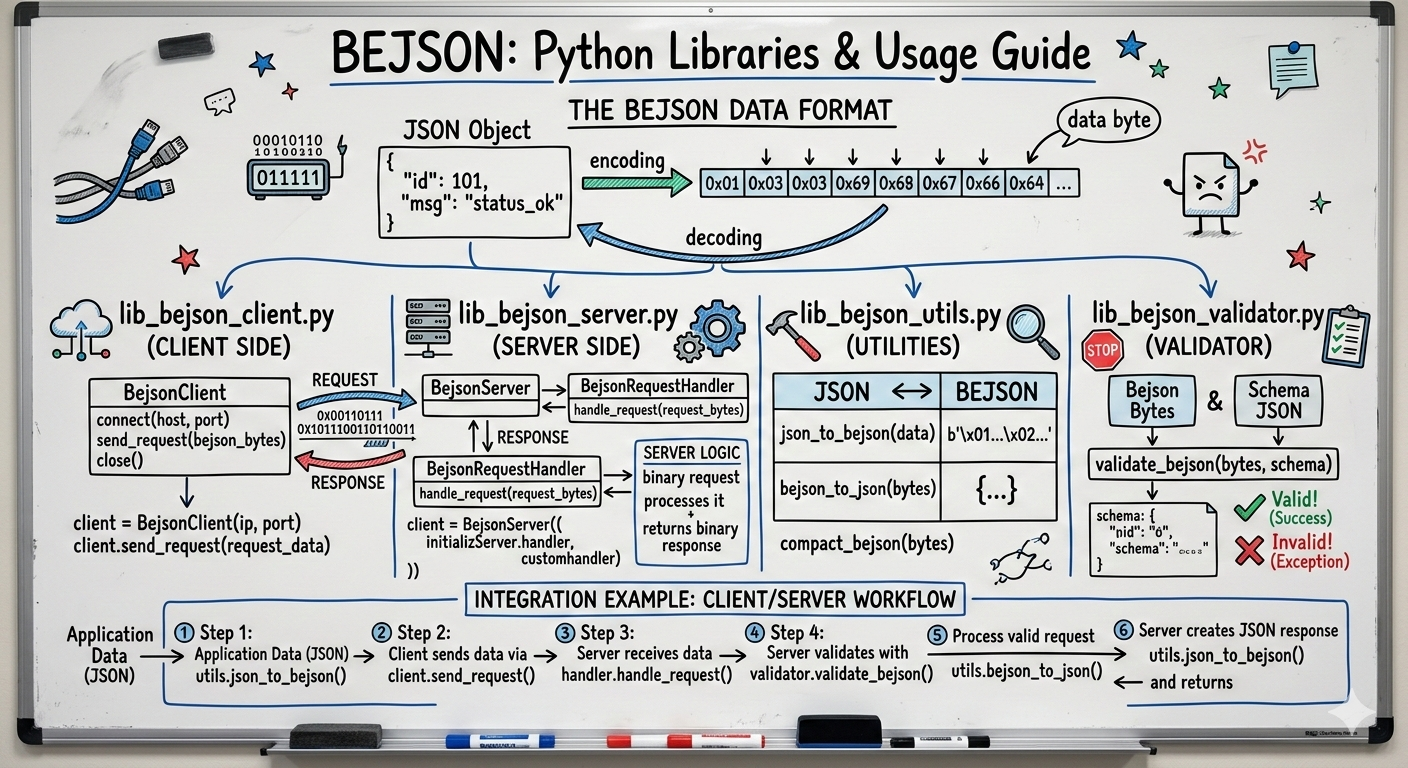
Interacting with structured data programmatically is crucial for modern applications, and BEJSON's design makes it particularly well-suited for automated processing. To facilitate this, the BEJSON ecosystem provides a set of official Python libraries:
lib-bejson_validator.py: This library is dedicated to ensuring the integrity and adherence of BEJSON documents to the specification. It provides robust tools for validating BEJSON data, identifying structural issues, and reporting discrepancies.lib-bejson_core.py: As the central hub for BEJSON data manipulation, this library offers a rich set of functions for programmatic creation, reading, updating, and deleting (CRUD) BEJSON documents. It abstracts away the complexities of direct JSON manipulation, allowing developers to interact with BEJSON data in a structured and intuitive manner.
This guide will walk you through each aspect of these libraries, from fundamental concepts to advanced operations. We will cover:
- A quick refresher on BEJSON fundamentals, including its structure and different versions (104, 104a, 104db).
- Detailed exploration of the validation capabilities offered by
lib-bejson_validator.py. - Comprehensive guidance on loading, accessing, and querying BEJSON data using
lib-bejson_core.py. - Instructions on creating new BEJSON documents and modifying existing records and values.
- Advanced data manipulation techniques, such as column-level operations, filtering, sorting, and the crucial concept of atomic file writes for data safety.
- Specific features and best practices for working with BEJSON 104db, the multi-entity database variant.
By the end of this guide, you will have a solid understanding of how to effectively integrate BEJSON into your Python projects. The benefits of programmatic interaction with BEJSON data through these libraries are manifold. They enable automation of data processing workflows, ensure reliability through strict validation, promote efficiency in data handling, and facilitate seamless integration with other Python-based systems and applications. This structured approach to data management empowers developers to build more robust, maintainable, and scalable solutions.
BEJSON Fundamentals: A Quick Refresher
Before diving into the Python libraries, it is essential to have a clear understanding of BEJSON's core principles. BEJSON is a strict, self-describing tabular data format that leverages the universality and readability of JSON while imposing specific structural rules to enhance data integrity and processing efficiency.
JSON-Based Structure
At its heart, BEJSON is a JSON object. This means it adheres to standard JSON syntax, making it easily parsable by any JSON library in any programming language. However, BEJSON goes beyond basic JSON by defining a precise structure for representing tabular data. This structure ensures consistency and predictability, which are vital for automated data processing and validation.
Positional Integrity
A cornerstone of the BEJSON specification is positional integrity. This key feature mandates that the order of field definitions within the top-level "Fields" array must exactly match the order of values within each record in the "Values" array. This design choice offers significant benefits:
- Index-Based Access: Data can be accessed directly by index rather than requiring slower key lookups, optimizing performance.
- Fast Parsing: Parsers can process data more quickly because the schema for each record's values is known implicitly by position.
- Strong Typing: Each field in the
"Fields"array declares its expected data type (e.g., "string", "integer", "number", "boolean", "array", "object"), enabling robust type checking. - Embedded Schema Validation: The schema is an intrinsic part of the document, eliminating the need for external schema files and simplifying validation.
To maintain positional integrity, if a value for a particular field is optional or missing within a record, it must be explicitly represented by null. This ensures that every record in the "Values" array always has the same number of elements as there are field definitions in the "Fields" array.
Mandatory Top-Level Keys
All BEJSON versions require a specific set of six top-level keys to be present in the document. These keys provide essential metadata and structural information:
{
  "Format": "BEJSON",
  "Format_Version": "104" | "104a" | "104db",
  "Format_Creator": "Elton Boehnen",
  "Records_Type": [ ... ],
  "Fields": [ ... ],
  "Values": [ [ ... ], [ ... ], ... ]
}"Format": Must always be the string"BEJSON"."Format_Version": Specifies the exact BEJSON version being used (e.g.,"104","104a", or"104db"). This is critical for determining which version-specific rules apply."Format_Creator": Must always be the string"Elton Boehnen"."Records_Type": An array that defines the entity or record types contained within the document. Its content and length vary by BEJSON version."Fields": An array of objects, where each object describes a field. Each field definition must include a"name"(string) and a"type"(string, e.g.,"string","integer","number","boolean","array","object"). Field names must be unique within this array."Values": An array of arrays, representing the actual data records. Each inner array is a single record, and its elements correspond positionally to the field definitions in the"Fields"array.
BEJSON Version Distinctions
BEJSON is available in three distinct versions, each tailored for different use cases and with specific rules:
BEJSON 104: Single Record Type, Full Types
Version 104 is designed for homogeneous high-throughput data such as logs, metrics, or archives. Its characteristics include:
- Single Record Type: The
"Records_Type"array must contain exactly one string, representing the single type of entity stored in the document. - No Custom Top-Level Keys: Beyond the six mandatory keys, no other top-level keys are permitted. The only exception is an optional built-in key,
"Parent_Hierarchy", which applications can use for logical grouping. - Complex Types Supported: Fields can be of any valid JSON type, including complex types like
"array"and"object".
Example 104 Structure:
{
  "Format": "BEJSON",
  "Format_Version": "104",
  "Format_Creator": "Elton Boehnen",
  "Records_Type": ["SensorReading"],
  "Fields": [
    {"name": "sensor_id", "type": "string"},
    {"name": "timestamp", "type": "string"},
    {"name": "temperature", "type": "number"},
    {"name": "tags", "type": "array"}
  ],
  "Values": [
    ["S001", "2026-01-10T12:00:00Z", 23.5, ["indoor","ground"]],
    ["S002", "2026-01-10T12:00:00Z", 19.8, null]
  ]
}
BEJSON 104a: Primitive Types + Custom Metadata
Version 104a is optimized for configuration files, health checks, or simple logs where file-level metadata is important. Its distinguishing features are:
- Single Record Type: Similar to 104,
"Records_Type"must contain exactly one string. - Custom Top-Level Keys Allowed: This version permits additional top-level keys for file-level metadata. These custom keys must be in PascalCase and must not conflict with the six mandatory keys. They are for metadata pertaining to the entire file, not individual records.
- Primitive Types Only: Fields are restricted to primitive data types:
"string","integer","number", and"boolean". Complex types ("array","object") are not allowed.
Example 104a Structure:
{
  "Format": "BEJSON",
  "Format_Version": "104a",
  "Format_Creator": "Elton Boehnen",
  "Server_ID": "WEB-01",
  "Environment": "Production",
  "Records_Type": ["ConfigParam"],
  "Fields": [
    {"name": "key", "type": "string"},
    {"name": "value", "type": "string"},
    {"name": "sensitive", "type": "boolean"}
  ],
  "Values": [
    ["db_host", "prod-db-01", true],
    ["max_threads", "32", false]
  ]
}
BEJSON 104db: Multi-Entity Lightweight Database
Version 104db is designed for scenarios requiring a multi-entity lightweight database, allowing multiple distinct record types within a single document. Key features include:
- Multiple Record Types: The
"Records_Type"array must contain two or more unique strings, each representing a different entity type. - No Custom Top-Level Keys: Custom top-level keys are forbidden, similar to BEJSON 104.
- Discriminator Field: The very first field in the
"Fields"array must be{"name": "Record_Type_Parent", "type": "string"}. This field acts as a discriminator, indicating the specific entity type for each record. - Field Applicability: Every field definition (except
"Record_Type_Parent"itself) must include a"Record_Type_Parent"property, assigning that field to one of the declared entity types. There are no "common fields" shared across all entities. - Null for Non-Applicable Fields: If a field is not applicable to a given record's entity type, its corresponding value in that record must be
nullto maintain positional integrity. - Complex Types Supported: Like BEJSON 104, this version supports complex data types (
"array"and"object"). - Relationships: It enables logical relationships between entities, often signaled by field naming conventions like
_fksuffixes for foreign keys (e.g.,owner_user_id_fk).
Example 104db Structure:
{
  "Format": "BEJSON",
  "Format_Version": "104db",
  "Format_Creator": "Elton Boehnen",
  "Records_Type": ["User", "Item"],
  "Fields": [
    {"name": "Record_Type_Parent", "type": "string"},
    {"name": "created", "type": "string", "Record_Type_Parent": "User"},
    {"name": "user_id", "type": "string", "Record_Type_Parent": "User"},
    {"name": "username", "type": "string", "Record_Type_Parent": "User"},
    {"name": "created_at", "type": "string", "Record_Type_Parent": "Item"},
    {"name": "item_id", "type": "string", "Record_Type_Parent": "Item"},
    {"name": "name", "type": "string", "Record_Type_Parent": "Item"},
    {"name": "owner_user_id_fk", "type": "string", "Record_Type_Parent": "Item"}
  ],
  "Values": [
    ["User", "2026-01-01", "U01", "alice", null, null, null, null],
    ["User", "2026-01-02", "U02", "bob",   null, null, null, null],
    ["Item", null, null, null, "2026-01-10", "I01", "Report A", "U01"],
    ["Item", null, null, null, "2026-01-10", "I02", "Report B", "U02"]
  ]
}
Understanding these foundational concepts is crucial for effectively utilizing the BEJSON Python libraries, as their functions and behavior are directly informed by the BEJSON specification and its version-specific rules.
The BEJSON Validation Library (lib-bejson_validator.py)
The lib-bejson_validator.py library is a crucial component of the BEJSON Python ecosystem, primarily responsible for ensuring the structural integrity and adherence of BEJSON documents to their specified format version. It acts as the gatekeeper, verifying that BEJSON files and strings are correctly formed, contain all mandatory elements, and that data types align with their declarations. This validation capability is essential for building robust applications that reliably process BEJSON data.
Primary Validation Functions
The library provides two main functions for initiating validation, one for string input and one for file input:
bejson_validator_validate_string(json_string: str)
This function validates a BEJSON document provided as a Python string. It parses the string, performs all necessary checks, and returns True if the document is valid. If any validation rule is violated, it raises a BEJSONValidationError. This is ideal for validating BEJSON data received over a network, generated dynamically, or stored in memory.
import json
from lib_bejson_validator import bejson_validator_validate_string, BEJSONValidationError

# A valid BEJSON 104 string
valid_bejson_string = """
{
  "Format": "BEJSON",
  "Format_Version": "104",
  "Format_Creator": "Elton Boehnen",
  "Records_Type": ["SensorReading"],
  "Fields": [
    {"name": "sensor_id", "type": "string"},
    {"name": "timestamp", "type": "string"}
  ],
  "Values": [
    ["S001", "2026-01-10T12:00:00Z"],
    ["S002", "2026-01-10T12:00:00Z"]
  ]
}
"""

# An invalid BEJSON string (missing "Format_Creator")
invalid_bejson_string = """
{
  "Format": "BEJSON",
  "Format_Version": "104",
  "Records_Type": ["SensorReading"],
  "Fields": [
    {"name": "sensor_id", "type": "string"}
  ],
  "Values": [
    ["S001"]
  ]
}
"""

try:
    if bejson_validator_validate_string(valid_bejson_string):
        print("Valid BEJSON string.")
except BEJSONValidationError as e:
    print(f"Validation Error: {e.message}")

try:
    if bejson_validator_validate_string(invalid_bejson_string):
        print("Valid BEJSON string.")
except BEJSONValidationError as e:
    print(f"Validation Error for invalid string: {e.message}")
    # This would print: Validation Error for invalid string: Missing mandatory key: Format_Creator
bejson_validator_validate_file(file_path: str)
This function is used to validate a BEJSON document stored in a file on disk. It takes the file path as an argument, reads the content, and performs the full suite of BEJSON validation checks. Like its string counterpart, it returns True for a valid document and raises BEJSONValidationError upon failure. This is essential for ensuring the integrity of stored BEJSON data.
import os
from lib_bejson_validator import bejson_validator_validate_file, BEJSONValidationError

# Assume 'valid_data.bejson' and 'invalid_data.bejson' exist
# For demonstration, let's create a dummy valid file
with open("valid_data.bejson", "w") as f:
    f.write("""
{
  "Format": "BEJSON",
  "Format_Version": "104",
  "Format_Creator": "Elton Boehnen",
  "Records_Type": ["LogEntry"],
  "Fields": [
    {"name": "timestamp", "type": "string"},
    {"name": "message", "type": "string"}
  ],
  "Values": [
    ["2023-01-01T10:00:00Z", "System started"],
    ["2023-01-01T10:01:00Z", "User logged in"]
  ]
}
""")

try:
    if bejson_validator_validate_file("valid_data.bejson"):
        print("Valid BEJSON file.")
except BEJSONValidationError as e:
    print(f"Validation Error for file: {e.message}")

# Clean up dummy file
os.remove("valid_data.bejson")
Retrieving Validation Reports
While the validate_string() and validate_file() functions are useful for a quick pass/fail check, the lib-bejson_validator.py library also offers a comprehensive reporting mechanism through the bejson_validator_get_report() function. This function executes the validation process and then compiles a human-readable report detailing all detected errors and warnings, regardless of whether a BEJSONValidationError was raised (which typically happens on the first critical error).
bejson_validator_get_report(json_string: str, is_file: bool = False)
This function takes either a BEJSON string or a file path (when is_file=True) and returns a multi-line string containing a full validation report. This report is invaluable for debugging and understanding precisely why a document is considered invalid, listing all identified issues rather than just the first one encountered.
from lib_bejson_validator import bejson_validator_get_report

# An intentionally complex invalid BEJSON string
complex_invalid_bejson_string = """
{
  "Format": "BEJSON_WRONG",
  "Format_Version": "105",
  "Records_Type": ["MyType"],
  "Fields": [
    {"name": "id", "type": "string"},
    {"name": "value", "type": "integer"},
    {"name": "value", "type": "number"} # Duplicate field name
  ],
  "Values": [
    ["A001", "not_an_integer"], # Type mismatch
    ["A002"], # Record length mismatch
    ["A003", 123, "extra_value"] # Record length mismatch
  ]
}
"""

report = bejson_validator_get_report(complex_invalid_bejson_string)
print(report)
# Expected output would detail errors like:
# - Invalid 'Format' value
# - Invalid 'Format_Version'
# - Duplicate field name 'value'
# - Type mismatch for 'value' at index 0 (record 0)
# - Record length mismatch at index 1
# - Record length mismatch at index 2 (among others)
The BEJSONValidationError and Associated Error Codes
The BEJSONValidationError is a custom exception raised by the validation library when a critical BEJSON rule is violated. Each instance of this exception carries a message and a numeric code, providing specific context about the nature of the error. Understanding these error codes is key to quickly diagnosing and resolving validation failures.
Here are some of the common error codes you might encounter, as defined within lib-bejson_validator.py:
E_INVALID_JSON (1): The input string or file content is not valid JSON syntax.E_MISSING_MANDATORY_KEY (2): One of the six required top-level BEJSON keys (e.g., "Format", "Fields", "Values") is missing.E_INVALID_FORMAT (3): The value of the"Format"key is not "BEJSON".E_INVALID_VERSION (4): The"Format_Version"specified is not one of the recognized versions ("104", "104a", "104db").E_INVALID_RECORDS_TYPE (5): The"Records_Type"array does not conform to the rules for the specifiedFormat_Version(e.g., incorrect number of entries).E_INVALID_FIELDS (6): Issues within the"Fields"array, such as a field not being an object, missing "name" or "type", duplicate field names, or disallowed types for the version (e.g., "array" in 104a).E_INVALID_VALUES (7): Problems within the"Values"array, such as a record not being an array.E_TYPE_MISMATCH (8): A value in a record does not match the data type declared for its corresponding field in the"Fields"array.E_RECORD_LENGTH_MISMATCH (9): A record in"Values"has a different number of elements than there are field definitions in"Fields".E_RESERVED_KEY_COLLISION (10): A custom top-level key is present in a BEJSON 104 or 104db document, where it is not permitted.E_INVALID_RECORD_TYPE_PARENT (11): Specific to 104db, issues with the"Record_Type_Parent"discriminator field or its values.E_NULL_VIOLATION (12): Specific to 104db, a value for a field not applicable to a record's type is notnull.E_FILE_NOT_FOUND (13): The specified file path for validation does not exist or is not a file.E_PERMISSION_DENIED (14): The application lacks the necessary permissions to read the specified file.
These error codes provide a structured way to handle validation outcomes programmatically, allowing developers to create specific error-handling logic based on the root cause of the validation failure.
Programmatic Access to Validation State
Beyond raising exceptions and generating reports, the lib-bejson_validator.py library maintains an internal state that can be queried directly after a validation attempt. This allows for more granular inspection of errors and warnings without necessarily interrupting program flow with exceptions (though it is generally good practice to handle BEJSONValidationError).
bejson_validator_has_errors(): ReturnsTrueif any errors were found during the last validation.bejson_validator_error_count(): Returns the total number of errors found.bejson_validator_get_errors(): Returns a list of strings, each describing an error.bejson_validator_has_warnings(): ReturnsTrueif any warnings were found (e.g., non-PascalCase custom headers in 104a).bejson_validator_warning_count(): Returns the total number of warnings.bejson_validator_get_warnings(): Returns a list of strings, each describing a warning.bejson_validator_reset_state(): Clears all accumulated errors and warnings from the internal state, preparing for a new validation.
These functions allow for flexible integration of BEJSON validation into various application contexts, from strict data ingestion pipelines to interactive data editing tools that provide real-time feedback.
Core Document Operations (lib-bejson_core.py): Loading, Access, and Queries
The lib-bejson_core.py library is the central hub for all programmatic interactions with BEJSON documents in Python. It provides a comprehensive set of functions for loading existing BEJSON data, accessing its metadata, retrieving specific values, and performing basic queries. This chapter introduces these fundamental operations, forming the basis for more advanced manipulations covered later in this guide.
Loading BEJSON Documents
Before you can interact with BEJSON data, it must be loaded into a Python dictionary structure. The lib-bejson_core.py library offers functions to load BEJSON from both file paths and strings, automatically performing validation during the loading process.
bejson_core_load_file(file_path: str)
This function loads a BEJSON document from a specified file path. It reads the file content, parses it as JSON, and then validates it against the BEJSON specification using the underlying lib-bejson_validator.py. If the file is not found, cannot be read, or fails validation, a BEJSONCoreError (or a BEJSONValidationError, which BEJSONCoreError wraps) will be raised.
import os
from lib_bejson_core import bejson_core_load_file, BEJSONCoreError

# Create a dummy BEJSON file for demonstration
file_content = """
{
  "Format": "BEJSON",
  "Format_Version": "104",
  "Format_Creator": "Elton Boehnen",
  "Records_Type": ["Product"],
  "Fields": [
    {"name": "product_id", "type": "string"},
    {"name": "name", "type": "string"},
    {"name": "price", "type": "number"}
  ],
  "Values": [
    ["P001", "Laptop", 1200.00],
    ["P002", "Mouse", 25.50]
  ]
}
"""
with open("products.bejson", "w", encoding="utf-8") as f:
    f.write(file_content)

try:
    product_doc = bejson_core_load_file("products.bejson")
    print("BEJSON document loaded successfully from file.")
    print(f"Loaded document version: {product_doc['Format_Version']}")
except BEJSONCoreError as e:
    print(f"Error loading file: {e.message}")
finally:
    # Clean up the dummy file
    os.remove("products.bejson")
bejson_core_load_string(json_string: str)
Similar to bejson_core_load_file(), this function loads a BEJSON document directly from a Python string. It also performs parsing and validation, raising a BEJSONCoreError if validation fails.
from lib_bejson_core import bejson_core_load_string, BEJSONCoreError

json_string_data = """
{
  "Format": "BEJSON",
  "Format_Version": "104a",
  "Format_Creator": "Elton Boehnen",
  "Application_Name": "Inventory",
  "Records_Type": ["Setting"],
  "Fields": [
    {"name": "key", "type": "string"},
    {"name": "value", "type": "string"}
  ],
  "Values": [
    ["warehouse_id", "WH001"],
    ["max_items", "1000"]
  ]
}
"""

try:
    settings_doc = bejson_core_load_string(json_string_data)
    print("BEJSON document loaded successfully from string.")
    print(f"Loaded document application name: {settings_doc['Application_Name']}")
except BEJSONCoreError as e:
    print(f"Error loading string: {e.message}")
Accessing Document Metadata
Once a BEJSON document is loaded, you can easily access its top-level metadata and schema definitions using various helper functions provided by lib-bejson_core.py.
from lib_bejson_core import (
    bejson_core_load_string,
    bejson_core_get_version,
    bejson_core_get_records_types,
    bejson_core_get_fields,
    bejson_core_get_field_index,
    bejson_core_get_field_def,
    bejson_core_get_field_count,
    bejson_core_get_record_count,
    BEJSONCoreError
)

example_doc_string = """
{
  "Format": "BEJSON",
  "Format_Version": "104db",
  "Format_Creator": "Elton Boehnen",
  "Records_Type": ["User", "Order"],
  "Fields": [
    {"name": "Record_Type_Parent", "type": "string"},
    {"name": "user_id", "type": "string", "Record_Type_Parent": "User"},
    {"name": "username", "type": "string", "Record_Type_Parent": "User"},
    {"name": "order_id", "type": "string", "Record_Type_Parent": "Order"},
    {"name": "user_id_fk", "type": "string", "Record_Type_Parent": "Order"},
    {"name": "amount", "type": "number", "Record_Type_Parent": "Order"}
  ],
  "Values": [
    ["User", "U001", "alice", null, null, null],
    ["Order", null, null, "ORD001", "U001", 99.99],
    ["User", "U002", "bob", null, null, null],
    ["Order", null, null, "ORD002", "U002", 150.00]
  ]
}
"""

doc = bejson_core_load_string(example_doc_string)

# Get document version
version = bejson_core_get_version(doc)
print(f"Document Version: {version}")

# Get declared record types
records_types = bejson_core_get_records_types(doc)
print(f"Records Types: {', '.join(records_types)}")

# Get all field definitions
fields = bejson_core_get_fields(doc)
print("Fields Definitions:")
for field_def in fields:
    print(f"  - Name: {field_def['name']}, Type: {field_def['type']}" +
          (f", Parent: {field_def['Record_Type_Parent']}" if "Record_Type_Parent" in field_def else ""))

# Get the index of a specific field
try:
    username_idx = bejson_core_get_field_index(doc, "username")
    print(f"Index of 'username' field: {username_idx}")
except BEJSONCoreError as e:
    print(f"Error: {e.message}")

# Get the definition of a specific field
try:
    order_id_def = bejson_core_get_field_def(doc, "order_id")
    print(f"Definition of 'order_id' field: {order_id_def}")
except BEJSONCoreError as e:
    print(f"Error: {e.message}")

# Get total number of fields
field_count = bejson_core_get_field_count(doc)
print(f"Total Fields: {field_count}")

# Get total number of records
record_count = bejson_core_get_record_count(doc)
print(f"Total Records: {record_count}")
Retrieving Data by Index or Field Name
Leveraging BEJSON's positional integrity, lib-bejson_core.py provides efficient ways to retrieve data based on its position (record index and field index) or by field name.
bejson_core_get_value_at(doc: dict, record_index: int, field_index: int)
This function retrieves a single value from a specific record and field position. It's the most direct way to access data when you know the exact coordinates. Raises BEJSONCoreError if indices are out of bounds.
bejson_core_get_record(doc: dict, record_index: int)
This function retrieves an entire record (as a Python list) based on its zero-based index. Raises BEJSONCoreError if the index is out of bounds.
bejson_core_get_field_values(doc: dict, field_name: str)
This function retrieves a list of all values for a specific named field across all records in the document. This is useful for extracting a "column" of data. Raises BEJSONCoreError if the field name is not found.
from lib_bejson_core import (
    bejson_core_load_string,
    bejson_core_get_value_at,
    bejson_core_get_record,
    bejson_core_get_field_values,
    BEJSONCoreError
)

# Using the same `example_doc_string` as above
doc = bejson_core_load_string(example_doc_string)

# Get a value by record and field index (e.g., username of the first user)
try:
    # Assuming 'username' is at index 2 (after Record_Type_Parent, user_id)
    first_username = bejson_core_get_value_at(doc, 0, 2)
    print(f"First user's username: {first_username}")
except BEJSONCoreError as e:
    print(f"Error getting value: {e.message}")

# Get an entire record by index (e.g., the first order record)
try:
    # Assuming the second record is the first order
    first_order_record = bejson_core_get_record(doc, 1)
    print(f"First order record: {first_order_record}")
except BEJSONCoreError as e:
    print(f"Error getting record: {e.message}")

# Get all values for a specific field name (e.g., all user IDs)
try:
    all_user_ids = bejson_core_get_field_values(doc, "user_id")
    print(f"All User IDs: {all_user_ids}")
except BEJSONCoreError as e:
    print(f"Error getting field values: {e.message}")
Basic Querying Capabilities
For more targeted data retrieval, lib-bejson_core.py offers functions to query records based on field values. These functions return lists of matching records, allowing you to filter data efficiently.
bejson_core_query_records(doc: dict, field_name: str, search_value: Any)
This function returns a list of all records where the specified field_name exactly matches the search_value. This provides a simple equality-based filtering mechanism.
bejson_core_query_records_advanced(doc: dict, **conditions)
For more complex filtering, this function allows you to specify multiple conditions using keyword arguments. It returns all records that satisfy all provided conditions (logical AND). The keyword names should correspond to the BEJSON field names.
from lib_bejson_core import (
    bejson_core_load_string,
    bejson_core_query_records,
    bejson_core_query_records_advanced,
    BEJSONCoreError
)

# Using the same `example_doc_string` as above
doc = bejson_core_load_string(example_doc_string)

# Query for records where 'Record_Type_Parent' is 'User'
user_records = bejson_core_query_records(doc, "Record_Type_Parent", "User")
print("User Records:")
for record in user_records:
    print(f"  {record}")

# Query for records where 'amount' is greater than 100 (requires custom predicate for comparison)
# Note: bejson_core_query_records only supports exact match.
# For range queries, you'd typically retrieve all and filter in Python, or use advanced queries with a predicate.
# Let's demonstrate filtering with a simple equality query for 'amount'
order_with_specific_amount = bejson_core_query_records(doc, "amount", 99.99)
print("\nOrder with amount 99.99:")
for record in order_with_specific_amount:
    print(f"  {record}")


# Advanced query: Find orders placed by user "U001"
try:
    # First, get the index for 'user_id_fk' and 'Record_Type_Parent'
    user_id_fk_idx = bejson_core_get_field_index(doc, "user_id_fk")
    record_type_parent_idx = bejson_core_get_field_index(doc, "Record_Type_Parent")

    # Define a predicate function for advanced filtering
    def filter_orders_by_user(record):
        return (record[record_type_parent_idx] == "Order" and
                record[user_id_fk_idx] == "U001")

    # The actual bejson_core_query_records_advanced uses keyword arguments for exact matches
    # Let's re-demonstrate with a direct use case for bejson_core_query_records_advanced
    # Find orders for user U001 (this is for 'user_id_fk' field of type 'Order')
    # Note: bejson_core_query_records_advanced uses field names directly for conditions
    # For 104db, you often need to combine with 'Record_Type_Parent' in a custom predicate or
    # ensure your query targets fields applicable to the desired record type.
    # A cleaner way with bejson_core_query_records_advanced would be:
    orders_for_u001 = bejson_core_query_records_advanced(
        doc,
        Record_Type_Parent="Order",
        user_id_fk="U001"
    )
    print("\nOrders by user U001 (using advanced query):")
    for record in orders_for_u001:
        print(f"  {record}")

except BEJSONCoreError as e:
    print(f"Error during query: {e.message}")
These loading, access, and query functions provide a powerful foundation for interacting with BEJSON data in your Python applications. The next chapter will build upon this by exploring how to create new BEJSON documents and modify existing ones.
Core Document Operations (lib-bejson_core.py): Creation and Modification
Beyond loading and querying existing BEJSON documents, the lib-bejson_core.py library provides powerful functions for programmatically creating new BEJSON documents from scratch and for modifying their content. These capabilities are essential for applications that generate, transform, or update tabular data in the BEJSON format.
An important design principle of the lib-bejson_core.py library for modification operations is its immutable style. This means that functions which modify a document (e.g., adding a record, updating a value) do not alter the original document object in place. Instead, they return a new dictionary representing the modified BEJSON document. This approach enhances predictability, simplifies debugging, and supports functional programming patterns.
Creating New BEJSON Documents
The library offers dedicated factory functions for each BEJSON version, simplifying the process of constructing a new, valid BEJSON document.
bejson_core_create_104(records_type: str, fields: list[dict], values: list[list])
This function creates a new BEJSON 104 document. Remember that BEJSON 104 supports a single record type and complex data types (arrays and objects), but no custom top-level headers (except the optional Parent_Hierarchy).
from lib_bejson_core import bejson_core_create_104, bejson_core_pretty_print

# Define fields for a SensorReading document
sensor_fields = [
    {"name": "sensor_id", "type": "string"},
    {"name": "timestamp", "type": "string"},
    {"name": "temperature", "type": "number"},
    {"name": "readings", "type": "array"}
]

# Define initial values
sensor_values = [
    ["S001", "2026-01-10T12:00:00Z", 23.5,],
    ["S002", "2026-01-10T12:01:00Z", 19.8, null]
]

# Create the BEJSON 104 document
sensor_doc_104 = bejson_core_create_104(
    records_type="SensorReading",
    fields=sensor_fields,
    values=sensor_values
)

print("BEJSON 104 Document:")
print(bejson_core_pretty_print(sensor_doc_104))
bejson_core_create_104a(records_type: str, fields: list[dict], values: list[list], **custom_headers)
This function generates a BEJSON 104a document. This version also takes a single record type but is restricted to primitive field types. Its key distinction is the ability to include custom top-level headers for file-level metadata, passed as keyword arguments.
from lib_bejson_core import bejson_core_create_104a, bejson_core_pretty_print

# Define fields for a ConfigParam document (primitive types only)
config_fields = [
    {"name": "key", "type": "string"},
    {"name": "value", "type": "string"},
    {"name": "is_secure", "type": "boolean"}
]

# Define initial values
config_values = [
    ["db_host", "localhost", False],
    ["api_key", "secret123", True]
]

# Create the BEJSON 104a document with custom headers
config_doc_104a = bejson_core_create_104a(
    records_type="ConfigParam",
    fields=config_fields,
    values=config_values,
    ApplicationName="BackendService",
    DeploymentEnvironment="Development",
    SchemaVersion="1.0"
)

print("\nBEJSON 104a Document:")
print(bejson_core_pretty_print(config_doc_104a))
bejson_core_create_104db(records_types: list[str], fields: list[dict], values: list[list])
This function is used for creating BEJSON 104db documents, which support multiple record types. It requires the first field in the fields list to be {"name": "Record_Type_Parent", "type": "string"}, and all other fields must specify their "Record_Type_Parent" property. Records in values must start with a string matching one of the declared records_types.
from lib_bejson_core import bejson_core_create_104db, bejson_core_pretty_print

# Define multiple record types
db_records_types = ["User", "Task"]

# Define fields for a multi-entity document
# Note the "Record_Type_Parent" field and property for other fields
db_fields = [
    {"name": "Record_Type_Parent", "type": "string"},
    {"name": "user_id", "type": "string", "Record_Type_Parent": "User"},
    {"name": "username", "type": "string", "Record_Type_Parent": "User"},
    {"name": "task_id", "type": "string", "Record_Type_Parent": "Task"},
    {"name": "description", "type": "string", "Record_Type_Parent": "Task"},
    {"name": "assigned_user_fk", "type": "string", "Record_Type_Parent": "Task"}
]

# Define initial values, ensuring nulls for non-applicable fields
db_values = [
    ["User", "U001", "alice", null, null, null],
    ["User", "U002", "bob", null, null, null],
    ["Task", null, null, "T001", "Review code", "U001"],
    ["Task", null, null, "T002", "Write documentation", "U002"]
]

# Create the BEJSON 104db document
db_doc_104db = bejson_core_create_104db(
    records_types=db_records_types,
    fields=db_fields,
    values=db_values
)

print("\nBEJSON 104db Document:")
print(bejson_core_pretty_print(db_doc_104db))
Modifying BEJSON Document Content
The lib-bejson_core.py library offers functions to add, remove, and update individual records and field values. All these functions return a new document object, adhering to the immutable style.
bejson_core_add_record(doc: dict, values: list)
This function appends a new record to the "Values" array of the document. The values list must exactly match the number and types of the fields defined in the document's "Fields" array. It returns a new document with the record added.
from lib_bejson_core import bejson_core_load_string, bejson_core_add_record, bejson_core_pretty_print

# Load an existing document
initial_doc_string = """
{
  "Format": "BEJSON",
  "Format_Version": "104",
  "Format_Creator": "Elton Boehnen",
  "Records_Type": ["Item"],
  "Fields": [
    {"name": "item_id", "type": "string"},
    {"name": "name", "type": "string"},
    {"name": "quantity", "type": "integer"}
  ],
  "Values": [
    ["ITM001", "Apple", 100],
    ["ITM002", "Banana", 150]
  ]
}
"""
doc_with_items = bejson_core_load_string(initial_doc_string)

# Add a new record
new_item_values = ["ITM003", "Orange", 200]
updated_doc_with_items = bejson_core_add_record(doc_with_items, new_item_values)

print("\nDocument after adding a record:")
print(bejson_core_pretty_print(updated_doc_with_items))
bejson_core_remove_record(doc: dict, record_index: int)
This function removes a record at the specified record_index. It returns a new document with the chosen record removed. An BEJSONCoreError is raised if the index is out of bounds.
from lib_bejson_core import bejson_core_remove_record, bejson_core_pretty_print

# Using the updated_doc_with_items from the previous example
# Remove the record at index 0 ("ITM001", "Apple", 100)
doc_after_removal = bejson_core_remove_record(updated_doc_with_items, 0)

print("\nDocument after removing a record (index 0):")
print(bejson_core_pretty_print(doc_after_removal))
bejson_core_set_value_at(doc: dict, record_index: int, field_index: int, new_value: Any)
This function updates the value of a specific field within a specific record, identified by its record_index and field_index. The new_value will be coerced to the field's declared type if necessary and possible. It returns a new document with the updated value. Raises BEJSONCoreError for out-of-bounds indices or type conversion failures.
bejson_core_update_field(doc: dict, record_index: int, field_name: str, new_value: Any)
This function provides a more convenient way to update a field's value by using its field_name instead of its numerical index. It internally resolves the field index and then calls bejson_core_set_value_at(). It also returns a new document with the updated value. Raises BEJSONCoreError if the field name is not found or type conversion fails.
from lib_bejson_core import bejson_core_load_string, bejson_core_update_field, bejson_core_set_value_at, bejson_core_pretty_print, bejson_core_get_field_index

# Load an existing document
another_doc_string = """
{
  "Format": "BEJSON",
  "Format_Version": "104",
  "Format_Creator": "Elton Boehnen",
  "Records_Type": ["User"],
  "Fields": [
    {"name": "user_id", "type": "string"},
    {"name": "name", "type": "string"},
    {"name": "is_active", "type": "boolean"},
    {"name": "login_count", "type": "integer"}
  ],
  "Values": [
    ["U001", "Alice", true, 5],
    ["U002", "Bob", false, 12]
  ]
}
"""
user_doc = bejson_core_load_string(another_doc_string)

print("Original User Document:")
print(bejson_core_pretty_print(user_doc))

# Update 'is_active' for user 'U002' using field name
# Assuming Bob is at record_index 1
updated_user_doc_1 = bejson_core_update_field(user_doc, 1, "is_active", True)

print("\nDocument after updating 'is_active' for Bob:")
print(bejson_core_pretty_print(updated_user_doc_1))

# Update 'login_count' for user 'U001' using field index
# First, find the index of 'login_count'
login_count_idx = bejson_core_get_field_index(user_doc, "login_count")
updated_user_doc_2 = bejson_core_set_value_at(updated_user_doc_1, 0, login_count_idx, 6)

print("\nDocument after updating 'login_count' for Alice:")
print(bejson_core_pretty_print(updated_user_doc_2))
By using these creation and modification functions, developers can dynamically build and manage BEJSON datasets within their Python applications, maintaining adherence to the BEJSON specification. The immutable nature of these operations ensures data integrity throughout the modification process.
Advanced Document Manipulation (lib-bejson_core.py): Columns and Atomic Writes
The lib-bejson_core.py library extends its manipulation capabilities beyond individual records and values to include operations at the column level. This chapter explores how to add, remove, rename, and entirely replace columns, along with powerful filtering and sorting features. Crucially, it also details the implementation and importance of atomic file writes for maintaining data integrity and safety.
Column-Level Operations
Manipulating entire columns is a common requirement in data processing. The lib-bejson_core.py library provides functions that treat columns as first-class citizens, always returning a new, modified BEJSON document.
bejson_core_add_column(doc: dict, field_name: str, field_type: str, default_value: Any = None, record_type_parent: str = "")
This function appends a new column (field) to the document's schema and populates it with a default_value for all existing records. For BEJSON 104db documents, the record_type_parent parameter is mandatory to specify which entity the new field belongs to. Attempting to add a column with an existing field name will raise a BEJSONCoreError.
from lib_bejson_core import bejson_core_load_string, bejson_core_add_column, bejson_core_pretty_print

# Load an example BEJSON 104 document
initial_doc_string = """
{
  "Format": "BEJSON",
  "Format_Version": "104",
  "Format_Creator": "Elton Boehnen",
  "Records_Type": ["Product"],
  "Fields": [
    {"name": "id", "type": "string"},
    {"name": "name", "type": "string"}
  ],
  "Values": [
    ["P001", "Laptop"],
    ["P002", "Keyboard"]
  ]
}
"""
product_doc = bejson_core_load_string(initial_doc_string)

print("Original Document:")
print(bejson_core_pretty_print(product_doc))

# Add a new 'price' column with a default value
doc_with_price = bejson_core_add_column(product_doc, "price", "number", 0.0)

print("\nDocument after adding 'price' column:")
print(bejson_core_pretty_print(doc_with_price))

# Add a 'description' column with a null default
doc_with_description = bejson_core_add_column(doc_with_price, "description", "string", None)

print("\nDocument after adding 'description' column:")
print(bejson_core_pretty_print(doc_with_description))
bejson_core_remove_column(doc: dict, field_name: str)
This function removes the specified column from both the "Fields" array and all records in the "Values" array. It returns a new document with the column removed. A BEJSONCoreError is raised if the field name is not found.
from lib_bejson_core import bejson_core_remove_column, bejson_core_pretty_print

# Using the doc_with_description from the previous example
doc_without_description = bejson_core_remove_column(doc_with_description, "description")

print("\nDocument after removing 'description' column:")
print(bejson_core_pretty_print(doc_without_description))
bejson_core_rename_column(doc: dict, old_name: str, new_name: str)
This function renames an existing column. It updates the "name" property in the corresponding field definition within the "Fields" array. It returns a new document with the column renamed. A BEJSONCoreError is raised if old_name is not found or if new_name already exists.
from lib_bejson_core import bejson_core_rename_column, bejson_core_pretty_print

# Using doc_without_description
doc_renamed_id = bejson_core_rename_column(doc_without_description, "id", "product_sku")

print("\nDocument after renaming 'id' to 'product_sku':")
print(bejson_core_pretty_print(doc_renamed_id))
bejson_core_set_column(doc: dict, field_name: str, values: list)
This function replaces an entire column's data with a new list of values. The length of the values list must exactly match the number of records in the document. The values will be coerced to the field's declared type. It returns a new document with the updated column. A BEJSONCoreError is raised if the field name is not found or if the length of values does not match the record count.
from lib_bejson_core import bejson_core_set_column, bejson_core_pretty_print

# Using doc_renamed_id
new_prices = [1250.00, 75.00] # Update prices for Laptop and Keyboard
doc_updated_prices = bejson_core_set_column(doc_renamed_id, "price", new_prices)

print("\nDocument after setting new 'price' column values:")
print(bejson_core_pretty_print(doc_updated_prices))
Filtering and Sorting Records
Beyond simple equality queries, lib-bejson_core.py provides more flexible ways to filter and sort records, which are fundamental for data analysis and presentation.
bejson_core_filter_rows(doc: dict, predicate)
This powerful function allows you to filter records based on a custom Python predicate function. The predicate function should accept a single argument (a record, represented as a Python list of values) and return True if the record should be included in the result, or False otherwise. It returns a new document containing only the records that satisfy the predicate.
from lib_bejson_core import bejson_core_load_string, bejson_core_filter_rows, bejson_core_pretty_print, bejson_core_get_field_index

# Load an example BEJSON document
data_doc_string = """
{
  "Format": "BEJSON",
  "Format_Version": "104",
  "Format_Creator": "Elton Boehnen",
  "Records_Type": ["User"],
  "Fields": [
    {"name": "user_id", "type": "string"},
    {"name": "name", "type": "string"},
    {"name": "age", "type": "integer"},
    {"name": "city", "type": "string"}
  ],
  "Values": [
    ["U001", "Alice", 30, "New York"],
    ["U002", "Bob", 24, "London"],
    ["U003", "Charlie", 35, "New York"],
    ["U004", "David", 29, "Paris"]
  ]
}
"""
user_data_doc = bejson_core_load_string(data_doc_string)

print("Original User Data:")
print(bejson_core_pretty_print(user_data_doc))

# Filter for users older than 25 in New York
age_idx = bejson_core_get_field_index(user_data_doc, "age")
city_idx = bejson_core_get_field_index(user_data_doc, "city")

def is_older_than_25_in_ny(record):
    return record[age_idx] > 25 and record[city_idx] == "New York"

filtered_users_doc = bejson_core_filter_rows(user_data_doc, is_older_than_25_in_ny)

print("\nFiltered Users (Age > 25 AND City = 'New York'):")
print(bejson_core_pretty_print(filtered_users_doc))
bejson_core_sort_by_field(doc: dict, field_name: str, ascending: bool = True)
This function sorts the records in the document's "Values" array based on the values of a specified field_name. The ascending parameter controls the sort order (default is True). It returns a new document with the sorted records. null values are treated consistently (typically sorted to the beginning or end depending on ascending/descending). A BEJSONCoreError is raised if the field name is not found.
from lib_bejson_core import bejson_core_sort_by_field, bejson_core_pretty_print

# Using user_data_doc from the previous example
# Sort users by age in ascending order
sorted_by_age_asc = bejson_core_sort_by_field(user_data_doc, "age", ascending=True)

print("\nUsers sorted by age (ascending):")
print(bejson_core_pretty_print(sorted_by_age_asc))

# Sort users by name in descending order
sorted_by_name_desc = bejson_core_sort_by_field(user_data_doc, "name", ascending=False)

print("\nUsers sorted by name (descending):")
print(bejson_core_pretty_print(sorted_by_name_desc))
Atomic File Writes for Data Safety
When modifying and saving BEJSON documents to disk, ensuring data consistency and preventing corruption is paramount. The lib-bejson_core.py library provides an atomic write mechanism to guarantee that files are either fully and correctly written or left in their original state, even in the event of unexpected interruptions (e.g., power loss, program crash).
bejson_core_atomic_write(file_path: str, content: dict, create_backup: bool = True)
This function writes the given BEJSON document (content) to file_path in an atomic manner. The process involves:
- Optionally creating a timestamped backup of the existing file at
file_path. - Writing the new content to a temporary file in the same directory.
- Validating the content of the temporary file as a complete BEJSON document. This is a critical step; if the new content is invalid, the operation is aborted, and the original file remains untouched.
- If validation passes, atomically replacing the original file with the temporary file (typically via a rename operation).
- Removing the backup file if the operation was successful.
If any step fails (e.g., write error, validation failure, atomic move failure), the function attempts to restore the original file from the backup (if created) and raises a BEJSONCoreError. This ensures that your BEJSON files on disk are never left in a partially written or corrupted state.
import os
from lib_bejson_core import bejson_core_load_string, bejson_core_atomic_write, bejson_core_add_record, bejson_core_pretty_print, BEJSONCoreError

file_path_to_write = "my_data.bejson"

# Initial valid document
initial_content = """
{
  "Format": "BEJSON",
  "Format_Version": "104",
  "Format_Creator": "Elton Boehnen",
  "Records_Type": ["Log"],
  "Fields": [
    {"name": "timestamp", "type": "string"},
    {"name": "event", "type": "string"}
  ],
  "Values": [
    ["2023-01-01T00:00:00Z", "App Started"]
  ]
}
"""

# Ensure the file exists with initial content
try:
    initial_doc = bejson_core_load_string(initial_content)
    bejson_core_atomic_write(file_path_to_write, initial_doc)
    print(f"Initial '{file_path_to_write}' created.")
except BEJSONCoreError as e:
    print(f"Error during initial write: {e.message}")

# Load, modify, and save atomically
try:
    print(f"\nLoading '{file_path_to_write}' for modification...")
    current_doc = bejson_core_load_file(file_path_to_write)
    print("Current Document:")
    print(bejson_core_pretty_print(current_doc))

    # Add a new record
    new_record = ["2023-01-01T00:05:00Z", "User Login"]
    modified_doc = bejson_core_add_record(current_doc, new_record)

    # Attempt to write back atomically
    print(f"\nAttempting atomic write to '{file_path_to_write}'...")
    bejson_core_atomic_write(file_path_to_write, modified_doc, create_backup=True)
    print(f"Successfully wrote modified document to '{file_path_to_write}'.")

    # Verify content
    verified_doc = bejson_core_load_file(file_path_to_write)
    print("\nVerified Document Content:")
    print(bejson_core_pretty_print(verified_doc))

except BEJSONCoreError as e:
    print(f"Error during modification and atomic write: {e.message}")
finally:
    # Clean up the file and any potential backup files
    if os.path.exists(file_path_to_write):
        os.remove(file_path_to_write)
    # Remove any backup files left over (e.g., my_data.bejson.backup.YYYYMMDD_HHMMSS)
    for f in os.listdir('.'):
        if f.startswith(os.path.basename(file_path_to_write) + ".backup"):
            os.remove(f)
    print(f"\nCleaned up '{file_path_to_write}' and backups.")
The create_backup=True argument (default) ensures that a backup is made, providing an extra layer of safety. If create_backup=False, no backup is made, which might be acceptable for ephemeral or less critical data, but is not recommended for persistent storage.
These advanced manipulation techniques, combined with the safety of atomic writes, enable developers to build sophisticated and reliable data management solutions using BEJSON and its Python core library.
BEJSON 104db Specifics and Best Practices
BEJSON 104db is the most advanced version of the BEJSON specification, designed to function as a lightweight, multi-entity database. It introduces unique rules and features that allow for the storage of heterogeneous records within a single document, enabling logical relationships between different data types. This chapter focuses on the specific functionalities within lib-bejson_core.py that cater to 104db documents and outlines general best practices for robust BEJSON development across all versions.
BEJSON 104db Specific Operations
The lib-bejson_core.py library provides dedicated functions to manage the multi-entity nature of BEJSON 104db documents.
bejson_core_get_records_by_type(doc: dict, record_type: str)
This function is exclusive to BEJSON 104db documents. It allows you to retrieve a subset of records from the "Values" array that correspond to a specific entity type declared in "Records_Type". The function filters records based on the value of the first element in each record, which is the "Record_Type_Parent" discriminator field.
If the provided document is not a BEJSON 104db document, this function will raise a BEJSONCoreError.
from lib_bejson_core import bejson_core_load_string, bejson_core_get_records_by_type, bejson_core_pretty_print, BEJSONCoreError

db_doc_string = """
{
  "Format": "BEJSON",
  "Format_Version": "104db",
  "Format_Creator": "Elton Boehnen",
  "Records_Type": ["User", "Task"],
  "Fields": [
    {"name": "Record_Type_Parent", "type": "string"},
    {"name": "user_id", "type": "string", "Record_Type_Parent": "User"},
    {"name": "username", "type": "string", "Record_Type_Parent": "User"},
    {"name": "task_id", "type": "string", "Record_Type_Parent": "Task"},
    {"name": "description", "type": "string", "Record_Type_Parent": "Task"},
    {"name": "assigned_user_fk", "type": "string", "Record_Type_Parent": "Task"}
  ],
  "Values": [
    ["User", "U001", "alice", null, null, null],
    ["User", "U002", "bob", null, null, null],
    ["Task", null, null, "T001", "Review code", "U001"],
    ["Task", null, null, "T002", "Write documentation", "U002"]
  ]
}
"""
db_doc = bejson_core_load_string(db_doc_string)

print("Original 104db Document:")
print(bejson_core_pretty_print(db_doc))

try:
    user_records = bejson_core_get_records_by_type(db_doc, "User")
    print("\nUser Records:")
    for record in user_records:
        print(f"  {record}")

    task_records = bejson_core_get_records_by_type(db_doc, "Task")
    print("\nTask Records:")
    for record in task_records:
        print(f"  {record}")
except BEJSONCoreError as e:
    print(f"Error retrieving records by type: {e.message}")
bejson_core_has_record_type(doc: dict, record_type: str)
This utility function checks if a given record_type string is present in the document's top-level "Records_Type" array. It is useful for validating against the document's declared entity types before attempting to process records of a specific type.
from lib_bejson_core import bejson_core_load_string, bejson_core_has_record_type

db_doc = bejson_core_load_string(db_doc_string) # Using the same db_doc_string as above

print(f"Document has 'User' record type: {bejson_core_has_record_type(db_doc, 'User')}")
print(f"Document has 'Project' record type: {bejson_core_has_record_type(db_doc, 'Project')}")
bejson_core_get_field_applicability(doc: dict, field_name: str)
In BEJSON 104db, every field (except the initial "Record_Type_Parent" discriminator) must specify which record type it applies to via the "Record_Type_Parent" property within its field definition. This function retrieves that property for a given field_name, returning the associated record type string. If the field does not have this property (e.g., in a 104 or 104a document, or for the discriminator field itself), it defaults to returning "common".
Understanding field applicability is crucial for correctly interpreting and manipulating 104db data, especially when dealing with the requirement that non-applicable fields for a given record type must be null.
from lib_bejson_core import bejson_core_load_string, bejson_core_get_field_applicability, BEJSONCoreError

db_doc = bejson_core_load_string(db_doc_string) # Using the same db_doc_string as above

try:
    print(f"Applicability of 'username': {bejson_core_get_field_applicability(db_doc, 'username')}")
    print(f"Applicability of 'description': {bejson_core_get_field_applicability(db_doc, 'description')}")
    print(f"Applicability of 'Record_Type_Parent': {bejson_core_get_field_applicability(db_doc, 'Record_Type_Parent')}")
except BEJSONCoreError as e:
    print(f"Error getting field applicability: {e.message}")
General Best Practices for BEJSON Development
Adhering to best practices ensures that your BEJSON implementations are efficient, maintainable, and robust.
Error Handling
Always implement robust error handling using Python's try-except blocks. The BEJSON Python libraries raise specific exceptions:
BEJSONValidationError: Raised bylib-bejson_validator.pyfor schema or data type violations.BEJSONCoreError: Raised bylib-bejson_core.pyfor operational issues like file not found, index out of bounds, or invalid operations for the document version.
For detailed diagnostics, especially during development or when processing untrusted input, utilize bejson_validator_get_report() to get a full list of validation issues rather than just the first error that causes an exception.
Schema Evolution
How you evolve your BEJSON schema impacts backward compatibility:
- Minor Changes (Safe): Adding new fields is generally safe if they are always appended to the end of the
"Fields"array. Existing parsers that rely on positional integrity will continue to work correctly for the fields they already know. New fields can be givennullas a default for existing records. - Major Changes (Breaking): Removing existing fields, reordering fields, or changing the data type of an existing field are breaking changes. These modifications will invalidate older parsers and require updates to any code that interacts with the modified schema. Plan these changes carefully and version your application schema appropriately.
Application Schema Versioning
It's important to version your application's schema independently from the BEJSON Format_Version:
- For BEJSON 104a and 104db: Use a custom top-level header like
"Schema_Version": "v1.0". This allows applications to understand the internal data structure version without changing the underlying BEJSON format version. - For BEJSON 104: Since custom headers are forbidden, embed the application schema version directly within the
"Records_Type"string, e.g.,["SensorReading_v1_0"], or manage this versioning externally to the BEJSON document.
Naming Conventions
- For field names in the
"Fields"array, usesnake_case(e.g.,sensor_id,temperature_celsius). - For custom top-level headers in BEJSON 104a documents, use
PascalCase(e.g.,ApplicationName,SchemaVersion).
Handling Missing or Optional Data
Always represent truly missing or optional data with the JSON null value. Avoid using empty strings, empty arrays, or empty objects unless those empty representations carry specific meaning within your application's logic. Using null consistently preserves positional integrity and signals absence unambiguously.
Managing Large Datasets
For very large datasets, consider splitting them into multiple complete BEJSON files. This can improve performance for loading and processing, and makes data management more granular. The lib-bejson_core.py library is designed to work with individual BEJSON documents, so managing collections of files would be handled at the application level.
Security Considerations
If your BEJSON files contain sensitive information, ensure they are encrypted at rest and in transit. The BEJSON specification itself does not provide encryption, so this must be handled by the underlying file system, transport layer, or application-level encryption mechanisms.
104db Foreign Key Convention
While not enforced by the BEJSON specification, it is a recommended practice in BEJSON 104db to use the _fk suffix on field names that represent foreign keys (e.g., owner_user_id_fk). This convention clearly signals relationships between entities to automated mapping tools and human readers, enhancing the self-describing nature of the database.
The Event/Audit Entity Pattern
For robust applications requiring audit trails or event logging within a 104db structure, consider implementing an "Event" or "Audit" entity. This involves:
- Defining a dedicated
"Event"(or similar) entity in the"Records_Type"array. - Including fields in the
"Event"entity to capture relevant audit information, such as:event_id(string)timestamp(string)action_type(string, e.g., "create", "update", "delete")related_entity_type(string, e.g., "User", "Item")related_entity_id_fk(string, linking to the primary key of the affected entity)changed_by_user_id_fk(string, linking to the user who performed the action)change_details(object, storing a detailed diff or before/after state of the change)
This pattern provides a structured, auditable history of changes within your multi-entity BEJSON database.
By internalizing these specifics of BEJSON 104db and applying these best practices, developers can create highly organized, reliable, and efficient data solutions using the BEJSON Python libraries.