[LEETHAXOR69 ROOT ACCESS GRANTED] Listen up skids and corporate JSON fanboys. If you are still shipping 40MB payloads bloated with 70% repeated dictionary keys, you are getting laughed out of the server room. Here is the definitive, unadulterated, battle-tested architectural masterclass on BEJSON (104, 104a, 104db) and MFDB v1.31 / v1.32. Zero corporate fluff, 100% hardcore positional integrity.
Table of Contents
- Chapter 1: WTF is BEJSON? Killing Corporate Bloat with Positional Integrity
- Chapter 2: BEJSON 104 — High-Velocity Homogeneous Telemetry & Log Pwning
- Chapter 3: BEJSON 104a — Metadata Injection & Strict Primitive Configurations
- Chapter 4: BEJSON 104db — Multi-Entity Relational Databases in a Single Flat File
- Chapter 5: Core Nesting (Nested 104) & Dotted-Path Memory Exploitation
- Chapter 6: MFDB Architecture: Manifests, Master-Slave Federation & MFDB-132 Mounts
Chapter 1: WTF is BEJSON? Killing Corporate Bloat with Positional Integrity
Ayo noobs, pull up a terminal and wipe the drool off your keyboards. For the past twenty years, web skids and enterprise architects have been worshipping vanilla JSON like it was handed down on stone tablets. You know what vanilla JSON is? It’s an unoptimized clown show. Look at this garbage that corporate API devs ship every single day:
[
  {"user_id": "U01", "ip_addr": "192.168.1.50", "status": 200, "action": "AUTH_LOGIN"},
  {"user_id": "U02", "ip_addr": "10.0.0.12",   "status": 403, "action": "AUTH_REJECT"},
  {"user_id": "U03", "ip_addr": "172.16.0.4",  "status": 200, "action": "FILE_WRITE"}
]
Every single record repeats "user_id", "ip_addr", "status", and "action". On 100,000 log entries, you’re spending 65% of your socket I/O transmitting ASCII field names you already know, and your CPU is burning cycles hashing string keys into dictionary buckets like a hamster on a wheel. It's slow, it's bloated, and it leaks memory bandwidth. Lmao.
Enter BEJSON. BEJSON is a strict, self-describing tabular format engineered for positional integrity. Instead of repeating key-value pairs per row, BEJSON specifies the schema exactly once in a Fields array, and every subsequent row in Values is an ordered array mapped 1:1 by index. No runtime hash lookups, zero field repetition, instant (1)$ index offsets.
The Six Immutable Top-Level Keys
Every legitimate BEJSON file on the planet mandates the presence of exactly six top-level keys. If you miss one, or spell it wrong, the validator drops your payload with an instant rejection. No debate, no fallback:
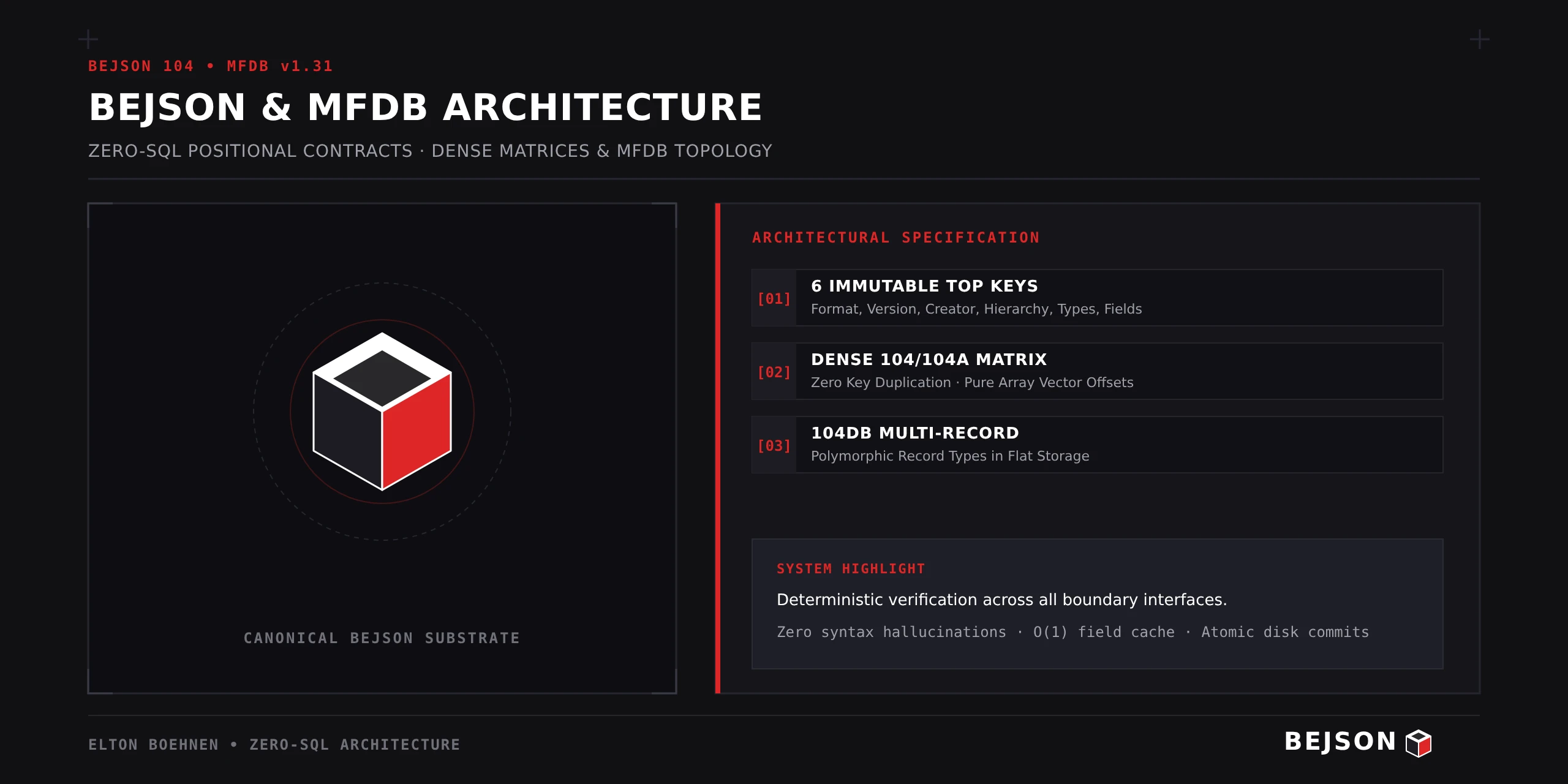
"Format": Must be the literal string"BEJSON"."Format_Version": Must strictly be"104","104a", or"104db"."Format_Creator": Must be precisely"Elton Boehnen". Hard invariant."Records_Type": Array of strings defining entity names (e.g.["SysLog"])."Fields": Array of field descriptor objects declaring names and types."Values": 2D array of data rows where each row's element sequence matchesFields.
{
  "Format": "BEJSON",
  "Format_Version": "104",
  "Format_Creator": "Elton Boehnen",
  "Records_Type": ["AuthEvent"],
  "Fields": [
    {"name": "user_id", "type": "string"},
    {"name": "ip_addr", "type": "string"},
    {"name": "status", "type": "integer"},
    {"name": "action", "type": "string"}
  ],
  "Values": [
    ["U01", "192.168.1.50", 200, "AUTH_LOGIN"],
    ["U02", "10.0.0.12", 403, "AUTH_REJECT"],
    ["U03", "172.16.0.4", 200, "FILE_WRITE"]
  ]
}
The Law of the Field Map Cache: Real hackers never search for column indices inside loops. You build an (1)$ field map dictionary at file load: field_map = {f['name']: i for i, f in enumerate(doc['Fields'])}. From that point forward, row[field_map['ip_addr']] gives you direct memory indexing. If you hardcode numerical indices (like row[1]), your code dies the second someone appends a column. Don't be a skid.
Positional Integrity Rules (Memorize or Get Pwned)
- Row Length Invariant:
len(row) == len(Fields)must hold for every single row inValues. IfFieldshas 7 entries, your row must have exactly 7 items. - Null-Preservation: Missing or optional values MUST be represented by literal
null. You never truncate the array to drop trailing empties. - Append-Only Evolution: Adding a new column? You append it to the very END of the
Fieldsarray. Inserting a column mid-array shifts index offsets and corrupts every existing parser downstream.
Chapter 2: BEJSON 104 — High-Velocity Homogeneous Telemetry & Log Pwning
Now that you understand positional integrity, let's dissect the foundational workhorse: BEJSON Format 104. If you're building a network packet sniffer, forensic event stream, or industrial sensor ingestion pipeline, Format 104 is your weapon of choice. It strips away all extraneous metadata and gives you raw, unbuffered data density.
The Anatomy of Format 104
- Single Entity Rule:
"Records_Type"must contain exactly ONE string. If you try to sneak in["Packet", "Host"], the 104 validator will smack your request with a type violation. That’s multi-entity territory (we’ll get to 104db later). - Zero Custom Headers (No Bloat Allowed): Unlike 104a, Format 104 bans custom top-level metadata keys. You cannot add
"Server_Name": "Bastion-01"or"Environment": "Production". The only exception baked into the specification isParent_Hierarchy(used by MFDB entity files to link back to their owning manifest). - Full Data Type Arsenal: Format 104 permits complex structures within cells:
string,integer,number,boolean,array, andobject.
{
  "Format": "BEJSON",
  "Format_Version": "104",
  "Format_Creator": "Elton Boehnen",
  "Records_Type": ["NetworkPacket"],
  "Fields": [
    {"name": "timestamp_iso", "type": "string"},
    {"name": "src_ip",        "type": "string"},
    {"name": "src_port",      "type": "integer"},
    {"name": "dest_ip",       "type": "string"},
    {"name": "dest_port",      "type": "integer"},
    {"name": "protocol",       "type": "string"},
    {"name": "flags",          "type": "array"},
    {"name": "payload_hex",    "type": "string"}
  ],
  "Values": [
    ["2026-11-06T13:30:01Z", "192.168.1.105", 54321, "10.0.0.1", 443, "TCP", ["SYN"], ""],
    ["2026-11-06T13:30:02Z", "10.0.0.1", 443, "192.168.1.105", 54321, "TCP", ["SYN", "ACK"], ""],
    ["2026-11-06T13:30:03Z", "192.168.1.105", 54321, "10.0.0.1", 443, "TCP", ["ACK"], "48656c6c6f"]
  ]
}
Why Security & Forensic Tooling Loves 104
When you dump memory forensics or firewall states, you care about two things: speed and exact byte alignment. Because Format 104 records are homogeneous and dense (no null-padding across entity gaps), parsing 500,000 rows in Python or C requires zero branch prediction guessing. You read Fields, compile your memory layout, and stream rows straight into typed arrays or native memory blocks.
Common Skid Mistake: Injecting metadata into 104 by cramming extra keys at the top level. The validator will fail with BEJSONValidationError Code 4 (Forbidden Custom Top-Level Key). If you need file-level metadata tags, you migrate to Format 104a. Learn the rules.
Chapter 3: BEJSON 104a — Metadata Injection & Strict Primitive Configurations
Every dev eventually needs to annotate a file. You want to stamp the target environment, the server hostname, the security classification, or the cryptographic signature right at the top of the file without polluting your row values. But in Format 104, custom headers are illegal. That's why Elton Boehnen engineered BEJSON Format 104a.
104a is the configuration and orchestration standard of the BEJSON universe. It is also the exact format used by all MFDB database manifests (104a.mfdb.bejson). But with great power comes strict constraints. Listen carefully, because this is where 90% of beginners get rejected by the validator.
The Two Invariant Laws of 104a
- PascalCase Custom Metadata Headers: You can add arbitrary top-level keys to describe the file (e.g.,
"Cluster_ID": "US-EAST-01","Security_Clearance": "TopSecret","Max_Connections": 1024). However, they must followPascalCasenaming and they must never collide with the 6 immutable root keys (Format,Format_Version,Format_Creator,Records_Type,Fields,Values). - Strict Primitive Types Only (NO ARRAYS, NO OBJECTS): The fields in a 104a document are strictly restricted to 4 primitive types:
"string""integer""number""boolean"
"array"or an"object"in a 104aFieldsarray, the validator crashes your process with a hard type violation error. Format 104a is engineered for deterministic, scalar configurations.
{
  "Format": "BEJSON",
  "Format_Version": "104a",
  "Format_Creator": "Elton Boehnen",
  "Node_Name": "Bastion-Alpha-01",
  "Security_Zone": "DMZ",
  "Hardened_Kernel": true,
  "TTL_Seconds": 86400,
  "Records_Type": ["FirewallRule"],
  "Fields": [
    {"name": "rule_id",   "type": "integer"},
    {"name": "chain",     "type": "string"},
    {"name": "target_ip", "type": "string"},
    {"name": "port",      "type": "integer"},
    {"name": "action",    "type": "string"},
    {"name": "logging",   "type": "boolean"}
  ],
  "Values": [
    [1001, "INPUT", "192.168.1.0/24", 22,   "ACCEPT", true],
    [1002, "INPUT", "0.0.0.0/0",      80,   "DROP",   true],
    [1003, "INPUT", "0.0.0.0/0",      443,  "ACCEPT", false],
    [1004, "INPUT", "10.10.10.99",    3389, "REJECT", true]
  ]
}
Where to Deploy 104a
Use 104a whenever you are writing:
- Daemon configurations and service environment parameters.
- System health checks and node telemetry manifests.
- MFDB database manifests (the authoritative registry that maps entity files to disk).
Notice how clean that is. You get top-level operational metadata for devops scripts, and pure primitive rows for ultra-fast validation without any complex nested object parsing overhead. Beautiful.
Chapter 4: BEJSON 104db — Multi-Entity Relational Databases in a Single Flat File
Here’s where we separate the real software engineers from the web framework copy-pasters. Suppose you need a full relational database with multiple entities, foreign keys, and parent-child hierarchies. The corporate playbook says: "Oh, just pull in SQLite, or fire up a Docker container running PostgreSQL!"
Congratulations, you just introduced binary lock files, C-runtime dependencies, foreign key corruption risks on abrupt power-loss, and data that an LLM or bash one-liner can't easily parse or manipulate. What if you could store multiple relational entities inside a single, human-readable, atomic text file? That’s BEJSON Format 104db.
In fact, the article you are reading right now inside this BEJSON CMS is persisted to disk as a 104db file at storage/mfdb/pages_db/<uuid>.json. Let’s look under the hood.
The 104db Structural Invariants
- Multiple Entity Types in
"Records_Type": Must contain two or more entity names (e.g.,["User", "Session", "AuditLog"]or["PageMeta", "Content"]). - The Discriminator Key (Field 0): The very first field in the
Fieldsarray MUST strictly be:
In every row in{"name": "Record_Type_Parent", "type": "string"}Values, index 0 must contain the exact string name of the entity that row represents. - Strict Entity Field Ownership: Every single field after index 0 MUST carry a
"Record_Type_Parent": "<EntityName>"attribute. There is no concept of a "shared global field". Each column belongs to one, and only one, entity. - Null-Padding for Positional Alignment: When a row belongs to Entity A, all columns belonging to Entity B must be filled with
null. This maintains rigid positional index alignment across the entire file. - Foreign Key Convention: Relationships are linked via foreign keys marked with the
_fksuffix (e.g.user_id_fk). It’s an established convention that automated graph and schema tooling uses to map relations.
{
  "Format": "BEJSON",
  "Format_Version": "104db",
  "Format_Creator": "Elton Boehnen",
  "Records_Type": ["User", "Item"],
  "Fields": [
    {"name": "Record_Type_Parent", "type": "string"},
    {"name": "created",            "type": "string", "Record_Type_Parent": "User"},
    {"name": "user_id",            "type": "string", "Record_Type_Parent": "User"},
    {"name": "username",           "type": "string", "Record_Type_Parent": "User"},
    {"name": "created_at",         "type": "string", "Record_Type_Parent": "Item"},
    {"name": "item_id",            "type": "string", "Record_Type_Parent": "Item"},
    {"name": "name",               "type": "string", "Record_Type_Parent": "Item"},
    {"name": "owner_user_id_fk",   "type": "string", "Record_Type_Parent": "Item"}
  ],
  "Values": [
    ["User", "2026-01-01", "U01", "alice", null, null, null, null],
    ["User", "2026-01-02", "U02", "bob",   null, null, null, null],
    ["Item", null, null, null, "2026-01-10", "I01", "Exploit Script", "U01"],
    ["Item", null, null, null, "2026-01-10", "I02", "SSH Keypair",    "U02"]
  ]
}
104db vs. SQLite: When to Use It
Use 104db when:
- Your dataset is compact (typically under 10,000 records).
- You need instant LLM readability and in-place AI editing without database drivers.
- You want single-file atomic portability (e.g., CMS content documents, isolated project bundles).
Do NOT use 104db when:
- Your dataset has 100,000+ records across 20 entities. Because every row is null-padded across all unowned columns, row width grows with every new entity field added. For large, growing databases, you use MFDB (where each entity lives in its own dense 104 file).
Chapter 5: Core Nesting (Nested 104) & Dotted-Path Memory Exploitation
You think you're l33t because you know how to iterate a 2D array? Welcome to the deep end: BEJSON Core Nesting. In complex system architectures (like game state engines, hierarchical security ACLs, or containerized process trees), data naturally nests. But standard JSON nesting produces an unvalidated, amorphous blob of random sub-dictionaries.
BEJSON solves this with Embedded 104 Documents governed by the Core_Nesting engine (Error codes 130–159). You can embed a fully validated BEJSON 104 table directly inside a single cell coordinate of a parent 104 document, maintaining rigorous typing all the way down.
The Four Hard Rules of Core Nesting
- Full Document Compliance: An embedded document must contain all 6 mandatory BEJSON keys, with
"Format": "BEJSON","Format_Version": "104", and"Format_Creator": "Elton Boehnen". There is no special format version for nesting—it is standard 104 embedded in 104. - Implicit Foreign Keys (NestAddress): In traditional SQL databases, every child record needs an explicit foreign key column (e.g.,
parent_id_fk). In BEJSON Core Nesting, the physical cell coordinate—defined byNestAddress(parent_fp, row, col, depth)—acts as the implicit foreign key. Zero extra ID columns required! - Column-Schema Uniformity (The E134 Gate): To prevent structural chaos, all nested documents stored within the same parent column MUST share identical field names, types, and sequence order. If row 0 column 3 embeds an inventory table with fields
["item_id", "qty"], row 1 column 3 cannot embed an inventory table with fields["name", "weight"]. Doing so triggers a hard E134 schema mismatch error and instantly rejects the write. - The 16-Depth Ceiling: Nesting is supported recursively up to a hard safety ceiling of 16 levels (
NESTING_MAX_DEPTH) to prevent stack overflows and recursion bombs.
{
  "Format": "BEJSON",
  "Format_Version": "104",
  "Format_Creator": "Elton Boehnen",
  "Records_Type": ["ServerHost"],
  "Fields": [
    {"name": "host_id",   "type": "string"},
    {"name": "hostname",  "type": "string"},
    {"name": "processes", "type": "object"}
  ],
  "Values": [
    [
      "SRV-01",
      "gateway.corp.internal",
      {
        "Format": "BEJSON",
        "Format_Version": "104",
        "Format_Creator": "Elton Boehnen",
        "Records_Type": ["ProcessInfo"],
        "Fields": [
          {"name": "pid", "type": "integer"},
          {"name": "comm", "type": "string"},
          {"name": "cpu_pct", "type": "number"}
        ],
        "Values": [
          [1, "systemd", 0.1],
          [512, "sshd", 0.4],
          [1337, "haxord", 99.8]
        ]
      }
    ]
  ]
}
Dotted-Path Navigation
How do you query data buried 4 levels deep? You don't write nested loops like an amateur. You use the bejson_nesting_query engine with dotted-path grammar:
# Extracts all running process commands across all server hosts:
results = bejson_nesting_query(doc, "processes[*].comm")
# Returns: ["systemd", "sshd", "haxord"]
When updating nested data via bejson_nesting_mutate, the core engine enforces append-only schema changes and automatically null-pads existing rows in-place. Pure, predictable, hardened data architecture.
Chapter 6: MFDB Architecture: Manifests, Master-Slave Federation & MFDB-132 Mounts
You’ve reached the boss battle. 104 is great for logs, 104a for configs, and 104db for small single-file relational stores. But what happens when you are building an enterprise-scale CMS, an e-commerce platform, or an operating system state repository with dozens of entities and hundreds of thousands of rows? If you put that all in 104db, the null-padding will make your file explode to the size of Jupiter.
The solution is MFDB (Multifile Database) v1.31 / v1.32. MFDB is not a new BEJSON format version (there is no "Format_Version": "mfdb"—if someone tells you that, point and laugh). MFDB is an architectural orchestration protocol that binds together one 104a manifest with multiple dense 104 entity files.
The On-Disk Anatomy of an MFDB
site_master/
  104a.mfdb.bejson        ← Root Manifest (BEJSON 104a)
  data/
    category.bejson       ← Entity File (BEJSON 104)
    pagerecord.bejson     ← Entity File (BEJSON 104)
    authorprofile.bejson  ← Entity File (BEJSON 104)
mediaasset.bejson ← Entity File (BEJSON 104)- The Manifest (
104a.mfdb.bejson): Always at the database root. Uses Format 104a.Records_Typeis strictly["mfdb"]. Mandatory custom headers include"MFDB_Version": "1.31"and"DB_Name". Each row in itsValuesregisters an entity with itsentity_nameand relativefile_path. - Entity Files (
data/<entity>.bejson): Each entity has its own dedicated file using Format 104. Records are dense—no null-padding across entities! Missing data is genuinely absent data. - The
Parent_HierarchyBack-Reference: Every entity file MUST contain the"Parent_Hierarchy"key pointing back to its owning manifest via a relative path (e.g."../104a.mfdb.bejson"). This creates a bidirectional verification lock.
The 5-Step File-Local Discovery Algorithm
How does a tool know what kind of file it's looking at without scanning the entire disk? The MFDB discovery algorithm is purely file-local:
- Attempt to parse the file as JSON. Fails? Not a BEJSON/MFDB file.
- Read
Format_Versionand the filename. - If
Format_Version == "104a"AND filename ends in".mfdb.bejson"→ Manifest file. - If
Format_Version == "104"AND"Parent_Hierarchy"key exists → MFDB Entity file. - Otherwise → Standalone BEJSON file.
Validation vs. Standardization (v1.31 Invariant)
MFDB v1.31 enforces a crystal-clear distinction between structural correctness and architectural conventions:
- Validation (Structural Correctness): Enforced by
lib_mfdb_validator.py. Checks JSON syntax, mandatory keys, positional integrity, file resolution on disk, and bidirectional path matching. Failure = Hard Error (Broken Database). - Standardization (Architectural Compliance): Enforced by linters and audits. Checks
snake_casefield names,PascalCaseentity names,_idprimary keys, and_fkforeign keys. Failure = Warning (Valid but Non-Standard).
Standard Error Code Ranges:
• 1–15: BEJSON Validator errors (BEJSONValidationError)
• 20–27: BEJSON Core errors (BEJSONCoreError)
• 30–49: MFDB Validator errors (MFDBValidationError - e.g. 33: Entity not found, 38: Bidirectional path failure)
• 50–69: MFDB Core errors (MFDBCoreError)
Master-Slave Federation & Zero-Bloat Context
In advanced autonomous AI pipelines (like Antigravity and NewAgent), feeding thousands of lines of administrative database metadata into an LLM's prompt burns your context token budget. MFDB solves this with Master-Slave Federation using the "Network_Role" header:
- Master Node (
"Network_Role": "Master"): The authoritative administrative server. Has full visibility across all nodes and manages long-term archives. - Slave Node (
"Network_Role": "Slave"): The operational workspace. It is structurally blind—it has zero hardcoded paths to the master and cannot read master archives, keeping its context window razor-sharp and lean. - Inverse Drop-Zone Polling: When the Master pushes an update to a Slave, it writes the BEJSON file to a dropzone using OS-level atomic file swapping (
os.rename). The blind Slave polls its local directory and ingests the change without crash risk.
MFDB-132: Session-Based Workspace Mounting
Finally, how do you ship or snapshot an entire multi-file MFDB without messy zip extractions that leave dangling temporary files? Enter MFDB-132 (Chunked-104a):
- The entire database tree (manifest + every entity file) is collapsed into a single portable Chunked-104a container with schema fields:
File_Name,File_Content,File_Hash,Relative_Path, etc. - Cryptographic Sticky Mounts: When mounted, the system writes a
.mfdb132_lockfile containing the archive's SHA-256 hash. On subsequent mounts, if the hash matches, the system instantly attaches to the existing workspace with zero disk re-extraction. - Pre-Write Validation Gates: When committing changes back to the chunk archive, the runtime runs the complete validation suite as a hard gate. If any entity is corrupted, the commit is aborted, guaranteeing that broken data never pollutes storage.
Class Dismissed: That is the complete, unfiltered reality of BEJSON and MFDB. You now know more about positional integrity, dense entity architecture, and zero-SQL flat-file database federation than 99% of developers building bloated microservices. Go build something fast.
Post complete. All 6 chapters compiled and published by Leethaxor69.